

You do not pick a sender address on this form. Add your addresses under the organization menu → Manage → Addresses. You choose the sender address on each shipment or in a shipping rule. Poczta Polska ships from addresses in Poland. A sender address in another country, for example Germany, is refused.
Before you start
- A Poczta Polska business contract and your own user in e-Nadawca (Elektroniczny Nadawca), Poczta Polska’s sending system: its Username and Password. The shipments you send go on your e-Nadawca login, so Poczta Polska bills them to your contract.
- Access to e-Nadawca’s WebAPI for that user. Poczta Polska turns it on. Without it, e-Nadawca refuses the login.
- The ID of your posting office, if your contract has more than one. The posting office is the post office in your contract that takes your shipments.
- For Cash on delivery: the 26-digit Polish bank account number (NRB) that Poczta Polska pays the money into.
- For Test mode: a separate test login from Poczta Polska.
Connect Poczta Polska
1
Open All carriers
In the sidebar, click Carriers, then open the All carriers tab.
2
Find Poczta Polska
On the Poczta Polska card, click Connect.
3
Fill in the form
The Connect carrier window opens. Enter a Carrier name, your Username and Password. Posting office, Handover to Poczta Polska, COD bank account and Test mode are under Optional fields.
4
Connect the carrier
Click Connect. You see “Carrier connected”, and the carrier appears on the My carriers tab.
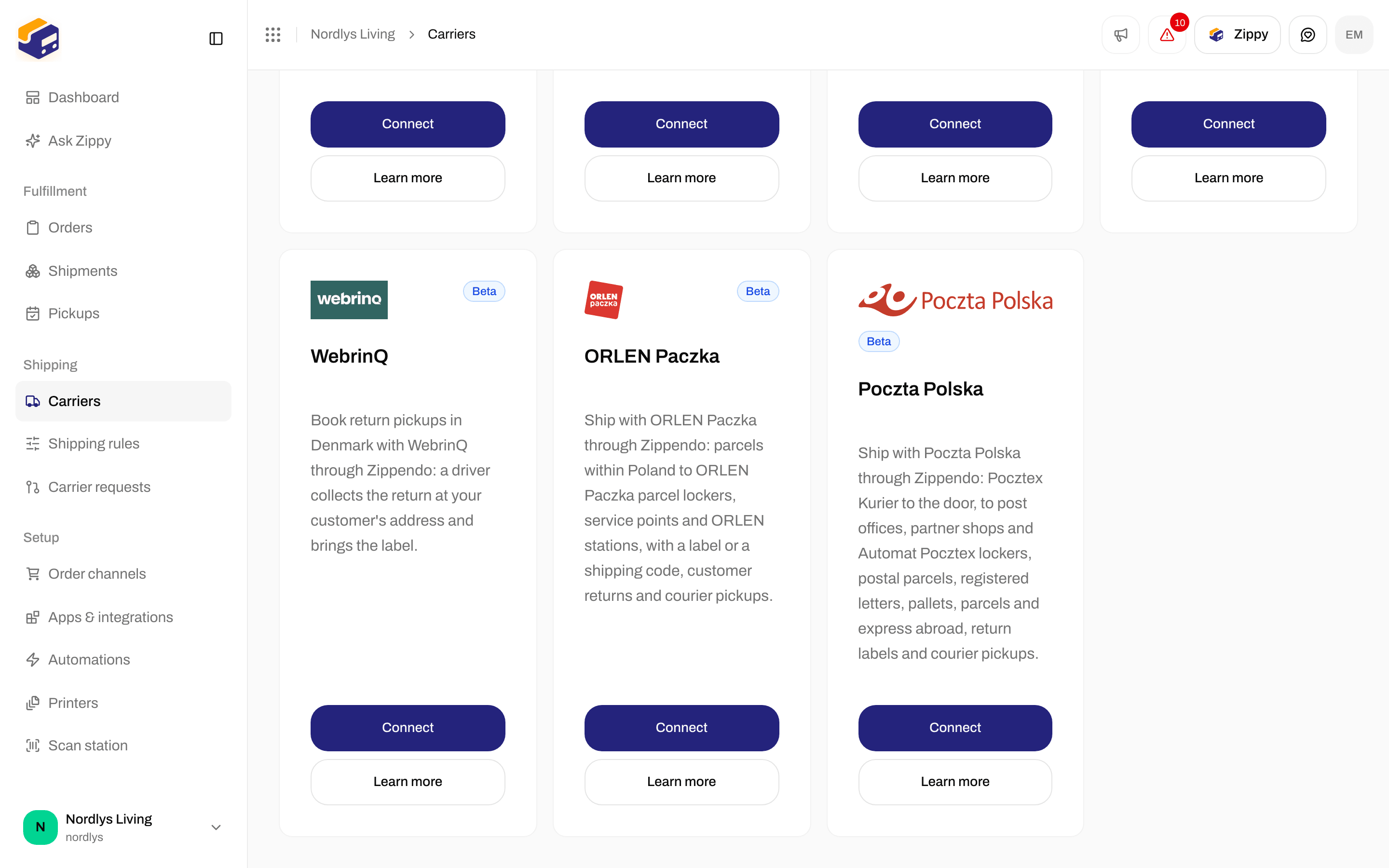
The Poczta Polska card on All carriers
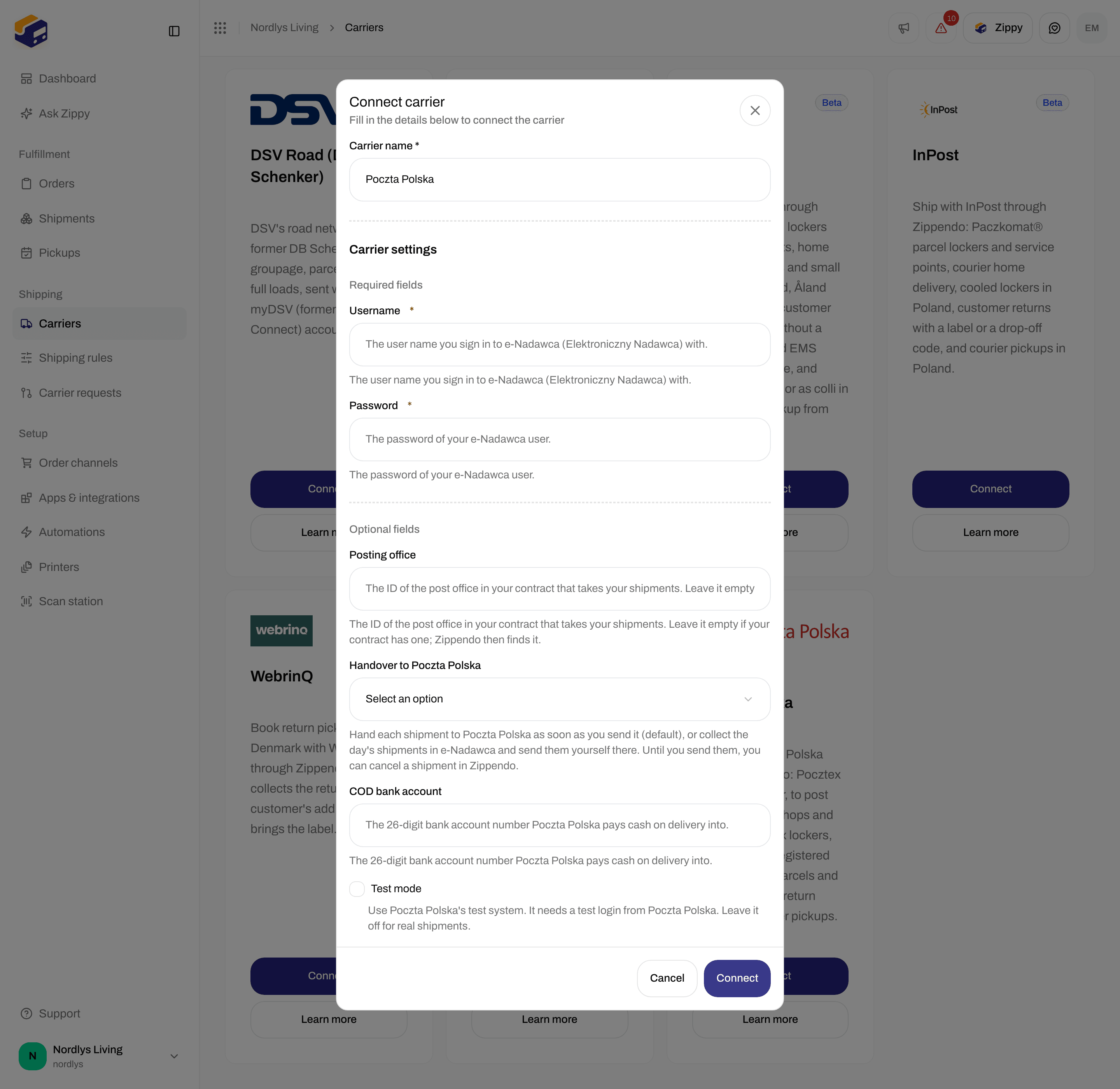
Connect carrier for Poczta Polska - fill in Username and Password
Fields on the form
Password hides what you type.
Connect does nothing until Carrier name, Username and Password have a value. When you click Connect or Save, Zippendo checks the details with Poczta Polska before it saves them:
- e-Nadawca must accept the Username and Password.
- If you entered a Posting office, it must be one of your user’s posting offices.
- If you left Posting office empty, your contract must have exactly one posting office. If it has several, the reason lists them with their IDs. Enter the one that takes your shipments.
Your e-Nadawca password
- e-Nadawca asks you to change your password regularly, every 30 days unless Poczta Polska set up your account otherwise. Each time you change it in e-Nadawca, enter the new one in Password on Edit carrier too.
- When e-Nadawca refuses the login, Zippendo does not try it again for an hour, so that e-Nadawca does not lock your user. Sending fails during that hour. When you save a corrected Username or Password, Zippendo tries it at once.
Test mode
With Test mode on, Zippendo sends your shipments, returns and pickups to Poczta Polska’s test system, and searches service points there too. Enter the Username and Password of the test login Poczta Polska gives you. Leave Test mode off for real orders. See Test mode.After you connect
The carrier appears on My carriers with a Connected badge. You choose the product on each shipment or in a shipping rule, not on this form. See Carrier products and services.
Each parcel gets its own tracking number and label. On Przesyłka paletowa, all the pallets of a shipment share one tracking number. Easy Return Solution gets no tracking number.
These are the countries each product covers. Poczta Polska decides on your contract which products and countries you can use, and a product or country outside your contract is refused when you send, with Poczta Polska’s reason.
Every parcel needs a weight. An address in Poland needs a Polish postcode, such as 00-950. Poczta Polska takes at most 60 characters for a name, 255 for a street, 11 for a house or flat number, 63 for a city, 20 for a phone number and 50 for an email address. A longer value is refused before anything goes to Poczta Polska, with the field named.
How shipments reach Poczta Polska
Handover to Poczta Polska on the connection decides when Poczta Polska gets your shipments:
Either way, you then give the parcels to Poczta Polska. On Pocztex Kurier, Pocztex Kurier - odbiór w punkcie and Pocztex Kurier - Automat Pocztex, Handover under Extra details for the carrier says how. The form says: “How you give the parcel to Poczta Polska: collected by the courier (default), at a post office, or in an Automat Pocztex parcel locker.” The choices are Courier pickup, Post office and Automat Pocztex. To have the courier come, you can order a pickup under Pickups (see “Pickups” below).
Services and extra details
You choose services on the shipment or in a shipping rule. Poczta Polska decides per contract which services you can use. A service your contract does not include is refused when you send.
Without Priority, a product that offers it goes economy. On a shipment with several parcels, Cash on delivery collects the whole amount once, and Insurance and Declared value apply to each parcel in full. Delivery confirmation goes to the email address or phone number of your sender address; by SMS it needs a Polish mobile number there. With Saturday pickup the courier collects the parcel from you on a Saturday; on a pallet, Saturday delivery delivers it on a Saturday. Poczta Polska offers Insurance on Paczka pocztowa and Paczka zagraniczna Premium only to customers without a contract, so Zippendo does not offer it there: use Declared value on Paczka pocztowa.
Under Extra details for the carrier, the products have these details. A detail that belongs to a service appears when you tick the service, and is then required.
Service points
Pocztex Kurier - odbiór w punkcie and Pocztex Kurier - Automat Pocztex deliver to a service point in Poland. Choose it in the Service point section of the shipment before you send. Pocztex Kurier - odbiór w punkcie lists post offices and partner shops, and Pocztex Kurier - Automat Pocztex lists Automat Pocztex parcel lockers. The search needs a Polish postcode. An Automat Pocztex takes Pocztex size S, M and L. See Pick a service point and Service points.Labels and documents
Each label is a PDF, or ZPL for a thermal printer, as you chose under Label format. On a shipment that needs customs, the CN22 or CN23 customs declaration comes with the labels as an A4 PDF under Documents. A Przesyłka paletowa shipment also gets the pallet waybill under Documents when Handover to Poczta Polska is When sent in Zippendo. With I send them in e-Nadawca, print the waybill in e-Nadawca after you send the buffer. If you click Fetch label on a shipment, Zippendo gets its labels again, with the customs declaration and the pallet waybill when the shipment has them.Returns
Pocztex Kurier - zwrot and Easy Return Solution bring a parcel from your customer to your address in Poland. See Inbound and returns.
Pocztex Kurier - zwrot:
- Your customer hands the parcel in where Customer hands the return in says: “At a post office (default), in an Automat Pocztex parcel locker, or to a courier at their address.” The choices are Post office, Automat Pocztex and Courier pickup.
- Return label valid for says: “How many days your customer can use the return label, 1 to 30. Default 30.” Enter a whole number.
- Each parcel gets its own return label and tracking number. Send the labels to your customer.
- Your customer posts the parcel at their own post office, and it comes back to you in Poland.
- One parcel per return, and no services. A return needs customs data when it comes from outside the EU, or from Åland, the Canary Islands, Ceuta or Melilla. See “Customs” below.
- The return gets a label but no tracking number. Send the label to your customer.
- If Poczta Polska accepts the return but its label cannot be downloaded, the shipment shows Shipment sent with a warning. The line under the message names the label order and says to ask Poczta Polska for its label. Fetch label is not offered. Do not send the shipment again.
Customs
e-Nadawca makes the CN22 or CN23 customs declaration from the shipment’s data, and Zippendo adds it to the shipment’s Documents. Zippendo sends that data from the order lines of each parcel. A shipping rule for Poczta Polska does not offer Generate proforma invoice or Generate commercial invoice. Poczta Polska does not make a commercial invoice, so if the destination needs one, add your own to the parcel. See Customs and documents. A shipment needs customs data when it leaves the EU, or goes to Åland, the Canary Islands, Ceuta or Melilla. On Paczka zagraniczna, Paczka zagraniczna Premium, EMS, GLOBAL Expres and Easy Return Solution:- Each parcel needs order lines. Each order line needs a description or SKU, a unit price, a currency, a Tariff number (HS code) of 6, 8 or 10 to 14 digits, and a country of origin. The HS code is not needed when Contents is Documents.
- All order lines of a parcel must be priced in the same currency.
- One parcel lists at most five kinds of goods, counted by HS code and country of origin. Pack more kinds in more parcels.
- Contents says: “What the parcel holds, for the customs declaration. Default: online sale.” The choices are Online sale, Business-to-business sale, Returned goods, Gift, Documents and Other. On Easy Return Solution, the default is Returned goods.
- Contents explanation says: “What the contents are, when you chose Other.” Fill it in only with Other: it is required then, and refused with any other choice.
- On GLOBAL Expres with Contents set to Documents, a parcel under 250 g goes without a customs declaration.
Pickups
You can order a Poczta Polska courier under Pickups, for pickup addresses in Poland. See Schedule a pickup.- The pickup form has no time fields for Poczta Polska. The courier comes between 08:00 and 20:00, Polish time.
- Pick today or a later date. Today works until 18:00 Polish time, since the courier needs at least two hours. After that, pick a later date.
- The pickup address needs a Polish postcode, such as 00-950.
- Poczta Polska does not receive your Special instructions (optional).
- Poczta Polska sends its confirmation of the order to the email address of the pickup address, when it has one.
- The pickup has no Carrier reference. Zippendo cannot cancel or change a Poczta Polska pickup, and e-Nadawca cannot cancel it either. To cancel, contact Poczta Polska.
Tracking
- Zippendo does not fetch tracking updates from Poczta Polska yet, so the shipment’s Tracking timeline stays empty.
- Each shipment still gets its tracking number and a Tracking link to Poczta Polska’s tracking page. Easy Return Solution has neither.
Cancelling
Cancel shipment works only while Poczta Polska does not have the shipment yet:- With Handover to Poczta Polska set to I send them in e-Nadawca, you can cancel a shipment until you send that day’s buffer in e-Nadawca. Zippendo takes the shipment out of the buffer. After you have sent the buffer, you see “The carrier refused to cancel the shipment, for example because the parcel has already been collected.”
- With When sent in Zippendo, Poczta Polska has the shipment as soon as you send it, and you see “This shipment can’t be cancelled from Zippendo. Contact the carrier to cancel it.” The same goes for Easy Return Solution: a return label cannot be cancelled once it is ordered.
Change or remove the connection
To change it, open Carriers → My carriers and click Edit carrier on the card. The Edit carrier page has two sections:- General: Carrier name, and Brand if your organization has brands.
- Carrier settings: Username, Password, Posting office, Handover to Poczta Polska, COD bank account and Test mode.
Common problems
When sending fails, the shipment shows the message below, with Poczta Polska’s or Zippendo’s detail in a line under it. Poczta Polska’s own reasons are mostly in Polish and end with an e-Nadawca error number, for example “(e-Nadawca error 12345)”. Poczta Polska’s support can look the number up.
More help: Carrier authentication failures.