

Products that deliver to a service point
A shipment goes to a service point when its carrier product is a service point product. These are the service point products of each carrier:
FedEx and Porterbuddy have no service point products.
Some return products also use service points without asking you to pick one. With GLS ShopReturn or PostNord Return, for example, your customer can hand in the parcel at any service point.
Where the service point is chosen
By your customer at checkout
If your webshop shows Zippendo’s shipping rates at checkout, your customer can pick a service point there. The order arrives in Zippendo with that service point already on it.- Shopify: shipping rules that deliver to a service point show each nearby service point as a separate shipping rate. Service points at checkout sets how many service points to show in total. See Shopify settings.
- WooCommerce: the Zippendo for WooCommerce plugin shows shipping rates and service points at your checkout. See Connect WooCommerce.
By you on a shipment
When you create a shipment and pick a service point product, a Service point card appears. Zippendo finds the service points near the receiver’s address and selects the nearest one. Click Change service point to pick another one from a list and a map. The same happens when you click Create shipment on an order, or change the product on an existing shipment.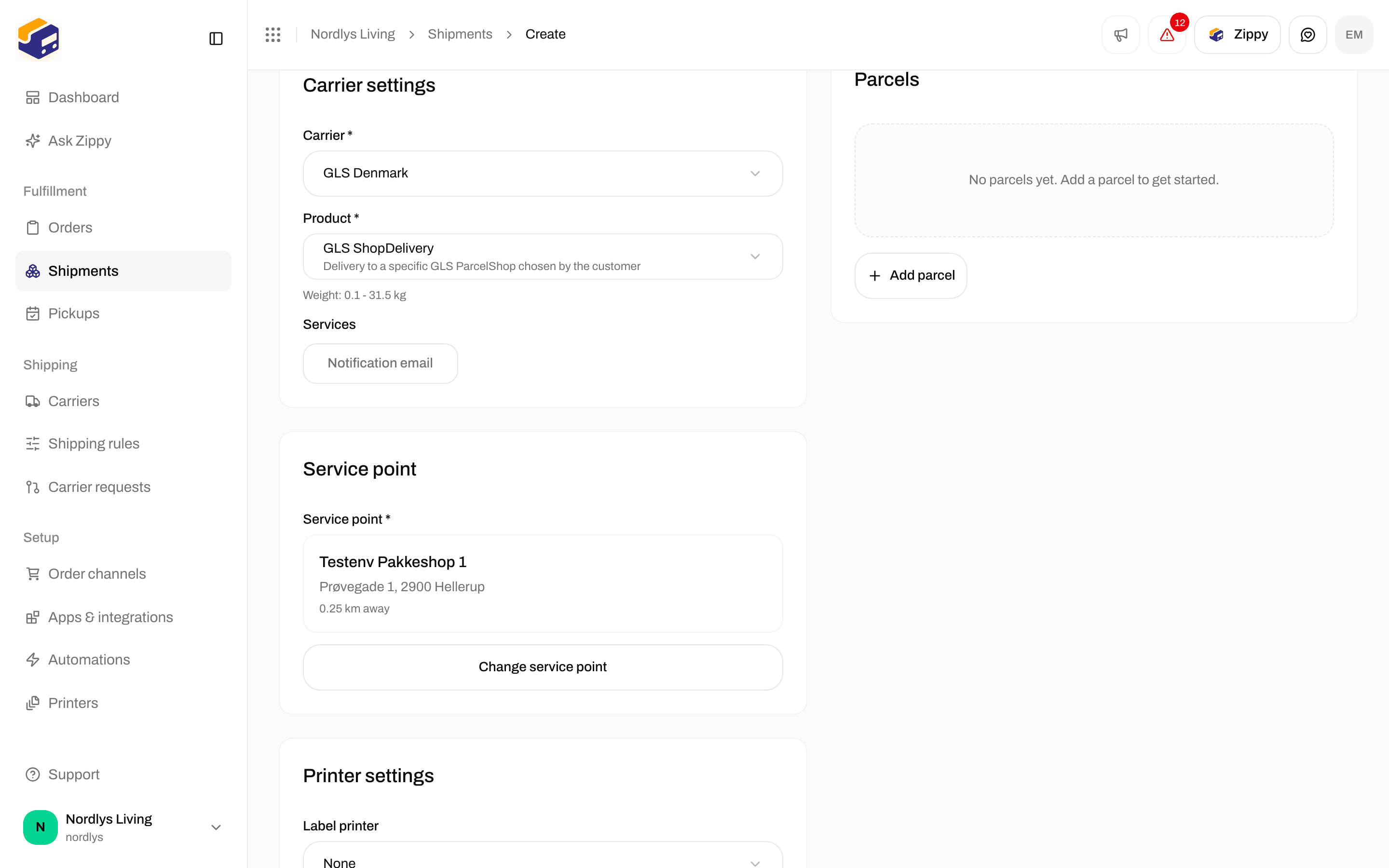
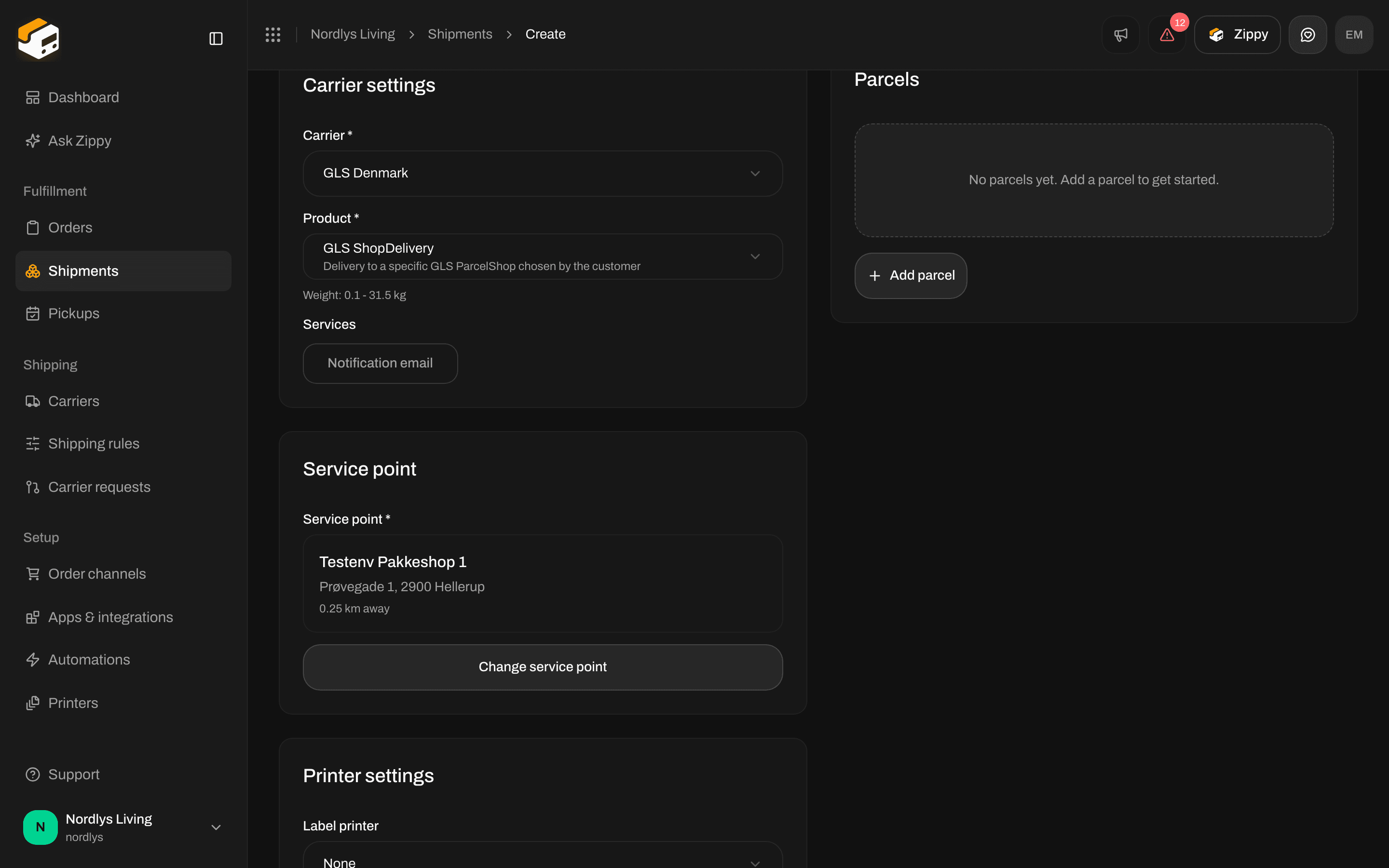
The Service point card on a new shipment, with the nearest service point selected
Later, before you send
On the shipment page, the Addresses card shows the Service point below Sender and Receiver. While the shipment is Pending, Draft or Error, click the pencil next to it to choose another service point. After the shipment is sent, you cannot change it.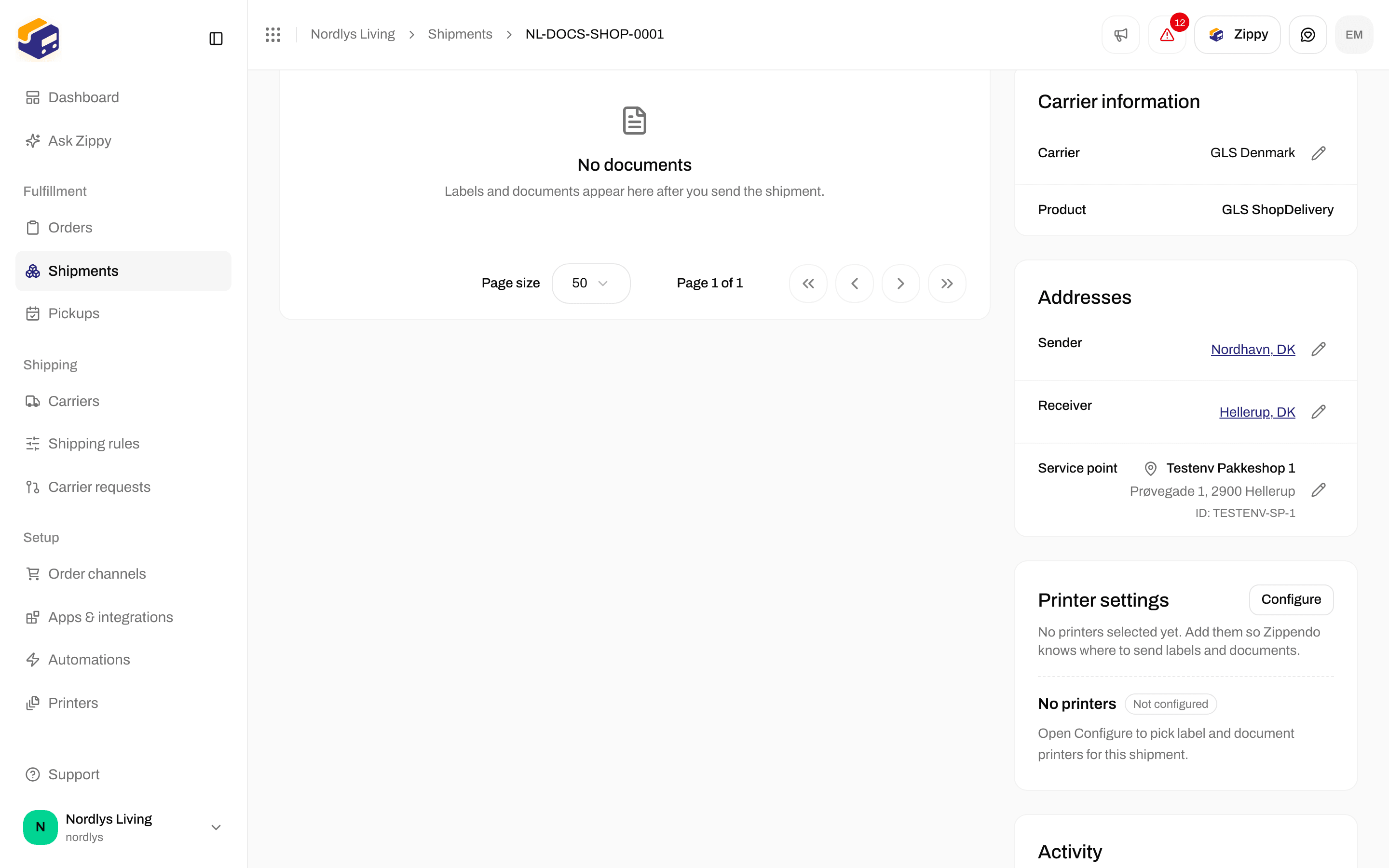
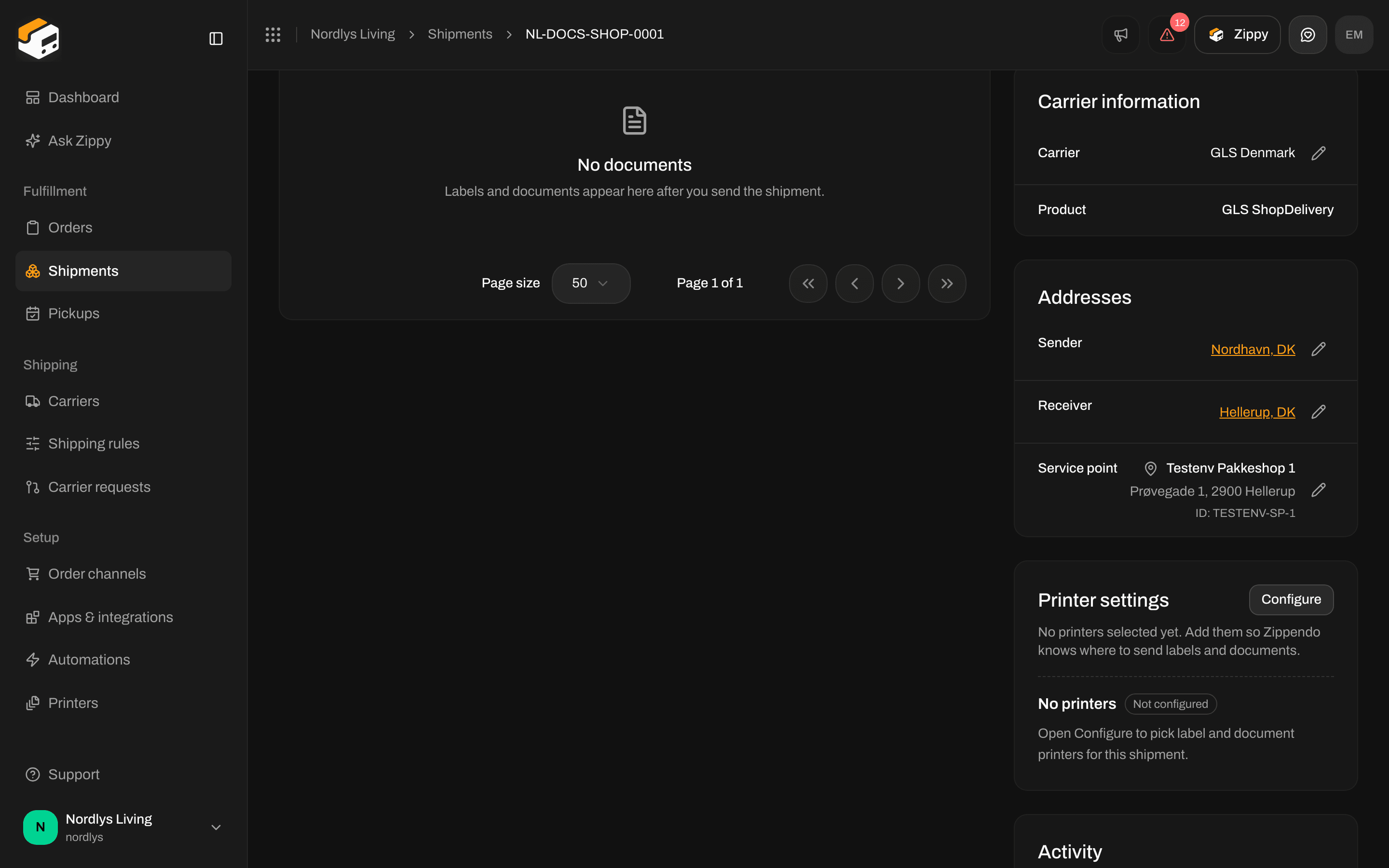
The chosen service point under Addresses on the shipment
Service point or pickup?
A service point is where your receiver collects the parcel. A pickup is when the carrier collects parcels from you. Pickups are scheduled under Pickups in the sidebar, see Schedule a pickup. The tracking statuses Awaiting pickup and Ready for pickup come from the carrier and tell you how far the parcel has come.Messages
See Send a shipment if sending is blocked for another reason.