

DHL Paket is in beta in Zippendo. Try it with Test mode first, and tell us if something does not work as described here.
Before you start
- A DHL Paket business customer account, with your 10-digit customer number (EKP), for example
3312345678. - A system user in DHL’s business portal (geschaeftskunden.dhl.de) with access to the shipping API, and its password. The steps are under “Create a system user” below.
- The products you plan to use on your DHL contract. Each one has its own billing number in the business portal: your EKP, two digits for the product and two for the participation.
- For tracking events and the Packstation and post office search: an app on DHL’s Developer Portal. The steps are under “Get a Developer Portal API key” below.
- Your sender address in Germany. Add it under the organization menu → Manage → Addresses, and choose it on each shipment or in a shipping rule.
Create a system user
1
Sign in to DHL's business portal
Sign in to the DHL business portal (geschaeftskunden.dhl.de) as the account’s main user.
2
Create a system user
Under user administration, create a system user and give it the right to create shipments through the API. A system user has no login of its own on the website, and its password does not expire.
3
Note your billing numbers
Under your contract data, note the billing numbers of the products you use. The last two characters are the participation. Most accounts use
01.Get a Developer Portal API key
DHL’s tracking events and its Packstation and post office search reach Zippendo only through your own app on DHL’s Developer Portal, because DHL asks its customers to use their own key. Zippendo needs only the app’s API key, never your portal password.1
Register on DHL's Developer Portal
Create an account on DHL’s Developer Portal, or sign in to the one you have.
2
Create an app with DHL's tracking and location finder
Create an app and add Shipment Tracking - Unified and Location Finder - Unified to it.
3
Ask for a higher quota if you send many parcels
DHL starts each app on a small daily quota. Zippendo asks DHL about every parcel on its way about once an hour, so if you send many parcels, request a quota upgrade on the portal. If you use the same app for DHL eCommerce Europe, both connections track their parcels on that one quota and share its limit of one call every 5 seconds.
4
Add the key to Zippendo
Copy the app’s API key into Developer Portal API key on the connect form, or on Edit carrier for a carrier you already connected.
Connect DHL Paket
1
Open All carriers
In the sidebar, click Carriers, then open the All carriers tab.
2
Find DHL Paket
On the DHL Paket card, click Connect.
3
Fill in the form
The Connect carrier window opens. Enter a Carrier name, your Business portal user, Business portal password and Customer number (EKP). Everything else is under Optional fields.
4
Connect the carrier
Click Connect. Zippendo signs in to DHL with the user and password first. You see “Carrier connected”, and the carrier appears on the My carriers tab.
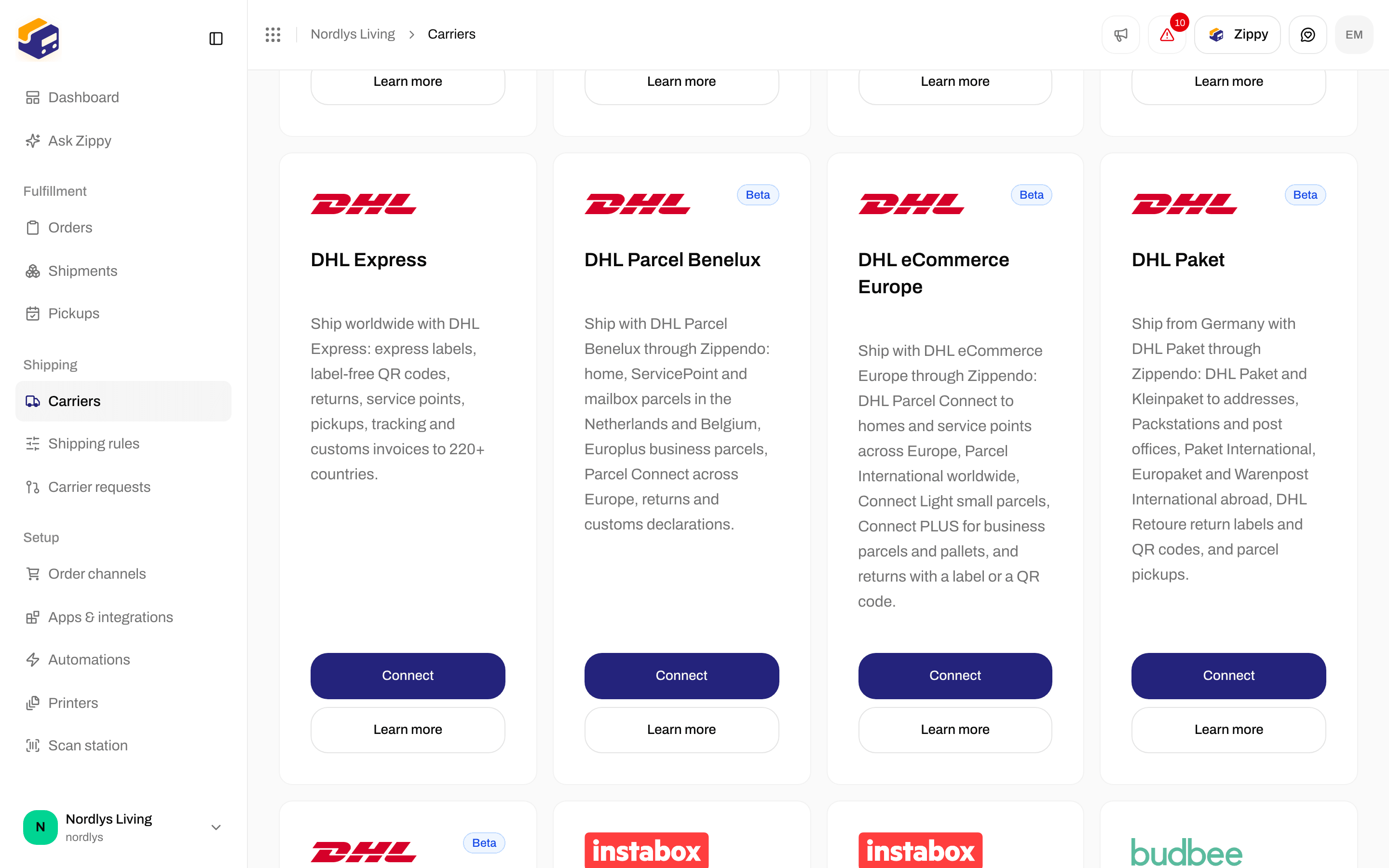
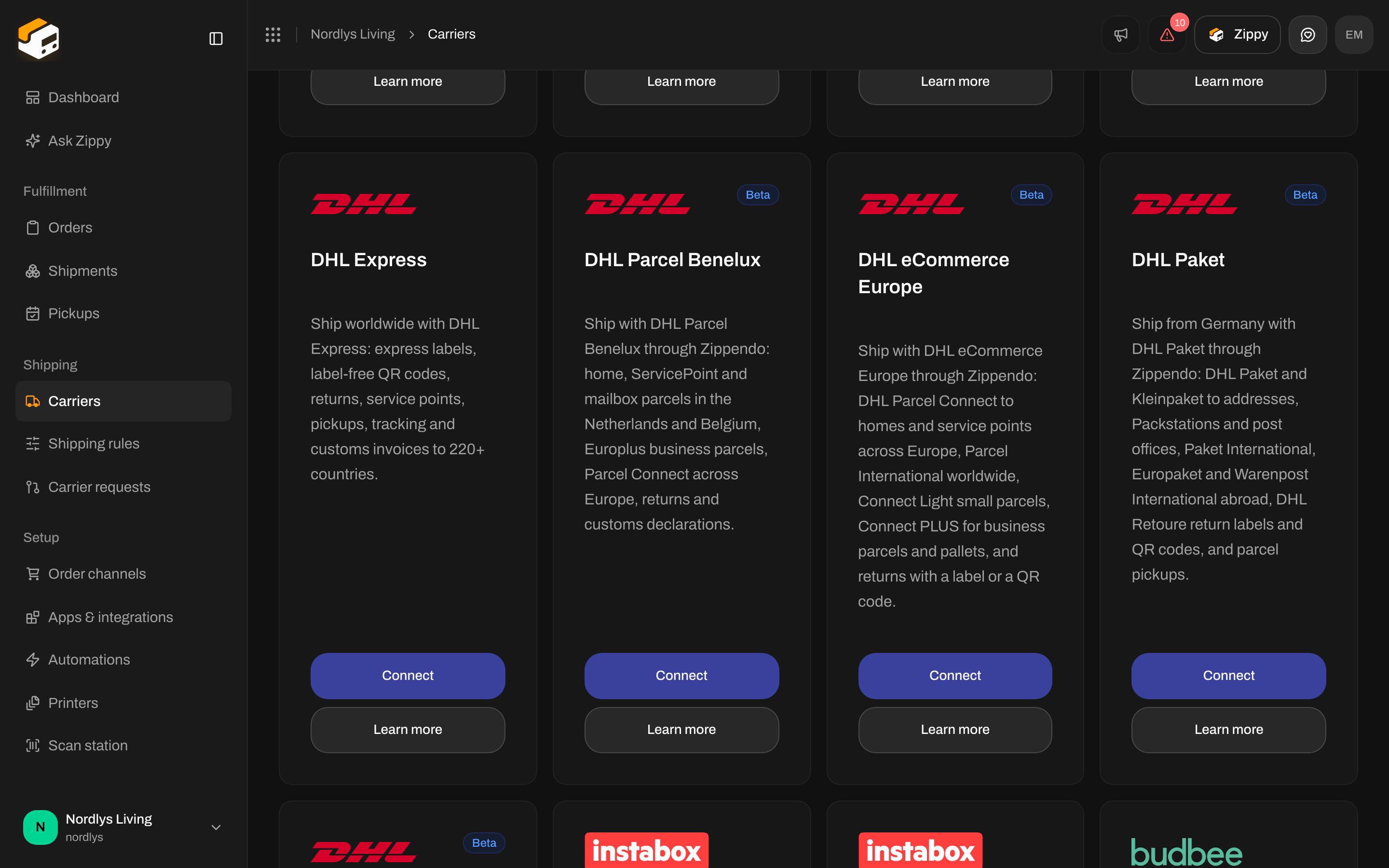
The DHL Paket card on All carriers
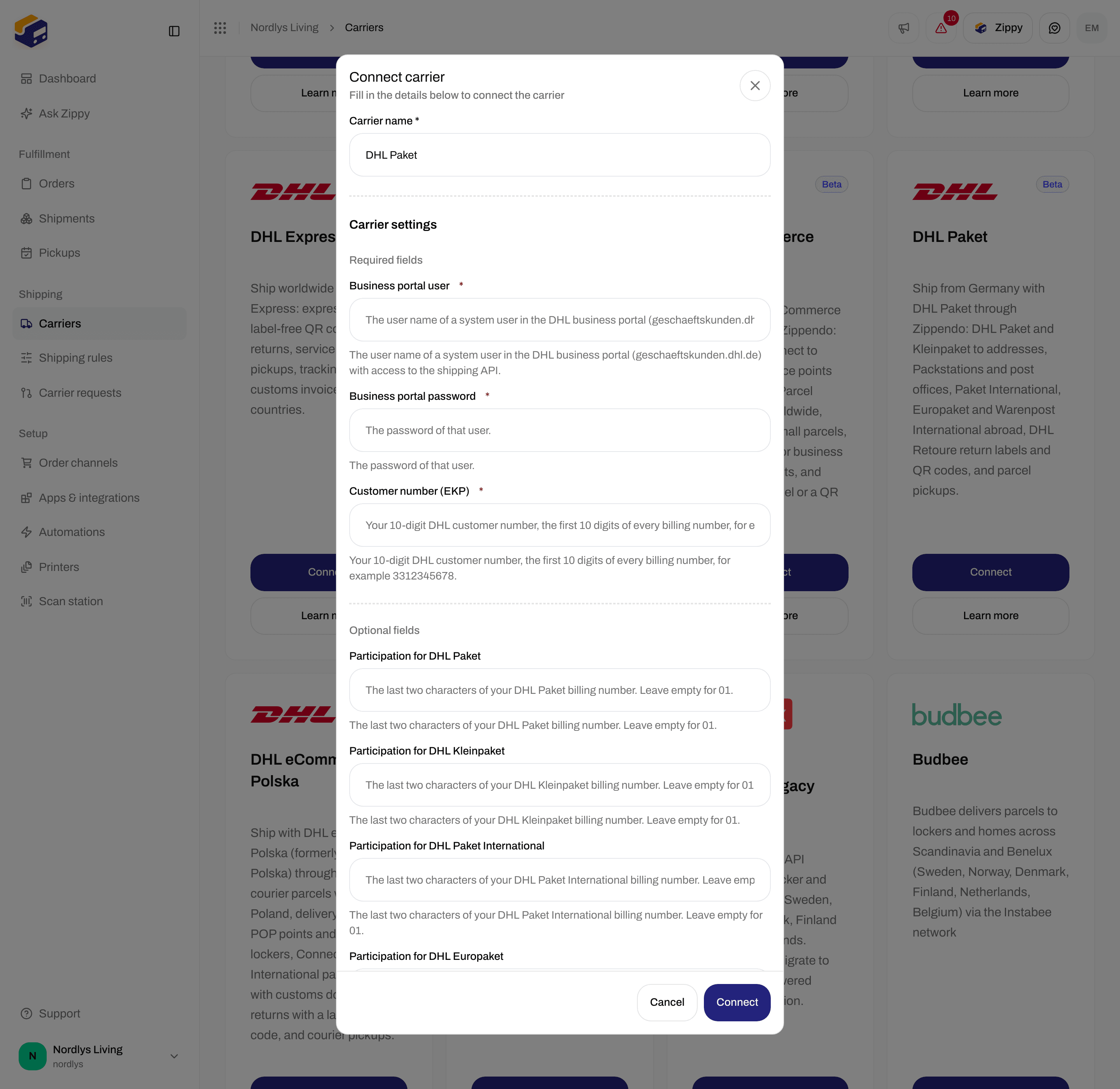
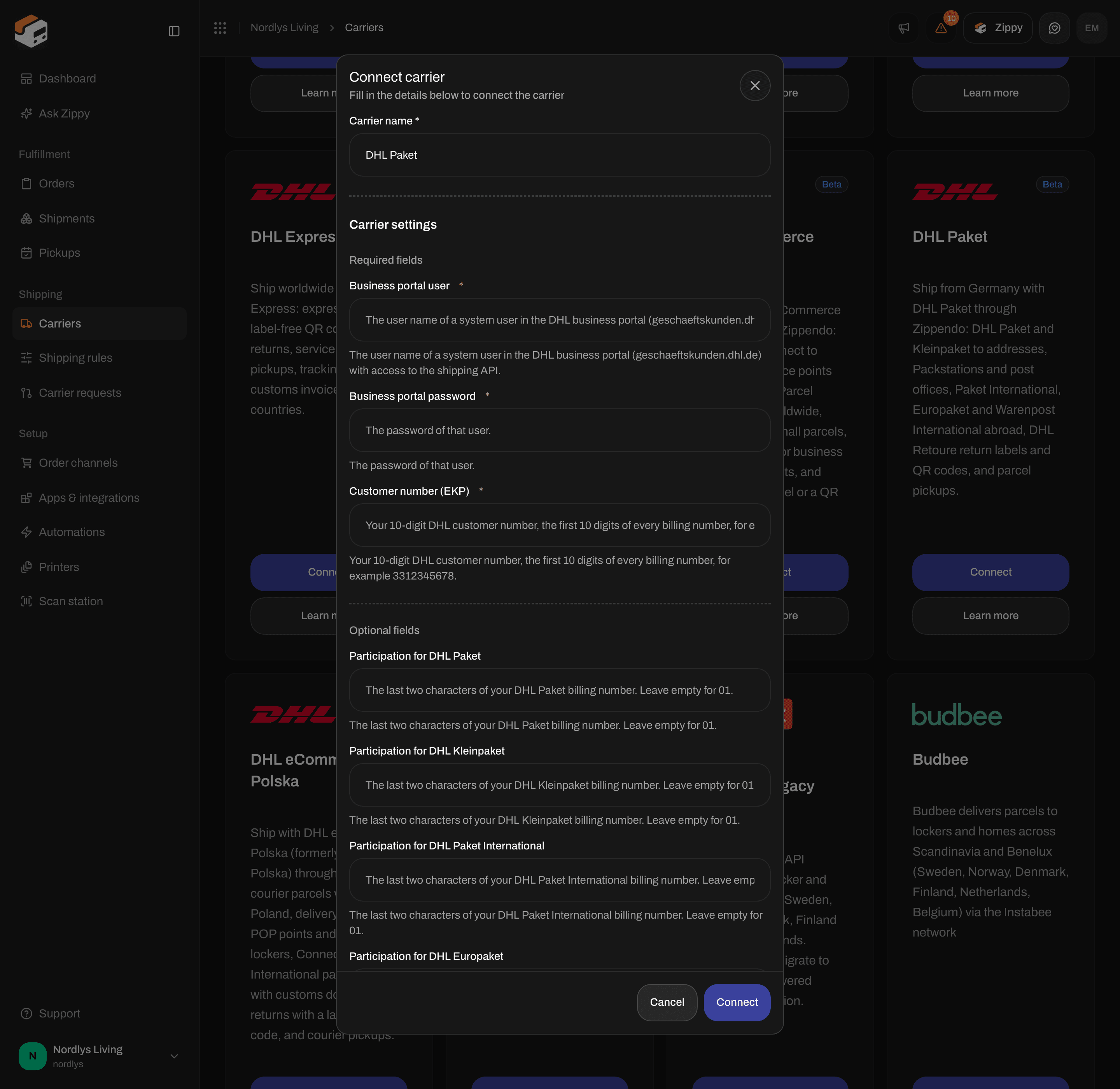
Connect carrier for DHL Paket - fill in Business portal user, Business portal password and Customer number (EKP)
Fields on the form
Connect does nothing until Carrier name, Business portal user, Business portal password and Customer number (EKP) have a value. Your VAT number and EORI come from Organization settings, or from the brand when it has its own customs identifiers.
After you connect
You choose the product on each shipment or in a shipping rule, not on this form. See Carrier products and services. A product that is not on your DHL contract is refused when you send, with DHL’s reason.
Every parcel needs a weight. Every product sends from Germany, and every shipment can carry up to 30 parcels, except DHL Retoure, which carries one. Returns and pickups need a house number in the address.
Services and extra details
Tick services under Services on the shipment or in the shipping rule. Fill in the values a service needs under Extra details for the carrier.
Other extra details: Preferred neighbour and Preferred drop-off location on DHL Paket and DHL Kleinpaket. Individual sender requirement on DHL Paket, for a delivery requirement code agreed in your DHL contract. Delivery variant (Premium or Economy, plus Nearest service point (Closest Droppoint) on Paket International) on Paket International and Warenpost International, and If undeliverable (Return to sender or Abandon) on Paket International. Empty means DHL’s default for the destination. Participation puts one shipment on another billing number than the one in the carrier settings.
A service that a product does not offer is refused when you send. Nothing is dropped quietly.
Packstation and post office delivery
Choose the Packstation or post office in the Service point section of the shipment before you send. See Pick a service point. The search needs the Developer Portal API key and covers Germany only.- A Packstation needs the receiver’s DHL Postnummer (6 to 10 digits). Fill in Postnummer under Extra details for the carrier. Zippendo also finds it in the receiver’s second address line or attention line when the line holds only the number or starts with “PostNr.” or “Postnummer” (“PostNr. 12345678”), or in a receiver attribute named
postNumber. Other numbers on those lines, such as a phone number, are never read as one. - A post office needs the receiver’s email address or Postnummer.
- On DHL Paket and DHL Kleinpaket, an address typed as “Packstation 123” or “Postfiliale 502” goes to that Packstation or post office.
Labels
Zippendo asks DHL for a label per parcel in the Label format on the carrier, 10 x 15 cm or A4, and adds it to the shipment’s documents when you send. DHL also returns the return label, the CN23 and the cash on delivery form when the shipment has them. If DHL’s answer has no label, Zippendo asks DHL for it again straight away. If that fails too, the shipment is sent with a warning and offers Fetch label. DHL keeps labels until three days after the day you hand the parcels over. DHL keeps no copy of a DHL Retoure label.Return shipments
A return shipment brings a parcel from your customer to you. Create it with the Inbound type, with your customer as the sender and your address in Germany as the receiver, and choose DHL Retoure. See Inbound and returns.- Set up a return receiver for each country your customers return from in DHL’s business portal, on your DHL Retoure billing number. Without one, the return is refused with a note naming the country.
- Customers in Germany, France, Sweden, Switzerland and Austria get a label in your Label format. Customers elsewhere get an A4 label.
- With Label-free return (QR code), the shipment also shows a QR code. Your customer shows it at a DHL point instead of printing the label.
- A return from outside the EU customs area, such as Switzerland, Norway or the United Kingdom, needs order lines with a description and a unit price in EUR, GBP or CHF, at most 20 of them.
- You can’t cancel a DHL Retoure label. An unused label simply expires.
Customs
DHL Paket International and Warenpost International carry a customs declaration when the parcel leaves the EU customs area. Zippendo builds it from the order lines: every order line needs a description, a unit price and a currency, the same currency on every line, and a parcel takes at most 99 order lines. Zippendo shares the parcel’s weight over its items, and sends the HS code and country of origin when the order line has them. Choose the Type of export (a sale of goods when empty), and fill in Postage charged to the receiver if the receiver paid for shipping. The form says: “The shipping cost on your invoice, in the currency of the order lines. Leave empty for 0.” Enter it for the whole shipment: each parcel gets its own customs declaration, and the postage appears once, on the first parcel’s. DHL returns the CN23 for Paket International and prints the CN22 on the Warenpost International label. Zippendo makes no commercial invoice for DHL Paket. See Customs and documents. Shipments to the United States are refused: DHL needs an electronic invoice for them that Zippendo does not send.Pickups, tracking and cancelling
- Pickups: you can schedule DHL Paket pickups under Pickups, at an address in Germany. See Schedule a pickup.
- Tracking: with a Developer Portal API key and Test mode off, Zippendo asks DHL for each parcel’s events about once an hour, for 14 days after you send. Next to DHL’s events, the timeline shows “Delivered by Deutsche Post DHL Group”, as DHL requires. Without the key the Tracking timeline stays empty, but each shipment still has its tracking number and a Tracking link to DHL’s tracking page. See Carrier tracking webhooks.
- Cancelling: you can cancel a DHL Paket shipment in Zippendo until DHL closes the day’s shipments in the business portal. DHL Retoure labels can’t be cancelled.
Change or remove the connection
To change it, open Carriers → My carriers and click Edit carrier on the card. Change the fields, then click Save. You see “Carrier updated”. To remove it, click Delete on the same page, type the carrier name in capital letters, and click Delete. Shipping rules that use this carrier are deleted with it. Shipments you already sent keep their labels and tracking numbers. A carrier with booked pickups cannot be deleted.Common problems
A shipment that fails shows the message below with DHL’s or Zippendo’s reason underneath. A warning means DHL has the shipment.
More help: Carrier authentication failures.