

You do not pick a sender address on this form. Add your addresses under the organization menu → Manage → Addresses. You choose the sender address on each shipment or in a shipping rule. ORLEN Paczka ships within Poland only: the sender address and the receiver must both be in Poland.
Before you start
- A signed ORLEN Paczka business agreement. When ORLEN Paczka activates it, it emails you your API identifier (PartnerID). Your API password (PartnerKey) is the same as your WebTrucker password. Zippendo has no ORLEN Paczka account of its own, so ORLEN Paczka bills your agreement.
- For ORLEN Paczka customer return: returns enabled on your ORLEN Paczka account. Ask your ORLEN Paczka account manager.
- For Shipping code instead of a label: the label-free service enabled on your ORLEN Paczka account. Ask your ORLEN Paczka account manager.
- For Test mode: a separate test API identifier and password from your ORLEN Paczka account manager.
Connect ORLEN Paczka
1
Open All carriers
In the sidebar, click Carriers, then open the All carriers tab.
2
Find ORLEN Paczka
On the ORLEN Paczka card, click Connect.
3
Fill in the form
The Connect carrier window opens. Enter a Carrier name, your API identifier and your API password. Test mode is under Optional fields.
4
Connect the carrier
Click Connect. Zippendo checks your details with ORLEN Paczka. You see “Carrier connected”, and the carrier appears on the My carriers tab.
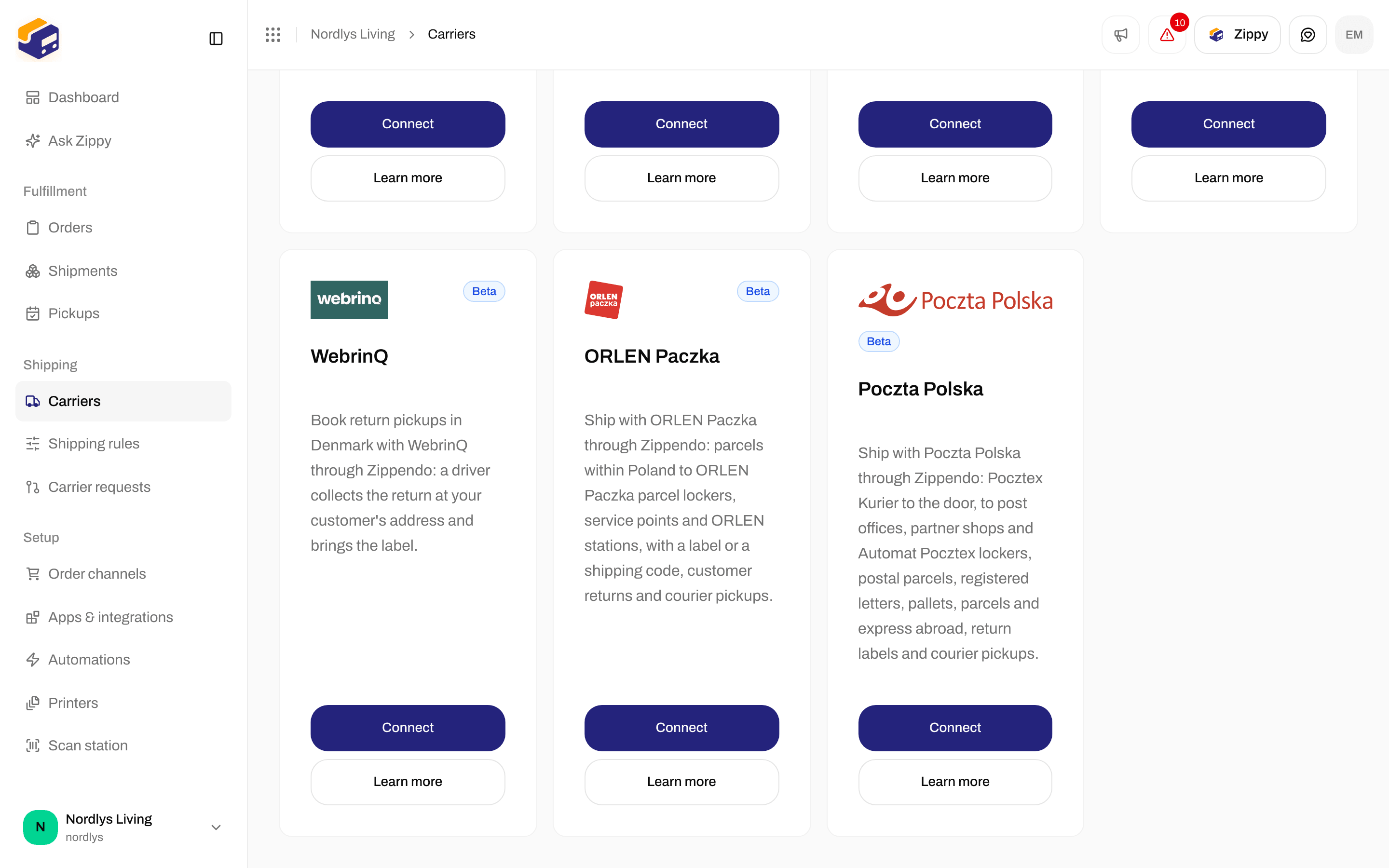
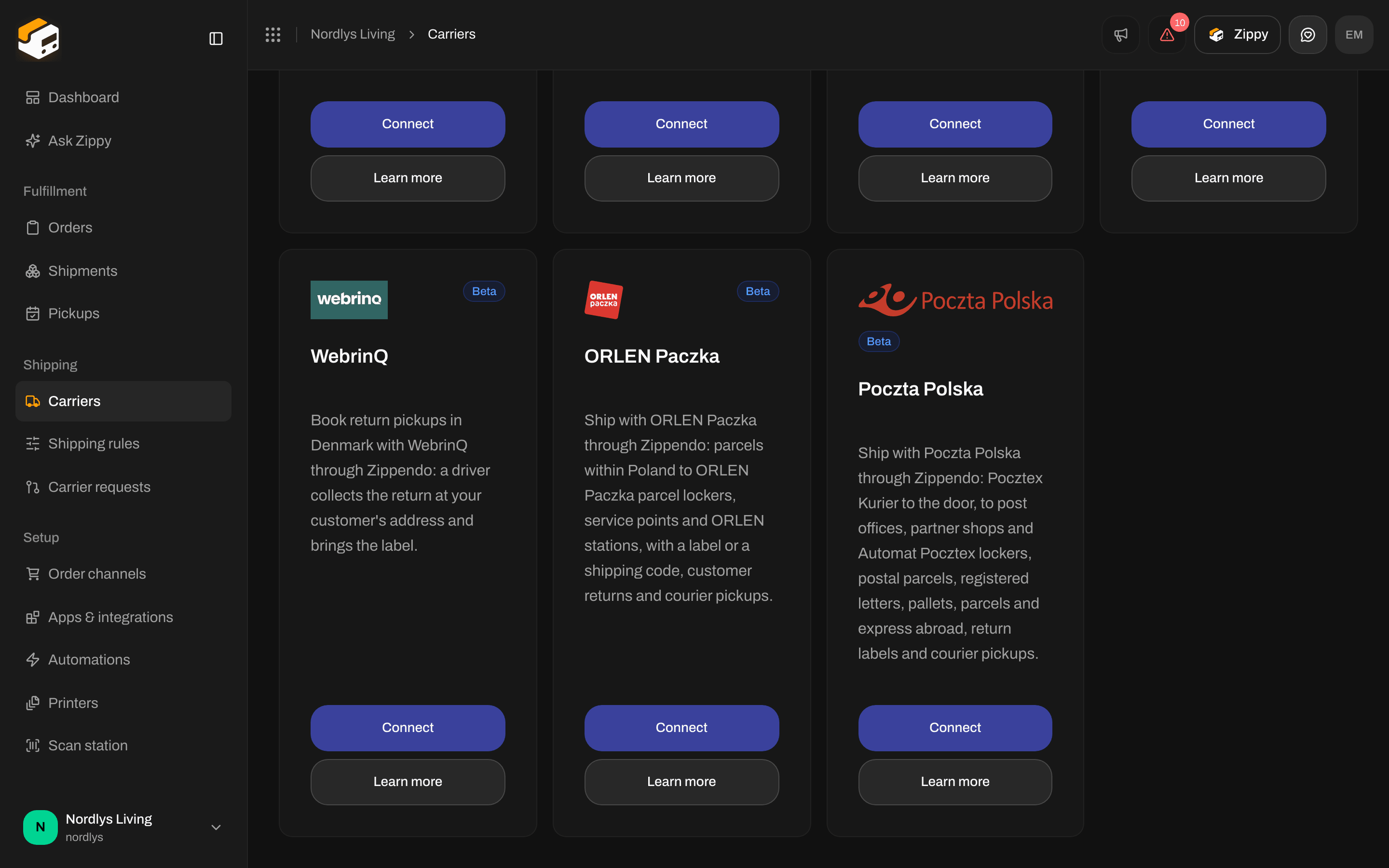
The ORLEN Paczka card on All carriers
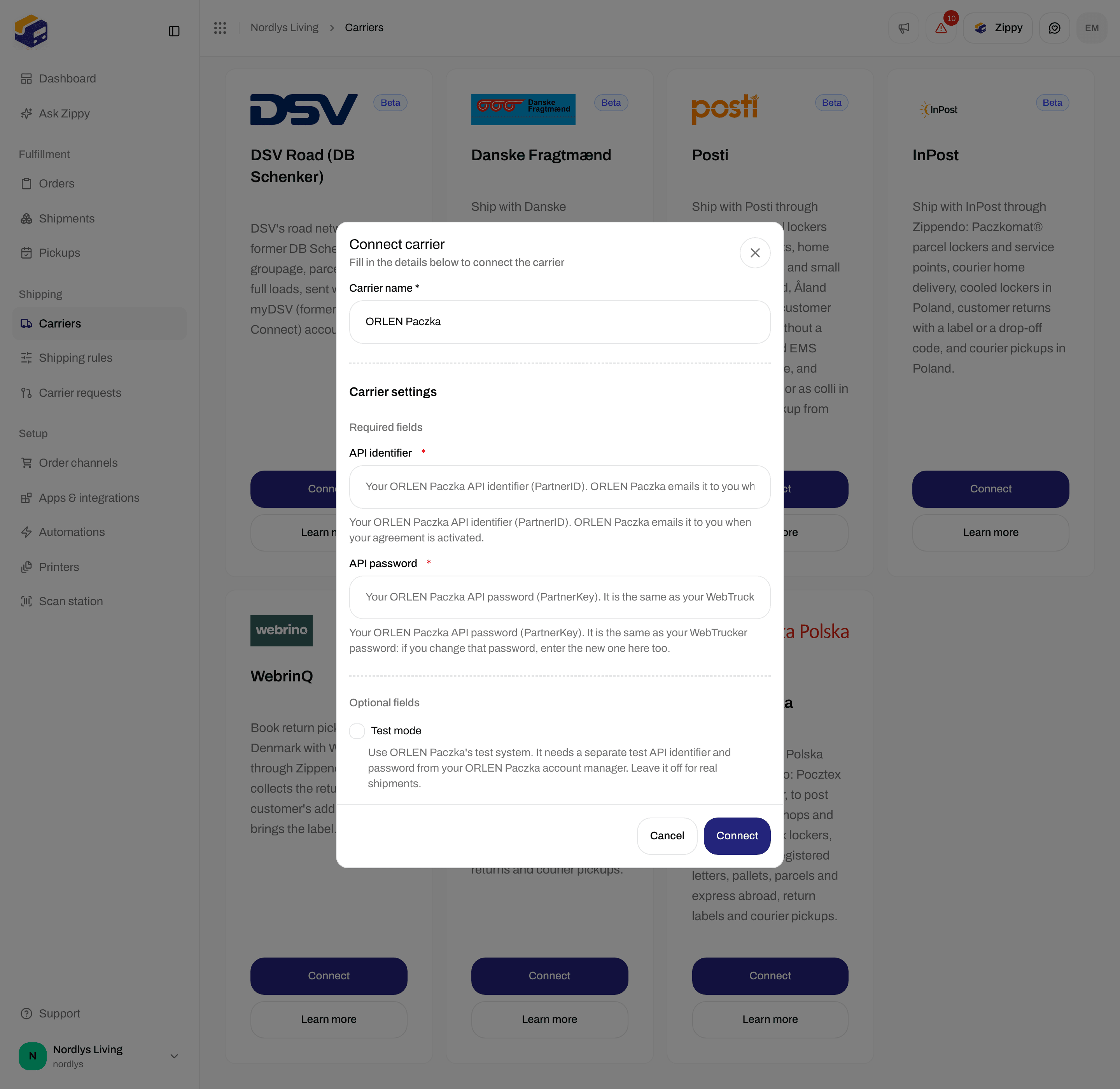
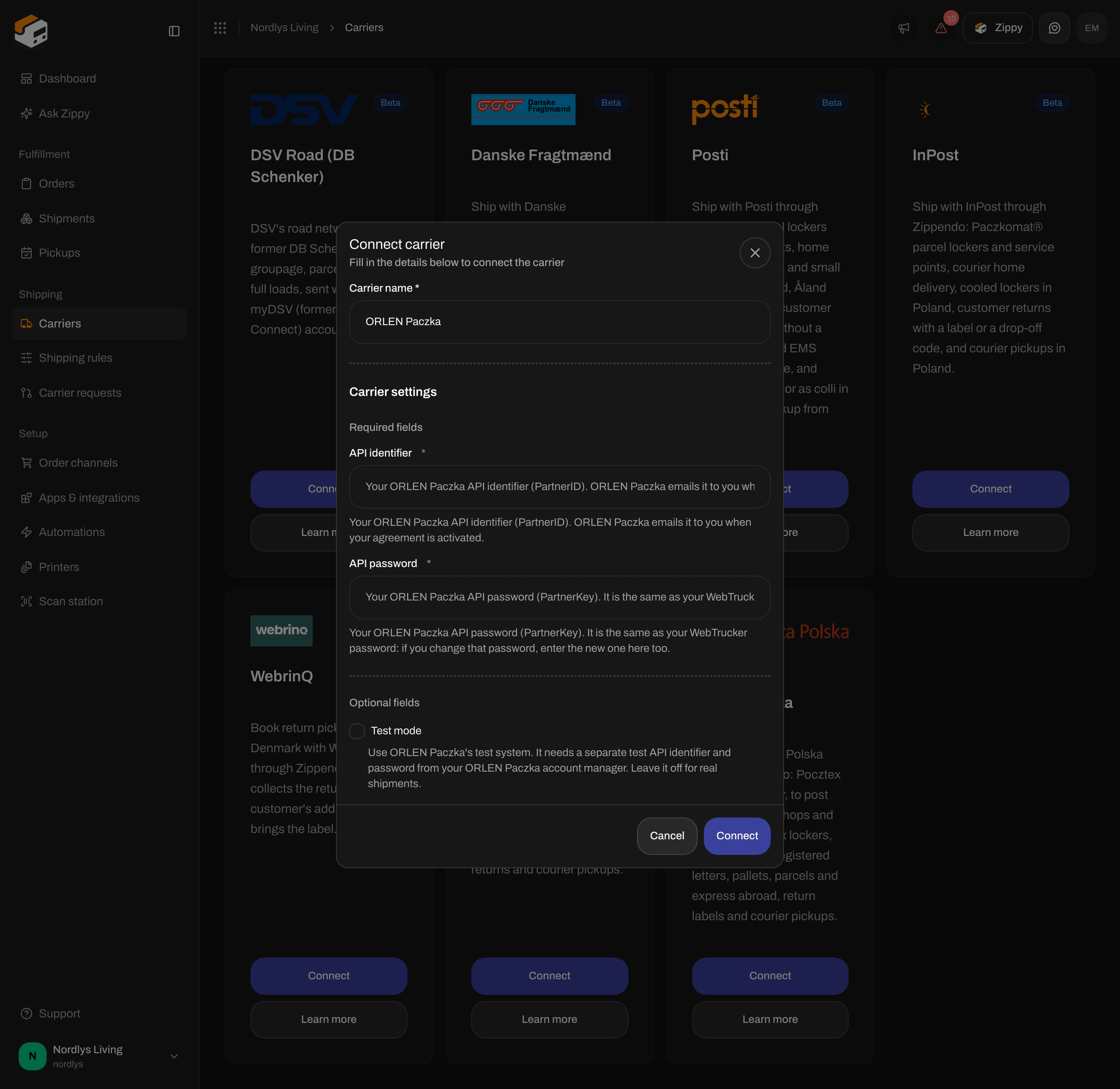
Connect carrier for ORLEN Paczka - fill in API identifier and API password
Fields on the form
API password hides what you type.
Connect does nothing until Carrier name, API identifier and API password have a value. When you click Connect or Save, Zippendo checks the details with ORLEN Paczka before it saves them:
- ORLEN Paczka must accept the API identifier and API password.
- Your agreement must be active. An account that ORLEN Paczka still lists as prepaid, without a signed agreement, is refused, because ORLEN Paczka would not send its parcels.
Test mode
With Test mode on, Zippendo sends your shipments, returns and pickups to ORLEN Paczka’s test system, and checks your details there too. Enter the test API identifier and API password from your ORLEN Paczka account manager. Your live details do not work in the test system, and the test details do not work with Test mode off. Leave Test mode off for real orders. See Test mode. The search for service points always uses ORLEN Paczka’s real list of points, also with Test mode on.After you connect
The carrier appears on My carriers with a Connected badge. You choose the product on each shipment or in a shipping rule, not on this form. See Carrier products and services.
Both products ship within Poland only. A sender address or a receiver in another country is refused when you send.
ORLEN Paczka takes one parcel per shipment. To send more parcels, split the shipment first. See Split and move parcels.
What each party needs:
- Sender address: a Polish address with a street and a building number, such as “Annopol 17A”, a postal code such as 03-236, a Polish phone number of 9 digits (+48), and an email address.
- Receiver: a name and a Polish phone number of 9 digits (+48). ORLEN Paczka sends its text messages to that number. An email address is optional. ORLEN Paczka does not get the receiver’s home address, only the point you chose.
- An email address can have at most 60 characters. ORLEN Paczka prints names and addresses on the label without shortening them, so a street longer than 30 characters, a building or flat number longer than 10 or a city longer than 30 is refused when you send. Shorten it and send again.
Parcel size
Every parcel has an ORLEN Paczka size. Under Extra details for the carrier, Parcel size says: “The ORLEN Paczka size the parcel fits. Leave empty to choose it from the parcel’s measures, or size M when they are missing. A parcel larger than its size costs an oversize fee.”
The parcel fits a size in any orientation. When the parcel has its length, width and height, Zippendo picks the smallest size that fits. A parcel larger than size L, a parcel that does not fit the size you picked, or a parcel over 20 kg is refused when you send.
Service points
ORLEN Paczka to a service point delivers to a point you choose in the Service point section of the shipment before you send. The search lists ORLEN Paczka parcel lockers, service points and ORLEN stations near the receiver’s address, and points where parcels can only be collected. Such a point says “Parcels can be collected here but not sent from here.”: the receiver can collect a parcel there, but you cannot hand one in. See Pick a service point and Service points. Under Extra details for the carrier, Alternative service point says: “Optional code of a second ORLEN Paczka point, such as WS-430123-F6-74, used when the chosen point cannot take the parcel.” Copy the code exactly as ORLEN Paczka writes it. If ORLEN Paczka cannot use the point you chose, it sends the parcel to another point. The tracking shows where the parcel is.Services and extra details
With Shipping code instead of a label, the shipment gets no label. The shipment shows a 10-digit code as Label-free code under Tracking information. Whoever hands in the parcel gives that code at the ORLEN Paczka point, and the point prints the label. ORLEN Paczka turns this service on for each account. Without it, sending is refused with a message that the label-free service is not enabled.
Under Extra details for the carrier:
Labels
Each label is an A6 PDF, a square PDF or ZPL for a thermal printer, as you chose under Label format. A shipment sent with Shipping code instead of a label has no label. If you click Fetch label on a shipment, the label comes back as PDF (A6), whichever Label format you chose. A shipment sent with a shipping code has no label to fetch.Hand the parcel to ORLEN Paczka
Take the parcel to any ORLEN Paczka point, except one where parcels can only be collected, or schedule a pickup under Pickups (see “Pickups” below).Returns
ORLEN Paczka customer return brings a parcel from your customer in Poland to the return address in your ORLEN Paczka agreement. The receiver address on the shipment does not change where it goes. To change your return address, contact your ORLEN Paczka account manager. See Inbound and returns.- Returns must be enabled on your ORLEN Paczka account. Without that, sending is refused with a message that the returns service is not enabled.
- Your customer needs a Polish address with a street and a building number, a Polish phone number of 9 digits (+48) and an email address.
- Without Shipping code instead of a label, the return gets a label. Send it to your customer, who sticks it on the parcel and hands it in at any ORLEN Paczka point.
- With Shipping code instead of a label, send your customer the Label-free code. Your customer gives it at the ORLEN Paczka point, and the point prints the label.
Pickups
You can schedule ORLEN Paczka pickups under Pickups, for pickup addresses in Poland. ORLEN Paczka charges courier pickups per parcel, as in your agreement. See Schedule a pickup.- The pickup collects the parcels of the shipments you include, by their parcel numbers. Send the shipments with a label before you schedule the pickup.
- ORLEN Paczka does not collect on Sundays. If ORLEN Paczka offers no pickup at your address on the date you chose, the pickup fails and the message names the next day it collects.
- The pickup form has no time fields for ORLEN Paczka: the courier comes within the times ORLEN Paczka offers for that day at your address.
- The pickup address needs a Polish postal code and a street with a building number. A Polish phone number is passed to the courier. ORLEN Paczka does not receive your Special instructions (optional).
- Zippendo cannot cancel or change an ORLEN Paczka pickup. To cancel, contact your ORLEN Paczka account manager.
Tracking
- Zippendo fetches tracking updates from ORLEN Paczka about once an hour. There is nothing to set up.
- The Tracking link opens ORLEN Paczka’s tracking page.
- When the receiver does not collect the parcel and ORLEN Paczka sends it back to you, the shipment shows Exception until the parcel is back with you. Then it shows Returned.
- With Test mode on, tracking comes from ORLEN Paczka’s test system.
Cancel a shipment
Open the sent shipment and click Cancel shipment, then confirm. ORLEN Paczka cancels it at once while nobody has handed the parcel in, and the shipment shows Cancelled. Once the parcel is at an ORLEN Paczka point or with its courier, ORLEN Paczka refuses, and nothing changes. See Hold, cancel, or delete a shipment.Change or remove the connection
To change it, open Carriers → My carriers and click Edit carrier on the card. The Edit carrier page has two sections:- General: Carrier name, and Brand if your organization has brands.
- Carrier settings: API identifier, API password and Test mode.
Common problems
When sending fails, the shipment shows the message below, with ORLEN Paczka’s or Zippendo’s detail in a line under it.
More help: Carrier authentication failures.