> ## Documentation Index
> Fetch the complete documentation index at: https://www.zippendo.com/docs/llms.txt
> Use this file to discover all available pages before exploring further.
# Ask Zippy
> Open the Zippy assistant from the header, use every panel control, and see what it can look up or change in your organization.
**Zippy** is Zippendo’s in-app shipping assistant. It can look up orders and shipments, help you connect a carrier, draft a shipping rule, or create a shipment — always inside your current organization, with the same permissions you have.
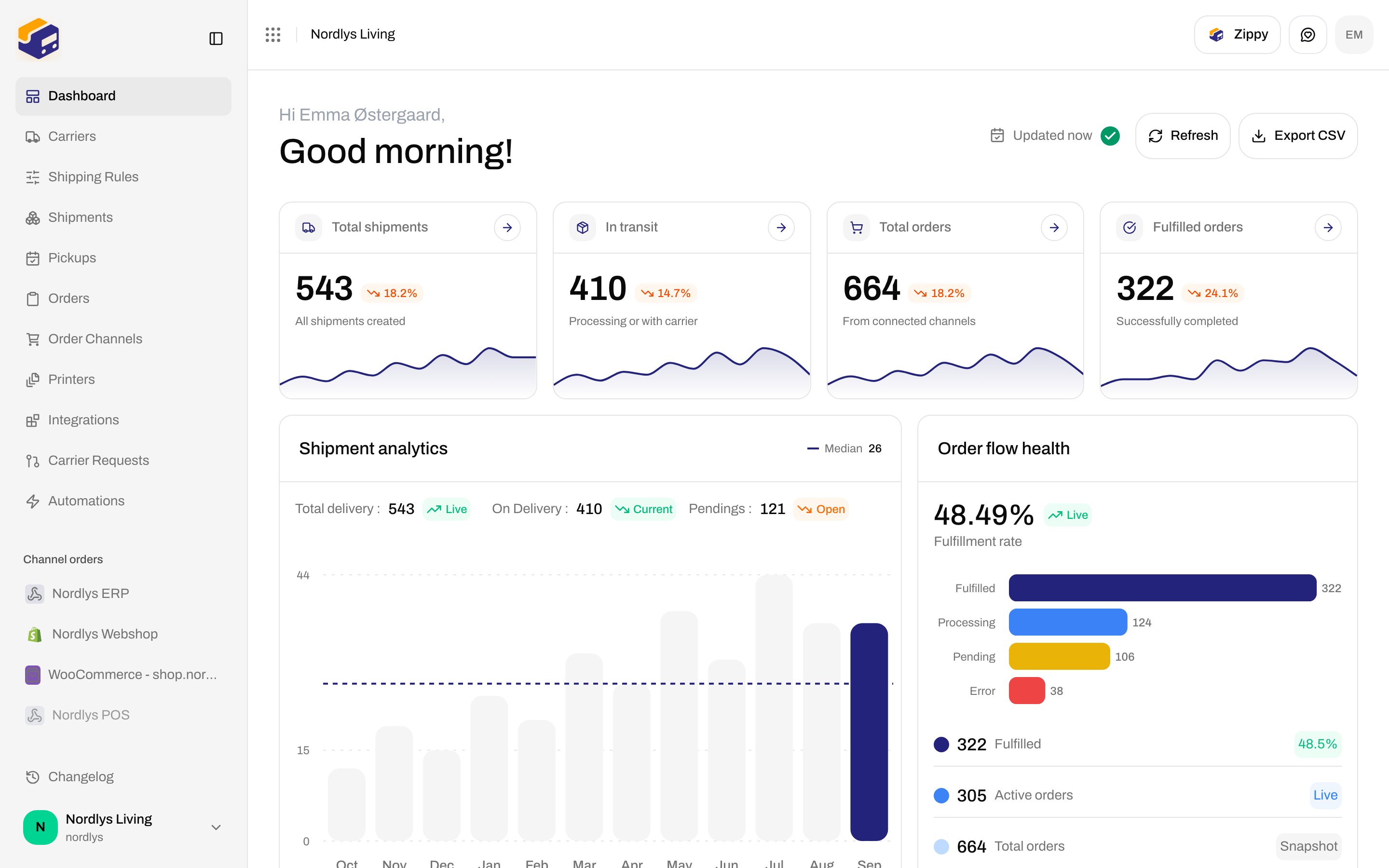
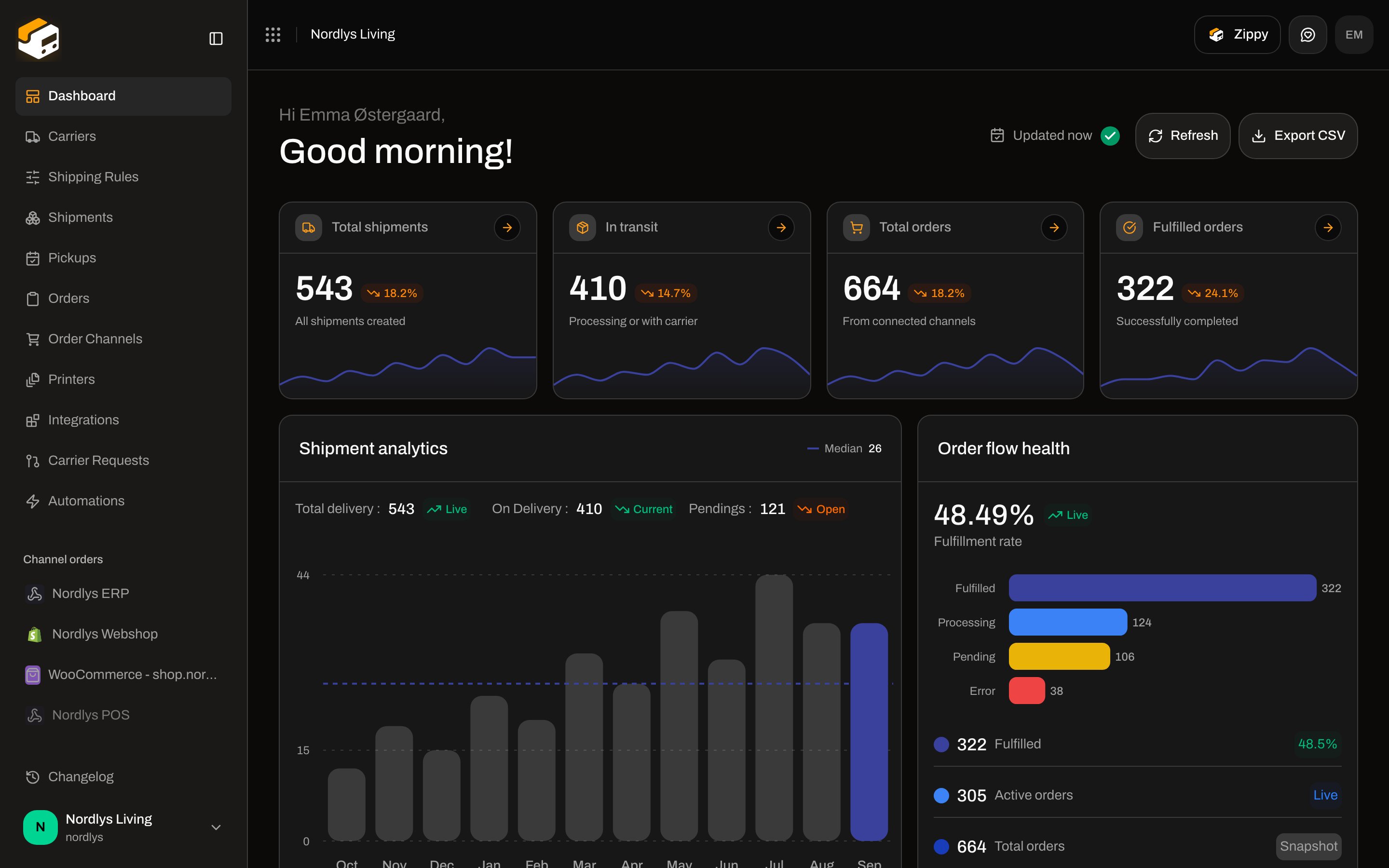
The live UI is the **Zippy** button in the page header (aria **Ask Zippy**), not a sidebar item. Keyboard: **⌘J** / **Ctrl+J** toggles the panel. **Escape** collapses an expanded panel, then closes it.
A `/dashboard/chat` route exists (breadcrumb **Chat**) with placeholder copy **Chat with support or your team**. It is not in the sidebar. Do not use that page — open **Zippy** from the header instead.
Zippy is a paid add-on, not a plan feature. Pricing in the panel: **DKK 149/month + DKK 0.99 per message**. Buy or remove it on [Billing and usage](/docs/how-to/billing-and-usage). External agents use the [MCP server](/docs/mcp/overview), not this panel.
## Where it lives
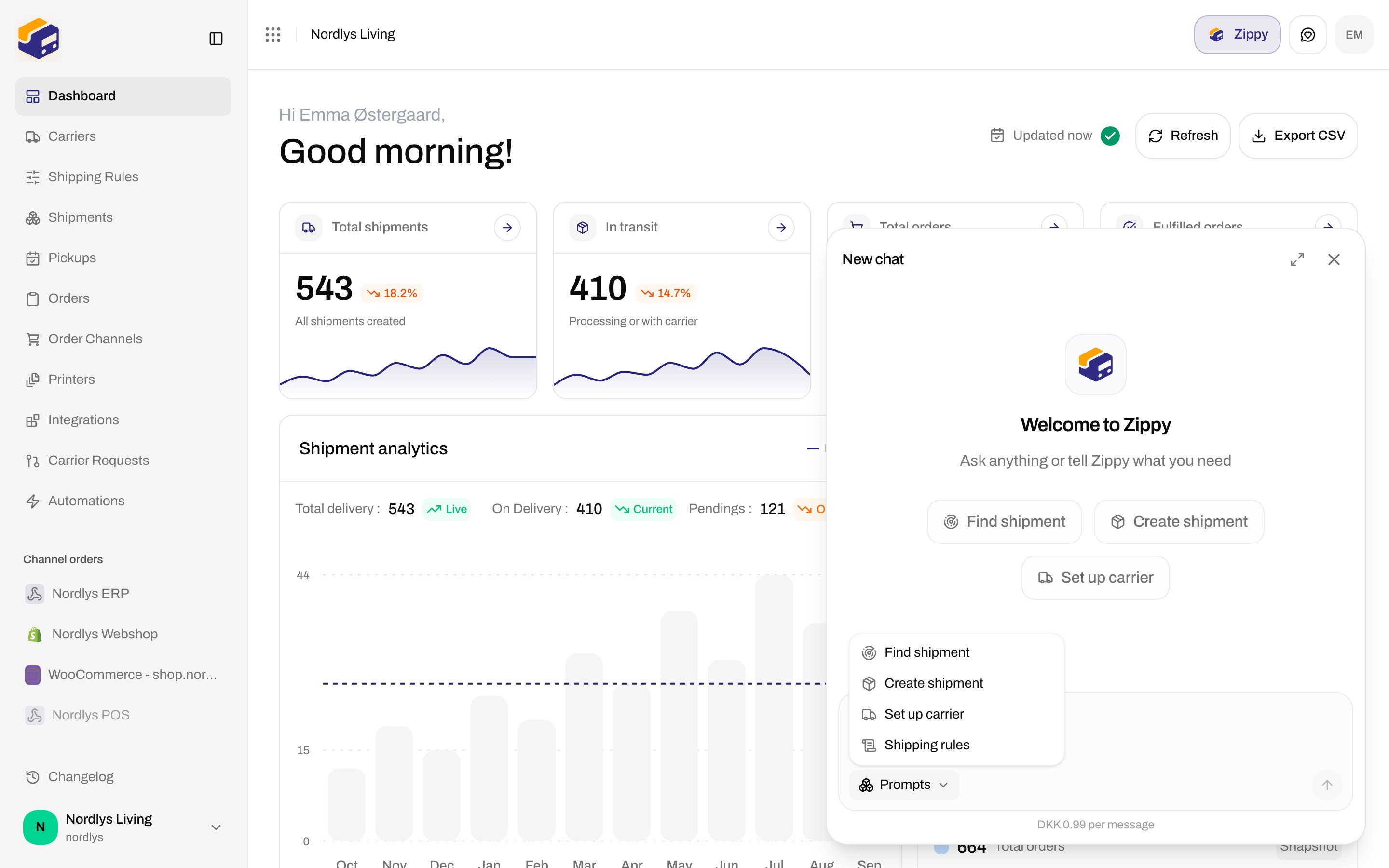
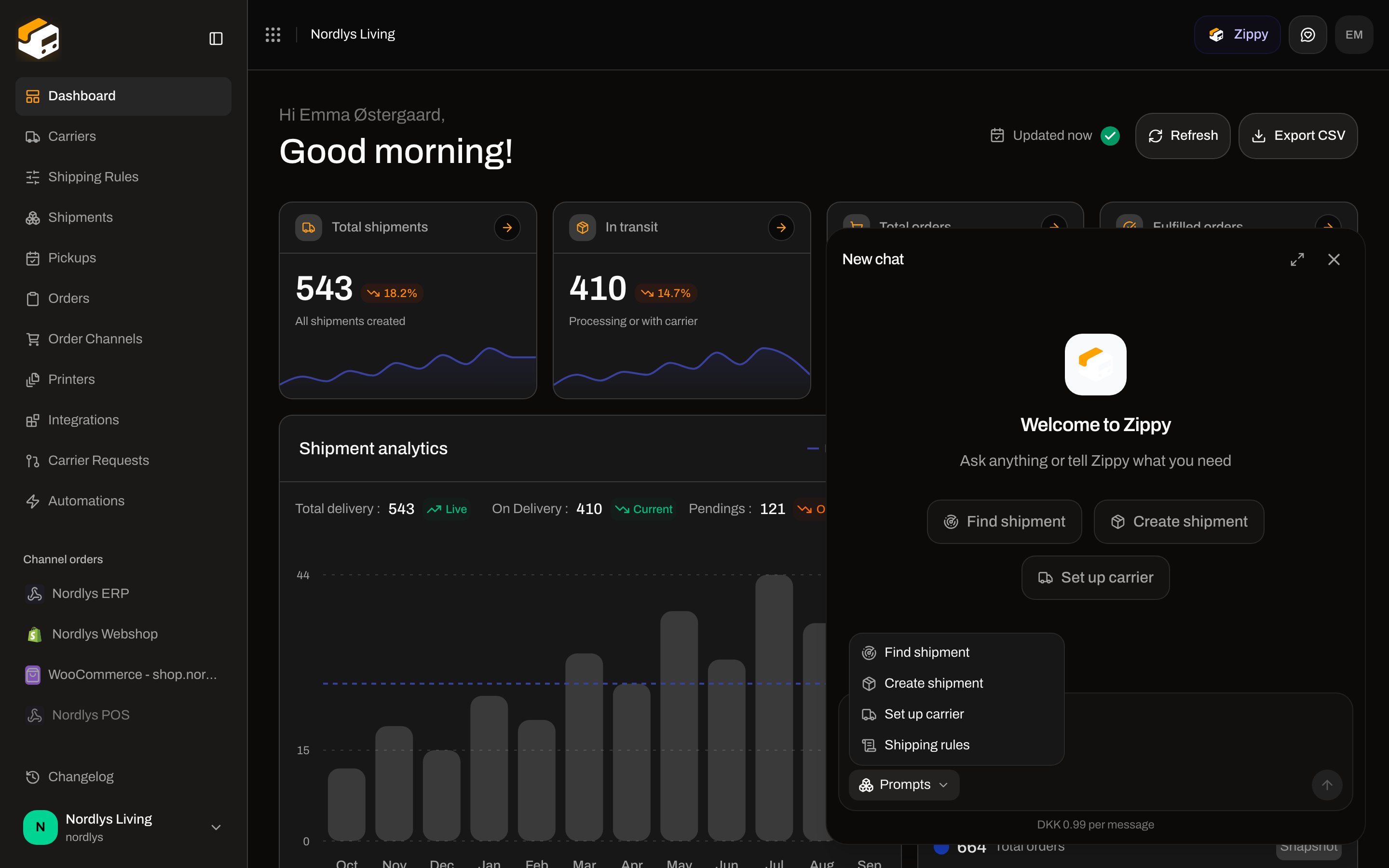
Every authenticated dashboard screen. The control sits in the top bar next to the breadcrumb: icon plus the label **Zippy** (icon-only on small viewports). Pressed state uses a purple fill while the panel is open.
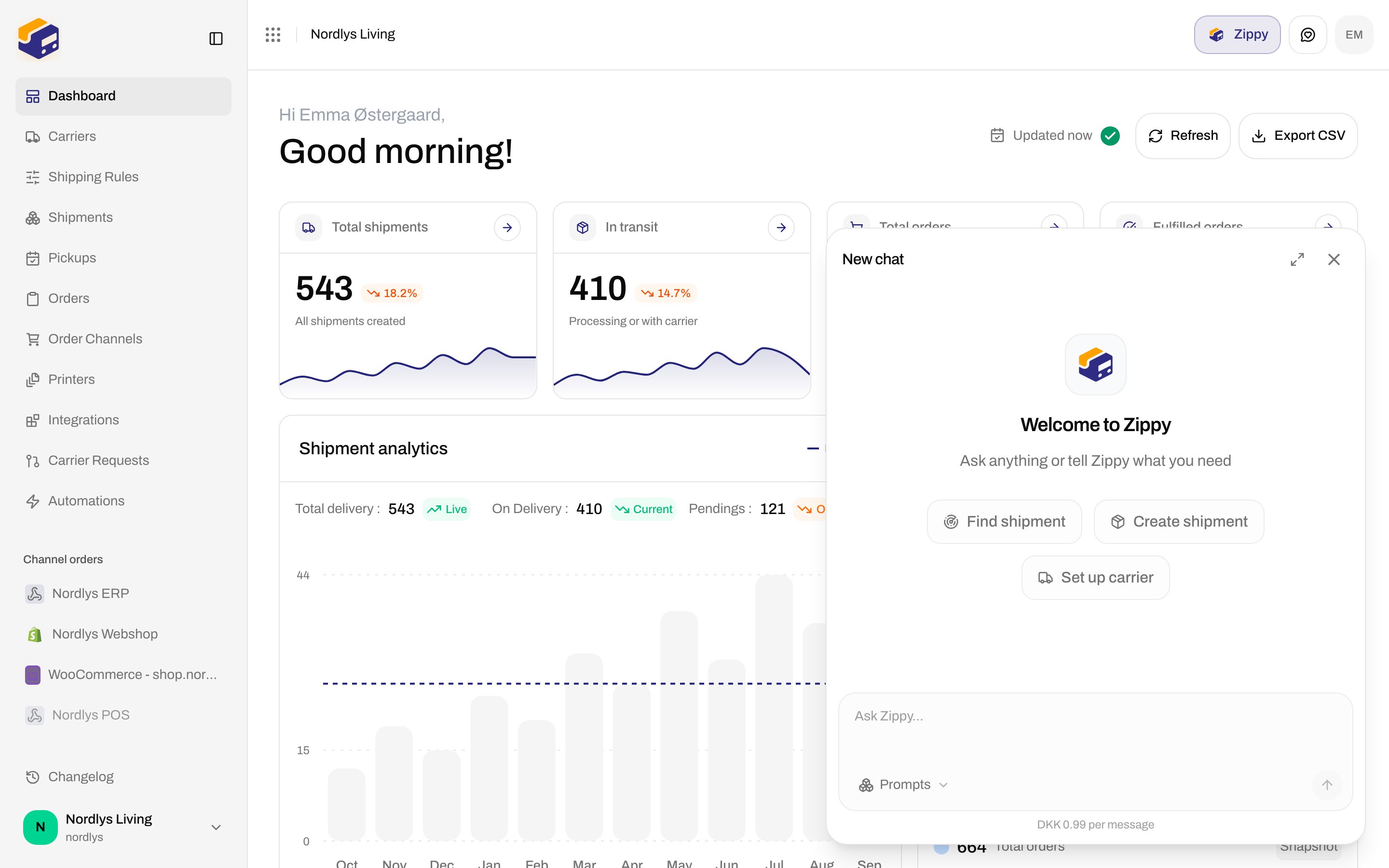
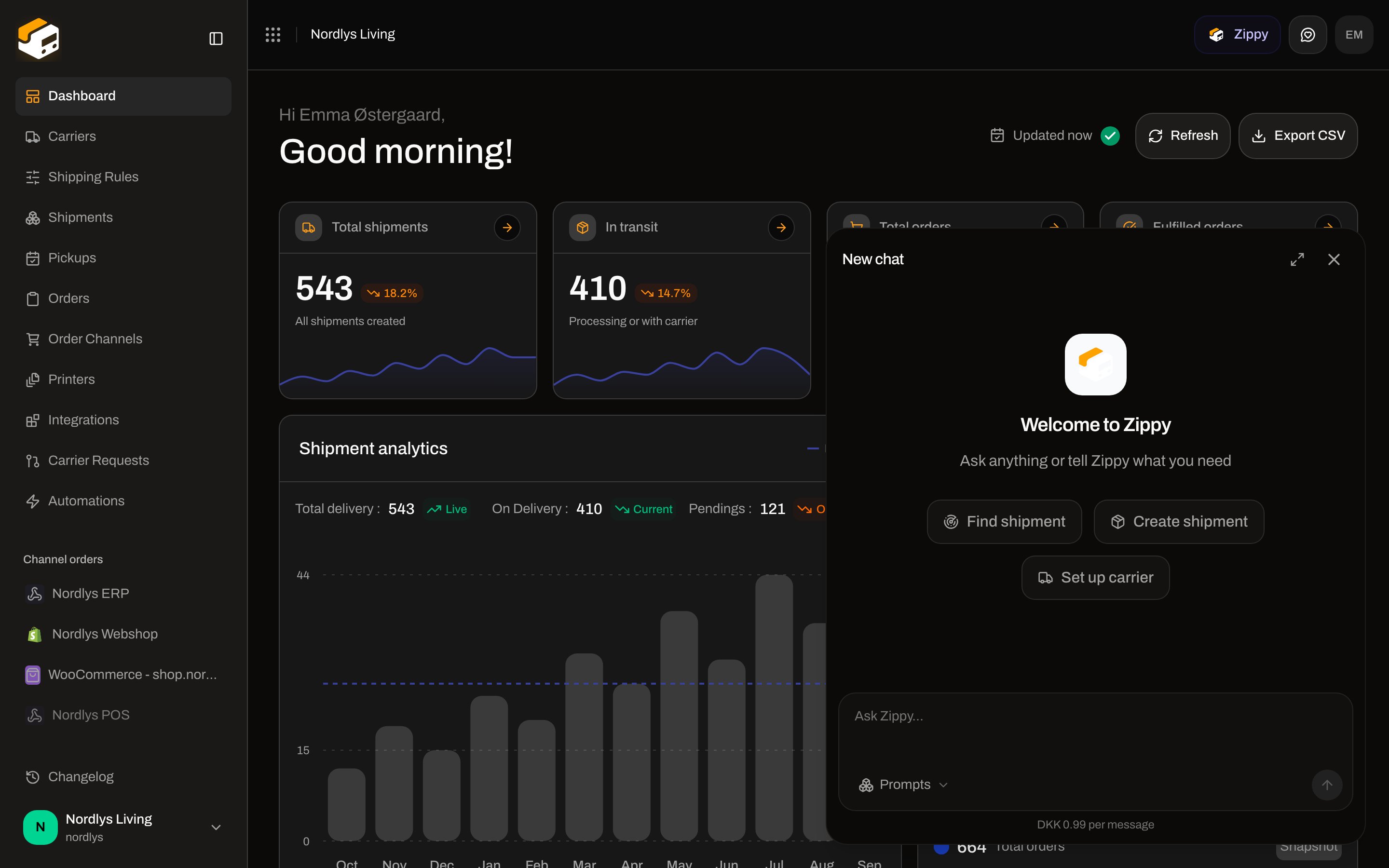
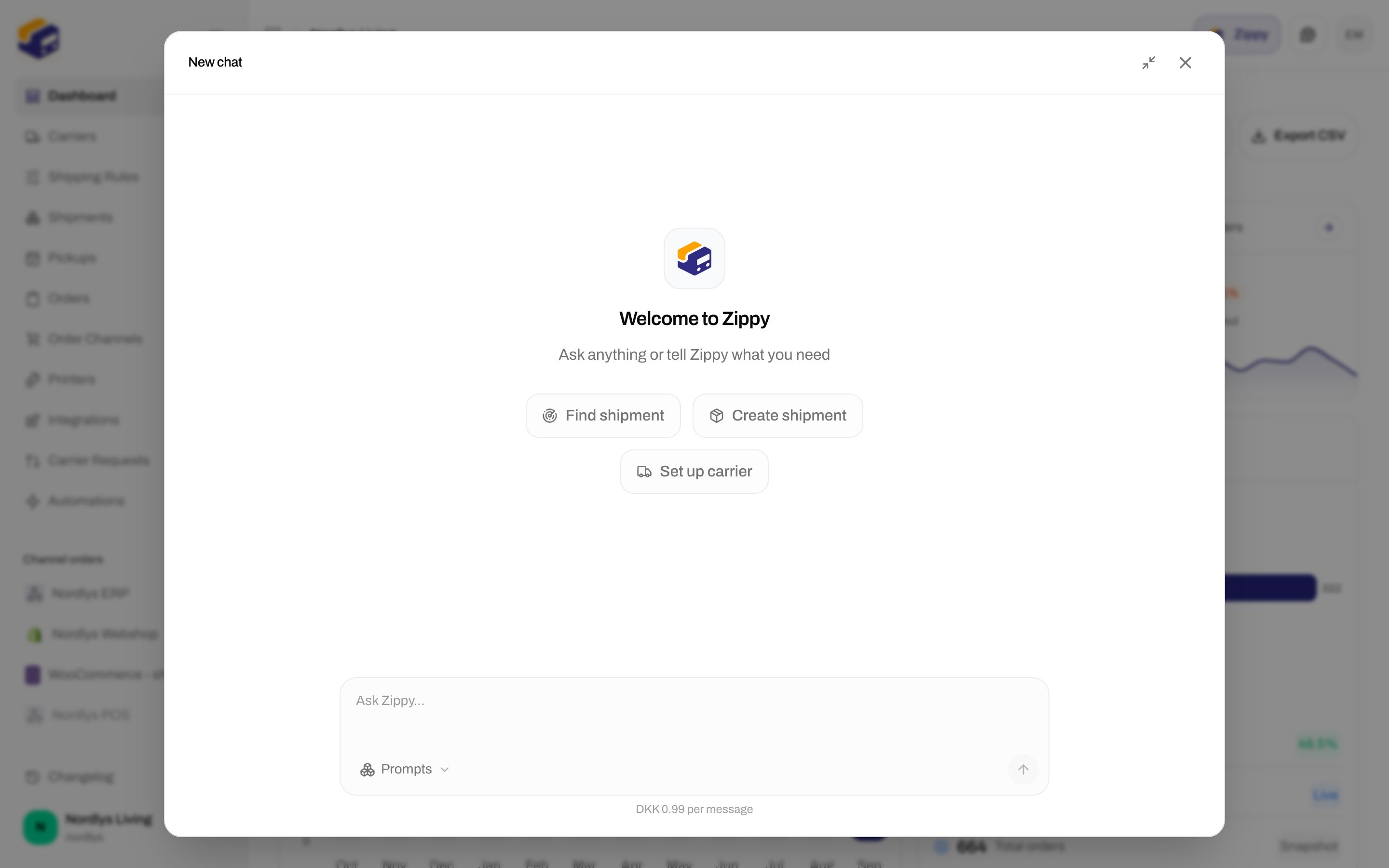
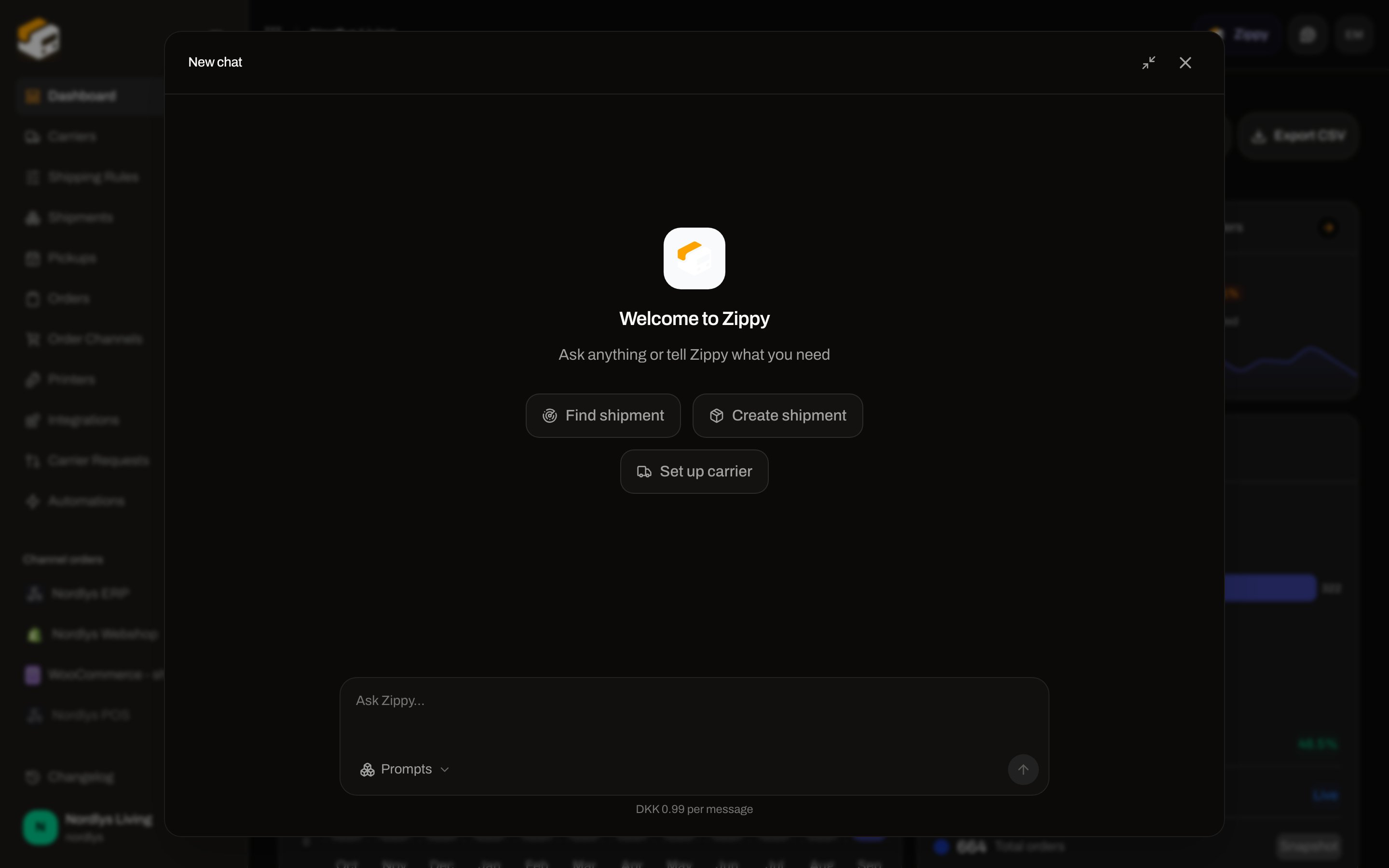
 The panel is a dialog (**Zippy assistant**) docked bottom-right (`min(560px)` wide, `min(640px)` tall). **Expand panel** grows it to a centered modal; **Collapse panel** returns it to the corner.
## Idle panel (new thread)
On a fresh thread the header title is **New chat**. Body:
| Copy | Text |
| -------------------------------------- | ---------------------------------------------------------- |
| Title | **Welcome to Zippy** |
| Subtitle | **Ask anything or tell Zippy what you need** |
| Suggestion chips (first three prompts) | **Find shipment**, **Create shipment**, **Set up carrier** |
Clicking a chip sends that prompt immediately.
The panel is a dialog (**Zippy assistant**) docked bottom-right (`min(560px)` wide, `min(640px)` tall). **Expand panel** grows it to a centered modal; **Collapse panel** returns it to the corner.
## Idle panel (new thread)
On a fresh thread the header title is **New chat**. Body:
| Copy | Text |
| -------------------------------------- | ---------------------------------------------------------- |
| Title | **Welcome to Zippy** |
| Subtitle | **Ask anything or tell Zippy what you need** |
| Suggestion chips (first three prompts) | **Find shipment**, **Create shipment**, **Set up carrier** |
Clicking a chip sends that prompt immediately.
 Clicking **New chat** in the header opens **Chat history** — it does not create a second thread. There is no separate **New chat** button after a conversation starts. Closing the panel keeps the thread in memory until you reload the app or delete it from history.
## Composer
| Control | Details |
| -------------- | ------------------------------------------------------------------------------------------------------------------------------- |
| **Ask Zippy…** | Textarea, 2 rows, grows to a max height. **Enter** sends; **Shift+Enter** inserts a newline. Disabled while Zippy is streaming. |
| **Prompts** | Dropdown of all four suggested prompts. Choosing one inserts the text (it does not send). |
| Send (arrow) | Aria **Send message**. Disabled while empty or streaming. Spinner while a reply is in flight. |
| Footer | **DKK 0.99 per message** |
There is no file-attach control in this composer.
Clicking **New chat** in the header opens **Chat history** — it does not create a second thread. There is no separate **New chat** button after a conversation starts. Closing the panel keeps the thread in memory until you reload the app or delete it from history.
## Composer
| Control | Details |
| -------------- | ------------------------------------------------------------------------------------------------------------------------------- |
| **Ask Zippy…** | Textarea, 2 rows, grows to a max height. **Enter** sends; **Shift+Enter** inserts a newline. Disabled while Zippy is streaming. |
| **Prompts** | Dropdown of all four suggested prompts. Choosing one inserts the text (it does not send). |
| Send (arrow) | Aria **Send message**. Disabled while empty or streaming. Spinner while a reply is in flight. |
| Footer | **DKK 0.99 per message** |
There is no file-attach control in this composer.
 ### Prompt texts
| Chip / menu label | Message that is sent or inserted |
| ------------------- | ----------------------------------------------- |
| **Find shipment** | **Find a shipment for me** |
| **Create shipment** | **Help me create a new shipment** |
| **Set up carrier** | **Help me connect a new carrier** |
| **Shipping rules** | **Help me understand or set up shipping rules** |
**Shipping rules** appears only in **Prompts**, not as an idle chip.
## Top bar
| Control | Aria / label | What it does |
| ----------------- | -------------------------------------------------------------------------- | ------------------------------------------------------------------------------------ |
| Title | **New chat**, or the conversation title, or a truncated first user message | Opens **Chat history** |
| Expand / collapse | **Expand panel** / **Collapse panel** | Larger centered dialog vs corner panel. Clicking the dimmed backdrop also collapses. |
| Close | **Close** | Hides the panel (**Escape** does the same when not expanded) |
### Prompt texts
| Chip / menu label | Message that is sent or inserted |
| ------------------- | ----------------------------------------------- |
| **Find shipment** | **Find a shipment for me** |
| **Create shipment** | **Help me create a new shipment** |
| **Set up carrier** | **Help me connect a new carrier** |
| **Shipping rules** | **Help me understand or set up shipping rules** |
**Shipping rules** appears only in **Prompts**, not as an idle chip.
## Top bar
| Control | Aria / label | What it does |
| ----------------- | -------------------------------------------------------------------------- | ------------------------------------------------------------------------------------ |
| Title | **New chat**, or the conversation title, or a truncated first user message | Opens **Chat history** |
| Expand / collapse | **Expand panel** / **Collapse panel** | Larger centered dialog vs corner panel. Clicking the dimmed backdrop also collapses. |
| Close | **Close** | Hides the panel (**Escape** does the same when not expanded) |
 ## Chat history
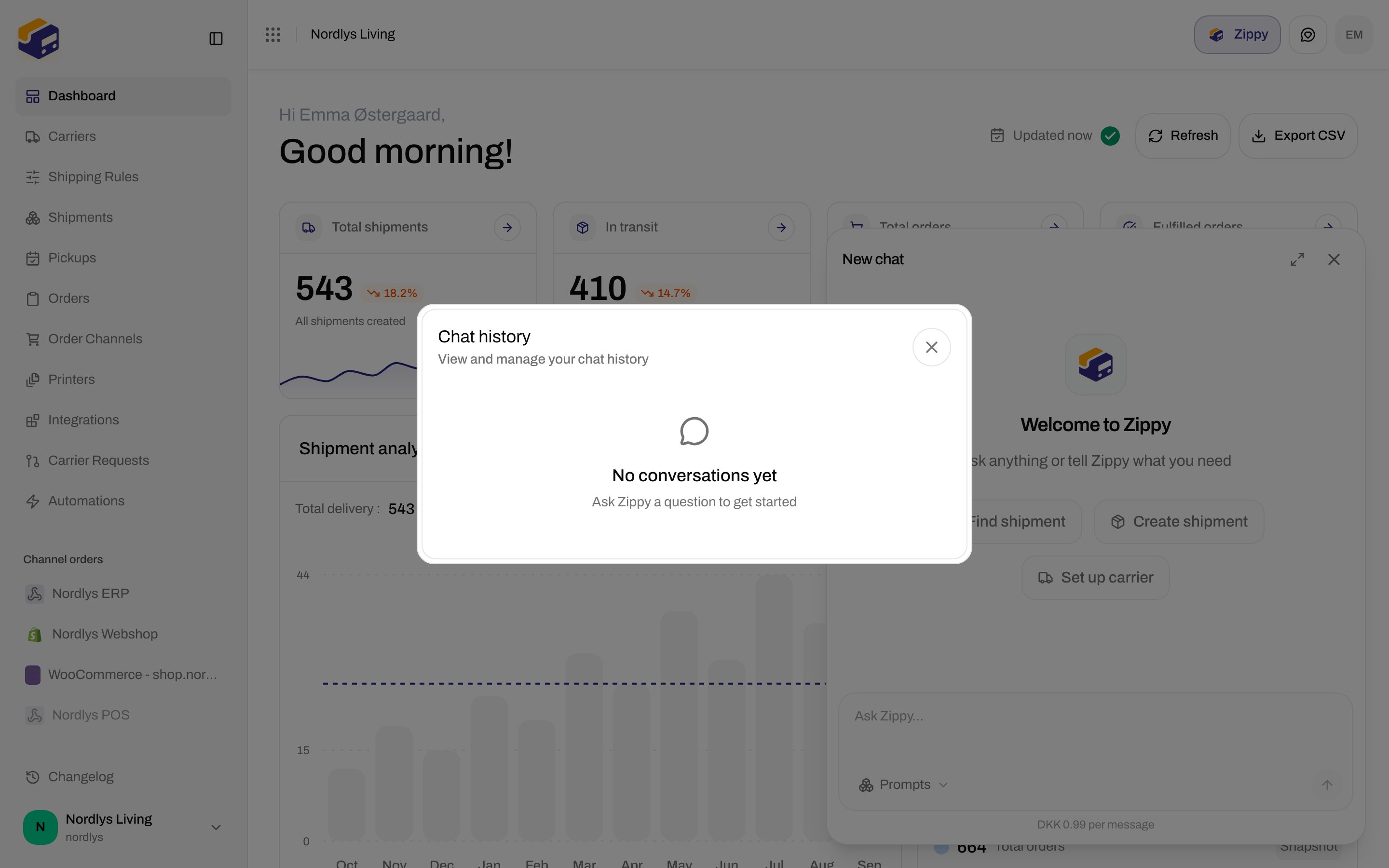
Modal id `zippy-chat-history`. Title **Chat history**. Subtitle **View and manage your chat history**.
With **no threads**, the modal is only the empty state (no search field):
| Copy | Text |
| ----------- | --------------------------------------- |
| Title | **No conversations yet** |
| Description | **Ask Zippy a question to get started** |
## Chat history
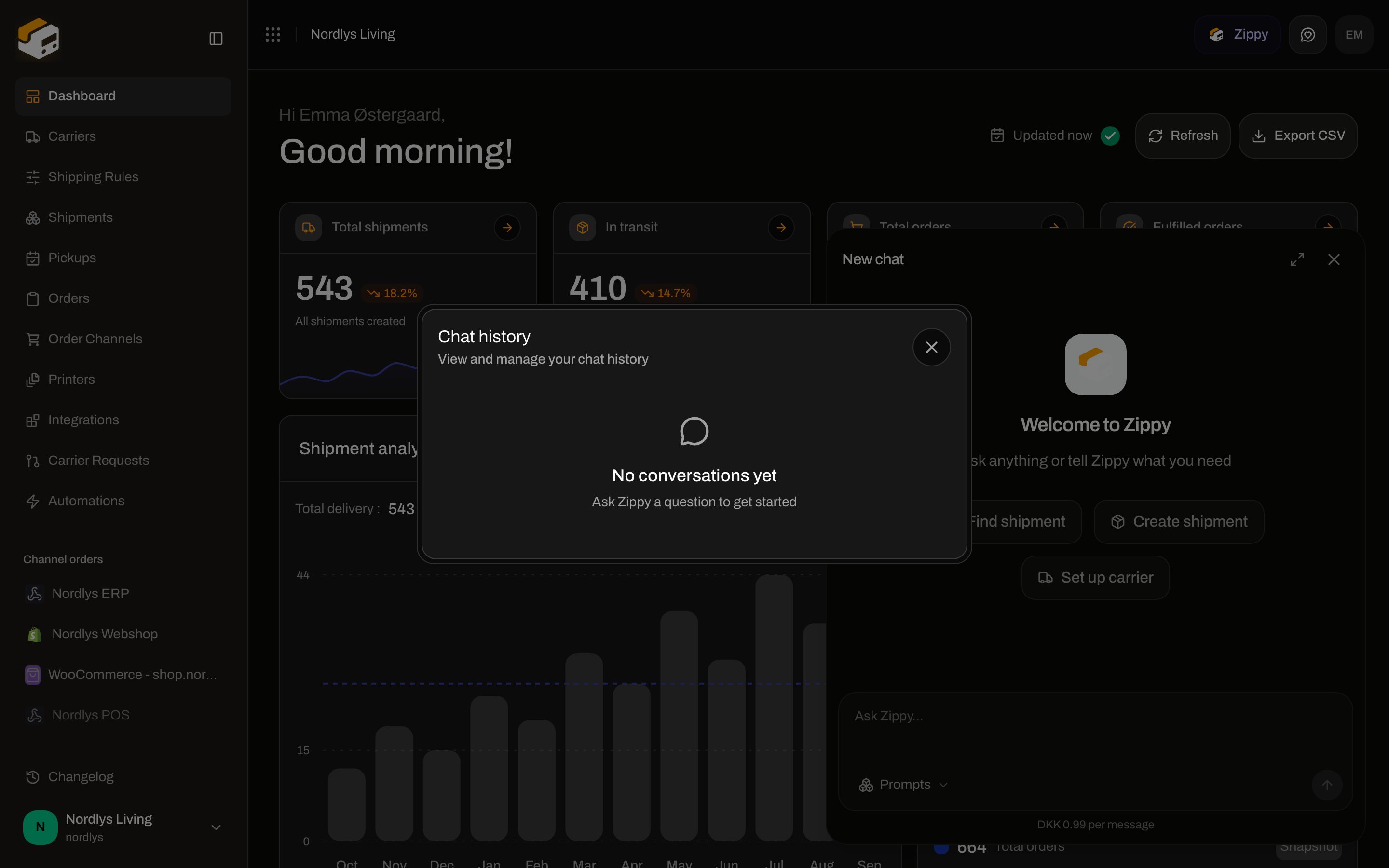
Modal id `zippy-chat-history`. Title **Chat history**. Subtitle **View and manage your chat history**.
With **no threads**, the modal is only the empty state (no search field):
| Copy | Text |
| ----------- | --------------------------------------- |
| Title | **No conversations yet** |
| Description | **Ask Zippy a question to get started** |
 After at least one thread exists:
| Control | Details |
| ---------------- | ---------------------------------------------------------------------------------------------------------------------------------------------------------- |
| Search | Placeholder **Search by title, date, or messages…**. Aria **Search conversations**. Matches title, message count, relative date label, or conversation id. |
| **Clear search** | X on the field, or the empty-state button when nothing matches |
| Row | Title (or **Untitled conversation**), relative date, **\{\{count}} message(s)**. Click loads that thread. |
| Trash | Deletes immediately (no confirm). If it was the open thread, Zippy returns to idle. |
Dates: **Today**, **Yesterday**, **\{\{count}} day(s) ago**, or a formatted date after a week.
Search misses: **No matching conversations** / **Try a different search or clear the filter.** Button **Clear search**.
## In a conversation
While Zippy works you see **Zippy is thinking** (reduced motion) or a shimmering equivalent. Tool calls show a short status such as **Looking up…** / **Fetched**, **Creating…** / **Created**, **Updating…** / **Updated**, **Deleting…** / **Deleted**. Click the row to expand details when Zippy returned a list or table.
If Zippy shows its reasoning, the chip reads **Thinking** (while streaming), **Thought process**, or **Thought for \{\{seconds}}s**. Click to expand.
When you scroll up, a circular control (**Scroll to latest message**) jumps back to the newest bubble.
### Message actions (assistant replies, after streaming)
| Control | Tooltip | Behavior |
| ----------- | ----------------------------------------- | --------------------------------------------------------------------------------------------- |
| Copy | **Copy**, then **Copied** for two seconds | Copies the reply. Fails silently if the clipboard is blocked. |
| Thumbs up | **Good response** | Local toggle on this bubble. Not saved to the server. |
| Thumbs down | **Bad response** | Same, exclusive with thumbs up. |
| Retry | **Retry** | Only on the latest assistant reply. Re-sends the last user message. Disabled while streaming. |
## What Zippy can do
Zippy calls the same org-scoped API you use in the dashboard. Typical jobs:
* Find shipments and orders (status, reference, tracking)
* Walk you through **Create shipment** (carrier, product, parcels)
* Connect a carrier (lists required credential fields first)
* Explain or create [shipping rules](/docs/how-to/shipping-rule-fields)
* Help finish onboarding after an import (reconnect channels, complete carrier setup)
It must look up live data instead of guessing, present options (which carrier, which address) rather than picking for you, and **wait for a yes** before deleting records or dispatching a shipment (`post_shipments_send` and all `delete_*` tools).
### What it cannot do from this panel
These routes are not exposed as Zippy tools: billing, API tokens, Shopify/WooCommerce install internals, Zippy’s own chat APIs, MCP, printer authorization and printer jobs, migrations, admin, and inbound webhook endpoints.
For store checkout rates use [Get a shipping quote](/docs/how-to/shipping-quotes). For Slack/Klaviyo use [Connect an integration](/docs/how-to/connect-an-integration).
## Locked add-on (paywall)
When `zippyEnabled` is off, the composer is replaced by **Unlock Zippy**:
| Copy | Text |
| ------------------------- | ----------------------------------------------------------------------------------------------------------------------------------------------- |
| Title | **Unlock Zippy** |
| Description | **Zippy is a paid add-on for your workspace. Get an AI assistant that finds shipments, creates labels and automates your daily shipping work.** |
| Price | **DKK 149/month + DKK 0.99 per message** |
| Primary (can buy add-ons) | **Buy the Zippy add-on** |
| Primary (otherwise) | **See plans** — Settings → [Pricing Plans](/docs/how-to/billing-and-usage) |
History, expand, and close still work. **See docs** exists in the lock catalog but is not rendered on this panel.
If you send a message without the add-on, the assistant bubble reads **Zippy is a paid add-on. Purchase it from your billing portal to keep chatting.** (`ZIPPY_ADDON_REQUIRED`).
Monthly cap: **Your organization has reached its monthly Zippy message limit. The limit resets at the start of your next billing month.** (`ZIPPY_MESSAGE_LIMIT_REACHED`).
## Errors in the thread
| Message | When |
| -------------------------------------------------------------------- | ------------------------- |
| **Sorry, something went wrong. Please try again.** | Non-specific HTTP failure |
| **Sorry, I couldn't process the response stream. Please try again.** | Empty SSE body |
| **Sorry, I couldn't reach the server. Please try again.** | Network failure |
| **Error: \{\{message}}** | Streamed `error` event |
You are done when the **Zippy** header button opens the panel, the composer shows **Ask Zippy…**, and (if the add-on is on) a suggestion chip or a typed question returns a reply. Buy the add-on from [Billing and usage](/docs/how-to/billing-and-usage) if you see **Unlock Zippy**.
## Related
* [Billing and usage](/docs/how-to/billing-and-usage) — Zippy add-on buy/remove
* [Dashboard](/docs/tutorials/dashboard) — where the header control sits
* [MCP overview](/docs/mcp/overview) — agents outside the app
* [Send a shipment](/docs/how-to/send-a-shipment) / [Shipping rule fields](/docs/how-to/shipping-rule-fields)
After at least one thread exists:
| Control | Details |
| ---------------- | ---------------------------------------------------------------------------------------------------------------------------------------------------------- |
| Search | Placeholder **Search by title, date, or messages…**. Aria **Search conversations**. Matches title, message count, relative date label, or conversation id. |
| **Clear search** | X on the field, or the empty-state button when nothing matches |
| Row | Title (or **Untitled conversation**), relative date, **\{\{count}} message(s)**. Click loads that thread. |
| Trash | Deletes immediately (no confirm). If it was the open thread, Zippy returns to idle. |
Dates: **Today**, **Yesterday**, **\{\{count}} day(s) ago**, or a formatted date after a week.
Search misses: **No matching conversations** / **Try a different search or clear the filter.** Button **Clear search**.
## In a conversation
While Zippy works you see **Zippy is thinking** (reduced motion) or a shimmering equivalent. Tool calls show a short status such as **Looking up…** / **Fetched**, **Creating…** / **Created**, **Updating…** / **Updated**, **Deleting…** / **Deleted**. Click the row to expand details when Zippy returned a list or table.
If Zippy shows its reasoning, the chip reads **Thinking** (while streaming), **Thought process**, or **Thought for \{\{seconds}}s**. Click to expand.
When you scroll up, a circular control (**Scroll to latest message**) jumps back to the newest bubble.
### Message actions (assistant replies, after streaming)
| Control | Tooltip | Behavior |
| ----------- | ----------------------------------------- | --------------------------------------------------------------------------------------------- |
| Copy | **Copy**, then **Copied** for two seconds | Copies the reply. Fails silently if the clipboard is blocked. |
| Thumbs up | **Good response** | Local toggle on this bubble. Not saved to the server. |
| Thumbs down | **Bad response** | Same, exclusive with thumbs up. |
| Retry | **Retry** | Only on the latest assistant reply. Re-sends the last user message. Disabled while streaming. |
## What Zippy can do
Zippy calls the same org-scoped API you use in the dashboard. Typical jobs:
* Find shipments and orders (status, reference, tracking)
* Walk you through **Create shipment** (carrier, product, parcels)
* Connect a carrier (lists required credential fields first)
* Explain or create [shipping rules](/docs/how-to/shipping-rule-fields)
* Help finish onboarding after an import (reconnect channels, complete carrier setup)
It must look up live data instead of guessing, present options (which carrier, which address) rather than picking for you, and **wait for a yes** before deleting records or dispatching a shipment (`post_shipments_send` and all `delete_*` tools).
### What it cannot do from this panel
These routes are not exposed as Zippy tools: billing, API tokens, Shopify/WooCommerce install internals, Zippy’s own chat APIs, MCP, printer authorization and printer jobs, migrations, admin, and inbound webhook endpoints.
For store checkout rates use [Get a shipping quote](/docs/how-to/shipping-quotes). For Slack/Klaviyo use [Connect an integration](/docs/how-to/connect-an-integration).
## Locked add-on (paywall)
When `zippyEnabled` is off, the composer is replaced by **Unlock Zippy**:
| Copy | Text |
| ------------------------- | ----------------------------------------------------------------------------------------------------------------------------------------------- |
| Title | **Unlock Zippy** |
| Description | **Zippy is a paid add-on for your workspace. Get an AI assistant that finds shipments, creates labels and automates your daily shipping work.** |
| Price | **DKK 149/month + DKK 0.99 per message** |
| Primary (can buy add-ons) | **Buy the Zippy add-on** |
| Primary (otherwise) | **See plans** — Settings → [Pricing Plans](/docs/how-to/billing-and-usage) |
History, expand, and close still work. **See docs** exists in the lock catalog but is not rendered on this panel.
If you send a message without the add-on, the assistant bubble reads **Zippy is a paid add-on. Purchase it from your billing portal to keep chatting.** (`ZIPPY_ADDON_REQUIRED`).
Monthly cap: **Your organization has reached its monthly Zippy message limit. The limit resets at the start of your next billing month.** (`ZIPPY_MESSAGE_LIMIT_REACHED`).
## Errors in the thread
| Message | When |
| -------------------------------------------------------------------- | ------------------------- |
| **Sorry, something went wrong. Please try again.** | Non-specific HTTP failure |
| **Sorry, I couldn't process the response stream. Please try again.** | Empty SSE body |
| **Sorry, I couldn't reach the server. Please try again.** | Network failure |
| **Error: \{\{message}}** | Streamed `error` event |
You are done when the **Zippy** header button opens the panel, the composer shows **Ask Zippy…**, and (if the add-on is on) a suggestion chip or a typed question returns a reply. Buy the add-on from [Billing and usage](/docs/how-to/billing-and-usage) if you see **Unlock Zippy**.
## Related
* [Billing and usage](/docs/how-to/billing-and-usage) — Zippy add-on buy/remove
* [Dashboard](/docs/tutorials/dashboard) — where the header control sits
* [MCP overview](/docs/mcp/overview) — agents outside the app
* [Send a shipment](/docs/how-to/send-a-shipment) / [Shipping rule fields](/docs/how-to/shipping-rule-fields)