> ## Documentation Index
> Fetch the complete documentation index at: https://www.zippendo.com/docs/llms.txt
> Use this file to discover all available pages before exploring further.
# Webhooks
> Every field on Settings → Webhooks — name, HTTPS URL, event checkboxes including Tracking Updated, delivery log, edit, delete, and HMAC signing.
**Webhooks** (Settings → **Webhooks**) are **outbound** HTTP callbacks Zippendo sends to **your** URL when a shipment, order, or tracking event happens. They are not carrier **tracking webhooks** (carrier → Zippendo). They are not Shopify/WooCommerce **store** webhooks Zippendo registers for you. They are not [Slack / Klaviyo integrations](/docs/how-to/connect-an-integration).
| Kind | Where | Direction |
| ------------------------------ | ------------------------- | ---------------------------------------------------------------------------------------------- |
| **App webhooks** (this page) | **Settings → Webhooks** | Zippendo → your HTTPS URL |
| **Carrier tracking webhooks** | Carrier detail | Carrier → Zippendo. See [Carrier tracking webhooks](/docs/how-to/tracking-webhooks). |
| **Shopify order webhooks** | Connected Shopify channel | Shopify → Zippendo. Zippendo registers them. See [Shopify settings](/docs/how-to/shopify-settings). |
| **WooCommerce order webhooks** | Connected Woo channel | WooCommerce → Zippendo. See [Connect WooCommerce](/docs/how-to/connect-woocommerce). |
| **Custom channel ingest** | Channel **Connection** | Your system → Zippendo. See [Custom channel API](/docs/how-to/custom-channel-api). |
Walkthrough of Settings: [Settings, team, and brands](/docs/tutorials/settings-team-brands). Payload contract: [Webhooks quickstart](/docs/quickstarts/webhooks). Failures: [Webhook delivery failures](/docs/knowledge-base/webhook-delivery-failures).
Outbound webhooks are available on **Growth** and above. On a lower plan the tab still opens but shows **Unlock Webhooks**. Nordlys on this page is **Pro**, so the table is unlocked.
## Where it lives
Settings is not a sidebar item. Open the **organization switcher**, click **Manage**, then the **Webhooks** tab. The page title is **Settings**.
The header action is **Add Webhook**. It is hidden while the plan lock is on.
## Filters
Open **Filters** in the header (`common.filters`). **Add filters** applies; **Clear all filters** resets. Fields:
| Filter | Options |
| ---------- | --------------------------------------------------------------------------------------------------------------------------------------------------------------------------------------------------- |
| **Search** | Placeholder **Search…**. Matches name. |
| **Active** | **Yes** / **No**. |
| **Brand** | Shown only if the organization has brands. **All brands**, **No brand**, or a brand name. Inside a brand session, a scope toggle: **All records**, **Only this brand**, **Organization-wide only**. |
## Webhooks list
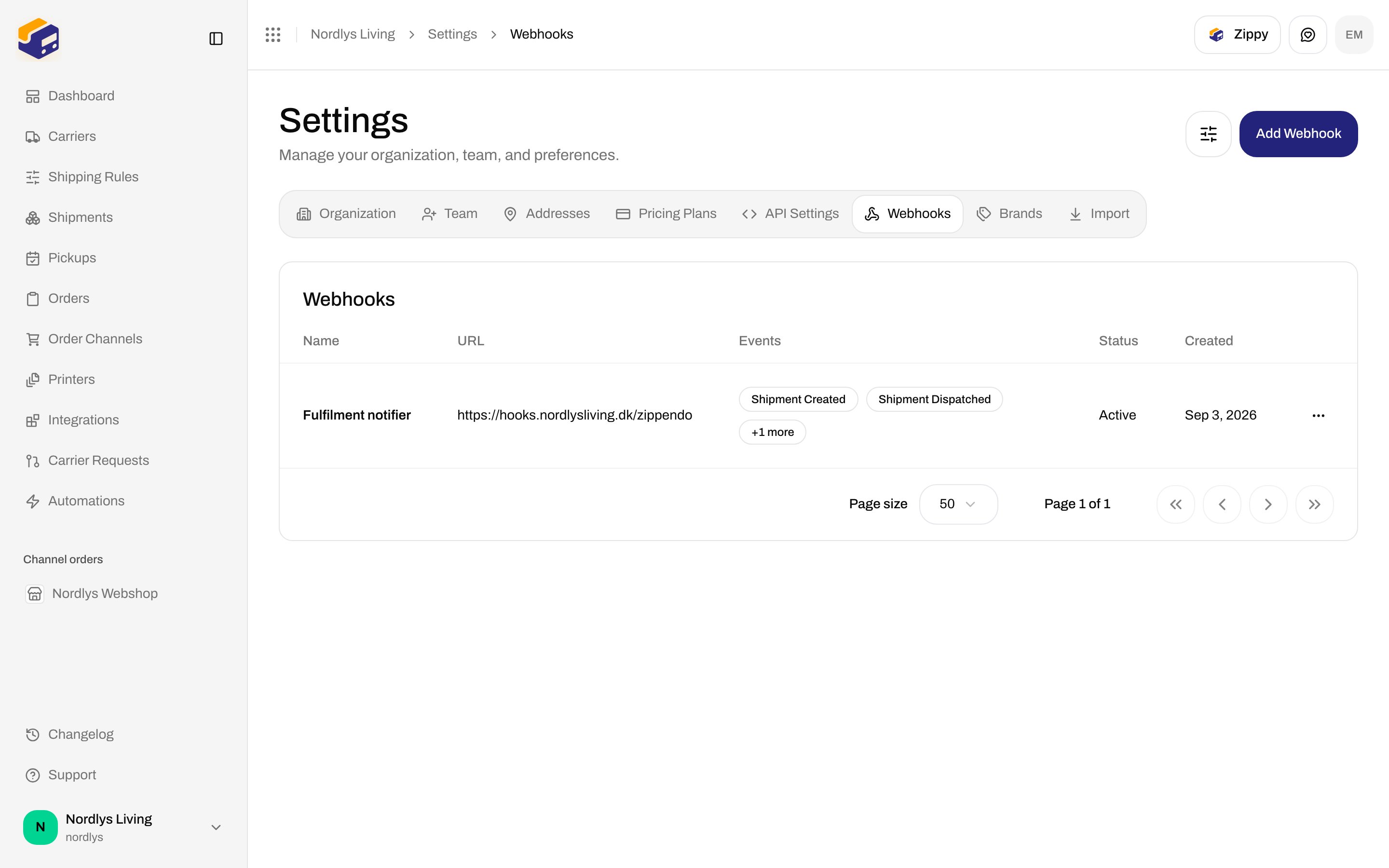
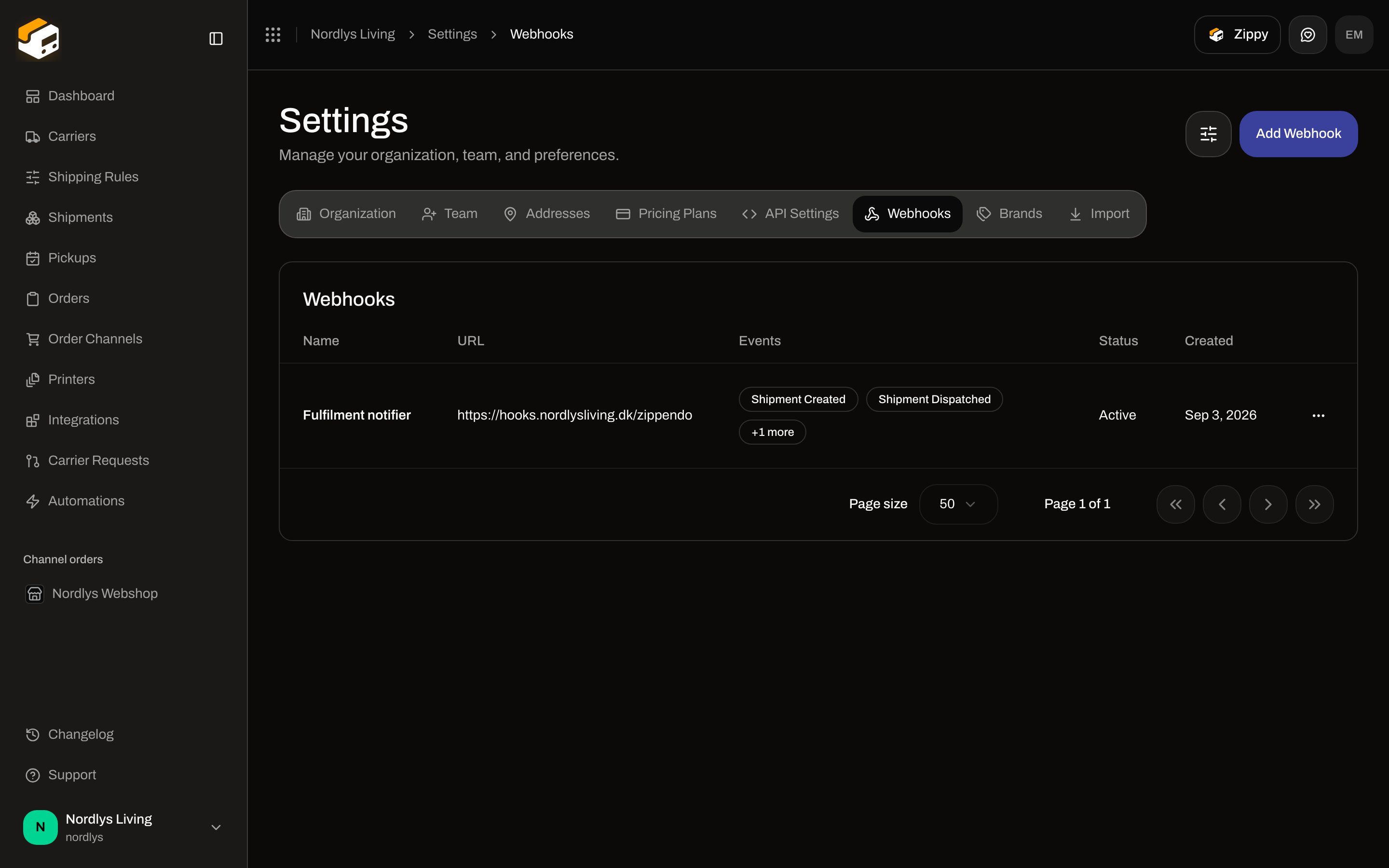
The card title is **Webhooks**.
 ### Empty state
| Copy | Text |
| ----------- | --------------------------------------------------------------------- |
| Title | **No webhooks** |
| Description | **Create a webhook to receive event notifications at your endpoint.** |
| Button | **Create Your First Webhook** — same dialog as **Add Webhook** |
### Columns
| Column | What it shows |
| ----------- | ---------------------------------------------------------------------------------------------------------------------------- |
| **Name** | The name you entered. |
| **Brand** | Shown only if the organization has brands and you are in the house-wide view. A brand badge, or empty for organization-wide. |
| **URL** | Endpoint URL, truncated. |
| **Events** | Up to two labels (for example **Shipment Created**). Extra events collapse. |
| **Status** | **Active** or **Inactive**. |
| **Created** | Creation date. |
| Actions | **Delivery Log**, **Send Test**, **Edit**, **Delete**. |
Clicking the row opens **Edit Webhook**.
## Create Webhook
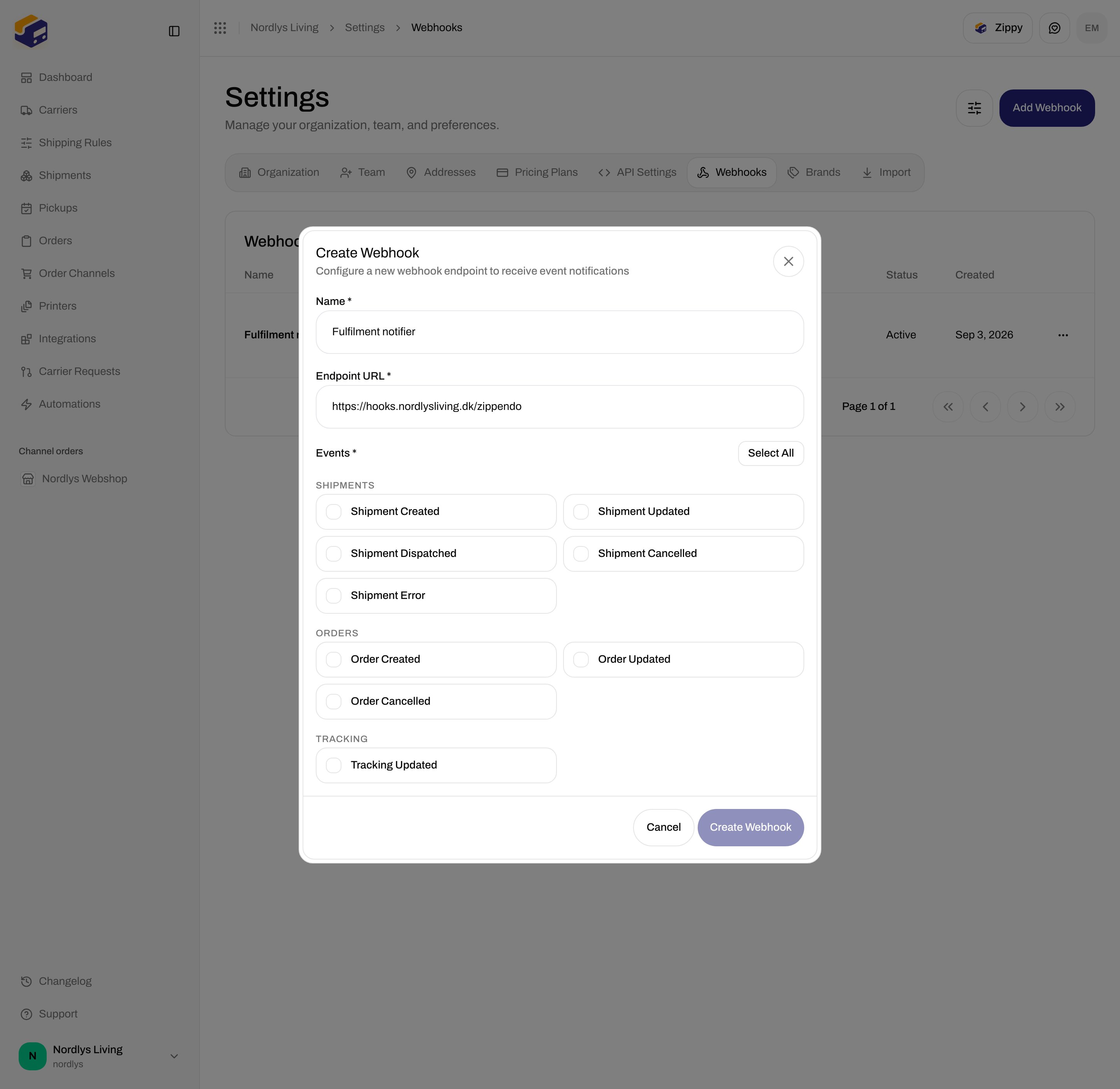
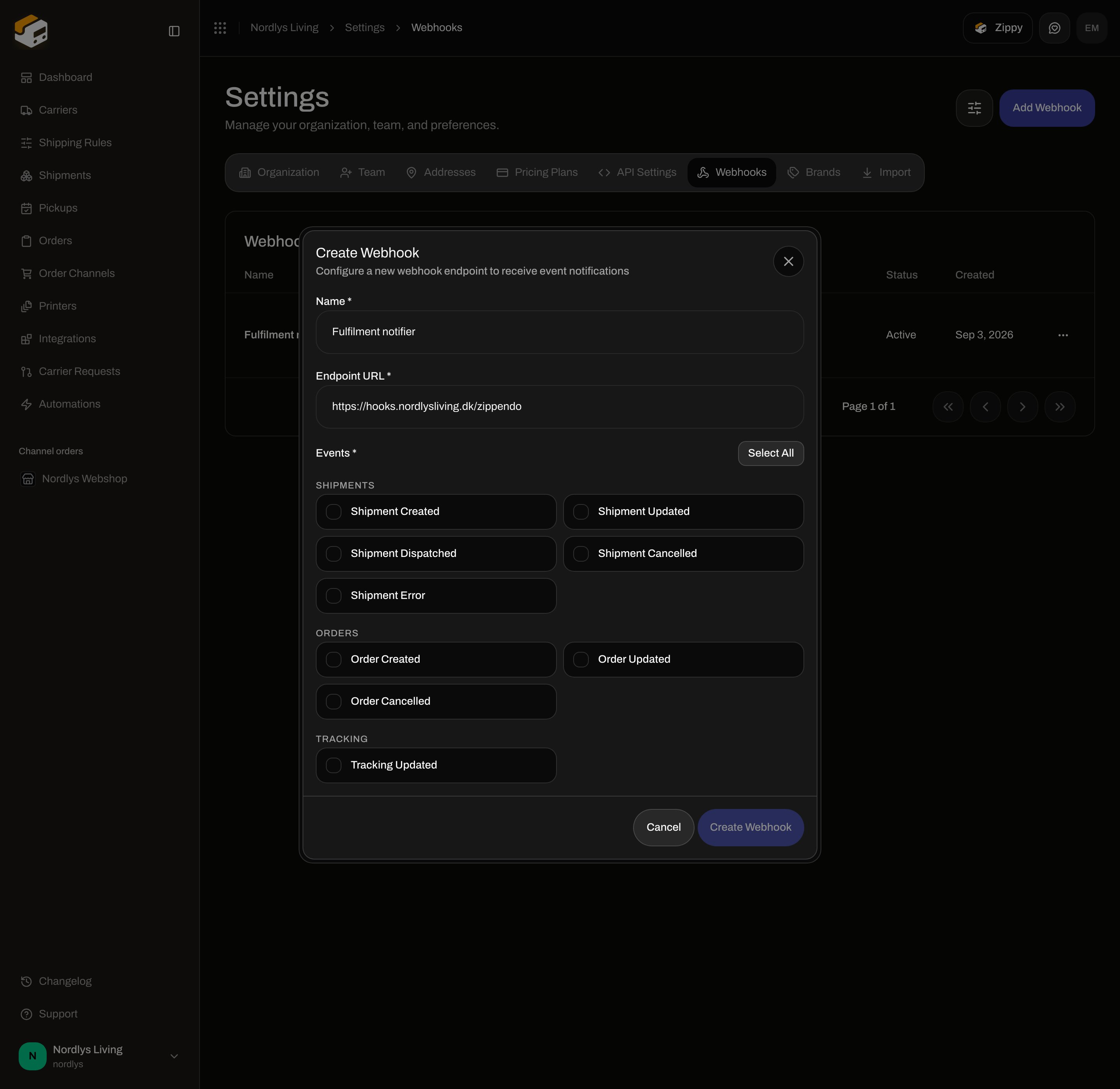
The dialog title is **Create Webhook**. Subtitle: **Configure a new webhook endpoint to receive event notifications**. Modal id: `create-webhook-modal`.
### Empty state
| Copy | Text |
| ----------- | --------------------------------------------------------------------- |
| Title | **No webhooks** |
| Description | **Create a webhook to receive event notifications at your endpoint.** |
| Button | **Create Your First Webhook** — same dialog as **Add Webhook** |
### Columns
| Column | What it shows |
| ----------- | ---------------------------------------------------------------------------------------------------------------------------- |
| **Name** | The name you entered. |
| **Brand** | Shown only if the organization has brands and you are in the house-wide view. A brand badge, or empty for organization-wide. |
| **URL** | Endpoint URL, truncated. |
| **Events** | Up to two labels (for example **Shipment Created**). Extra events collapse. |
| **Status** | **Active** or **Inactive**. |
| **Created** | Creation date. |
| Actions | **Delivery Log**, **Send Test**, **Edit**, **Delete**. |
Clicking the row opens **Edit Webhook**.
## Create Webhook
The dialog title is **Create Webhook**. Subtitle: **Configure a new webhook endpoint to receive event notifications**. Modal id: `create-webhook-modal`.
 ### Fields
| Field | Required | What it is |
| ------------------- | ------------------ | --------------------------------------------------------------------------------------------------------------------------------------------------------------------------------------------------------------------------------------------- |
| **Name \*** | Yes | Placeholder: **e.g., Order Notifications, Shipping Updates**. Max 100 characters. |
| **Endpoint URL \*** | Yes | Placeholder: **[https://example.com/webhooks](https://example.com/webhooks)**. Must be a valid URL when the API saves (use **https\://**). |
| **Brand** | No | Shown only if the organization has brands. Helper: **This endpoint receives only this brand's events.** Options: **No brand (organization-wide)** (default) plus each active brand. Organization-wide endpoints still receive branded events. |
| **Events \*** | Yes (at least one) | Checkbox grid in three groups. **Create Webhook** stays disabled until name, URL, and at least one event are set. |
Buttons: **Cancel**, **Create Webhook**.
**Select All** / **Deselect All** sits on the events header. The label switches to **Deselect All** when all nine events are on.
There is **no signing-secret field** on create. Zippendo generates the secret. The dashboard create flow does not display it afterwards. Retrieve it with **Get webhook** in the [API reference](/docs/api-reference/overview) (`GET /orgs/{orgId}/webhooks/{webhookId}` — the list endpoint omits `secret`).
Success toast: **Webhook created successfully**. Failure: **Failed to create webhook** (or **This feature is not available on your current plan.** / **You have reached your plan limit for this resource.**).
## Every event type
These are the only events in the dialog — nine checkboxes. Do not subscribe to names that are not in this list. **Tracking Updated** is in the **Tracking** group at the bottom of the same dialog (nothing is below it).
### Fields
| Field | Required | What it is |
| ------------------- | ------------------ | --------------------------------------------------------------------------------------------------------------------------------------------------------------------------------------------------------------------------------------------- |
| **Name \*** | Yes | Placeholder: **e.g., Order Notifications, Shipping Updates**. Max 100 characters. |
| **Endpoint URL \*** | Yes | Placeholder: **[https://example.com/webhooks](https://example.com/webhooks)**. Must be a valid URL when the API saves (use **https\://**). |
| **Brand** | No | Shown only if the organization has brands. Helper: **This endpoint receives only this brand's events.** Options: **No brand (organization-wide)** (default) plus each active brand. Organization-wide endpoints still receive branded events. |
| **Events \*** | Yes (at least one) | Checkbox grid in three groups. **Create Webhook** stays disabled until name, URL, and at least one event are set. |
Buttons: **Cancel**, **Create Webhook**.
**Select All** / **Deselect All** sits on the events header. The label switches to **Deselect All** when all nine events are on.
There is **no signing-secret field** on create. Zippendo generates the secret. The dashboard create flow does not display it afterwards. Retrieve it with **Get webhook** in the [API reference](/docs/api-reference/overview) (`GET /orgs/{orgId}/webhooks/{webhookId}` — the list endpoint omits `secret`).
Success toast: **Webhook created successfully**. Failure: **Failed to create webhook** (or **This feature is not available on your current plan.** / **You have reached your plan limit for this resource.**).
## Every event type
These are the only events in the dialog — nine checkboxes. Do not subscribe to names that are not in this list. **Tracking Updated** is in the **Tracking** group at the bottom of the same dialog (nothing is below it).
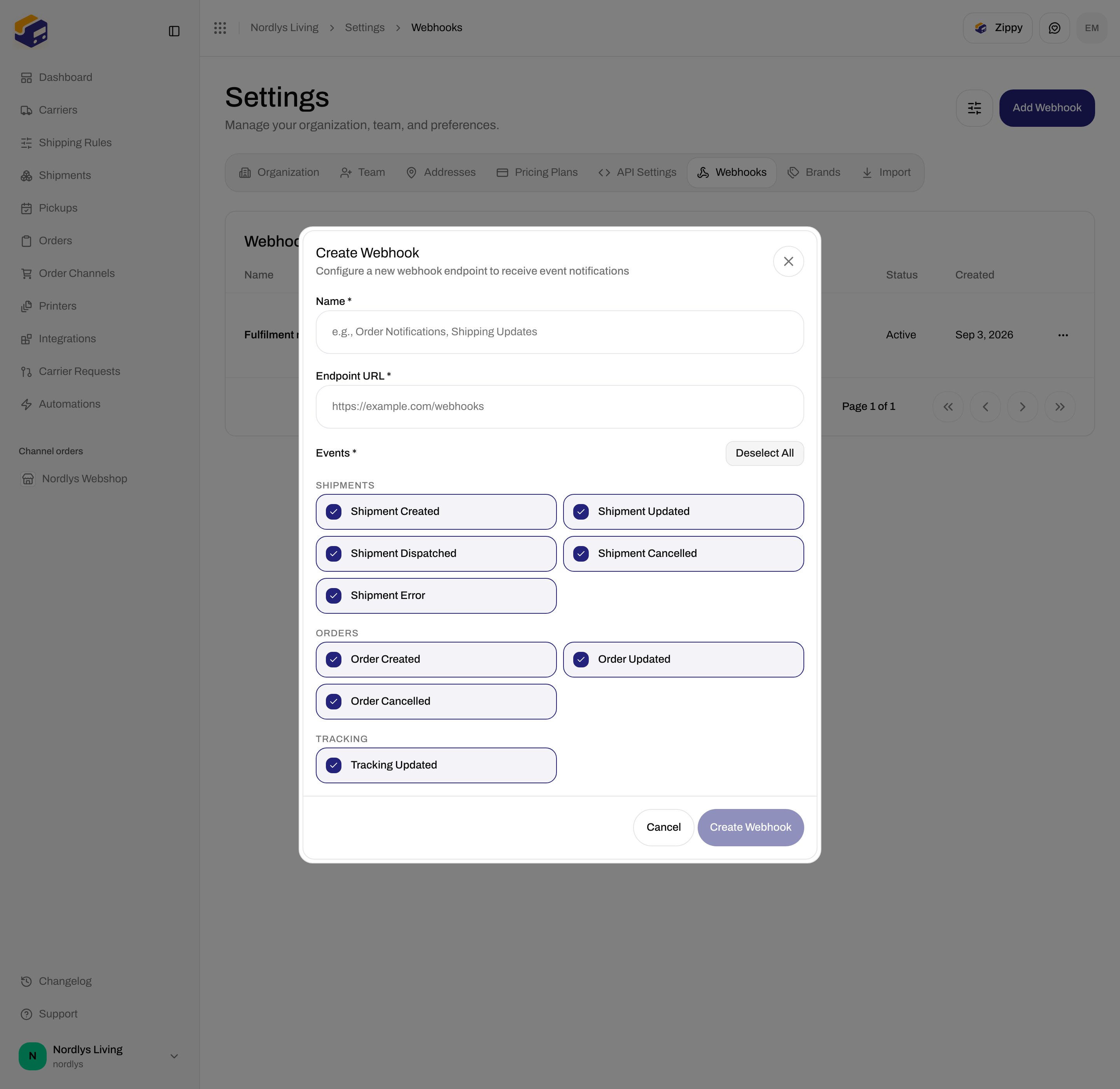
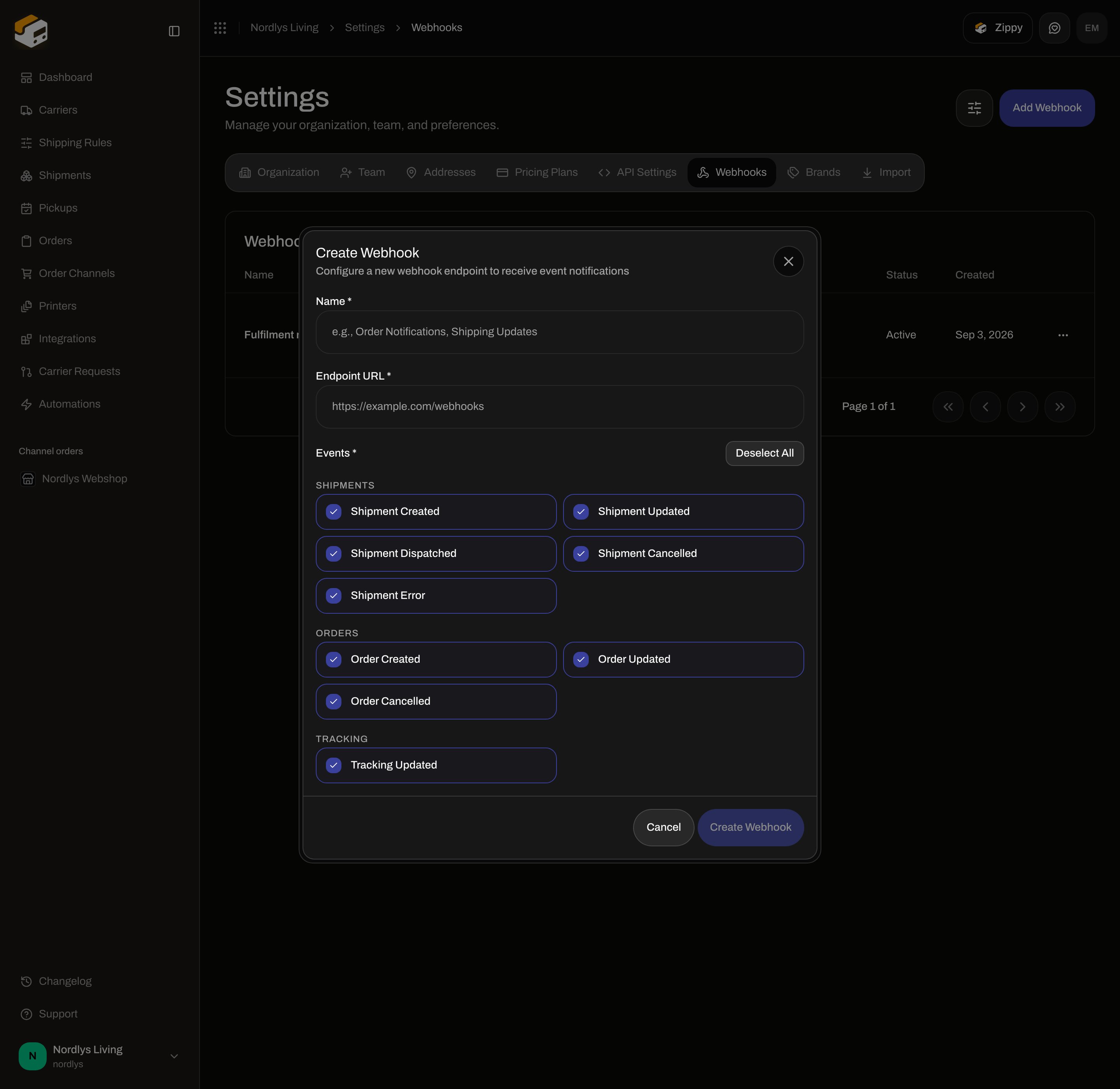 With every event on but **Name** and **Endpoint URL** empty, **Create Webhook** stays disabled.
### Shipments
| Checkbox | Event name | When it fires |
| ----------------------- | --------------------- | ---------------------------------- |
| **Shipment Created** | `shipment.created` | A shipment is created. |
| **Shipment Updated** | `shipment.updated` | A shipment is updated. |
| **Shipment Dispatched** | `shipment.dispatched` | A shipment is sent (label booked). |
| **Shipment Cancelled** | `shipment.cancelled` | A shipment is cancelled / deleted. |
| **Shipment Error** | `shipment.error` | Send or booking hits an error. |
### Orders
| Checkbox | Event name | When it fires |
| ------------------- | ----------------- | -------------------------------- |
| **Order Created** | `order.created` | An order is created. |
| **Order Updated** | `order.updated` | An order is updated. |
| **Order Cancelled** | `order.cancelled` | An order is cancelled / deleted. |
### Tracking
| Checkbox | Event name | When it fires |
| -------------------- | ------------------ | ------------------------------- |
| **Tracking Updated** | `tracking.updated` | A new tracking event is stored. |
`webhook.test` is **not** in this list. **Send Test** sends that ping; you cannot subscribe to it as an event checkbox.
Click **Add Webhook**, or **Create Your First Webhook** when the table is empty.
Fill **Name \*** and **Endpoint URL \*** (HTTPS).
Check the events you want, including **Tracking Updated** if your system needs scans. Or click **Select All**.
Click **Create Webhook**. Copy the signing secret from **Get webhook** in the API before you verify deliveries.
## Edit Webhook
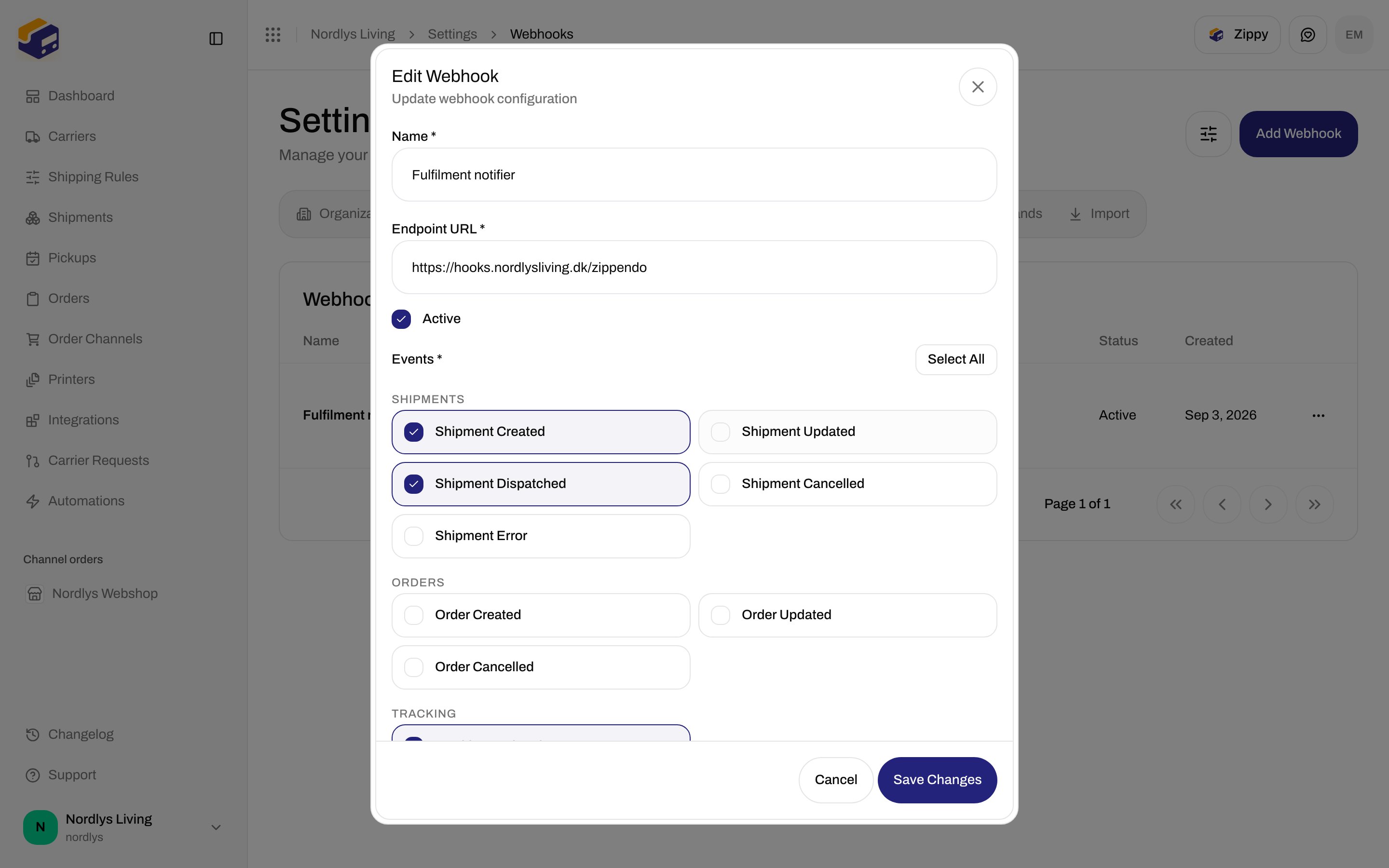
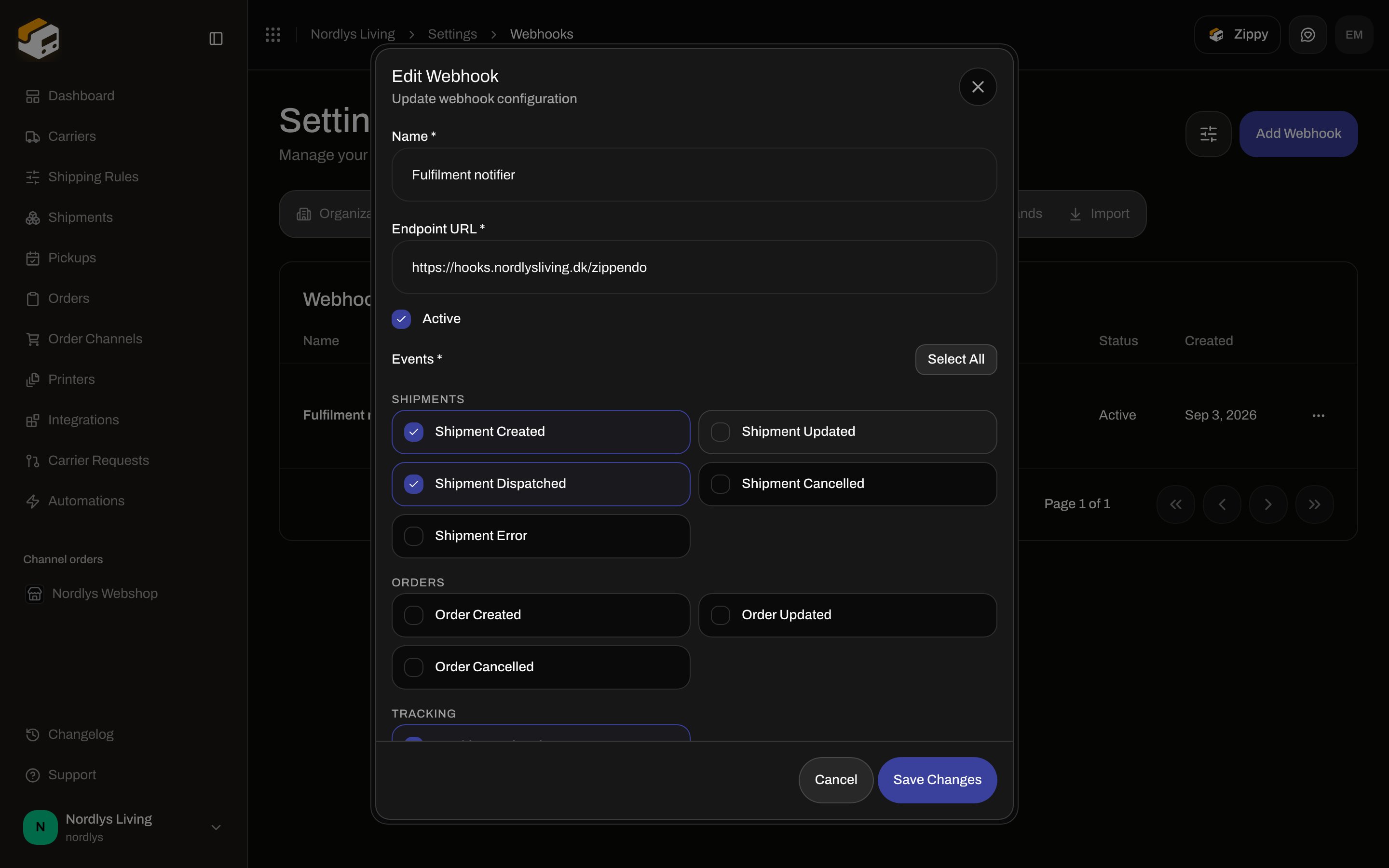
Row click or **Edit** opens **Edit Webhook**. Subtitle: **Update webhook configuration**. Modal id: `edit-webhook-modal`. Submit: **Save Changes**.
With every event on but **Name** and **Endpoint URL** empty, **Create Webhook** stays disabled.
### Shipments
| Checkbox | Event name | When it fires |
| ----------------------- | --------------------- | ---------------------------------- |
| **Shipment Created** | `shipment.created` | A shipment is created. |
| **Shipment Updated** | `shipment.updated` | A shipment is updated. |
| **Shipment Dispatched** | `shipment.dispatched` | A shipment is sent (label booked). |
| **Shipment Cancelled** | `shipment.cancelled` | A shipment is cancelled / deleted. |
| **Shipment Error** | `shipment.error` | Send or booking hits an error. |
### Orders
| Checkbox | Event name | When it fires |
| ------------------- | ----------------- | -------------------------------- |
| **Order Created** | `order.created` | An order is created. |
| **Order Updated** | `order.updated` | An order is updated. |
| **Order Cancelled** | `order.cancelled` | An order is cancelled / deleted. |
### Tracking
| Checkbox | Event name | When it fires |
| -------------------- | ------------------ | ------------------------------- |
| **Tracking Updated** | `tracking.updated` | A new tracking event is stored. |
`webhook.test` is **not** in this list. **Send Test** sends that ping; you cannot subscribe to it as an event checkbox.
Click **Add Webhook**, or **Create Your First Webhook** when the table is empty.
Fill **Name \*** and **Endpoint URL \*** (HTTPS).
Check the events you want, including **Tracking Updated** if your system needs scans. Or click **Select All**.
Click **Create Webhook**. Copy the signing secret from **Get webhook** in the API before you verify deliveries.
## Edit Webhook
Row click or **Edit** opens **Edit Webhook**. Subtitle: **Update webhook configuration**. Modal id: `edit-webhook-modal`. Submit: **Save Changes**.
 | Field | What it is |
| ------------------- | --------------------------------------------------------------------------------------------------------------------- |
| **Name \*** | Same as create. |
| **Endpoint URL \*** | Same as create. |
| **Active** | Checkbox. Uncheck to stop deliveries without deleting the endpoint or its log. Status column then reads **Inactive**. |
| **Brand** | Same picker as create, when brands exist. |
| **Events \*** | Same nine checkboxes. |
**Save Changes** stays disabled while name or URL is empty or no event is selected. Toast: **Webhook updated successfully** / **Failed to update webhook**.
## Delivery Log
**Delivery Log** opens **Delivery Log**. Subtitle: **Recent webhook delivery attempts**. Section title: **Recent deliveries**. Modal id: `webhook-deliveries-modal`. Close with **Close**.
| Field | What it is |
| ------------------- | --------------------------------------------------------------------------------------------------------------------- |
| **Name \*** | Same as create. |
| **Endpoint URL \*** | Same as create. |
| **Active** | Checkbox. Uncheck to stop deliveries without deleting the endpoint or its log. Status column then reads **Inactive**. |
| **Brand** | Same picker as create, when brands exist. |
| **Events \*** | Same nine checkboxes. |
**Save Changes** stays disabled while name or URL is empty or no event is selected. Toast: **Webhook updated successfully** / **Failed to update webhook**.
## Delivery Log
**Delivery Log** opens **Delivery Log**. Subtitle: **Recent webhook delivery attempts**. Section title: **Recent deliveries**. Modal id: `webhook-deliveries-modal`. Close with **Close**.
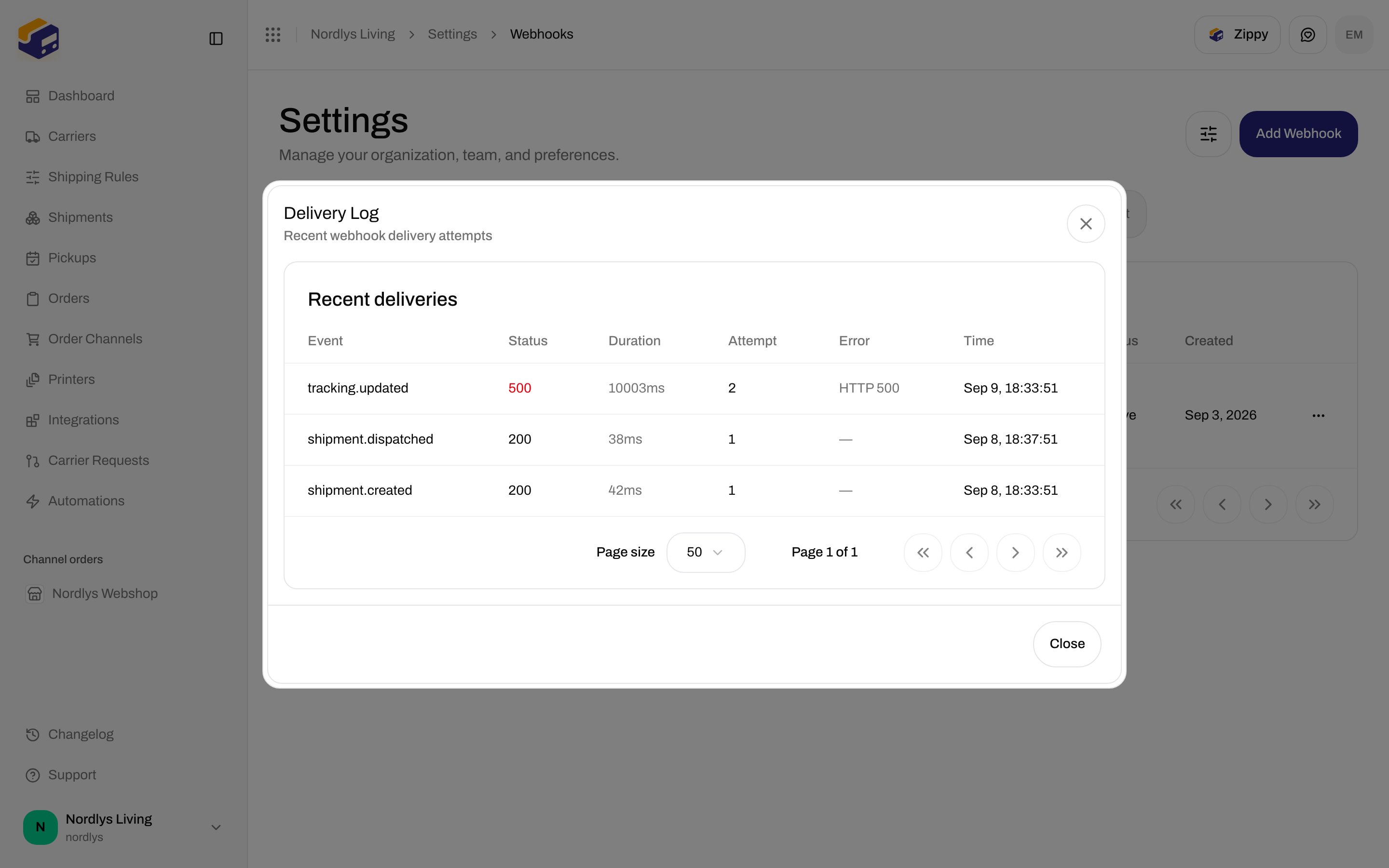
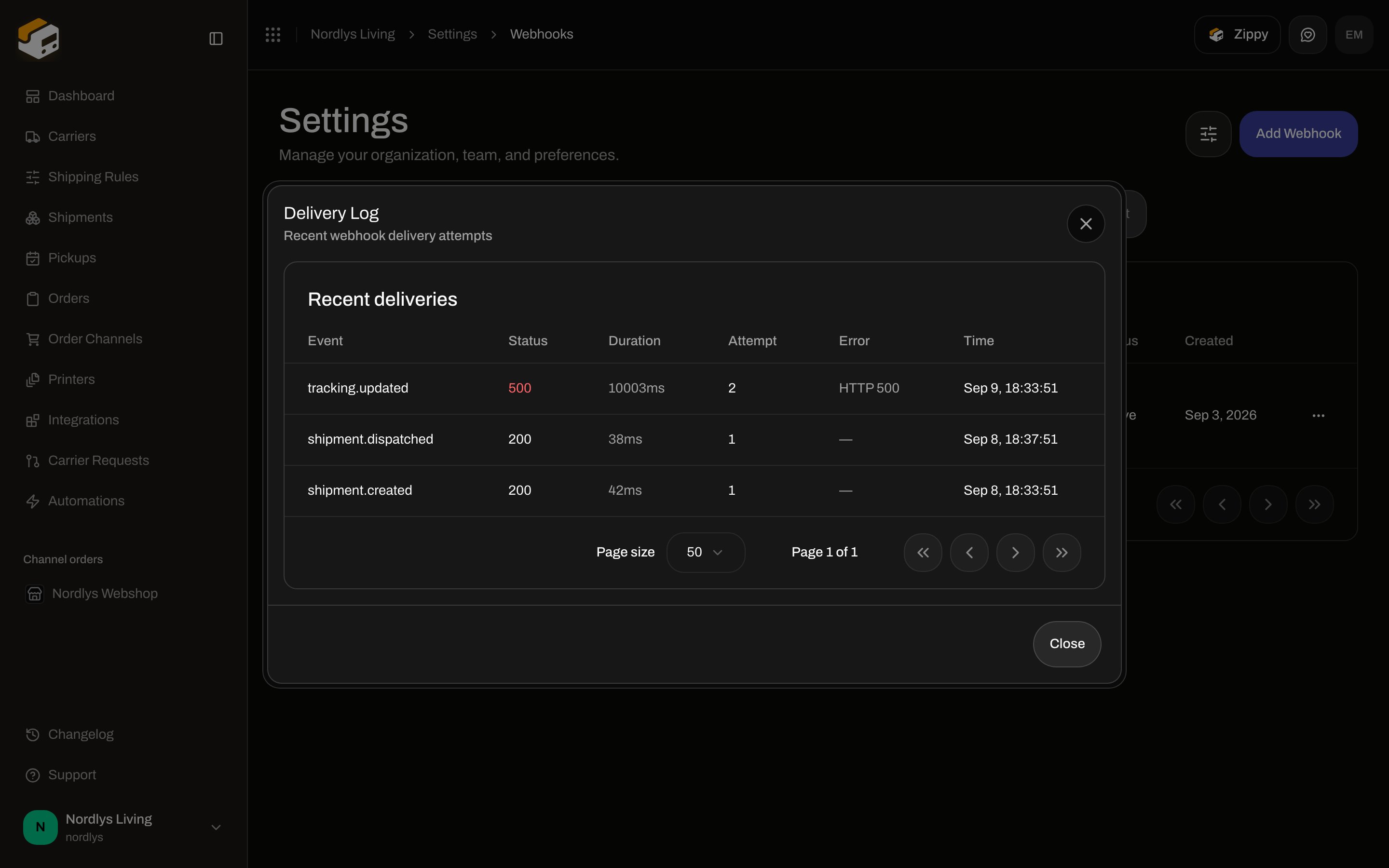 | Column | What it shows |
| ------------ | ------------------------------------------------------------------------------------- |
| **Event** | Event name (`shipment.created`, `webhook.test`, …). |
| **Status** | HTTP status from your endpoint, or **N/A**. Success is green; failure is destructive. |
| **Duration** | Round-trip in `ms`, or **—**. |
| **Attempt** | Attempt number (retries increment this). |
| **Error** | Error text, or **—**. |
| **Time** | When the attempt ran. |
Empty: **No deliveries yet** / **Webhook deliveries will appear here once events are triggered.**
Deliveries time out after **10 seconds**. Failed or timed-out posts retry up to **5** times with exponential backoff (5s base). Each attempt is a row.
## Send Test
**Send Test** enqueues a ping. Toast: **Test event sent** / **Failed to send test event**. The body is `{ "event": "webhook.test", "timestamp", "data": { "webhookId", "message": "This is a test event from Zippendo" } }`. Check **Delivery Log** after it runs.
## Delete Webhook
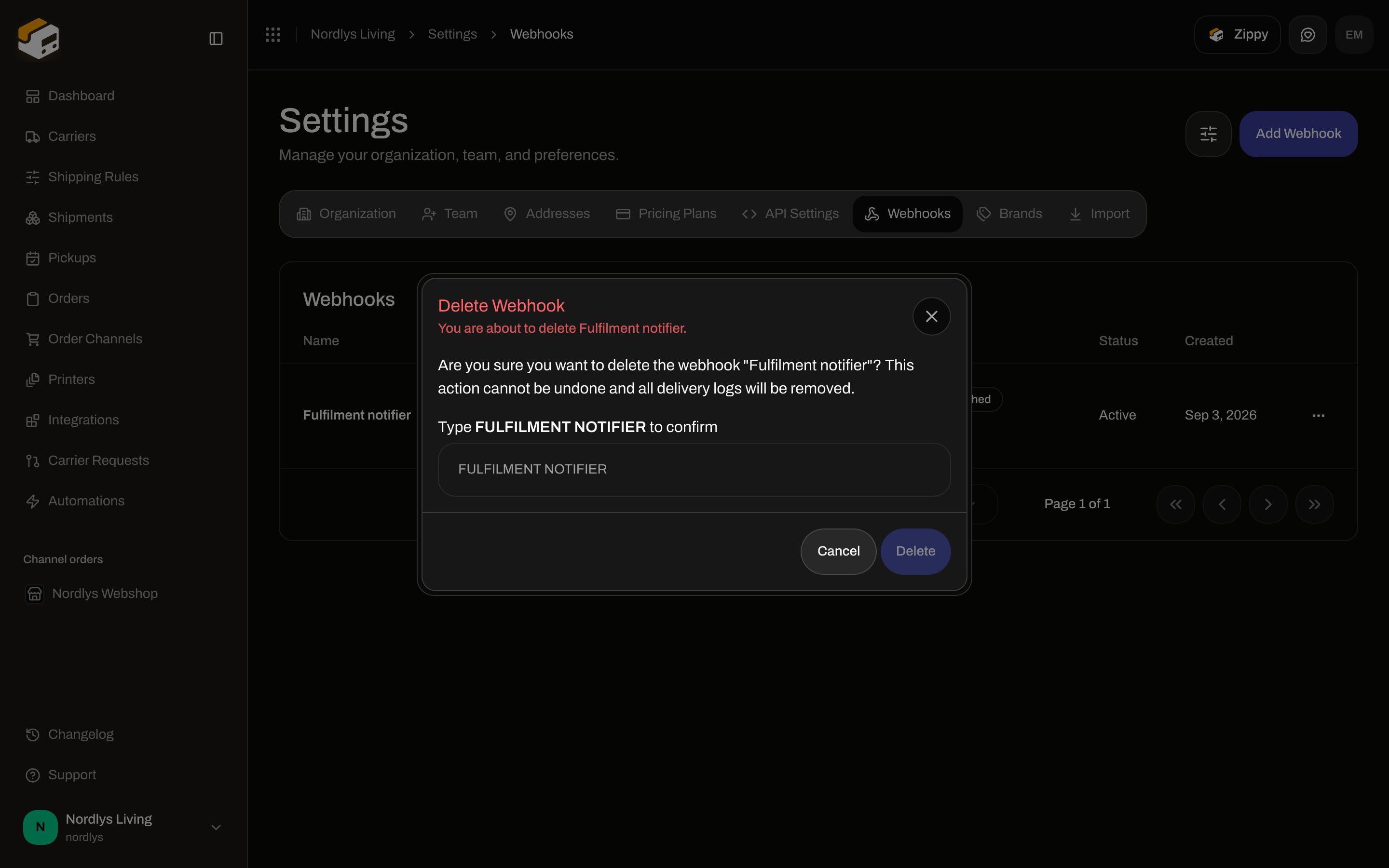
**Delete** opens **Delete Webhook**. Subtitle: **You are about to delete Fulfilment notifier.** Description: **Are you sure you want to delete the webhook "Fulfilment notifier"? This action cannot be undone and all delivery logs will be removed.** Label: **Type FULFILMENT NOTIFIER to confirm**. Placeholder is the same uppercase string. **Delete** stays disabled until the field matches. Tooltip: **Type "FULFILMENT NOTIFIER" to confirm.** Buttons: **Cancel**, **Delete**.
| Column | What it shows |
| ------------ | ------------------------------------------------------------------------------------- |
| **Event** | Event name (`shipment.created`, `webhook.test`, …). |
| **Status** | HTTP status from your endpoint, or **N/A**. Success is green; failure is destructive. |
| **Duration** | Round-trip in `ms`, or **—**. |
| **Attempt** | Attempt number (retries increment this). |
| **Error** | Error text, or **—**. |
| **Time** | When the attempt ran. |
Empty: **No deliveries yet** / **Webhook deliveries will appear here once events are triggered.**
Deliveries time out after **10 seconds**. Failed or timed-out posts retry up to **5** times with exponential backoff (5s base). Each attempt is a row.
## Send Test
**Send Test** enqueues a ping. Toast: **Test event sent** / **Failed to send test event**. The body is `{ "event": "webhook.test", "timestamp", "data": { "webhookId", "message": "This is a test event from Zippendo" } }`. Check **Delivery Log** after it runs.
## Delete Webhook
**Delete** opens **Delete Webhook**. Subtitle: **You are about to delete Fulfilment notifier.** Description: **Are you sure you want to delete the webhook "Fulfilment notifier"? This action cannot be undone and all delivery logs will be removed.** Label: **Type FULFILMENT NOTIFIER to confirm**. Placeholder is the same uppercase string. **Delete** stays disabled until the field matches. Tooltip: **Type "FULFILMENT NOTIFIER" to confirm.** Buttons: **Cancel**, **Delete**.
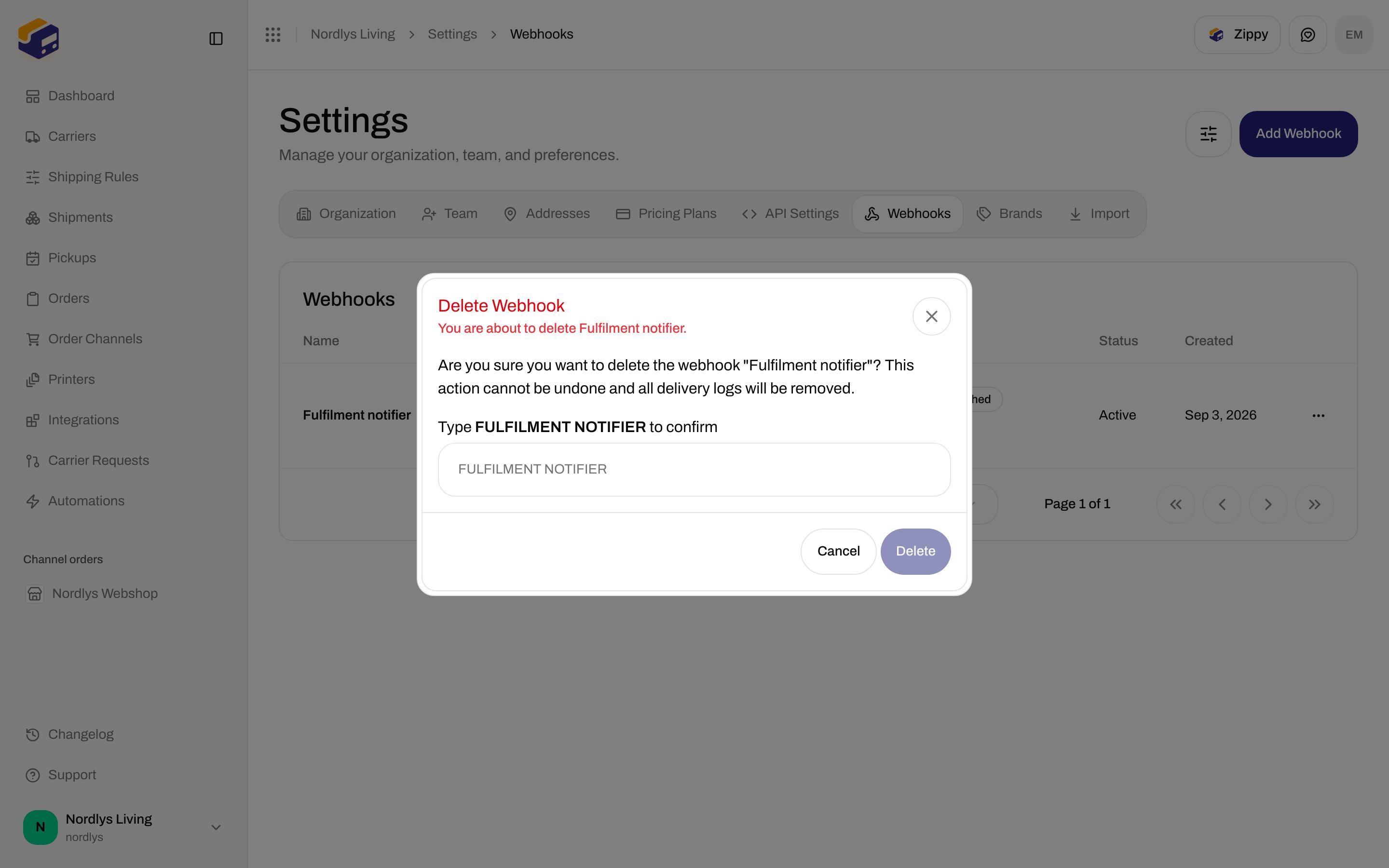
 Toast: **Webhook deleted successfully** / **Failed to delete webhook**.
## Signing
Every live delivery is `POST` JSON `{ "event", "timestamp", "brandId", "data" }` with:
| Header | Value |
| --------------------- | -------------------------------------------------------------------------------------------------- |
| `Content-Type` | `application/json` |
| `X-Webhook-Signature` | HMAC-SHA256 of the **raw body**, hex, keyed with the endpoint secret |
| `X-Webhook-Event` | Event name |
| `X-Webhook-Id` | Delivery id for this attempt (matches the Delivery Log row). Each retry is a new id and a new row. |
Verify before you parse JSON. Example: [Webhooks quickstart](/docs/quickstarts/webhooks). Custom-channel **inbound** signing uses the same HMAC recipe with `X-Zippendo-Signature` — [Custom channel API](/docs/how-to/custom-channel-api).
Respond **2xx** quickly and process asynchronously. Use **HTTPS**. Inactive endpoints are skipped.
## Plan lock
On a plan without webhooks: **Unlock Webhooks** — **Outbound webhooks are available on the Growth plan and above. Upgrade to send real-time shipment and order events to your endpoints.** Actions: **Upgrade to unlock**, **See docs**.
## Related
* [Create an API token](/docs/how-to/create-an-api-token) — pull instead of push.
* [Carrier tracking webhooks](/docs/how-to/tracking-webhooks) — carrier callbacks into Zippendo.
* [Connect Slack, Klaviyo, and other apps](/docs/how-to/connect-an-integration) — no URL to host yourself.
* [Get a shipping quote](/docs/how-to/shipping-quotes) — checkout rates, not webhook events.
* [Shopify settings](/docs/how-to/shopify-settings) / [Connect WooCommerce](/docs/how-to/connect-woocommerce) — store webhooks Zippendo registers.
Toast: **Webhook deleted successfully** / **Failed to delete webhook**.
## Signing
Every live delivery is `POST` JSON `{ "event", "timestamp", "brandId", "data" }` with:
| Header | Value |
| --------------------- | -------------------------------------------------------------------------------------------------- |
| `Content-Type` | `application/json` |
| `X-Webhook-Signature` | HMAC-SHA256 of the **raw body**, hex, keyed with the endpoint secret |
| `X-Webhook-Event` | Event name |
| `X-Webhook-Id` | Delivery id for this attempt (matches the Delivery Log row). Each retry is a new id and a new row. |
Verify before you parse JSON. Example: [Webhooks quickstart](/docs/quickstarts/webhooks). Custom-channel **inbound** signing uses the same HMAC recipe with `X-Zippendo-Signature` — [Custom channel API](/docs/how-to/custom-channel-api).
Respond **2xx** quickly and process asynchronously. Use **HTTPS**. Inactive endpoints are skipped.
## Plan lock
On a plan without webhooks: **Unlock Webhooks** — **Outbound webhooks are available on the Growth plan and above. Upgrade to send real-time shipment and order events to your endpoints.** Actions: **Upgrade to unlock**, **See docs**.
## Related
* [Create an API token](/docs/how-to/create-an-api-token) — pull instead of push.
* [Carrier tracking webhooks](/docs/how-to/tracking-webhooks) — carrier callbacks into Zippendo.
* [Connect Slack, Klaviyo, and other apps](/docs/how-to/connect-an-integration) — no URL to host yourself.
* [Get a shipping quote](/docs/how-to/shipping-quotes) — checkout rates, not webhook events.
* [Shopify settings](/docs/how-to/shopify-settings) / [Connect WooCommerce](/docs/how-to/connect-woocommerce) — store webhooks Zippendo registers.