> ## Documentation Index
> Fetch the complete documentation index at: https://www.zippendo.com/docs/llms.txt
> Use this file to discover all available pages before exploring further.
# Shopify settings
> Configure a connected Shopify store — order import, fulfillment sync, checkout rates, method mapping, webhooks, and disconnect.
After the store is connected, open **Order Channels** and click the Shopify channel. This page is **Shopify Channel** — per-store sync, checkout rates, and the Shopify app connection.
Install and OAuth walkthrough: [Connect Shopify](/docs/tutorials/connect-shopify). Checkout rates at Shopify: [Checkout](/docs/tutorials/checkout). Pickup naming: [Droppoint vs service point](/docs/how-to/drop-point-and-service-points).
These tabs are **in-page** (not `?tab=`). Default is **Orders & checkout**. Header action **Shopify Admin** opens `https://{shopDomain}/admin` in a new tab.
## Where it lives
* Sidebar **Order Channels** → Shopify channel → `/{org}/dashboard/order-channels/{id}`
* Loading description: **Loading store connection…**
* Title **Shopify Channel**. The store name in the header is a picker when you have more than one Shopify installation — helper **Switch stores to edit that installation. Settings are per store.**
**Empty (no installation):** **Connect your Shopify store**. Description: **Import orders automatically from your Shopify store. Real-time sync via webhooks keeps your orders up to date.** Button **Connect Shopify**. Feature copy: **Real-time Order Sync** and **Fulfillment sync to Shopify**. Connect from here uses the same modal as the catalog — [Connect Shopify](/docs/tutorials/connect-shopify).
## Orders & checkout
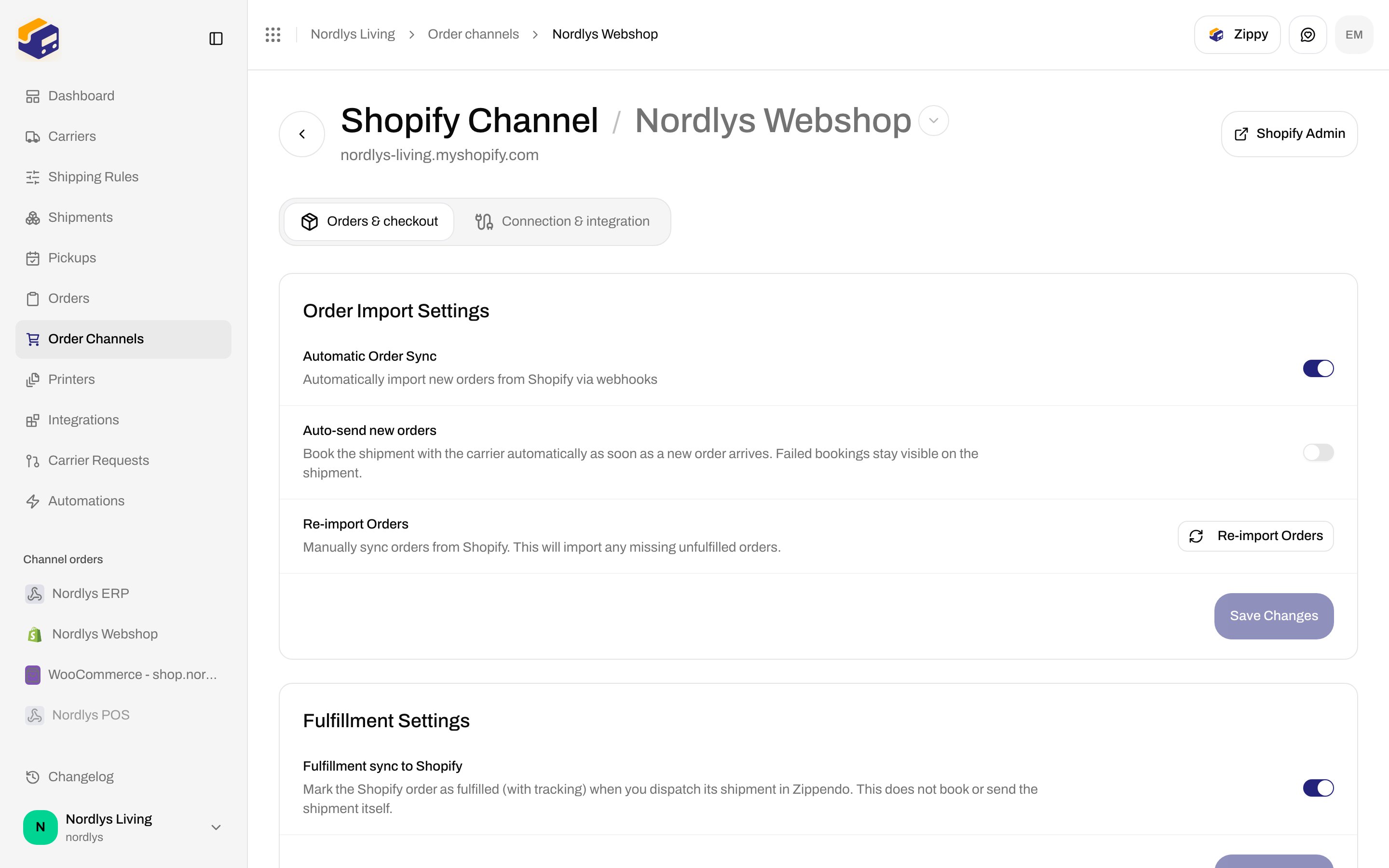
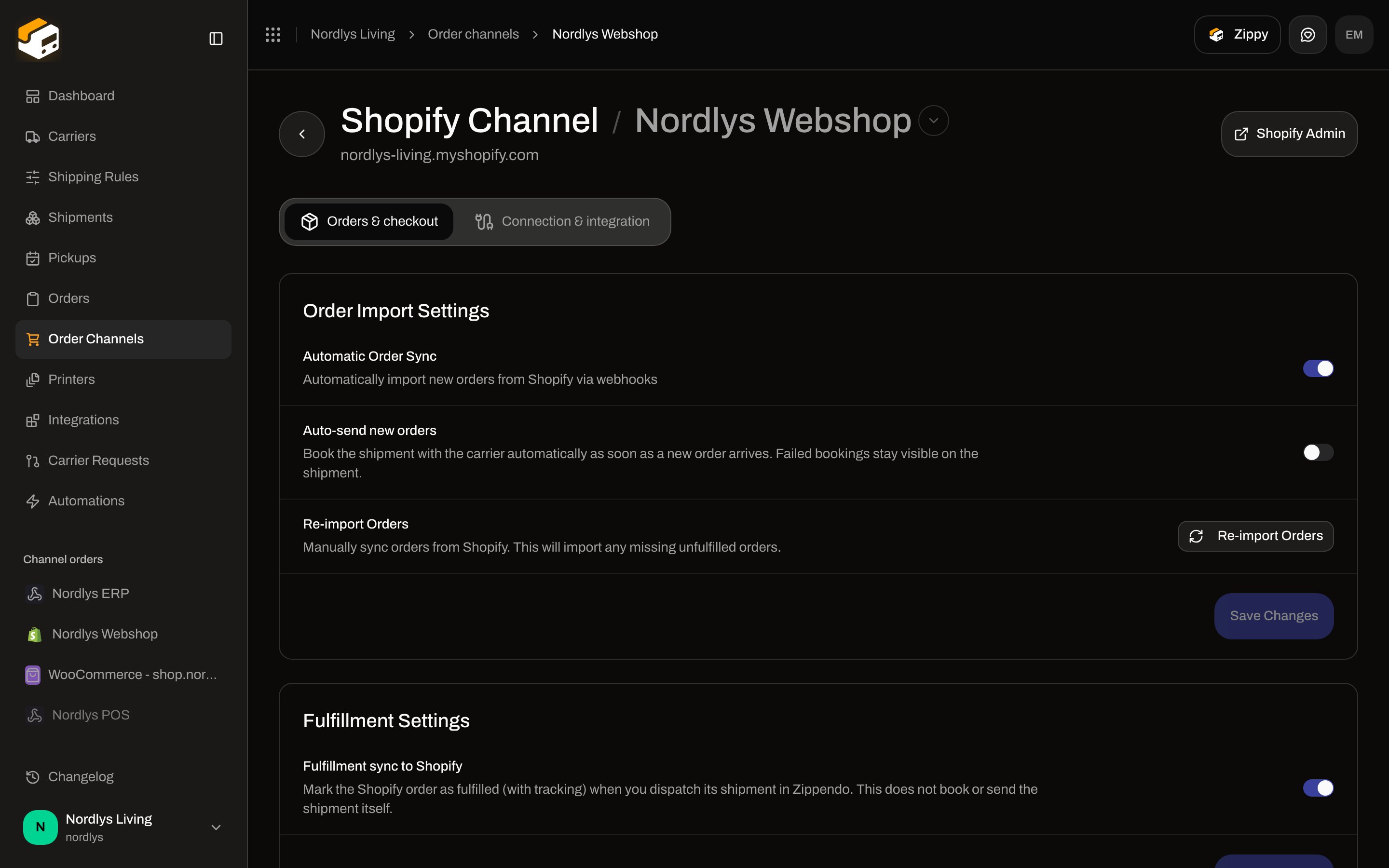 Each card has its own **Save Changes** (shows **Saving…**). Disabled until you change something. Success toast: **Settings saved**. Failure: **Failed to save settings**.
### Order Import Settings
| Control | Type | Default | Helper |
| ------------------------ | ------ | ------- | --------------------------------------------------------------------------------------------------------------------------------------------------------- |
| **Automatic Order Sync** | Switch | On | **Automatically import new orders from Shopify via webhooks** |
| **Auto-send new orders** | Switch | Off | **Book the shipment with the carrier automatically as soon as a new order arrives. Failed bookings stay visible on the shipment.** |
| **Re-import Orders** | Button | — | **Manually sync orders from Shopify. This will import any missing unfulfilled orders.** Label while running: **Syncing…**. Disabled without a channel id. |
Re-import toasts: **Order sync started** / **Orders will be imported in the background**, or **Failed to sync orders**.
`syncIntervalMinutes` and historical import **are not on this screen** — they live on the App Store connect bridge (`/shopify/connect`) below.
### Fulfillment Settings
| Control | Type | Default | Helper |
| ------------------------------- | ------ | ------- | --------------------------------------------------------------------------------------------------------------------------------------------------- |
| **Fulfillment sync to Shopify** | Switch | On | **Mark the Shopify order as fulfilled (with tracking) when you dispatch its shipment in Zippendo. This does not book or send the shipment itself.** |
### Default Shipment Settings
| Field | Required | Helper |
| ------------------- | -------- | ----------------------------------------------------------------------------------------------------------------------------------------------------------------------------------------------------------- |
| **Default Address** | No | **The address used when creating shipments for orders that don't have a shipping rule selected**. Placeholder **Select address**. Empty list: **No addresses configured. Add one in Settings → Addresses.** |
Hint under the row: **When orders arrive without a Zippendo shipping rate selected at checkout, a draft shipment will be created using this sender address. You can then manually configure the carrier and send the shipment.**
### Checkout Shipping Rates
Each card has its own **Save Changes** (shows **Saving…**). Disabled until you change something. Success toast: **Settings saved**. Failure: **Failed to save settings**.
### Order Import Settings
| Control | Type | Default | Helper |
| ------------------------ | ------ | ------- | --------------------------------------------------------------------------------------------------------------------------------------------------------- |
| **Automatic Order Sync** | Switch | On | **Automatically import new orders from Shopify via webhooks** |
| **Auto-send new orders** | Switch | Off | **Book the shipment with the carrier automatically as soon as a new order arrives. Failed bookings stay visible on the shipment.** |
| **Re-import Orders** | Button | — | **Manually sync orders from Shopify. This will import any missing unfulfilled orders.** Label while running: **Syncing…**. Disabled without a channel id. |
Re-import toasts: **Order sync started** / **Orders will be imported in the background**, or **Failed to sync orders**.
`syncIntervalMinutes` and historical import **are not on this screen** — they live on the App Store connect bridge (`/shopify/connect`) below.
### Fulfillment Settings
| Control | Type | Default | Helper |
| ------------------------------- | ------ | ------- | --------------------------------------------------------------------------------------------------------------------------------------------------- |
| **Fulfillment sync to Shopify** | Switch | On | **Mark the Shopify order as fulfilled (with tracking) when you dispatch its shipment in Zippendo. This does not book or send the shipment itself.** |
### Default Shipment Settings
| Field | Required | Helper |
| ------------------- | -------- | ----------------------------------------------------------------------------------------------------------------------------------------------------------------------------------------------------------- |
| **Default Address** | No | **The address used when creating shipments for orders that don't have a shipping rule selected**. Placeholder **Select address**. Empty list: **No addresses configured. Add one in Settings → Addresses.** |
Hint under the row: **When orders arrive without a Zippendo shipping rate selected at checkout, a draft shipment will be created using this sender address. You can then manually configure the carrier and send the shipment.**
### Checkout Shipping Rates
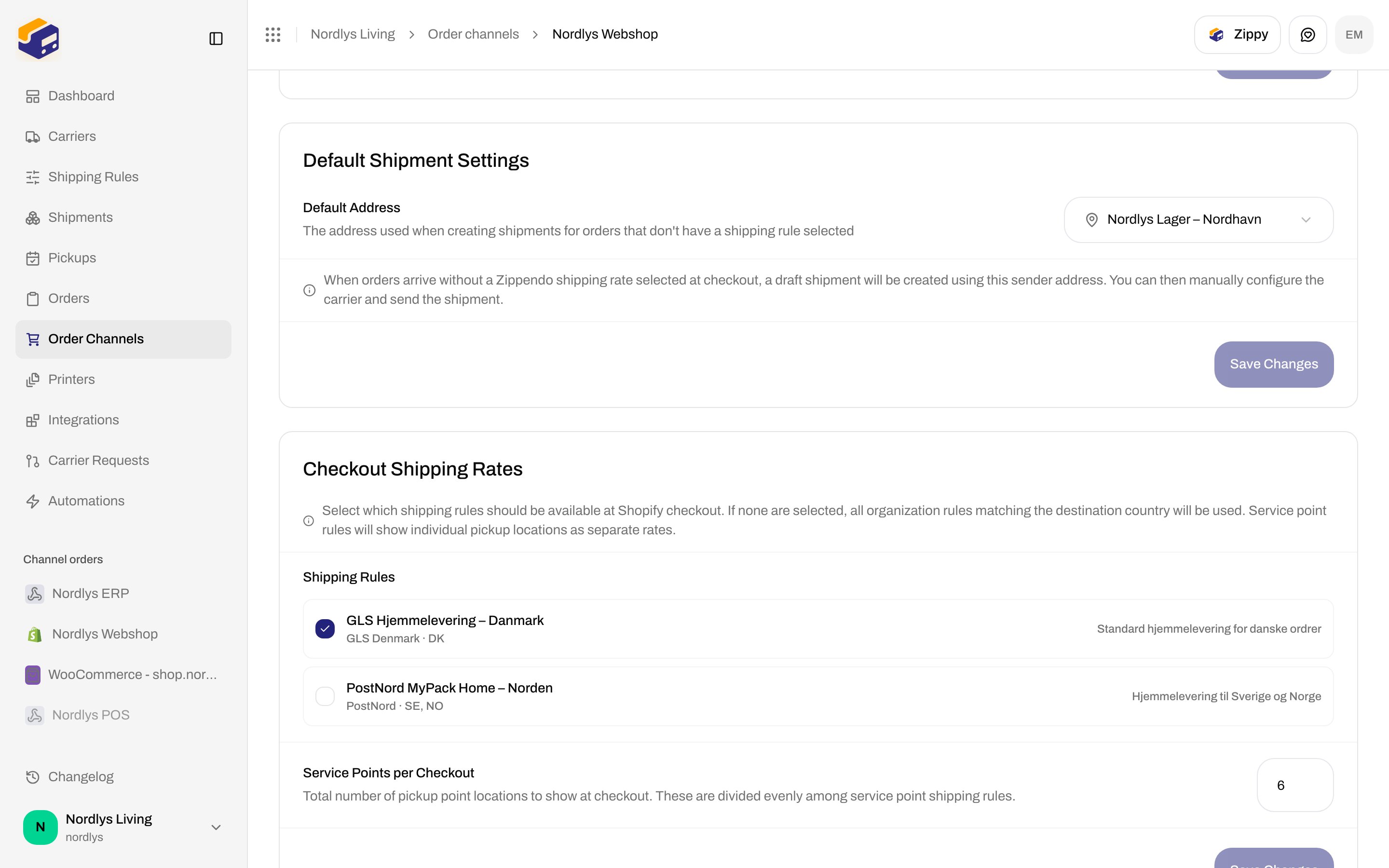
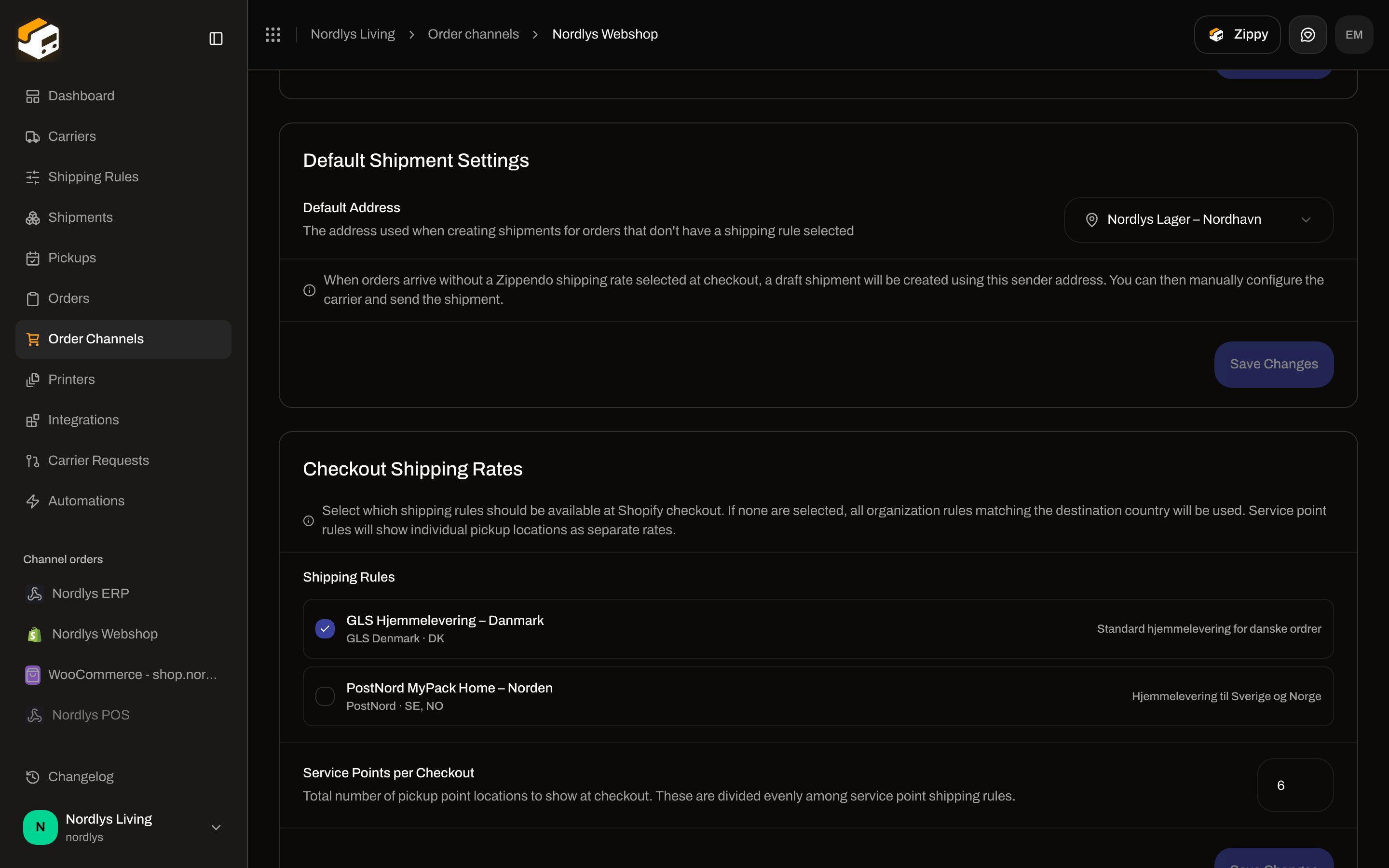 Hint: **Select which shipping rules should be available at Shopify checkout. If none are selected, all organization rules matching the destination country will be used. Service point rules will show individual pickup locations as separate rates.**
| Field | Details |
| ------------------------------- | --------------------------------------------------------------------------------------------------------------------------------------------------------------------------------------------------------------------- |
| **Shipping Rules** | Checkboxes. Each row is the rule **name**, then `carrier · receiving countries`, then description if set. Empty: **No shipping rules configured. Create shipping rules from Shipping Rules in the sidebar.** |
| **Service Points per Checkout** | Number, min **1**, max **20**, default **6**. Helper: **Total number of pickup point locations to show at checkout. These are divided evenly among service point shipping rules.** Out-of-range values clamp to 1–20. |
**Save Changes** on this card saves `shippingRuleIds` and `servicePointCount` on the order channel (not the installation settings payload). Saving: **Saving…**.
Pickup locations at checkout: [Pick a service point](/docs/how-to/pick-a-service-point), [Droppoint vs service point](/docs/how-to/drop-point-and-service-points). Rule fields: [Shipping rule fields](/docs/how-to/shipping-rule-fields).
### Shipping method mapping
For stores **without** Shopify Carrier-Calculated Shipping.
Hint: **Select which shipping rules should be available at Shopify checkout. If none are selected, all organization rules matching the destination country will be used. Service point rules will show individual pickup locations as separate rates.**
| Field | Details |
| ------------------------------- | --------------------------------------------------------------------------------------------------------------------------------------------------------------------------------------------------------------------- |
| **Shipping Rules** | Checkboxes. Each row is the rule **name**, then `carrier · receiving countries`, then description if set. Empty: **No shipping rules configured. Create shipping rules from Shipping Rules in the sidebar.** |
| **Service Points per Checkout** | Number, min **1**, max **20**, default **6**. Helper: **Total number of pickup point locations to show at checkout. These are divided evenly among service point shipping rules.** Out-of-range values clamp to 1–20. |
**Save Changes** on this card saves `shippingRuleIds` and `servicePointCount` on the order channel (not the installation settings payload). Saving: **Saving…**.
Pickup locations at checkout: [Pick a service point](/docs/how-to/pick-a-service-point), [Droppoint vs service point](/docs/how-to/drop-point-and-service-points). Rule fields: [Shipping rule fields](/docs/how-to/shipping-rule-fields).
### Shipping method mapping
For stores **without** Shopify Carrier-Calculated Shipping.
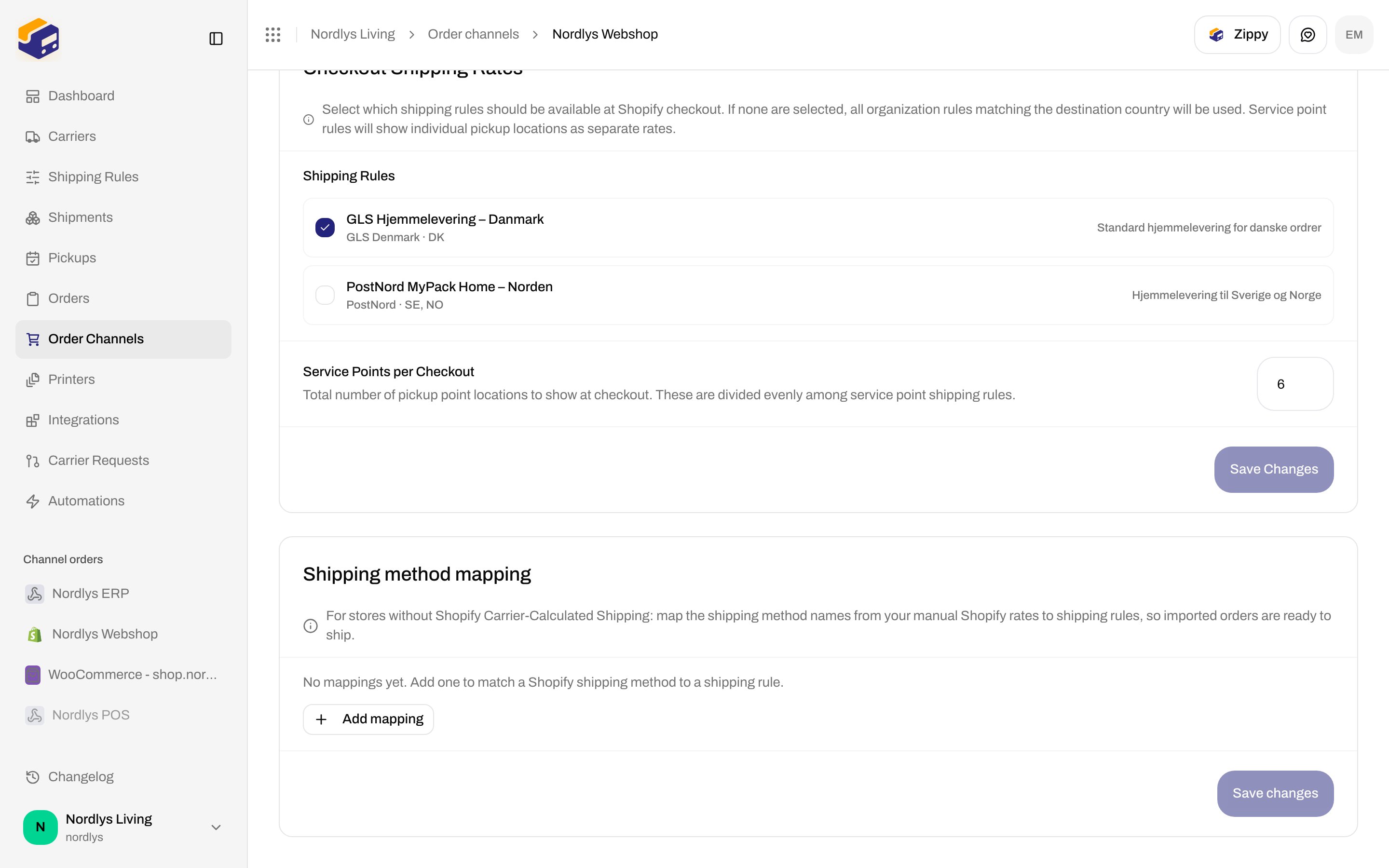
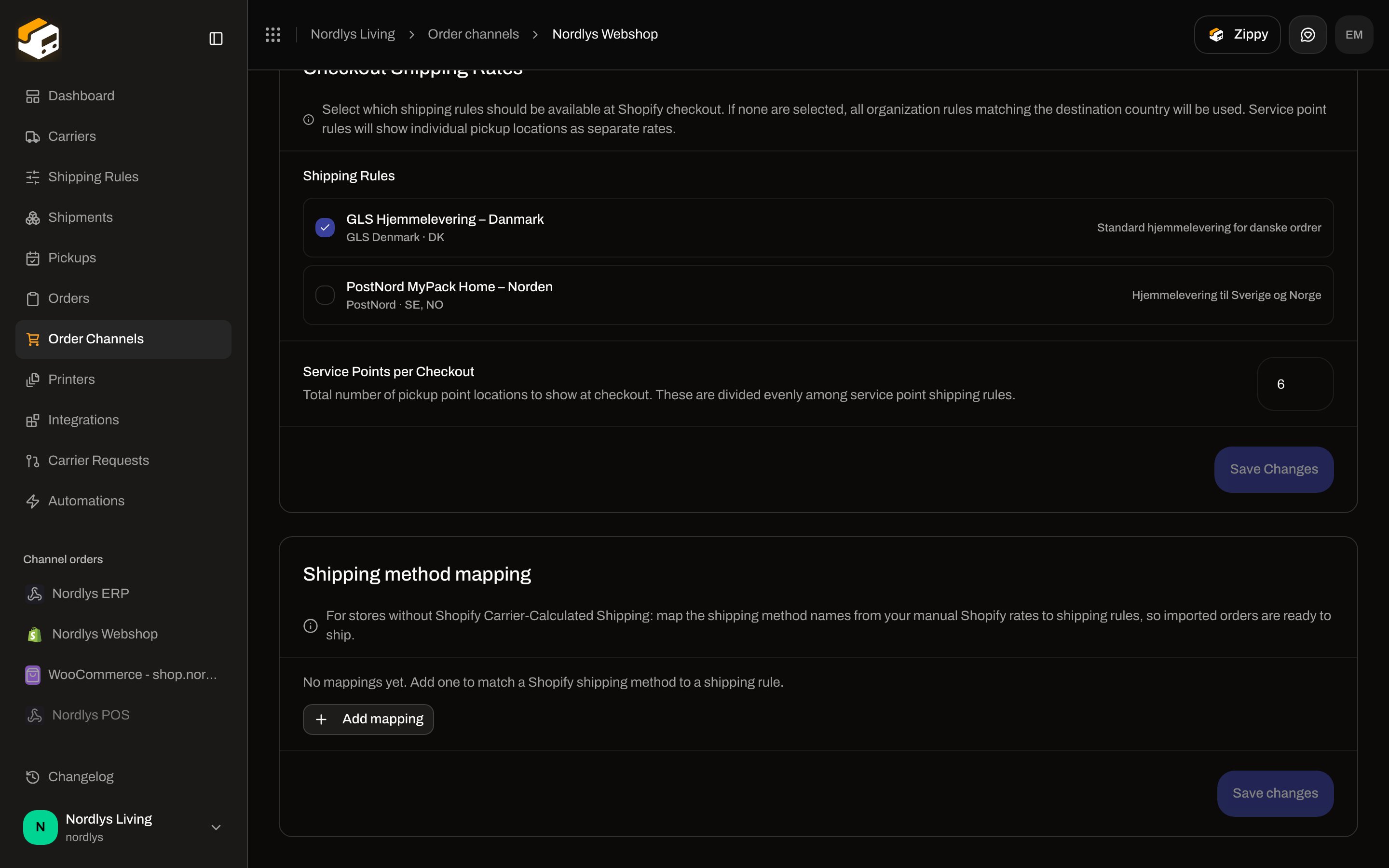 Hint: **For stores without Shopify Carrier-Calculated Shipping: map the shipping method names from your manual Shopify rates to shipping rules, so imported orders are ready to ship.**
Empty: **No mappings yet. Add one to match a Shopify shipping method to a shipping rule.**
| Field | Required | Placeholder / options |
| --------------------------- | --------------------------------------------- | ------------------------------------------------------------------------------------------- |
| **Shopify shipping method** | Yes | **e.g. GLS Home Delivery** |
| **Shipping rule** | Yes | **Select a shipping rule** |
| **Parcel shop** | Only if the rule’s product is a service point | **Nearest automatically** (default) or **Choose manually**. Hidden for home-delivery rules. |
| **Add mapping** | — | Adds an empty row |
| **Remove mapping** | — | Aria on the trash button |
**Save changes** is disabled while a row is missing a match or a rule, or while saving (**Saving...**). On save, matches are trimmed; a stale parcel-shop choice is dropped when the rule is not a service point.
The UI label is **Parcel shop**; the stored value is `servicePointSelection` (`nearest` / `manual`). Same locations as [Droppoint vs service point](/docs/how-to/drop-point-and-service-points).
### Brands
Only if the organization has [brands](/docs/how-to/create-a-brand). Card **Brands**:
| Field | Helper |
| --------- | -------------------------------------------------- |
| **Brand** | **Orders from this channel belong to this brand.** |
Saves immediately on change (not a draft **Save Changes**). Hidden when you have no brands.
## Connection & integration
Hint: **For stores without Shopify Carrier-Calculated Shipping: map the shipping method names from your manual Shopify rates to shipping rules, so imported orders are ready to ship.**
Empty: **No mappings yet. Add one to match a Shopify shipping method to a shipping rule.**
| Field | Required | Placeholder / options |
| --------------------------- | --------------------------------------------- | ------------------------------------------------------------------------------------------- |
| **Shopify shipping method** | Yes | **e.g. GLS Home Delivery** |
| **Shipping rule** | Yes | **Select a shipping rule** |
| **Parcel shop** | Only if the rule’s product is a service point | **Nearest automatically** (default) or **Choose manually**. Hidden for home-delivery rules. |
| **Add mapping** | — | Adds an empty row |
| **Remove mapping** | — | Aria on the trash button |
**Save changes** is disabled while a row is missing a match or a rule, or while saving (**Saving...**). On save, matches are trimmed; a stale parcel-shop choice is dropped when the rule is not a service point.
The UI label is **Parcel shop**; the stored value is `servicePointSelection` (`nearest` / `manual`). Same locations as [Droppoint vs service point](/docs/how-to/drop-point-and-service-points).
### Brands
Only if the organization has [brands](/docs/how-to/create-a-brand). Card **Brands**:
| Field | Helper |
| --------- | -------------------------------------------------- |
| **Brand** | **Orders from this channel belong to this brand.** |
Saves immediately on change (not a draft **Save Changes**). Hidden when you have no brands.
## Connection & integration
 ### Connection details
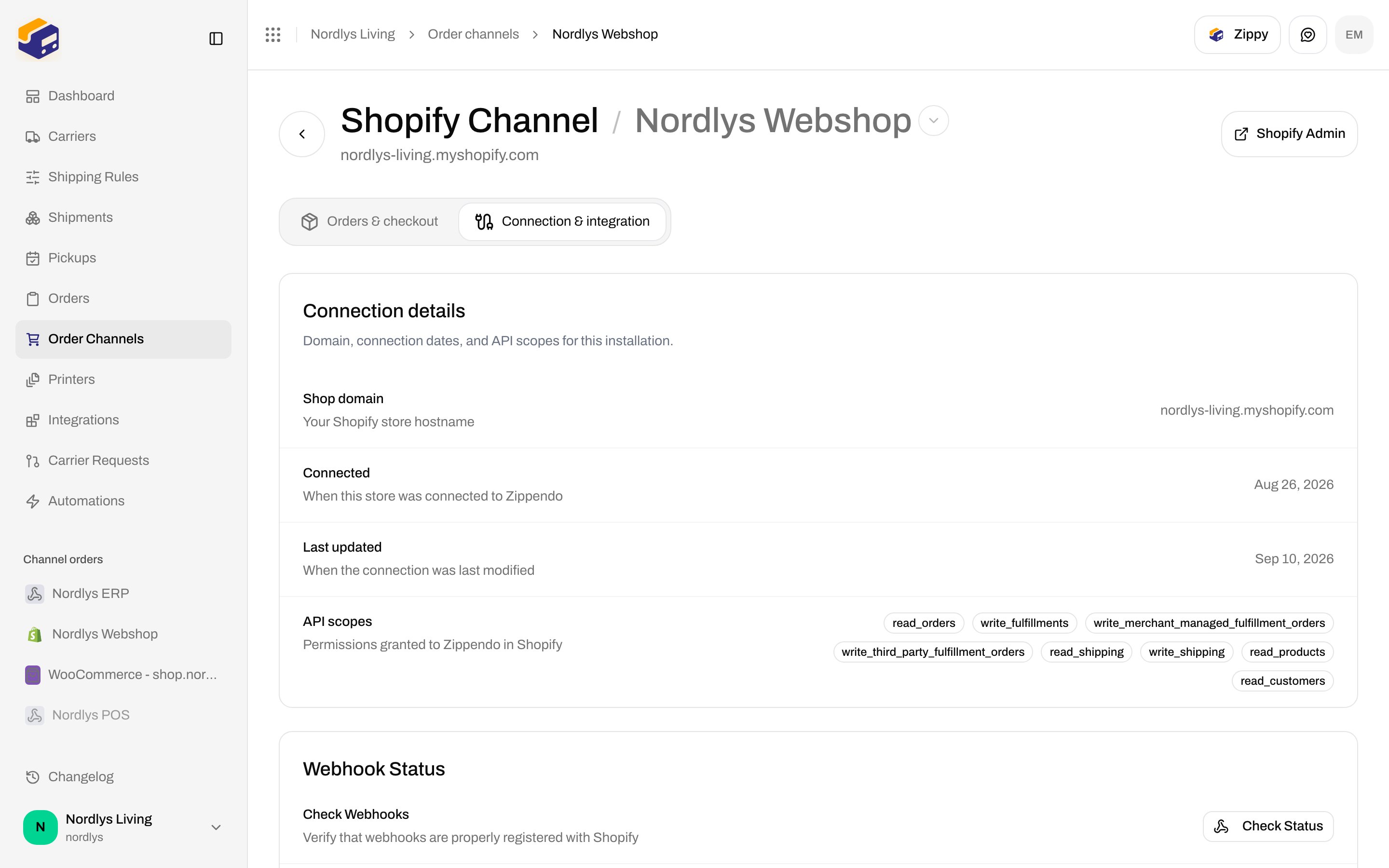
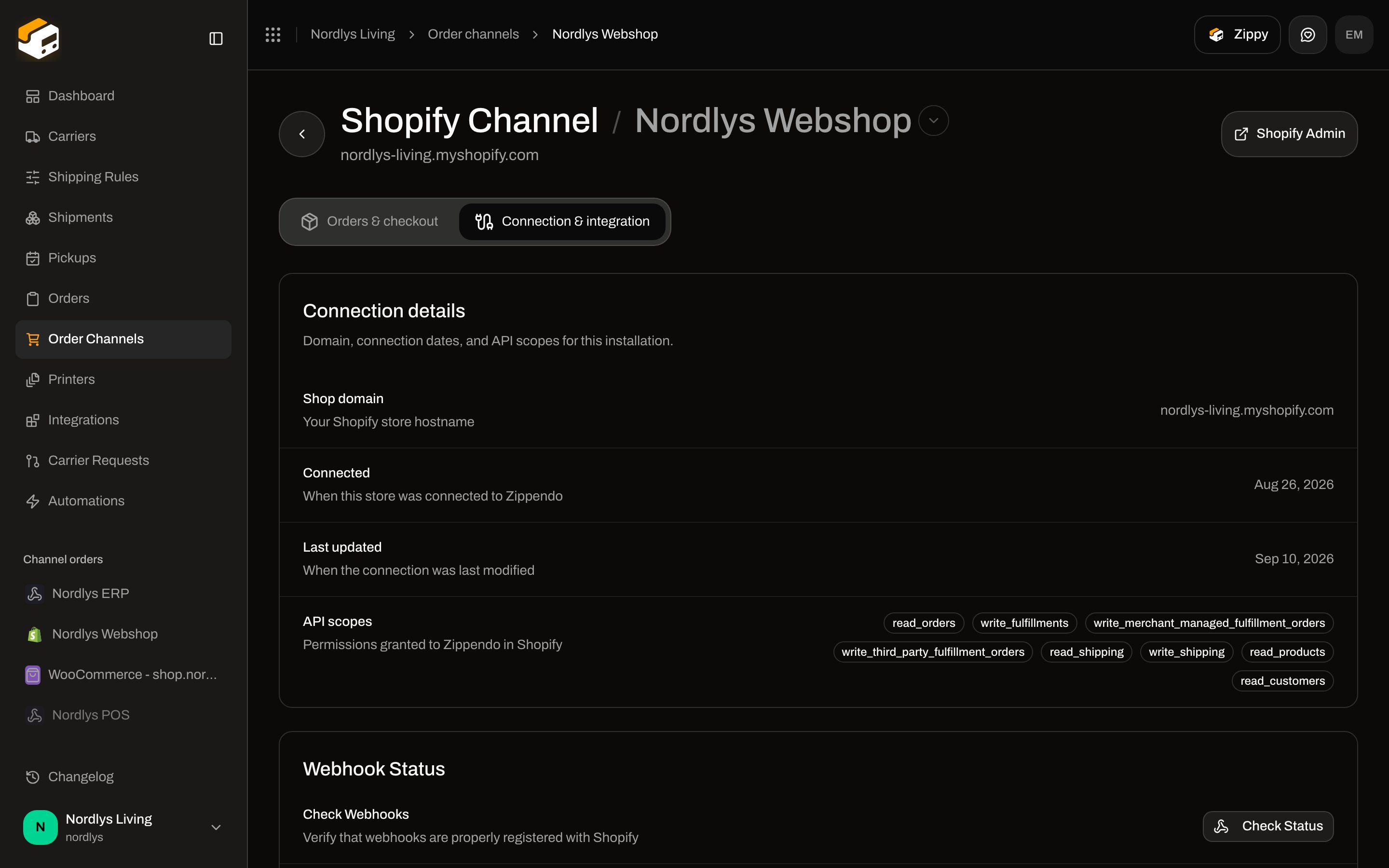
Read-only. Description: **Domain, connection dates, and API scopes for this installation.**
| Row | Helper |
| ---------------- | ---------------------------------------------- |
| **Shop domain** | **Your Shopify store hostname** |
| **Connected** | **When this store was connected to Zippendo** |
| **Last updated** | **When the connection was last modified** |
| **API scopes** | **Permissions granted to Zippendo in Shopify** |
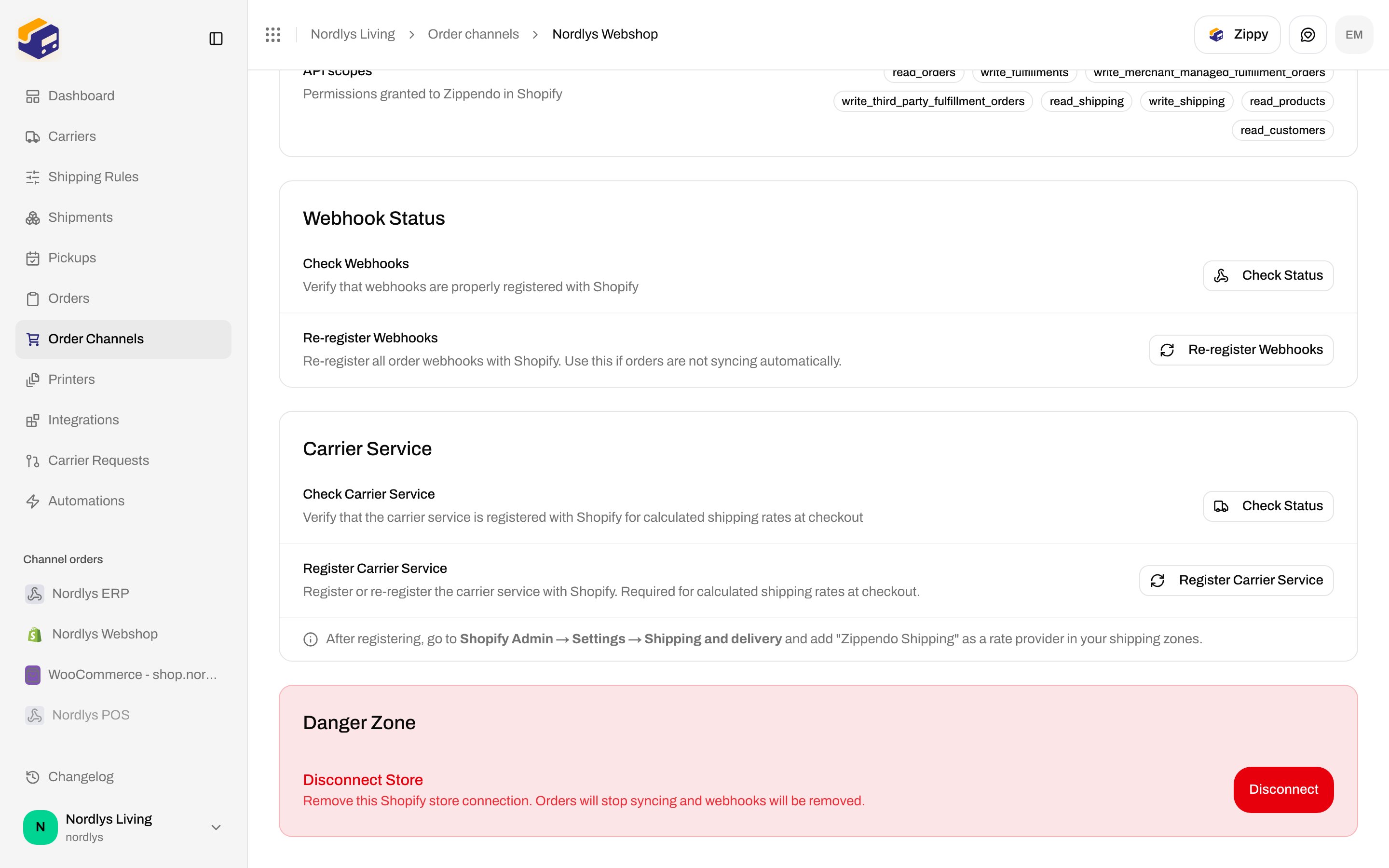
### Webhook Status
These are **Shopify order webhooks**, not [app webhooks](/docs/how-to/webhooks) and not [carrier tracking webhooks](/docs/how-to/tracking-webhooks).
| Action | Helper | Busy label |
| ------------------------ | -------------------------------------------------------------------------------------------------- | ---------------- |
| **Check Status** | **Verify that webhooks are properly registered with Shopify** | **Checking…** |
| **Re-register Webhooks** | **Re-register all order webhooks with Shopify. Use this if orders are not syncing automatically.** | **Registering…** |
After check: **\{\{count}} webhook registered** / **webhooks registered**, **Expected URL:**, and if some are missing: **Some webhooks may be missing. Click below to re-register all webhooks.**
Toasts: **Webhooks registered**, **Webhook registration had errors**, **No webhooks registered**, **Failed to get webhook status**, **Failed to register webhooks**.
### Carrier Service
Required for calculated rates at Shopify checkout.
| Action | Helper | Busy label |
| ---------------------------- | ----------------------------------------------------------------------------------------------------------------- | ---------------- |
| **Check Status** | **Verify that the carrier service is registered with Shopify for calculated shipping rates at checkout** | **Checking…** |
| **Register Carrier Service** | **Register or re-register the carrier service with Shopify. Required for calculated shipping rates at checkout.** | **Registering…** |
Empty: **No carrier service registered — shipping rates will not appear at checkout**. After register, the form shows: **After registering, go to Shopify Admin → Settings → Shipping and delivery and add "Zippendo Shipping" as a rate provider in your shipping zones.**
Toasts: **Carrier service registered**, **Failed to get carrier service status**, **Failed to register carrier service**.
### Danger Zone
### Connection details
Read-only. Description: **Domain, connection dates, and API scopes for this installation.**
| Row | Helper |
| ---------------- | ---------------------------------------------- |
| **Shop domain** | **Your Shopify store hostname** |
| **Connected** | **When this store was connected to Zippendo** |
| **Last updated** | **When the connection was last modified** |
| **API scopes** | **Permissions granted to Zippendo in Shopify** |
### Webhook Status
These are **Shopify order webhooks**, not [app webhooks](/docs/how-to/webhooks) and not [carrier tracking webhooks](/docs/how-to/tracking-webhooks).
| Action | Helper | Busy label |
| ------------------------ | -------------------------------------------------------------------------------------------------- | ---------------- |
| **Check Status** | **Verify that webhooks are properly registered with Shopify** | **Checking…** |
| **Re-register Webhooks** | **Re-register all order webhooks with Shopify. Use this if orders are not syncing automatically.** | **Registering…** |
After check: **\{\{count}} webhook registered** / **webhooks registered**, **Expected URL:**, and if some are missing: **Some webhooks may be missing. Click below to re-register all webhooks.**
Toasts: **Webhooks registered**, **Webhook registration had errors**, **No webhooks registered**, **Failed to get webhook status**, **Failed to register webhooks**.
### Carrier Service
Required for calculated rates at Shopify checkout.
| Action | Helper | Busy label |
| ---------------------------- | ----------------------------------------------------------------------------------------------------------------- | ---------------- |
| **Check Status** | **Verify that the carrier service is registered with Shopify for calculated shipping rates at checkout** | **Checking…** |
| **Register Carrier Service** | **Register or re-register the carrier service with Shopify. Required for calculated shipping rates at checkout.** | **Registering…** |
Empty: **No carrier service registered — shipping rates will not appear at checkout**. After register, the form shows: **After registering, go to Shopify Admin → Settings → Shipping and delivery and add "Zippendo Shipping" as a rate provider in your shipping zones.**
Toasts: **Carrier service registered**, **Failed to get carrier service status**, **Failed to register carrier service**.
### Danger Zone
 | | |
| --------------- | --------------------------------------------------------------------------------------------------------------------- |
| Card title | **Disconnect Store** |
| Description | **Remove this Shopify store connection. Orders will stop syncing and webhooks will be removed.** |
| Button | **Disconnect** / **Disconnecting…** |
| Browser confirm | **Are you sure you want to disconnect this Shopify store? This will stop syncing orders and remove the integration.** |
Success: **Shopify store disconnected**. Failure: **Failed to disconnect**.
## Connect bridge (`/shopify/connect`)
The App Store install finishes on `/shopify/connect?token=…`, not on this settings page.
| Field | Required | Options / copy |
| ------------------------------------- | ---------------------------------- | -------------------------------------------------------------------------------------------------------------------------------------------------------------------------------------------------------------------------------------------------- |
| **Organization** | Yes if you belong to more than one | Placeholder **Select an organization**. Error: **Please select an organization**. |
| **Default sender address (optional)** | No | **Select an address**. Empty: **No addresses yet — you can set one later in Settings → Addresses.** |
| **Import existing orders** | Yes | Default **Only new orders**. Also **Import last 30 days**, **Import from a specific date**. Date picker placeholder **Select import start date** (from one month ago through today). Missing date: **Please select a date to import orders from**. |
| **Connect store** | — | **Connecting…** while linking |
Guard screens: **Invalid request** (no token), **Loading…**, **Installation unavailable**, **Sign in** / **Create a Zippendo account**, **No organization found**. API: **SHOPIFY\_PENDING\_INSTALL\_EXPIRED**, **SHOPIFY\_PENDING\_INSTALL\_NOT\_FOUND**. Connect failure: **Failed to connect your Shopify store**. After success you land on order channels with `?success=true`.
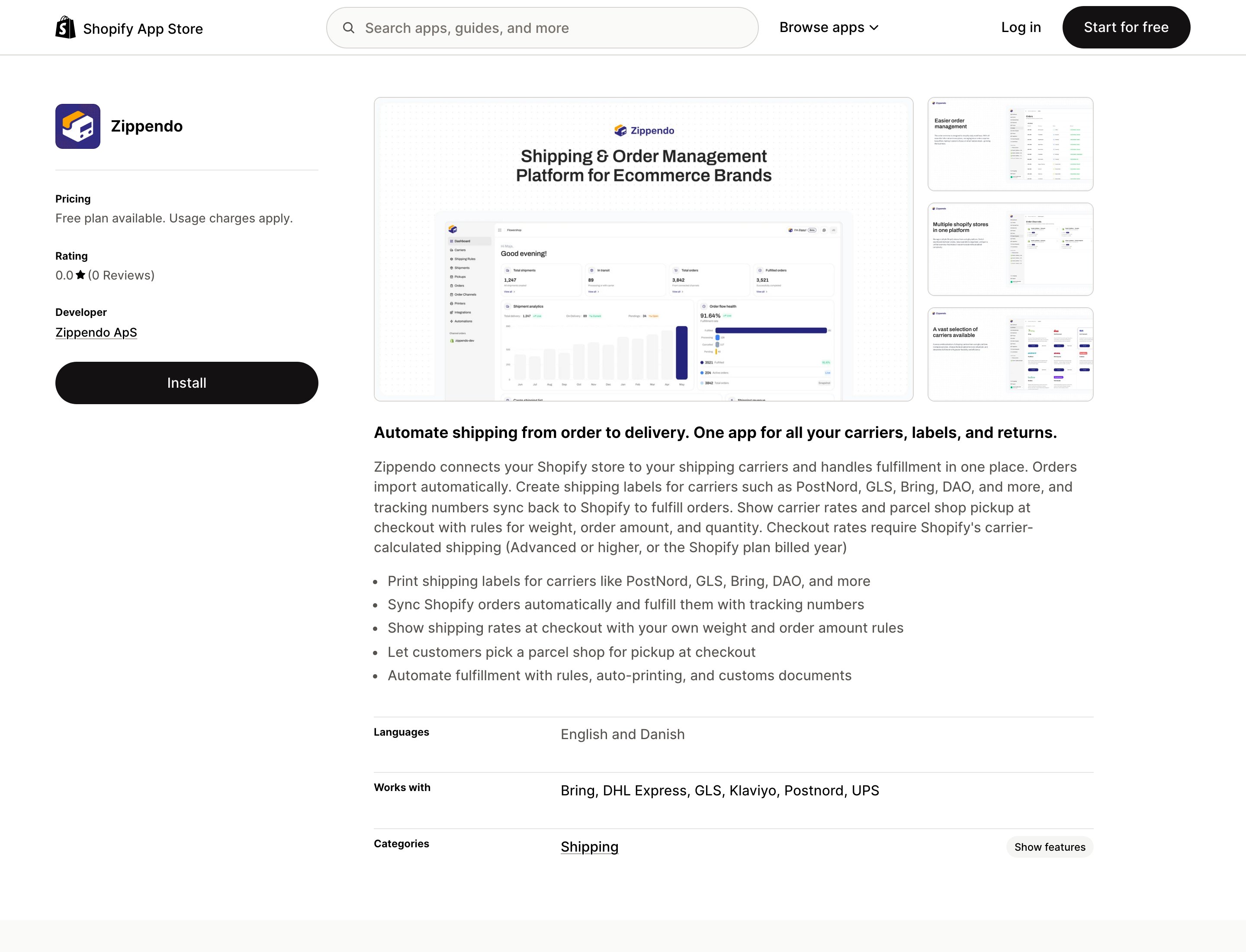
Install starts on the public listing. Approving scopes happens in **your** Shopify admin — we do not screenshot that private screen.
| | |
| --------------- | --------------------------------------------------------------------------------------------------------------------- |
| Card title | **Disconnect Store** |
| Description | **Remove this Shopify store connection. Orders will stop syncing and webhooks will be removed.** |
| Button | **Disconnect** / **Disconnecting…** |
| Browser confirm | **Are you sure you want to disconnect this Shopify store? This will stop syncing orders and remove the integration.** |
Success: **Shopify store disconnected**. Failure: **Failed to disconnect**.
## Connect bridge (`/shopify/connect`)
The App Store install finishes on `/shopify/connect?token=…`, not on this settings page.
| Field | Required | Options / copy |
| ------------------------------------- | ---------------------------------- | -------------------------------------------------------------------------------------------------------------------------------------------------------------------------------------------------------------------------------------------------- |
| **Organization** | Yes if you belong to more than one | Placeholder **Select an organization**. Error: **Please select an organization**. |
| **Default sender address (optional)** | No | **Select an address**. Empty: **No addresses yet — you can set one later in Settings → Addresses.** |
| **Import existing orders** | Yes | Default **Only new orders**. Also **Import last 30 days**, **Import from a specific date**. Date picker placeholder **Select import start date** (from one month ago through today). Missing date: **Please select a date to import orders from**. |
| **Connect store** | — | **Connecting…** while linking |
Guard screens: **Invalid request** (no token), **Loading…**, **Installation unavailable**, **Sign in** / **Create a Zippendo account**, **No organization found**. API: **SHOPIFY\_PENDING\_INSTALL\_EXPIRED**, **SHOPIFY\_PENDING\_INSTALL\_NOT\_FOUND**. Connect failure: **Failed to connect your Shopify store**. After success you land on order channels with `?success=true`.
Install starts on the public listing. Approving scopes happens in **your** Shopify admin — we do not screenshot that private screen.
 ## Related
* [Connect Shopify](/docs/tutorials/connect-shopify)
* [Checkout](/docs/tutorials/checkout)
* [Shipping rule fields](/docs/how-to/shipping-rule-fields)
* [Droppoint vs service point](/docs/how-to/drop-point-and-service-points)
* [Webhooks](/docs/how-to/webhooks) — Zippendo app events, not Shopify’s
* [Carrier tracking webhooks](/docs/how-to/tracking-webhooks)
* [Order channel settings](/docs/how-to/order-channel-settings)
## Related
* [Connect Shopify](/docs/tutorials/connect-shopify)
* [Checkout](/docs/tutorials/checkout)
* [Shipping rule fields](/docs/how-to/shipping-rule-fields)
* [Droppoint vs service point](/docs/how-to/drop-point-and-service-points)
* [Webhooks](/docs/how-to/webhooks) — Zippendo app events, not Shopify’s
* [Carrier tracking webhooks](/docs/how-to/tracking-webhooks)
* [Order channel settings](/docs/how-to/order-channel-settings)