> ## Documentation Index
> Fetch the complete documentation index at: https://www.zippendo.com/docs/llms.txt
> Use this file to discover all available pages before exploring further.
# Get a shipping quote
> Show live checkout rates from shipping rules — Shopify Checkout Shipping Rates, the WooCommerce checkout token, and POST /orgs/:orgId/shipping-quote.
Zippendo does **not** host a shopper checkout or a rate sandbox. Live prices appear in **your** store: Shopify **Zippendo Shipping**, the **Zippendo for WooCommerce** plugin, or `POST /orgs/:orgId/shipping-quote` on a headless storefront.
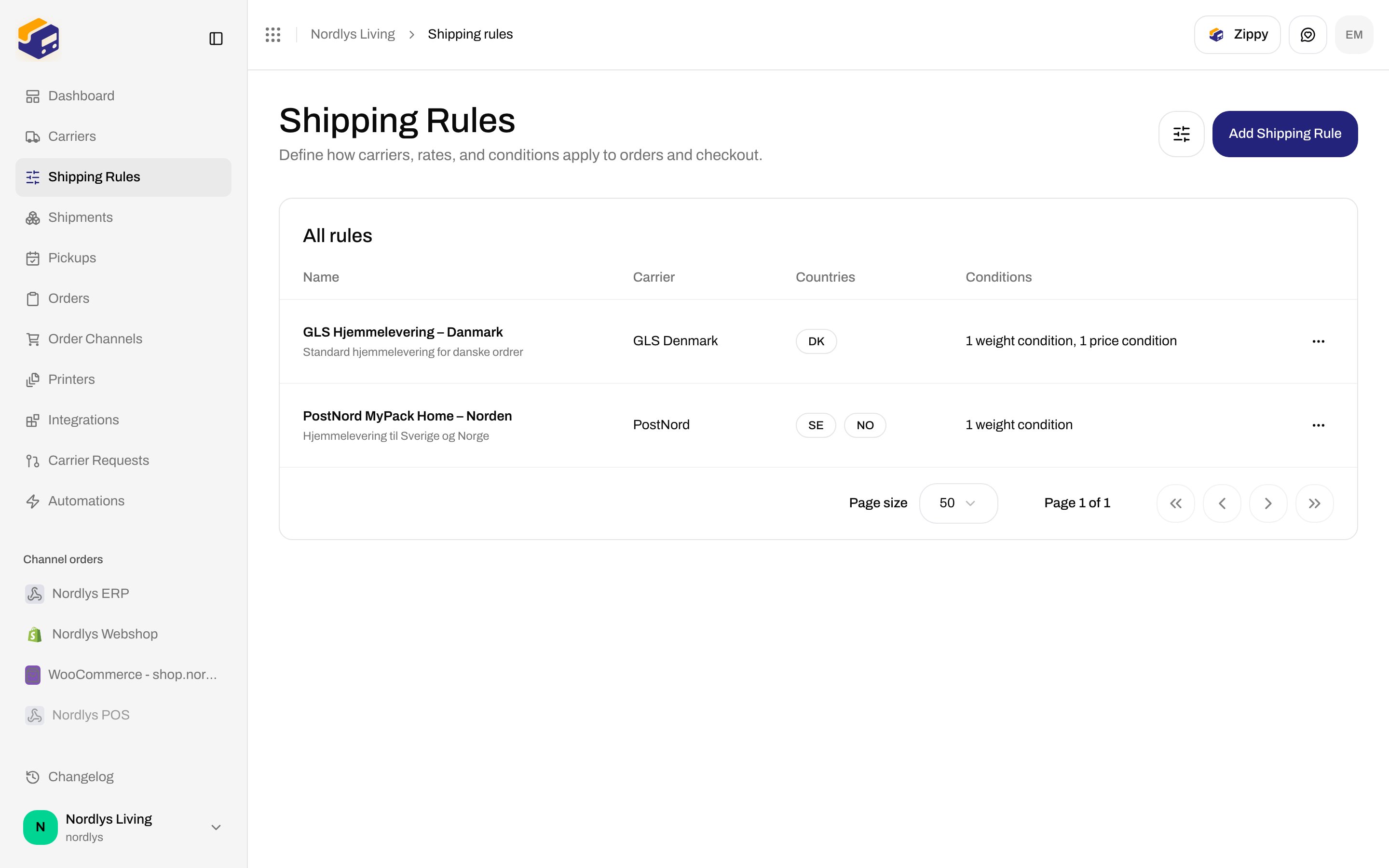
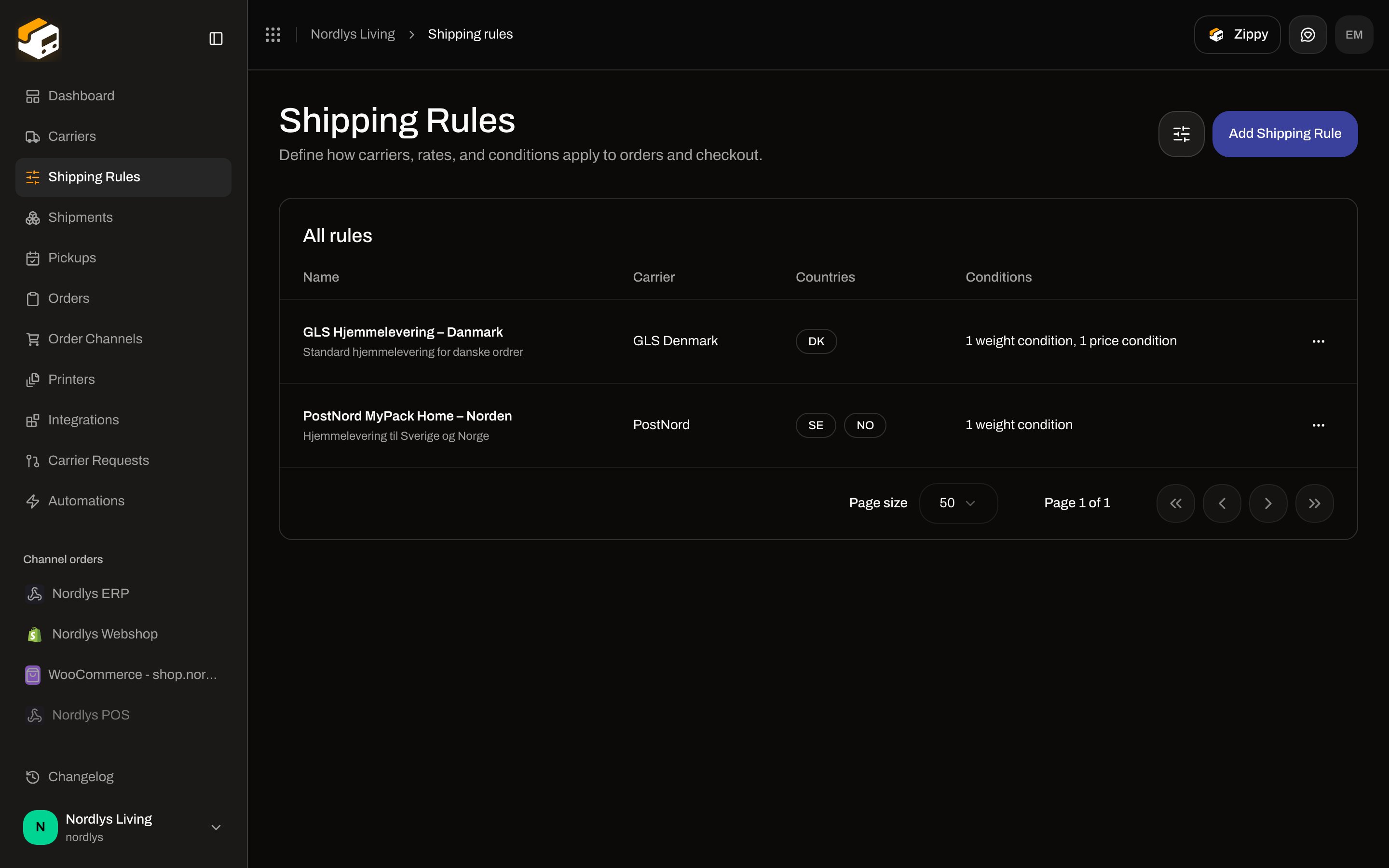
Every rate is a matching [shipping rule](/docs/how-to/shipping-rule-fields). Without an outbound rule for the destination country, checkout returns no options.
The click-through (connect store → tick rules → test on the shop) is [Checkout](/docs/tutorials/checkout). This page is the field-level quote surface. Empty responses: [Shipping quote returns no rates](/docs/knowledge-base/shipping-quote-no-rates).
The **Test** button on a shipping rule tests **conditions** (would this rule match this cart?), not a live carrier API quote. There is no in-app cart preview.
## What you need first
Shopify / WooCommerce from **Order Channels**, or an [API token](/docs/how-to/create-an-api-token) with **Read: Shipping rules** for the public quote call.
[Carrier credentials](/docs/how-to/carrier-credentials) — rules point at a connected product.
Name the rule the way shoppers should read it. Set receiving countries and price conditions. [Shipping rule fields](/docs/how-to/shipping-rule-fields).
 ## Shopify: Checkout Shipping Rates
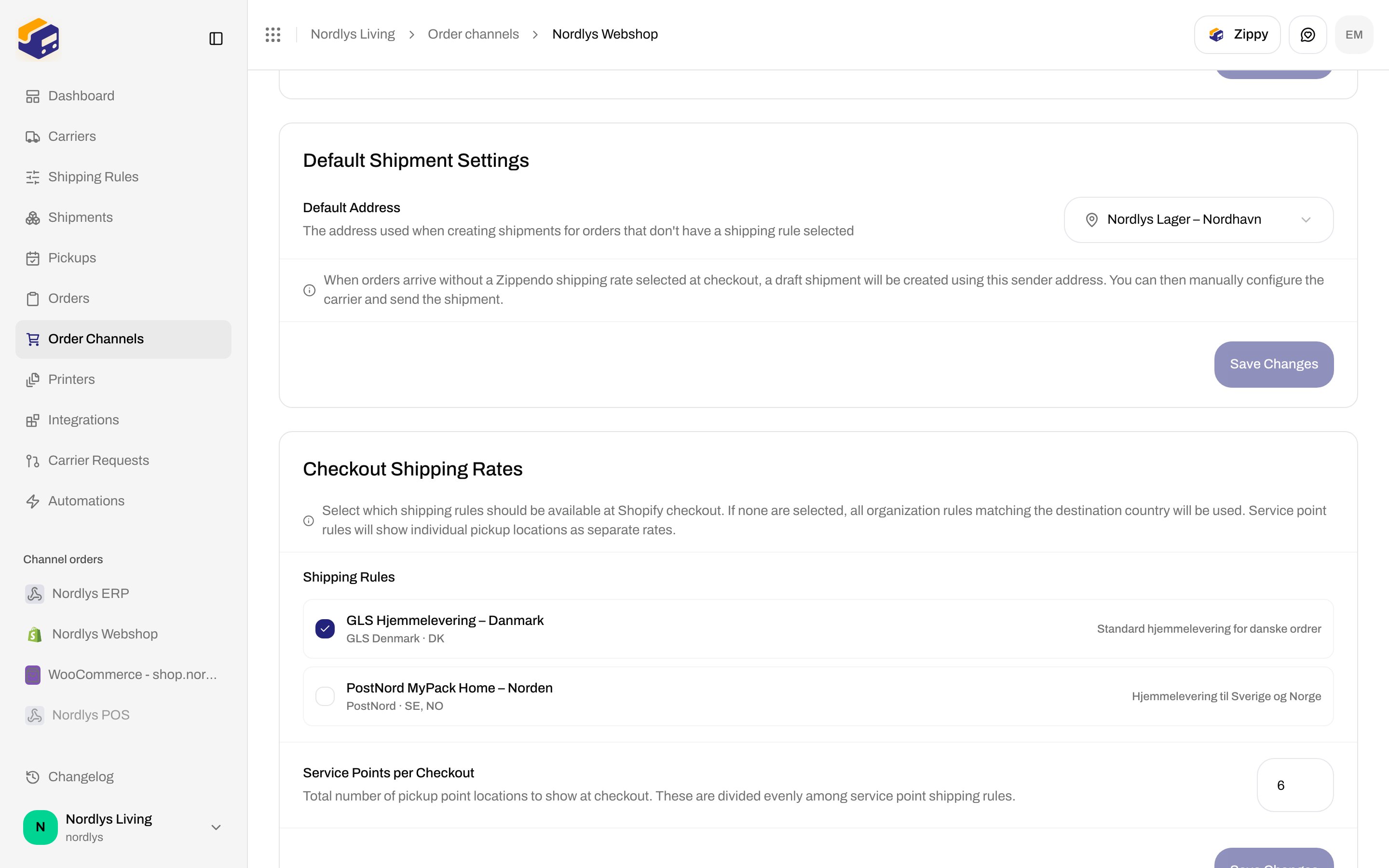
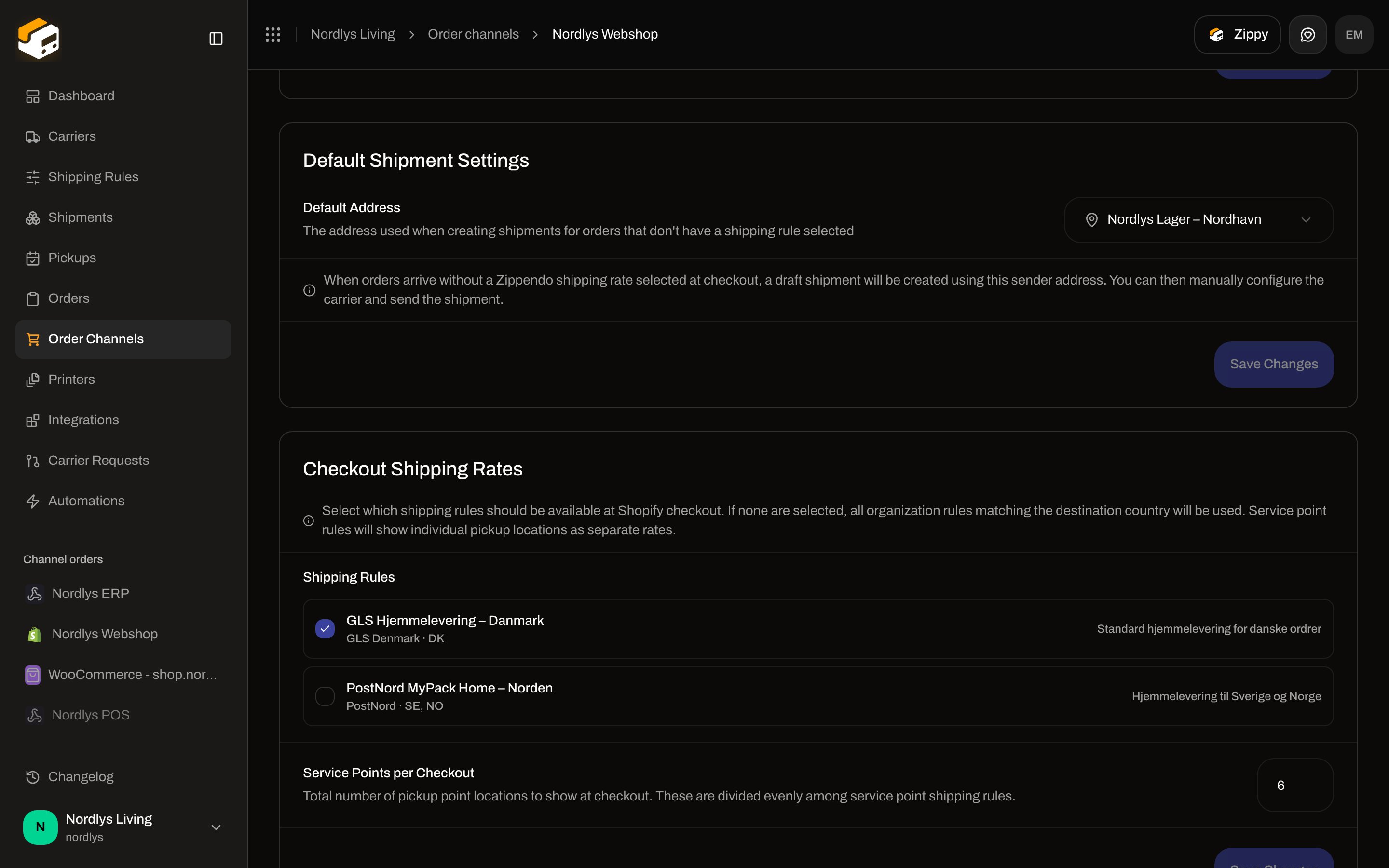
Open the Shopify channel (**Order Channels** → store). Stay on **Orders & checkout**. Scroll to **Checkout Shipping Rates**.
Full store settings: [Shopify settings](/docs/how-to/shopify-settings). Install walkthrough: [Connect Shopify](/docs/tutorials/connect-shopify).
Hint on the card: **Select which shipping rules should be available at Shopify checkout. If none are selected, all organization rules matching the destination country will be used. Service point rules will show individual pickup locations as separate rates.**
| Field | Details |
| ------------------------------- | --------------------------------------------------------------------------------------------------------------------------------------------------------------------------------------------------------------------- |
| **Shipping Rules** | Checkboxes. Each row is the rule **name**, then `carrier · receiving countries`, then description if set. Empty: **No shipping rules configured. Create shipping rules from Shipping Rules in the sidebar.** |
| **Service Points per Checkout** | Number, min **1**, max **20**, default **6**. Helper: **Total number of pickup point locations to show at checkout. These are divided evenly among service point shipping rules.** Out-of-range values clamp to 1–20. |
| **Save Changes** | Disabled until you change a checkbox or the count. Label **Saving…** while posting. Saves `shippingRuleIds` and `servicePointCount` on the channel. |
Pickup naming (service point vs droppoint): [Droppoint vs service point](/docs/how-to/drop-point-and-service-points).
## Shopify: Checkout Shipping Rates
Open the Shopify channel (**Order Channels** → store). Stay on **Orders & checkout**. Scroll to **Checkout Shipping Rates**.
Full store settings: [Shopify settings](/docs/how-to/shopify-settings). Install walkthrough: [Connect Shopify](/docs/tutorials/connect-shopify).
Hint on the card: **Select which shipping rules should be available at Shopify checkout. If none are selected, all organization rules matching the destination country will be used. Service point rules will show individual pickup locations as separate rates.**
| Field | Details |
| ------------------------------- | --------------------------------------------------------------------------------------------------------------------------------------------------------------------------------------------------------------------- |
| **Shipping Rules** | Checkboxes. Each row is the rule **name**, then `carrier · receiving countries`, then description if set. Empty: **No shipping rules configured. Create shipping rules from Shipping Rules in the sidebar.** |
| **Service Points per Checkout** | Number, min **1**, max **20**, default **6**. Helper: **Total number of pickup point locations to show at checkout. These are divided evenly among service point shipping rules.** Out-of-range values clamp to 1–20. |
| **Save Changes** | Disabled until you change a checkbox or the count. Label **Saving…** while posting. Saves `shippingRuleIds` and `servicePointCount` on the channel. |
Pickup naming (service point vs droppoint): [Droppoint vs service point](/docs/how-to/drop-point-and-service-points).
 ### Register Zippendo Shipping
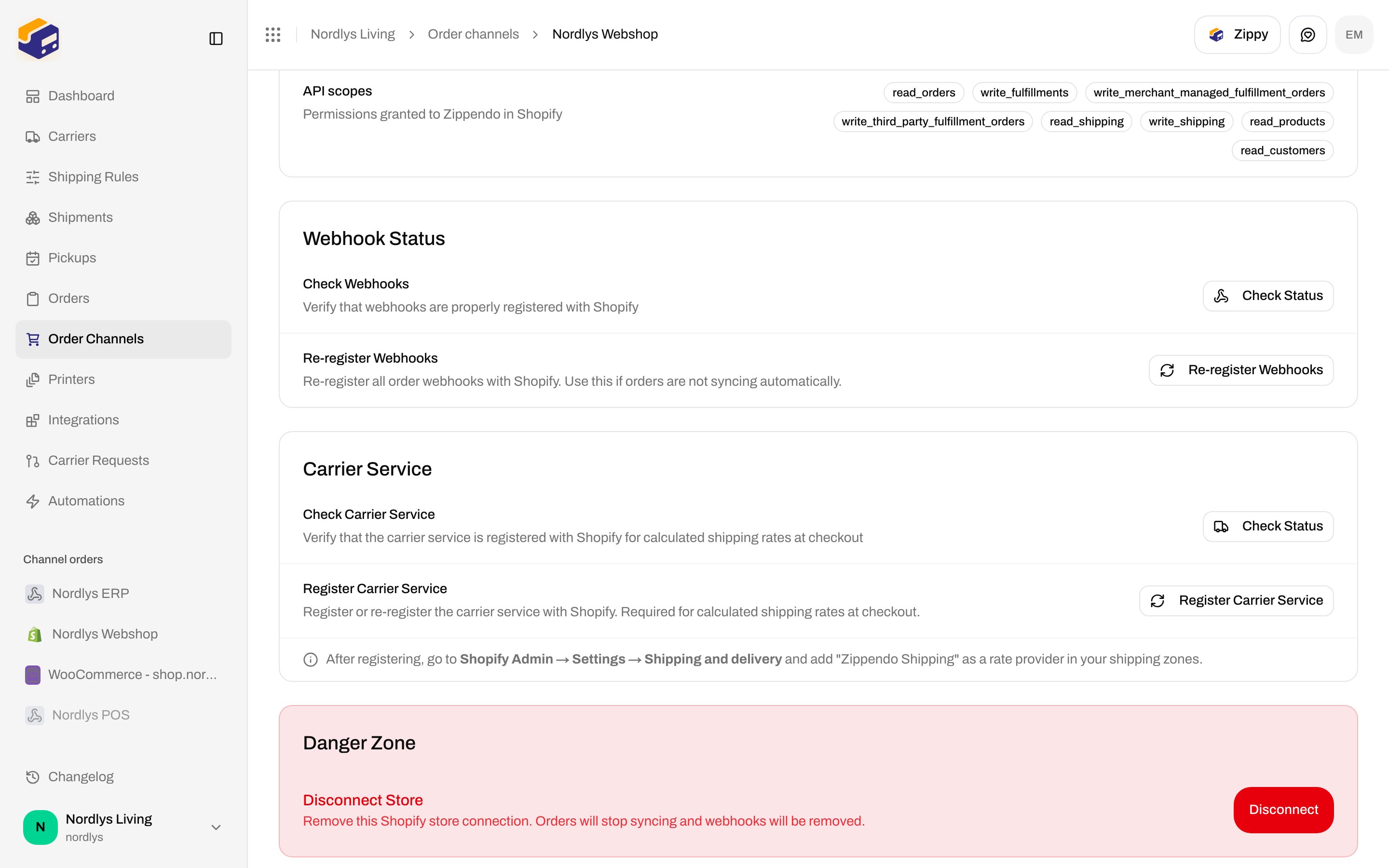
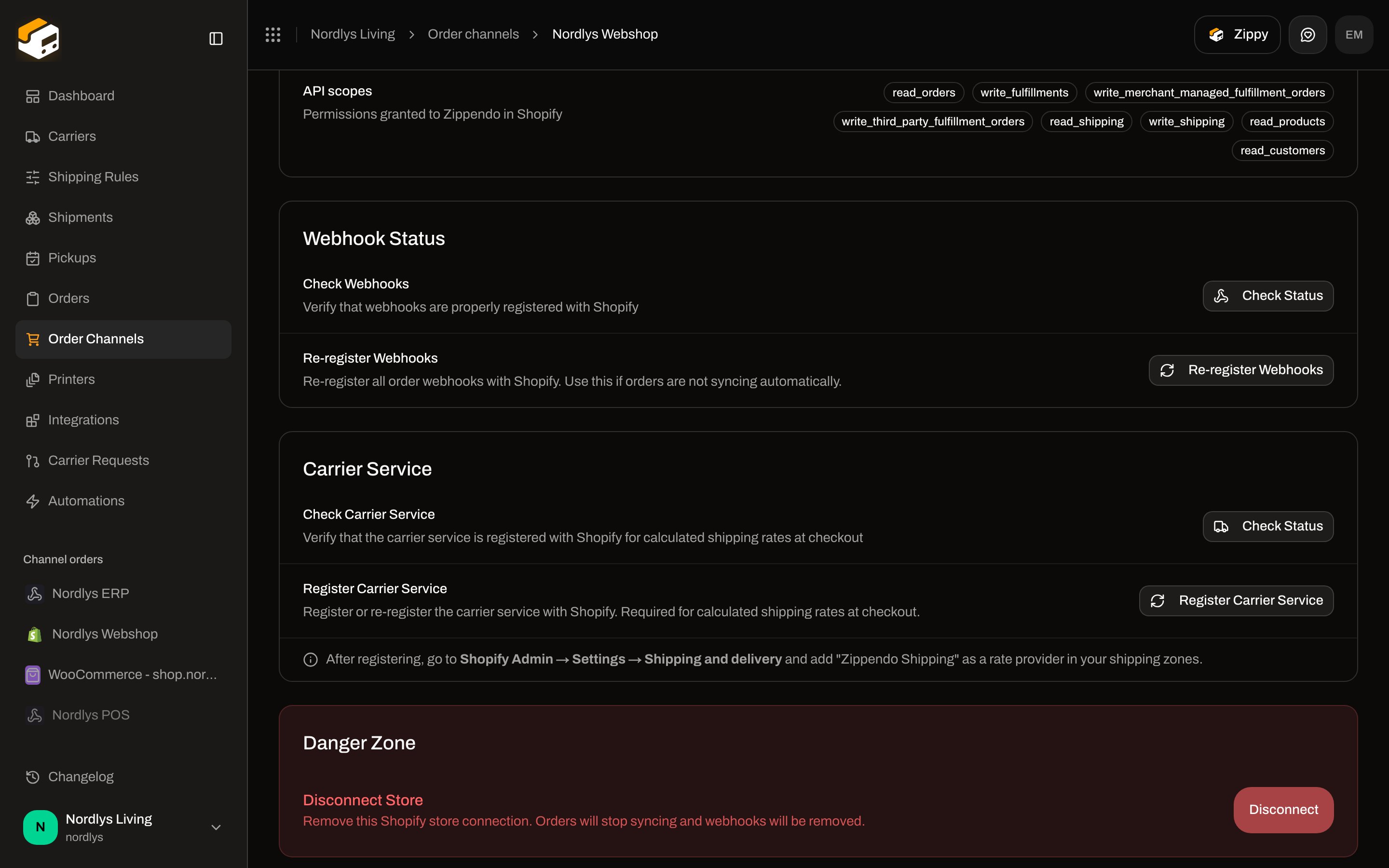
Open **Connection & integration**. Card **Carrier Service**:
| Control | Copy |
| ---------------------------- | --------------------------------------------------------------------------------------------------------------------------------------------------------------------------- |
| **Check Carrier Service** | **Verify that the carrier service is registered with Shopify for calculated shipping rates at checkout**. Button **Check Status** ( **Checking…** ). |
| Found | **\{\{count}} carrier service(s) found** |
| Missing | **No carrier service registered — shipping rates will not appear at checkout** |
| **Register Carrier Service** | **Register or re-register the carrier service with Shopify. Required for calculated shipping rates at checkout.** Button **Register Carrier Service** ( **Registering…** ). |
| Hint (always on the card) | **After registering, go to Shopify Admin → Settings → Shipping and delivery and add "Zippendo Shipping" as a rate provider in your shipping zones.** |
Until **Zippendo Shipping** is added in Shopify Admin shipping zones, shoppers will not see Zippendo rates — even if **Check Status** is green and rules are ticked. That Admin screen is off-domain; do not screenshot it here.
### Register Zippendo Shipping
Open **Connection & integration**. Card **Carrier Service**:
| Control | Copy |
| ---------------------------- | --------------------------------------------------------------------------------------------------------------------------------------------------------------------------- |
| **Check Carrier Service** | **Verify that the carrier service is registered with Shopify for calculated shipping rates at checkout**. Button **Check Status** ( **Checking…** ). |
| Found | **\{\{count}} carrier service(s) found** |
| Missing | **No carrier service registered — shipping rates will not appear at checkout** |
| **Register Carrier Service** | **Register or re-register the carrier service with Shopify. Required for calculated shipping rates at checkout.** Button **Register Carrier Service** ( **Registering…** ). |
| Hint (always on the card) | **After registering, go to Shopify Admin → Settings → Shipping and delivery and add "Zippendo Shipping" as a rate provider in your shipping zones.** |
Until **Zippendo Shipping** is added in Shopify Admin shipping zones, shoppers will not see Zippendo rates — even if **Check Status** is green and rules are ticked. That Admin screen is off-domain; do not screenshot it here.
 Stores **without** carrier-calculated shipping can map manual Shopify method names instead — [Shipping method mapping](/docs/how-to/shopify-settings#shipping-method-mapping). Mapping does not quote live prices; it only attaches a rule when the order imports.
## WooCommerce: Checkout token
WooCommerce checkout is the **Zippendo for WooCommerce** plugin plus a **Checkout token** (`zck_…`) on the channel. Connect the store first: [Connect WooCommerce](/docs/how-to/connect-woocommerce).
Open the WooCommerce channel. Stay on **Orders & checkout**. Card title **Checkout token**.
Description: **The Zippendo for WooCommerce plugin shows live shipping rates and service points at your checkout. Install the plugin, then paste this token into its settings.**
| Control | Details |
| ------------------- | -------------------------------------------------------------------------------------------------------------------------------------- |
| **Download plugin** | Latest `zippendo-for-woocommerce.zip` from GitHub Releases. |
| **Generate token** | First-time. Reveals the `zck_` secret once. |
| **Rotate token** | Confirm: **Rotate the checkout token? Your current key stops working immediately — you'll need to paste the new one into the plugin.** |
| **Revoke** | Confirm: **Revoke the checkout token? The plugin will stop working until you generate a new one.** Toast **Checkout token revoked**. |
| One-time banner | **Copy this token now — you won't be able to see it again. Only a hash is stored.** |
| Token field | Read-only, aria **Checkout token**. **Copy** → toast **Token copied to clipboard** / **Could not copy the token**. |
| Active | **Active key created \{\{date}}** when a hash exists. |
| Busy labels | **Generating…** / **Revoking…** |
Failed generate/revoke: **Failed to generate checkout token** / **Failed to revoke checkout token**.
The plugin calls `POST /woocommerce/checkout/rates` (and `POST /woocommerce/checkout/service-points` when the shopper changes postcode) with this token — **not** a dashboard session and **not** `POST /orgs/:orgId/shipping-quote`. **Test connection** on the **Connection** tab only verifies store REST API keys for order sync.
Stores **without** carrier-calculated shipping can map manual Shopify method names instead — [Shipping method mapping](/docs/how-to/shopify-settings#shipping-method-mapping). Mapping does not quote live prices; it only attaches a rule when the order imports.
## WooCommerce: Checkout token
WooCommerce checkout is the **Zippendo for WooCommerce** plugin plus a **Checkout token** (`zck_…`) on the channel. Connect the store first: [Connect WooCommerce](/docs/how-to/connect-woocommerce).
Open the WooCommerce channel. Stay on **Orders & checkout**. Card title **Checkout token**.
Description: **The Zippendo for WooCommerce plugin shows live shipping rates and service points at your checkout. Install the plugin, then paste this token into its settings.**
| Control | Details |
| ------------------- | -------------------------------------------------------------------------------------------------------------------------------------- |
| **Download plugin** | Latest `zippendo-for-woocommerce.zip` from GitHub Releases. |
| **Generate token** | First-time. Reveals the `zck_` secret once. |
| **Rotate token** | Confirm: **Rotate the checkout token? Your current key stops working immediately — you'll need to paste the new one into the plugin.** |
| **Revoke** | Confirm: **Revoke the checkout token? The plugin will stop working until you generate a new one.** Toast **Checkout token revoked**. |
| One-time banner | **Copy this token now — you won't be able to see it again. Only a hash is stored.** |
| Token field | Read-only, aria **Checkout token**. **Copy** → toast **Token copied to clipboard** / **Could not copy the token**. |
| Active | **Active key created \{\{date}}** when a hash exists. |
| Busy labels | **Generating…** / **Revoking…** |
Failed generate/revoke: **Failed to generate checkout token** / **Failed to revoke checkout token**.
The plugin calls `POST /woocommerce/checkout/rates` (and `POST /woocommerce/checkout/service-points` when the shopper changes postcode) with this token — **not** a dashboard session and **not** `POST /orgs/:orgId/shipping-quote`. **Test connection** on the **Connection** tab only verifies store REST API keys for order sync.
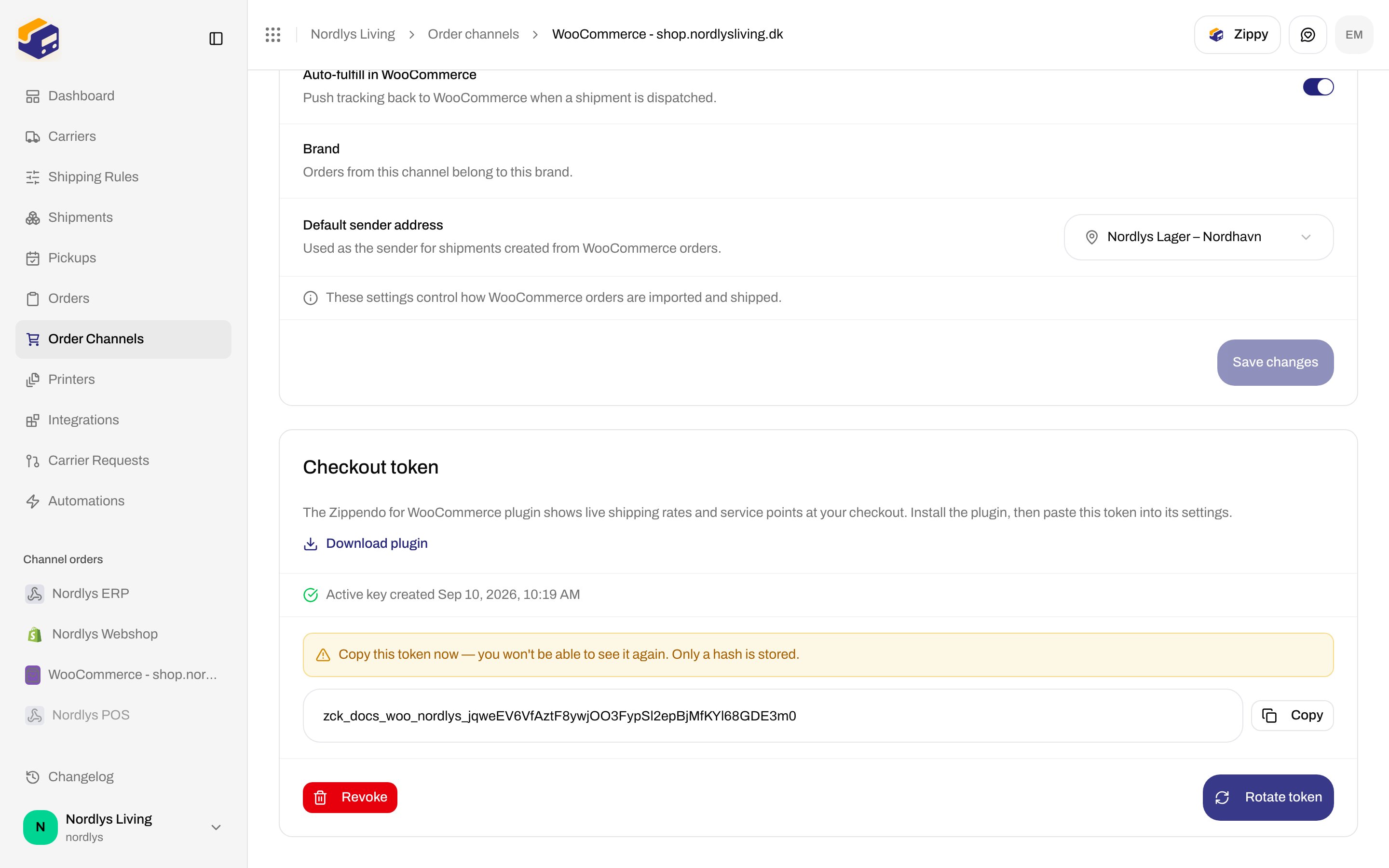
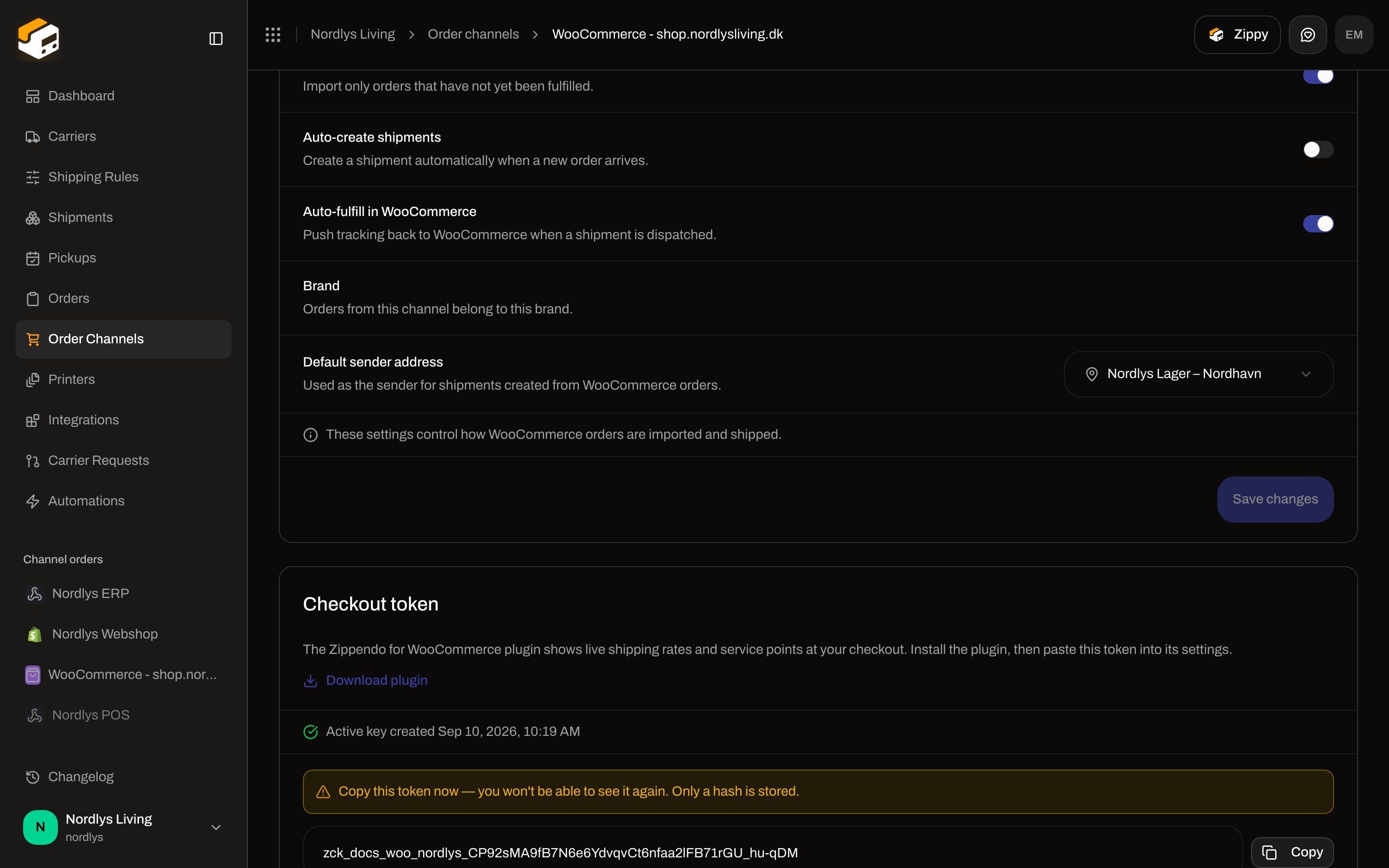 Live WooCommerce `wc-auth` and the WordPress plugin settings screen cannot be completed in this documentation environment. The Zippendo-side **Checkout token** card above is the real UI.
## Custom / headless: POST shipping-quote
A **Custom channel** imports orders. It does not render Zippendo checkout. To show live rates in your own storefront, call:
```
POST /orgs/{orgId}/shipping-quote
Authorization: Bearer zipp_YOUR_TOKEN
```
`{orgId}` is the organization id, not the URL slug. Scope: **Read: Shipping rules**. [Create an API token](/docs/how-to/create-an-api-token). Typed clients: [SDKs](/docs/sdks/overview). Playground: [API reference](/docs/api-reference/overview).
### Request body
| Field | Required | Notes |
| ----------------------------------------- | ----------- | -------------------------------------------------------------------- |
| `destination.country` | Yes | ISO 3166-1 alpha-2, 2 letters (example `DK`) |
| `destination.postalCode` | No | Example `1620` |
| `destination.province` | No | State/province code |
| `destination.city` | No | Example `København` |
| `destination.address1` / `address2` | No | Street lines |
| `items` | Yes (min 1) | Cart lines |
| `items[].name` | Yes | Example `Uld trøje` |
| `items[].quantity` | Yes | Integer ≥ 1 |
| `items[].grams` | Yes | Weight in grams ≥ 0 |
| `items[].price` | Yes | Unit price **in cents** ≥ 0 |
| `items[].sku` / `productId` / `variantId` | No | |
| `currency` | Yes | ISO 4217, 3 letters (example `DKK`) |
| `totalPriceCents` | No | Discounted cart total in cents — enables total-based rule conditions |
```json theme={null}
{
"destination": {
"country": "DK",
"postalCode": "2100",
"city": "Copenhagen"
},
"items": [
{
"name": "T-shirt",
"quantity": 1,
"grams": 250,
"price": 29900
}
],
"currency": "DKK"
}
```
Zippendo sums line `grams * quantity` and `price * quantity`, then evaluates each shipping rule whose **Receiving Countries** include `destination.country`. Matching rules become rates. No matching rule → `{ "rates": [] }` (HTTP 200, not an error).
### Rate object
| Field | What it is |
| ------------------------------------------- | --------------------------------------------------- |
| `serviceName` | Rule **name** (shopper-facing) |
| `serviceCode` | `{carrierSlug}:{productId}:{shippingRuleId}` |
| `totalPrice` | Shipping price **in cents as a string** |
| `currency` | ISO 4217 |
| `description` | Rule description, if set |
| `carrierName` / `carrierSlug` / `productId` | From the rule’s carrier |
| `shippingRuleId` | Rule that produced the rate |
| `minDeliveryDate` / `maxDeliveryDate` | Optional ISO dates (omitted when the rule has none) |
Invalid country or body: `400` with `{ error, message }` (example **Invalid destination country**). Unknown org: `404`.
Quickstart sample: [Shipping quotes quickstart](/docs/quickstarts/shipping-quotes).
## How to test
There is no in-app checkout preview.
| Channel | In Zippendo | Off-domain |
| ---------------- | -------------------------------------------------------------- | -------------------------------------------------------------------------- |
| **Shopify** | Tick rules, set service-point count, **Check Carrier Service** | Real or draft checkout after **Zippendo Shipping** is in the shipping zone |
| **WooCommerce** | **Generate token** | Plugin settings + a cart on the WordPress store |
| **Custom / API** | Shipping-rule **Test** (conditions only) | `POST /orgs/:orgId/shipping-quote` with a sample cart |
If a rate is missing, check the rule’s **Receiving Countries**, min/max weight and order value, and conditions before assuming the carrier service is down.
You are done when Shopify **Checkout Shipping Rates** has the rules you want (and **Zippendo Shipping** is in the zone), or WooCommerce has an active **Checkout token** pasted into the plugin, or `POST /orgs/:orgId/shipping-quote` returns `rates` for a sample cart.
## Related
* [Checkout](/docs/tutorials/checkout) — journey
* [Shopify settings](/docs/how-to/shopify-settings) / [Connect WooCommerce](/docs/how-to/connect-woocommerce)
* [Shipping rule fields](/docs/how-to/shipping-rule-fields)
* [Create an API token](/docs/how-to/create-an-api-token)
* [Pick a service point](/docs/how-to/pick-a-service-point)
* [Shipping quote returns no rates](/docs/knowledge-base/shipping-quote-no-rates)
Live WooCommerce `wc-auth` and the WordPress plugin settings screen cannot be completed in this documentation environment. The Zippendo-side **Checkout token** card above is the real UI.
## Custom / headless: POST shipping-quote
A **Custom channel** imports orders. It does not render Zippendo checkout. To show live rates in your own storefront, call:
```
POST /orgs/{orgId}/shipping-quote
Authorization: Bearer zipp_YOUR_TOKEN
```
`{orgId}` is the organization id, not the URL slug. Scope: **Read: Shipping rules**. [Create an API token](/docs/how-to/create-an-api-token). Typed clients: [SDKs](/docs/sdks/overview). Playground: [API reference](/docs/api-reference/overview).
### Request body
| Field | Required | Notes |
| ----------------------------------------- | ----------- | -------------------------------------------------------------------- |
| `destination.country` | Yes | ISO 3166-1 alpha-2, 2 letters (example `DK`) |
| `destination.postalCode` | No | Example `1620` |
| `destination.province` | No | State/province code |
| `destination.city` | No | Example `København` |
| `destination.address1` / `address2` | No | Street lines |
| `items` | Yes (min 1) | Cart lines |
| `items[].name` | Yes | Example `Uld trøje` |
| `items[].quantity` | Yes | Integer ≥ 1 |
| `items[].grams` | Yes | Weight in grams ≥ 0 |
| `items[].price` | Yes | Unit price **in cents** ≥ 0 |
| `items[].sku` / `productId` / `variantId` | No | |
| `currency` | Yes | ISO 4217, 3 letters (example `DKK`) |
| `totalPriceCents` | No | Discounted cart total in cents — enables total-based rule conditions |
```json theme={null}
{
"destination": {
"country": "DK",
"postalCode": "2100",
"city": "Copenhagen"
},
"items": [
{
"name": "T-shirt",
"quantity": 1,
"grams": 250,
"price": 29900
}
],
"currency": "DKK"
}
```
Zippendo sums line `grams * quantity` and `price * quantity`, then evaluates each shipping rule whose **Receiving Countries** include `destination.country`. Matching rules become rates. No matching rule → `{ "rates": [] }` (HTTP 200, not an error).
### Rate object
| Field | What it is |
| ------------------------------------------- | --------------------------------------------------- |
| `serviceName` | Rule **name** (shopper-facing) |
| `serviceCode` | `{carrierSlug}:{productId}:{shippingRuleId}` |
| `totalPrice` | Shipping price **in cents as a string** |
| `currency` | ISO 4217 |
| `description` | Rule description, if set |
| `carrierName` / `carrierSlug` / `productId` | From the rule’s carrier |
| `shippingRuleId` | Rule that produced the rate |
| `minDeliveryDate` / `maxDeliveryDate` | Optional ISO dates (omitted when the rule has none) |
Invalid country or body: `400` with `{ error, message }` (example **Invalid destination country**). Unknown org: `404`.
Quickstart sample: [Shipping quotes quickstart](/docs/quickstarts/shipping-quotes).
## How to test
There is no in-app checkout preview.
| Channel | In Zippendo | Off-domain |
| ---------------- | -------------------------------------------------------------- | -------------------------------------------------------------------------- |
| **Shopify** | Tick rules, set service-point count, **Check Carrier Service** | Real or draft checkout after **Zippendo Shipping** is in the shipping zone |
| **WooCommerce** | **Generate token** | Plugin settings + a cart on the WordPress store |
| **Custom / API** | Shipping-rule **Test** (conditions only) | `POST /orgs/:orgId/shipping-quote` with a sample cart |
If a rate is missing, check the rule’s **Receiving Countries**, min/max weight and order value, and conditions before assuming the carrier service is down.
You are done when Shopify **Checkout Shipping Rates** has the rules you want (and **Zippendo Shipping** is in the zone), or WooCommerce has an active **Checkout token** pasted into the plugin, or `POST /orgs/:orgId/shipping-quote` returns `rates` for a sample cart.
## Related
* [Checkout](/docs/tutorials/checkout) — journey
* [Shopify settings](/docs/how-to/shopify-settings) / [Connect WooCommerce](/docs/how-to/connect-woocommerce)
* [Shipping rule fields](/docs/how-to/shipping-rule-fields)
* [Create an API token](/docs/how-to/create-an-api-token)
* [Pick a service point](/docs/how-to/pick-a-service-point)
* [Shipping quote returns no rates](/docs/knowledge-base/shipping-quote-no-rates)