> ## Documentation Index
> Fetch the complete documentation index at: https://www.zippendo.com/docs/llms.txt
> Use this file to discover all available pages before exploring further.
# Sender, receiver, and other parties
> Every party and address field on Create Shipment and shipment Addresses — Sender, Receiver, Billing, Return, Freight Payer, required lines, and when the party is locked.
A **party** is a named address on the shipment (who sends, who receives, who is billed). You enter parties on **Create Shipment**. After save, **Overview → Addresses** shows **Sender**, **Receiver**, and **Service Point** (if any). Create walkthrough: [Create a shipment](/docs/tutorials/create-a-shipment). Saved org addresses: [Sender addresses](/docs/how-to/sender-addresses).
Party fields are plain text inputs (name, street, postal code, city, two-letter country). There is **no Mapbox search** on the party modal. Mapbox search belongs to **Settings → Addresses**, not this form.
## Where parties live
| Surface | URL / control | What you edit |
| ------------------------- | --------------------------------------- | ------------------------------------------- |
| Create form **Parties** | `/dashboard/shipments/create` | Full party list |
| **Edit \{party} Party** | `modalId="party-modal"` | One party while creating |
| Shipment **Addresses** | `/dashboard/shipments/:id` **Overview** | **Sender** and **Receiver** only |
| **Edit \{party} Address** | `modalId="edit-party-modal"` | One party on a pending/draft/error shipment |
From an **order**, Zippendo copies the customer into the receiver — you do not fill **Parties** in the order **Create Shipment** modal.
## Parties card (create)
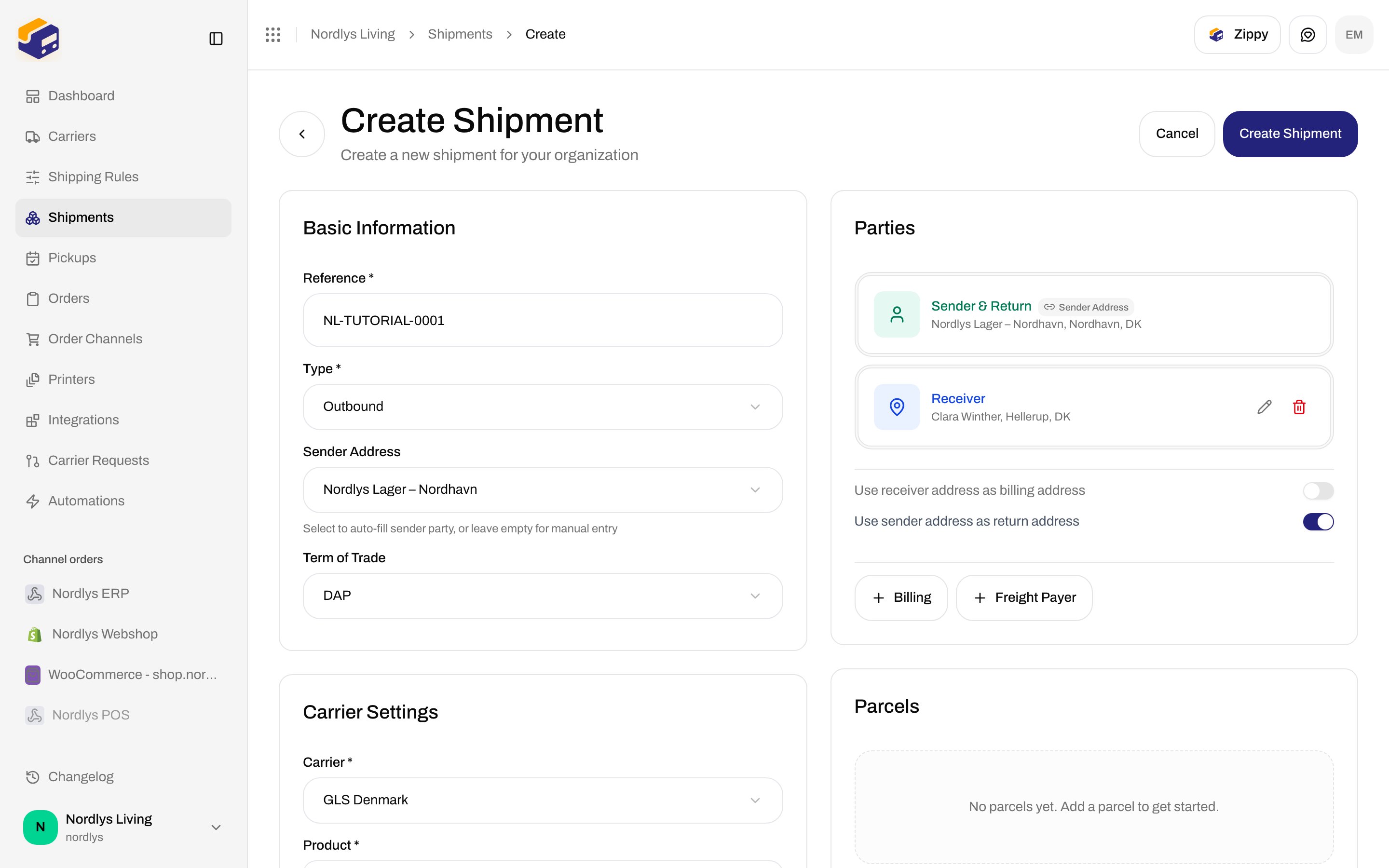
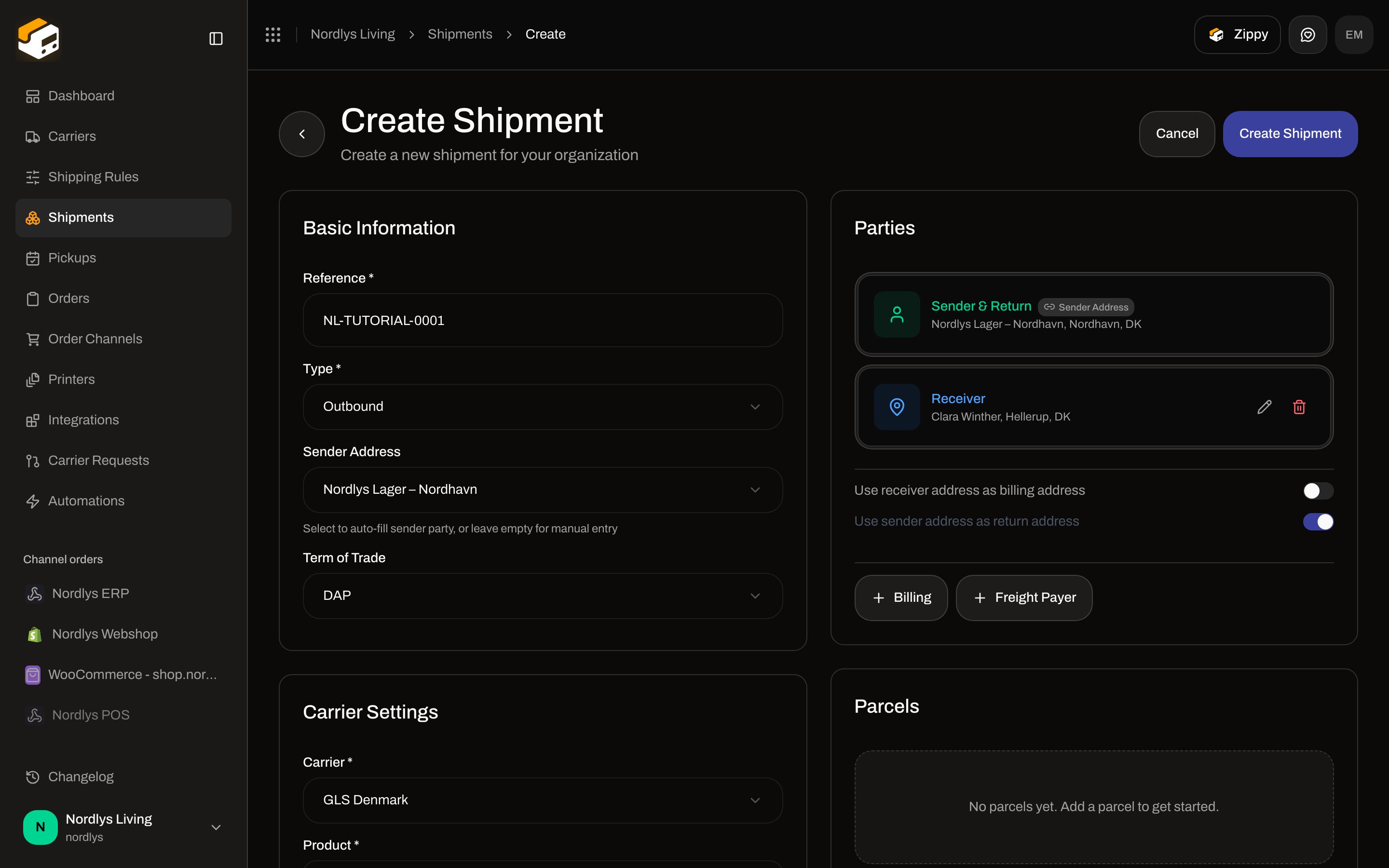
Card title: **Parties**. Right column of **Create Shipment**, next to **Parcels**.
 Empty state: **No parties added yet**.
Each row: icon, type label, summary (**name, city, country** or **Click to add details**), pencil, trash.
### Party types you can add
Buttons at the bottom of the card. **Sender** and **Receiver** use the filled (primary) button until that type exists.
| Button | Label on the row | Required to create |
| ----------------- | -------------------------------------------------- | ------------------ |
| **Sender** | **Sender** (or **Sender & Return** — see switches) | Yes |
| **Receiver** | **Receiver** (or **Receiver & Billing**) | Yes |
| **Billing** | **Billing** | No |
| **Return** | **Return** | No |
| **Freight Payer** | **Freight Payer** | No |
Hidden from these buttons (they exist on the API enum, not as add actions):
* **Pickup** — **Pickup Details** copy mentions adding a **Pickup** party; this card has no **Pickup** button. [Droppoint vs service point](/docs/how-to/drop-point-and-service-points).
* **Service Point** — chosen on **Drop Point**, not as a typed party. [Pick a service point](/docs/how-to/pick-a-service-point).
### Locked from a sender address
**Basic Information → Sender Address** (outbound) or **Receiver Address** (inbound) auto-fills that party. The row shows a **Sender Address** badge and **no** pencil or trash.
Helper on the address dropdown: **Select to auto-fill sender party, or leave empty for manual entry** (inbound: **receiver party**). **None (manual entry)** leaves the party unlocked.
**Type \*** **Inbound** fills the **receiver** from a **return**-type address instead of the sender.
### Same-as switches
Shown when a **Sender** or **Receiver** already exists.
| Switch | Default | On |
| ------------------------------------------- | ------- | ---------------------------------------------------------------------------------------------------------- |
| **Use receiver address as billing address** | Off | Hides **Billing**; receiver label becomes **Receiver & Billing**; an existing **Billing** party is removed |
| **Use sender address as return address** | **On** | Hides **Return**; sender label becomes **Sender & Return**; an existing **Return** party is removed |
Turn a switch **off** to get the **Billing** or **Return** add button back.
## Edit \{party} Party (create modal)
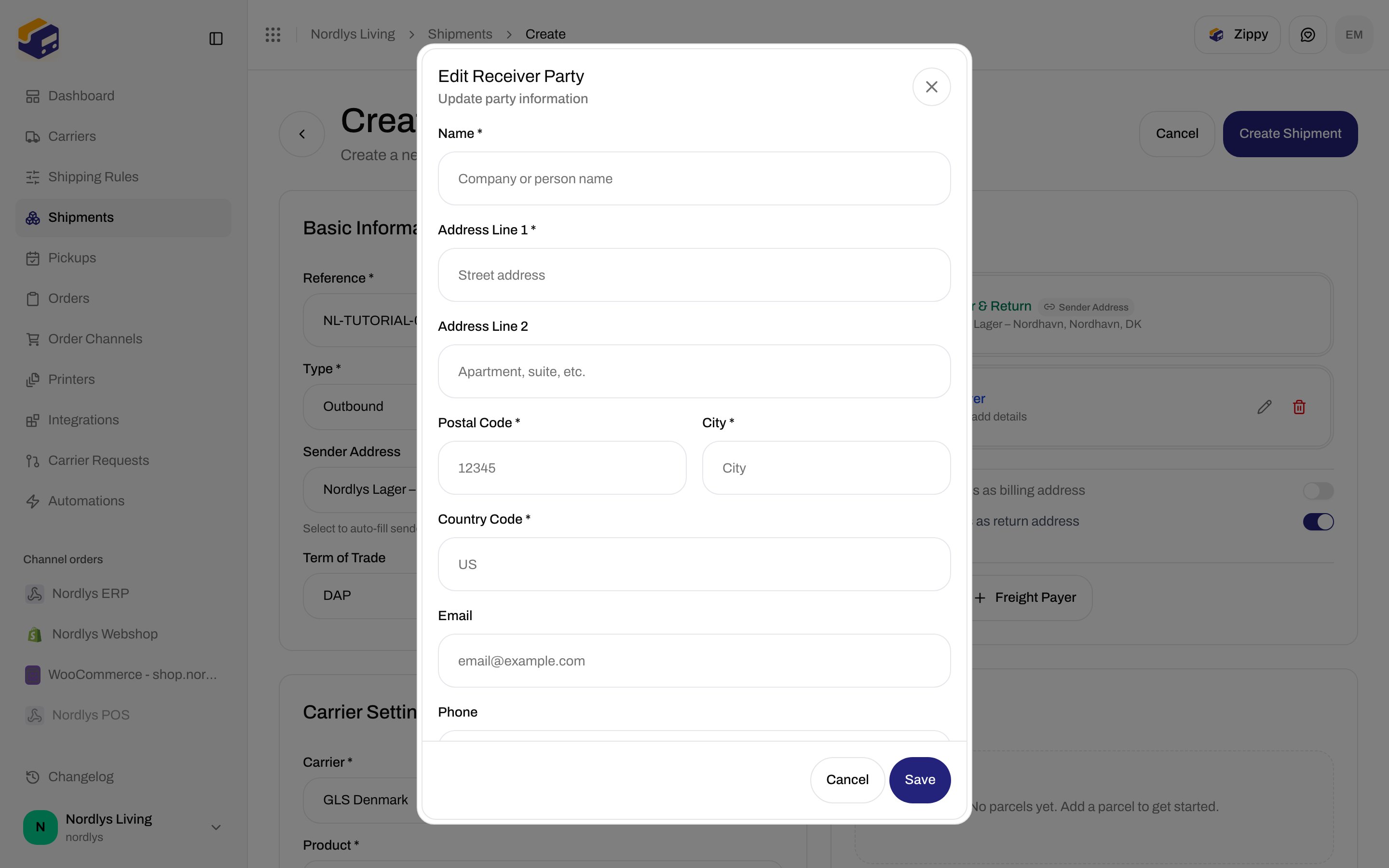
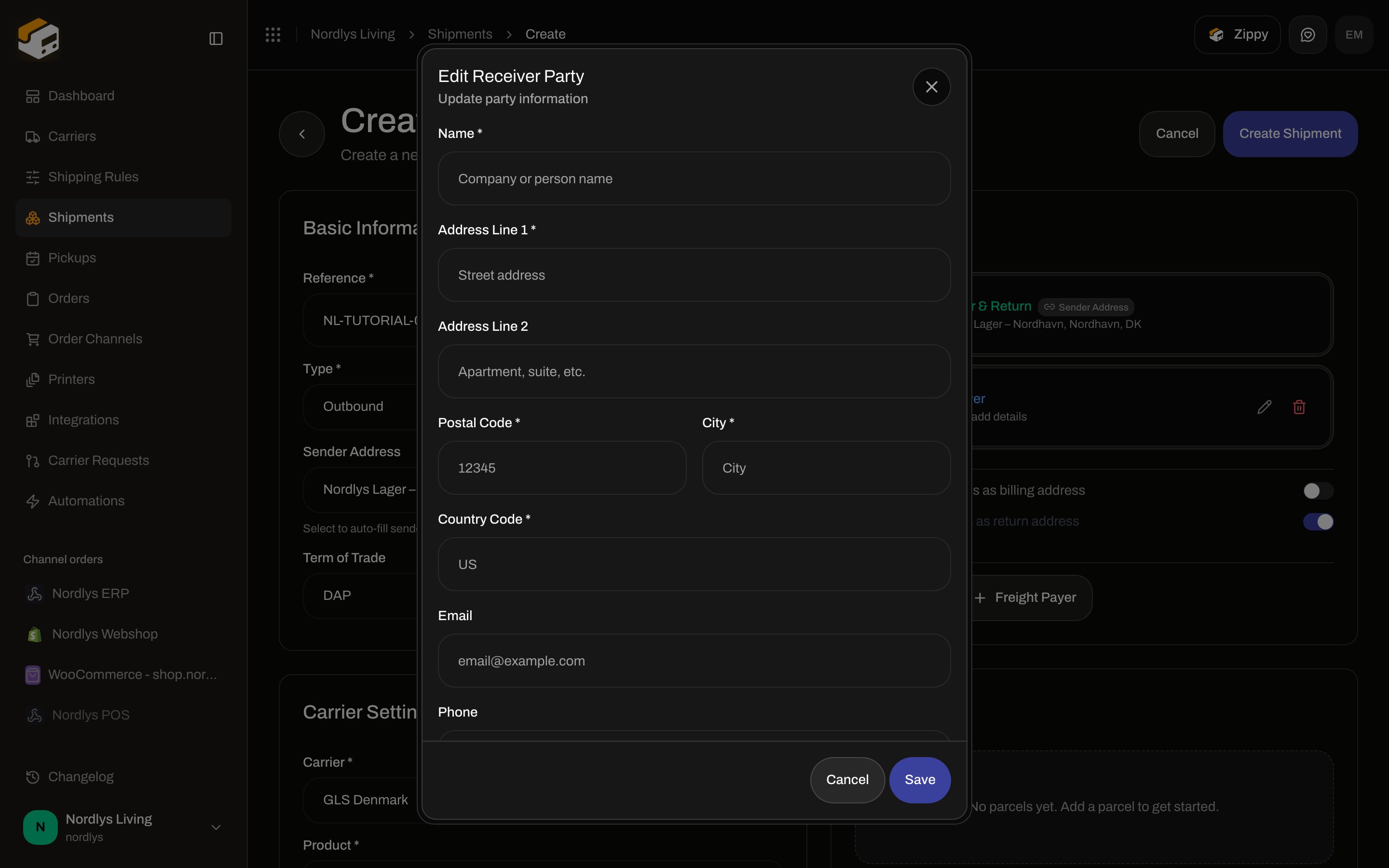
Title: **Edit \{party} Party** (for example **Edit Receiver Party**). Subtitle: **Update party information**. `modalId="party-modal"`. **Save** / **Cancel**.
Empty state: **No parties added yet**.
Each row: icon, type label, summary (**name, city, country** or **Click to add details**), pencil, trash.
### Party types you can add
Buttons at the bottom of the card. **Sender** and **Receiver** use the filled (primary) button until that type exists.
| Button | Label on the row | Required to create |
| ----------------- | -------------------------------------------------- | ------------------ |
| **Sender** | **Sender** (or **Sender & Return** — see switches) | Yes |
| **Receiver** | **Receiver** (or **Receiver & Billing**) | Yes |
| **Billing** | **Billing** | No |
| **Return** | **Return** | No |
| **Freight Payer** | **Freight Payer** | No |
Hidden from these buttons (they exist on the API enum, not as add actions):
* **Pickup** — **Pickup Details** copy mentions adding a **Pickup** party; this card has no **Pickup** button. [Droppoint vs service point](/docs/how-to/drop-point-and-service-points).
* **Service Point** — chosen on **Drop Point**, not as a typed party. [Pick a service point](/docs/how-to/pick-a-service-point).
### Locked from a sender address
**Basic Information → Sender Address** (outbound) or **Receiver Address** (inbound) auto-fills that party. The row shows a **Sender Address** badge and **no** pencil or trash.
Helper on the address dropdown: **Select to auto-fill sender party, or leave empty for manual entry** (inbound: **receiver party**). **None (manual entry)** leaves the party unlocked.
**Type \*** **Inbound** fills the **receiver** from a **return**-type address instead of the sender.
### Same-as switches
Shown when a **Sender** or **Receiver** already exists.
| Switch | Default | On |
| ------------------------------------------- | ------- | ---------------------------------------------------------------------------------------------------------- |
| **Use receiver address as billing address** | Off | Hides **Billing**; receiver label becomes **Receiver & Billing**; an existing **Billing** party is removed |
| **Use sender address as return address** | **On** | Hides **Return**; sender label becomes **Sender & Return**; an existing **Return** party is removed |
Turn a switch **off** to get the **Billing** or **Return** add button back.
## Edit \{party} Party (create modal)
Title: **Edit \{party} Party** (for example **Edit Receiver Party**). Subtitle: **Update party information**. `modalId="party-modal"`. **Save** / **Cancel**.
 | Field | Required | Placeholder / notes |
| --------------------- | ---------------------------- | ----------------------------------------------------------- |
| **Name \*** | Yes (on **Create Shipment**) | **Company or person name** |
| **Address Line 1 \*** | Yes | **Street address** |
| **Address Line 2** | No | **Apartment, suite, etc.** — stored as null if empty |
| **Postal Code \*** | Yes | `12345` |
| **City \*** | Yes | **City** |
| **Country Code \*** | Yes — exactly 2 letters | `US`. Typing is forced uppercase and capped at 2 characters |
| **Email** | No | `email@example.com`. Must be a valid email if filled |
| **Phone** | No | `+1234567890` |
**Attention** is **not** on this create modal. It is on the detail editor (below).
**Save** on this modal writes the party into the form. It does **not** validate required fields by itself. **Create Shipment** does:
| Message | When |
| -------------------------------------------------------------- | -------------------- |
| **Name is required** | Empty name |
| **Address line 1 is required** | Empty line 1 |
| **Postal code is required** | Empty postal code |
| **City is required** | Empty city |
| **Country code must be 2 characters** | Country not length 2 |
| **At least one party is required** | No parties |
| **A sender party is required. Please add a sender party.** | No **Sender** |
| **A receiver party is required. Please add a receiver party.** | No **Receiver** |
Toasts from create: [Send a shipment](/docs/how-to/send-a-shipment).
## Addresses on shipment detail
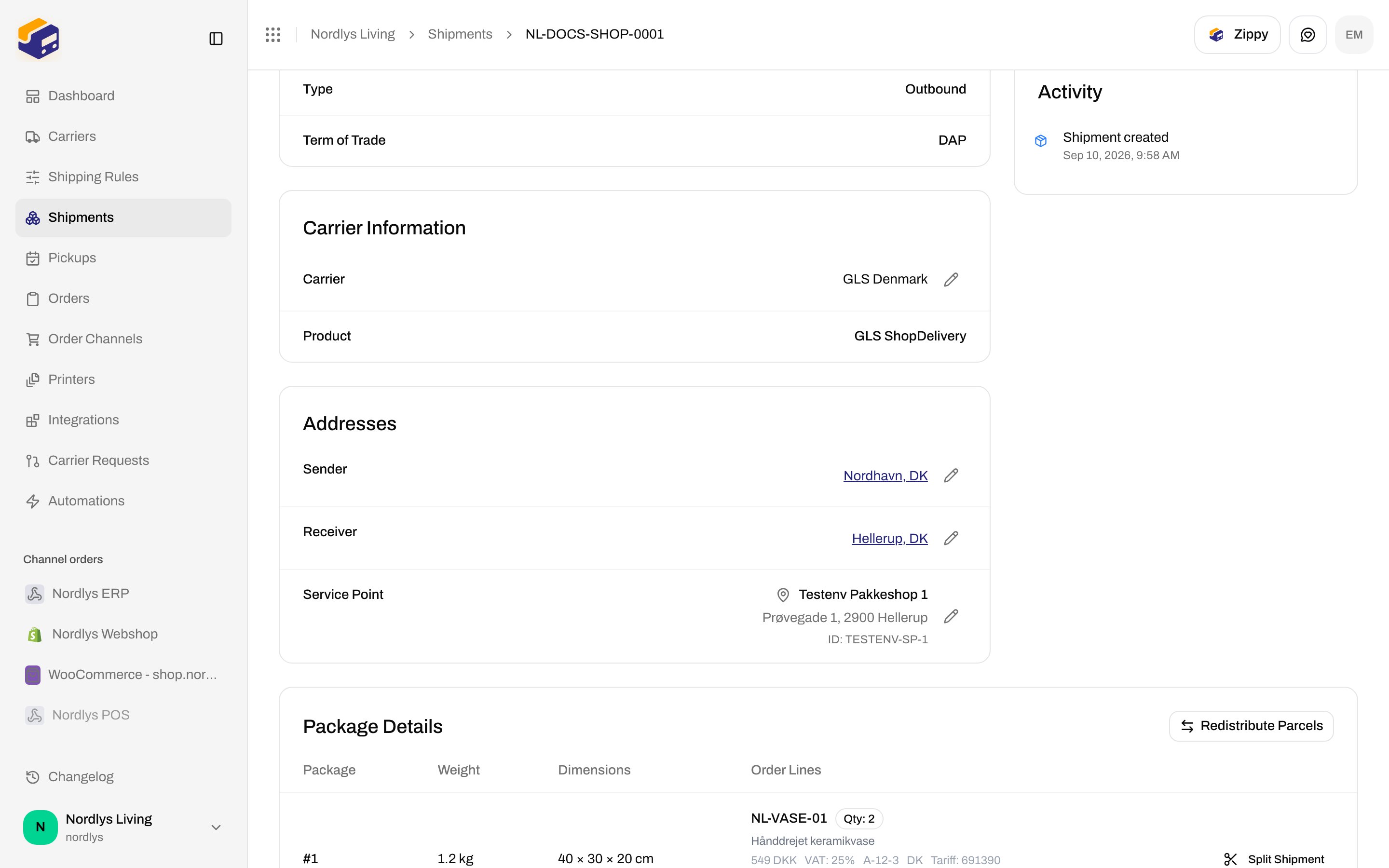
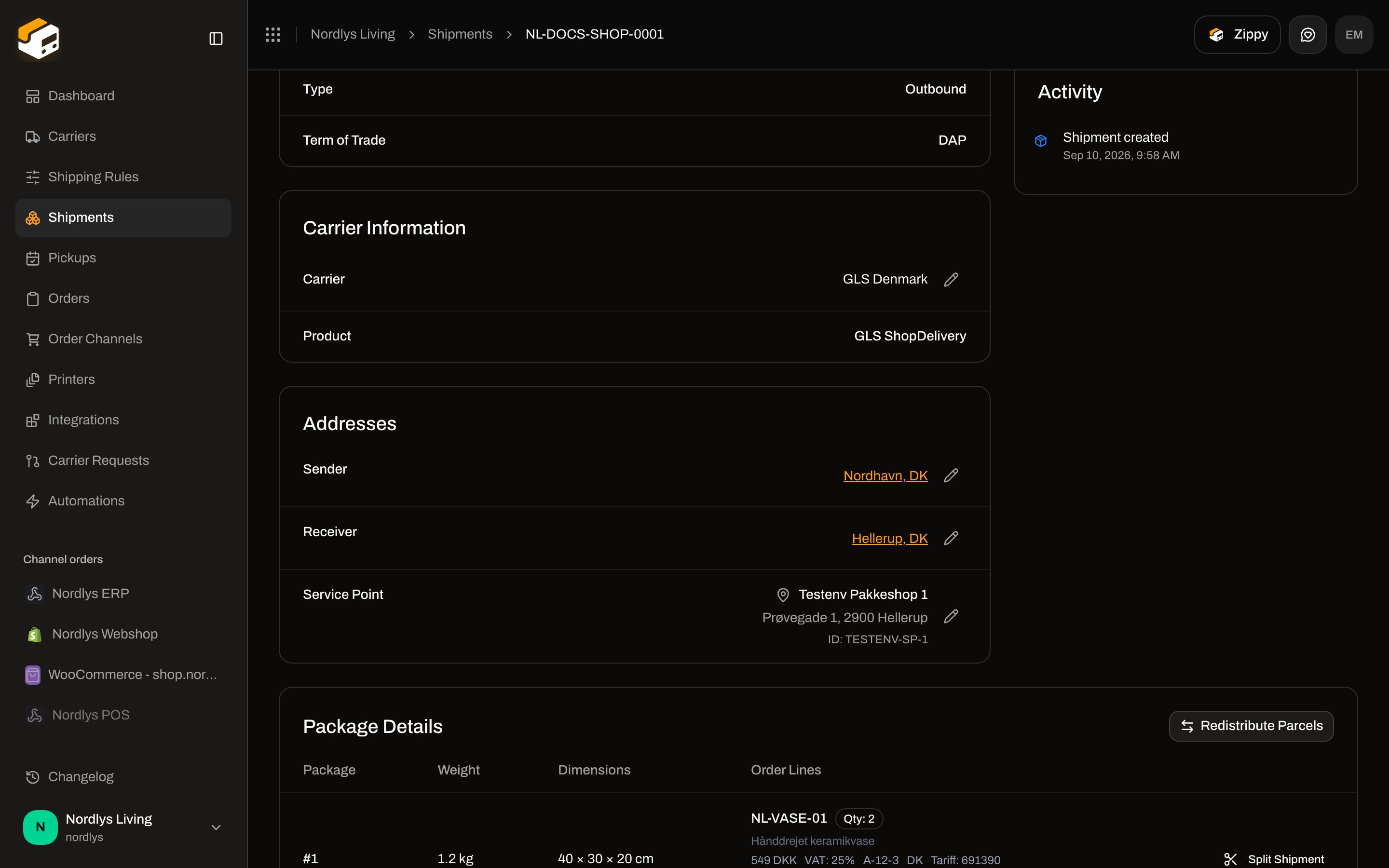
**Overview** card **Addresses**. Shown: **Sender**, **Receiver**, and **Service Point** when a point is stored. **Billing**, **Return**, and **Freight Payer** are **not** listed here even if they were saved on create.
Each of **Sender** / **Receiver**: name, street, city, postal code, country, phone, email, attention — via the address popover. Pencil while status is **Pending**, **Draft**, or **Error**. After **Dispatched** (and other non-editable statuses) the pencil is hidden.
| Field | Required | Placeholder / notes |
| --------------------- | ---------------------------- | ----------------------------------------------------------- |
| **Name \*** | Yes (on **Create Shipment**) | **Company or person name** |
| **Address Line 1 \*** | Yes | **Street address** |
| **Address Line 2** | No | **Apartment, suite, etc.** — stored as null if empty |
| **Postal Code \*** | Yes | `12345` |
| **City \*** | Yes | **City** |
| **Country Code \*** | Yes — exactly 2 letters | `US`. Typing is forced uppercase and capped at 2 characters |
| **Email** | No | `email@example.com`. Must be a valid email if filled |
| **Phone** | No | `+1234567890` |
**Attention** is **not** on this create modal. It is on the detail editor (below).
**Save** on this modal writes the party into the form. It does **not** validate required fields by itself. **Create Shipment** does:
| Message | When |
| -------------------------------------------------------------- | -------------------- |
| **Name is required** | Empty name |
| **Address line 1 is required** | Empty line 1 |
| **Postal code is required** | Empty postal code |
| **City is required** | Empty city |
| **Country code must be 2 characters** | Country not length 2 |
| **At least one party is required** | No parties |
| **A sender party is required. Please add a sender party.** | No **Sender** |
| **A receiver party is required. Please add a receiver party.** | No **Receiver** |
Toasts from create: [Send a shipment](/docs/how-to/send-a-shipment).
## Addresses on shipment detail
**Overview** card **Addresses**. Shown: **Sender**, **Receiver**, and **Service Point** when a point is stored. **Billing**, **Return**, and **Freight Payer** are **not** listed here even if they were saved on create.
Each of **Sender** / **Receiver**: name, street, city, postal code, country, phone, email, attention — via the address popover. Pencil while status is **Pending**, **Draft**, or **Error**. After **Dispatched** (and other non-editable statuses) the pencil is hidden.
 ## Edit \{party} Address (detail modal)
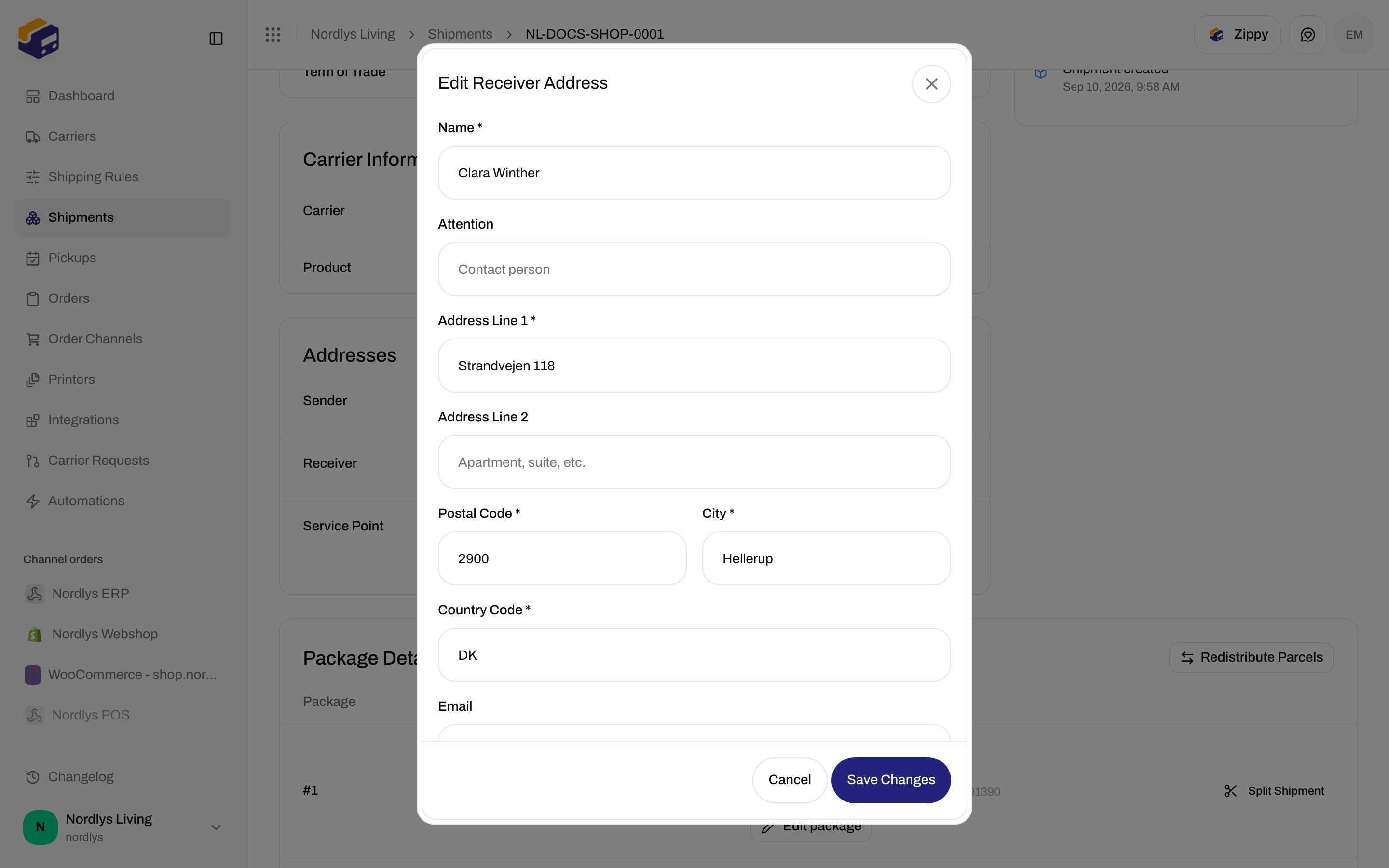
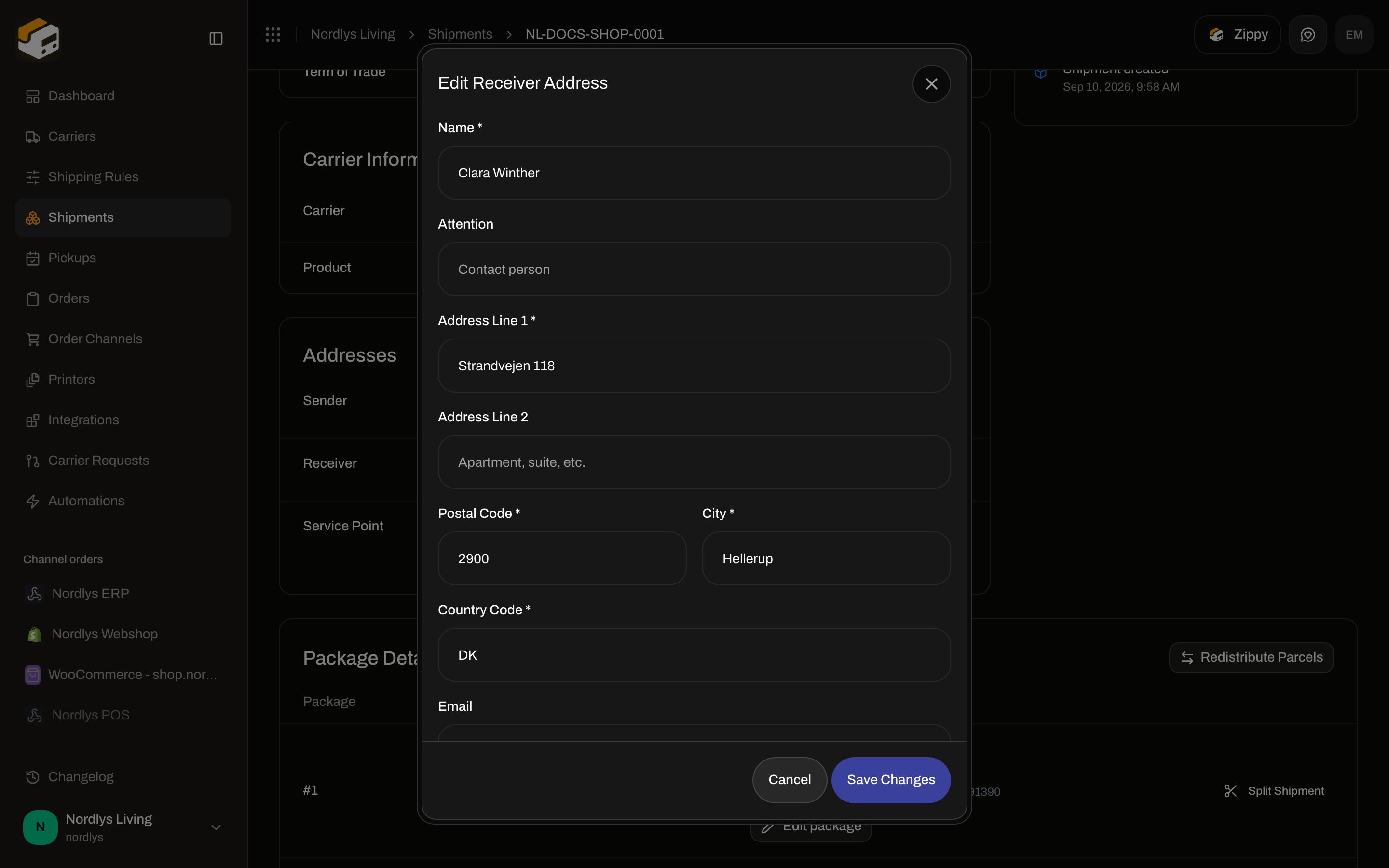
Title: **Edit \{party} Address** (for example **Edit Sender Address**). `modalId="edit-party-modal"`. **Save Changes** (or **Saving…**) / **Cancel**.
Same fields as create, **plus**:
| Field | Required | Placeholder |
| ------------- | -------- | ------------------ |
| **Attention** | No | **Contact person** |
**Save Changes** stays disabled until **Name**, **Address Line 1**, **Postal Code**, **City** are filled and **Country Code** is 2 letters.
Toasts: **Address updated** / **Failed to update address**.
## Edit \{party} Address (detail modal)
Title: **Edit \{party} Address** (for example **Edit Sender Address**). `modalId="edit-party-modal"`. **Save Changes** (or **Saving…**) / **Cancel**.
Same fields as create, **plus**:
| Field | Required | Placeholder |
| ------------- | -------- | ------------------ |
| **Attention** | No | **Contact person** |
**Save Changes** stays disabled until **Name**, **Address Line 1**, **Postal Code**, **City** are filled and **Country Code** is 2 letters.
Toasts: **Address updated** / **Failed to update address**.
 A complete **Receiver** (line 1, postal code, city, country) is required before **Drop Point** can look up shops. [Pick a service point](/docs/how-to/pick-a-service-point).
You are done when **Parties** shows a **Sender** and a **Receiver** with name, street, postal code, city, and a 2-letter country — or **Addresses** on the pending shipment lists both with pencils.
A complete **Receiver** (line 1, postal code, city, country) is required before **Drop Point** can look up shops. [Pick a service point](/docs/how-to/pick-a-service-point).
You are done when **Parties** shows a **Sender** and a **Receiver** with name, street, postal code, city, and a 2-letter country — or **Addresses** on the pending shipment lists both with pencils.