> ## Documentation Index
> Fetch the complete documentation index at: https://www.zippendo.com/docs/llms.txt
> Use this file to discover all available pages before exploring further.
# Sender, pickup, and return addresses
> Add and edit Settings → Addresses — Mapbox search, Sender / Pickup / Return types, contact fields, and the address map.
**Addresses** is a Settings tab (`/{slug}/dashboard/settings/addresses`). Open it from the organization switcher → **Manage**, then **Addresses**. Walkthrough: [Getting started](/docs/tutorials/getting-started) (first address) and [Settings, team, and brands](/docs/tutorials/settings-team-brands).
These saved locations are the **sender**, **pickup**, and **return** addresses you pick on shipments, shipping rules, pickups, and order channels. They are not the receiver on a shipment — that is [Shipment parties](/docs/how-to/shipment-parties). Invoice address text on a brand is [Create a brand](/docs/how-to/create-a-brand), not this list.
## Where it lives
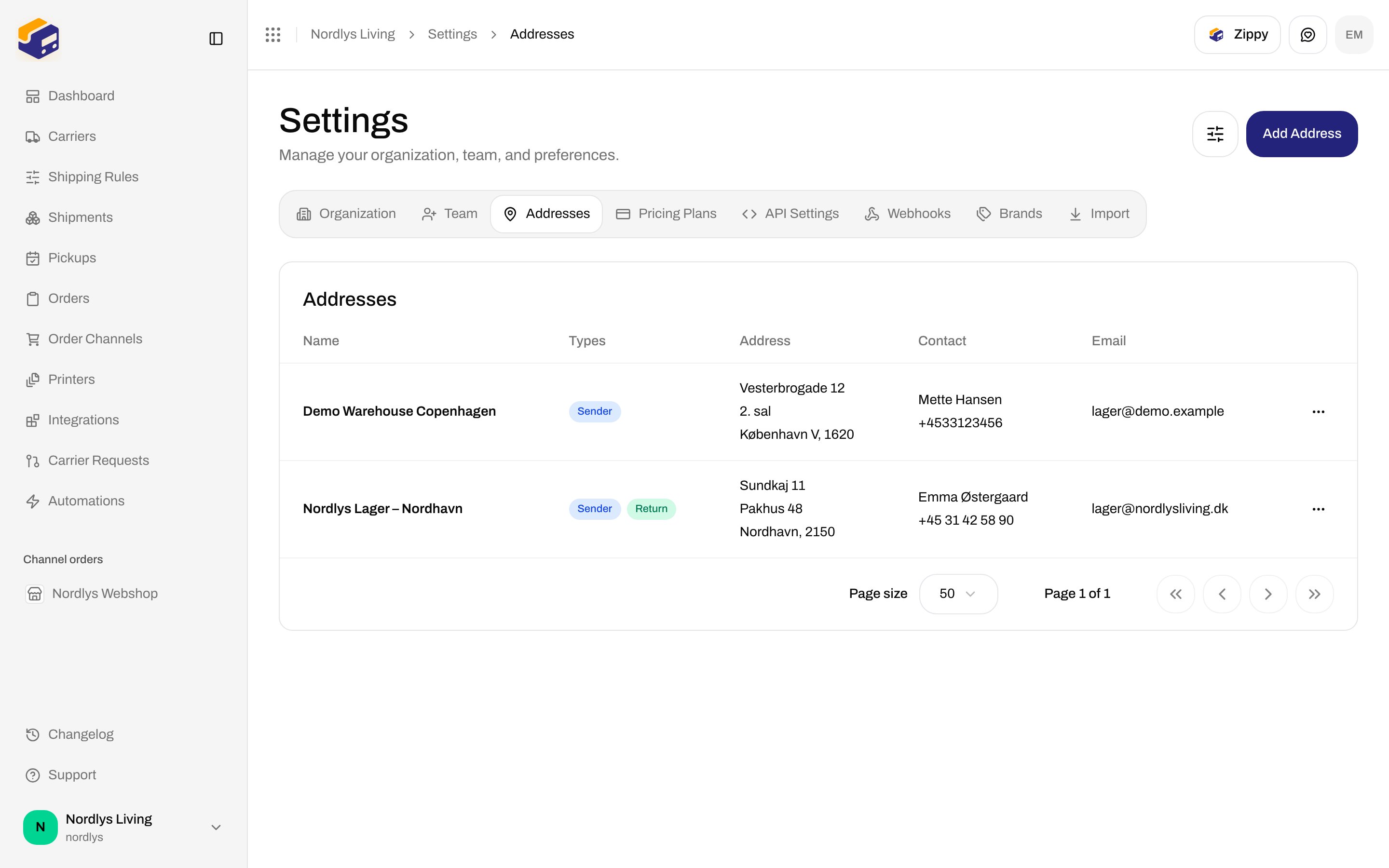
Page title **Settings**. Description: **Manage your organization, team, and preferences.** Tabs, in order: **Organization**, **Team**, **Addresses**, **Pricing Plans**, **API Settings**, **Webhooks**, **Brands**, **Import**.
Header action: **Add Address** (`addresses.create-button`) → `/{slug}/dashboard/settings/addresses/new`.
Loading copy: **Loading addresses…**.
## Address list
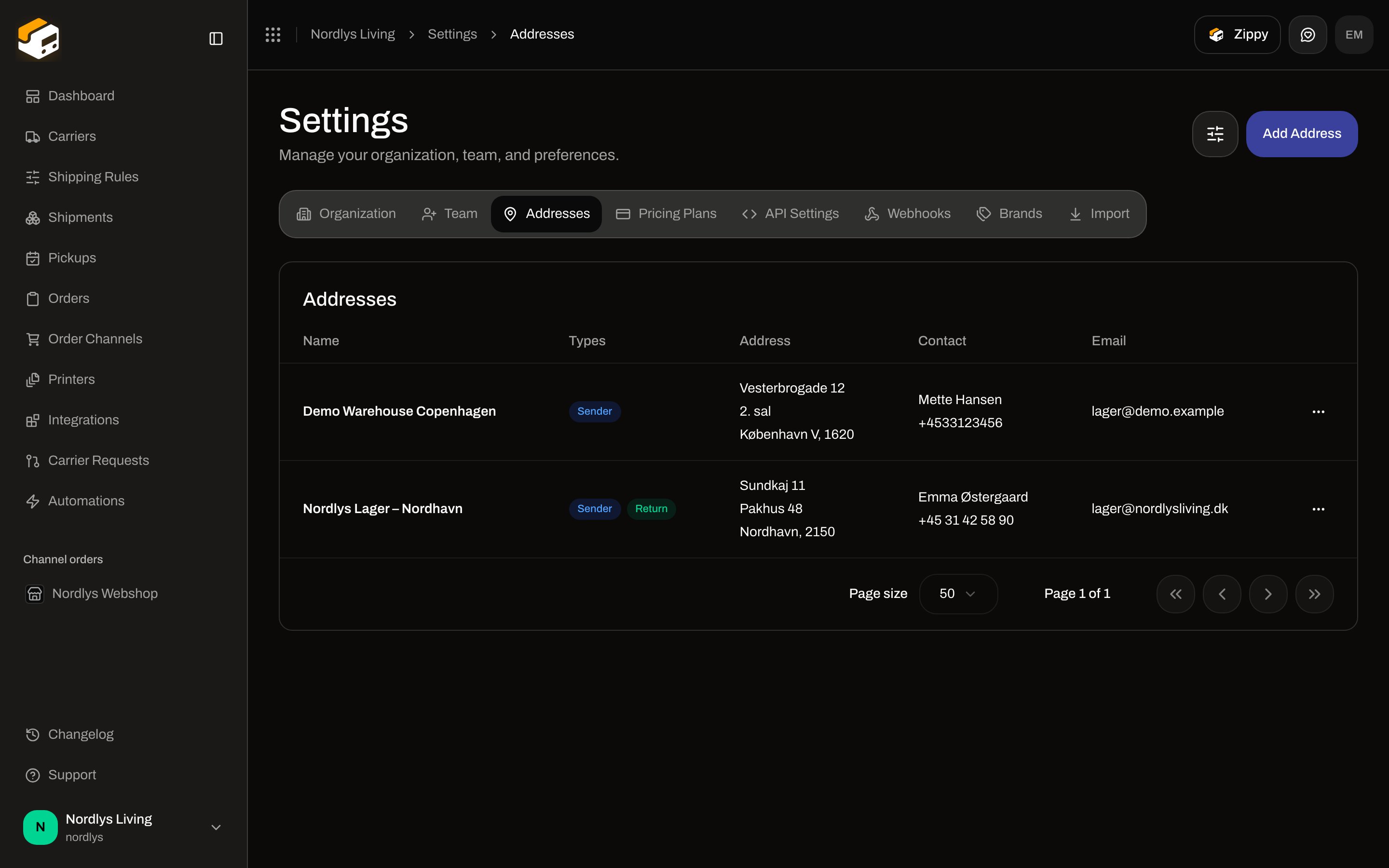
Card title **Addresses**.
 ### Empty state
| Copy | Text |
| ----------- | -------------------------------------- |
| Title | **No addresses yet** |
| Description | **Click "Add Address" to create one.** |
### Columns
| Column | What it shows |
| ----------- | ------------------------------------------------------------------------------------------------------------------------------------------ |
| **Name** | The address name. |
| **Brand** | Only when the organization already has brands, and you are not scoped to one brand. Badge for the assigned brand, or organization-wide. |
| **Types** | Badges: **Sender**, **Pickup**, **Return**. |
| **Address** | **Address Line 1**, optional line 2, then city, state, and postal code. |
| **Contact** | **Attention Contact** and **Phone Number**. |
| **Email** | Contact email. |
| Actions | **Edit** opens the same form as a row click. **Delete** is in the menu; it does not open a confirm dialog and does not remove the address. |
Click a row to edit (`/{slug}/dashboard/settings/addresses/{id}`).
The table footer shows **Page size** (default **50**) and **Page 1 of 1**. The list loads every address in one request; the pager is still visible.
### Filters
The filter popover sits in the page header (see [Search and filters](/docs/how-to/search-and-filters)). Heading **Filters**.
| Filter | What it is |
| ----------- | -------------------------------------------------------------------------------------------------------------------------------------------------------------------------------------------------- |
| **Search** | Placeholder **Search…**. |
| **Country** | Options are the country codes already on the rows you can see (not the full ISO list). **All** clears it. |
| **Brand** | Only when brands exist. **All brands**, **No brand**, plus each brand name. Inside a brand session, **Brand** instead offers **All records**, **Only this brand**, and **Organization-wide only**. |
## Add Address
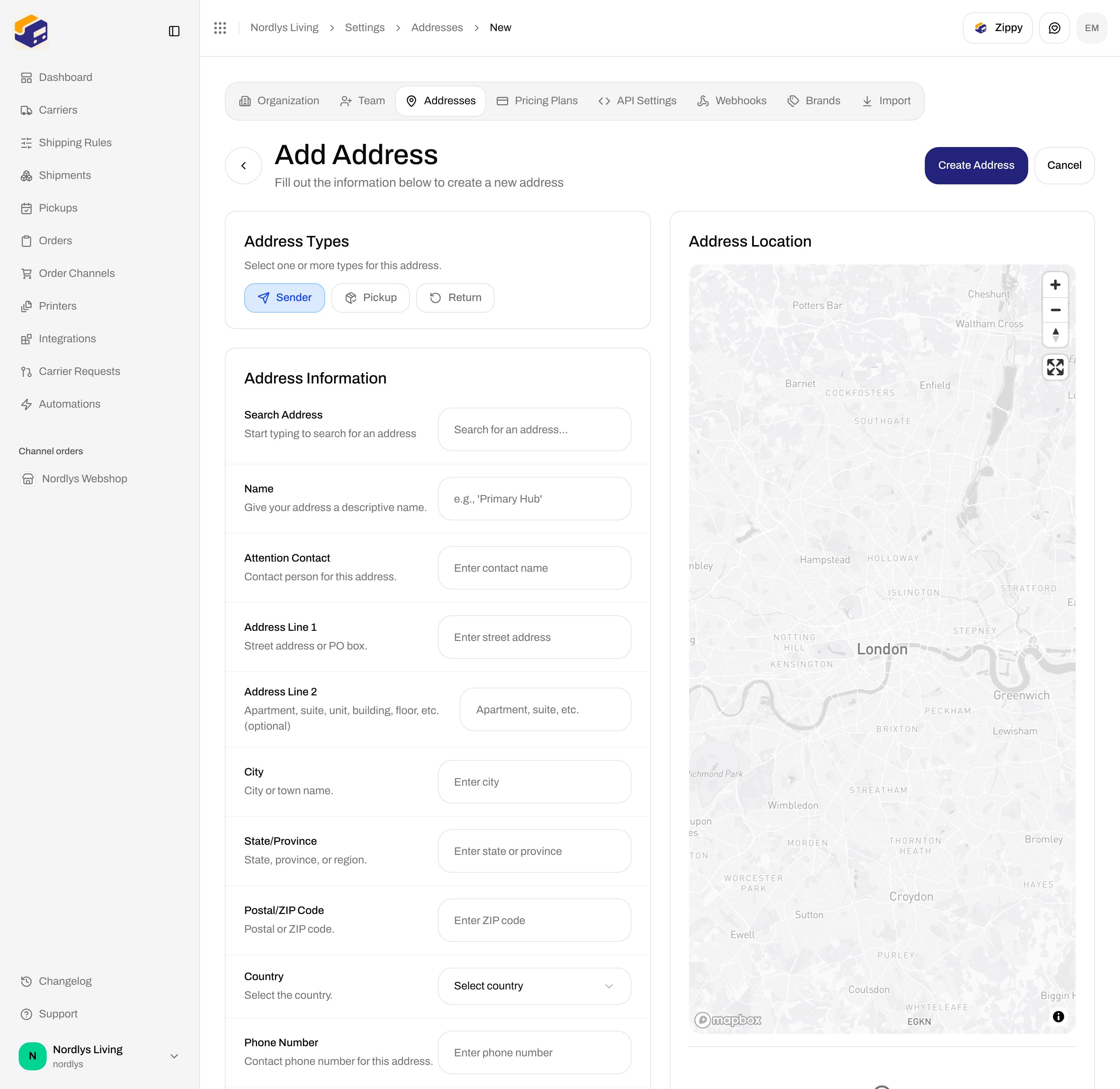
Page title **Add Address**. Description: **Fill out the information below to create a new address**. Header actions: **Create Address** / **Creating…**, and **Cancel**. Back returns to the list.
### Empty state
| Copy | Text |
| ----------- | -------------------------------------- |
| Title | **No addresses yet** |
| Description | **Click "Add Address" to create one.** |
### Columns
| Column | What it shows |
| ----------- | ------------------------------------------------------------------------------------------------------------------------------------------ |
| **Name** | The address name. |
| **Brand** | Only when the organization already has brands, and you are not scoped to one brand. Badge for the assigned brand, or organization-wide. |
| **Types** | Badges: **Sender**, **Pickup**, **Return**. |
| **Address** | **Address Line 1**, optional line 2, then city, state, and postal code. |
| **Contact** | **Attention Contact** and **Phone Number**. |
| **Email** | Contact email. |
| Actions | **Edit** opens the same form as a row click. **Delete** is in the menu; it does not open a confirm dialog and does not remove the address. |
Click a row to edit (`/{slug}/dashboard/settings/addresses/{id}`).
The table footer shows **Page size** (default **50**) and **Page 1 of 1**. The list loads every address in one request; the pager is still visible.
### Filters
The filter popover sits in the page header (see [Search and filters](/docs/how-to/search-and-filters)). Heading **Filters**.
| Filter | What it is |
| ----------- | -------------------------------------------------------------------------------------------------------------------------------------------------------------------------------------------------- |
| **Search** | Placeholder **Search…**. |
| **Country** | Options are the country codes already on the rows you can see (not the full ISO list). **All** clears it. |
| **Brand** | Only when brands exist. **All brands**, **No brand**, plus each brand name. Inside a brand session, **Brand** instead offers **All records**, **Only this brand**, and **Organization-wide only**. |
## Add Address
Page title **Add Address**. Description: **Fill out the information below to create a new address**. Header actions: **Create Address** / **Creating…**, and **Cancel**. Back returns to the list.
 ### Address Types
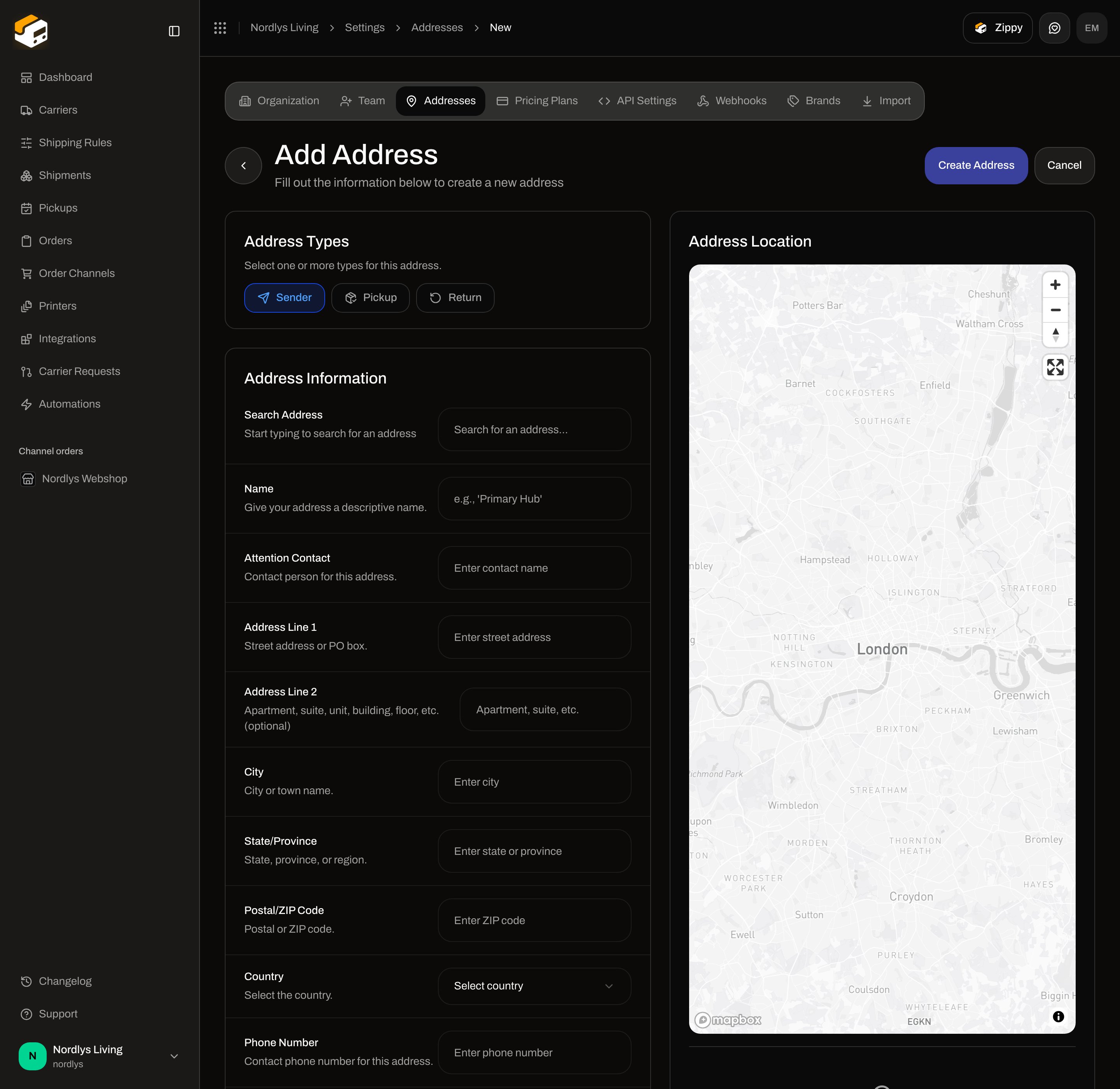
Card title **Address Types**. Hint: **Select one or more types for this address.** Default on create: **Sender** on.
| Type | What it is for |
| ---------- | ------------------------------------------------------------------------ |
| **Sender** | From-address on labels and the default on shipping rules and channels. |
| **Pickup** | Pickup location when you [schedule a pickup](/docs/how-to/schedule-a-pickup). |
| **Return** | Return address on shipments. |
You can select more than one. Validation if none are selected: **Select at least one address type**.
### Address Information
| Field | Required | What it is |
| --------------------- | -------- | ------------------------------------------------------------------------------------------------------------------------------------------------------------------------------------------------------------------------------------------------------------------------ |
| **Search Address** | No | **Start typing to search for an address**. Placeholder **Search for an address…**. Starts after three characters. Picking a result fills line 1, city, state, postal code, country, and the map pin. Empty results: **No addresses found. Try a different search term.** |
| **Name** | Yes | **Give your address a descriptive name.** Placeholder **e.g., 'Primary Hub'**. Error: **Name is required**. |
| **Brand** | No | Shown only if the organization has brands. Label **Brand**. Description: **Only this brand can use this sender address.** Options: **No brand (organization-wide)** (default) plus each brand. |
| **Attention Contact** | Yes | **Contact person for this address.** Placeholder **Enter contact name**. Error: **Attention contact is required**. |
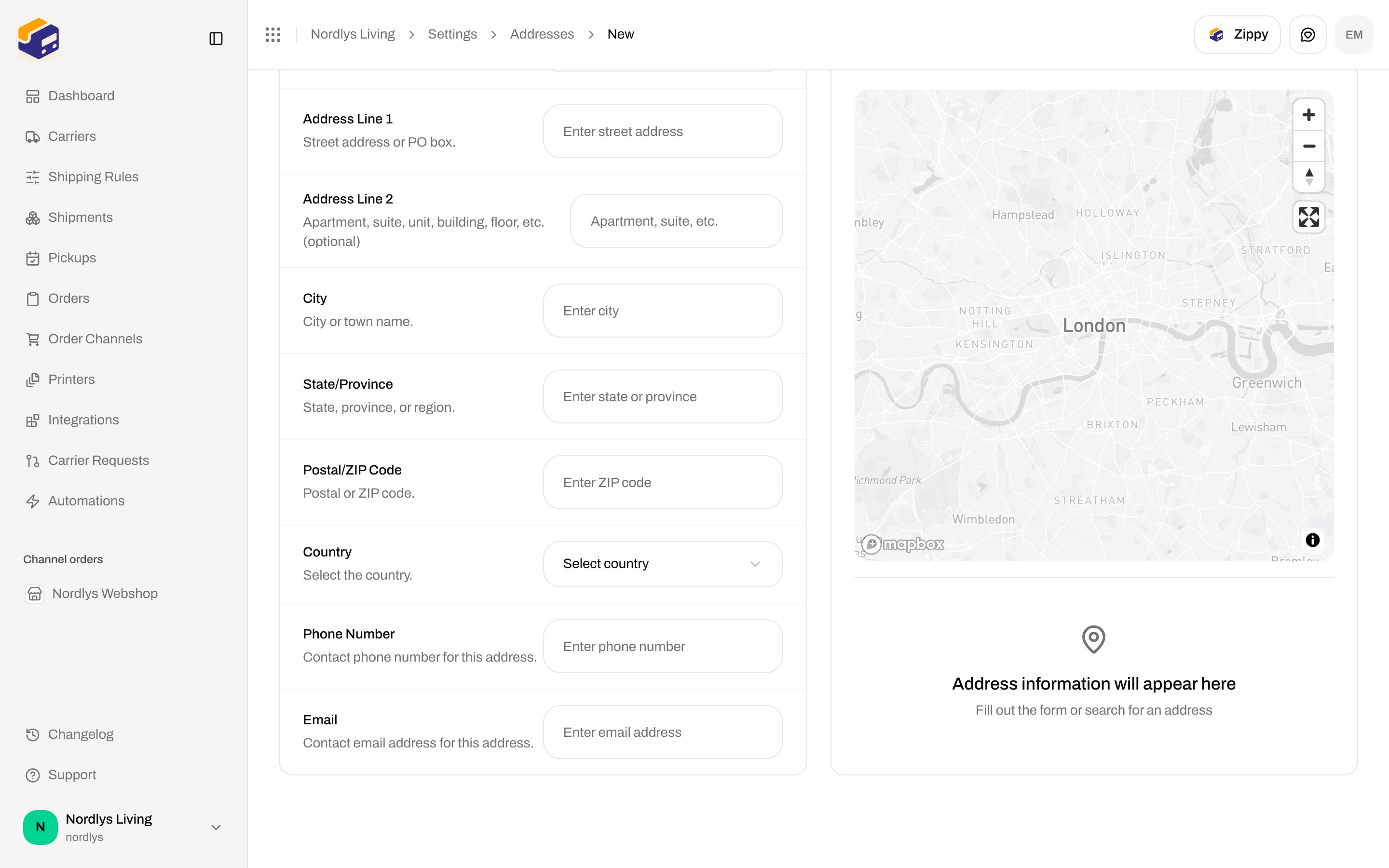
| **Address Line 1** | Yes | **Street address or PO box.** Placeholder **Enter street address**. Error: **Address line 1 is required**. |
| **Address Line 2** | No | **Apartment, suite, unit, building, floor, etc. (optional)**. Placeholder **Apartment, suite, etc.** |
| **City** | Yes | **City or town name.** Placeholder **Enter city**. Error: **City is required**. |
| **State/Province** | No | **State, province, or region.** Placeholder **Enter state or province**. |
| **Postal/ZIP Code** | Yes | **Postal or ZIP code.** Placeholder **Enter ZIP code**. Error: **Postal/ZIP code is required**. |
| **Country** | Yes | **Select the country.** Placeholder **Select country**. Full country list. Error: **Country is required**. |
| **Phone Number** | Yes | **Contact phone number for this address.** Placeholder **Enter phone number**. Error: **Phone number is required**. |
| **Email** | Yes | **Contact email address for this address.** Placeholder **Enter email address**. Error: **Invalid email address**. |
Click **Add Address**.
Leave **Sender** on, and add **Pickup** and/or **Return** if this location is used for those jobs.
Search for the street, or fill **Address Line 1** through **Country** yourself.
Fill **Name**, **Attention Contact**, **Phone Number**, and **Email**.
Click **Create Address**.
Success toast: **Address "\{name}" created successfully** (or **Address created successfully** if the name is empty after trim). Then Zippendo returns to the list.
Hitting the plan ceiling: **You have reached your plan limit for this resource.** (`RESOURCE_LIMIT_REACHED`). Limits: [Billing and usage](/docs/how-to/billing-and-usage). Missing row: **Address not found.** (`ADDRESS_NOT_FOUND`).
## Edit Address
Same fields as create. Title **Edit Address**. Description: **Update the information below to modify this address**. Header: **Update Address** / **Updating…**, and **Cancel**. Loading: **Loading address…**.
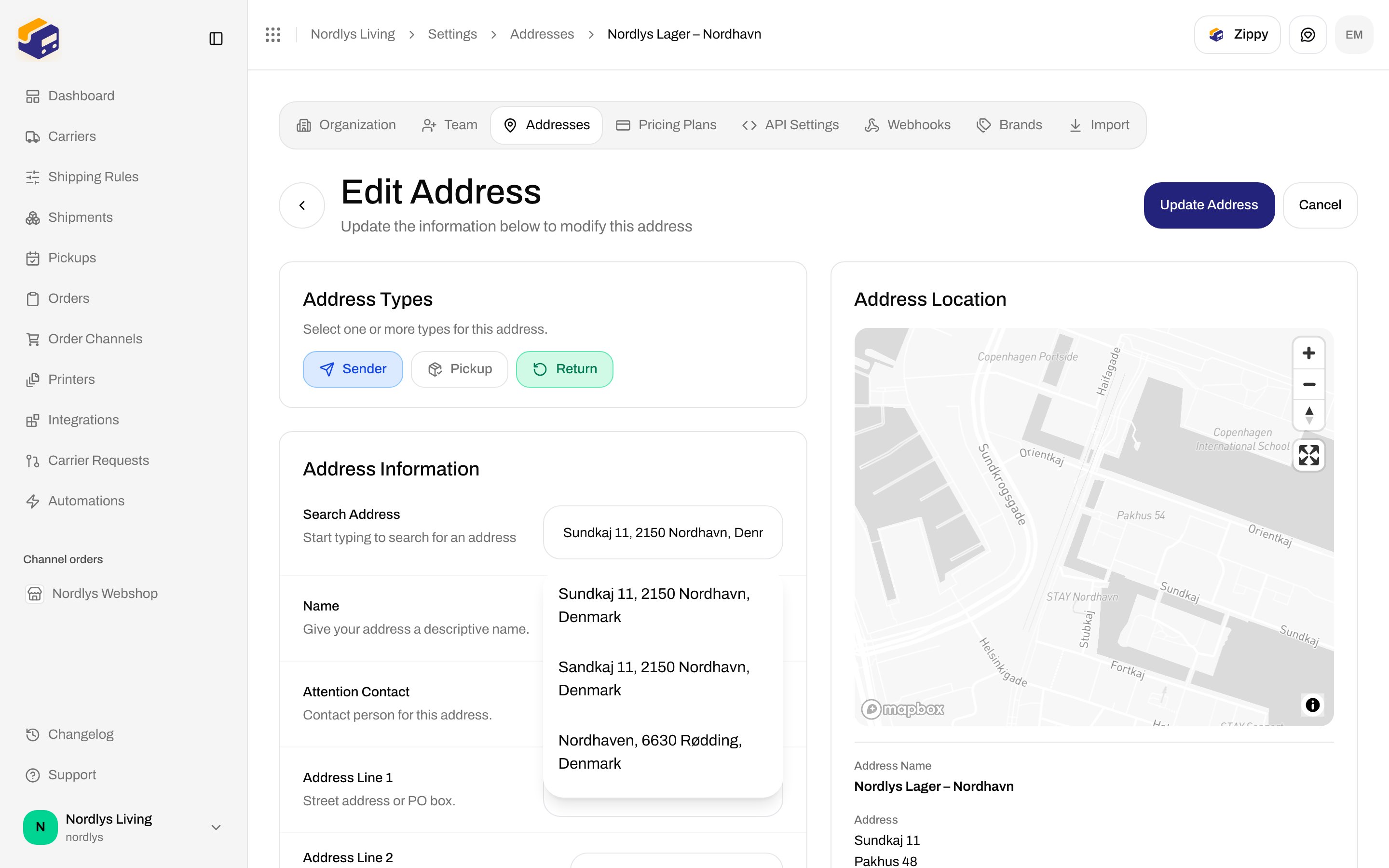
Opening the page fills **Search Address** from the saved street and can show Mapbox suggestions (the same dropdown as search on create).
### Address Types
Card title **Address Types**. Hint: **Select one or more types for this address.** Default on create: **Sender** on.
| Type | What it is for |
| ---------- | ------------------------------------------------------------------------ |
| **Sender** | From-address on labels and the default on shipping rules and channels. |
| **Pickup** | Pickup location when you [schedule a pickup](/docs/how-to/schedule-a-pickup). |
| **Return** | Return address on shipments. |
You can select more than one. Validation if none are selected: **Select at least one address type**.
### Address Information
| Field | Required | What it is |
| --------------------- | -------- | ------------------------------------------------------------------------------------------------------------------------------------------------------------------------------------------------------------------------------------------------------------------------ |
| **Search Address** | No | **Start typing to search for an address**. Placeholder **Search for an address…**. Starts after three characters. Picking a result fills line 1, city, state, postal code, country, and the map pin. Empty results: **No addresses found. Try a different search term.** |
| **Name** | Yes | **Give your address a descriptive name.** Placeholder **e.g., 'Primary Hub'**. Error: **Name is required**. |
| **Brand** | No | Shown only if the organization has brands. Label **Brand**. Description: **Only this brand can use this sender address.** Options: **No brand (organization-wide)** (default) plus each brand. |
| **Attention Contact** | Yes | **Contact person for this address.** Placeholder **Enter contact name**. Error: **Attention contact is required**. |
| **Address Line 1** | Yes | **Street address or PO box.** Placeholder **Enter street address**. Error: **Address line 1 is required**. |
| **Address Line 2** | No | **Apartment, suite, unit, building, floor, etc. (optional)**. Placeholder **Apartment, suite, etc.** |
| **City** | Yes | **City or town name.** Placeholder **Enter city**. Error: **City is required**. |
| **State/Province** | No | **State, province, or region.** Placeholder **Enter state or province**. |
| **Postal/ZIP Code** | Yes | **Postal or ZIP code.** Placeholder **Enter ZIP code**. Error: **Postal/ZIP code is required**. |
| **Country** | Yes | **Select the country.** Placeholder **Select country**. Full country list. Error: **Country is required**. |
| **Phone Number** | Yes | **Contact phone number for this address.** Placeholder **Enter phone number**. Error: **Phone number is required**. |
| **Email** | Yes | **Contact email address for this address.** Placeholder **Enter email address**. Error: **Invalid email address**. |
Click **Add Address**.
Leave **Sender** on, and add **Pickup** and/or **Return** if this location is used for those jobs.
Search for the street, or fill **Address Line 1** through **Country** yourself.
Fill **Name**, **Attention Contact**, **Phone Number**, and **Email**.
Click **Create Address**.
Success toast: **Address "\{name}" created successfully** (or **Address created successfully** if the name is empty after trim). Then Zippendo returns to the list.
Hitting the plan ceiling: **You have reached your plan limit for this resource.** (`RESOURCE_LIMIT_REACHED`). Limits: [Billing and usage](/docs/how-to/billing-and-usage). Missing row: **Address not found.** (`ADDRESS_NOT_FOUND`).
## Edit Address
Same fields as create. Title **Edit Address**. Description: **Update the information below to modify this address**. Header: **Update Address** / **Updating…**, and **Cancel**. Loading: **Loading address…**.
Opening the page fills **Search Address** from the saved street and can show Mapbox suggestions (the same dropdown as search on create).
 There is no success toast on update. A successful save returns to the list.
## Address Location map
Settings tabs stay visible on **Add Address** and **Edit Address**.
Right-hand card title **Address Location**. The map starts on London until search or an existing address sets a pin. Until you search or fill enough fields, the empty state under the map is **Address information will appear here** / **Fill out the form or search for an address**.
After values exist, the preview labels are **Address Name**, **Address**, **Contact**, **Phone**, and **Email**. The pin label is the **Name**, or line 1, or **Address location**.
## Related
* [Shipment parties](/docs/how-to/shipment-parties) — receiver (and other parties) on a shipment, not this list.
* [Create a brand](/docs/how-to/create-a-brand) — **Brand** on an address when you have brands.
* [Schedule a pickup](/docs/how-to/schedule-a-pickup) — **Pickup** type.
* [Search and filters](/docs/how-to/search-and-filters)
* [Sender addresses](/docs/settings/sender-addresses) — documentation for this tab.
There is no success toast on update. A successful save returns to the list.
## Address Location map
Settings tabs stay visible on **Add Address** and **Edit Address**.
Right-hand card title **Address Location**. The map starts on London until search or an existing address sets a pin. Until you search or fill enough fields, the empty state under the map is **Address information will appear here** / **Fill out the form or search for an address**.
After values exist, the preview labels are **Address Name**, **Address**, **Contact**, **Phone**, and **Email**. The pin label is the **Name**, or line 1, or **Address location**.
## Related
* [Shipment parties](/docs/how-to/shipment-parties) — receiver (and other parties) on a shipment, not this list.
* [Create a brand](/docs/how-to/create-a-brand) — **Brand** on an address when you have brands.
* [Schedule a pickup](/docs/how-to/schedule-a-pickup) — **Pickup** type.
* [Search and filters](/docs/how-to/search-and-filters)
* [Sender addresses](/docs/settings/sender-addresses) — documentation for this tab.