> ## Documentation Index
> Fetch the complete documentation index at: https://www.zippendo.com/docs/llms.txt
> Use this file to discover all available pages before exploring further.
# Sandbox mode
> Turn on the Sandbox Mode checkbox on a carrier so bookings hit that carrier’s test environment instead of production.
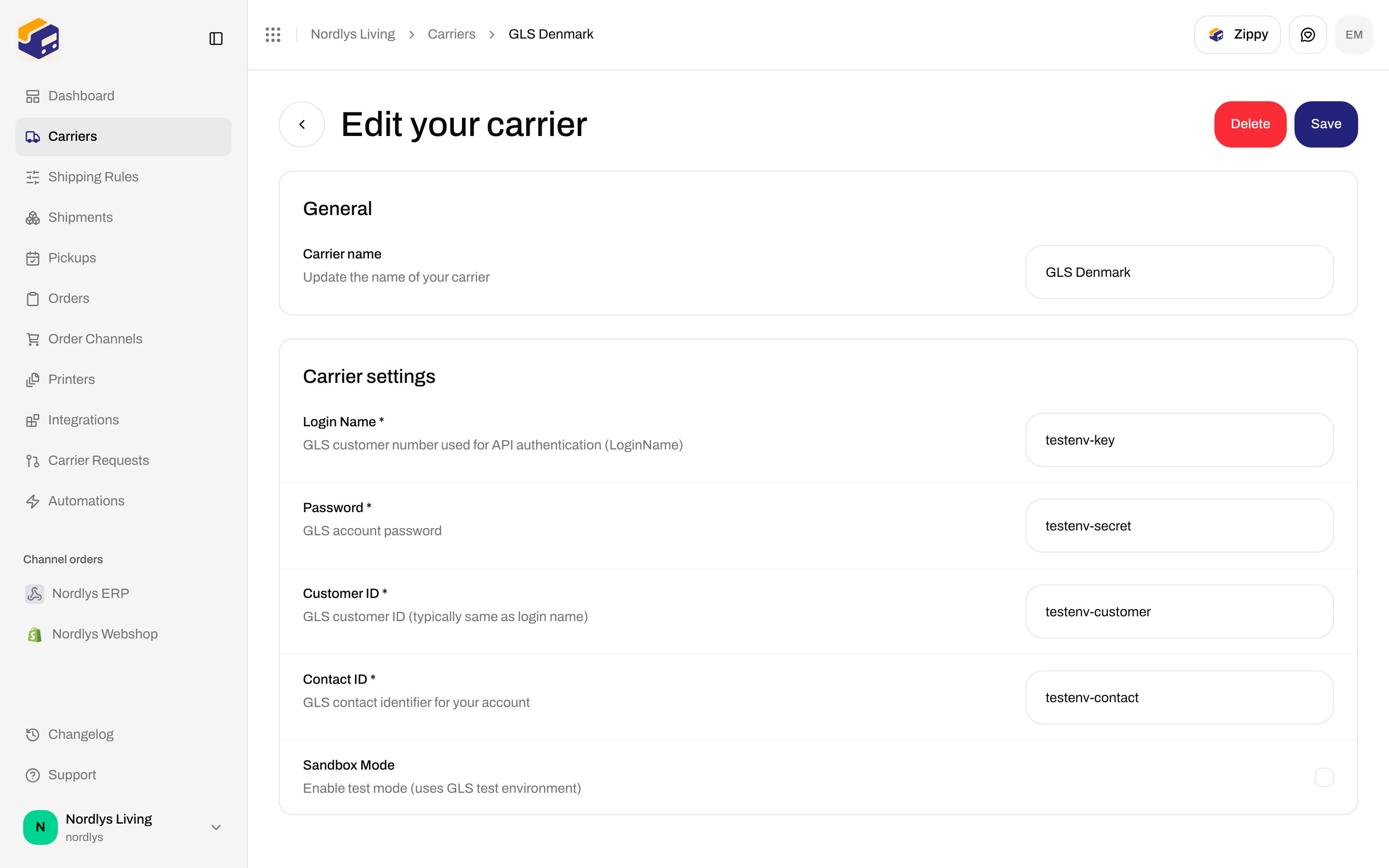
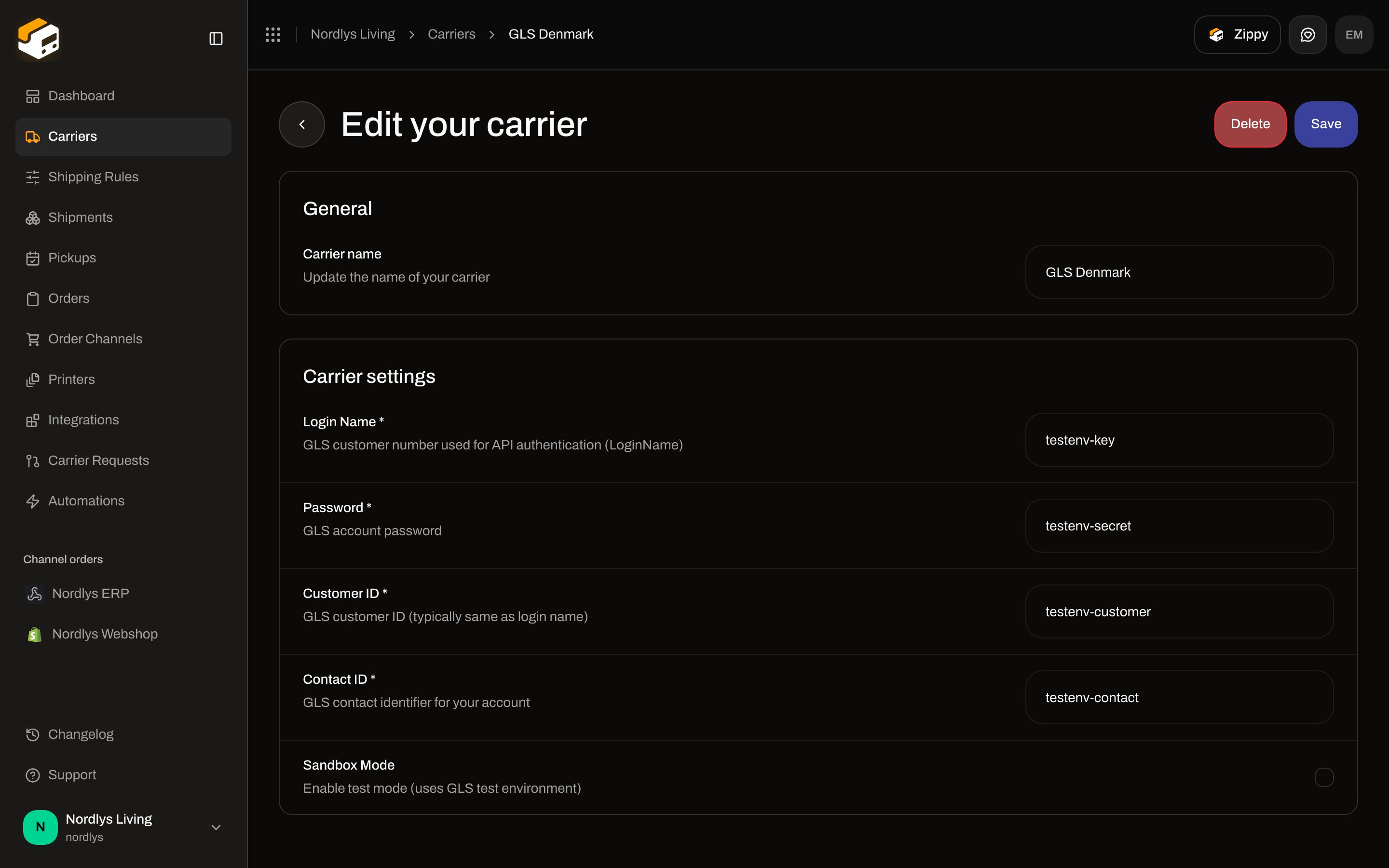
**Sandbox Mode** is an optional **checkbox** on **Create new carrier** and **Edit your carrier**. When it is on, Zippendo uses that carrier’s **test environment** with the credentials you stored. When it is off (the default), bookings go to production.
Connect walkthrough: [Carriers](/docs/tutorials/carriers). Field list for every credential: [Carrier credentials](/docs/how-to/carrier-credentials).
Leave **Sandbox Mode** off for live orders. Test credentials on a production host, or live credentials on a test host, fail at send time. Failed bookings land on the shipment as **Error** — [Send a shipment](/docs/how-to/send-a-shipment).
## Where it lives
1. Sidebar **Carriers** → **All Carriers** (`?tab=all-carriers`) → **Connect**, or **My Carriers** (`?tab=my-carriers`) → **Edit Carrier**.
2. Scroll **Carrier Configuration**. On most carriers it sits with **Optional Fields**. GLS Denmark shows it with the required login fields.
It is **not** a switch. It is **not** on the shipment, shipping rule, or printer. Products and services still come from the catalog — [Carrier products and services](/docs/how-to/carrier-products-and-services).
 ## Field
| | |
| -------- | -------------------------------------------------------------------------------------------------------------------- |
| Control | Checkbox |
| Required | No |
| Default | Off |
| Save | **Create** (connect) or **Save** (edit). Toast: **Carrier created successfully** / **Carrier updated successfully**. |
The helper under the checkbox is catalog copy. It changes with the carrier:
| Carrier | Helper on the form |
| ----------------------------------------- | ----------------------------------------------------------------------------------- |
| **Bring** | Enable sandbox/test mode for this carrier |
| **GLS Denmark** | Enable test mode (uses GLS test environment) |
| **PostNord** | Enable sandbox/test mode |
| **DAO Denmark** | Enable test mode (adds test=1 to orders) |
| **FedEx** | Use the FedEx test environment (sandbox credentials + apis-sandbox.fedex.com) |
| **UPS** | Use the UPS Customer Integration Environment (wwwcie.ups.com) instead of production |
| **DHL Express** | Use the DHL Express test environment (test credentials required) |
| **Instabox**, **Budbee**, **Porterbuddy** | Use the Instabee sandbox environment |
| **Instabox (Legacy API)** | Use the Instabox staging environment |
| **Matkahuolto** | Use Matkahuolto's test environment |
FedEx, UPS, and DHL Express need **sandbox credentials** from that carrier’s developer portal — the same field names as production, different values. GLS uses its test environment with the same login fields.
The form does **not** promise dummy labels, skip billing, or skip carrier tracking. A successful sandbox send still creates a **Label** and can still use a billable shipment on your plan.
## When to use it
Fill the same credential fields you would for production, using **test** keys where the carrier issues a pair.
Confirm the helper names the test host you expect (for example `apis-sandbox.fedex.com` or `wwwcie.ups.com`).
[Create a shipment](/docs/tutorials/create-a-shipment) against this carrier, then [Send a shipment](/docs/how-to/send-a-shipment).
Uncheck **Sandbox Mode**, put production credentials in the same fields, **Save**. Existing pending shipments keep the carrier they already reference.
Keep a **second** carrier connection named for sandbox (for example `GLS Denmark (test)`) if you need both environments at once. [Carrier name](/docs/how-to/carrier-credentials) is unique per connection, not per catalog type.
## What this is not
* **Carrier Requests → Test against live / production API** — that switch is for [requesting a new integration](/docs/how-to/request-carrier-integration), not for a connected carrier.
* **App webhooks** (Settings → Webhooks) and **carrier tracking webhooks** — [Webhooks](/docs/how-to/webhooks) vs [Carrier tracking webhooks](/docs/how-to/tracking-webhooks). Sandbox does not register those for you.
* Plan gates or a locked state on this checkbox. If save fails, you get **Failed to update carrier. Please try again.** (or the create equivalent). Credential errors at send time: [Carrier authentication failures](/docs/knowledge-base/carrier-authentication-failures).
## Related
* [Carrier credentials](/docs/how-to/carrier-credentials)
* [Carrier products and services](/docs/how-to/carrier-products-and-services)
* [Carriers](/docs/tutorials/carriers)
## Field
| | |
| -------- | -------------------------------------------------------------------------------------------------------------------- |
| Control | Checkbox |
| Required | No |
| Default | Off |
| Save | **Create** (connect) or **Save** (edit). Toast: **Carrier created successfully** / **Carrier updated successfully**. |
The helper under the checkbox is catalog copy. It changes with the carrier:
| Carrier | Helper on the form |
| ----------------------------------------- | ----------------------------------------------------------------------------------- |
| **Bring** | Enable sandbox/test mode for this carrier |
| **GLS Denmark** | Enable test mode (uses GLS test environment) |
| **PostNord** | Enable sandbox/test mode |
| **DAO Denmark** | Enable test mode (adds test=1 to orders) |
| **FedEx** | Use the FedEx test environment (sandbox credentials + apis-sandbox.fedex.com) |
| **UPS** | Use the UPS Customer Integration Environment (wwwcie.ups.com) instead of production |
| **DHL Express** | Use the DHL Express test environment (test credentials required) |
| **Instabox**, **Budbee**, **Porterbuddy** | Use the Instabee sandbox environment |
| **Instabox (Legacy API)** | Use the Instabox staging environment |
| **Matkahuolto** | Use Matkahuolto's test environment |
FedEx, UPS, and DHL Express need **sandbox credentials** from that carrier’s developer portal — the same field names as production, different values. GLS uses its test environment with the same login fields.
The form does **not** promise dummy labels, skip billing, or skip carrier tracking. A successful sandbox send still creates a **Label** and can still use a billable shipment on your plan.
## When to use it
Fill the same credential fields you would for production, using **test** keys where the carrier issues a pair.
Confirm the helper names the test host you expect (for example `apis-sandbox.fedex.com` or `wwwcie.ups.com`).
[Create a shipment](/docs/tutorials/create-a-shipment) against this carrier, then [Send a shipment](/docs/how-to/send-a-shipment).
Uncheck **Sandbox Mode**, put production credentials in the same fields, **Save**. Existing pending shipments keep the carrier they already reference.
Keep a **second** carrier connection named for sandbox (for example `GLS Denmark (test)`) if you need both environments at once. [Carrier name](/docs/how-to/carrier-credentials) is unique per connection, not per catalog type.
## What this is not
* **Carrier Requests → Test against live / production API** — that switch is for [requesting a new integration](/docs/how-to/request-carrier-integration), not for a connected carrier.
* **App webhooks** (Settings → Webhooks) and **carrier tracking webhooks** — [Webhooks](/docs/how-to/webhooks) vs [Carrier tracking webhooks](/docs/how-to/tracking-webhooks). Sandbox does not register those for you.
* Plan gates or a locked state on this checkbox. If save fails, you get **Failed to update carrier. Please try again.** (or the create equivalent). Credential errors at send time: [Carrier authentication failures](/docs/knowledge-base/carrier-authentication-failures).
## Related
* [Carrier credentials](/docs/how-to/carrier-credentials)
* [Carrier products and services](/docs/how-to/carrier-products-and-services)
* [Carriers](/docs/tutorials/carriers)