> ## Documentation Index
> Fetch the complete documentation index at: https://www.zippendo.com/docs/llms.txt
> Use this file to discover all available pages before exploring further.
# Request a carrier integration
> Submit a carrier request from Carrier Requests with auth type, test credentials, and optional live-production testing.
If the carrier is not on **All Carriers**, open sidebar **Carrier Requests** and ask Zippendo to build it. You submit **test credentials** and docs URLs; the pipeline uses those to generate the integration.
Catalog carriers you can connect yourself: [Carrier credentials](/docs/how-to/carrier-credentials). Journey: [Carriers](/docs/tutorials/carriers).
## List
URL: `/{org}/dashboard/carrier-requests`.
| | |
| ------------- | ------------------------------------------------------------------------ |
| Title | **Carrier Integration Requests** |
| Description | **Request new carrier integrations — we'll build them for you using AI** |
| Header action | **Request Integration** |
| Table card | **Your requests** |
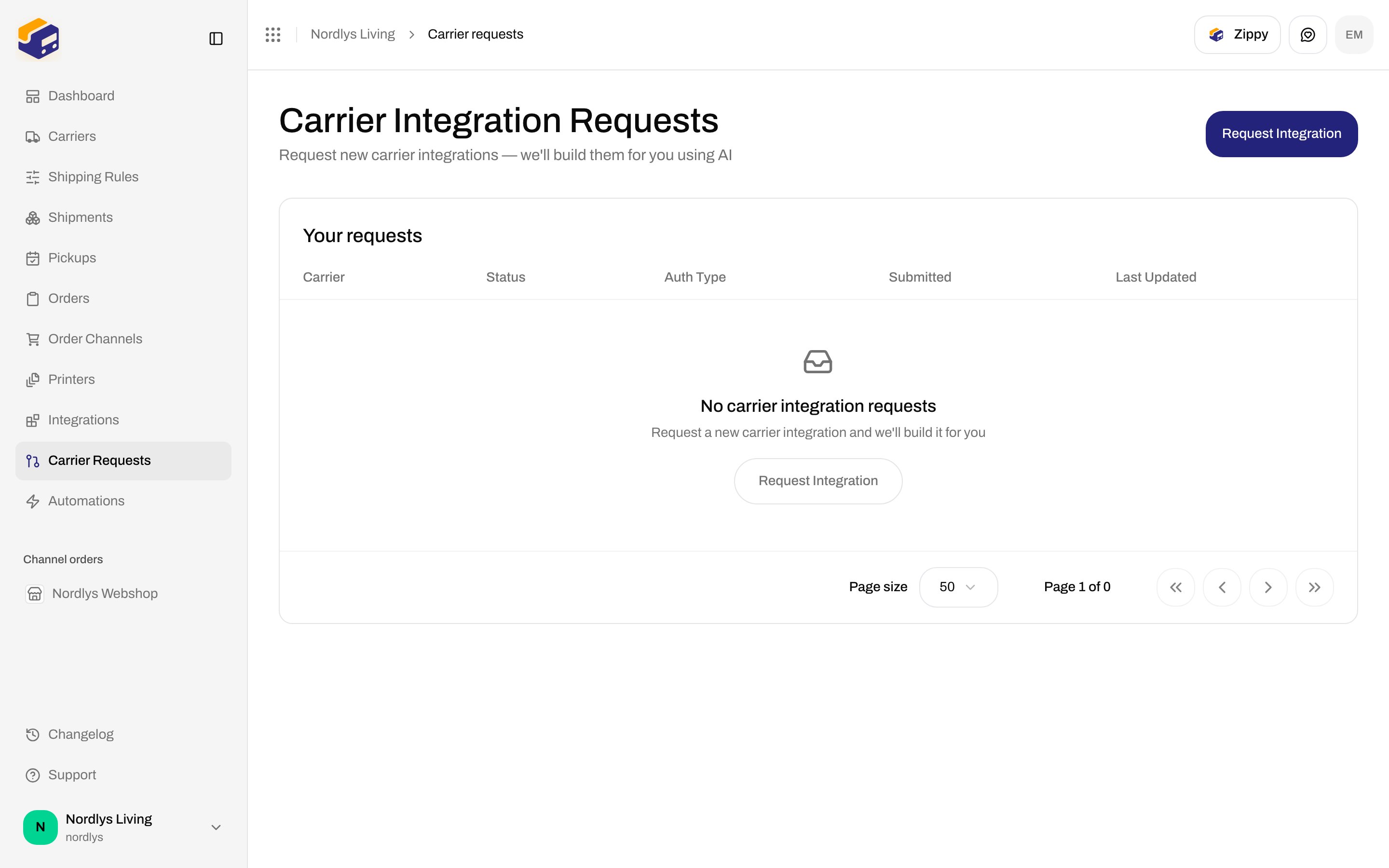
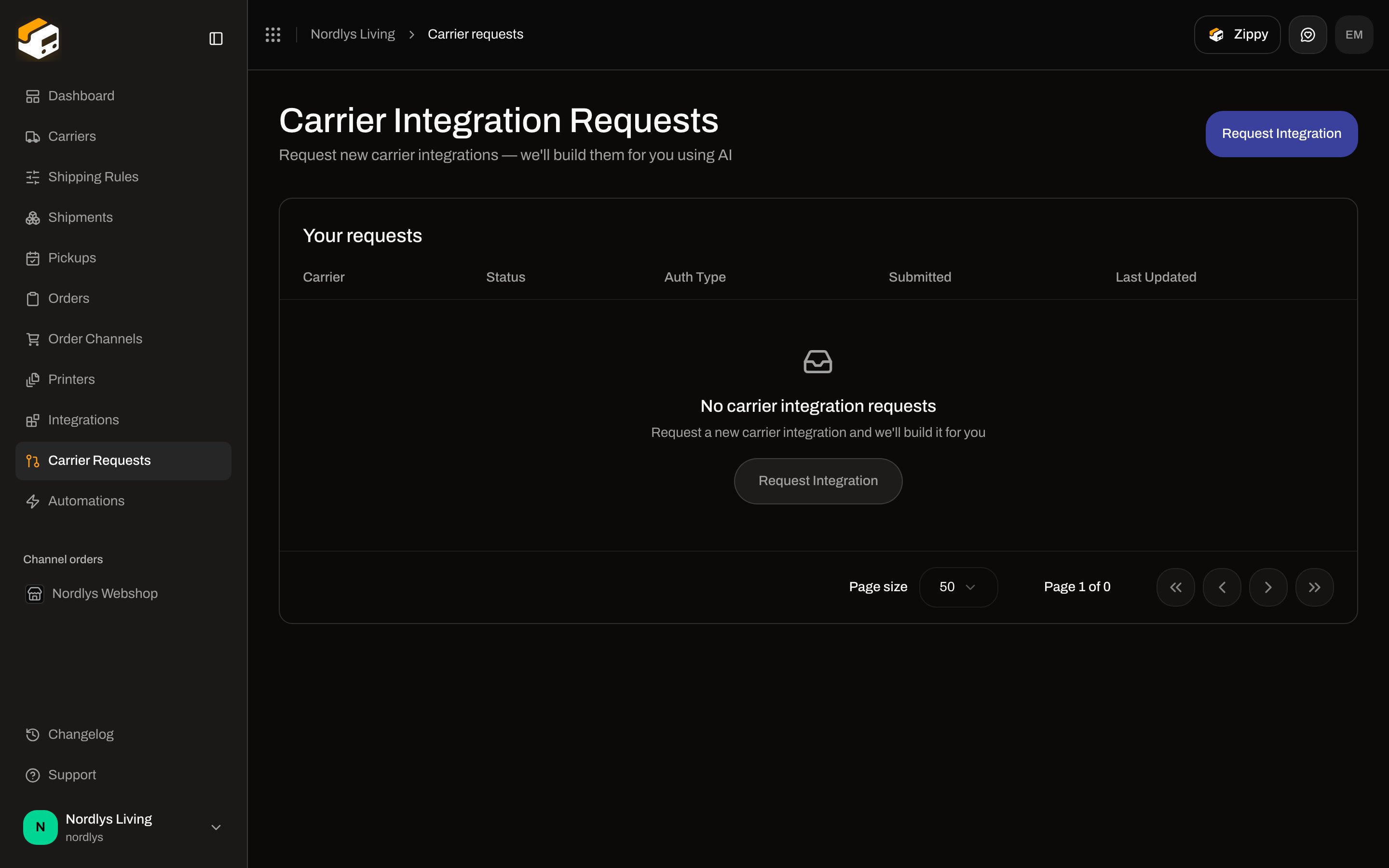 **Empty:** title **No carrier integration requests**, description **Request a new carrier integration and we'll build it for you**, button **Request Integration**.
Columns: **Carrier**, **Status**, **Auth Type**, **Submitted**, **Last Updated**. Click a row to open the detail modal.
This list has **no** search or filter popover.
### Statuses
| Status | Meaning on the list |
| ------------------- | ------------------------------- |
| **Pending** | Submitted, waiting for approval |
| **Approved** | Accepted, pipeline can start |
| **In Progress** | Generating the integration |
| **Awaiting Review** | Waiting for Zippendo review |
| **Completed** | Build finished |
| **Released** | Available to connect |
| **Rejected** | Not accepted |
| **Failed** | Pipeline failed |
## Request carrier integration
Header **Request Integration** opens modal `request-carrier-modal`.
| | |
| ---------- | ------------------------------------------------------------------ |
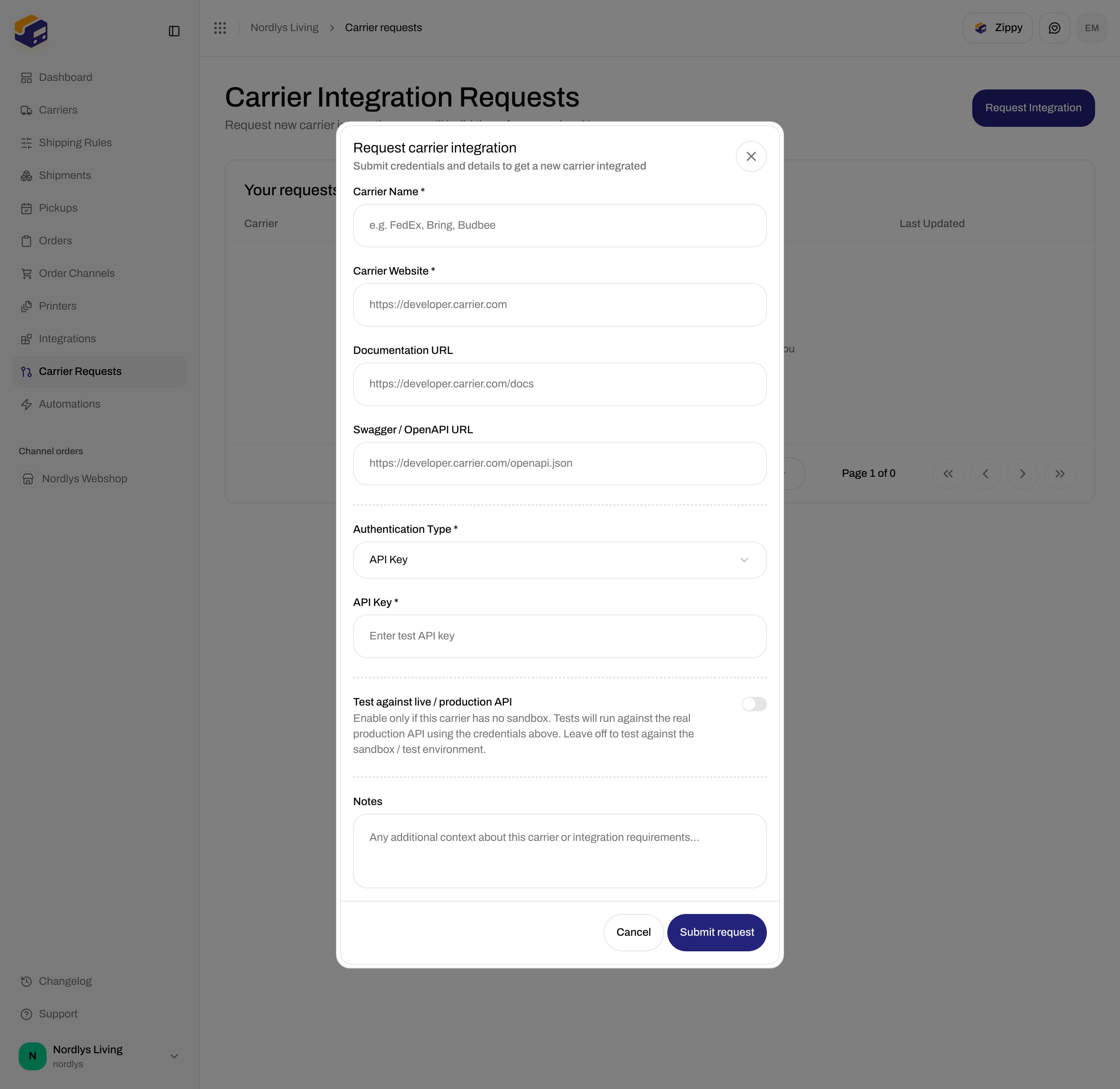
| Title | **Request carrier integration** |
| Subtitle | **Submit credentials and details to get a new carrier integrated** |
| Submit | **Submit request** (shows **Submitting…** while pending) |
| Cancel | **Cancel** |
| Validation | On blur |
Success toast: **Carrier integration request submitted**. Failure: **Failed to submit request** or **Failed to submit request. Please try again.**, plus any API code from `errors.json`.
**Empty:** title **No carrier integration requests**, description **Request a new carrier integration and we'll build it for you**, button **Request Integration**.
Columns: **Carrier**, **Status**, **Auth Type**, **Submitted**, **Last Updated**. Click a row to open the detail modal.
This list has **no** search or filter popover.
### Statuses
| Status | Meaning on the list |
| ------------------- | ------------------------------- |
| **Pending** | Submitted, waiting for approval |
| **Approved** | Accepted, pipeline can start |
| **In Progress** | Generating the integration |
| **Awaiting Review** | Waiting for Zippendo review |
| **Completed** | Build finished |
| **Released** | Available to connect |
| **Rejected** | Not accepted |
| **Failed** | Pipeline failed |
## Request carrier integration
Header **Request Integration** opens modal `request-carrier-modal`.
| | |
| ---------- | ------------------------------------------------------------------ |
| Title | **Request carrier integration** |
| Subtitle | **Submit credentials and details to get a new carrier integrated** |
| Submit | **Submit request** (shows **Submitting…** while pending) |
| Cancel | **Cancel** |
| Validation | On blur |
Success toast: **Carrier integration request submitted**. Failure: **Failed to submit request** or **Failed to submit request. Please try again.**, plus any API code from `errors.json`.
 ### Shared fields
| Field | Required | Limits / validation | Placeholder |
| -------------------------- | -------- | ----------------------------------------------------------------------------------------------------------------------------------------------------- | -------------------------------------------------------------------------- |
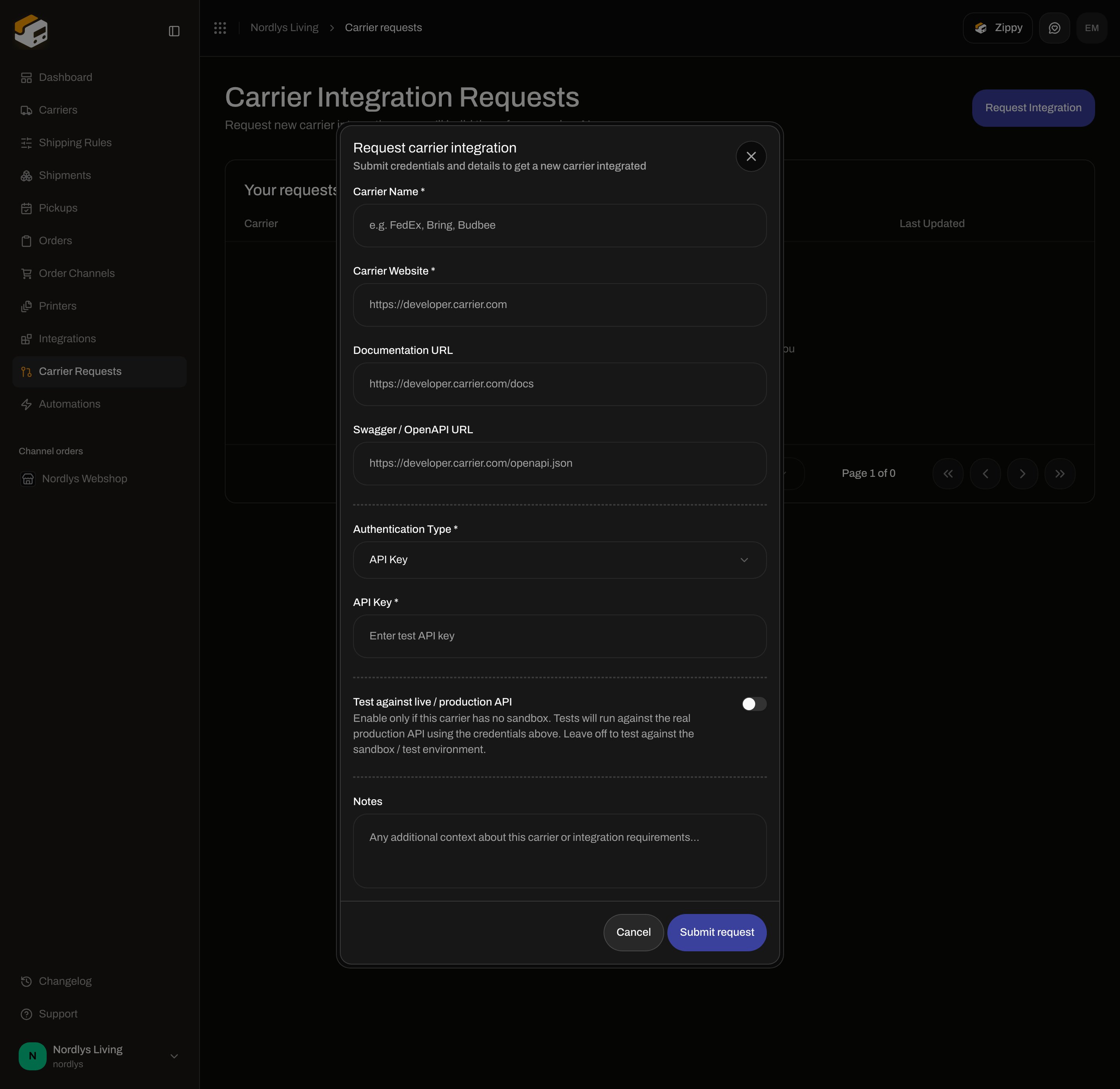
| **Carrier Name \*** | Yes | Max 80. Letters, numbers, and `. & ' + / ( ) _ -` only. Empty: **This field is required**. Format: **Letters, numbers, and . & ' + / ( ) \_ - only**. | **e.g. FedEx, Bring, Budbee** |
| **Carrier Website \*** | Yes | Must be a valid URL. Max 500. Invalid: **Must be a valid URL**. | `https://developer.carrier.com` |
| **Documentation URL** | No | Valid URL or empty. Max 500. | `https://developer.carrier.com/docs` |
| **Swagger / OpenAPI URL** | No | Valid URL or empty. Max 500. | `https://developer.carrier.com/openapi.json` |
| **Authentication Type \*** | Yes | Default **API Key**. Placeholder **Select authentication type**. | — |
| **Notes** | No | Max 1000. | **Any additional context about this carrier or integration requirements…** |
**Authentication Type** options:
| Value | Label |
| ------------ | -------------- |
| `api_key` | **API Key** |
| `oauth2` | **OAuth 2.0** |
| `basic_auth` | **Basic Auth** |
| `custom` | **Custom** |
The credential block below the dashed rule changes with this select. Unused credential fields are not sent.
### API Key
| Field | Required | Placeholder | Empty message |
| -------------- | -------- | ---------------------- | ----------------------- |
| **API Key \*** | Yes | **Enter test API key** | **API key is required** |
### OAuth 2.0
### Shared fields
| Field | Required | Limits / validation | Placeholder |
| -------------------------- | -------- | ----------------------------------------------------------------------------------------------------------------------------------------------------- | -------------------------------------------------------------------------- |
| **Carrier Name \*** | Yes | Max 80. Letters, numbers, and `. & ' + / ( ) _ -` only. Empty: **This field is required**. Format: **Letters, numbers, and . & ' + / ( ) \_ - only**. | **e.g. FedEx, Bring, Budbee** |
| **Carrier Website \*** | Yes | Must be a valid URL. Max 500. Invalid: **Must be a valid URL**. | `https://developer.carrier.com` |
| **Documentation URL** | No | Valid URL or empty. Max 500. | `https://developer.carrier.com/docs` |
| **Swagger / OpenAPI URL** | No | Valid URL or empty. Max 500. | `https://developer.carrier.com/openapi.json` |
| **Authentication Type \*** | Yes | Default **API Key**. Placeholder **Select authentication type**. | — |
| **Notes** | No | Max 1000. | **Any additional context about this carrier or integration requirements…** |
**Authentication Type** options:
| Value | Label |
| ------------ | -------------- |
| `api_key` | **API Key** |
| `oauth2` | **OAuth 2.0** |
| `basic_auth` | **Basic Auth** |
| `custom` | **Custom** |
The credential block below the dashed rule changes with this select. Unused credential fields are not sent.
### API Key
| Field | Required | Placeholder | Empty message |
| -------------- | -------- | ---------------------- | ----------------------- |
| **API Key \*** | Yes | **Enter test API key** | **API key is required** |
### OAuth 2.0
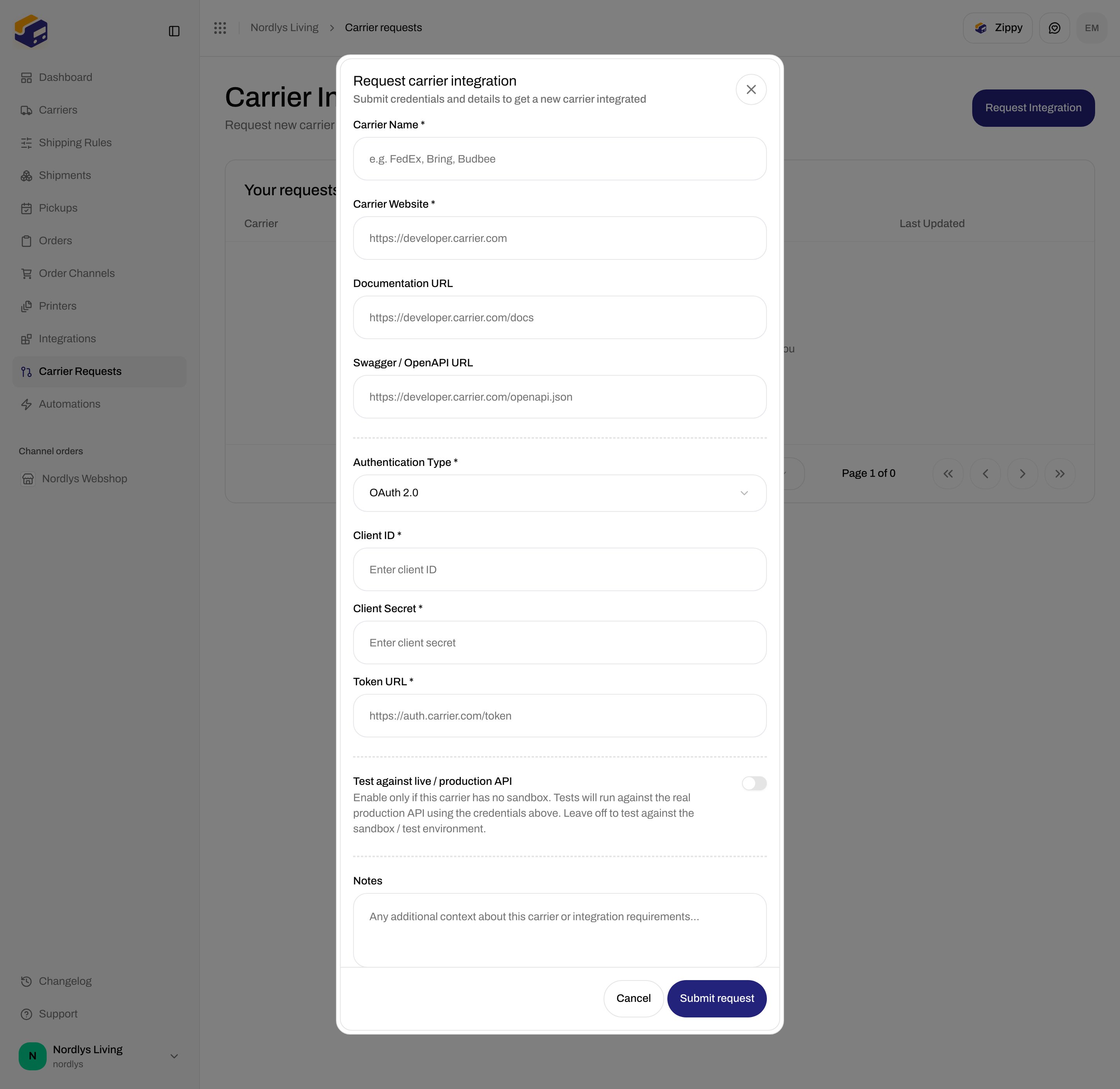
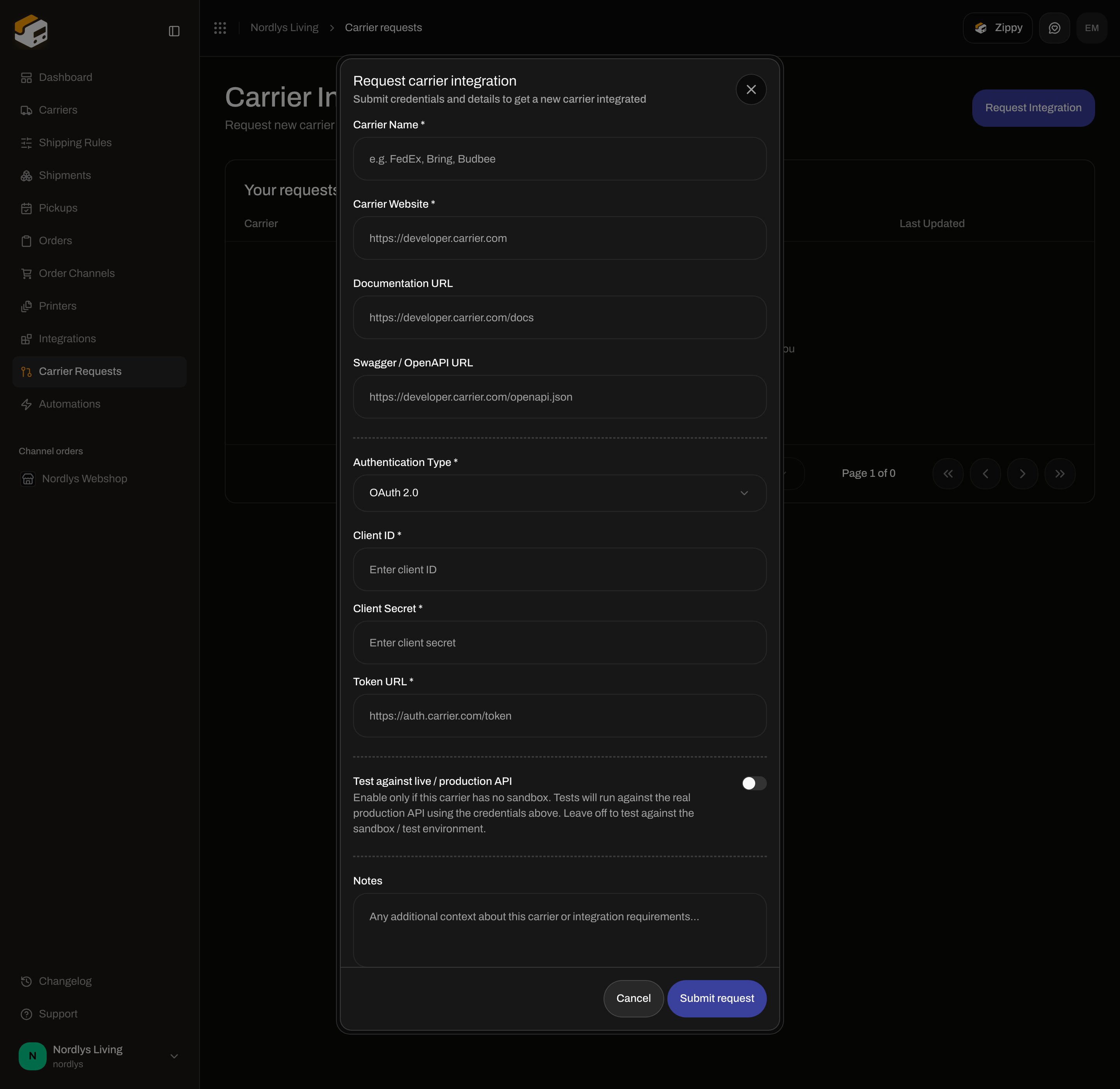 | Field | Required | Placeholder | Empty / invalid |
| -------------------- | -------- | -------------------------------- | ------------------------------------ |
| **Client ID \*** | Yes | **Enter client ID** | **This field is required** |
| **Client Secret \*** | Yes | **Enter client secret** | **This field is required** |
| **Token URL \*** | Yes | `https://auth.carrier.com/token` | Required, or **Must be a valid URL** |
### Basic Auth
| Field | Required | Placeholder |
| --------------- | -------- | ----------------------------------- |
| **Username \*** | Yes | **Enter username** |
| **Password \*** | Yes | **Enter password** (password input) |
Empty either field: **This field is required**.
### Custom
Label **Custom Credentials \***. Each row is **Key** / **Value**. **Add field** appends a row. **Remove field** is disabled when only one row remains.
At least one non-empty key is required: **Add at least one key/value pair**. Empty keys are dropped on submit.
### Test against live / production API
| Field | Required | Placeholder | Empty / invalid |
| -------------------- | -------- | -------------------------------- | ------------------------------------ |
| **Client ID \*** | Yes | **Enter client ID** | **This field is required** |
| **Client Secret \*** | Yes | **Enter client secret** | **This field is required** |
| **Token URL \*** | Yes | `https://auth.carrier.com/token` | Required, or **Must be a valid URL** |
### Basic Auth
| Field | Required | Placeholder |
| --------------- | -------- | ----------------------------------- |
| **Username \*** | Yes | **Enter username** |
| **Password \*** | Yes | **Enter password** (password input) |
Empty either field: **This field is required**.
### Custom
Label **Custom Credentials \***. Each row is **Key** / **Value**. **Add field** appends a row. **Remove field** is disabled when only one row remains.
At least one non-empty key is required: **Add at least one key/value pair**. Empty keys are dropped on submit.
### Test against live / production API
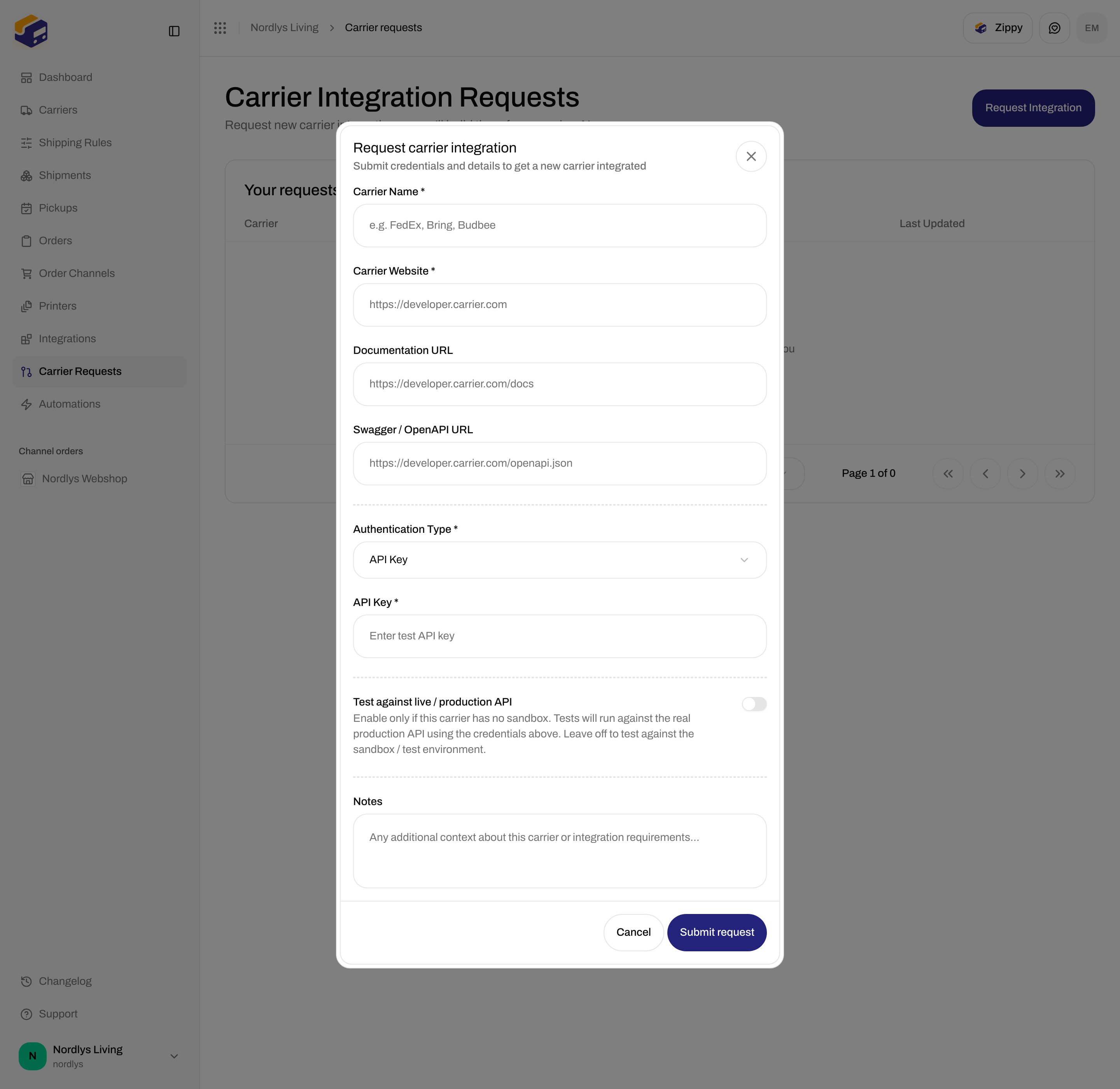
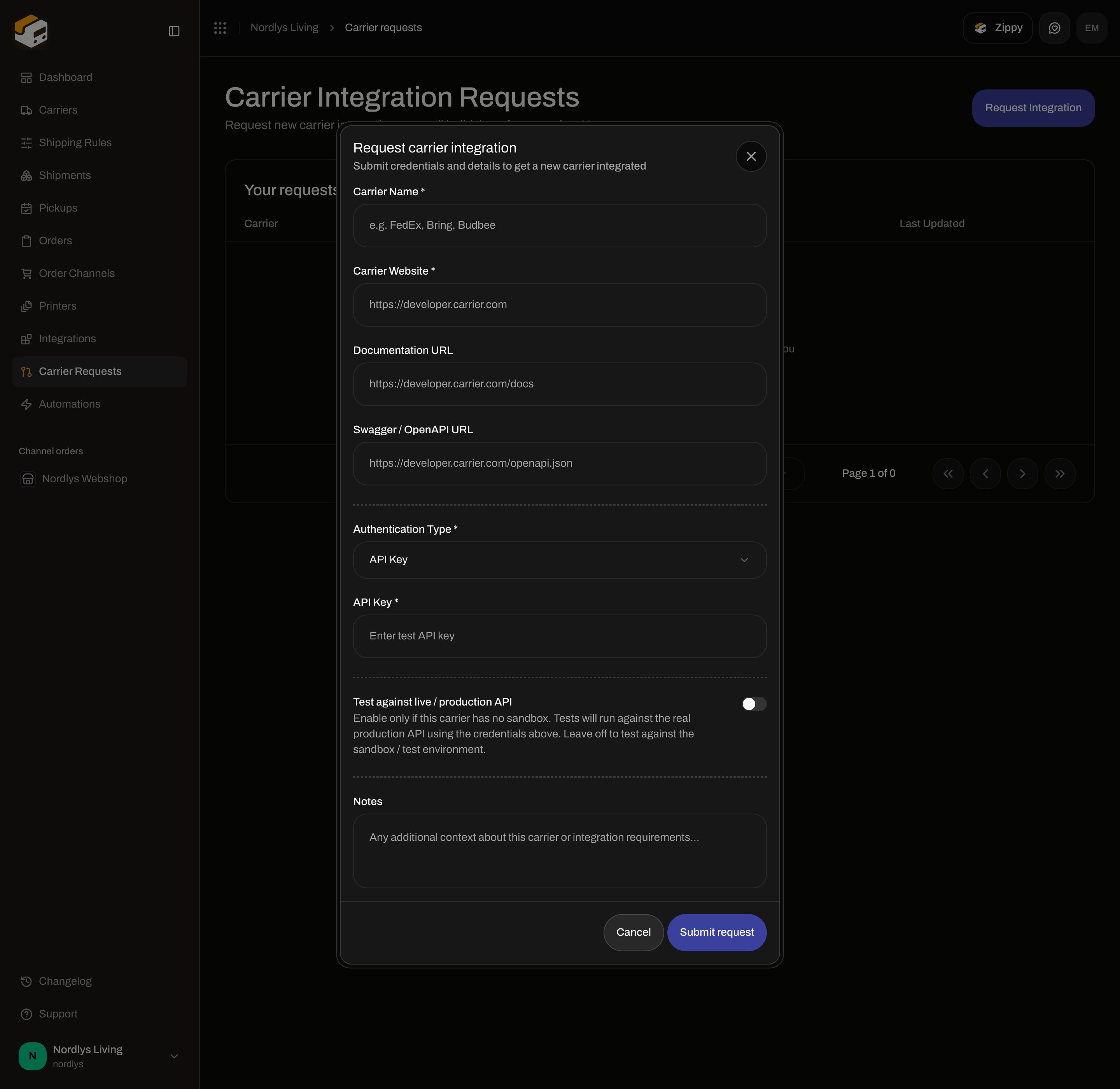 | | |
| ------- | ------------------------------------------------------------------------------------------------------------------------------------------------------------------------------------- |
| Control | Switch |
| Default | Off |
| Label | **Test against live / production API** |
| Helper | **Enable only if this carrier has no sandbox. Tests will run against the real production API using the credentials above. Leave off to test against the sandbox / test environment.** |
This is **not** the **Sandbox Mode** checkbox on a connected carrier — [Sandbox mode](/docs/how-to/sandbox-mode).
## Request details
Click a row. Modal `carrier-request-detail-modal`.
| | |
| -------- | ------------------------------------------------------------------------------------ |
| Title | The carrier name, or **Request Details** while loading |
| Subtitle | **Integration request · \{\{type}}** (auth type with underscore replaced by a space) |
| Close | **Close** |
Loading: skeleton status pill and pipeline. Then:
* Status badge (same labels as the list)
* Carrier website (external link)
* **Notes** (only if you submitted notes)
* **Pipeline** — event graph when events exist. Stages include **Request Submitted**, **Researching Carrier**, **Generating Booking**, **Generating Tracking**, **Generating Service Points**, **Generating Products**, **Running Tests**, **Pull Request Created**, **Released**, **Failed**, and recovery **Force Unlocked** / **Reconciled**. Parallel groups can show **Runs in parallel** and **\{\{built}} / \{\{total}} built**. Node statuses: **Pending**, **Building**, **Built**, **Failed**, **Skipped**.
You cannot edit or resubmit from this modal.
## API errors
Codes the form can surface:
| Code | Copy |
| -------------------------------------- | ------------------------------------------------------ |
| **CARRIER\_REQUEST\_NOT\_FOUND** | Carrier integration request not found. |
| **CARRIER\_REQUEST\_LOCKED** | This carrier integration request is locked. |
| **CARRIER\_REQUEST\_DISPATCH\_FAILED** | The carrier integration pipeline could not be started. |
| **RATE\_LIMITED** | Too many requests. Please try again later. |
## Related
* [Carrier credentials](/docs/how-to/carrier-credentials) — connect a catalog carrier instead
* [Sandbox mode](/docs/how-to/sandbox-mode)
* [Carrier products and services](/docs/how-to/carrier-products-and-services) — after the request is **Released**
* [Carriers](/docs/tutorials/carriers)
| | |
| ------- | ------------------------------------------------------------------------------------------------------------------------------------------------------------------------------------- |
| Control | Switch |
| Default | Off |
| Label | **Test against live / production API** |
| Helper | **Enable only if this carrier has no sandbox. Tests will run against the real production API using the credentials above. Leave off to test against the sandbox / test environment.** |
This is **not** the **Sandbox Mode** checkbox on a connected carrier — [Sandbox mode](/docs/how-to/sandbox-mode).
## Request details
Click a row. Modal `carrier-request-detail-modal`.
| | |
| -------- | ------------------------------------------------------------------------------------ |
| Title | The carrier name, or **Request Details** while loading |
| Subtitle | **Integration request · \{\{type}}** (auth type with underscore replaced by a space) |
| Close | **Close** |
Loading: skeleton status pill and pipeline. Then:
* Status badge (same labels as the list)
* Carrier website (external link)
* **Notes** (only if you submitted notes)
* **Pipeline** — event graph when events exist. Stages include **Request Submitted**, **Researching Carrier**, **Generating Booking**, **Generating Tracking**, **Generating Service Points**, **Generating Products**, **Running Tests**, **Pull Request Created**, **Released**, **Failed**, and recovery **Force Unlocked** / **Reconciled**. Parallel groups can show **Runs in parallel** and **\{\{built}} / \{\{total}} built**. Node statuses: **Pending**, **Building**, **Built**, **Failed**, **Skipped**.
You cannot edit or resubmit from this modal.
## API errors
Codes the form can surface:
| Code | Copy |
| -------------------------------------- | ------------------------------------------------------ |
| **CARRIER\_REQUEST\_NOT\_FOUND** | Carrier integration request not found. |
| **CARRIER\_REQUEST\_LOCKED** | This carrier integration request is locked. |
| **CARRIER\_REQUEST\_DISPATCH\_FAILED** | The carrier integration pipeline could not be started. |
| **RATE\_LIMITED** | Too many requests. Please try again later. |
## Related
* [Carrier credentials](/docs/how-to/carrier-credentials) — connect a catalog carrier instead
* [Sandbox mode](/docs/how-to/sandbox-mode)
* [Carrier products and services](/docs/how-to/carrier-products-and-services) — after the request is **Released**
* [Carriers](/docs/tutorials/carriers)