> ## Documentation Index
> Fetch the complete documentation index at: https://www.zippendo.com/docs/llms.txt
> Use this file to discover all available pages before exploring further.
# Profile, language, and 2FA
> Edit Profile Settings email and language, enable or disable two-factor authentication, and leave an organization. There is no change-password or session list.
**Profile** is your user account (`/{slug}/dashboard/profile`), not a Settings tab. Open it from the avatar menu → **Settings**. Walkthrough: [Getting started](/docs/tutorials/getting-started). Organization name and customs IDs are [Organization settings](/docs/how-to/organization-settings).
There is no **Change password** control and no list of active sessions or devices on this page. Password appears only when you **Disable** two-factor authentication. To reset a forgotten password, use the sign-in **Forgot password** flow in [Getting started](/docs/tutorials/getting-started).
## Where it lives
The header avatar menu is hardcoded English: **Appearance** (light / dark / system), **Activity** (dashboard), **Settings** (this page), and **Log out**.
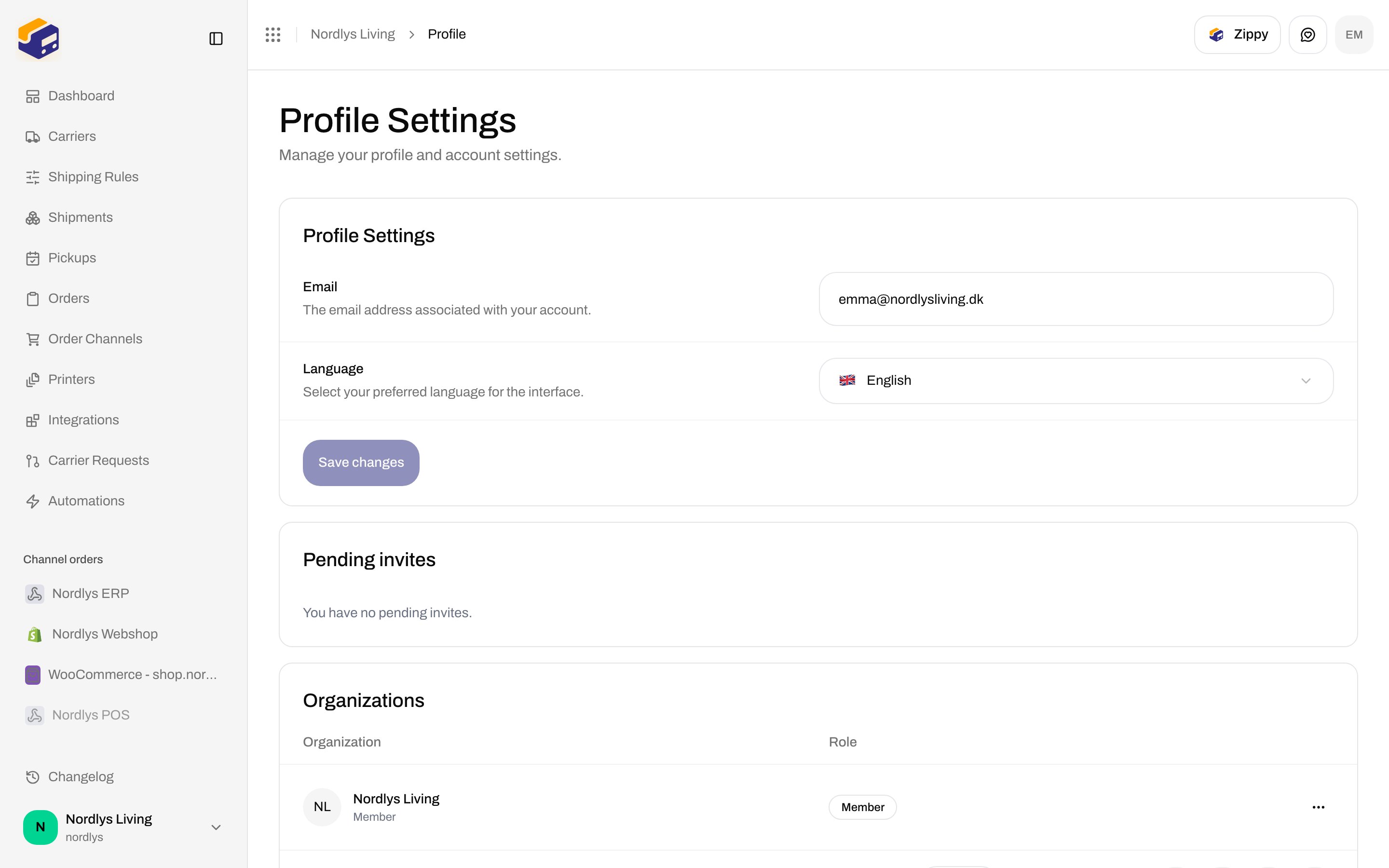
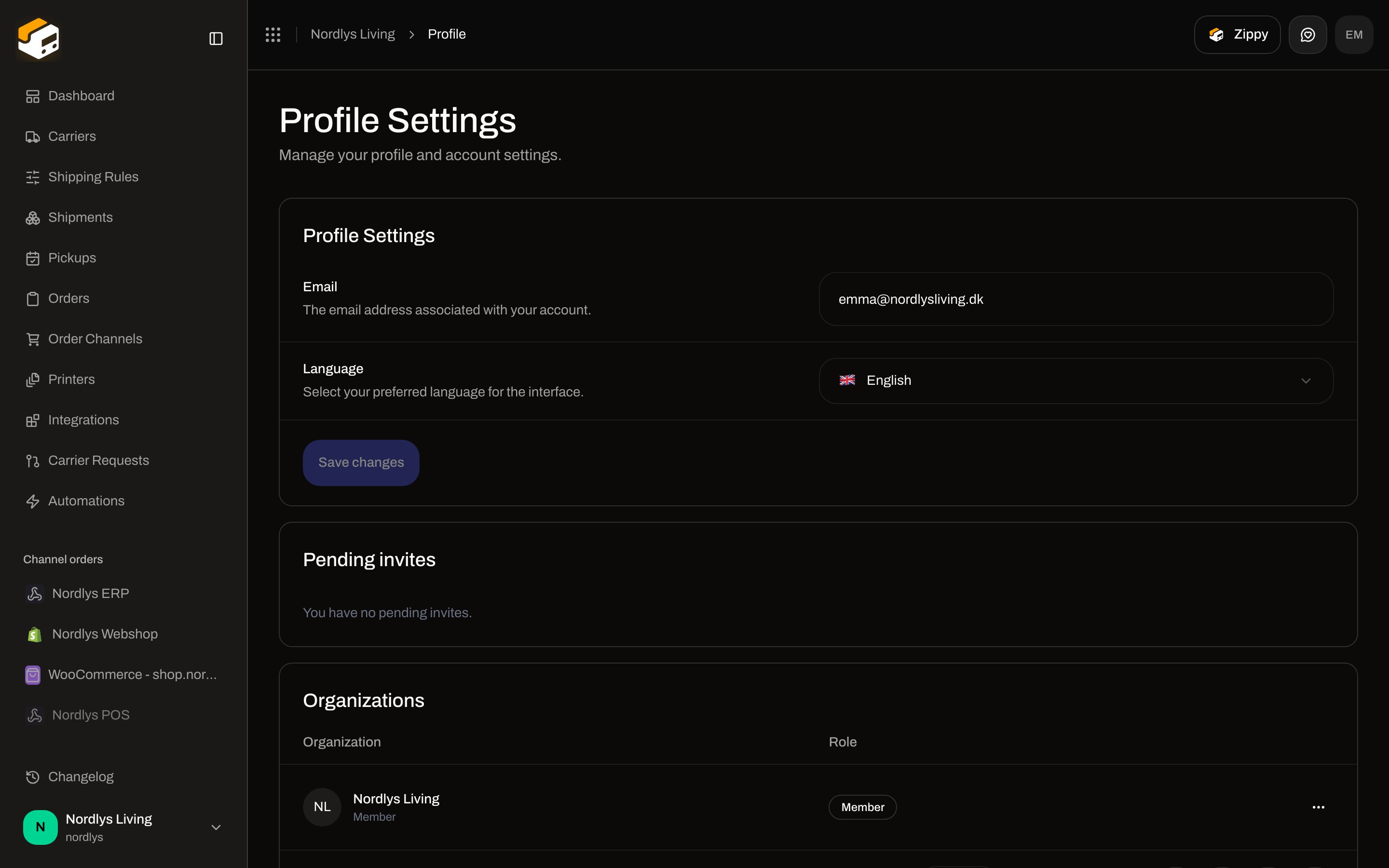
Page title **Profile Settings**. Description: **Manage your profile and account settings.**
## Email verification
Shown only when the address is not verified. Card title **Email Verification**. Heading **Email Verification Required**. Description: **Please verify your email address to access all features, including inviting team members.** Button **Resend Email** / **Sending…**.
Toasts: **Verification email sent! Please check your inbox.** / **Failed to send verification email**. Invites also refuse with **Please verify your email address to continue.** (`AUTH_EMAIL_NOT_VERIFIED`) — [Invite team members](/docs/how-to/invite-team-members).
## Profile Settings
Card title **Profile Settings**. There is no name field on this form.
 | Field | Required | What it is |
| ---------------- | -------- | ----------------------------------------------------------------------------------------------------------------------------------------------------------------------- |
| **Email** | Yes | **The email address associated with your account.** Placeholder **Enter e-mail**. Pre-filled from the session. **Save changes** stays disabled while this is empty. |
| **Language** | Yes | **Select your preferred language for the interface.** Placeholder **Select language**. Options: **English**, **Dansk**. Unsupported stored values fall back to English. |
| **Save changes** | — | Disabled until email or language changed. While a save runs: **Saving…**. |
Inline errors the save can put on a field:
| Message | When |
| -------------------------------------------- | ---------------- |
| **Email is required** | Empty email. |
| **Language is required** | Empty language. |
| **Email is the same as current email** | No change. |
| **Language is the same as current language** | No change. |
| **User not found** | No session user. |
Toasts: **Profile updated successfully** / **Failed to update profile**. Separate email-only and language-only toasts exist in code (**Email updated successfully**, **Language updated successfully**) but this screen saves both fields together.
## Pending invites
Card title **Pending invites**. The only copy on the card is **You have no pending invites.** There is no list, accept, or decline control here.
## Organizations
Card title **Organizations**. Empty: **No organizations** / **You are not part of any organizations yet.**
| Column | What it is |
| ---------------- | ------------------------------------------------------------------------------------------------------------------------ |
| **Organization** | Organization name. Subtitle is the custom role name, or **Member**. |
| **Role** | Badge **Admin** when the role name is owner/admin (or contains “admin”); otherwise **Member**. Nordlys shows **Member**. |
| Actions | **View** opens that org’s dashboard. **Settings** is shown on admin rows. **Leave** is shown on non-admin rows. |
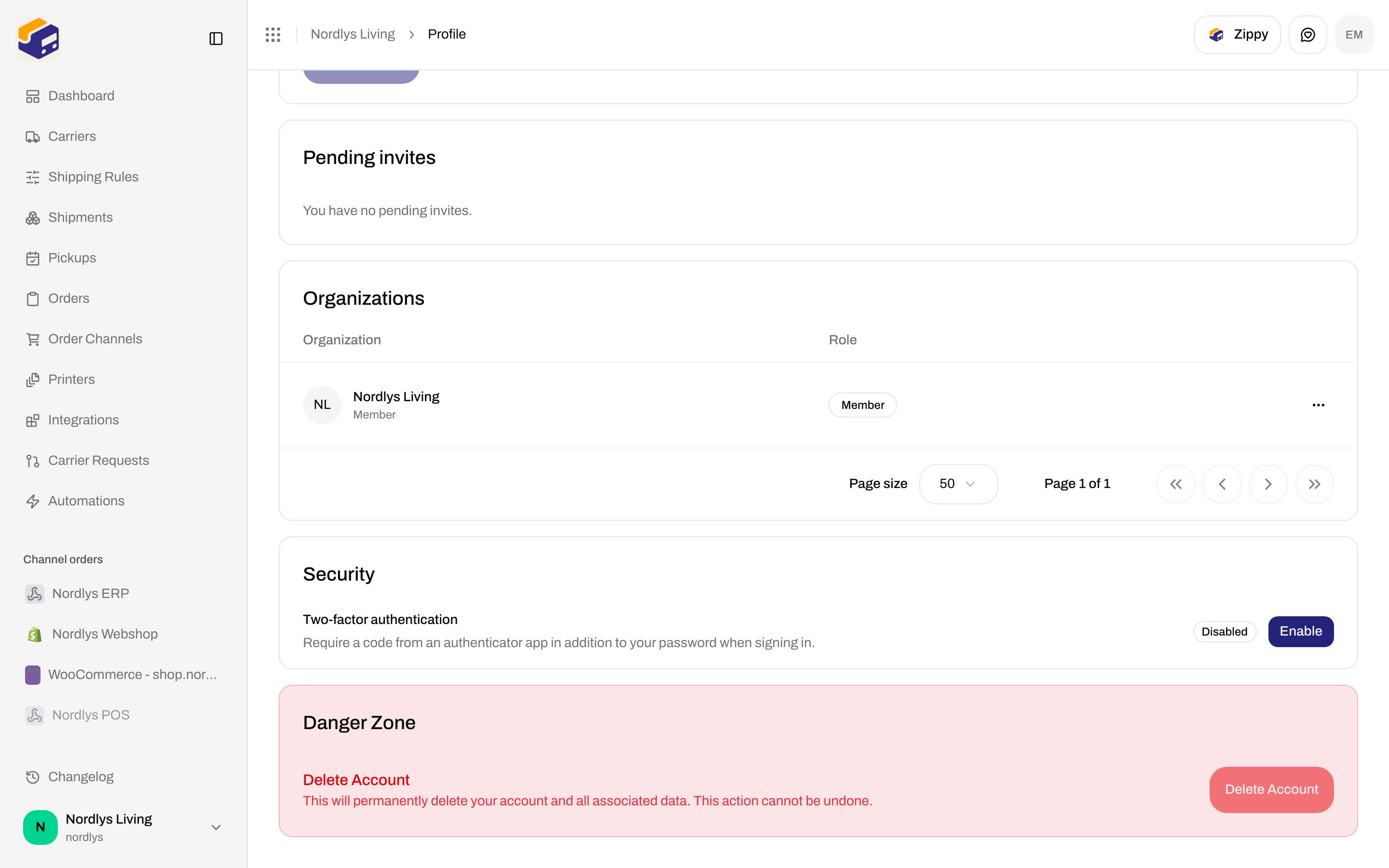
The table footer shows **Page size** (default **50**) and **Page 1 of 1**.
Row click also opens **View**.
Toasts for **Leave**: **Left organization successfully** / **Failed to leave organization**.
## Security (two-factor authentication)
Card title **Security**.
| Field | Required | What it is |
| ---------------- | -------- | ----------------------------------------------------------------------------------------------------------------------------------------------------------------------- |
| **Email** | Yes | **The email address associated with your account.** Placeholder **Enter e-mail**. Pre-filled from the session. **Save changes** stays disabled while this is empty. |
| **Language** | Yes | **Select your preferred language for the interface.** Placeholder **Select language**. Options: **English**, **Dansk**. Unsupported stored values fall back to English. |
| **Save changes** | — | Disabled until email or language changed. While a save runs: **Saving…**. |
Inline errors the save can put on a field:
| Message | When |
| -------------------------------------------- | ---------------- |
| **Email is required** | Empty email. |
| **Language is required** | Empty language. |
| **Email is the same as current email** | No change. |
| **Language is the same as current language** | No change. |
| **User not found** | No session user. |
Toasts: **Profile updated successfully** / **Failed to update profile**. Separate email-only and language-only toasts exist in code (**Email updated successfully**, **Language updated successfully**) but this screen saves both fields together.
## Pending invites
Card title **Pending invites**. The only copy on the card is **You have no pending invites.** There is no list, accept, or decline control here.
## Organizations
Card title **Organizations**. Empty: **No organizations** / **You are not part of any organizations yet.**
| Column | What it is |
| ---------------- | ------------------------------------------------------------------------------------------------------------------------ |
| **Organization** | Organization name. Subtitle is the custom role name, or **Member**. |
| **Role** | Badge **Admin** when the role name is owner/admin (or contains “admin”); otherwise **Member**. Nordlys shows **Member**. |
| Actions | **View** opens that org’s dashboard. **Settings** is shown on admin rows. **Leave** is shown on non-admin rows. |
The table footer shows **Page size** (default **50**) and **Page 1 of 1**.
Row click also opens **View**.
Toasts for **Leave**: **Left organization successfully** / **Failed to leave organization**.
## Security (two-factor authentication)
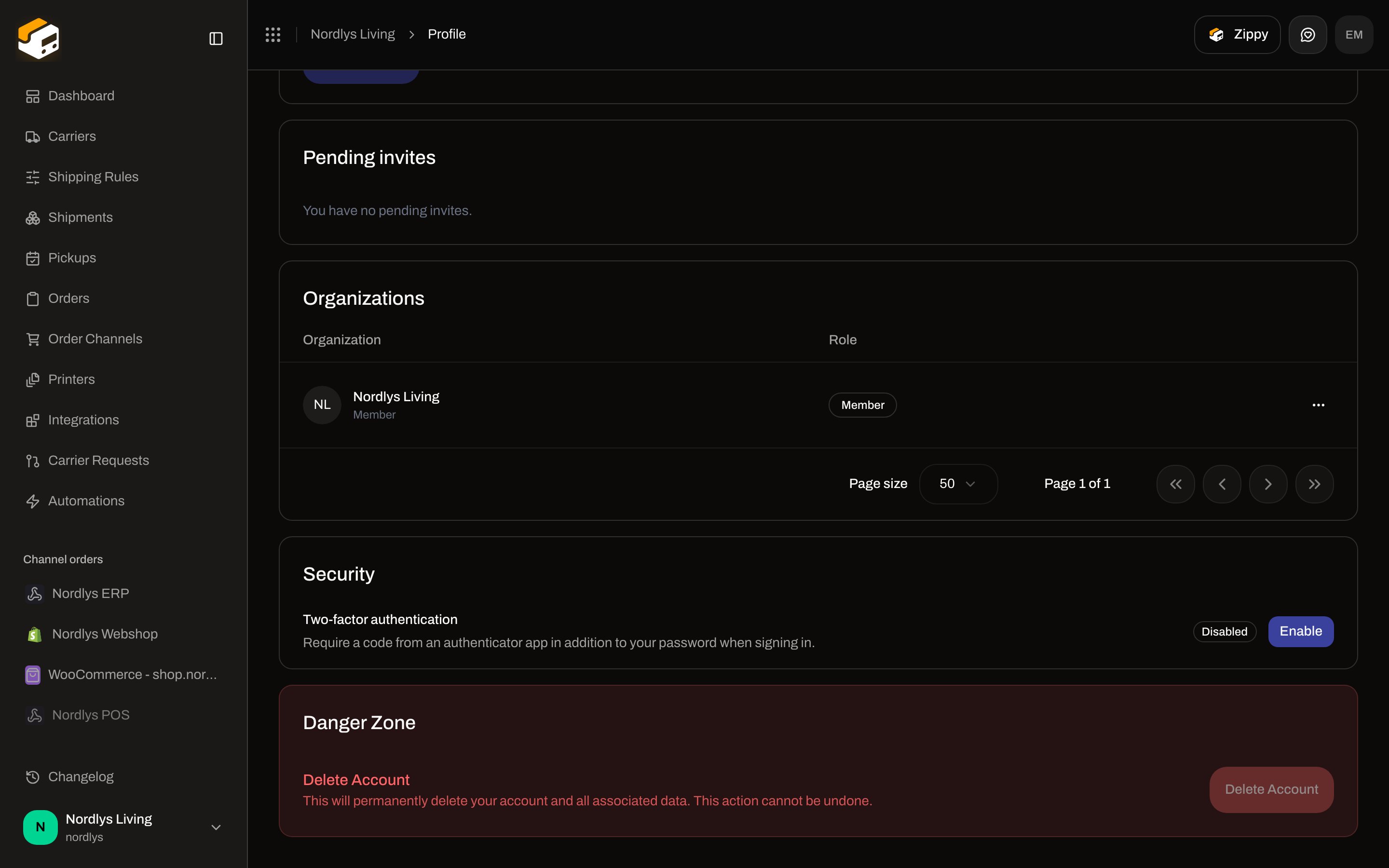
Card title **Security**.
 | Control | What it is |
| ----------------------------- | ------------------------------------------------------------------------------------------ |
| **Two-factor authentication** | **Require a code from an authenticator app in addition to your password when signing in.** |
| Badge | **Disabled** or **Enabled**. |
| **Enable** | Opens the setup modal (`enable-mfa-modal`) when 2FA is off. |
| **Disable** | Opens the disable modal (`disable-mfa-modal`) when 2FA is on. |
### Enable two-factor authentication
Modal title **Enable two-factor authentication**. Two steps in the chrome: **Scan & verify**, then **Save recovery codes**. Opening the modal starts setup immediately.
| Control | What it is |
| ----------------------------- | ------------------------------------------------------------------------------------------ |
| **Two-factor authentication** | **Require a code from an authenticator app in addition to your password when signing in.** |
| Badge | **Disabled** or **Enabled**. |
| **Enable** | Opens the setup modal (`enable-mfa-modal`) when 2FA is off. |
| **Disable** | Opens the disable modal (`disable-mfa-modal`) when 2FA is on. |
### Enable two-factor authentication
Modal title **Enable two-factor authentication**. Two steps in the chrome: **Scan & verify**, then **Save recovery codes**. Opening the modal starts setup immediately.
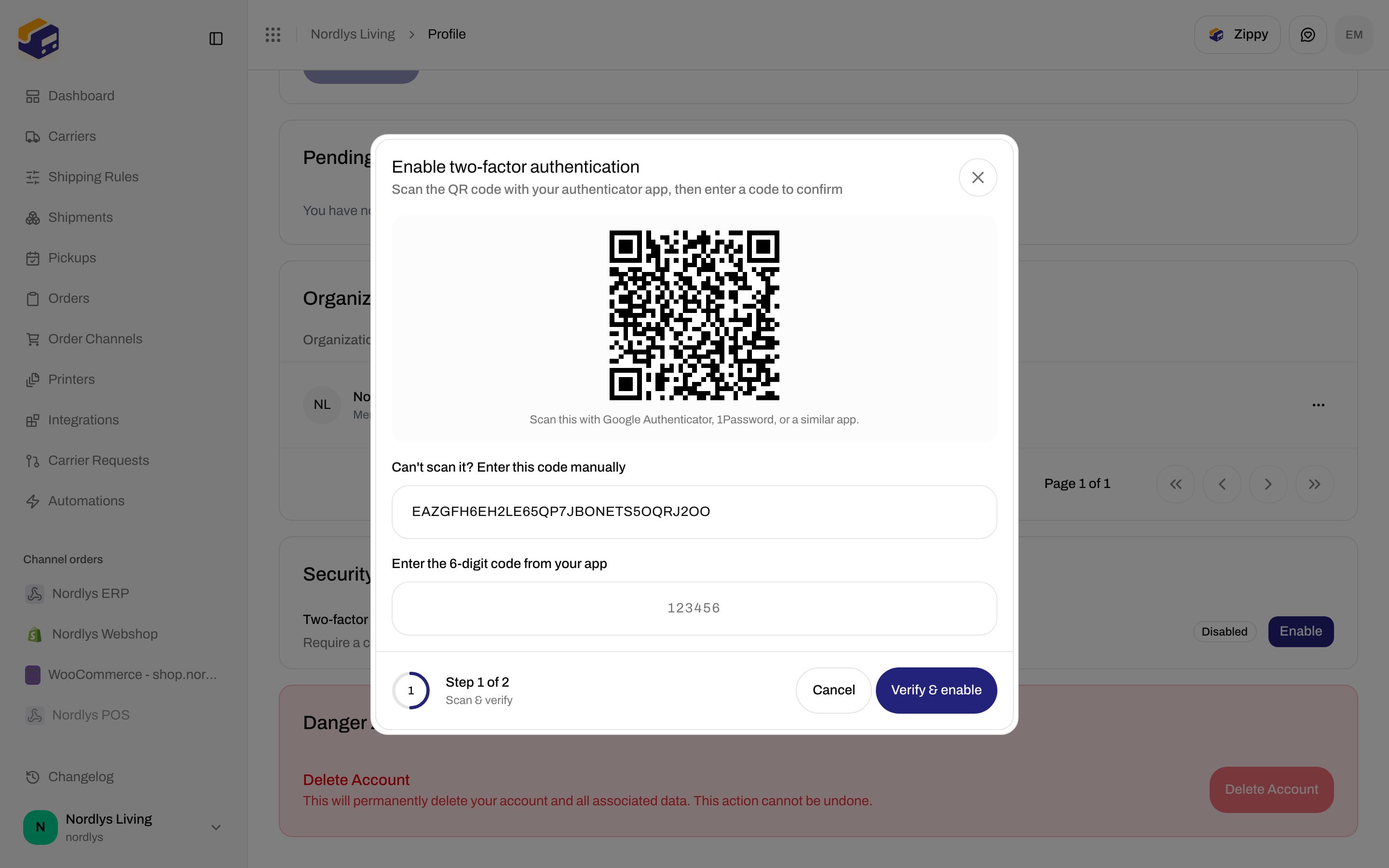
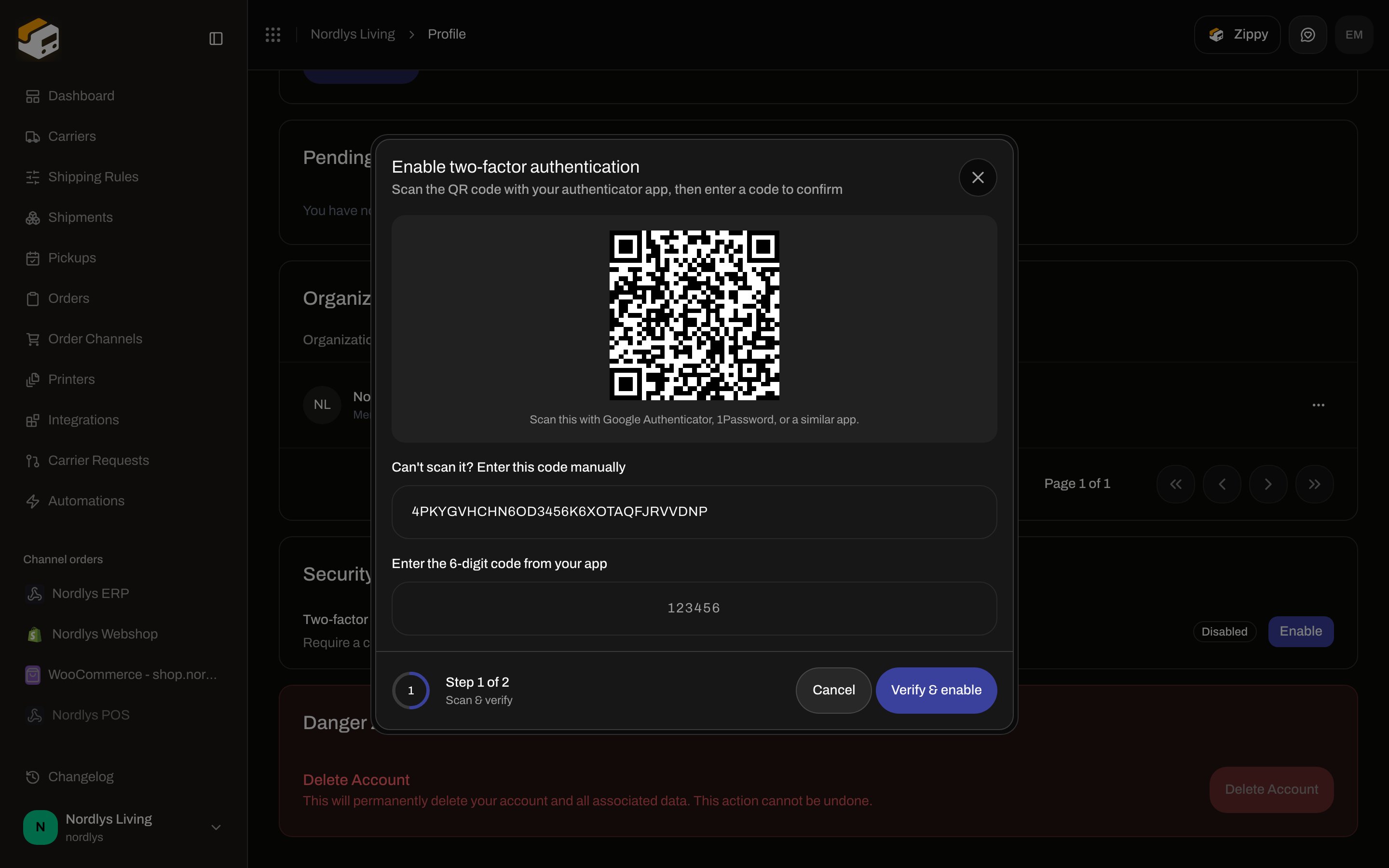 **Step 1 — Scan & verify**
Subtitle: **Scan the QR code with your authenticator app, then enter a code to confirm**.
| Control | What it is |
| ------------------------------------------- | ------------------------------------------------------------------------------------------------ |
| QR | Hint: **Scan this with Google Authenticator, 1Password, or a similar app.** |
| **Can't scan it? Enter this code manually** | Read-only secret. |
| **Enter the 6-digit code from your app** | Placeholder `123456`. Six digits. Error: **Enter the 6-digit code from your authenticator app**. |
| **Verify & enable** | Disabled until setup returns the secret. |
| **Cancel** | Closes without enabling. |
Setup failure title **Couldn't start setup**, fallback **Failed to start two-factor authentication setup. Please try again.** Enable failure fallback: **Failed to enable two-factor authentication. Please try again.**
**Step 2 — Save recovery codes**
Subtitle: **Save these recovery codes somewhere safe**. You cannot close the modal with the header X until the checkbox is on.
| Control | What it is |
| ----------------------------------- | ----------------------------------------------------------------------------------------------------------------------------------------------------------- |
| Warning title | **Save your recovery codes** |
| Warning body | **Each code can be used once to sign in if you lose access to your authenticator app. This is the only time they'll be shown — store them somewhere safe.** |
| Codes | Shown once, in a two-column grid. |
| **Copy all** / **Copied** | Toast **Recovery codes copied to clipboard** / **Failed to copy recovery codes**. |
| **Download .txt** | Saves `zippendo-recovery-codes.txt`. |
| **I've saved these recovery codes** | Checkbox. **Done** stays disabled until it is checked. Tooltip: **Confirm you've saved the recovery codes to continue.** |
| **Done** | Closes. |
### Disable two-factor authentication
Modal title **Disable two-factor authentication**. Subtitle: **This will remove the extra verification step when signing in**. Variant is destructive. Id: `disable-mfa-modal`.
| Control | What it is |
| ------------------------------------------------------------------------ | -------------------------------------------------------------------------------------------------------------------------------------------------------- |
| Warning title | **This reduces account security** |
| Warning body | **Anyone with your password alone will be able to sign in. You can re-enable two-factor authentication at any time.** |
| **Password** | Placeholder **Enter your password**. Helper: **Leave blank if you sign in with Google.** Optional on the client; the API decides whether it is required. |
| **Verification code** | 6-digit TOTP (placeholder `123456`) or a recovery code (placeholder `XXXX-XXXX`). |
| **Use a recovery code instead** / **Use your authenticator app instead** | Toggles the code format. Recovery error: **Enter a recovery code in the format XXXX-XXXX**. |
| **Disable** | Submits. |
| **Cancel** | Closes. |
Success toast: **Two-factor authentication disabled**. Failure fallback: **Something went wrong. Please try again.**
API codes:
| Code | Message |
| -------------------------- | --------------------------------------------------------------- |
| `AUTH_MFA_INVALID_CODE` | **The verification code is incorrect or has expired.** |
| `AUTH_MFA_ALREADY_ENABLED` | **Multi-factor authentication is already enabled.** |
| `AUTH_MFA_NOT_ENABLED` | **Multi-factor authentication is not set up for this account.** |
| `AUTH_MFA_REQUIRED` | **Multi-factor authentication is required to continue.** |
| `AUTH_INVALID_CREDENTIALS` | **Invalid email or password.** |
The disable dialog is not in the screenshots — the docs owner does not have 2FA on.
## Delete Account
Below **Security**. Title **Danger Zone**. Heading **Delete Account**. Description: **This will permanently delete your account and all associated data. This action cannot be undone.** The **Delete Account** button is always disabled. Details: [Danger zone](/docs/how-to/danger-zone).
## Related
* [Invite team members](/docs/how-to/invite-team-members) — email verification gate.
* [Danger zone](/docs/how-to/danger-zone) — **Delete Account** and leaving vs deleting.
* [Organization settings](/docs/how-to/organization-settings)
* [Switch organization and brand](/docs/how-to/switch-organization-and-brand)
* [Profile](/docs/account/profile) — documentation for this screen.
**Step 1 — Scan & verify**
Subtitle: **Scan the QR code with your authenticator app, then enter a code to confirm**.
| Control | What it is |
| ------------------------------------------- | ------------------------------------------------------------------------------------------------ |
| QR | Hint: **Scan this with Google Authenticator, 1Password, or a similar app.** |
| **Can't scan it? Enter this code manually** | Read-only secret. |
| **Enter the 6-digit code from your app** | Placeholder `123456`. Six digits. Error: **Enter the 6-digit code from your authenticator app**. |
| **Verify & enable** | Disabled until setup returns the secret. |
| **Cancel** | Closes without enabling. |
Setup failure title **Couldn't start setup**, fallback **Failed to start two-factor authentication setup. Please try again.** Enable failure fallback: **Failed to enable two-factor authentication. Please try again.**
**Step 2 — Save recovery codes**
Subtitle: **Save these recovery codes somewhere safe**. You cannot close the modal with the header X until the checkbox is on.
| Control | What it is |
| ----------------------------------- | ----------------------------------------------------------------------------------------------------------------------------------------------------------- |
| Warning title | **Save your recovery codes** |
| Warning body | **Each code can be used once to sign in if you lose access to your authenticator app. This is the only time they'll be shown — store them somewhere safe.** |
| Codes | Shown once, in a two-column grid. |
| **Copy all** / **Copied** | Toast **Recovery codes copied to clipboard** / **Failed to copy recovery codes**. |
| **Download .txt** | Saves `zippendo-recovery-codes.txt`. |
| **I've saved these recovery codes** | Checkbox. **Done** stays disabled until it is checked. Tooltip: **Confirm you've saved the recovery codes to continue.** |
| **Done** | Closes. |
### Disable two-factor authentication
Modal title **Disable two-factor authentication**. Subtitle: **This will remove the extra verification step when signing in**. Variant is destructive. Id: `disable-mfa-modal`.
| Control | What it is |
| ------------------------------------------------------------------------ | -------------------------------------------------------------------------------------------------------------------------------------------------------- |
| Warning title | **This reduces account security** |
| Warning body | **Anyone with your password alone will be able to sign in. You can re-enable two-factor authentication at any time.** |
| **Password** | Placeholder **Enter your password**. Helper: **Leave blank if you sign in with Google.** Optional on the client; the API decides whether it is required. |
| **Verification code** | 6-digit TOTP (placeholder `123456`) or a recovery code (placeholder `XXXX-XXXX`). |
| **Use a recovery code instead** / **Use your authenticator app instead** | Toggles the code format. Recovery error: **Enter a recovery code in the format XXXX-XXXX**. |
| **Disable** | Submits. |
| **Cancel** | Closes. |
Success toast: **Two-factor authentication disabled**. Failure fallback: **Something went wrong. Please try again.**
API codes:
| Code | Message |
| -------------------------- | --------------------------------------------------------------- |
| `AUTH_MFA_INVALID_CODE` | **The verification code is incorrect or has expired.** |
| `AUTH_MFA_ALREADY_ENABLED` | **Multi-factor authentication is already enabled.** |
| `AUTH_MFA_NOT_ENABLED` | **Multi-factor authentication is not set up for this account.** |
| `AUTH_MFA_REQUIRED` | **Multi-factor authentication is required to continue.** |
| `AUTH_INVALID_CREDENTIALS` | **Invalid email or password.** |
The disable dialog is not in the screenshots — the docs owner does not have 2FA on.
## Delete Account
Below **Security**. Title **Danger Zone**. Heading **Delete Account**. Description: **This will permanently delete your account and all associated data. This action cannot be undone.** The **Delete Account** button is always disabled. Details: [Danger zone](/docs/how-to/danger-zone).
## Related
* [Invite team members](/docs/how-to/invite-team-members) — email verification gate.
* [Danger zone](/docs/how-to/danger-zone) — **Delete Account** and leaving vs deleting.
* [Organization settings](/docs/how-to/organization-settings)
* [Switch organization and brand](/docs/how-to/switch-organization-and-brand)
* [Profile](/docs/account/profile) — documentation for this screen.