> ## Documentation Index
> Fetch the complete documentation index at: https://www.zippendo.com/docs/llms.txt
> Use this file to discover all available pages before exploring further.
# Import from another platform
> Use Settings → Import to preview and import addresses, carriers, shipping rules, sales channels, webhooks, and team invitations from Webshipper.
**Import** copies setup from another shipping platform into this organization. Nothing is written until you click **Start import**. Open it from the organization switcher → **Manage**, then the **Import** tab (`/{org}/dashboard/settings/import`).
Settings is not in the main nav. Walkthrough for Settings: [Settings, team, and brands](/docs/tutorials/settings-team-brands).
Page title **Settings**. Description: **Manage your organization, team, and preferences.** Tabs, in order: **Organization**, **Team**, **Addresses**, **Pricing Plans**, **API Settings**, **Webhooks**, **Brands**, **Import**. Tab helper: **Import your setup from another platform**.
Card title: **Import from another platform**.
Production source today is **Webshipper**. Other sources are added as Zippendo supports them. The wizard has three steps: connect → review → status.
The documentation environment also lists **Demo — sample data** (dev-only; not in production). Configure screenshots below use that sample so the review step has real checkboxes, credential fields, and skipped rows. After **Preview import** from Webshipper you get the same controls filled from your account.
## Connect
Loading: **Loading import sources…**. If the API returns no sources: **No import sources are available right now. Please try again.**
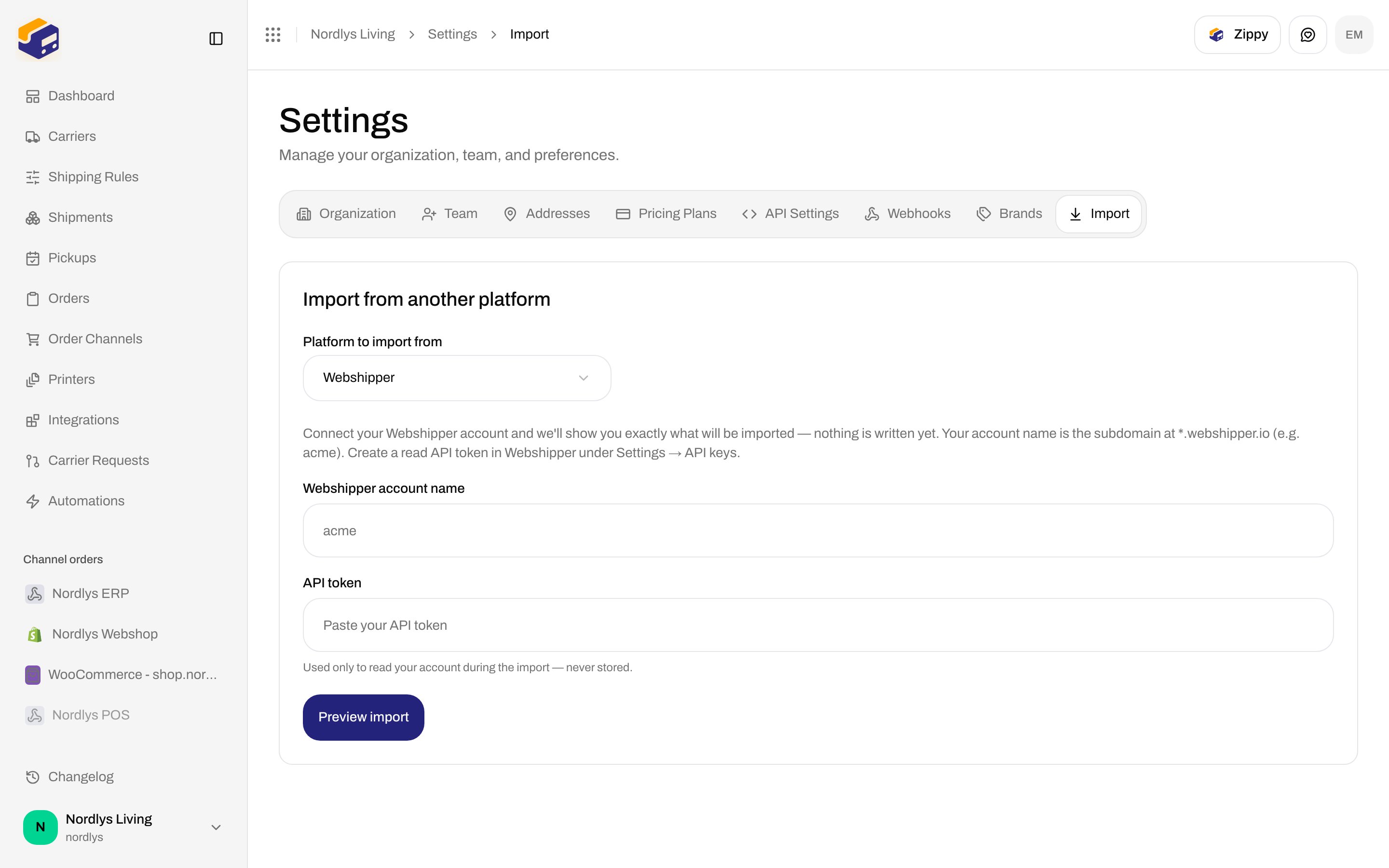
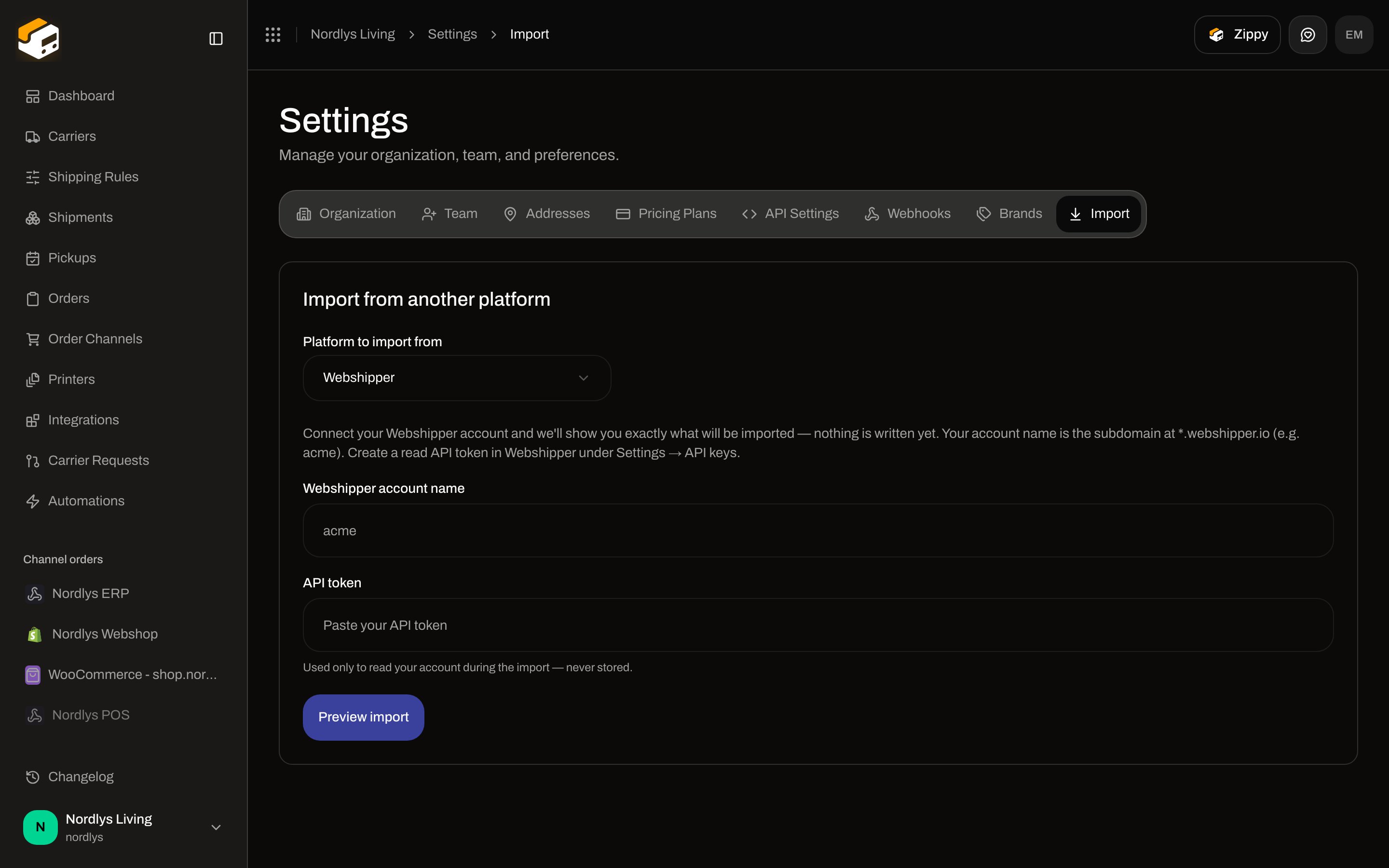 | Field | Required | Copy in the UI |
| ---------------------------- | -------- | ----------------------------------------------------------------------------------------------------------------------------------------------------------------- |
| **Platform to import from** | Yes | Placeholder **Select a platform…**. Options come from the API. Production: **Webshipper**. |
| **\{platform} account name** | Yes | Placeholder `acme`. Empty: **Enter your account name**. |
| **API token** | Yes | Password field. Placeholder **Paste your API token**. Hint: **Used only to read your account during the import — never stored.** Empty: **Enter your API token**. |
Intro (Webshipper): **Connect your Webshipper account and we'll show you exactly what will be imported — nothing is written yet. Your account name is the subdomain at \*.webshipper.io (e.g. acme). Create a read API token in Webshipper under Settings → API keys.**
**Preview import** becomes **Connecting…**. Failure toast: **Could not connect**, or an API code:
| Code | Message |
| -------------------------------- | ------------------------------------------------------------- |
| `MIGRATION_SOURCE_TOKEN_INVALID` | **The source account name or API token is invalid.** |
| `MIGRATION_SOURCE_UNREACHABLE` | **Could not connect to the source system. Please try again.** |
| `MIGRATION_PROVIDER_UNKNOWN` | **Unknown migration provider.** |
## Review what will be imported
Intro: **Review what we'll import, enter your carrier credentials so they go live immediately, and confirm the AI-suggested products and pricing.**
| Field | Required | Copy in the UI |
| ---------------------------- | -------- | ----------------------------------------------------------------------------------------------------------------------------------------------------------------- |
| **Platform to import from** | Yes | Placeholder **Select a platform…**. Options come from the API. Production: **Webshipper**. |
| **\{platform} account name** | Yes | Placeholder `acme`. Empty: **Enter your account name**. |
| **API token** | Yes | Password field. Placeholder **Paste your API token**. Hint: **Used only to read your account during the import — never stored.** Empty: **Enter your API token**. |
Intro (Webshipper): **Connect your Webshipper account and we'll show you exactly what will be imported — nothing is written yet. Your account name is the subdomain at \*.webshipper.io (e.g. acme). Create a read API token in Webshipper under Settings → API keys.**
**Preview import** becomes **Connecting…**. Failure toast: **Could not connect**, or an API code:
| Code | Message |
| -------------------------------- | ------------------------------------------------------------- |
| `MIGRATION_SOURCE_TOKEN_INVALID` | **The source account name or API token is invalid.** |
| `MIGRATION_SOURCE_UNREACHABLE` | **Could not connect to the source system. Please try again.** |
| `MIGRATION_PROVIDER_UNKNOWN` | **Unknown migration provider.** |
## Review what will be imported
Intro: **Review what we'll import, enter your carrier credentials so they go live immediately, and confirm the AI-suggested products and pricing.**
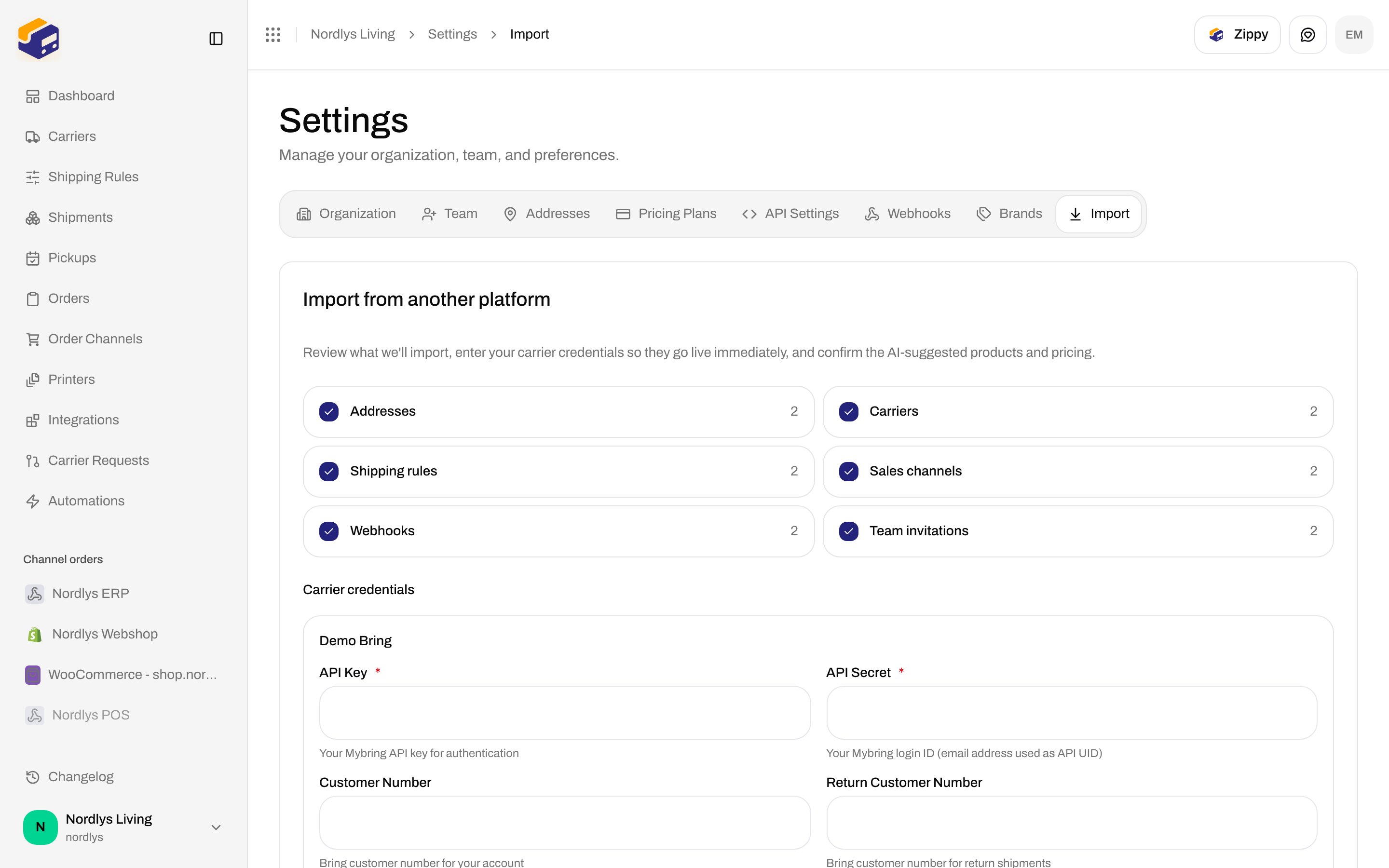
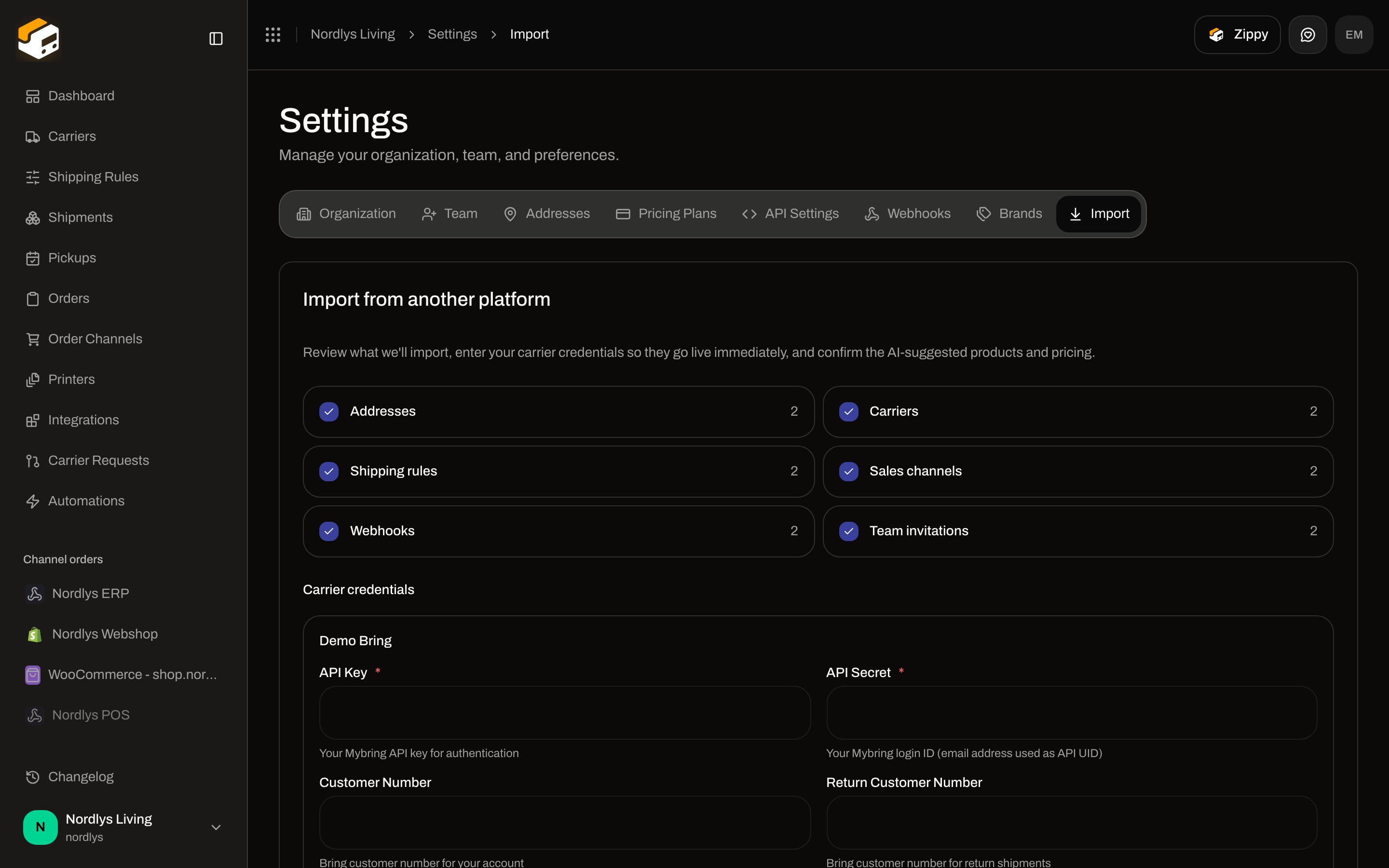 Each group is a checkbox (all on by default) with a count from the preview:
| Checkbox | What it imports |
| -------------------- | --------------------------------------------- |
| **Addresses** | Sender / return addresses |
| **Carriers** | Carrier connections |
| **Shipping rules** | Rules, products, and pricing |
| **Sales channels** | Shopify / WooCommerce / manual channels |
| **Webhooks** | App webhook endpoints |
| **Team invitations** | Invites for users who are not already members |
Uncheck a group to skip it. **Channel mappings** are not a checkbox — they are counted on the completion screen after a successful import.
### Carrier credentials
Shown when **Carriers** is on and a mapped carrier needs inputs. Heading **Carrier credentials**. Each card is the carrier name, then the fields Zippendo uses to connect that carrier (required fields marked `*`). Field types:
| Source field type | Control |
| ----------------- | -------------------------------------- |
| Text / number | Input (number when the type is number) |
| Secret | Password input |
| Enum | Select, placeholder **Select…** |
| Boolean | Checkbox |
Labels, helpers, and options come from the carrier catalog — same pattern as [Carrier credentials](/docs/how-to/carrier-credentials). Fill them so the carrier is live after import. Leave them empty and that carrier may land in the skipped list as **Credentials were missing or invalid, so the carrier was not connected**.
### Sales channel credentials
Shown when **Sales channels** is on and a channel needs keys (typically WooCommerce). Heading **Channel credentials**. Same dynamic field controls. Shopify is usually OAuth — reconnect it after import (see **Finish setting up**).
### Shipping rules
Heading **Shipping rules**. While Zippendo matches products: **Matching products and translating pricing…**. Then one card per rule (see the frame under [Items that cannot migrate](#items-that-cannot-migrate)):
| Control | Copy in the UI |
| ---------------------------------------- | ------------------------------------------------------------------------------------------------------------------------------------------------------------------------------------------------------------------- |
| **AI-suggested** | Badge when the match used AI |
| **Carrier product** | Select, placeholder **Select a product…**. Confidence as **\{percent}% match** when a suggestion exists |
| **Add-on services** | Checkboxes for extra services |
| **Apply AI-translated pricing — review** | Checkbox. Condition lines look like **Weight \{min}–\{max} kg: \{price} \{currency}**, **Flat rate: \{price} \{currency}**, **Order \{min}–\{max}: \{price} \{currency}**, and similar for order/quantity operators |
Footer: **Back** (returns to connect and clears the preview), **Start import** / **Starting…**. **Start import** stays disabled while matching is running. Failure toast: **Could not start the import**. `MIGRATION_IN_PROGRESS`: **A migration is already in progress for this organization.**
## Items that cannot migrate
Each group is a checkbox (all on by default) with a count from the preview:
| Checkbox | What it imports |
| -------------------- | --------------------------------------------- |
| **Addresses** | Sender / return addresses |
| **Carriers** | Carrier connections |
| **Shipping rules** | Rules, products, and pricing |
| **Sales channels** | Shopify / WooCommerce / manual channels |
| **Webhooks** | App webhook endpoints |
| **Team invitations** | Invites for users who are not already members |
Uncheck a group to skip it. **Channel mappings** are not a checkbox — they are counted on the completion screen after a successful import.
### Carrier credentials
Shown when **Carriers** is on and a mapped carrier needs inputs. Heading **Carrier credentials**. Each card is the carrier name, then the fields Zippendo uses to connect that carrier (required fields marked `*`). Field types:
| Source field type | Control |
| ----------------- | -------------------------------------- |
| Text / number | Input (number when the type is number) |
| Secret | Password input |
| Enum | Select, placeholder **Select…** |
| Boolean | Checkbox |
Labels, helpers, and options come from the carrier catalog — same pattern as [Carrier credentials](/docs/how-to/carrier-credentials). Fill them so the carrier is live after import. Leave them empty and that carrier may land in the skipped list as **Credentials were missing or invalid, so the carrier was not connected**.
### Sales channel credentials
Shown when **Sales channels** is on and a channel needs keys (typically WooCommerce). Heading **Channel credentials**. Same dynamic field controls. Shopify is usually OAuth — reconnect it after import (see **Finish setting up**).
### Shipping rules
Heading **Shipping rules**. While Zippendo matches products: **Matching products and translating pricing…**. Then one card per rule (see the frame under [Items that cannot migrate](#items-that-cannot-migrate)):
| Control | Copy in the UI |
| ---------------------------------------- | ------------------------------------------------------------------------------------------------------------------------------------------------------------------------------------------------------------------- |
| **AI-suggested** | Badge when the match used AI |
| **Carrier product** | Select, placeholder **Select a product…**. Confidence as **\{percent}% match** when a suggestion exists |
| **Add-on services** | Checkboxes for extra services |
| **Apply AI-translated pricing — review** | Checkbox. Condition lines look like **Weight \{min}–\{max} kg: \{price} \{currency}**, **Flat rate: \{price} \{currency}**, **Order \{min}–\{max}: \{price} \{currency}**, and similar for order/quantity operators |
Footer: **Back** (returns to connect and clears the preview), **Start import** / **Starting…**. **Start import** stays disabled while matching is running. Failure toast: **Could not start the import**. `MIGRATION_IN_PROGRESS`: **A migration is already in progress for this organization.**
## Items that cannot migrate
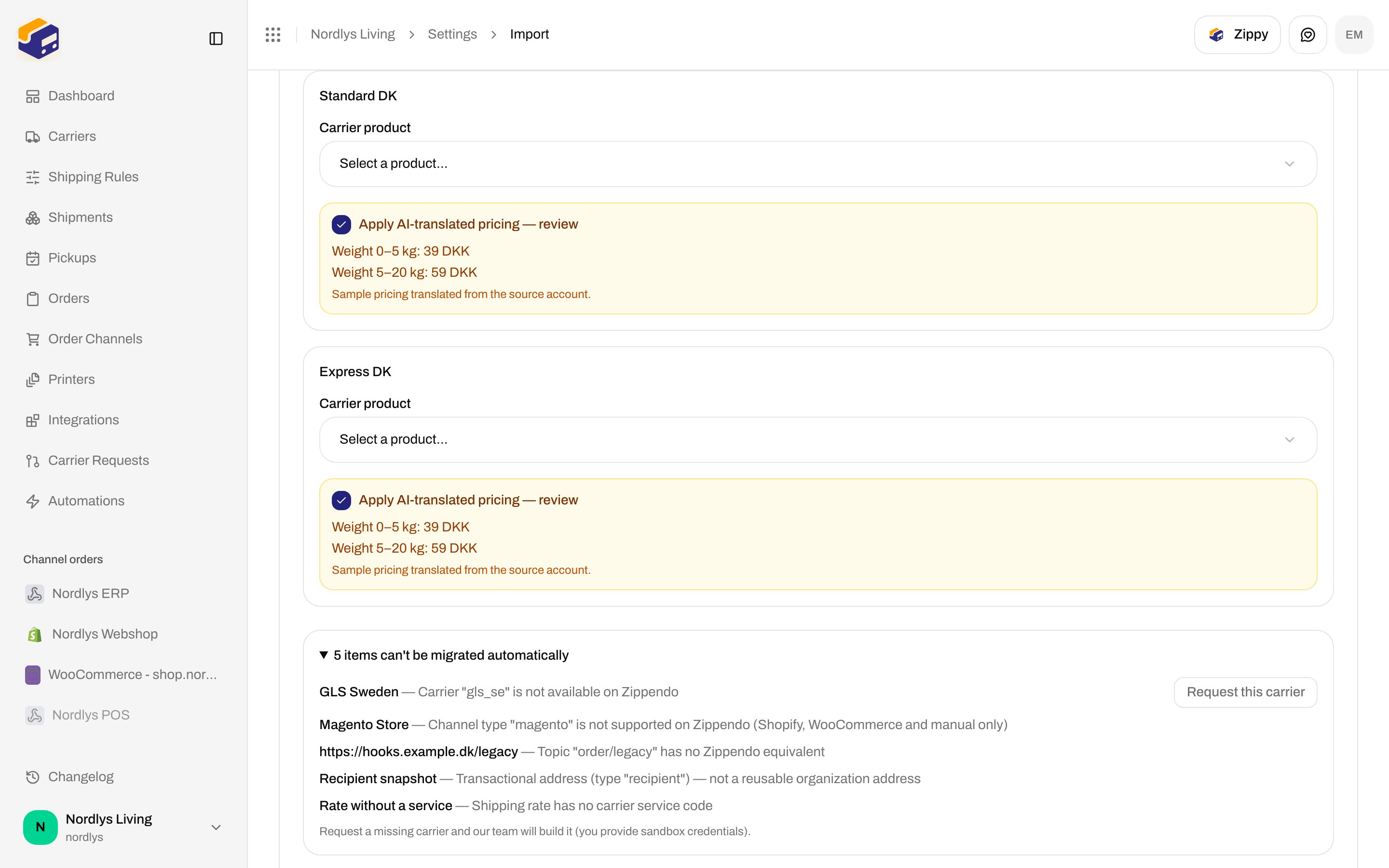
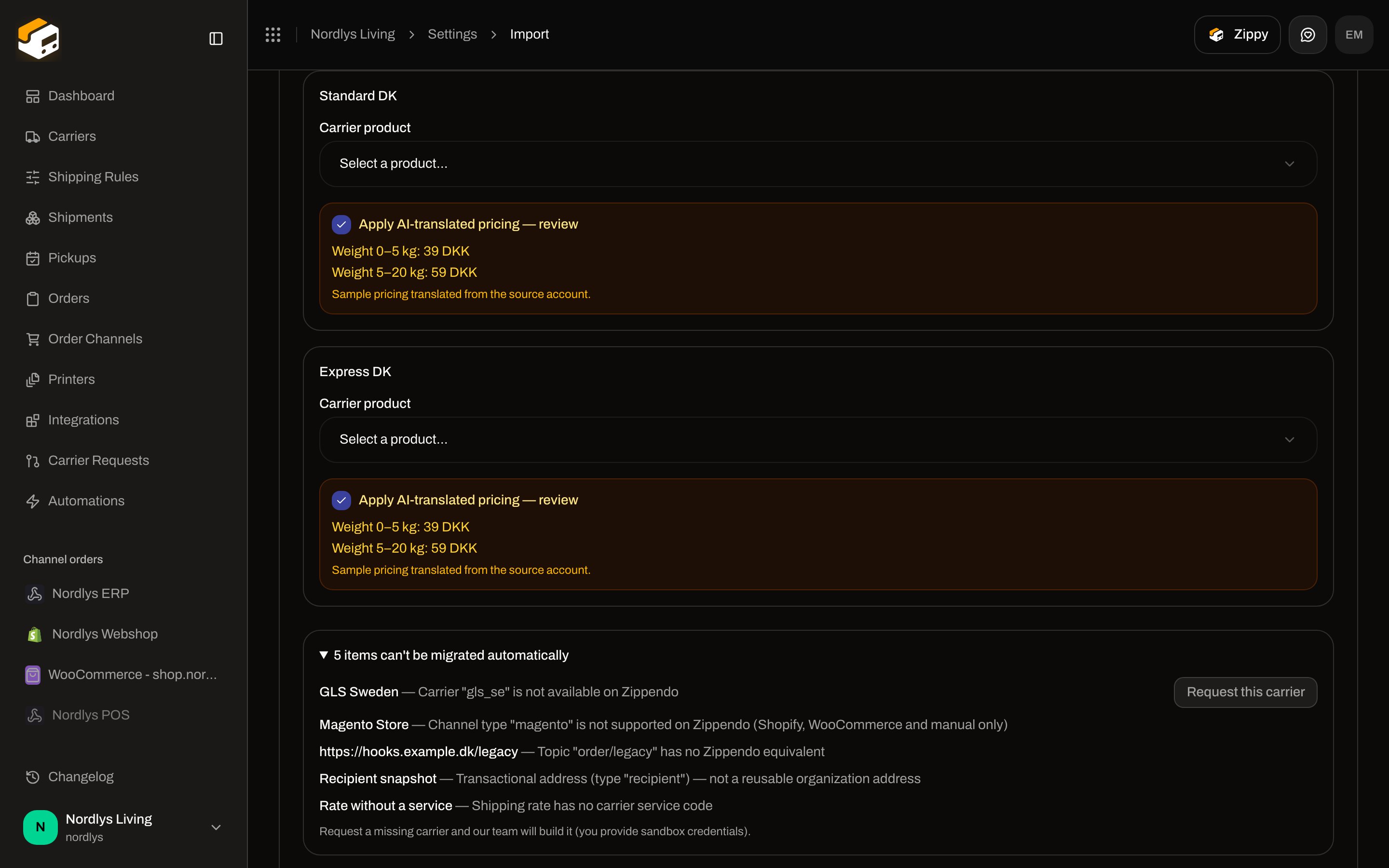 A disclosure at the bottom of the review step: **\{count} item can't be migrated automatically** / **\{count} items can't be migrated automatically**. Each row is **\{name} — \{reason}**. Entity fallbacks when the source has no name: **Address**, **Carrier**, **Shipping rule**, **Order channel**, **Webhook**, **Team member**.
| Reason (in the UI) | When |
| ----------------------------------------------------------------------------------------------------------------------------- | ------------------------------------------------- |
| **Transactional address (type "\{addressType}") — not a reusable organization address** | Snapshot recipient/other, not a saved org address |
| **Address has no company name or contact** | Missing name |
| **Carrier "\{carrier}" is not available on Zippendo** | No mapping |
| **Carrier "\{carrier}" is not currently enabled on Zippendo** | Mapped but off |
| **Credentials were missing or invalid, so the carrier was not connected** | Connect failed |
| **Shipping rate has no carrier** / **no carrier service code** | Incomplete rate |
| **Its carrier was not migrated** / **not connected** | Rule depends on a skipped carrier |
| **No sender address available to attach the rule to** | No address to hang the rule on |
| **Channel type "\{channelType}" is not supported on Zippendo (Shopify, WooCommerce and manual only)** | e.g. Magento |
| **Webhook has no URL** / **Topic "\{topic}" has no Zippendo equivalent** / **No events mapped to a supported Zippendo event** | Webhook cannot map |
| **User has no email** / **Already a member of this organization** / **Invitation already exists** | Team skip |
On a skipped **carrier** with a name: **Request this carrier**. Hint: **Request a missing carrier and our team will build it (you provide sandbox credentials).**
## Request a missing carrier
**Request this carrier** opens modal `migration-request-carrier-modal`. Title **Request \{carrier}** (or **Request carrier**). Subtitle: **We pre-filled what we could — confirm the details and add your sandbox credentials**. **Submit request** / **Submitting…**, **Cancel**.
A disclosure at the bottom of the review step: **\{count} item can't be migrated automatically** / **\{count} items can't be migrated automatically**. Each row is **\{name} — \{reason}**. Entity fallbacks when the source has no name: **Address**, **Carrier**, **Shipping rule**, **Order channel**, **Webhook**, **Team member**.
| Reason (in the UI) | When |
| ----------------------------------------------------------------------------------------------------------------------------- | ------------------------------------------------- |
| **Transactional address (type "\{addressType}") — not a reusable organization address** | Snapshot recipient/other, not a saved org address |
| **Address has no company name or contact** | Missing name |
| **Carrier "\{carrier}" is not available on Zippendo** | No mapping |
| **Carrier "\{carrier}" is not currently enabled on Zippendo** | Mapped but off |
| **Credentials were missing or invalid, so the carrier was not connected** | Connect failed |
| **Shipping rate has no carrier** / **no carrier service code** | Incomplete rate |
| **Its carrier was not migrated** / **not connected** | Rule depends on a skipped carrier |
| **No sender address available to attach the rule to** | No address to hang the rule on |
| **Channel type "\{channelType}" is not supported on Zippendo (Shopify, WooCommerce and manual only)** | e.g. Magento |
| **Webhook has no URL** / **Topic "\{topic}" has no Zippendo equivalent** / **No events mapped to a supported Zippendo event** | Webhook cannot map |
| **User has no email** / **Already a member of this organization** / **Invitation already exists** | Team skip |
On a skipped **carrier** with a name: **Request this carrier**. Hint: **Request a missing carrier and our team will build it (you provide sandbox credentials).**
## Request a missing carrier
**Request this carrier** opens modal `migration-request-carrier-modal`. Title **Request \{carrier}** (or **Request carrier**). Subtitle: **We pre-filled what we could — confirm the details and add your sandbox credentials**. **Submit request** / **Submitting…**, **Cancel**.
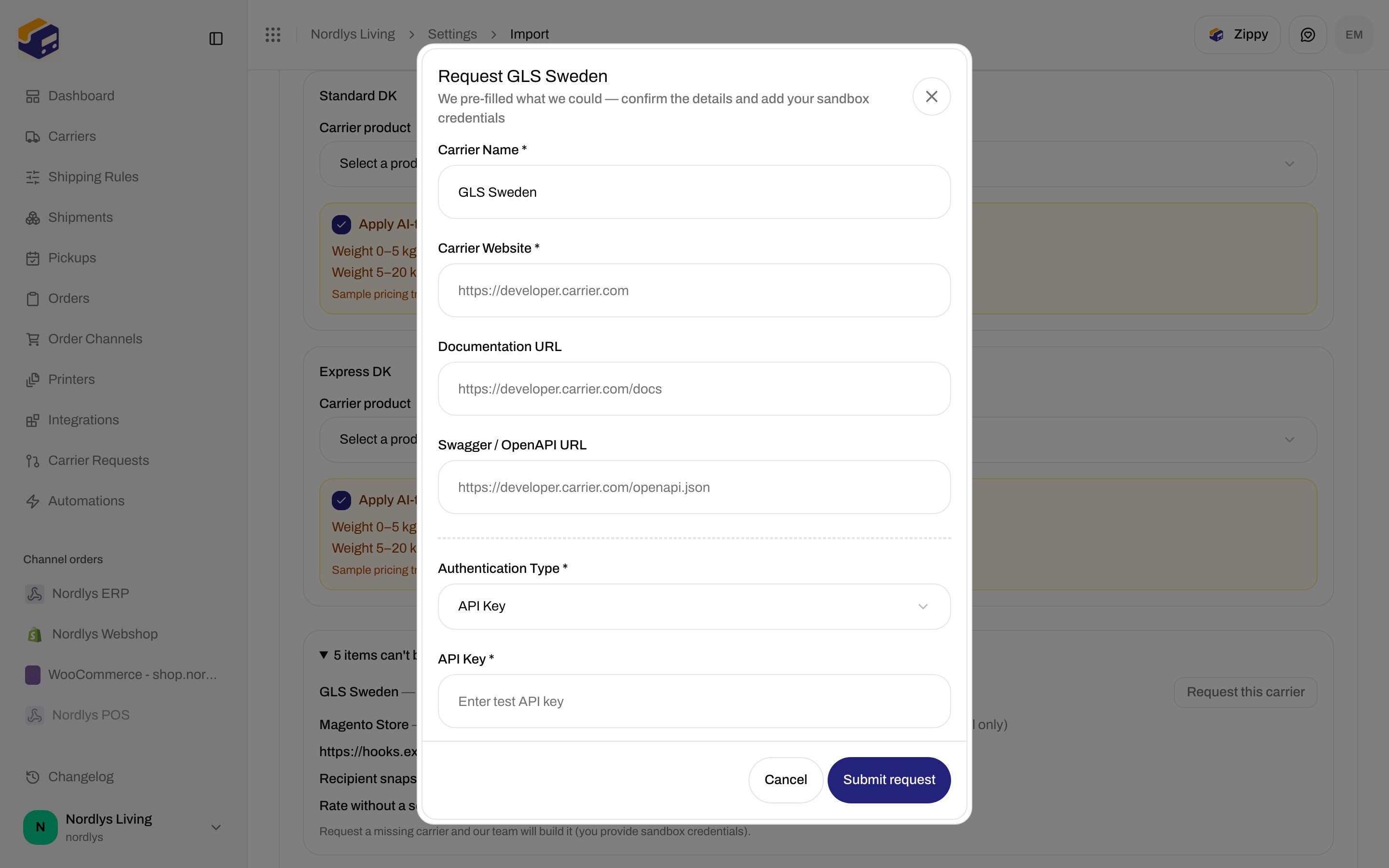
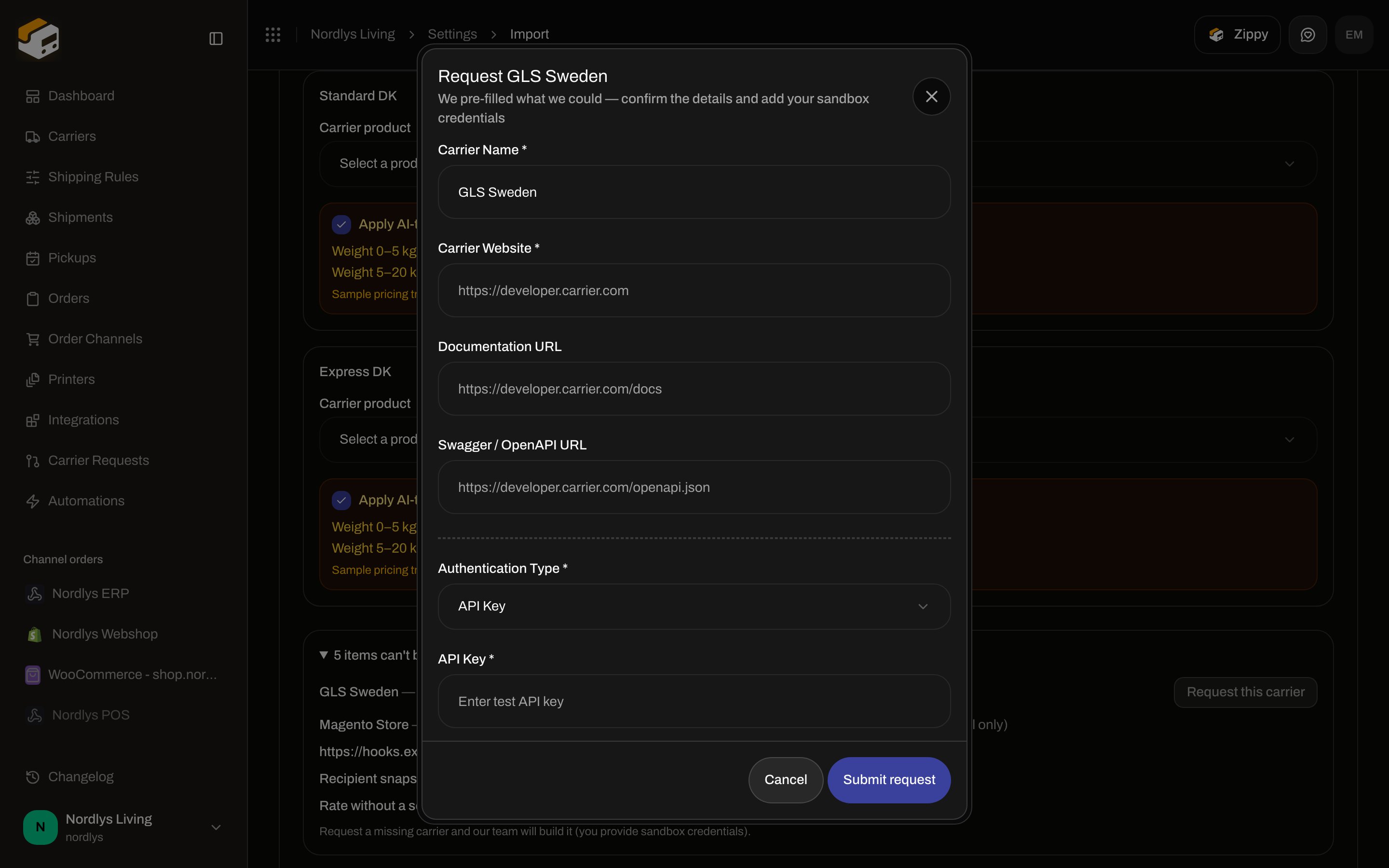 The fields are the same as [Request a carrier integration](/docs/how-to/request-carrier-integration). Visible on **API Key** (the default):
| Field | Required | Placeholder |
| -------------------------- | -------------------------- | -------------------------------------------- |
| **Carrier Name \*** | Yes | Pre-filled from the skipped carrier |
| **Carrier Website \*** | Yes | `https://developer.carrier.com` |
| **Documentation URL** | No | `https://developer.carrier.com/docs` |
| **Swagger / OpenAPI URL** | No | `https://developer.carrier.com/openapi.json` |
| **Authentication Type \*** | Yes | Default **API Key** |
| **API Key \*** | Yes (when type is API Key) | **Enter test API key** |
OAuth, basic auth, custom pairs, live-production testing, and **Notes** are on [Request a carrier integration](/docs/how-to/request-carrier-integration). Zippendo may pre-fill name and URLs from the skipped carrier.
## After Start import
You can leave the page. Status copy: **Importing your configuration… you can safely leave this page.** `MIGRATION_NOT_FOUND`: **The migration was not found.**
Failed: **The migration failed**, optional error detail, **Try again** (back to connect).
Complete: **Import complete**, then counts for **Addresses**, **Carriers**, **Shipping rules**, **Sales channels**, **Channel mappings**, **Webhooks**, **Team invitations**.
If there is leftover work, heading **Finish setting up**:
| Checklist | Detail |
| ----------------------------------------------- | ------------------------------------------------------------------------------------------------------------------------------------------------------------------------------------------------------------------------ |
| **Reconnect \{channel}** | Shopify: **Reconnect via Shopify (OAuth) from Settings → Order channels**. WooCommerce: **Enter your WooCommerce store URL, consumer key and secret**. Manual: **No action needed — the manual channel is ready to use** |
| **Set pricing on imported shipping rules** | **Some imported shipping rules have no pricing conditions (the source pricing couldn't be translated or wasn't confirmed) — set your rates in Settings → Shipping rules.** |
| **Update webhook signing secrets** | **\{count} webhook(s) were imported inactive with a new signing secret. Update your endpoint to verify the new secret, then enable it in Settings → Webhooks.** |
| **Review \{count} item(s) we couldn't migrate** | **Some carriers, channels, webhooks or settings have no Zippendo equivalent. Review the skipped list and set them up manually where needed.** |
If the checklist is empty: **Nothing left to do — you're all set.**
Buttons: **Go to settings** (Organization tab), **Import another account** (back to connect).
Do not run **Start import** against the documentation org — it writes addresses, carriers, and rules into Nordlys Living. Use a throwaway organization, or preview only.
## Related
* [Carrier credentials](/docs/how-to/carrier-credentials)
* [Request a carrier integration](/docs/how-to/request-carrier-integration)
* [Shipping rule fields](/docs/how-to/shipping-rule-fields)
* [Order channel settings](/docs/how-to/order-channel-settings)
* [Webhooks](/docs/how-to/webhooks)
* [Invite team members](/docs/how-to/invite-team-members)
* [Sender, pickup, and return addresses](/docs/how-to/sender-addresses)
* [Carriers](/docs/tutorials/carriers)
The fields are the same as [Request a carrier integration](/docs/how-to/request-carrier-integration). Visible on **API Key** (the default):
| Field | Required | Placeholder |
| -------------------------- | -------------------------- | -------------------------------------------- |
| **Carrier Name \*** | Yes | Pre-filled from the skipped carrier |
| **Carrier Website \*** | Yes | `https://developer.carrier.com` |
| **Documentation URL** | No | `https://developer.carrier.com/docs` |
| **Swagger / OpenAPI URL** | No | `https://developer.carrier.com/openapi.json` |
| **Authentication Type \*** | Yes | Default **API Key** |
| **API Key \*** | Yes (when type is API Key) | **Enter test API key** |
OAuth, basic auth, custom pairs, live-production testing, and **Notes** are on [Request a carrier integration](/docs/how-to/request-carrier-integration). Zippendo may pre-fill name and URLs from the skipped carrier.
## After Start import
You can leave the page. Status copy: **Importing your configuration… you can safely leave this page.** `MIGRATION_NOT_FOUND`: **The migration was not found.**
Failed: **The migration failed**, optional error detail, **Try again** (back to connect).
Complete: **Import complete**, then counts for **Addresses**, **Carriers**, **Shipping rules**, **Sales channels**, **Channel mappings**, **Webhooks**, **Team invitations**.
If there is leftover work, heading **Finish setting up**:
| Checklist | Detail |
| ----------------------------------------------- | ------------------------------------------------------------------------------------------------------------------------------------------------------------------------------------------------------------------------ |
| **Reconnect \{channel}** | Shopify: **Reconnect via Shopify (OAuth) from Settings → Order channels**. WooCommerce: **Enter your WooCommerce store URL, consumer key and secret**. Manual: **No action needed — the manual channel is ready to use** |
| **Set pricing on imported shipping rules** | **Some imported shipping rules have no pricing conditions (the source pricing couldn't be translated or wasn't confirmed) — set your rates in Settings → Shipping rules.** |
| **Update webhook signing secrets** | **\{count} webhook(s) were imported inactive with a new signing secret. Update your endpoint to verify the new secret, then enable it in Settings → Webhooks.** |
| **Review \{count} item(s) we couldn't migrate** | **Some carriers, channels, webhooks or settings have no Zippendo equivalent. Review the skipped list and set them up manually where needed.** |
If the checklist is empty: **Nothing left to do — you're all set.**
Buttons: **Go to settings** (Organization tab), **Import another account** (back to connect).
Do not run **Start import** against the documentation org — it writes addresses, carriers, and rules into Nordlys Living. Use a throwaway organization, or preview only.
## Related
* [Carrier credentials](/docs/how-to/carrier-credentials)
* [Request a carrier integration](/docs/how-to/request-carrier-integration)
* [Shipping rule fields](/docs/how-to/shipping-rule-fields)
* [Order channel settings](/docs/how-to/order-channel-settings)
* [Webhooks](/docs/how-to/webhooks)
* [Invite team members](/docs/how-to/invite-team-members)
* [Sender, pickup, and return addresses](/docs/how-to/sender-addresses)
* [Carriers](/docs/tutorials/carriers)