> ## Documentation Index
> Fetch the complete documentation index at: https://www.zippendo.com/docs/llms.txt
> Use this file to discover all available pages before exploring further.
# Hold, cancel, or delete a shipment
> Delete a pending shipment from the list, when On Hold and Cancelled appear, and why there is no Hold or Cancel button on shipment detail.
The Shipments list can **delete** a **Pending** shipment. **On Hold** and **Cancelled** are **statuses** (filters, badges). There is **no Hold** and **no Cancel** button on shipment detail. Those status changes come from [automations](/docs/how-to/automations), not from a header action.
Related: [Send a shipment](/docs/how-to/send-a-shipment), [Create a shipment](/docs/tutorials/create-a-shipment).
**Delete** permanently removes the row. Type the shipment **reference** to confirm. Only **Pending** shipments can be deleted. The API rejects any other status with **The request was invalid.** (`BAD_REQUEST`: *Shipment is not pending, it cannot be deleted*).
## What exists on each surface
| Action | On the shipment screen? | How it happens |
| ---------- | ------------------------------------------------ | -------------------------------------------------------------------------------------------------------------------------------- |
| **Delete** | **Shipments** list row menu only — not on detail | **Delete** → confirm modal |
| **Hold** | No button | Status **On Hold**. Automation **Set Shipment On Hold** (pending → on hold) |
| **Cancel** | No button | Status **Cancelled**. Automation **Cancel Shipment**. Deleting a pending shipment emits the **Shipment Cancelled** webhook event |
Shipment detail header actions are **Send Shipment** / **Retry Send** (pending or error) and sometimes **Create Return Shipment** — never hold, cancel, or delete. [Send a shipment](/docs/how-to/send-a-shipment).
## Delete (list)
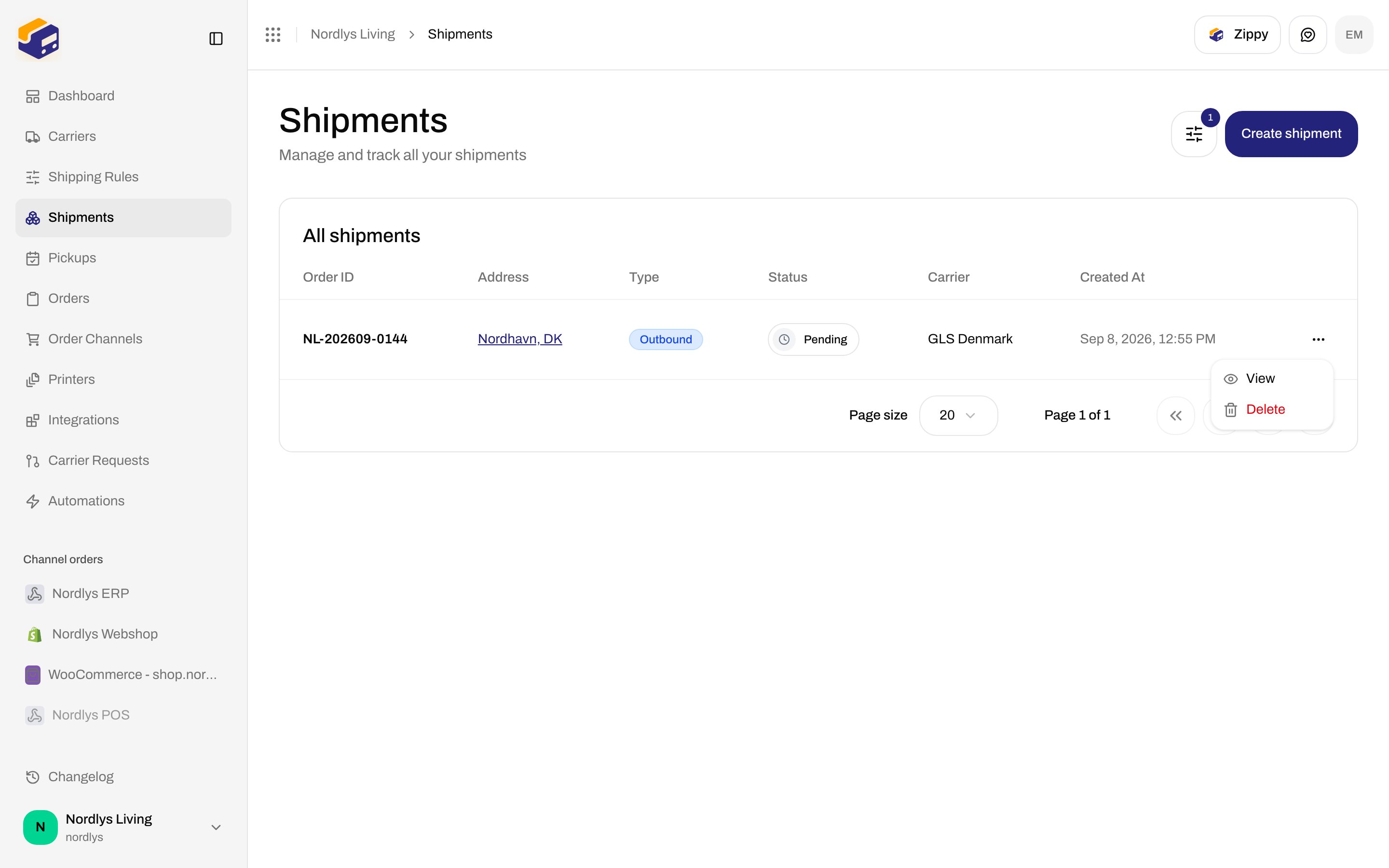
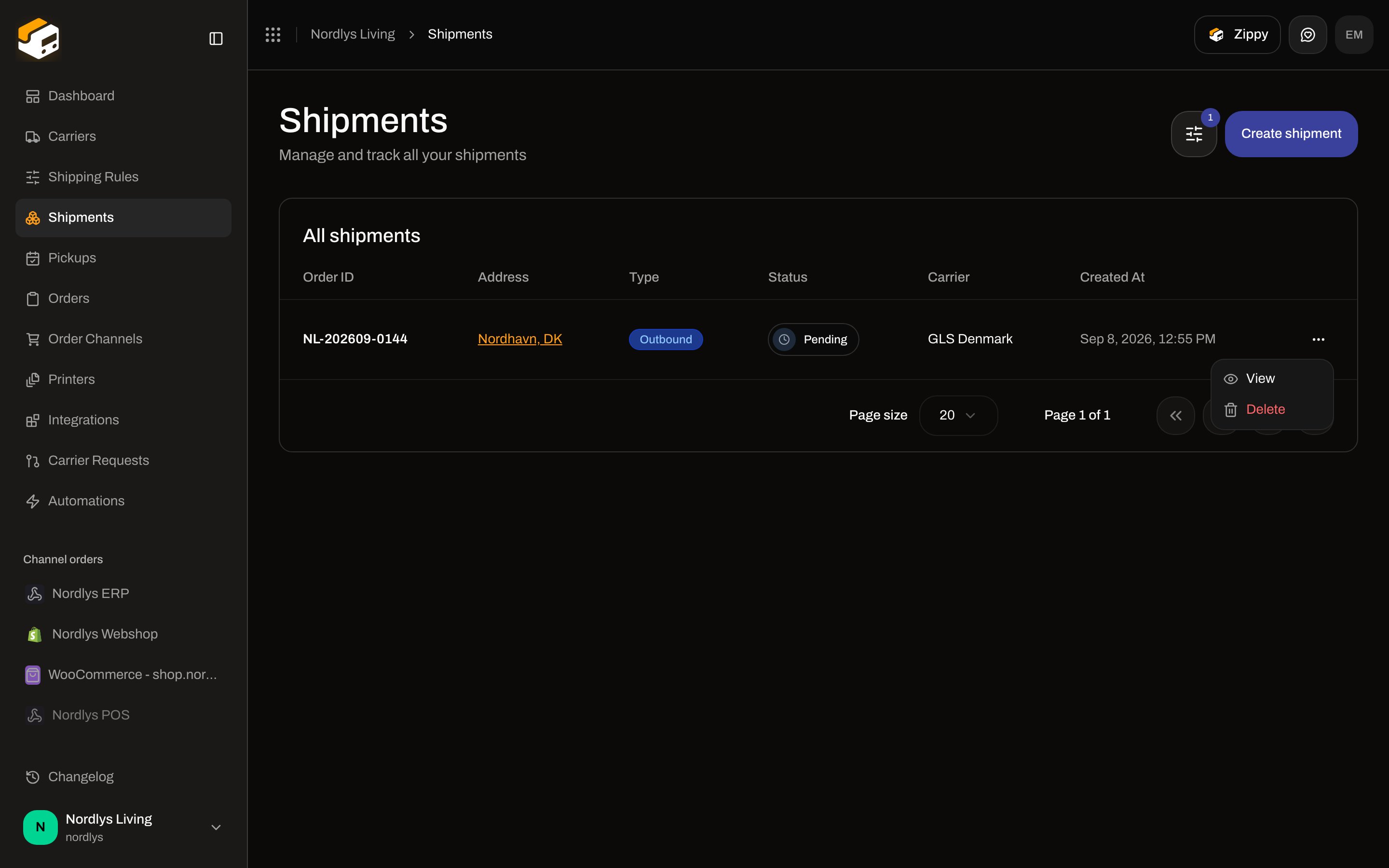
Open **Shipments**. Each row menu (`data-testid="table.row-actions"`):
| Item | What it does |
| ---------- | --------------------------------------------------------------------------------------- |
| **View** | Opens `/dashboard/shipments/:id` |
| **Delete** | Opens the confirm modal. Shown on **every** row; the API still only accepts **Pending** |
 ### Delete Shipment modal
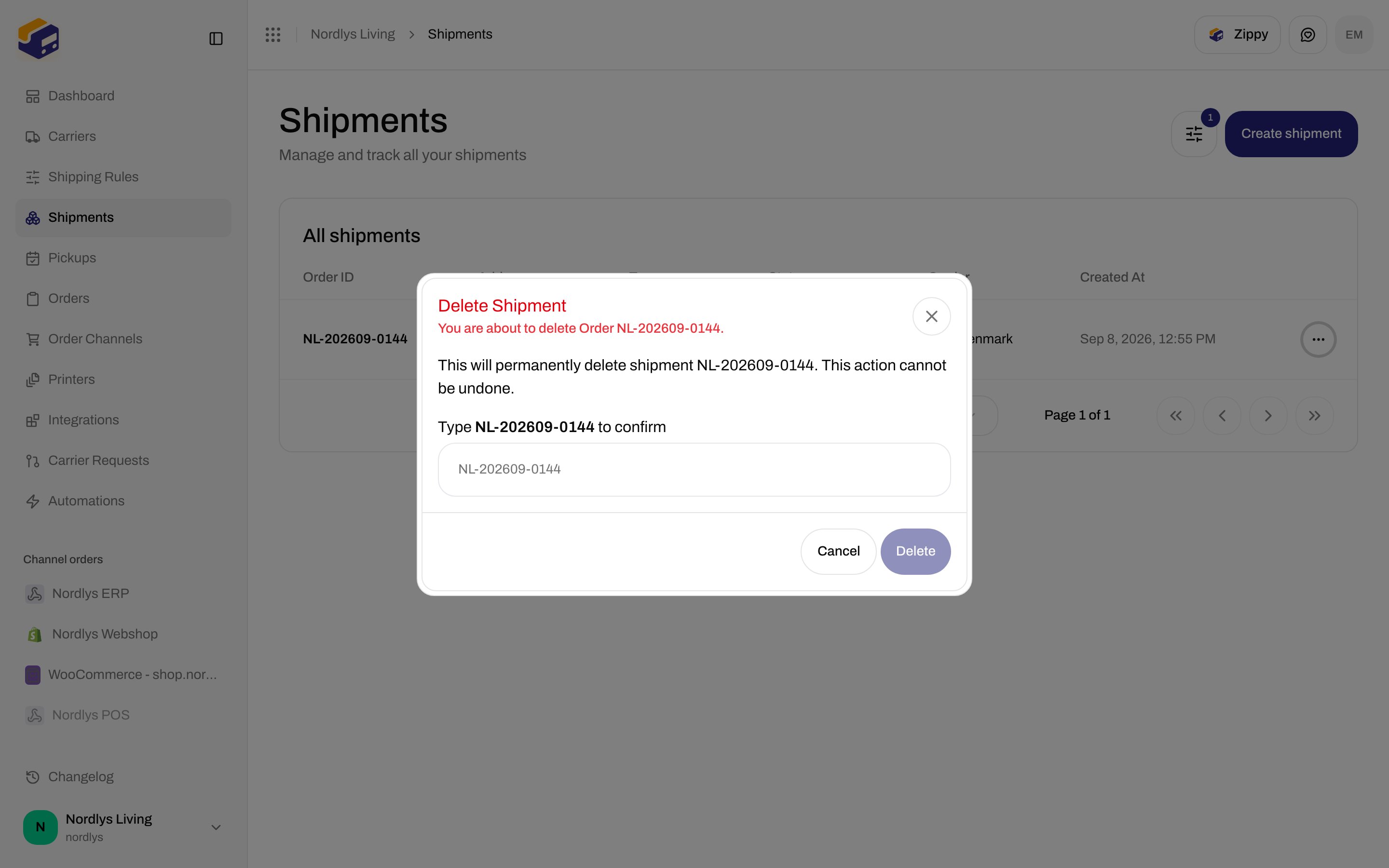
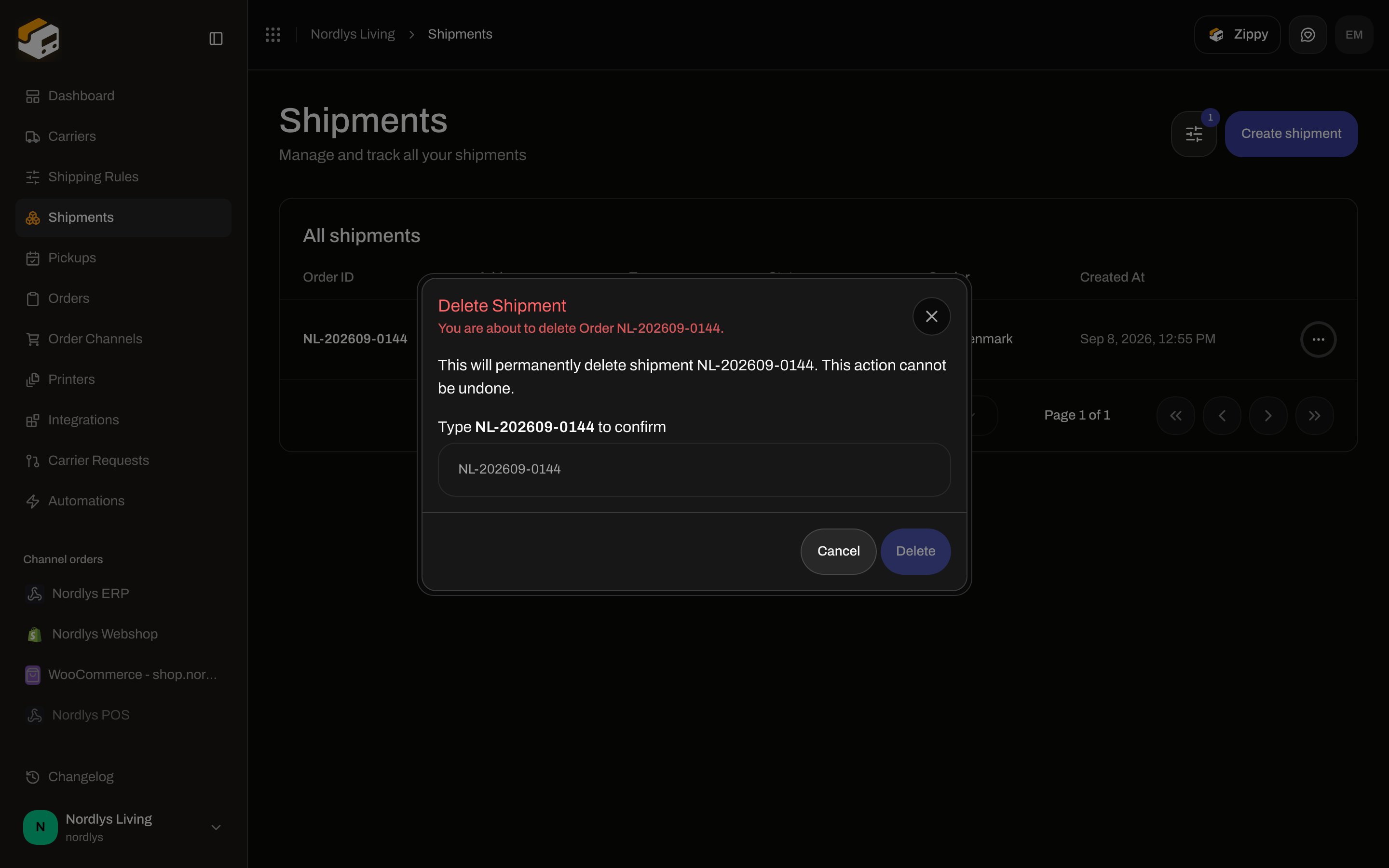
`modalId="global-delete-modal"`. Destructive.
| Control | Copy |
| ------------- | ------------------------------------------------------------------------------------------------------------------------- |
| Title | **Delete Shipment** |
| Subtitle | **You are about to delete Order \{reference}.** |
| Body | **This will permanently delete shipment \{reference}. This action cannot be undone.** |
| Confirm field | **Type \{reference} to confirm**. Placeholder is the reference. **Delete** stays disabled until the value matches exactly |
| Footer | **Cancel** · **Delete** (disabled reason: **Type "\{reference}" to confirm.**) |
If delete fails in the modal: **Delete failed. Please try again.** Toasts from the list mutation: **Shipment deleted successfully** / **Failed to delete shipment**.
### Delete Shipment modal
`modalId="global-delete-modal"`. Destructive.
| Control | Copy |
| ------------- | ------------------------------------------------------------------------------------------------------------------------- |
| Title | **Delete Shipment** |
| Subtitle | **You are about to delete Order \{reference}.** |
| Body | **This will permanently delete shipment \{reference}. This action cannot be undone.** |
| Confirm field | **Type \{reference} to confirm**. Placeholder is the reference. **Delete** stays disabled until the value matches exactly |
| Footer | **Cancel** · **Delete** (disabled reason: **Type "\{reference}" to confirm.**) |
If delete fails in the modal: **Delete failed. Please try again.** Toasts from the list mutation: **Shipment deleted successfully** / **Failed to delete shipment**.
 Deleting a **Pending** shipment fires app event `shipment.cancelled` (payload status `"cancelled"`). That is the **Shipment Cancelled** automation trigger. Setting status to cancelled with **Cancel Shipment** does **not** emit that event. [Automations](/docs/how-to/automations) · [Webhooks](/docs/how-to/webhooks).
## Statuses: On Hold and Cancelled
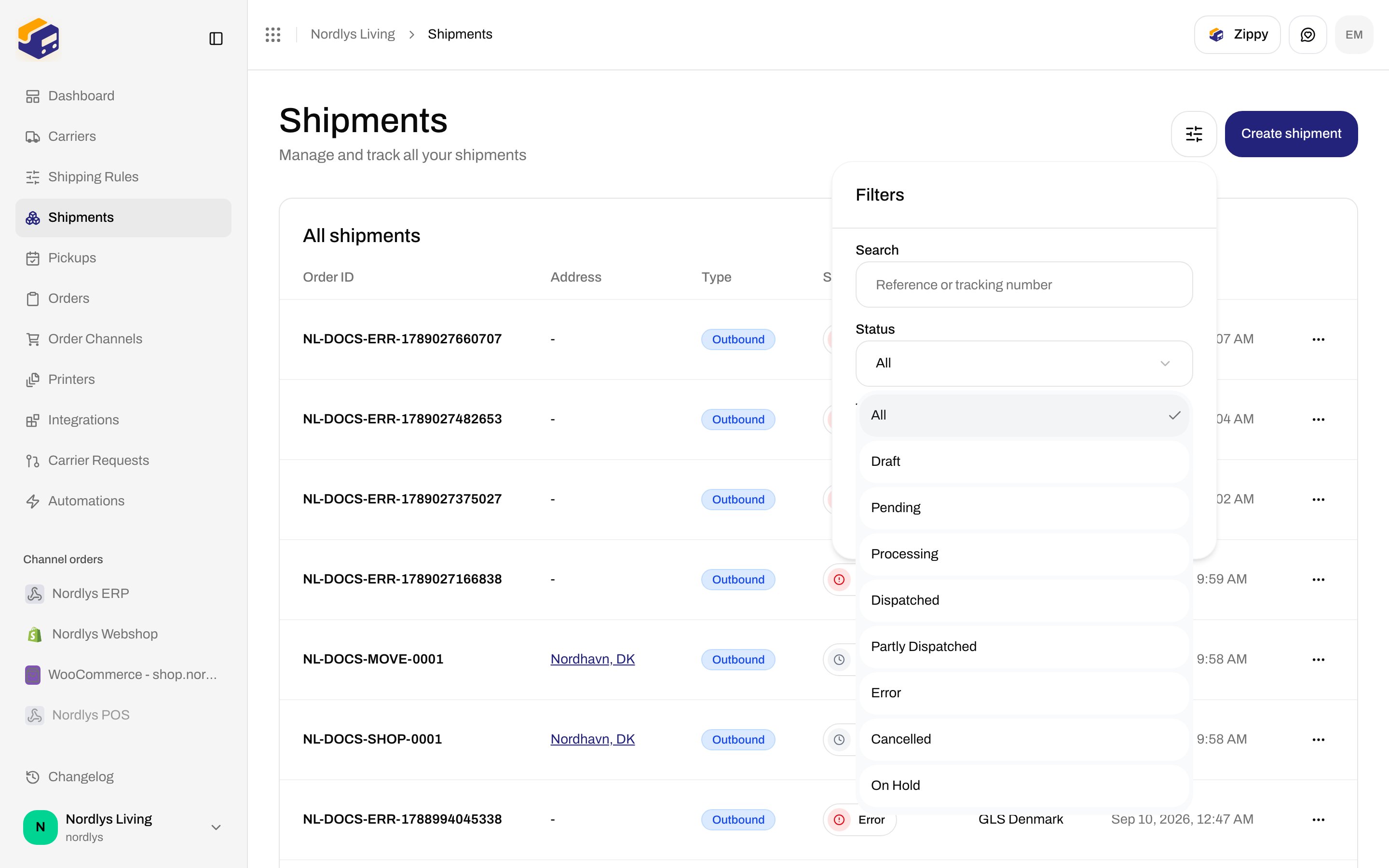
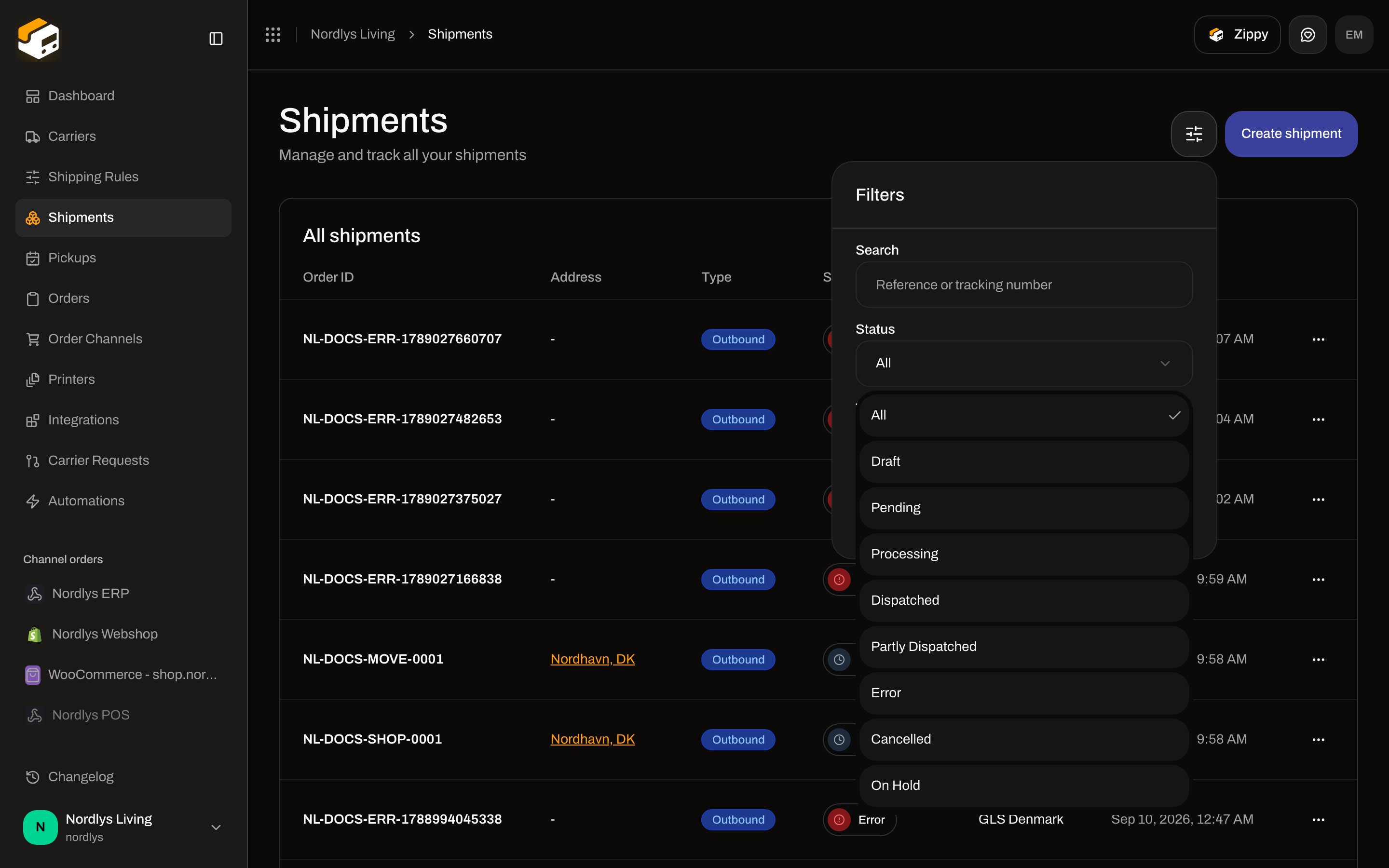
**Status** filter on **Shipments** (`?status=`). Options include **Draft**, **Pending**, **Processing**, **Dispatched**, **Partly Dispatched**, **Error**, **Cancelled**, **On Hold**. Same labels as the row badge. [Search and filters](/docs/how-to/search-and-filters).
Deleting a **Pending** shipment fires app event `shipment.cancelled` (payload status `"cancelled"`). That is the **Shipment Cancelled** automation trigger. Setting status to cancelled with **Cancel Shipment** does **not** emit that event. [Automations](/docs/how-to/automations) · [Webhooks](/docs/how-to/webhooks).
## Statuses: On Hold and Cancelled
**Status** filter on **Shipments** (`?status=`). Options include **Draft**, **Pending**, **Processing**, **Dispatched**, **Partly Dispatched**, **Error**, **Cancelled**, **On Hold**. Same labels as the row badge. [Search and filters](/docs/how-to/search-and-filters).
 | Status | Send button | Delete (API) | Typical path |
| ------------------------------------------------------------------- | ------------------------------- | ------------ | ------------------------------------------------------------------------------------------------------------------------ |
| **Pending** | **Send Shipment** | Yes | Created, not booked |
| **On Hold** | Hidden | No | Automation **Set Shipment On Hold** from **pending** only. Already on hold is a no-op. Any other status fails the action |
| **Cancelled** | Hidden | No | Automation **Cancel Shipment** (already cancelled is a no-op) |
| **Error** | **Retry Send** | No | Failed send |
| **Dispatched** / **Partly Dispatched** / **Processing** / **Draft** | No send (draft is not sendable) | No | See [Send a shipment](/docs/how-to/send-a-shipment) |
**On Hold** is grouped with pending-like shipments on the dashboard pending count; it is **not** sendable until something else changes the status (there is no “release hold” button on detail).
## Automations (hold and cancel)
Palette, category **Shipments**. No inspector fields on either action.
| Node | Description in the palette | Worker rule |
| ------------------------ | ------------------------------- | -------------------------------------------------------------------------------------------- |
| **Set Shipment On Hold** | **Places the shipment on hold** | Only **pending** → **on\_hold** |
| **Cancel Shipment** | **Cancels the shipment** | Sets **cancelled**. Does **not** call the carrier and does **not** emit `shipment.cancelled` |
There is **no** “Also cancel at carrier” control on **Carriers** connect/edit in the client today. Do not look for it on shipment detail or on [Carrier credentials](/docs/how-to/carrier-credentials).
To remove a shipment you have not sent: **Shipments** → row **Delete** → type the **reference**. To stop sending without deleting: use an automation **Set Shipment On Hold** or **Cancel Shipment**, then filter by **On Hold** / **Cancelled**.
| Status | Send button | Delete (API) | Typical path |
| ------------------------------------------------------------------- | ------------------------------- | ------------ | ------------------------------------------------------------------------------------------------------------------------ |
| **Pending** | **Send Shipment** | Yes | Created, not booked |
| **On Hold** | Hidden | No | Automation **Set Shipment On Hold** from **pending** only. Already on hold is a no-op. Any other status fails the action |
| **Cancelled** | Hidden | No | Automation **Cancel Shipment** (already cancelled is a no-op) |
| **Error** | **Retry Send** | No | Failed send |
| **Dispatched** / **Partly Dispatched** / **Processing** / **Draft** | No send (draft is not sendable) | No | See [Send a shipment](/docs/how-to/send-a-shipment) |
**On Hold** is grouped with pending-like shipments on the dashboard pending count; it is **not** sendable until something else changes the status (there is no “release hold” button on detail).
## Automations (hold and cancel)
Palette, category **Shipments**. No inspector fields on either action.
| Node | Description in the palette | Worker rule |
| ------------------------ | ------------------------------- | -------------------------------------------------------------------------------------------- |
| **Set Shipment On Hold** | **Places the shipment on hold** | Only **pending** → **on\_hold** |
| **Cancel Shipment** | **Cancels the shipment** | Sets **cancelled**. Does **not** call the carrier and does **not** emit `shipment.cancelled` |
There is **no** “Also cancel at carrier” control on **Carriers** connect/edit in the client today. Do not look for it on shipment detail or on [Carrier credentials](/docs/how-to/carrier-credentials).
To remove a shipment you have not sent: **Shipments** → row **Delete** → type the **reference**. To stop sending without deleting: use an automation **Set Shipment On Hold** or **Cancel Shipment**, then filter by **On Hold** / **Cancelled**.