> ## Documentation Index
> Fetch the complete documentation index at: https://www.zippendo.com/docs/llms.txt
> Use this file to discover all available pages before exploring further.
# Edit order lines
> Edit Name, SKU, quantity, prices, weight, and currency on an order — when Edit is hidden, and every field in the Edit order lines modal.
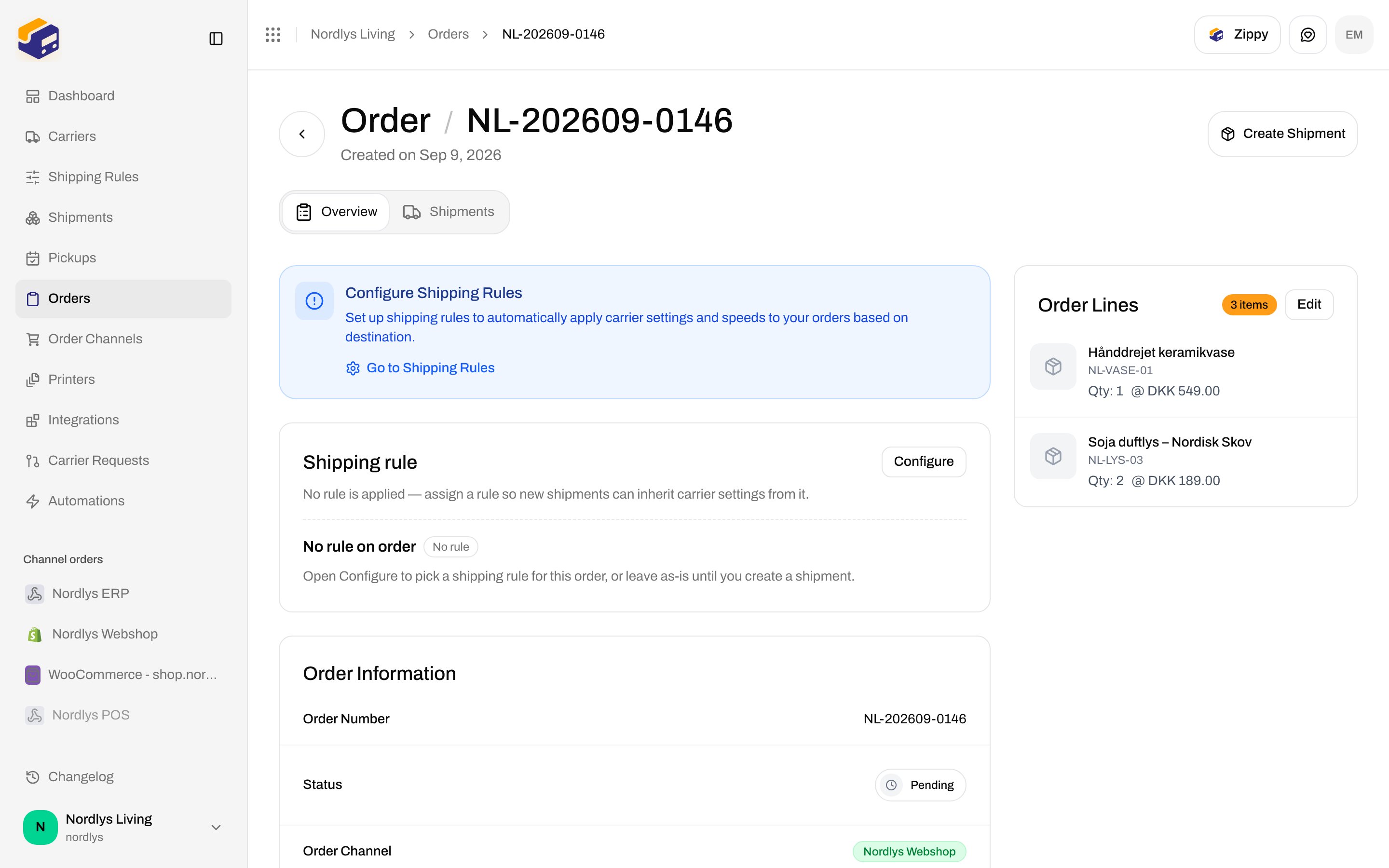
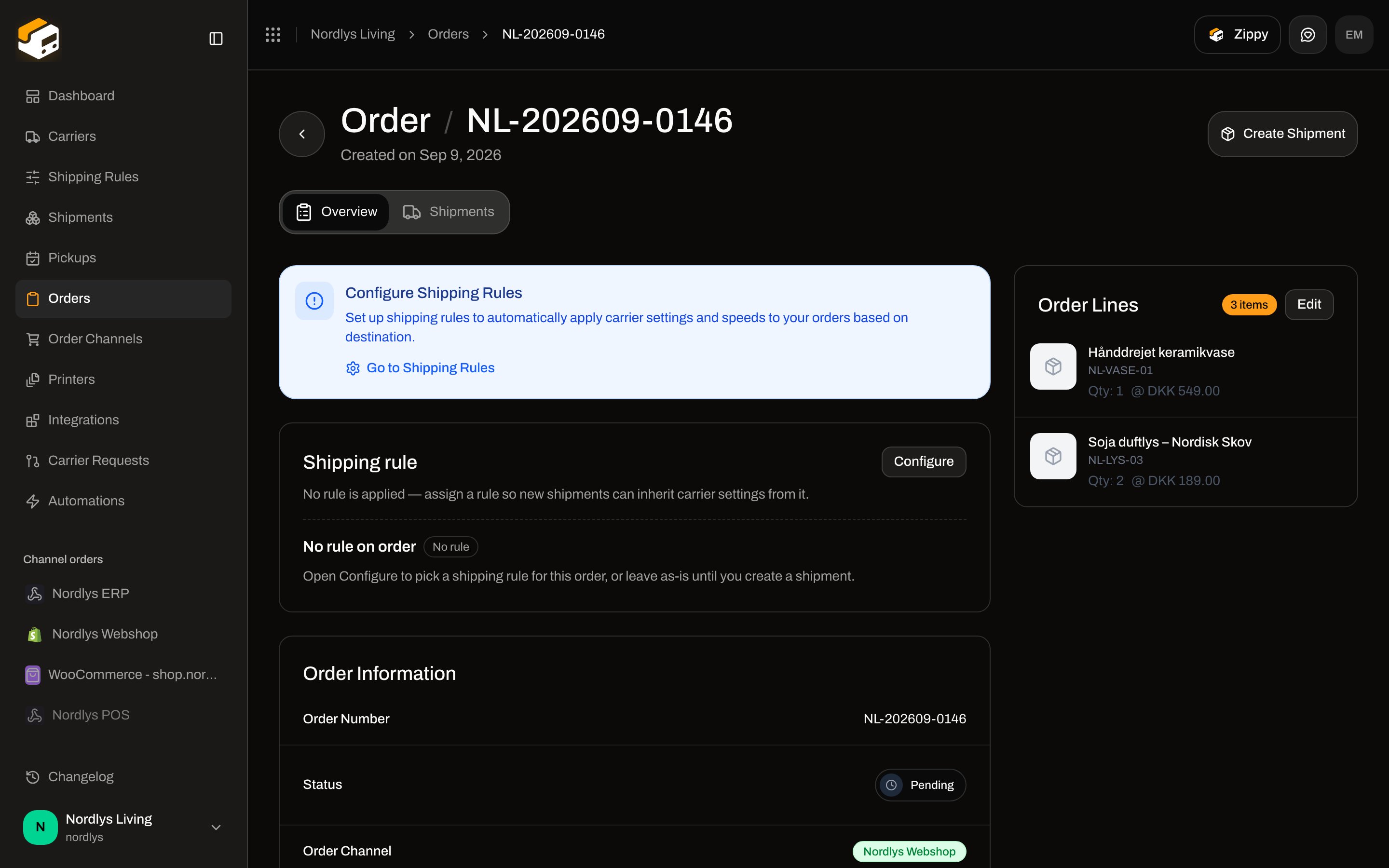
**Order Lines** on order **Overview** lists the items that will ship. **Edit** opens a modal that **replaces the full line list** for that order. Parcel lines on a shipment (SKU, origin, tariff) are a different editor — [Customs and documents](/docs/how-to/customs-and-documents). Orders journey: [Orders](/docs/tutorials/orders).
**Edit** is hidden when the order is **Fulfilled** or **Cancelled**. There is no lock banner — the button is simply not rendered. The API also rejects updates in those statuses (`BAD_REQUEST`: *Cannot update order with status: …*).
## Order Lines card
Order detail `/dashboard/orders/:id` (`?tab=overview`). Right column. Title: **Order Lines**.
| Control | What it shows |
| ----------- | ---------------------------------------------------------------------------------------------------- |
| Count badge | **\{n} item** / **\{n} items** (sum of quantities) |
| **Edit** | Opens the modal — only if status is not **fulfilled** or **cancelled** |
| Each row | Image or package icon, **name**, **SKU** (monospace, if set), **Qty: \{n}**, unit price when present |
 Country of origin and tariff number are **not** on this card or in this modal. They appear on **Edit package** / create **Edit Parcel**.
## Edit order lines modal
`modalId="edit-order-lines"`.
| Chrome | Copy |
| --------- | ------------------------------------------------------------------------------------- |
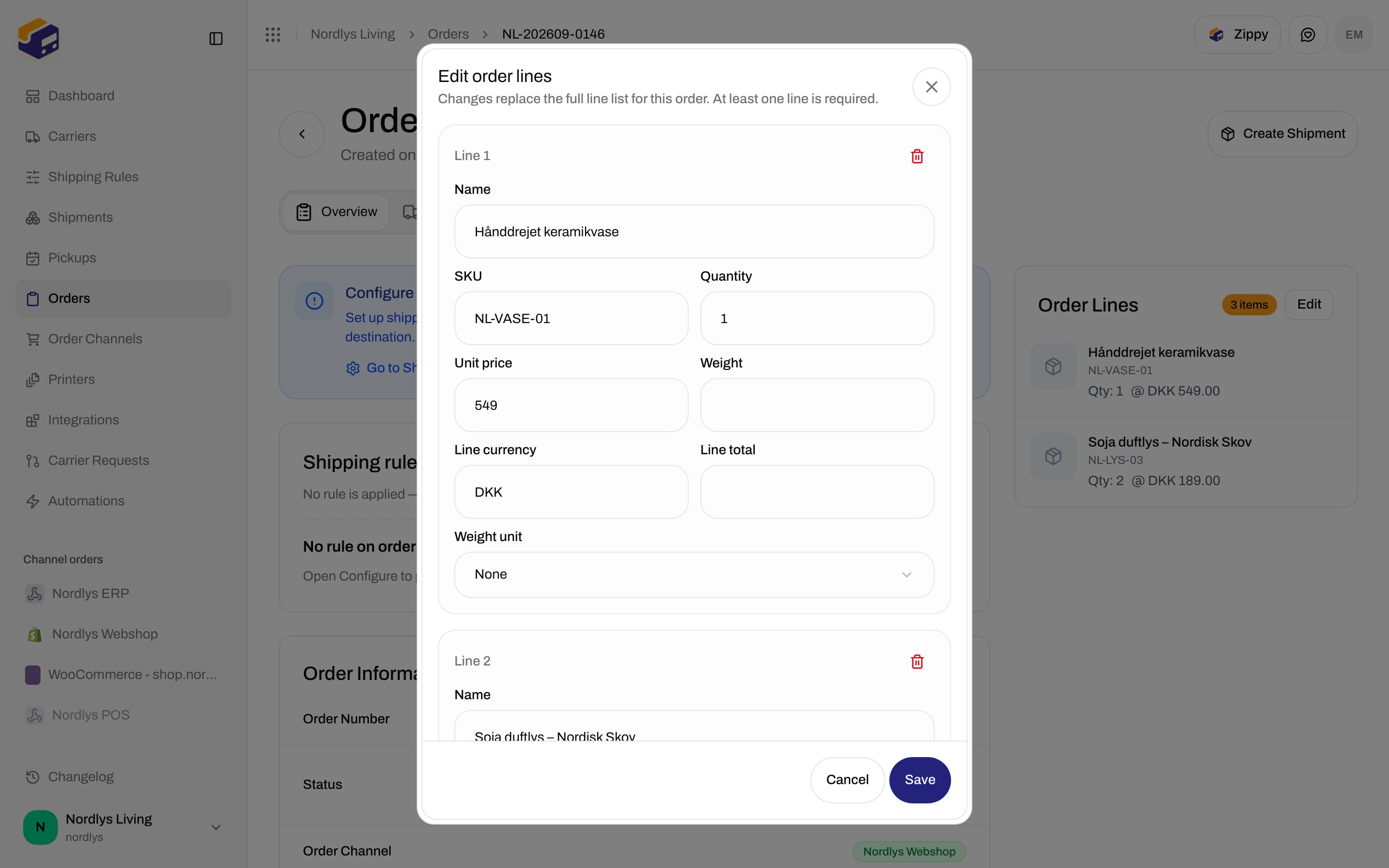
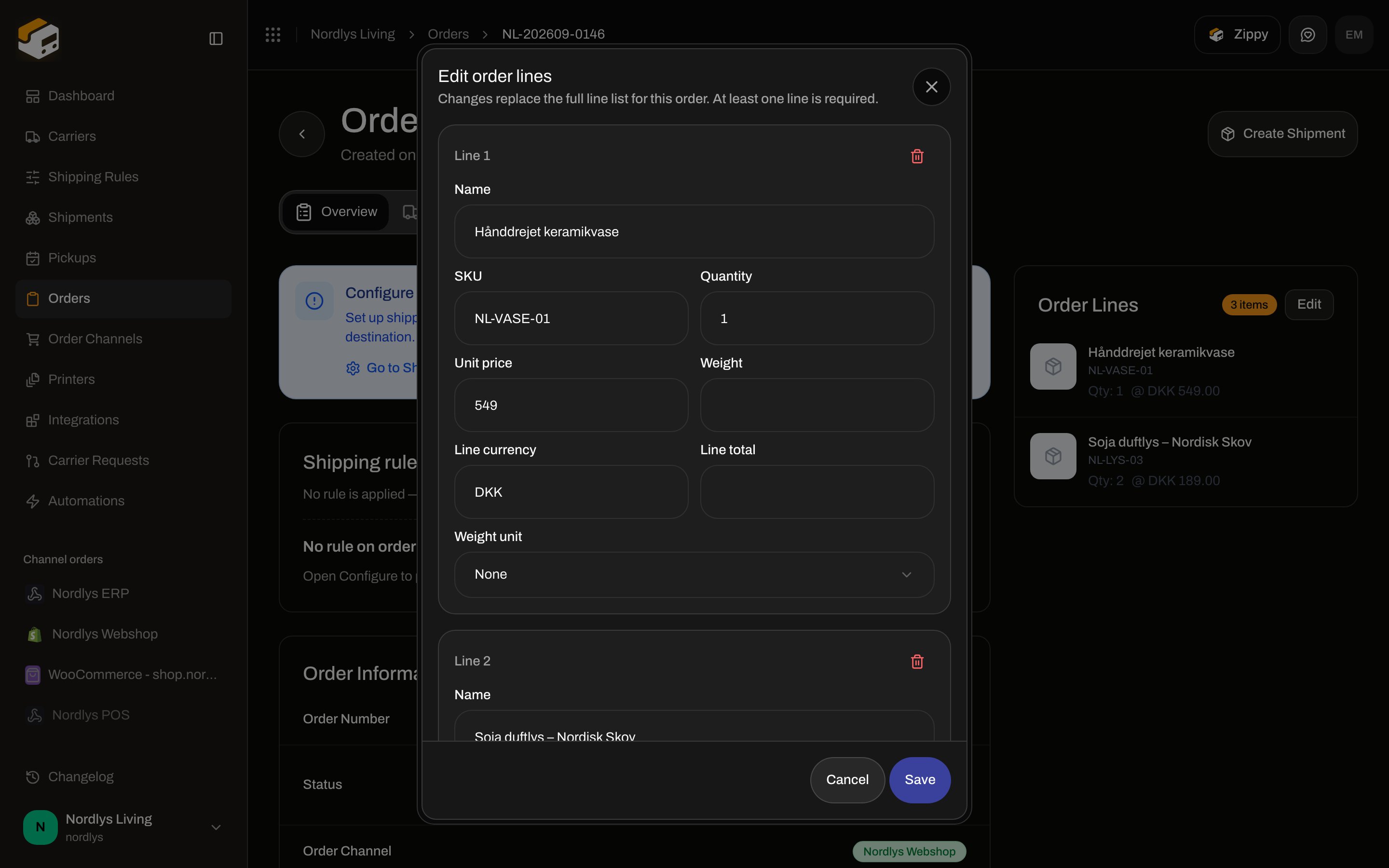
| Title | **Edit order lines** |
| Subtitle | **Changes replace the full line list for this order. At least one line is required.** |
| Primary | **Save** / **Saving…** |
| Secondary | **Cancel** (disabled while saving) |
**Save** is disabled if `orderId` or `orgId` is missing. **Cancel** is disabled while **Saving…**.
Country of origin and tariff number are **not** on this card or in this modal. They appear on **Edit package** / create **Edit Parcel**.
## Edit order lines modal
`modalId="edit-order-lines"`.
| Chrome | Copy |
| --------- | ------------------------------------------------------------------------------------- |
| Title | **Edit order lines** |
| Subtitle | **Changes replace the full line list for this order. At least one line is required.** |
| Primary | **Save** / **Saving…** |
| Secondary | **Cancel** (disabled while saving) |
**Save** is disabled if `orderId` or `orgId` is missing. **Cancel** is disabled while **Saving…**.
 ### Per-line fields
Each block is titled **Line \{n}**. Trash (destructive) is shown only when there is **more than one** line — you cannot remove the last line.
| Field | Required | Notes |
| ----------------- | -------- | --------------------------------------------------------------------------------------------------------------------------------------------------------------------- |
| **Name** | Yes | Placeholder **Product name**. Trimmed on save. Empty → **Name is required** |
| **SKU** | No | Placeholder **SKU**. Empty string is stored as null |
| **Quantity** | Yes | Integer, min 1. Empty while typing is allowed in the input; submit requires a whole number ≥ 1. **Quantity must be a whole number** / **Quantity must be at least 1** |
| **Unit price** | No | Number ≥ 0, step 0.01. Empty → null |
| **Weight** | No | Number ≥ 0, step 0.001. Empty → null |
| **Line currency** | No | Max 3 characters, forced uppercase. Placeholder **DKK**. Empty → unset. Must be length 3 if filled |
| **Line total** | No | Number ≥ 0, step 0.01. Empty → null. Not auto-calculated from unit price × quantity |
| **Weight unit** | No | Select. Placeholder **Select unit**. Options: **None**, **kg**, **g**, **lb**, **oz**. **None** clears the unit. Unit is sent only when weight is greater than 0 |
**Add line** appends a row with **Name** `New line`, **Quantity** `1`, other fields empty/null.
Saving with zero lines is blocked: **At least one order line is required**.
**Orders** → the order. Stay on **Overview**.
On **Order Lines**, click **Edit**.
Update **Name**, **SKU**, **Quantity**, prices, weight. Use **Add line** or trash extra lines.
Replaces the whole list. Toast **Order updated successfully**. Lines on still-editable shipments are synced in the same save.
## When Edit is locked
| Order status | **Edit** |
| --------------------------------------------------------------- | -------- |
| **Pending**, **Processing**, **Partially Fulfilled**, **Error** | Shown |
| **Fulfilled** | Hidden |
| **Cancelled** | Hidden |
No empty-state illustration when there are zero lines on a still-editable order: opening **Edit** starts with one **New line**.
Fields that exist on the API line (variant, barcode, HS code, origin, vendor, taxable, gift card, image URL) are **not** in this form. They are preserved if they were already on the line.
Toasts: **Order updated successfully** / **Failed to update order**.
Split and move change **which shipment** a line sits on. They do not replace this modal. [Split and move parcels](/docs/how-to/split-and-move-parcels).
You are done when **Order Lines** shows the new names, SKUs, and quantities. If the order already has a pending shipment, open it and confirm **Package Details** picked up the same lines.
### Per-line fields
Each block is titled **Line \{n}**. Trash (destructive) is shown only when there is **more than one** line — you cannot remove the last line.
| Field | Required | Notes |
| ----------------- | -------- | --------------------------------------------------------------------------------------------------------------------------------------------------------------------- |
| **Name** | Yes | Placeholder **Product name**. Trimmed on save. Empty → **Name is required** |
| **SKU** | No | Placeholder **SKU**. Empty string is stored as null |
| **Quantity** | Yes | Integer, min 1. Empty while typing is allowed in the input; submit requires a whole number ≥ 1. **Quantity must be a whole number** / **Quantity must be at least 1** |
| **Unit price** | No | Number ≥ 0, step 0.01. Empty → null |
| **Weight** | No | Number ≥ 0, step 0.001. Empty → null |
| **Line currency** | No | Max 3 characters, forced uppercase. Placeholder **DKK**. Empty → unset. Must be length 3 if filled |
| **Line total** | No | Number ≥ 0, step 0.01. Empty → null. Not auto-calculated from unit price × quantity |
| **Weight unit** | No | Select. Placeholder **Select unit**. Options: **None**, **kg**, **g**, **lb**, **oz**. **None** clears the unit. Unit is sent only when weight is greater than 0 |
**Add line** appends a row with **Name** `New line`, **Quantity** `1`, other fields empty/null.
Saving with zero lines is blocked: **At least one order line is required**.
**Orders** → the order. Stay on **Overview**.
On **Order Lines**, click **Edit**.
Update **Name**, **SKU**, **Quantity**, prices, weight. Use **Add line** or trash extra lines.
Replaces the whole list. Toast **Order updated successfully**. Lines on still-editable shipments are synced in the same save.
## When Edit is locked
| Order status | **Edit** |
| --------------------------------------------------------------- | -------- |
| **Pending**, **Processing**, **Partially Fulfilled**, **Error** | Shown |
| **Fulfilled** | Hidden |
| **Cancelled** | Hidden |
No empty-state illustration when there are zero lines on a still-editable order: opening **Edit** starts with one **New line**.
Fields that exist on the API line (variant, barcode, HS code, origin, vendor, taxable, gift card, image URL) are **not** in this form. They are preserved if they were already on the line.
Toasts: **Order updated successfully** / **Failed to update order**.
Split and move change **which shipment** a line sits on. They do not replace this modal. [Split and move parcels](/docs/how-to/split-and-move-parcels).
You are done when **Order Lines** shows the new names, SKUs, and quantities. If the order already has a pending shipment, open it and confirm **Package Details** picked up the same lines.