> ## Documentation Index
> Fetch the complete documentation index at: https://www.zippendo.com/docs/llms.txt
> Use this file to discover all available pages before exploring further.
# Droppoint vs service point
> Where Zippendo says Drop Point, Service Point, droppoint, pickup, shop, or Parcel shop — and which screen uses which name.
Zippendo uses **more than one name** for the same kind of place: a carrier location the parcel goes to instead of the door. The words are not interchangeable in the UI. This page maps **which label appears where**. How to pick one: [Pick a service point](/docs/how-to/pick-a-service-point).
There is no screen titled “Droppoint vs service point”. The names show up on create shipment, shipment detail, order create, shipping-rule apply, Shopify settings, and in errors.
## Quick map
| You see | What it means | Where |
| --------------------------------------------------- | --------------------------------------------------------------------------------------------------------------------------------- | ------------------------------------------------------------------------------------ |
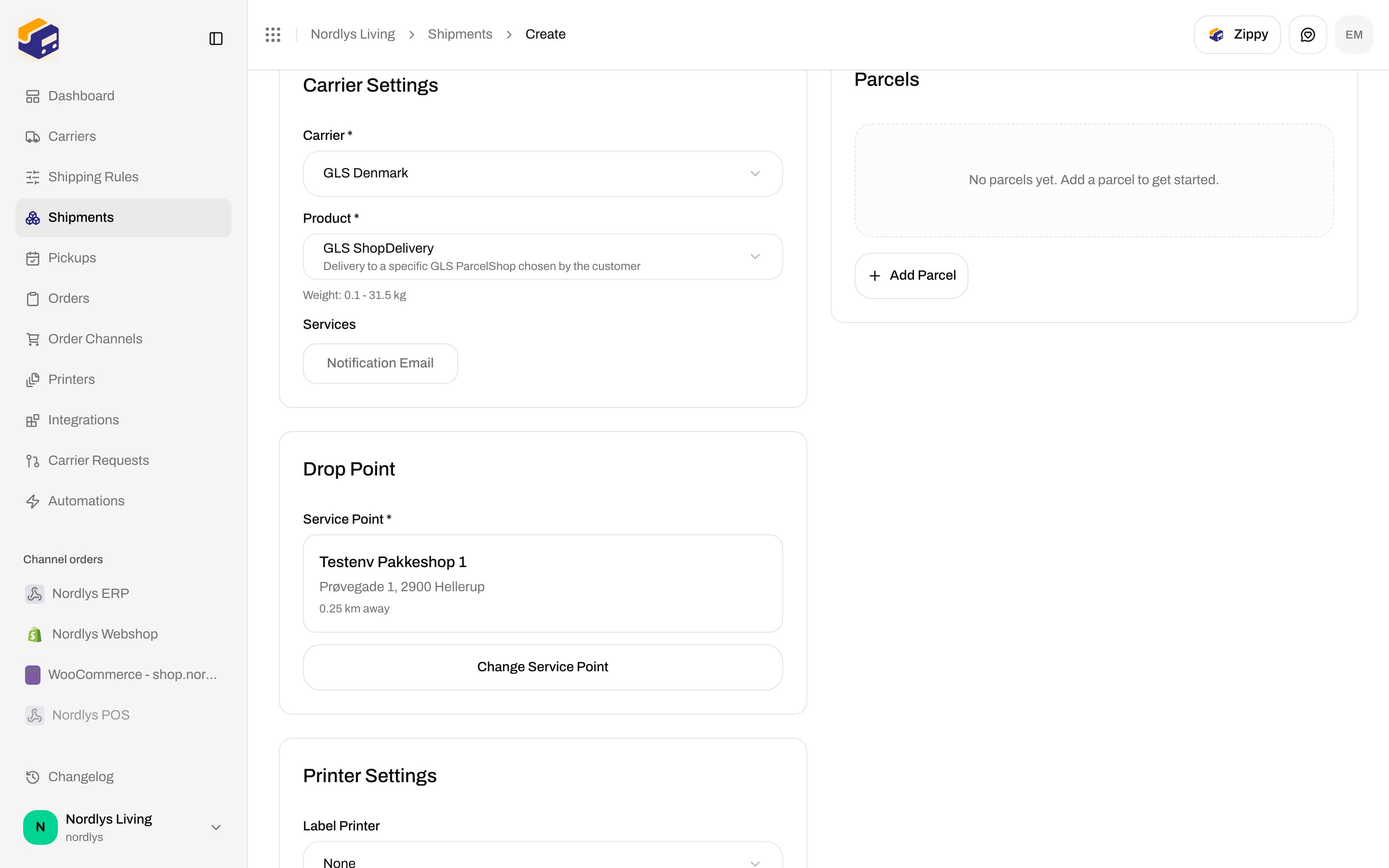
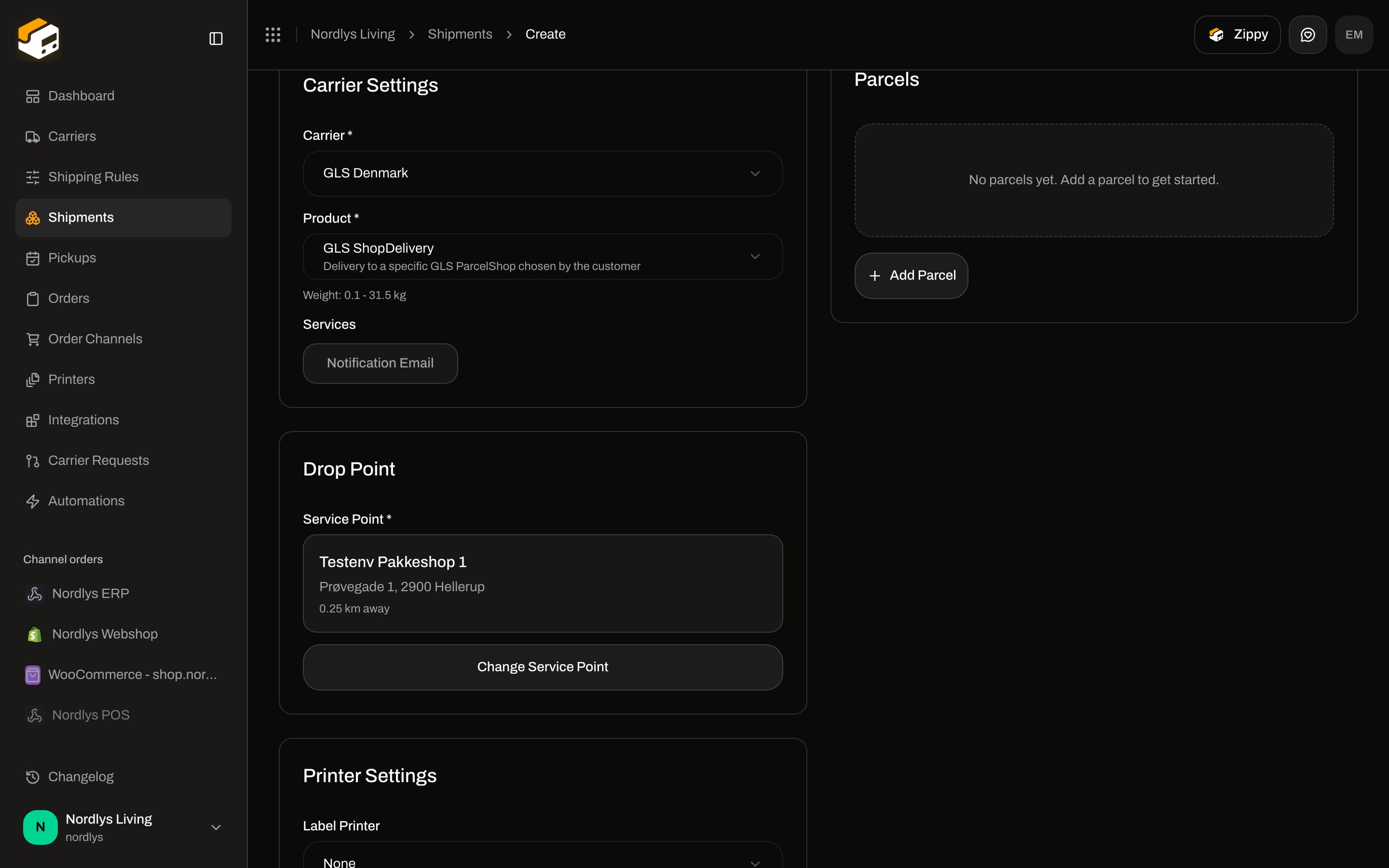
| **Drop Point** | Card title on standalone **Create Shipment** when the product delivers to a location | Left column, after **Carrier Settings** |
| **Service Point \*** | Required field / picker label | Same card; order **Create Shipment**; apply-rule modals |
| **Select Service Point** / **Change Service Point** | Opens the list + map | [Pick a service point](/docs/how-to/pick-a-service-point) |
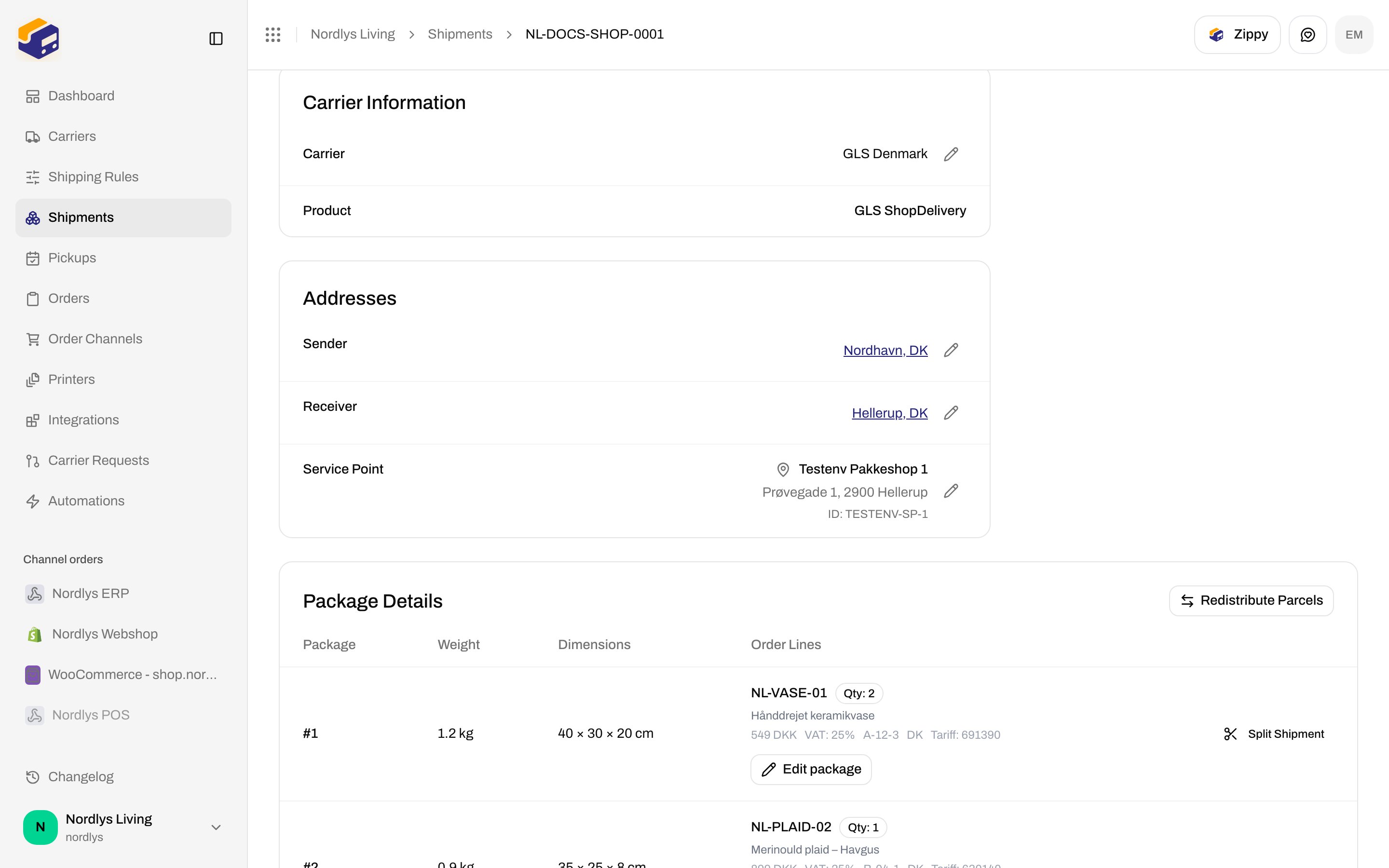
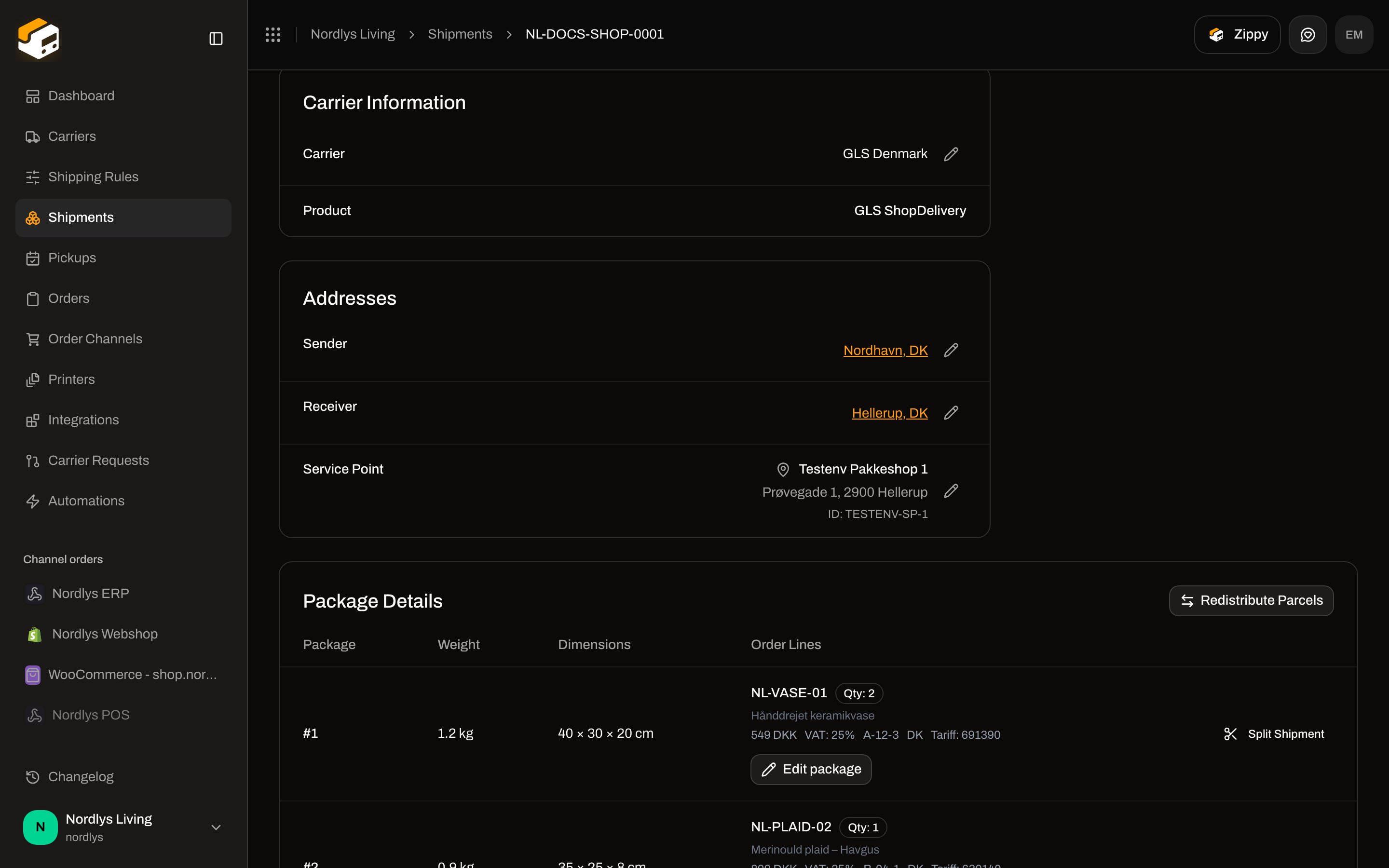
| **Service Point** (no asterisk) | Row on shipment **Addresses** | Detail **Overview**, after **Sender** and **Receiver** |
| **droppoints** (lowercase, in a sentence) | Lookup copy and some errors | Empty card, retry, send error |
| **Parcel shop** | Shopify mapping column for a service-point rule | Order channel **Orders & checkout** |
| **pickup** / **Pickup** | Carrier collects **from you**, or a party type — not the shop | **Pickup Details**, **Pickup** party, [Schedule a pickup](/docs/how-to/schedule-a-pickup) |
| **Shop** in a product name | Catalog product (for example **GLS ShopDelivery**, description **Delivery to a specific GLS Parcel/Shop chosen by the customer**) | **Product \*** dropdown |
 ## Drop Point vs Service Point
The create form stores two things when you confirm a location:
* `servicePointId` — the id the API and **Addresses** row use
* `droppoint` inside **Carrier Settings → additional parameters** — name, address, coordinates for the label
The card is titled **Drop Point**. The control is **Service Point \***. Empty and error copy still says **droppoints** (for example **Please add a receiver address first to find nearby droppoints.** and **Failed to load droppoints**).
On shipment **Overview → Addresses**, the row title is always **Service Point**. The pencil edits that row while status is **Pending**, **Draft**, or **Error**. Modal title: **Select Service Point**.
## Drop Point vs Service Point
The create form stores two things when you confirm a location:
* `servicePointId` — the id the API and **Addresses** row use
* `droppoint` inside **Carrier Settings → additional parameters** — name, address, coordinates for the label
The card is titled **Drop Point**. The control is **Service Point \***. Empty and error copy still says **droppoints** (for example **Please add a receiver address first to find nearby droppoints.** and **Failed to load droppoints**).
On shipment **Overview → Addresses**, the row title is always **Service Point**. The pencil edits that row while status is **Pending**, **Draft**, or **Error**. Modal title: **Select Service Point**.
 A **Service Point** party type exists on the shipment party enum. **Parties** on create does **not** offer a **Service Point** add button. You do not type the shop as a party — you pick it on **Drop Point** / **Service Point \***.
## Pickup vs shop vs droppoint
These are different jobs. Do not treat them as one word.
| Term | Job | Not the same as |
| --------------------------------------------------- | -------------------------------------------------------------------------------------------------------------------------------------------------------------------------------------------------------------------------------------------------------------------------------------- | --------------------------------------- |
| **Pickup Details** | Carrier **collects the parcel from you**. Appears only when the **pickup** service is on. | A shop the *customer* visits |
| **Pickup** party | Optional party type in the schema. **Pickup Details** help: **Enter a different pickup address in the Parties section (add a "Pickup" party).** The **Parties** add buttons do **not** include **Pickup** (only **Sender**, **Receiver**, **Billing**, **Return**, **Freight Payer**). | **Service Point** |
| **Pickups** sidebar | Book a carrier pickup visit — [Schedule a pickup](/docs/how-to/schedule-a-pickup) | Drop Point card |
| Tracking **Awaiting Pickup** / **Ready for Pickup** | Carrier tracking statuses | Choosing a shop on create |
| **GLS ShopDelivery** / **Mypack Collect** | Outbound products with `isServicePoint` — they open **Drop Point** | Home delivery (**GLS PrivateDelivery**) |
| **GLS ShopReturn** | Inbound return label; customer can drop off at **any** GLS ParcelShop. **Drop Point** does **not** appear | Selecting a specific shop |
| **ParcelShop** / **shop** in product copy | Carrier catalog wording | The Zippendo field **Service Point \*** |
**Pickup Details** fields (**Pickup Date \***, **Time Window \***, instructions) are documented with send/create — not here.
## Shopify and checkout
On a Shopify channel (**Orders & checkout**):
| Label | Copy |
| ----------------------------------------- | ---------------------------------------------------------------------------------------------------------------------------- |
| **Checkout Shipping Rates** hint | **Service point rules will show individual pickup locations as separate rates.** |
| **Service Points per Checkout** | **Total number of pickup point locations to show at checkout. These are divided evenly among service point shipping rules.** |
| **Shipping method mapping → Parcel shop** | Only when the mapped rule’s product is a service-point product. Options: **Nearest automatically**, **Choose manually**. |
WooCommerce checkout token help: **The Zippendo for WooCommerce plugin shows live shipping rates and service points at your checkout.**
Checkout rates and mapping fields: [Shopify settings](/docs/how-to/shopify-settings). Journey: [Checkout](/docs/tutorials/checkout).
## Errors that mix the names
| Message | Code / place |
| ----------------------------------------------------------------------------------------- | ----------------------------------------- |
| **This carrier product delivers to a service point — select a droppoint before sending.** | `SHIPMENT_SERVICE_POINT_REQUIRED` on send |
| **Please add a receiver address first to find nearby droppoints.** | Drop Point card / apply-rule block |
| **Failed to load droppoints** | Card fallback if the error has no code |
| **Failed to load service points** | Picker |
| **No droppoints found near the receiver address.** | Card |
| **No service points found** | Picker |
| **No service point selected** | Card / apply-rule block |
[Send a shipment](/docs/how-to/send-a-shipment) for when send is blocked.
When you need to **choose** a location, follow [Pick a service point](/docs/how-to/pick-a-service-point). Use this page only to match the label on the screen you are looking at.
A **Service Point** party type exists on the shipment party enum. **Parties** on create does **not** offer a **Service Point** add button. You do not type the shop as a party — you pick it on **Drop Point** / **Service Point \***.
## Pickup vs shop vs droppoint
These are different jobs. Do not treat them as one word.
| Term | Job | Not the same as |
| --------------------------------------------------- | -------------------------------------------------------------------------------------------------------------------------------------------------------------------------------------------------------------------------------------------------------------------------------------- | --------------------------------------- |
| **Pickup Details** | Carrier **collects the parcel from you**. Appears only when the **pickup** service is on. | A shop the *customer* visits |
| **Pickup** party | Optional party type in the schema. **Pickup Details** help: **Enter a different pickup address in the Parties section (add a "Pickup" party).** The **Parties** add buttons do **not** include **Pickup** (only **Sender**, **Receiver**, **Billing**, **Return**, **Freight Payer**). | **Service Point** |
| **Pickups** sidebar | Book a carrier pickup visit — [Schedule a pickup](/docs/how-to/schedule-a-pickup) | Drop Point card |
| Tracking **Awaiting Pickup** / **Ready for Pickup** | Carrier tracking statuses | Choosing a shop on create |
| **GLS ShopDelivery** / **Mypack Collect** | Outbound products with `isServicePoint` — they open **Drop Point** | Home delivery (**GLS PrivateDelivery**) |
| **GLS ShopReturn** | Inbound return label; customer can drop off at **any** GLS ParcelShop. **Drop Point** does **not** appear | Selecting a specific shop |
| **ParcelShop** / **shop** in product copy | Carrier catalog wording | The Zippendo field **Service Point \*** |
**Pickup Details** fields (**Pickup Date \***, **Time Window \***, instructions) are documented with send/create — not here.
## Shopify and checkout
On a Shopify channel (**Orders & checkout**):
| Label | Copy |
| ----------------------------------------- | ---------------------------------------------------------------------------------------------------------------------------- |
| **Checkout Shipping Rates** hint | **Service point rules will show individual pickup locations as separate rates.** |
| **Service Points per Checkout** | **Total number of pickup point locations to show at checkout. These are divided evenly among service point shipping rules.** |
| **Shipping method mapping → Parcel shop** | Only when the mapped rule’s product is a service-point product. Options: **Nearest automatically**, **Choose manually**. |
WooCommerce checkout token help: **The Zippendo for WooCommerce plugin shows live shipping rates and service points at your checkout.**
Checkout rates and mapping fields: [Shopify settings](/docs/how-to/shopify-settings). Journey: [Checkout](/docs/tutorials/checkout).
## Errors that mix the names
| Message | Code / place |
| ----------------------------------------------------------------------------------------- | ----------------------------------------- |
| **This carrier product delivers to a service point — select a droppoint before sending.** | `SHIPMENT_SERVICE_POINT_REQUIRED` on send |
| **Please add a receiver address first to find nearby droppoints.** | Drop Point card / apply-rule block |
| **Failed to load droppoints** | Card fallback if the error has no code |
| **Failed to load service points** | Picker |
| **No droppoints found near the receiver address.** | Card |
| **No service points found** | Picker |
| **No service point selected** | Card / apply-rule block |
[Send a shipment](/docs/how-to/send-a-shipment) for when send is blocked.
When you need to **choose** a location, follow [Pick a service point](/docs/how-to/pick-a-service-point). Use this page only to match the label on the screen you are looking at.