> ## Documentation Index
> Fetch the complete documentation index at: https://www.zippendo.com/docs/llms.txt
> Use this file to discover all available pages before exploring further.
# Export dashboard CSV
> Download the dashboard snapshot with Export CSV — overview metrics, monthly shipments, quarterly revenue, orders by status, and recent shipments.
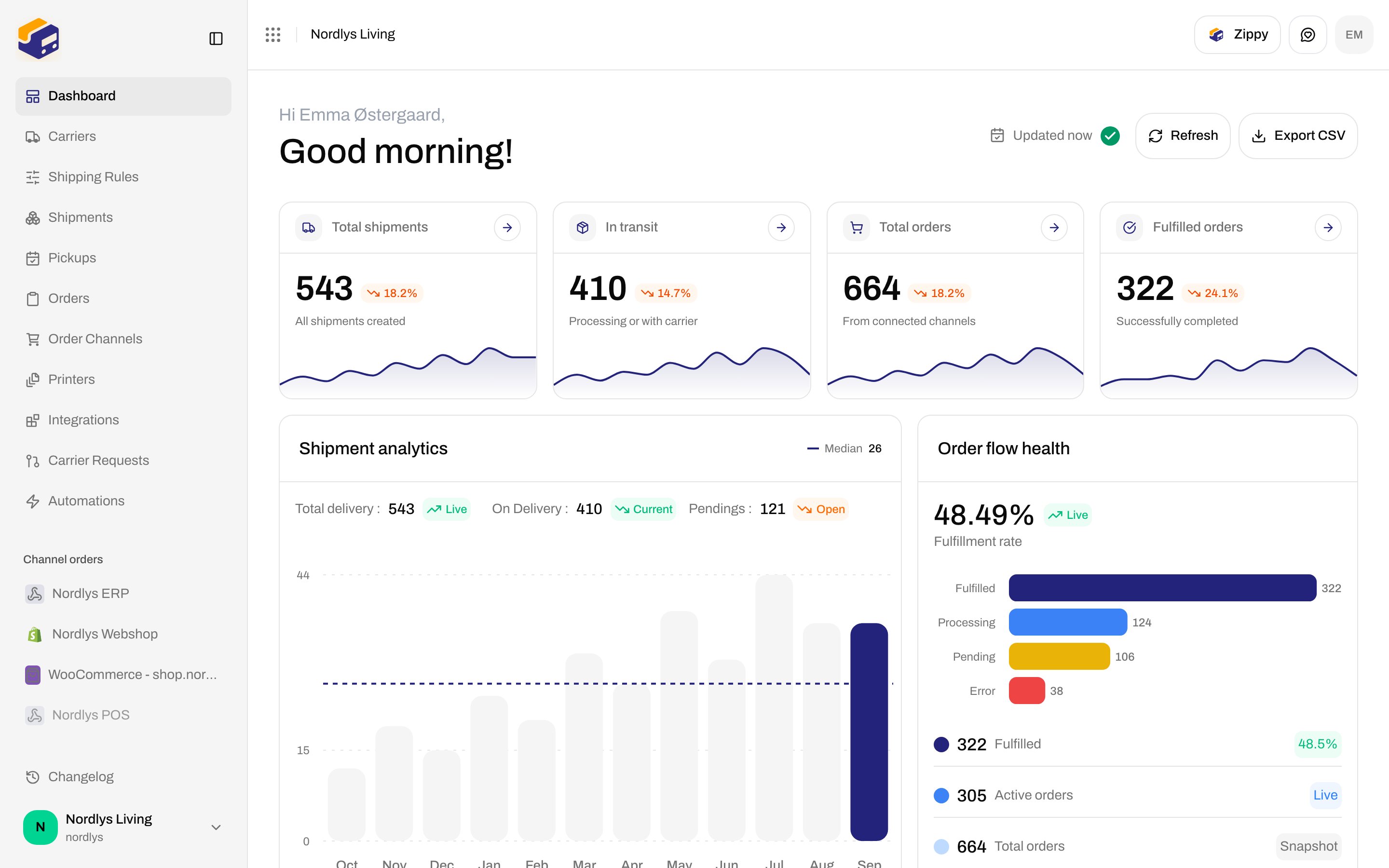
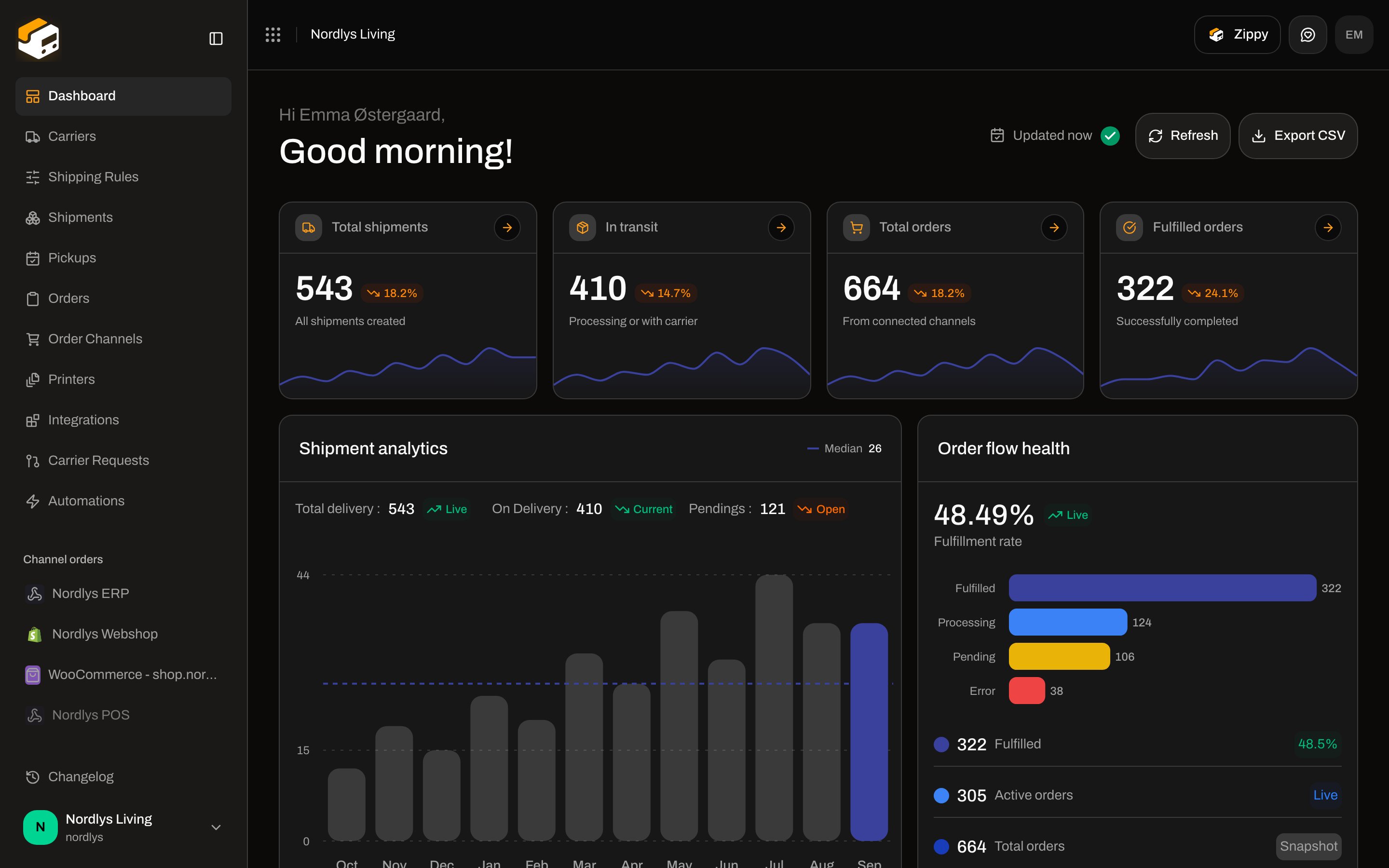
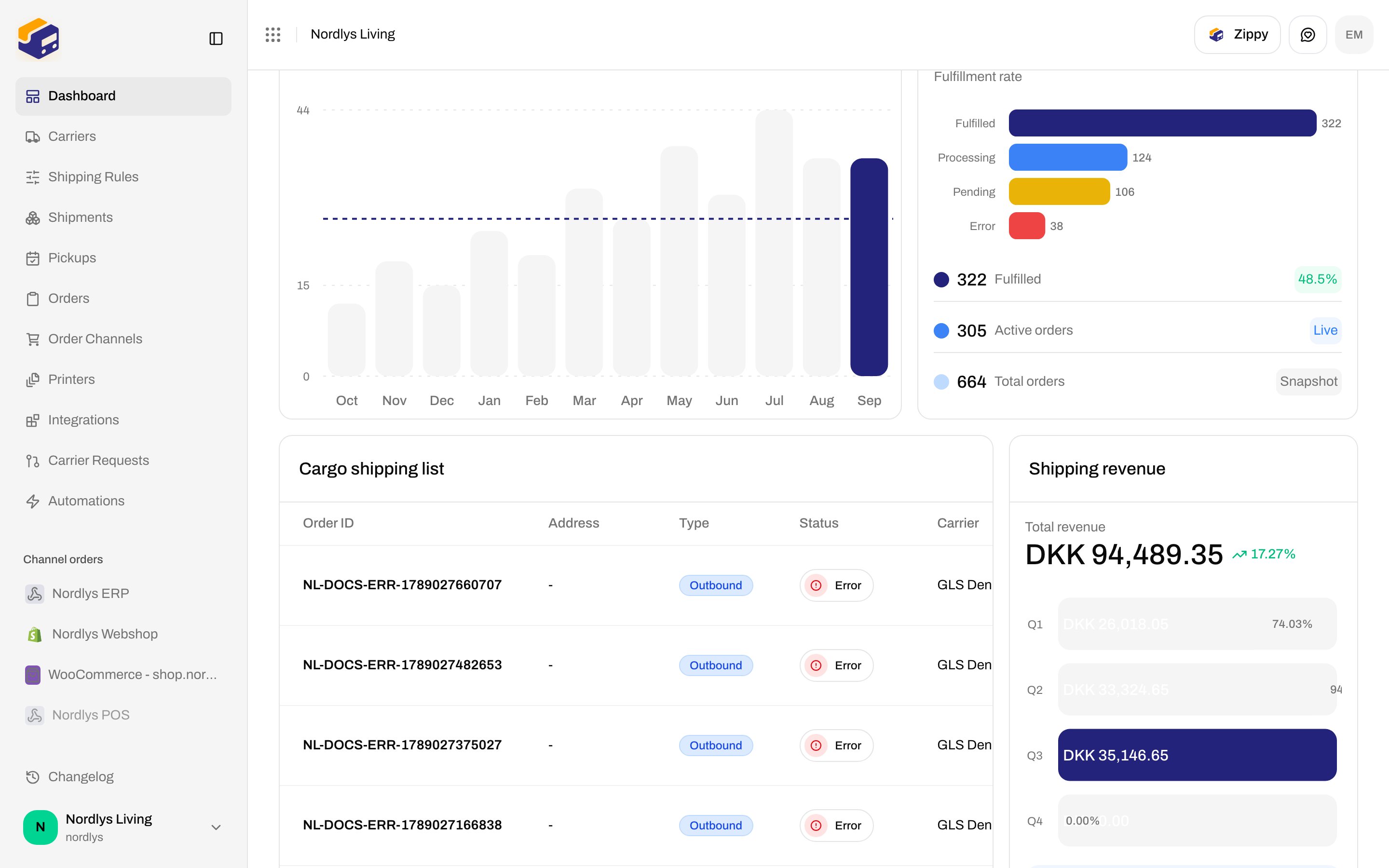
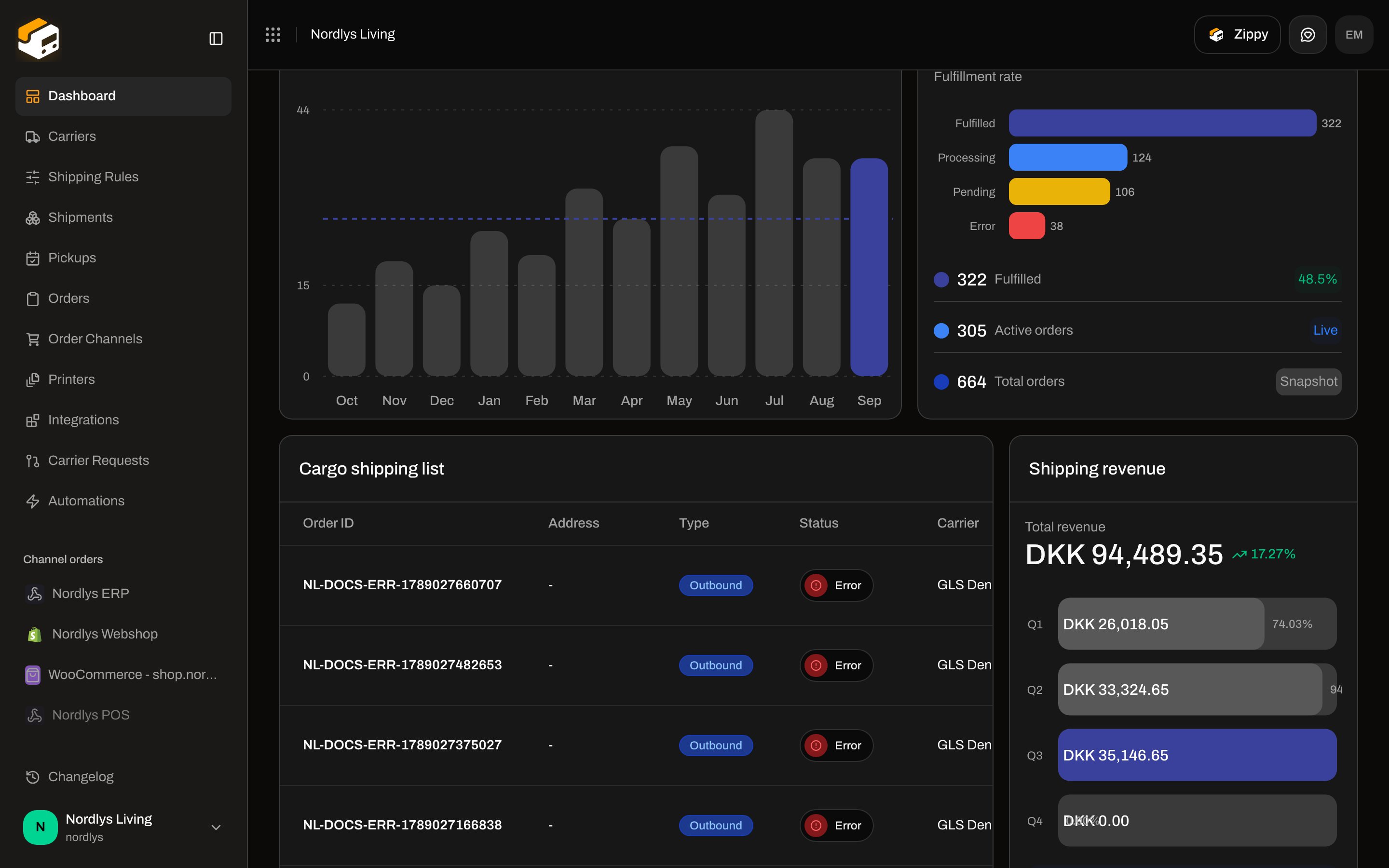
**Export CSV** on the dashboard header downloads the **same snapshot** currently on screen (stats, charts, cargo list). It is not a date-range export and not the organization archive on Settings.
Journey: [Dashboard](/docs/tutorials/dashboard). List search lives on other screens: [Search and filters](/docs/how-to/search-and-filters). Full org dump (shipments, orders, setup): [Export organization data](/docs/how-to/data-export).
## Where it lives
Sidebar **Dashboard** → `/{org}/dashboard`.
The header is greeting copy on the left (**Hi \{\{name}},** plus **Good morning!** / **Good afternoon!** / **Good evening!**) and three controls on the right.
There is no **Filters** popover and no date picker. Brand scope follows the team switcher — [Switch organization and brand](/docs/how-to/switch-organization-and-brand).
 ## Header controls
| Control | Details |
| ---------------------- | ---------------------------------------------------------------------------------------------------------------------------------------------------------------------------------------------------------------------------------- |
| **Updated \{\{time}}** | Relative time of the payload on screen (rephrased every 30 seconds). Hover tooltip: **Data generated \{\{timestamp}}**. Hidden until the first payload arrives. Green check when idle. |
| **Refreshing data…** | Replaces **Updated** while a refresh is in flight (amber pulse). |
| **Refresh** | Aria **Reload dashboard data**. Calls the dashboard with `refresh=true` (bypasses the cache). Disabled without an organization or while fetching. Toast **Dashboard updated** / **Could not refresh dashboard** (or the API code). |
| **Export CSV** | Immediate browser download. No confirm dialog. Disabled until the dashboard payload has loaded (`canExport` is false on the skeleton). |
The dashboard query is treated as fresh for six hours in the browser. Use **Refresh** after a busy booking window if the cards look stale, then **Export CSV** so the file matches what you see.
Clicking **Export CSV** does not re-fetch. It serializes the payload already rendered.
## The file
Filename: `zippendo-dashboard-{org}-{YYYY-MM-DD}.csv`
* `{org}` is the organization **name**, lowercased, accents stripped, max 40 characters (example Nordlys Living → `nordlys-living`). Empty names become `org`.
* `{YYYY-MM-DD}` is the payload’s **Generated** timestamp (local calendar day), not a filter you pick.
* UTF-8 with a BOM so Excel keeps æ/ø/å.
* Delimiter follows the UI locale: **comma** in English, **semicolon** in Danish (and other non-`en` locales) so spreadsheet apps split columns correctly.
* Cells that start with `=`, `+`, `@`, tab, or CR are prefixed with `'` so spreadsheet apps do not treat shipment references as formulas.
There is no in-app preview of the CSV.
### Sections (in order)
Blank rows separate blocks. Headers are the English (or Danish) labels from the dashboard catalogs.
**Zippendo dashboard export**
| Row | Columns |
| ---------------- | ----------------------------------------------------------- |
| Title | **Zippendo dashboard export** |
| **Organization** | Current organization name |
| **Generated** | Localized date-time of `lastUpdatedAt` (or now, if missing) |
**Overview** — header row **Metric**, **Value**
| Metric | Source card |
| --------------------- | -------------------------------------------------------------- |
| **Total shipments** | Stat **Total shipments** |
| **In transit** | Stat **In transit** |
| **Pending shipments** | Shipment analytics **Pendings** |
| **Total orders** | Stat **Total orders** |
| **Fulfilled orders** | Stat **Fulfilled orders** |
| **Total revenue** | Shipping revenue total, plus currency in a third cell when set |
**Shipments per month** — **Month**, **Shipments** (the twelve-month analytics series).
**Revenue by quarter** — **Quarter**, **Revenue**, **Currency**.
**Orders by status** — **Status**, **Orders**. Status labels match **Order flow health**: **Pending**, **Processing**, **Partial**, **Fulfilled**, **Error**, **Cancelled**.
**Recent shipments** — the **Cargo shipping list** rows:
| Column | Field |
| ------------- | --------------------------------------------------------------------------------------------------------------------------------------------------- |
| **Reference** | Shipment reference |
| **Status** | Shared shipment status label (**Draft**, **Pending**, **Processing**, **Dispatched**, **Partly dispatched**, **Error**, **Cancelled**, **On hold**) |
| **Carrier** | Carrier id on the shipment |
| **Recipient** | Address name |
| **City** | Address city |
| **Country** | Localized country name |
| **Created** | Localized created-at |
## Header controls
| Control | Details |
| ---------------------- | ---------------------------------------------------------------------------------------------------------------------------------------------------------------------------------------------------------------------------------- |
| **Updated \{\{time}}** | Relative time of the payload on screen (rephrased every 30 seconds). Hover tooltip: **Data generated \{\{timestamp}}**. Hidden until the first payload arrives. Green check when idle. |
| **Refreshing data…** | Replaces **Updated** while a refresh is in flight (amber pulse). |
| **Refresh** | Aria **Reload dashboard data**. Calls the dashboard with `refresh=true` (bypasses the cache). Disabled without an organization or while fetching. Toast **Dashboard updated** / **Could not refresh dashboard** (or the API code). |
| **Export CSV** | Immediate browser download. No confirm dialog. Disabled until the dashboard payload has loaded (`canExport` is false on the skeleton). |
The dashboard query is treated as fresh for six hours in the browser. Use **Refresh** after a busy booking window if the cards look stale, then **Export CSV** so the file matches what you see.
Clicking **Export CSV** does not re-fetch. It serializes the payload already rendered.
## The file
Filename: `zippendo-dashboard-{org}-{YYYY-MM-DD}.csv`
* `{org}` is the organization **name**, lowercased, accents stripped, max 40 characters (example Nordlys Living → `nordlys-living`). Empty names become `org`.
* `{YYYY-MM-DD}` is the payload’s **Generated** timestamp (local calendar day), not a filter you pick.
* UTF-8 with a BOM so Excel keeps æ/ø/å.
* Delimiter follows the UI locale: **comma** in English, **semicolon** in Danish (and other non-`en` locales) so spreadsheet apps split columns correctly.
* Cells that start with `=`, `+`, `@`, tab, or CR are prefixed with `'` so spreadsheet apps do not treat shipment references as formulas.
There is no in-app preview of the CSV.
### Sections (in order)
Blank rows separate blocks. Headers are the English (or Danish) labels from the dashboard catalogs.
**Zippendo dashboard export**
| Row | Columns |
| ---------------- | ----------------------------------------------------------- |
| Title | **Zippendo dashboard export** |
| **Organization** | Current organization name |
| **Generated** | Localized date-time of `lastUpdatedAt` (or now, if missing) |
**Overview** — header row **Metric**, **Value**
| Metric | Source card |
| --------------------- | -------------------------------------------------------------- |
| **Total shipments** | Stat **Total shipments** |
| **In transit** | Stat **In transit** |
| **Pending shipments** | Shipment analytics **Pendings** |
| **Total orders** | Stat **Total orders** |
| **Fulfilled orders** | Stat **Fulfilled orders** |
| **Total revenue** | Shipping revenue total, plus currency in a third cell when set |
**Shipments per month** — **Month**, **Shipments** (the twelve-month analytics series).
**Revenue by quarter** — **Quarter**, **Revenue**, **Currency**.
**Orders by status** — **Status**, **Orders**. Status labels match **Order flow health**: **Pending**, **Processing**, **Partial**, **Fulfilled**, **Error**, **Cancelled**.
**Recent shipments** — the **Cargo shipping list** rows:
| Column | Field |
| ------------- | --------------------------------------------------------------------------------------------------------------------------------------------------- |
| **Reference** | Shipment reference |
| **Status** | Shared shipment status label (**Draft**, **Pending**, **Processing**, **Dispatched**, **Partly dispatched**, **Error**, **Cancelled**, **On hold**) |
| **Carrier** | Carrier id on the shipment |
| **Recipient** | Address name |
| **City** | Address city |
| **Country** | Localized country name |
| **Created** | Localized created-at |
 ## Empty and loading
While auth is still loading, the stats grid is skeletons and **Export CSV** is disabled.
A workspace with no activity still exports: zeros in **Overview**, empty month/quarter/status series as present in the payload, and an empty **Recent shipments** table under the column headers.
Onboarding (**Get shipping ready**) and the usage banner are **not** included in the CSV.
## Not this button
| Export | Where | What you get |
| -------------------------- | ------------------------- | -------------------------------------------------------------------------- |
| **Export CSV** (this page) | Dashboard header | Analytics snapshot |
| Organization data archive | Settings → Organization | Shipments, orders, setup — [Export organization data](/docs/how-to/data-export) |
| List CSV | Not on Orders / Shipments | Those screens have filters, not this download |
You are done when a `zippendo-dashboard-…csv` file opens in your spreadsheet with **Zippendo dashboard export** on row 1 and the **Overview** metrics matching the four stat cards.
## Related
* [Dashboard](/docs/tutorials/dashboard)
* [Search and filters](/docs/how-to/search-and-filters)
* [Export organization data](/docs/how-to/data-export)
* [Switch organization and brand](/docs/how-to/switch-organization-and-brand)
## Empty and loading
While auth is still loading, the stats grid is skeletons and **Export CSV** is disabled.
A workspace with no activity still exports: zeros in **Overview**, empty month/quarter/status series as present in the payload, and an empty **Recent shipments** table under the column headers.
Onboarding (**Get shipping ready**) and the usage banner are **not** included in the CSV.
## Not this button
| Export | Where | What you get |
| -------------------------- | ------------------------- | -------------------------------------------------------------------------- |
| **Export CSV** (this page) | Dashboard header | Analytics snapshot |
| Organization data archive | Settings → Organization | Shipments, orders, setup — [Export organization data](/docs/how-to/data-export) |
| List CSV | Not on Orders / Shipments | Those screens have filters, not this download |
You are done when a `zippendo-dashboard-…csv` file opens in your spreadsheet with **Zippendo dashboard export** on row 1 and the **Overview** metrics matching the four stat cards.
## Related
* [Dashboard](/docs/tutorials/dashboard)
* [Search and filters](/docs/how-to/search-and-filters)
* [Export organization data](/docs/how-to/data-export)
* [Switch organization and brand](/docs/how-to/switch-organization-and-brand)