> ## Documentation Index
> Fetch the complete documentation index at: https://www.zippendo.com/docs/llms.txt
> Use this file to discover all available pages before exploring further.
# Create an API token
> Every field on Settings → API Settings — token name, optional expiry, permission checkboxes, copy-once secret, and delete.
**API Settings** is where you create **API tokens** for the public REST API (shipments, orders, webhooks, and the rest of the [API reference](/docs/api-reference/overview)). A token is a `zipp_` secret you send as `Authorization: Bearer`. The dashboard never shows the full value again after you close **API Token Created**.
Walkthrough of Settings: [Settings, team, and brands](/docs/tutorials/settings-team-brands). First request: [REST API quickstart](/docs/quickstarts/rest-api). Checkout rates use a separate public call — [Get a shipping quote](/docs/how-to/shipping-quotes).
API tokens are available on **Standard** and above. On Free, the tab still opens but shows **Unlock API access** instead of the table. Nordlys on this page is **Pro**, so the table is unlocked.
## Where it lives
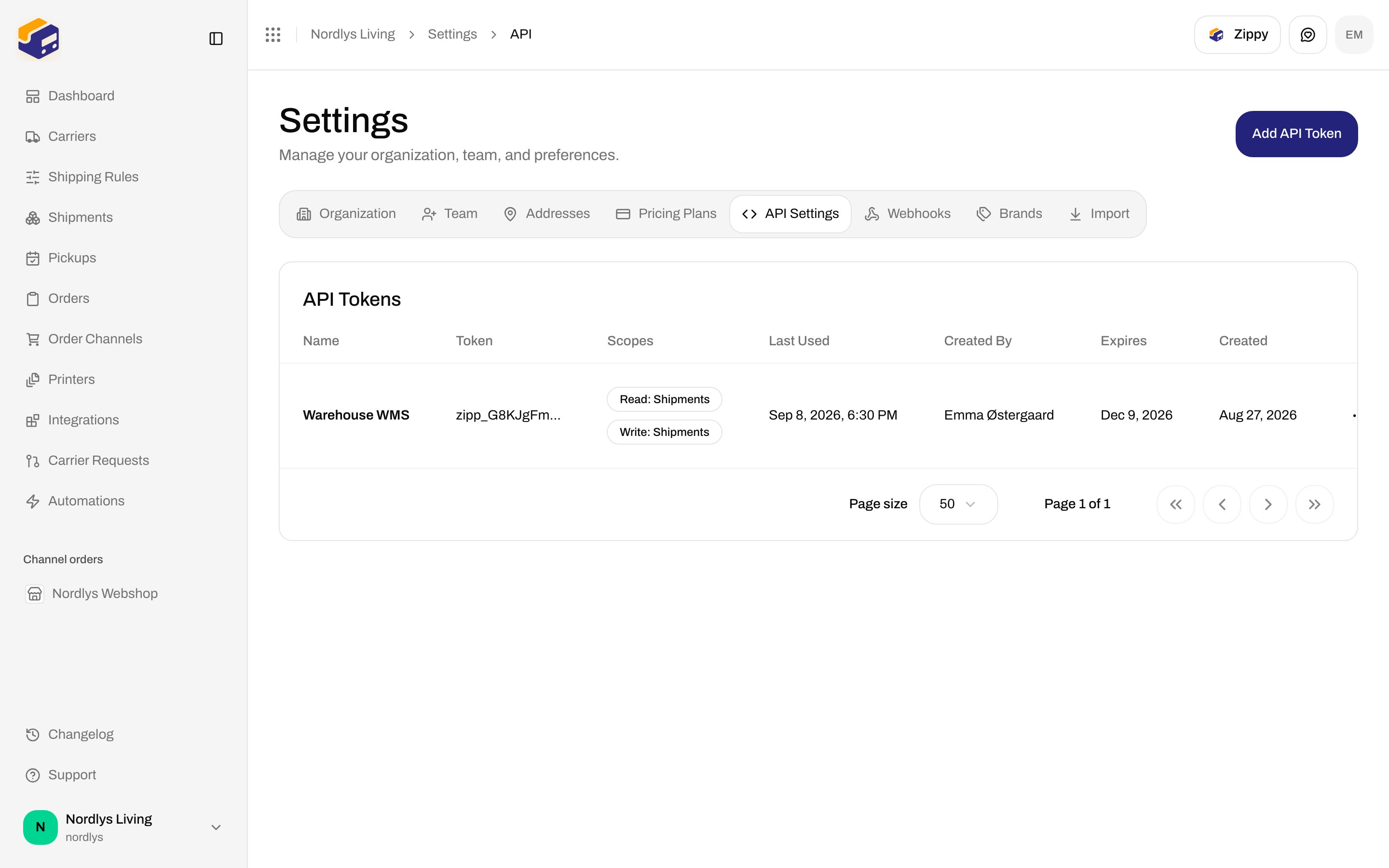
Settings is not a sidebar item. Open the **organization switcher** at the bottom of the sidebar, click **Manage**, then the **API Settings** tab. The page title is **Settings**. Description: **Manage your organization, team, and preferences.**
Tabs, in order: **Organization**, **Team**, **Addresses**, **Pricing Plans**, **API Settings**, **Webhooks**, **Brands**, **Import**.
The header action on this tab is **Add API Token**. It is hidden while the plan lock is on.
There is no search or filter on this list.
## API Tokens list
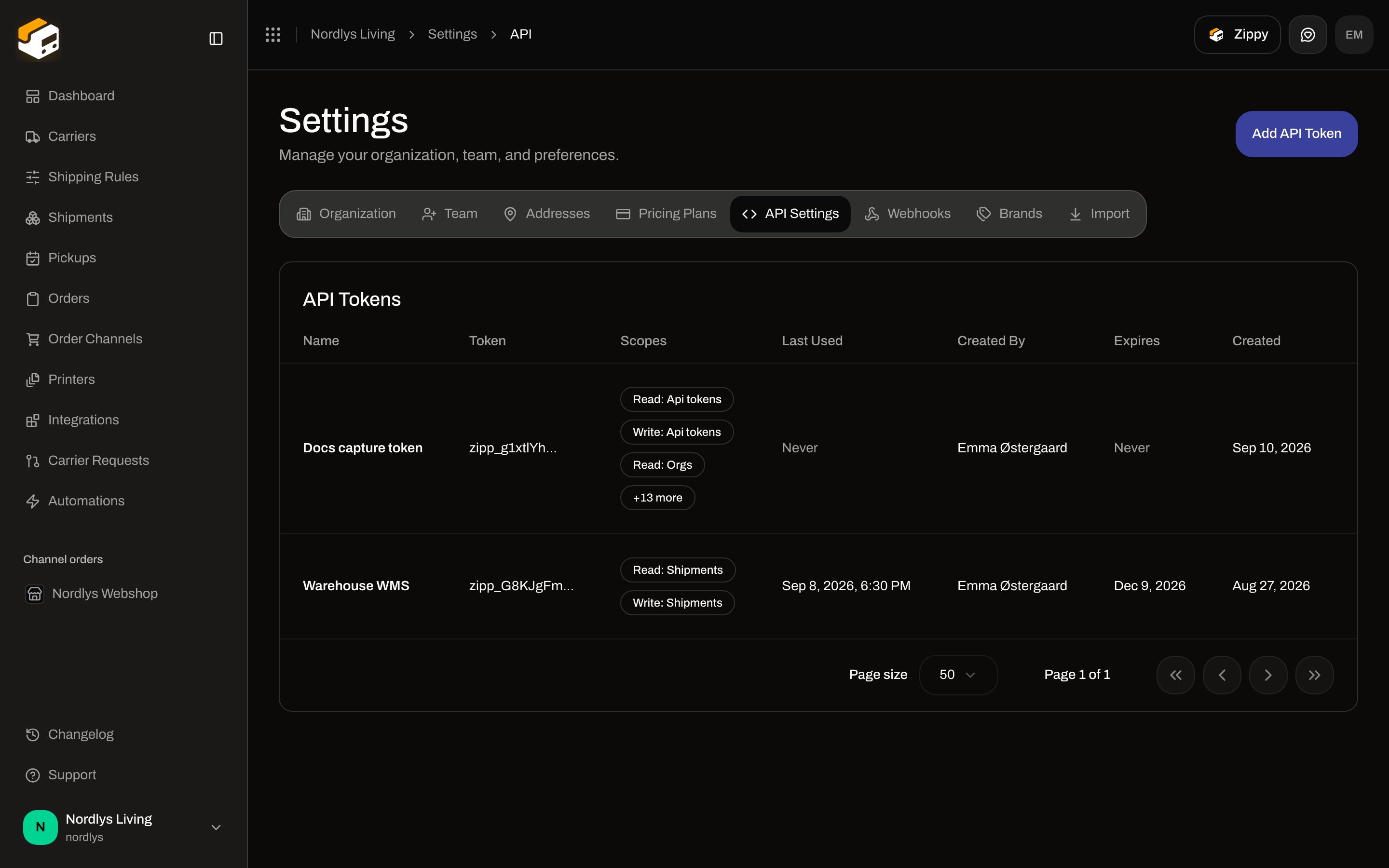
The card title is **API Tokens**.
 ### Empty state
Shown when the organization has no tokens yet:
| Copy | Text |
| ----------- | -------------------------------------------------------------- |
| Title | **No API tokens** |
| Description | **Create an API token to authenticate requests to the API.** |
| Button | **Create Your First Token** — same dialog as **Add API Token** |
### Columns
| Column | What it shows |
| -------------- | ---------------------------------------------------------------------------------------------------------------- |
| **Name** | The **Token Name** you entered. |
| **Token** | The stored prefix (first 12 characters) plus `...`. The full secret is never listed. |
| **Scopes** | Up to three labels such as **Read: Shipments**. Extra scopes collapse. **No permissions** if the array is empty. |
| **Last Used** | Date and time of the last API call, or **Never**. |
| **Created By** | Creator name, or email if name is empty. |
| **Expires** | Calendar date, or **Never**. An expired date is shown in the destructive colour. |
| **Created** | Creation date. |
| Actions | **Delete** only. There is no **Edit** or **Rename**. |
Clicking a row does not open a detail page. The only row action is **Delete**.
## Create API Token
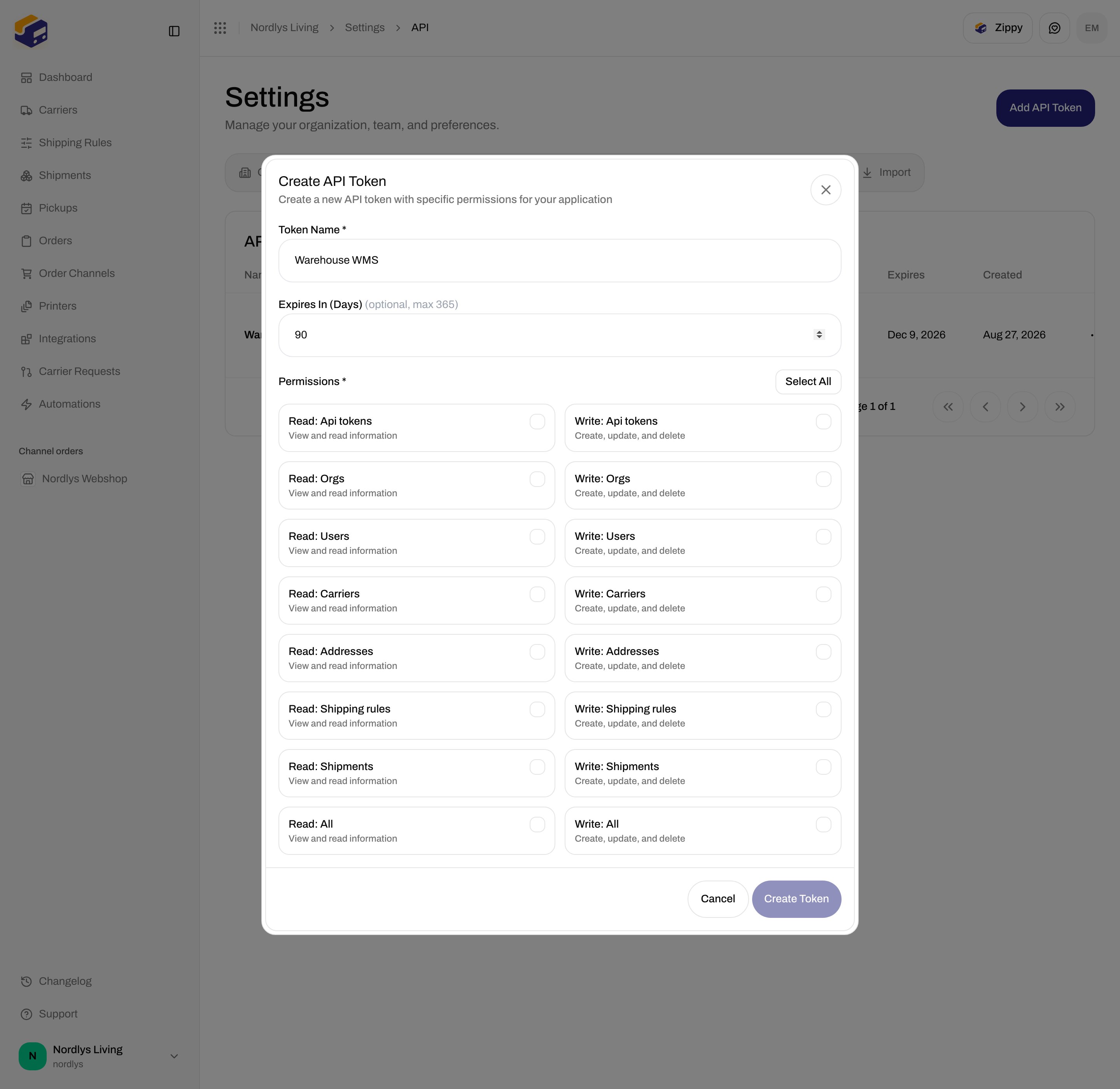
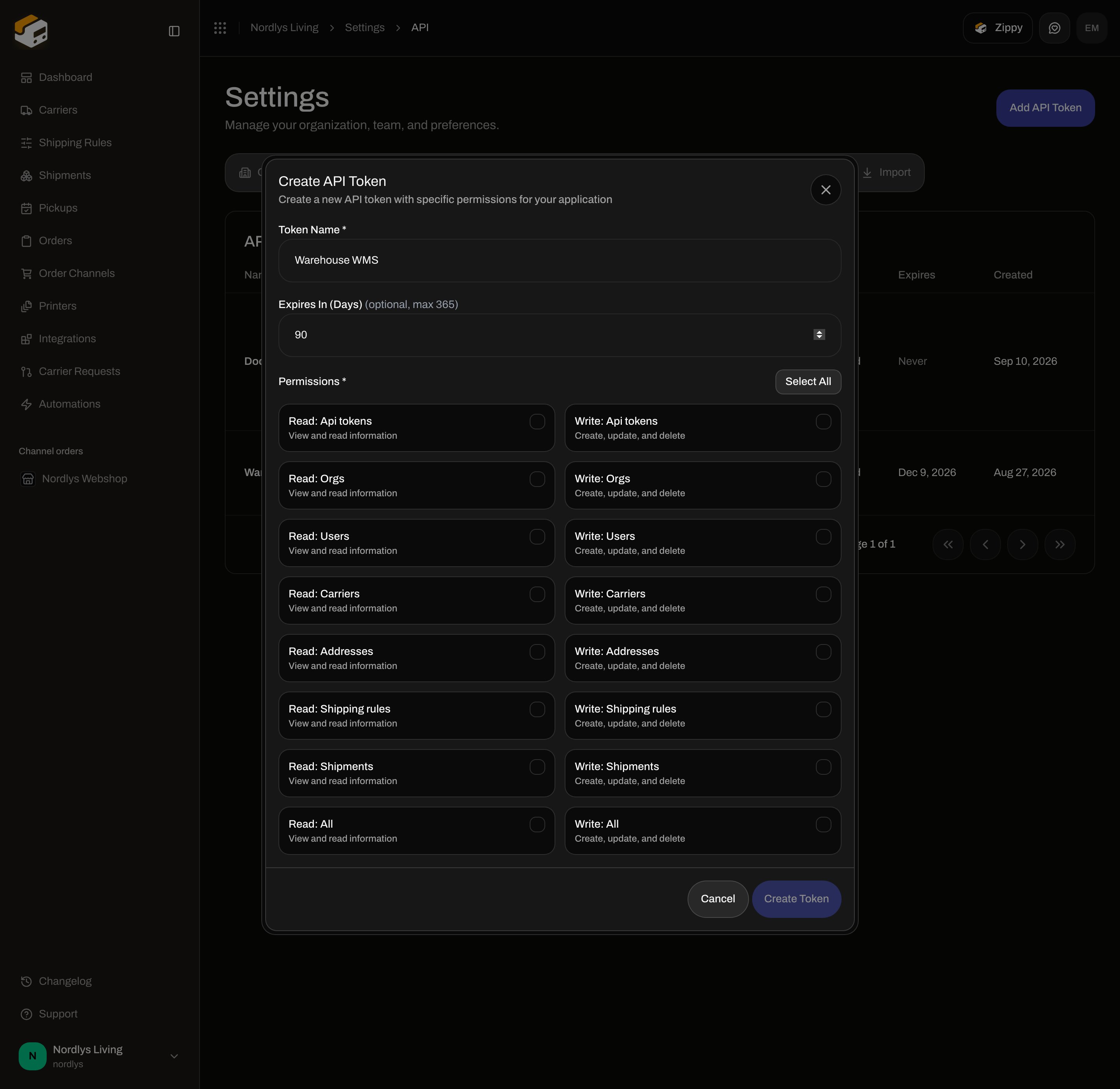
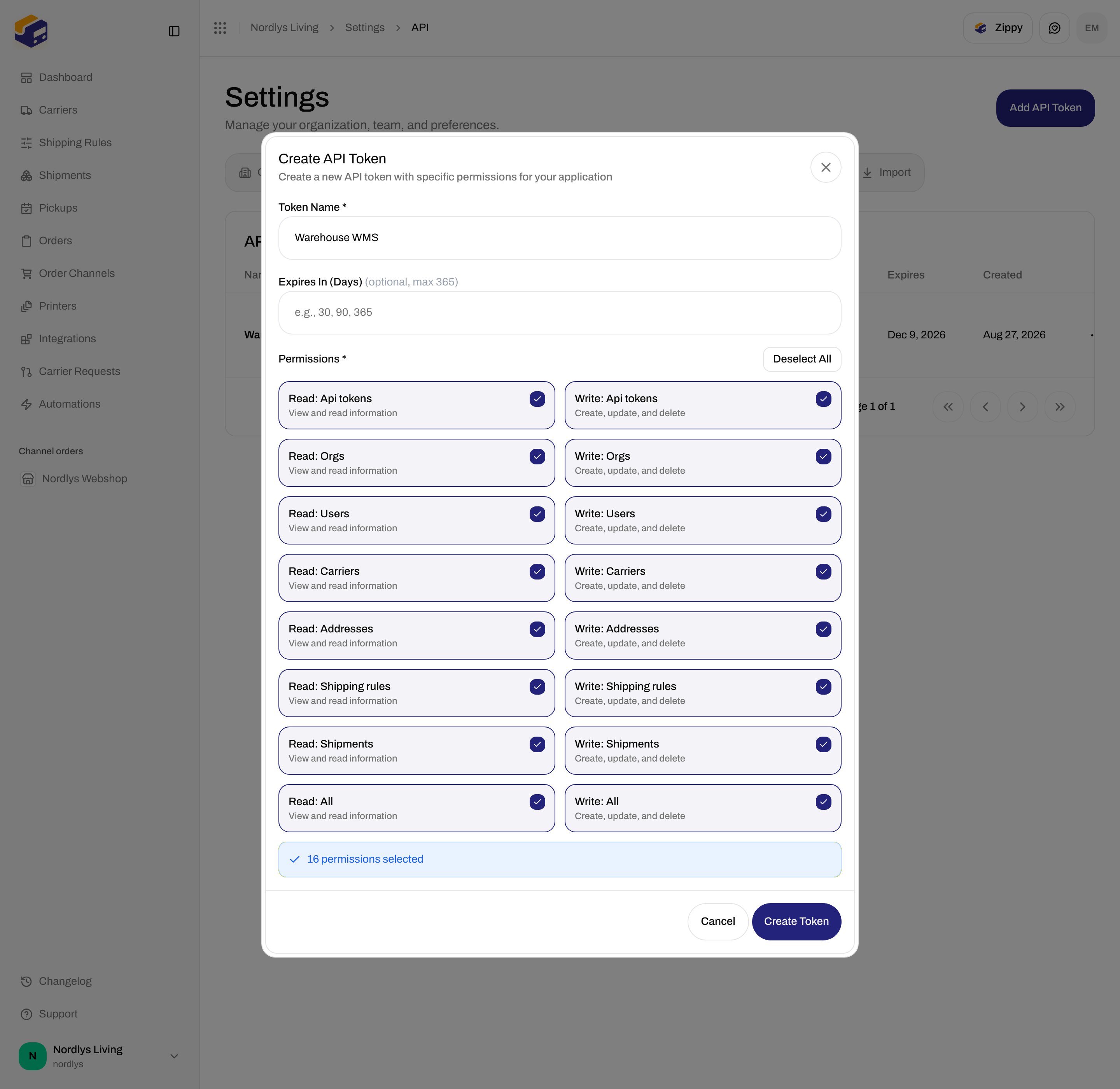
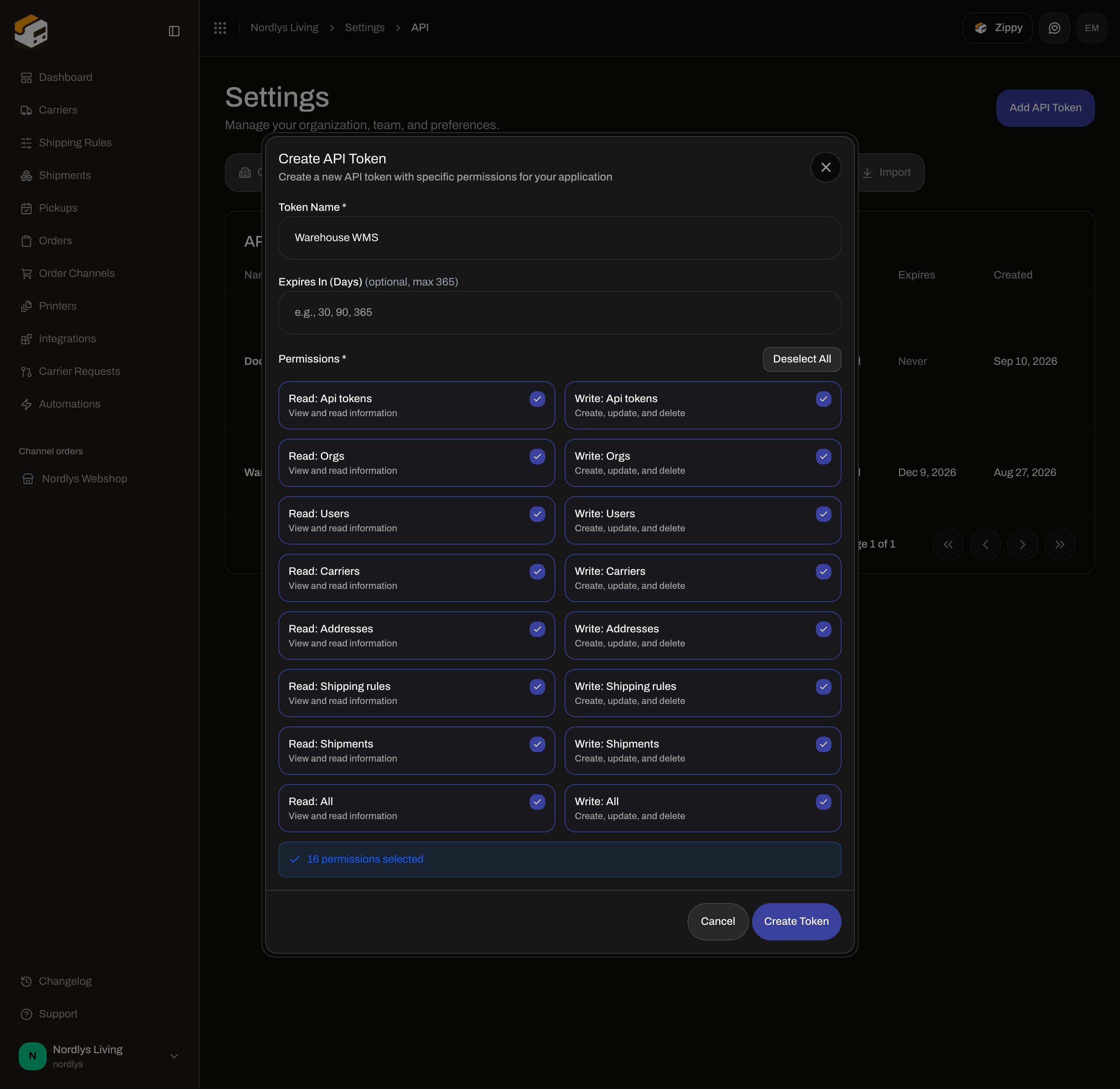
The dialog title is **Create API Token**. Subtitle: **Create a new API token with specific permissions for your application**. Modal id: `create-api-token-modal`.
### Empty state
Shown when the organization has no tokens yet:
| Copy | Text |
| ----------- | -------------------------------------------------------------- |
| Title | **No API tokens** |
| Description | **Create an API token to authenticate requests to the API.** |
| Button | **Create Your First Token** — same dialog as **Add API Token** |
### Columns
| Column | What it shows |
| -------------- | ---------------------------------------------------------------------------------------------------------------- |
| **Name** | The **Token Name** you entered. |
| **Token** | The stored prefix (first 12 characters) plus `...`. The full secret is never listed. |
| **Scopes** | Up to three labels such as **Read: Shipments**. Extra scopes collapse. **No permissions** if the array is empty. |
| **Last Used** | Date and time of the last API call, or **Never**. |
| **Created By** | Creator name, or email if name is empty. |
| **Expires** | Calendar date, or **Never**. An expired date is shown in the destructive colour. |
| **Created** | Creation date. |
| Actions | **Delete** only. There is no **Edit** or **Rename**. |
Clicking a row does not open a detail page. The only row action is **Delete**.
## Create API Token
The dialog title is **Create API Token**. Subtitle: **Create a new API token with specific permissions for your application**. Modal id: `create-api-token-modal`.
 ### Fields
| Field | Required | What it is |
| ------------------------------------------- | ------------------ | --------------------------------------------------------------------------------------------------------------------------------------------------------------------------------------------------------------------------------------------------------------------------------------------------------------------------- |
| **Token Name \*** | Yes | Placeholder: **e.g., Production API, Development API, Webhook Service**. Max 100 characters. **Create Token** stays disabled while this is empty. |
| **Restrict to brand** | No | Shown only if the organization already has [brands](/docs/how-to/create-a-brand). Helper: **Requests made with this token can only read and write that brand's data.** Options: **No brand (organization-wide)** (default) plus each active brand. Binding is set at create time — the list has no edit, so pick this carefully. |
| **Expires In (Days)** *(optional, max 365)* | No | Number input, min 1, max 365. Placeholder: **e.g., 30, 90, 365**. Leave empty for no expiry (**Never** in the table). |
| **Permissions \*** | Yes (at least one) | Checkbox grid. **Create Token** stays disabled until one or more are selected. |
Buttons: **Cancel**, **Create Token**.
**Select All** / **Deselect All** sits on the permissions header. The label switches to **Deselect All** when all 16 checkboxes are on.
After the first selection, a banner reads **1 permission selected** / **N permissions selected**.
There is no client Zod form on this dialog. The only gates are: non-empty name, at least one permission, and expiry between 1 and 365 if you type a number. Create failures toast **Failed to create API token** (or the API error, including **This feature is not available on your current plan.** / **You have reached your plan limit for this resource.**).
### Permission checkboxes
These are the only checkboxes in the dialog — 16 scopes, two columns. Each **Read** row uses **View and read information**. Each **Write** row uses **Create, update, and delete**. Labels are formatted from the scope string (`read:shipments` → **Read: Shipments**).
### Fields
| Field | Required | What it is |
| ------------------------------------------- | ------------------ | --------------------------------------------------------------------------------------------------------------------------------------------------------------------------------------------------------------------------------------------------------------------------------------------------------------------------- |
| **Token Name \*** | Yes | Placeholder: **e.g., Production API, Development API, Webhook Service**. Max 100 characters. **Create Token** stays disabled while this is empty. |
| **Restrict to brand** | No | Shown only if the organization already has [brands](/docs/how-to/create-a-brand). Helper: **Requests made with this token can only read and write that brand's data.** Options: **No brand (organization-wide)** (default) plus each active brand. Binding is set at create time — the list has no edit, so pick this carefully. |
| **Expires In (Days)** *(optional, max 365)* | No | Number input, min 1, max 365. Placeholder: **e.g., 30, 90, 365**. Leave empty for no expiry (**Never** in the table). |
| **Permissions \*** | Yes (at least one) | Checkbox grid. **Create Token** stays disabled until one or more are selected. |
Buttons: **Cancel**, **Create Token**.
**Select All** / **Deselect All** sits on the permissions header. The label switches to **Deselect All** when all 16 checkboxes are on.
After the first selection, a banner reads **1 permission selected** / **N permissions selected**.
There is no client Zod form on this dialog. The only gates are: non-empty name, at least one permission, and expiry between 1 and 365 if you type a number. Create failures toast **Failed to create API token** (or the API error, including **This feature is not available on your current plan.** / **You have reached your plan limit for this resource.**).
### Permission checkboxes
These are the only checkboxes in the dialog — 16 scopes, two columns. Each **Read** row uses **View and read information**. Each **Write** row uses **Create, update, and delete**. Labels are formatted from the scope string (`read:shipments` → **Read: Shipments**).
 | Checkbox label | Scope | Description shown |
| ------------------------- | ---------------------- | -------------------------- |
| **Read: Api tokens** | `read:api_tokens` | View and read information |
| **Write: Api tokens** | `write:api_tokens` | Create, update, and delete |
| **Read: Orgs** | `read:orgs` | View and read information |
| **Write: Orgs** | `write:orgs` | Create, update, and delete |
| **Read: Users** | `read:users` | View and read information |
| **Write: Users** | `write:users` | Create, update, and delete |
| **Read: Carriers** | `read:carriers` | View and read information |
| **Write: Carriers** | `write:carriers` | Create, update, and delete |
| **Read: Addresses** | `read:addresses` | View and read information |
| **Write: Addresses** | `write:addresses` | Create, update, and delete |
| **Read: Shipping rules** | `read:shipping_rules` | View and read information |
| **Write: Shipping rules** | `write:shipping_rules` | Create, update, and delete |
| **Read: Shipments** | `read:shipments` | View and read information |
| **Write: Shipments** | `write:shipments` | Create, update, and delete |
| **Read: All** | `read:all` | View and read information |
| **Write: All** | `write:all` | Create, update, and delete |
There are no separate checkboxes for orders, order channels, printers, webhooks, automations, integrations, roles, or org members. **Read: All** / **Write: All** cover those resources. Neither **Read: All** nor **Write: All** includes the **Api tokens** pair — grant **Write: Api tokens** if the token must create or delete other tokens.
The same 16 checkboxes appear on [custom roles](/docs/how-to/roles-and-permissions).
Click **Add API Token**, or **Create Your First Token** when the table is empty.
Fill **Token Name \***. Optionally set **Expires In (Days)** and **Restrict to brand**.
Check the scopes this token should have, or click **Select All**.
Click **Create Token**. A toast reads **API token created successfully**, and **API Token Created** opens with the secret.
## API Token Created (copy once)
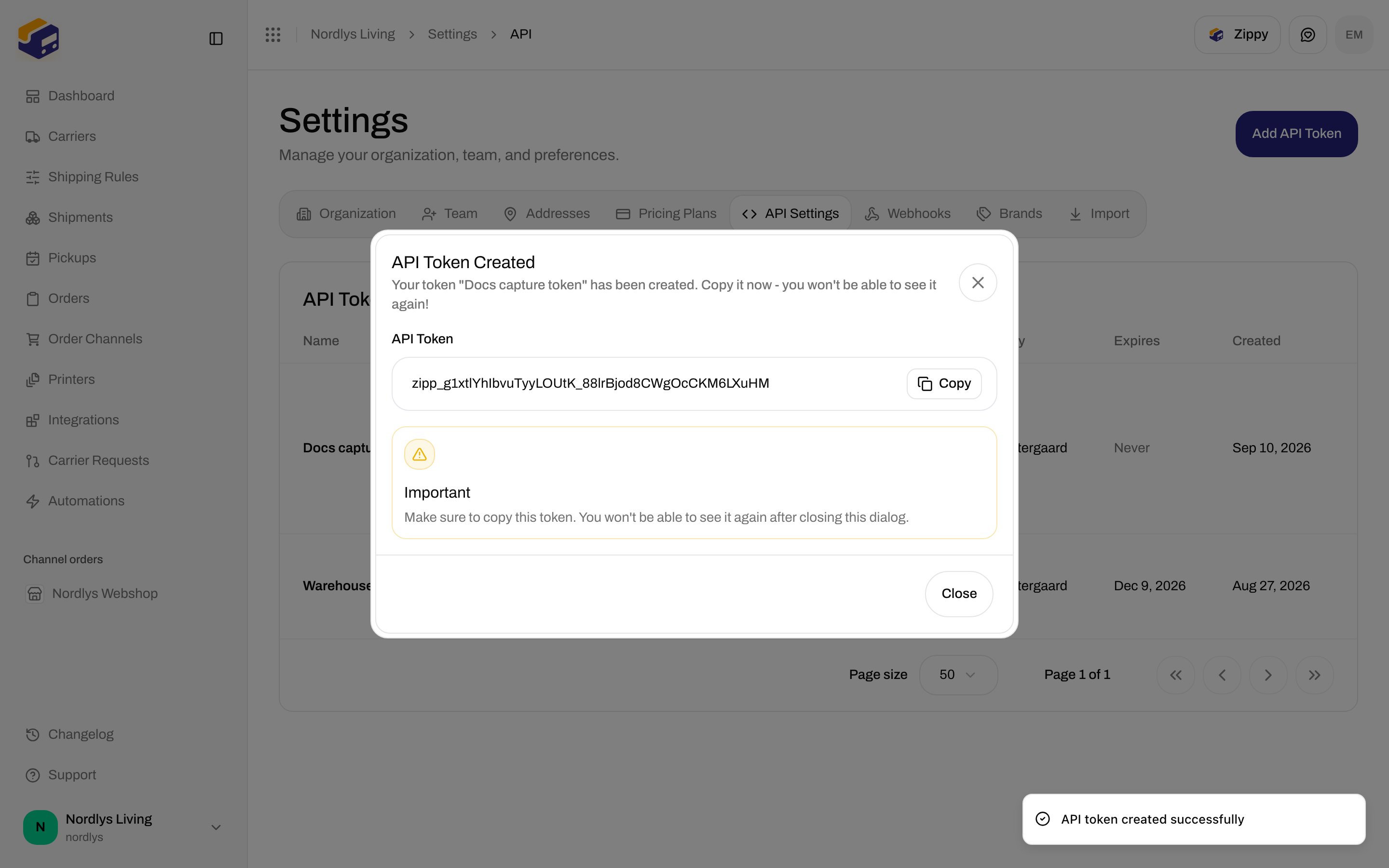
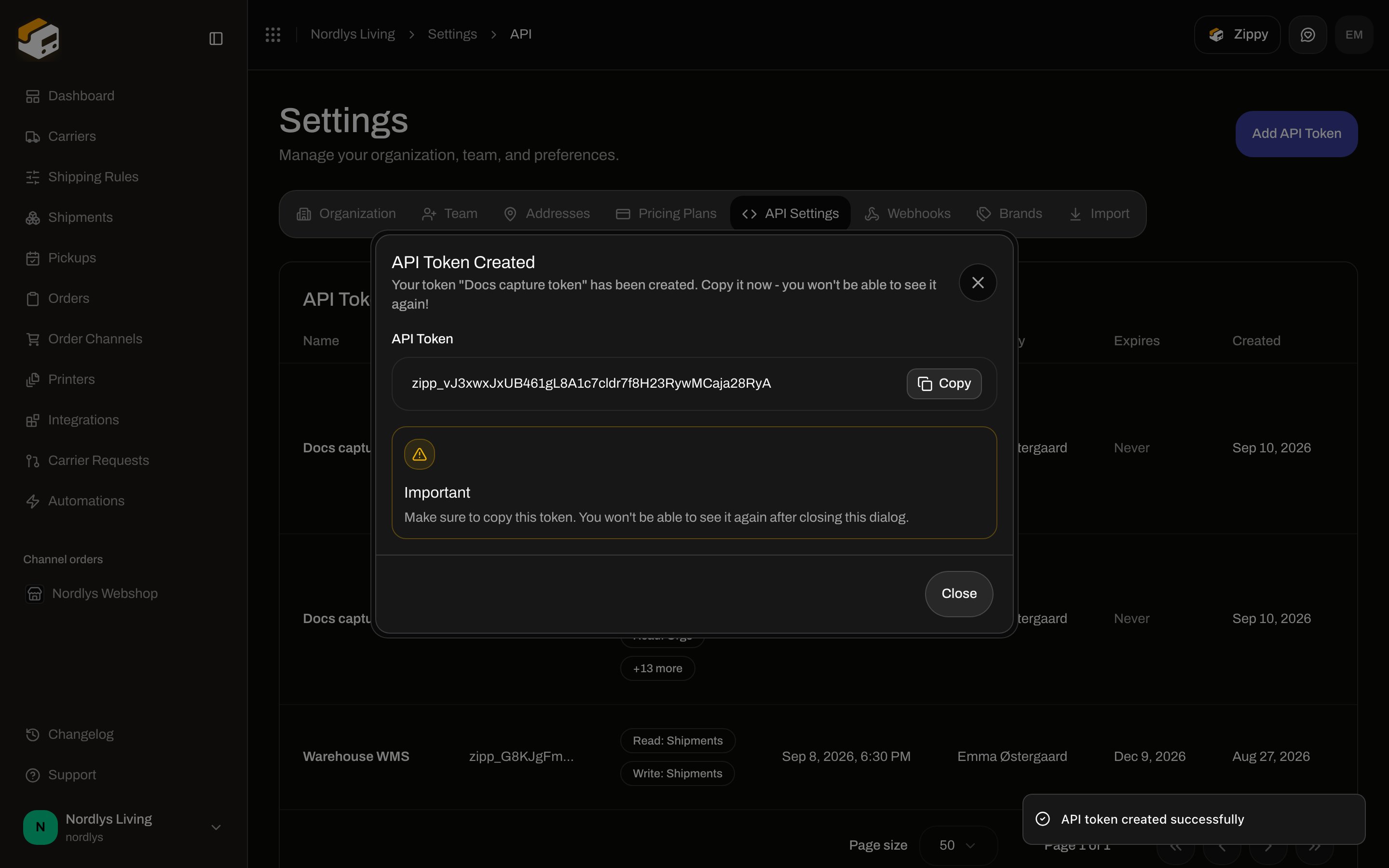
The dialog title is **API Token Created**. Subtitle: **Your token "Warehouse WMS" has been created. Copy it now - you won't be able to see it again!** (the quoted name is the **Token Name** you entered). Modal id: `token-display-modal`.
| Checkbox label | Scope | Description shown |
| ------------------------- | ---------------------- | -------------------------- |
| **Read: Api tokens** | `read:api_tokens` | View and read information |
| **Write: Api tokens** | `write:api_tokens` | Create, update, and delete |
| **Read: Orgs** | `read:orgs` | View and read information |
| **Write: Orgs** | `write:orgs` | Create, update, and delete |
| **Read: Users** | `read:users` | View and read information |
| **Write: Users** | `write:users` | Create, update, and delete |
| **Read: Carriers** | `read:carriers` | View and read information |
| **Write: Carriers** | `write:carriers` | Create, update, and delete |
| **Read: Addresses** | `read:addresses` | View and read information |
| **Write: Addresses** | `write:addresses` | Create, update, and delete |
| **Read: Shipping rules** | `read:shipping_rules` | View and read information |
| **Write: Shipping rules** | `write:shipping_rules` | Create, update, and delete |
| **Read: Shipments** | `read:shipments` | View and read information |
| **Write: Shipments** | `write:shipments` | Create, update, and delete |
| **Read: All** | `read:all` | View and read information |
| **Write: All** | `write:all` | Create, update, and delete |
There are no separate checkboxes for orders, order channels, printers, webhooks, automations, integrations, roles, or org members. **Read: All** / **Write: All** cover those resources. Neither **Read: All** nor **Write: All** includes the **Api tokens** pair — grant **Write: Api tokens** if the token must create or delete other tokens.
The same 16 checkboxes appear on [custom roles](/docs/how-to/roles-and-permissions).
Click **Add API Token**, or **Create Your First Token** when the table is empty.
Fill **Token Name \***. Optionally set **Expires In (Days)** and **Restrict to brand**.
Check the scopes this token should have, or click **Select All**.
Click **Create Token**. A toast reads **API token created successfully**, and **API Token Created** opens with the secret.
## API Token Created (copy once)
The dialog title is **API Token Created**. Subtitle: **Your token "Warehouse WMS" has been created. Copy it now - you won't be able to see it again!** (the quoted name is the **Token Name** you entered). Modal id: `token-display-modal`.
 | Control | What it is |
| ------------- | --------------------------------------------------------------------------------------------------------------------------------------------- |
| **API Token** | Read-only input with the full secret (starts with `zipp_`). |
| **Copy** | Copies the value. The button reads **Copied** for two seconds. Toast: **Token copied to clipboard**. Failure toast: **Failed to copy token**. |
| **Important** | **Make sure to copy this token. You won't be able to see it again after closing this dialog.** |
| **Close** | Dismisses the dialog. The list then shows only the prefix. |
Treat the token like a password. Do not commit it or put it in a browser app. If it leaks, [delete it](#delete-api-token) and create a new one. Failed calls: [API token authentication errors](/docs/knowledge-base/api-token-authentication-errors).
## Using the token
Send it on every public API request:
```bash theme={null}
curl https://api.zippendo.com/orgs/{orgId}/shipments \
-H "Authorization: Bearer zipp_YOUR_TOKEN" \
-H "Content-Type: application/json"
```
`{orgId}` is the organization id (not the URL slug). List organizations from the **Orgs** group in the [API reference](/docs/api-reference/overview). Base URL: `https://api.zippendo.com`.
Request bodies and responses for each path are in that tab. Typed clients: [SDKs](/docs/sdks/overview). Budgets: [Rate limits](/docs/api-reference/rate-limits).
An organization-wide token can target one brand per request with `X-Zippendo-Brand`. A token created with **Restrict to brand** cannot be widened that way. See [Brands](/docs/settings/brands).
## Delete API Token
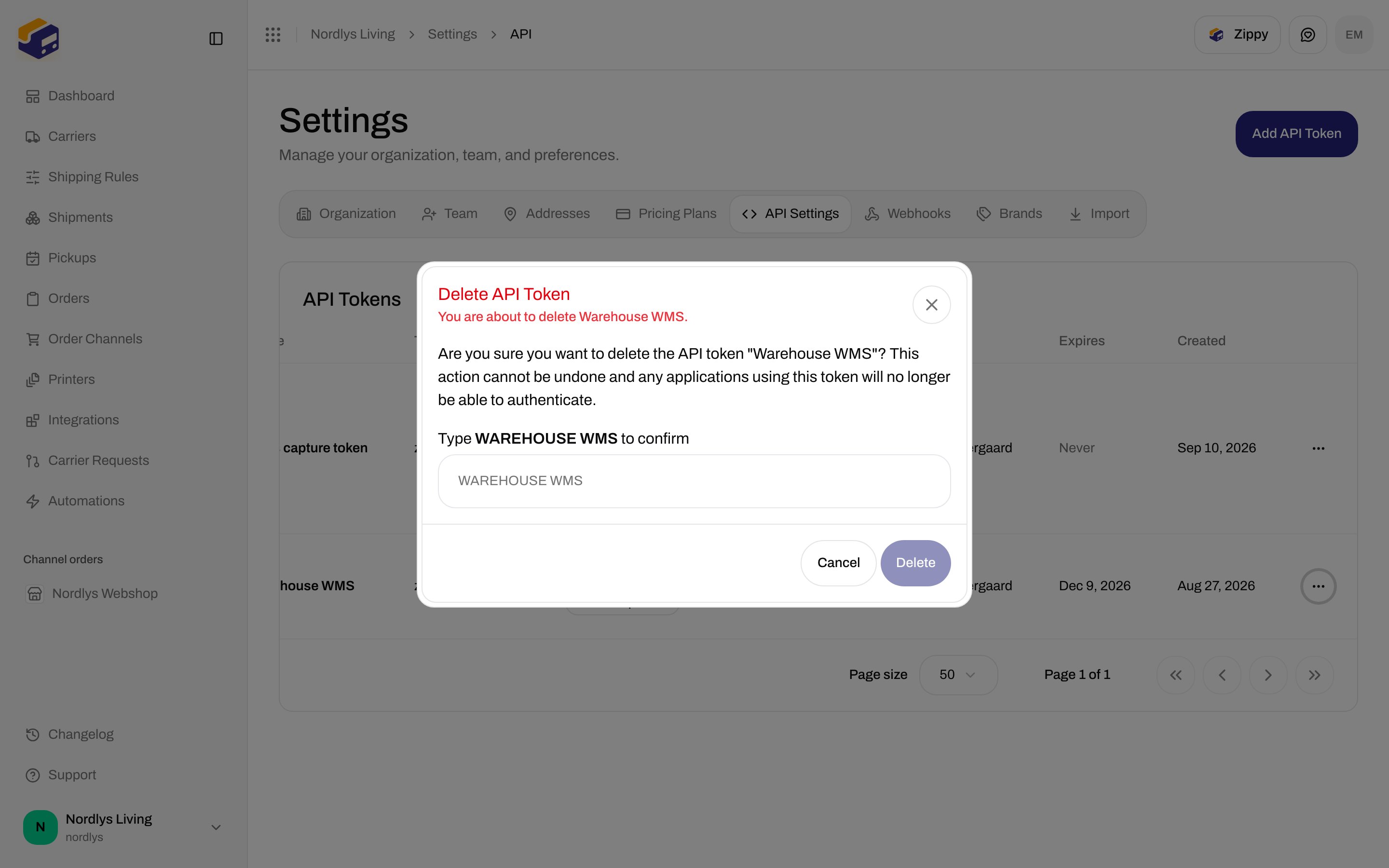
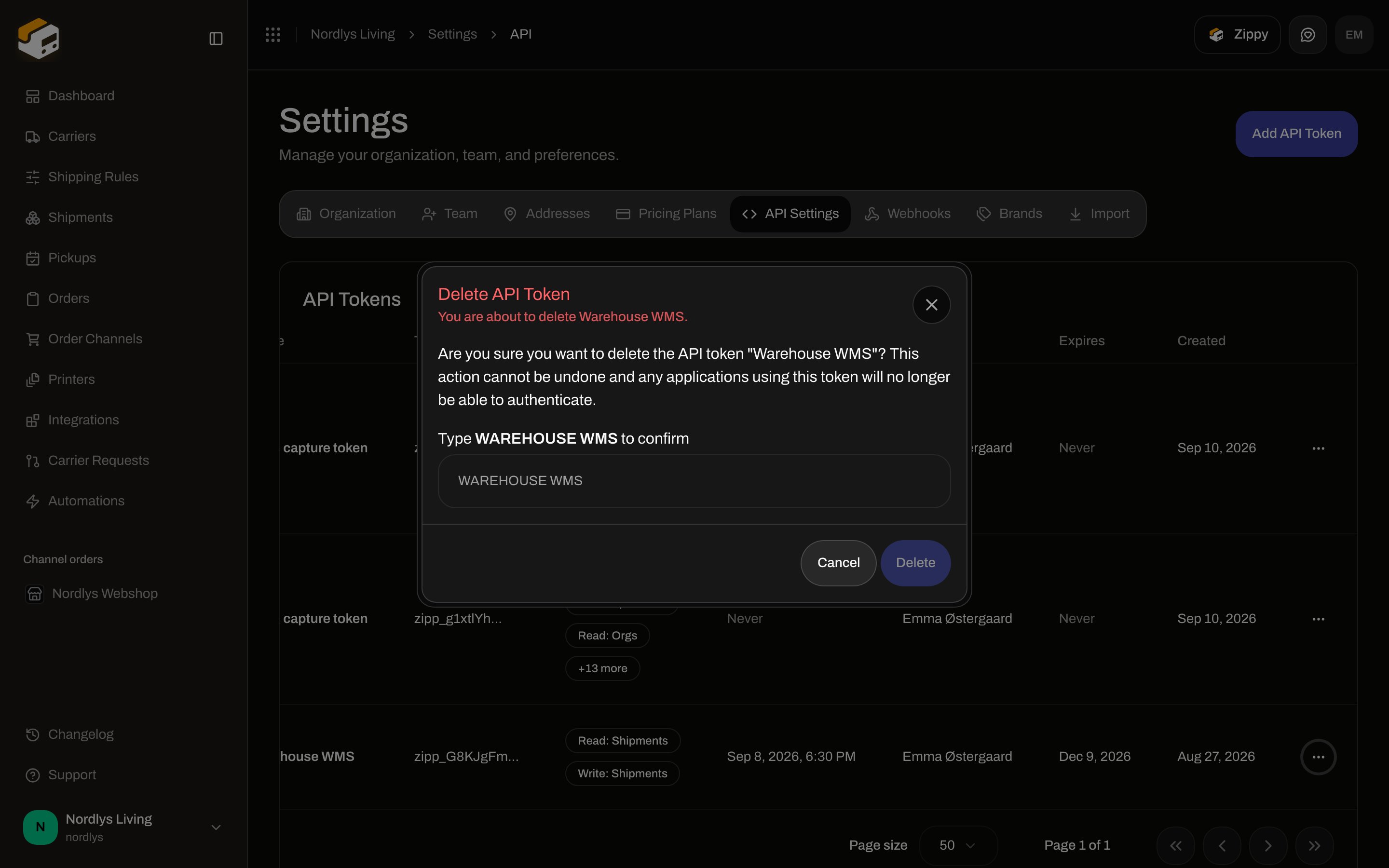
**Delete** on the row opens **Delete API Token**. Subtitle: **You are about to delete Warehouse WMS.** Description: **Are you sure you want to delete the API token "Warehouse WMS"? This action cannot be undone and any applications using this token will no longer be able to authenticate.** (the quoted name is the token’s **Name**). Label: **Type WAREHOUSE WMS to confirm**. Placeholder is the same uppercase string. **Delete** stays disabled until the field matches. Tooltip: **Type "WAREHOUSE WMS" to confirm.** Buttons: **Cancel**, **Delete**.
| Control | What it is |
| ------------- | --------------------------------------------------------------------------------------------------------------------------------------------- |
| **API Token** | Read-only input with the full secret (starts with `zipp_`). |
| **Copy** | Copies the value. The button reads **Copied** for two seconds. Toast: **Token copied to clipboard**. Failure toast: **Failed to copy token**. |
| **Important** | **Make sure to copy this token. You won't be able to see it again after closing this dialog.** |
| **Close** | Dismisses the dialog. The list then shows only the prefix. |
Treat the token like a password. Do not commit it or put it in a browser app. If it leaks, [delete it](#delete-api-token) and create a new one. Failed calls: [API token authentication errors](/docs/knowledge-base/api-token-authentication-errors).
## Using the token
Send it on every public API request:
```bash theme={null}
curl https://api.zippendo.com/orgs/{orgId}/shipments \
-H "Authorization: Bearer zipp_YOUR_TOKEN" \
-H "Content-Type: application/json"
```
`{orgId}` is the organization id (not the URL slug). List organizations from the **Orgs** group in the [API reference](/docs/api-reference/overview). Base URL: `https://api.zippendo.com`.
Request bodies and responses for each path are in that tab. Typed clients: [SDKs](/docs/sdks/overview). Budgets: [Rate limits](/docs/api-reference/rate-limits).
An organization-wide token can target one brand per request with `X-Zippendo-Brand`. A token created with **Restrict to brand** cannot be widened that way. See [Brands](/docs/settings/brands).
## Delete API Token
**Delete** on the row opens **Delete API Token**. Subtitle: **You are about to delete Warehouse WMS.** Description: **Are you sure you want to delete the API token "Warehouse WMS"? This action cannot be undone and any applications using this token will no longer be able to authenticate.** (the quoted name is the token’s **Name**). Label: **Type WAREHOUSE WMS to confirm**. Placeholder is the same uppercase string. **Delete** stays disabled until the field matches. Tooltip: **Type "WAREHOUSE WMS" to confirm.** Buttons: **Cancel**, **Delete**.
 Success toast: **API token deleted successfully**. Failure: **Failed to delete API token** (or **API token not found.**).
There is no revoke-without-delete control. Delete is permanent.
## Plan lock
On a plan without API access, the table is replaced by **Unlock API access**: **API tokens are available on the Standard plan and above. Upgrade to connect Zippendo to your custom workflows.** Actions: **Upgrade to unlock** (Pricing Plans) and **See docs**.
## Related
* [Webhooks](/docs/how-to/webhooks) — push events to your server instead of polling.
* [Connect Slack, Klaviyo, and other apps](/docs/how-to/connect-an-integration) — managed integrations, not a raw Bearer token.
* [Custom channel API](/docs/how-to/custom-channel-api) — ingest URL and signing secret for pushing orders in.
* [Get a shipping quote](/docs/how-to/shipping-quotes) — checkout rates.
* [MCP authentication](/docs/mcp/authentication) — OAuth for agents; no `zipp_` paste.
Success toast: **API token deleted successfully**. Failure: **Failed to delete API token** (or **API token not found.**).
There is no revoke-without-delete control. Delete is permanent.
## Plan lock
On a plan without API access, the table is replaced by **Unlock API access**: **API tokens are available on the Standard plan and above. Upgrade to connect Zippendo to your custom workflows.** Actions: **Upgrade to unlock** (Pricing Plans) and **See docs**.
## Related
* [Webhooks](/docs/how-to/webhooks) — push events to your server instead of polling.
* [Connect Slack, Klaviyo, and other apps](/docs/how-to/connect-an-integration) — managed integrations, not a raw Bearer token.
* [Custom channel API](/docs/how-to/custom-channel-api) — ingest URL and signing secret for pushing orders in.
* [Get a shipping quote](/docs/how-to/shipping-quotes) — checkout rates.
* [MCP authentication](/docs/mcp/authentication) — OAuth for agents; no `zipp_` paste.