> ## Documentation Index
> Fetch the complete documentation index at: https://www.zippendo.com/docs/llms.txt
> Use this file to discover all available pages before exploring further.
# Connect Slack
> Connect Slack from Integrations — Incoming Webhook URL, Connection Name, auto-send events, test, delivery log, and disconnect.
**Slack** posts formatted channel messages when Zippendo shipments and orders change. The catalog card copy is: **Get notified in Slack when shipping events happen.**
This page is the Slack connect form. Shared chrome (events grid, test, delivery log, disconnect) for every app: [Connect an integration](/docs/how-to/connect-an-integration). Inventory: [Connect a carrier or integration](/docs/how-to/connect-index). Conditional logic: [Automations](/docs/how-to/automations). Provider essay: [Slack](/docs/integrations/slack).
Creating a connection uses the same plan gate as outbound webhooks (**Growth** and above). Nordlys on this page is **Pro**, so **Connect** is unlocked.
## Prerequisites
* A Slack workspace where you can create an **Incoming Webhook**.
* The webhook URL for the channel that should receive posts (`https://hooks.slack.com/services/…`).
## Where to get the Incoming Webhook URL
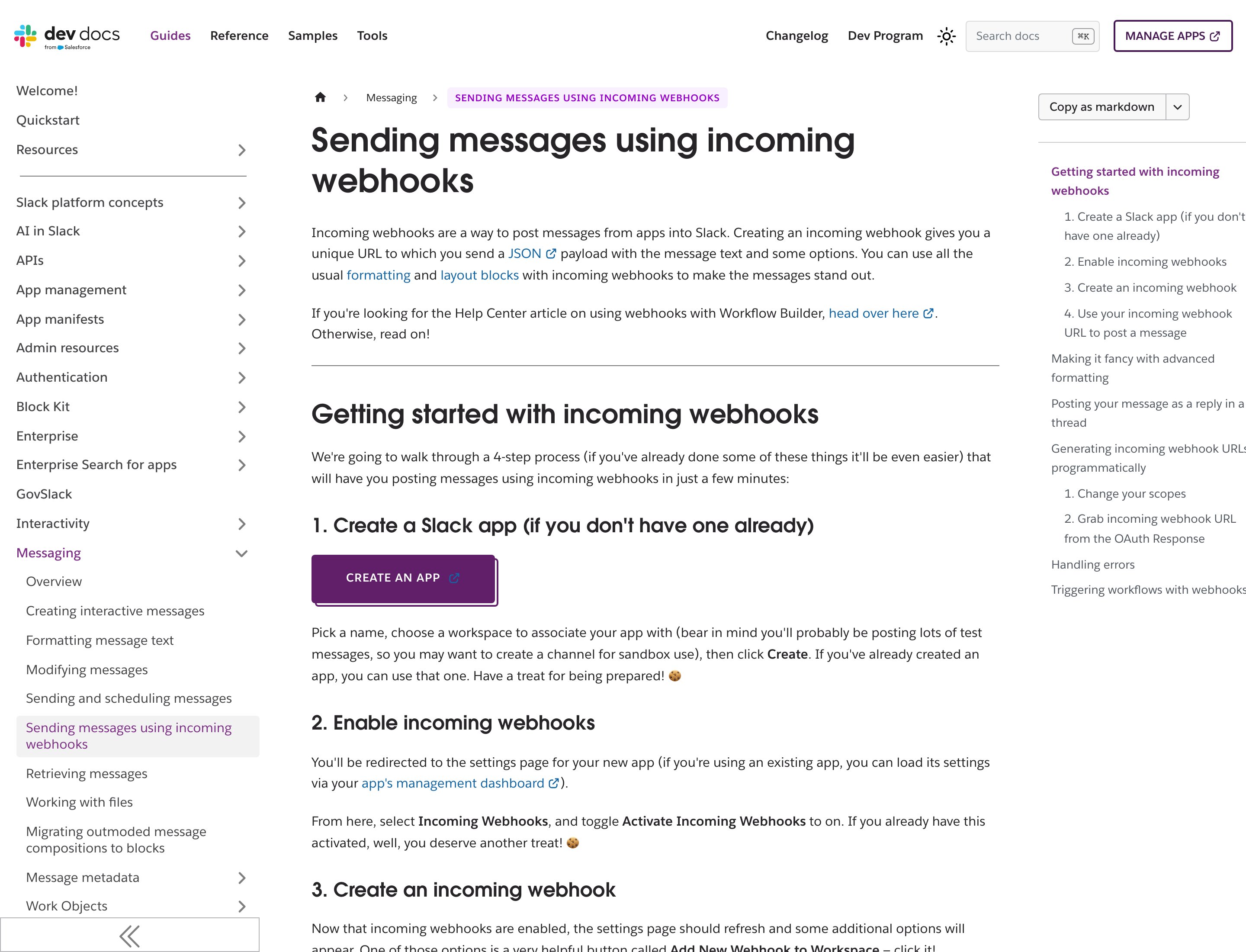
Slack’s public developer docs walk through creating an incoming webhook. Creating the app and copying the URL happens in **your** Slack workspace (login required).
 ## Connect from Catalog
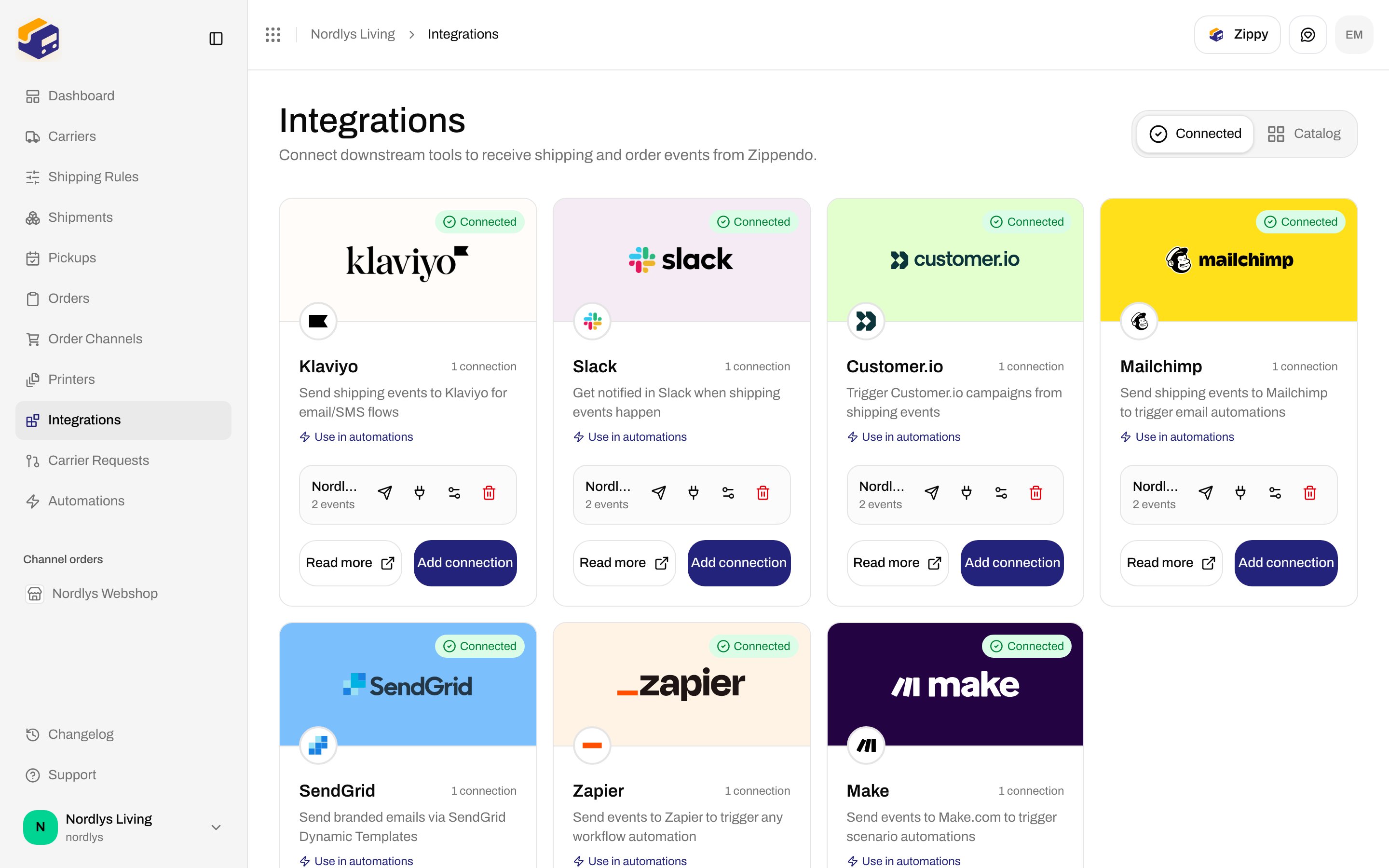
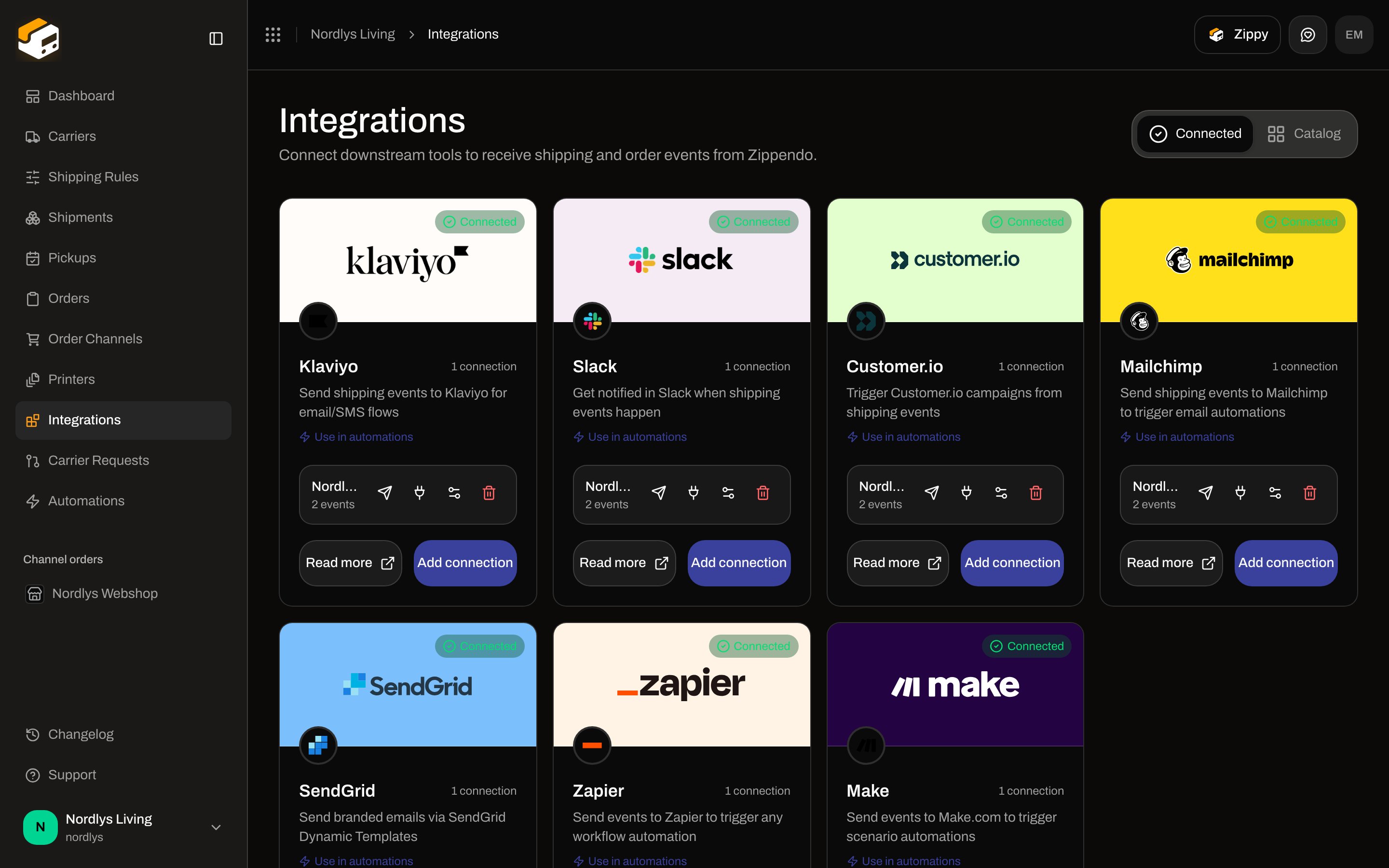
Sidebar **Integrations**. Page title **Integrations**. Description: **Connect downstream tools to receive shipping and order events from Zippendo.** Tabs: **Connected** (`?tab=connected`) and **Catalog** (`?tab=catalog`).
Card title **Slack**. Links: **Use in automations** (Automations) and **Read more** (opens `https://zippendo.com/docs/integrations/slack`). Button **Connect**, or **Add connection** after the first Slack connection.
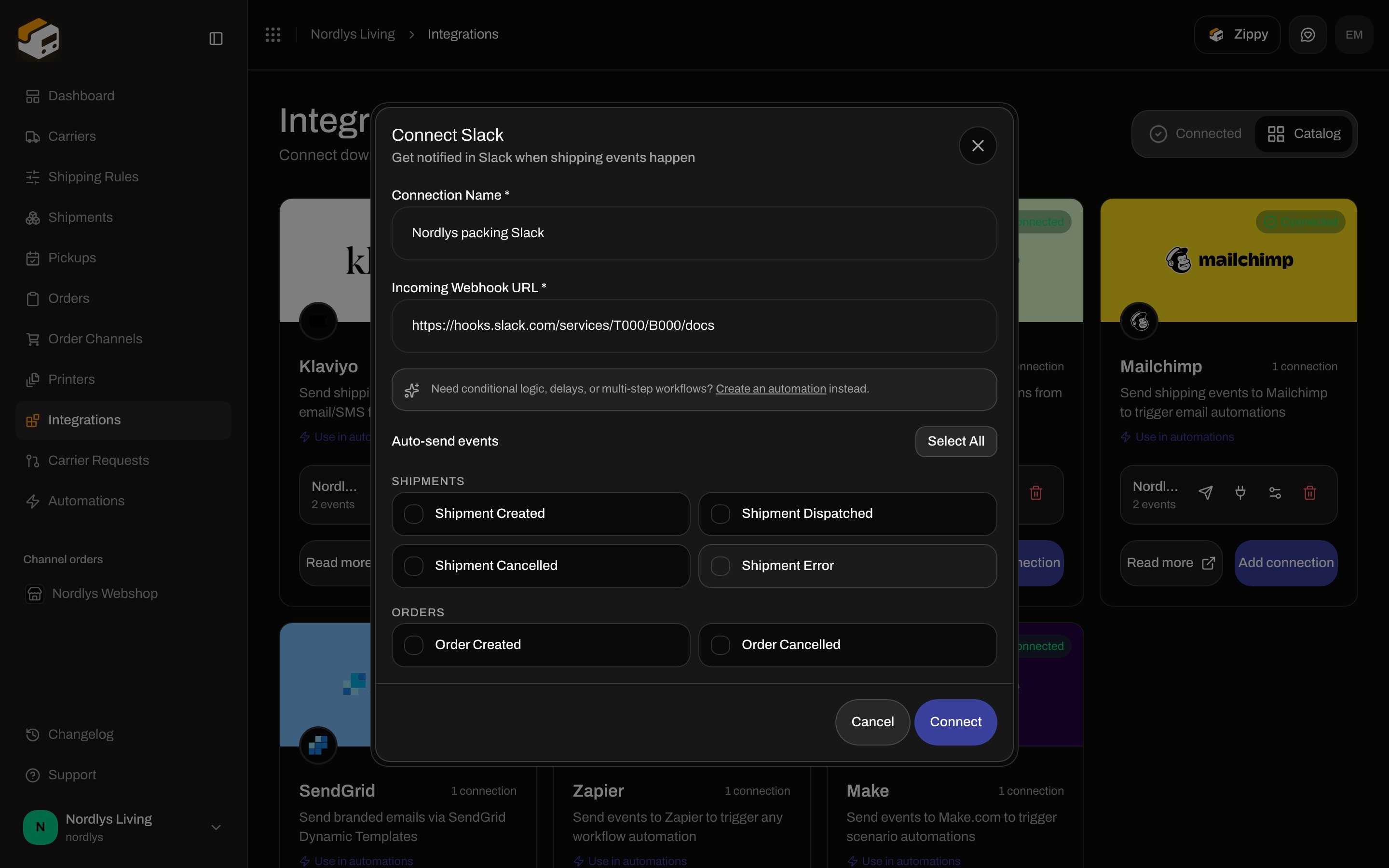
Modal id `connect-integration-modal`. Title **Connect Slack**. Subtitle: **Get notified in Slack when shipping events happen**.
**Connection Name \*** and **Incoming Webhook URL \***. Tick **Auto-send events** if you want Zippendo to push without an automation.
**Connect** stays disabled until name and URL are filled. Pending spinner on **Connect**. Success toast: **Integration connected successfully**. Failure: **Failed to create connection** (or **This feature is not available on your current plan.**).
## Connect from Catalog
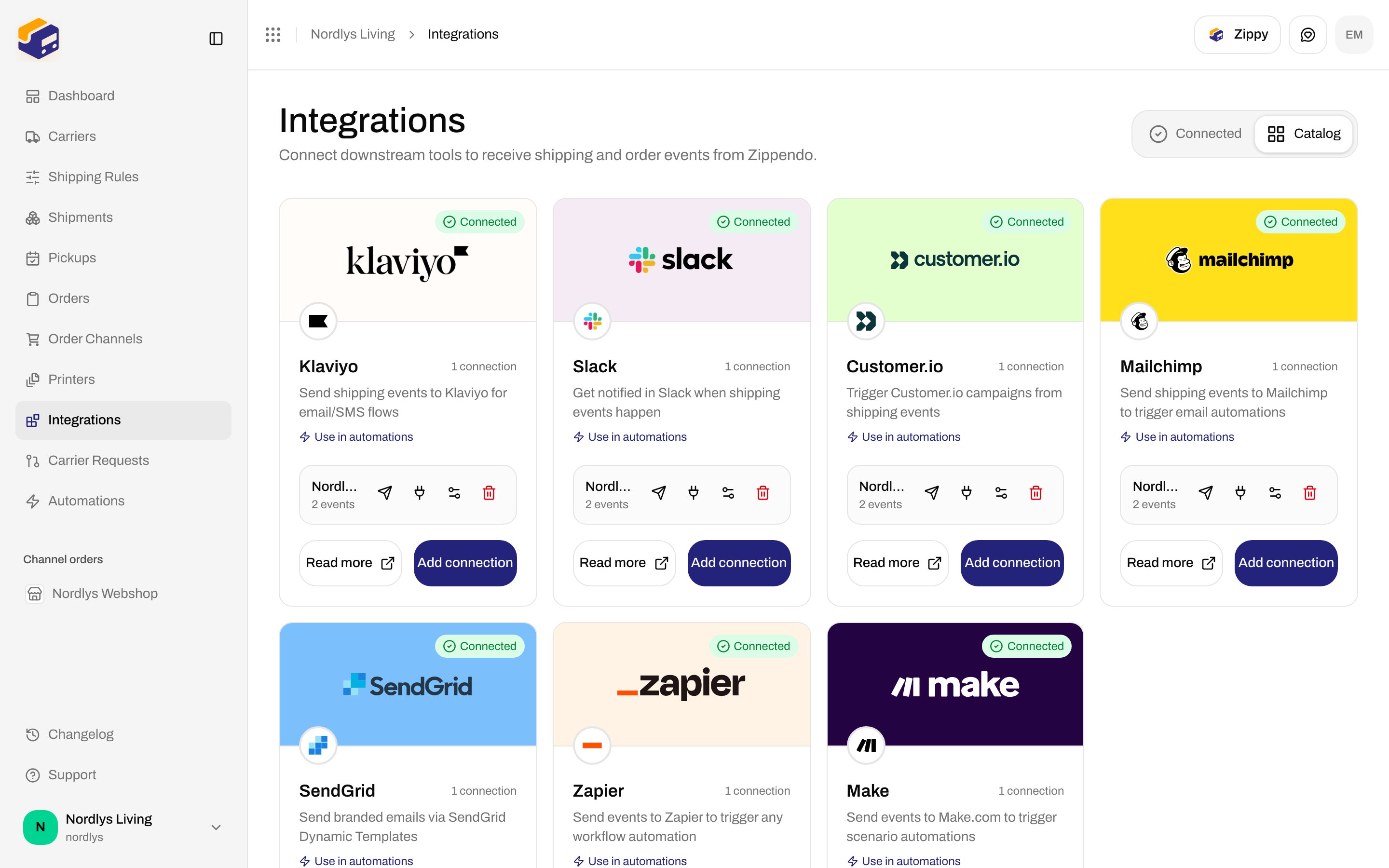
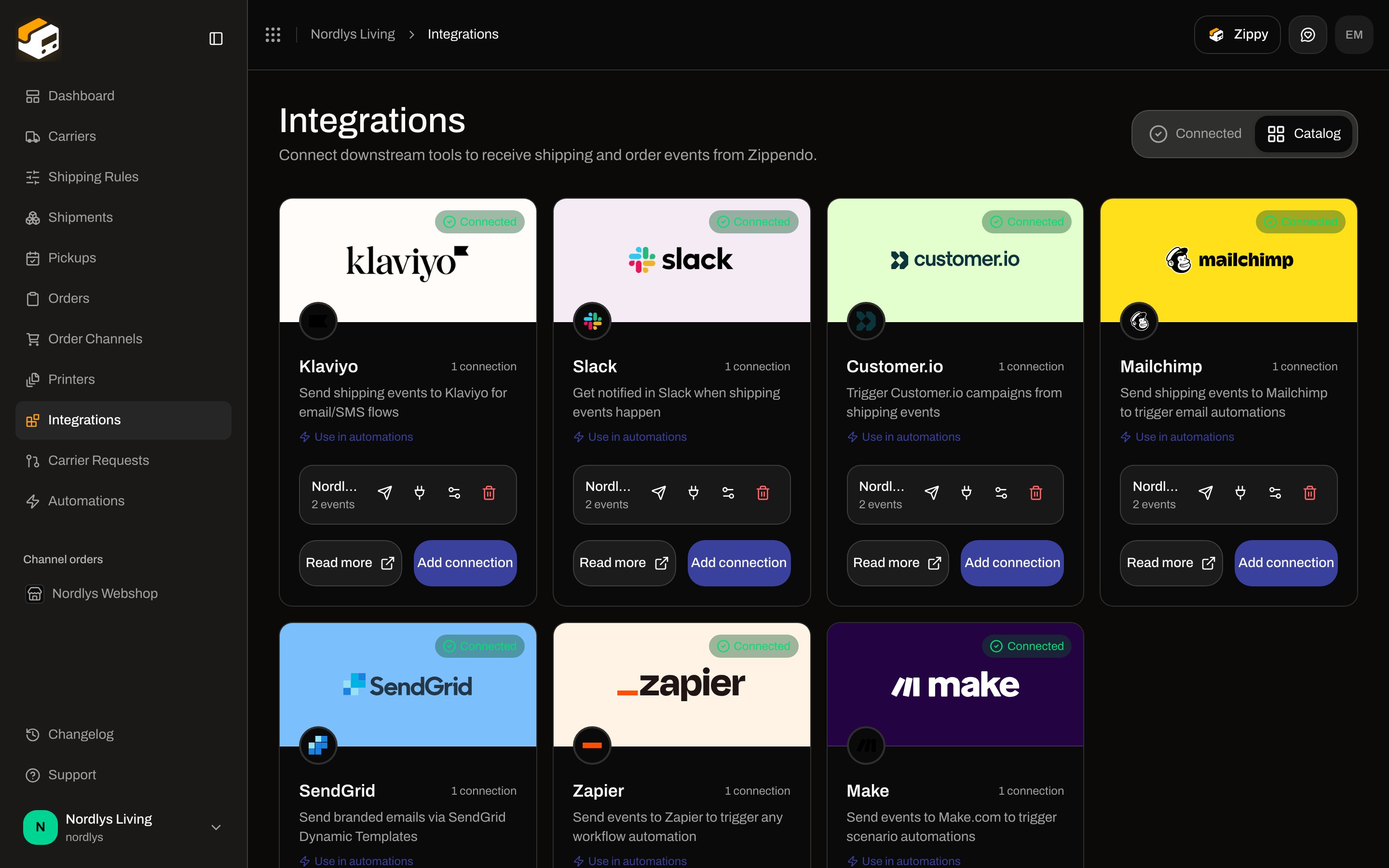
Sidebar **Integrations**. Page title **Integrations**. Description: **Connect downstream tools to receive shipping and order events from Zippendo.** Tabs: **Connected** (`?tab=connected`) and **Catalog** (`?tab=catalog`).
Card title **Slack**. Links: **Use in automations** (Automations) and **Read more** (opens `https://zippendo.com/docs/integrations/slack`). Button **Connect**, or **Add connection** after the first Slack connection.
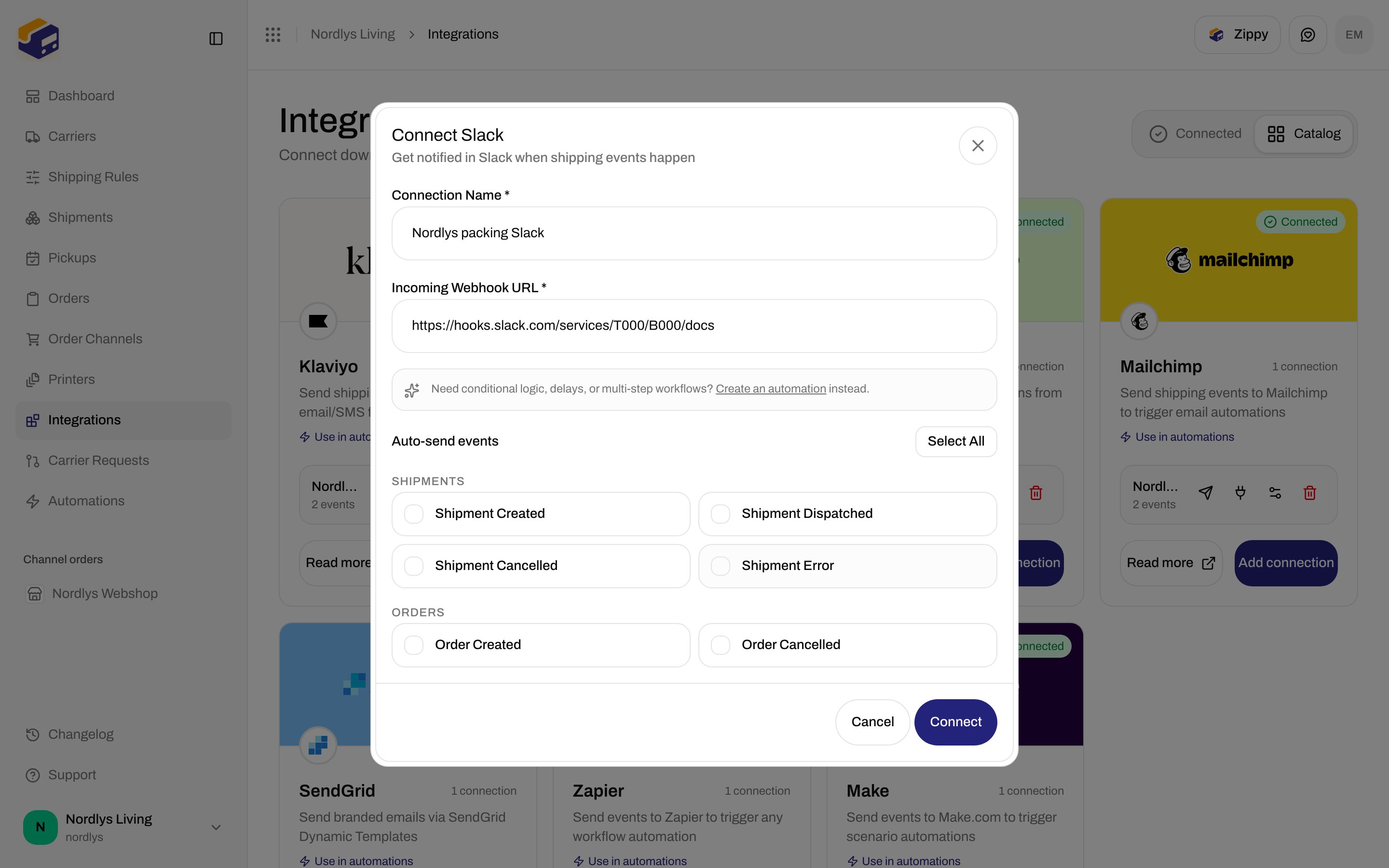
Modal id `connect-integration-modal`. Title **Connect Slack**. Subtitle: **Get notified in Slack when shipping events happen**.
**Connection Name \*** and **Incoming Webhook URL \***. Tick **Auto-send events** if you want Zippendo to push without an automation.
**Connect** stays disabled until name and URL are filled. Pending spinner on **Connect**. Success toast: **Integration connected successfully**. Failure: **Failed to create connection** (or **This feature is not available on your current plan.**).
 ## Shared fields
These appear on every integration connect dialog, including Slack.
| Field | Required | What it is |
| ---------------------- | -------- | ---------------------------------------------------------------------------------------------------------------------------------------------------------------------- |
| **Connection Name \*** | Yes | Placeholder **e.g., My Slack**. Max 100 characters. |
| Hint | — | **Need conditional logic, delays, or multi-step workflows? Create an automation instead.** **Create an automation** links to Automations. |
| **Auto-send events** | No | Checkbox grid. **Select All** / **Deselect All** toggles every event this provider supports. Empty means Zippendo will not auto-push; **Send test event** still works. |
## Slack credentials
| Field | Required | Control | Details |
| --------------------------- | -------- | ---------------------------- | ------------------------------------------------------------------------------------------- |
| **Incoming Webhook URL \*** | Yes | URL. Placeholder `https://…` | The Slack incoming-webhook URL. The URL is the secret — there is no separate API key field. |
Footer: **Cancel** / **Connect**.
## Auto-send events Slack supports
Groups shown: **Shipments**, **Orders**. Slack has no **Tracking** group.
| Checkbox | Event |
| ----------------------- | --------------------- |
| **Shipment Created** | `shipment.created` |
| **Shipment Dispatched** | `shipment.dispatched` |
| **Shipment Cancelled** | `shipment.cancelled` |
| **Shipment Error** | `shipment.error` |
| **Order Created** | `order.created` |
| **Order Cancelled** | `order.cancelled` |
Not on this modal: **Shipment Updated**, **Order Updated**, **Tracking Updated**.
## After you connect
**Connected** shows a green **Connected** pill and **\{\{count}} connection(s)**. Each row:
| Element | What it shows |
| ------- | ------------------------------------------------------------------------------------------------------------------------------------- |
| Name | The **Connection Name** you entered |
| Meta | **\{\{count}} event(s)** · **Paused** if `isActive` is false (there is **no** pause toggle on this screen) |
| Send | **Send test event**. Toast **Test event sent** / **Failed to send test event** (`INTEGRATION_DELIVERY_FAILED` when Slack rejects it). |
| Plug | **View delivery log** |
| Gear | **Edit connection** |
| Trash | **Delete connection** → **Disconnect Integration** |
## Shared fields
These appear on every integration connect dialog, including Slack.
| Field | Required | What it is |
| ---------------------- | -------- | ---------------------------------------------------------------------------------------------------------------------------------------------------------------------- |
| **Connection Name \*** | Yes | Placeholder **e.g., My Slack**. Max 100 characters. |
| Hint | — | **Need conditional logic, delays, or multi-step workflows? Create an automation instead.** **Create an automation** links to Automations. |
| **Auto-send events** | No | Checkbox grid. **Select All** / **Deselect All** toggles every event this provider supports. Empty means Zippendo will not auto-push; **Send test event** still works. |
## Slack credentials
| Field | Required | Control | Details |
| --------------------------- | -------- | ---------------------------- | ------------------------------------------------------------------------------------------- |
| **Incoming Webhook URL \*** | Yes | URL. Placeholder `https://…` | The Slack incoming-webhook URL. The URL is the secret — there is no separate API key field. |
Footer: **Cancel** / **Connect**.
## Auto-send events Slack supports
Groups shown: **Shipments**, **Orders**. Slack has no **Tracking** group.
| Checkbox | Event |
| ----------------------- | --------------------- |
| **Shipment Created** | `shipment.created` |
| **Shipment Dispatched** | `shipment.dispatched` |
| **Shipment Cancelled** | `shipment.cancelled` |
| **Shipment Error** | `shipment.error` |
| **Order Created** | `order.created` |
| **Order Cancelled** | `order.cancelled` |
Not on this modal: **Shipment Updated**, **Order Updated**, **Tracking Updated**.
## After you connect
**Connected** shows a green **Connected** pill and **\{\{count}} connection(s)**. Each row:
| Element | What it shows |
| ------- | ------------------------------------------------------------------------------------------------------------------------------------- |
| Name | The **Connection Name** you entered |
| Meta | **\{\{count}} event(s)** · **Paused** if `isActive` is false (there is **no** pause toggle on this screen) |
| Send | **Send test event**. Toast **Test event sent** / **Failed to send test event** (`INTEGRATION_DELIVERY_FAILED` when Slack rejects it). |
| Plug | **View delivery log** |
| Gear | **Edit connection** |
| Trash | **Delete connection** → **Disconnect Integration** |
 Each auto-send (or test) POSTs a Slack message titled **Zippendo: \{\{event}}** (test: **Zippendo: Test Event**). You can add more Slack connections (one webhook per channel).
There is **no** Sandbox Mode checkbox. Use **Send test event** to verify the URL.
## Edit Slack Connection
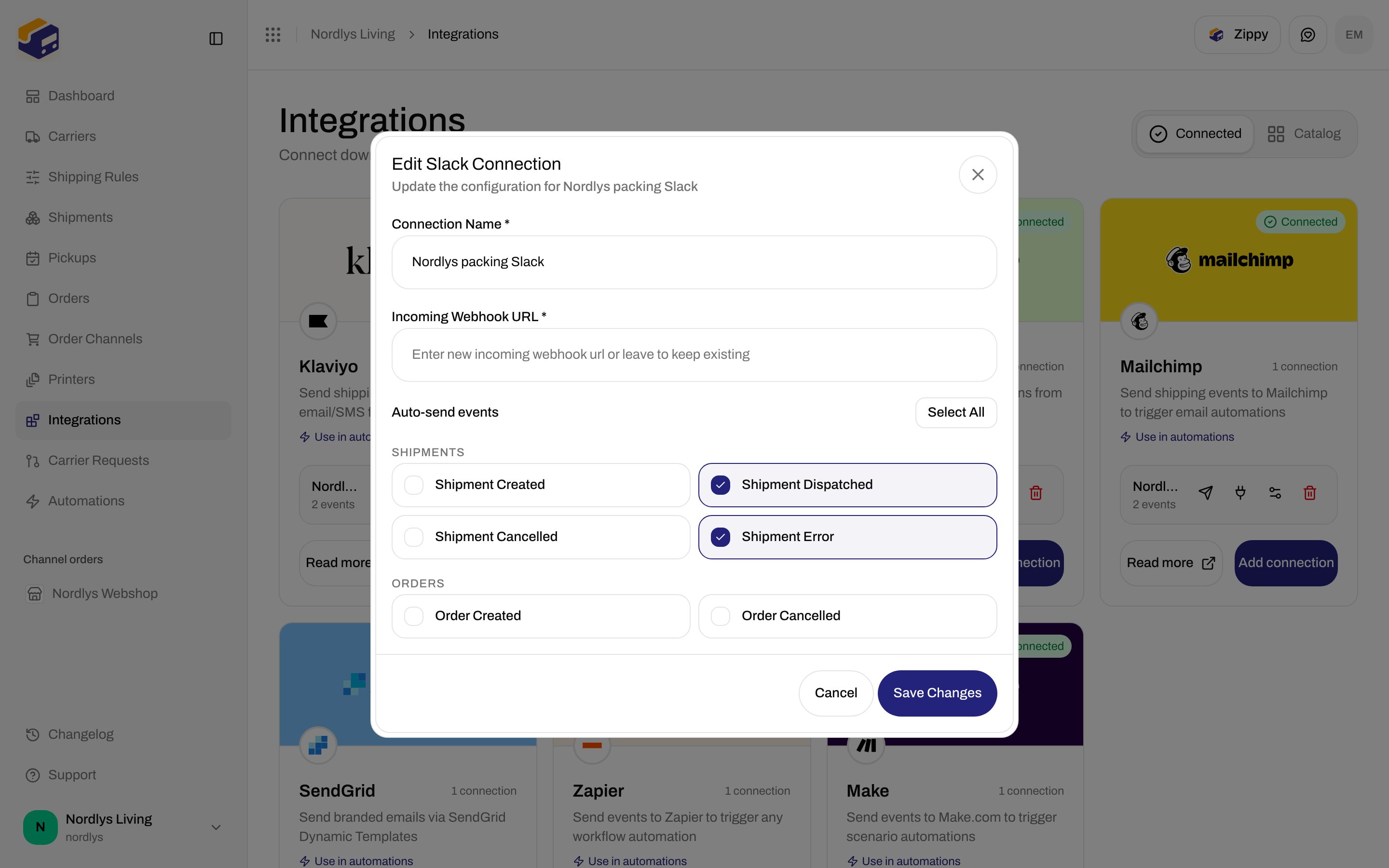
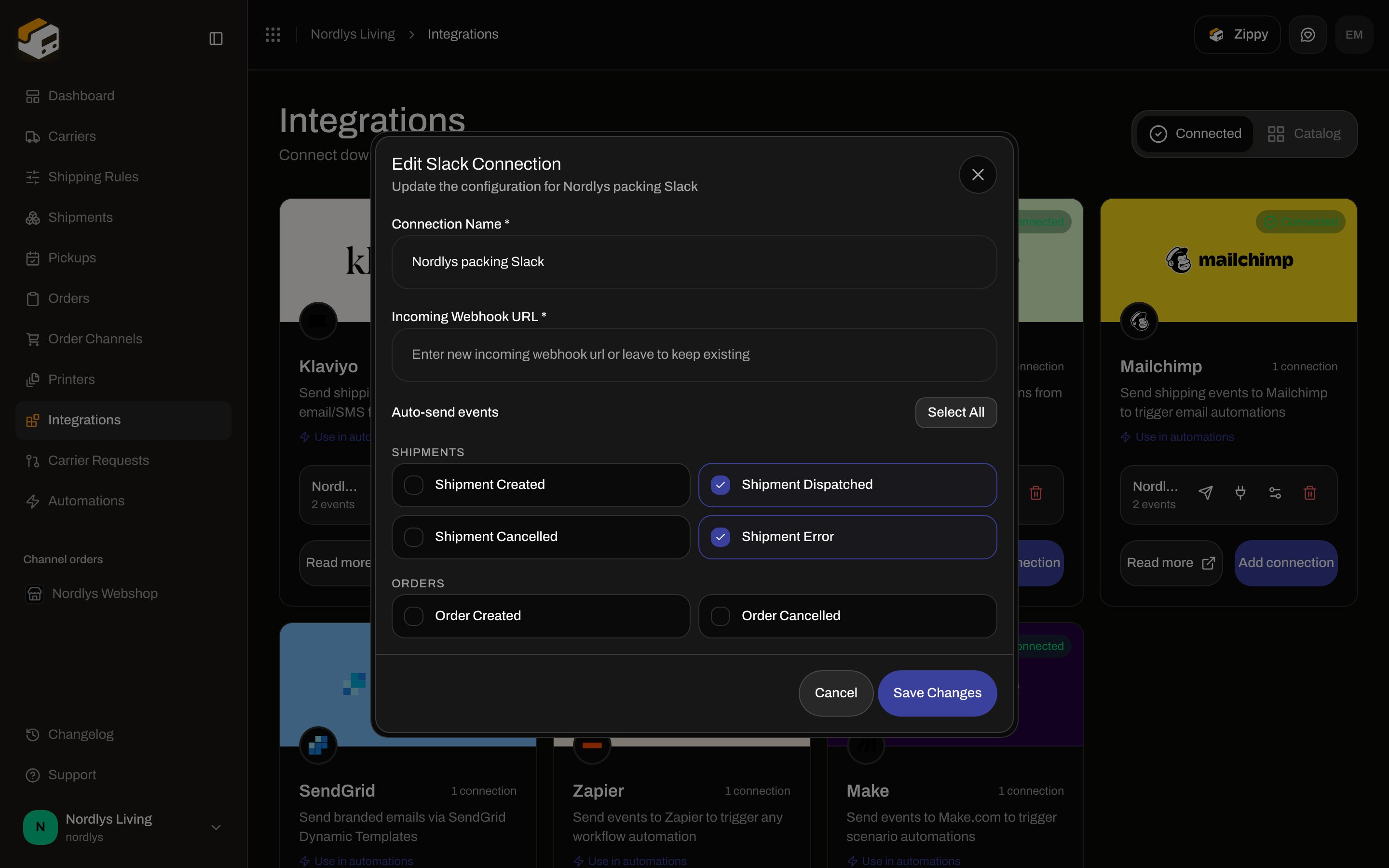
Modal id `edit-integration-connection-modal`. Title **Edit Slack Connection**. Subtitle **Update the configuration for \{\{connection}}**. **Save Changes** / **Cancel**. **Save Changes** disabled while **Connection Name \*** is empty.
Each auto-send (or test) POSTs a Slack message titled **Zippendo: \{\{event}}** (test: **Zippendo: Test Event**). You can add more Slack connections (one webhook per channel).
There is **no** Sandbox Mode checkbox. Use **Send test event** to verify the URL.
## Edit Slack Connection
Modal id `edit-integration-connection-modal`. Title **Edit Slack Connection**. Subtitle **Update the configuration for \{\{connection}}**. **Save Changes** / **Cancel**. **Save Changes** disabled while **Connection Name \*** is empty.
 | Field | Details |
| --------------------------- | ----------------------------------------------------------------------------------------------------------------------------------------------- |
| **Connection Name \*** | Same as create. |
| **Incoming Webhook URL \*** | Placeholder **Enter new incoming webhook url or leave to keep existing**. Stored secrets are never listed. Leave blank to keep the current URL. |
| **Auto-send events** | Same Slack checkboxes as create. |
Toasts: **Integration updated successfully** / **Failed to update connection**.
Pasting a new URL **replaces** the stored credentials. Leave the field blank to keep the existing webhook.
## Delivery log and test
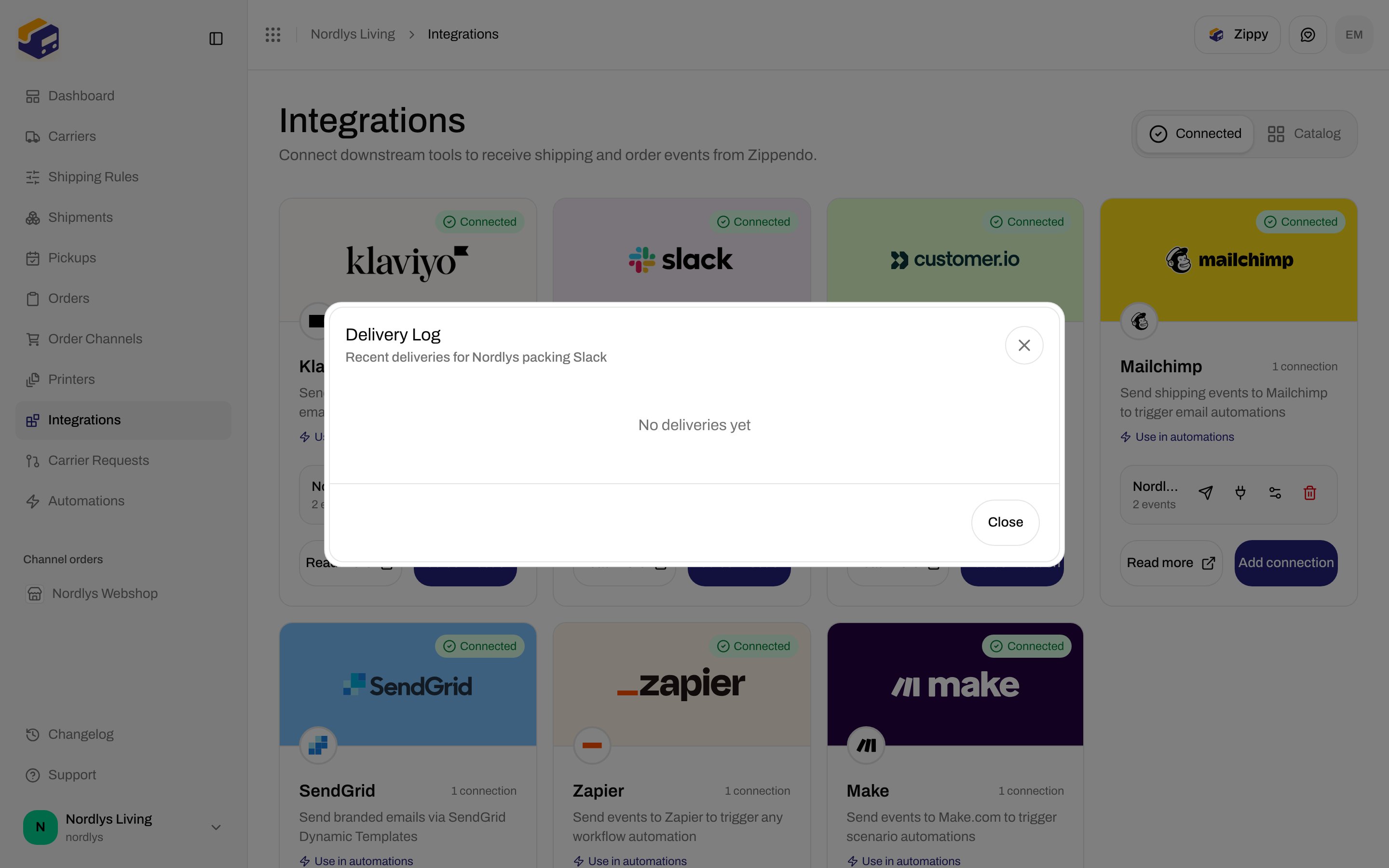
**View delivery log** — modal id `integration-delivery-log-modal`. Title **Delivery Log**. Subtitle **Recent deliveries for \{\{connection}}**. **Close**.
| State | What you see |
| ------- | ---------------------------------------------------------------------------------------------------- |
| Loading | Spinner |
| Empty | **No deliveries yet** |
| Row | Event name, HTTP status, duration in `ms`, relative time, error text if failed. Green check / red X. |
| Field | Details |
| --------------------------- | ----------------------------------------------------------------------------------------------------------------------------------------------- |
| **Connection Name \*** | Same as create. |
| **Incoming Webhook URL \*** | Placeholder **Enter new incoming webhook url or leave to keep existing**. Stored secrets are never listed. Leave blank to keep the current URL. |
| **Auto-send events** | Same Slack checkboxes as create. |
Toasts: **Integration updated successfully** / **Failed to update connection**.
Pasting a new URL **replaces** the stored credentials. Leave the field blank to keep the existing webhook.
## Delivery log and test
**View delivery log** — modal id `integration-delivery-log-modal`. Title **Delivery Log**. Subtitle **Recent deliveries for \{\{connection}}**. **Close**.
| State | What you see |
| ------- | ---------------------------------------------------------------------------------------------------- |
| Loading | Spinner |
| Empty | **No deliveries yet** |
| Row | Event name, HTTP status, duration in `ms`, relative time, error text if failed. Green check / red X. |
 **Send test event** enqueues `integration.test`. It does not require any auto-send checkbox.
## Disconnect
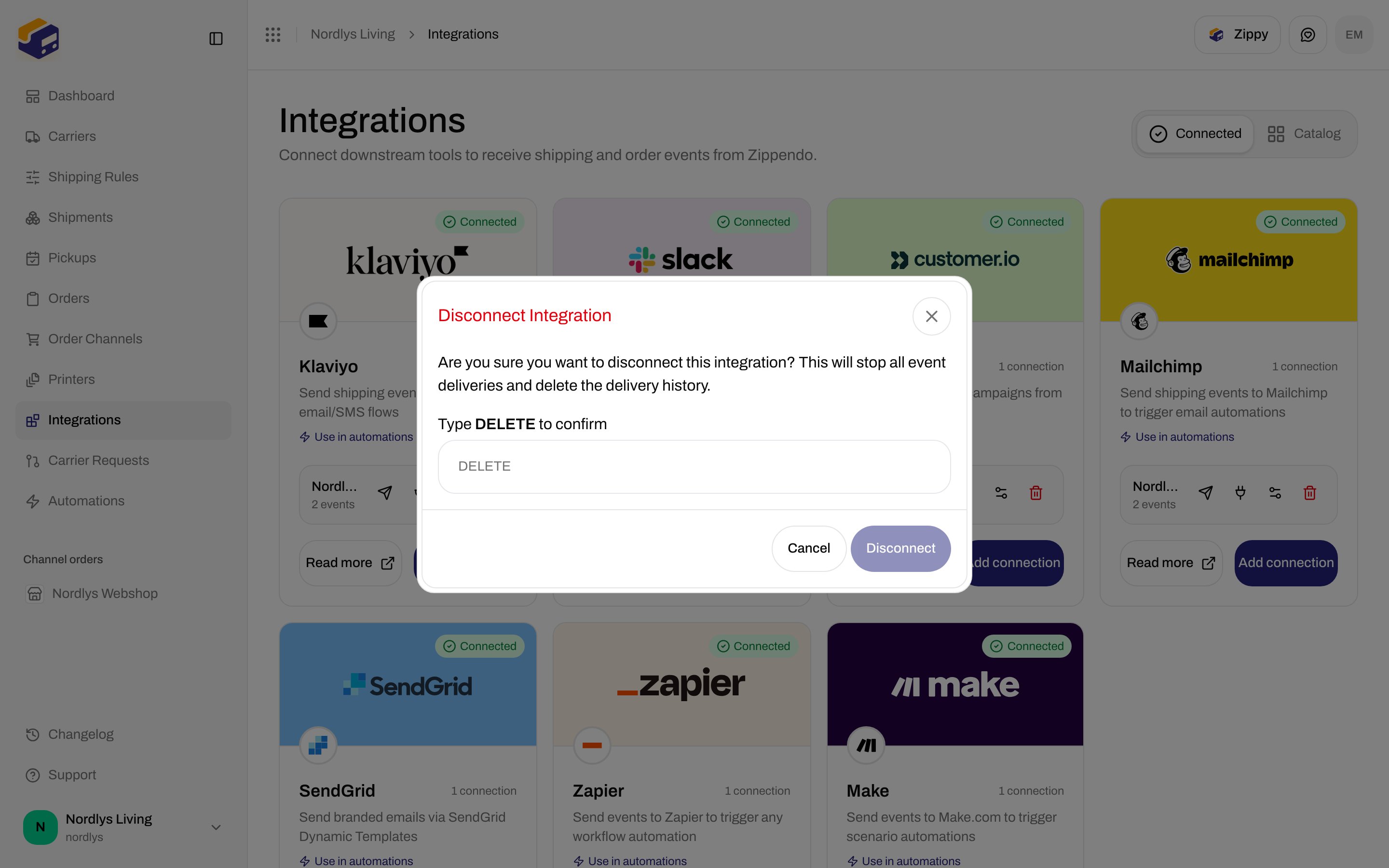
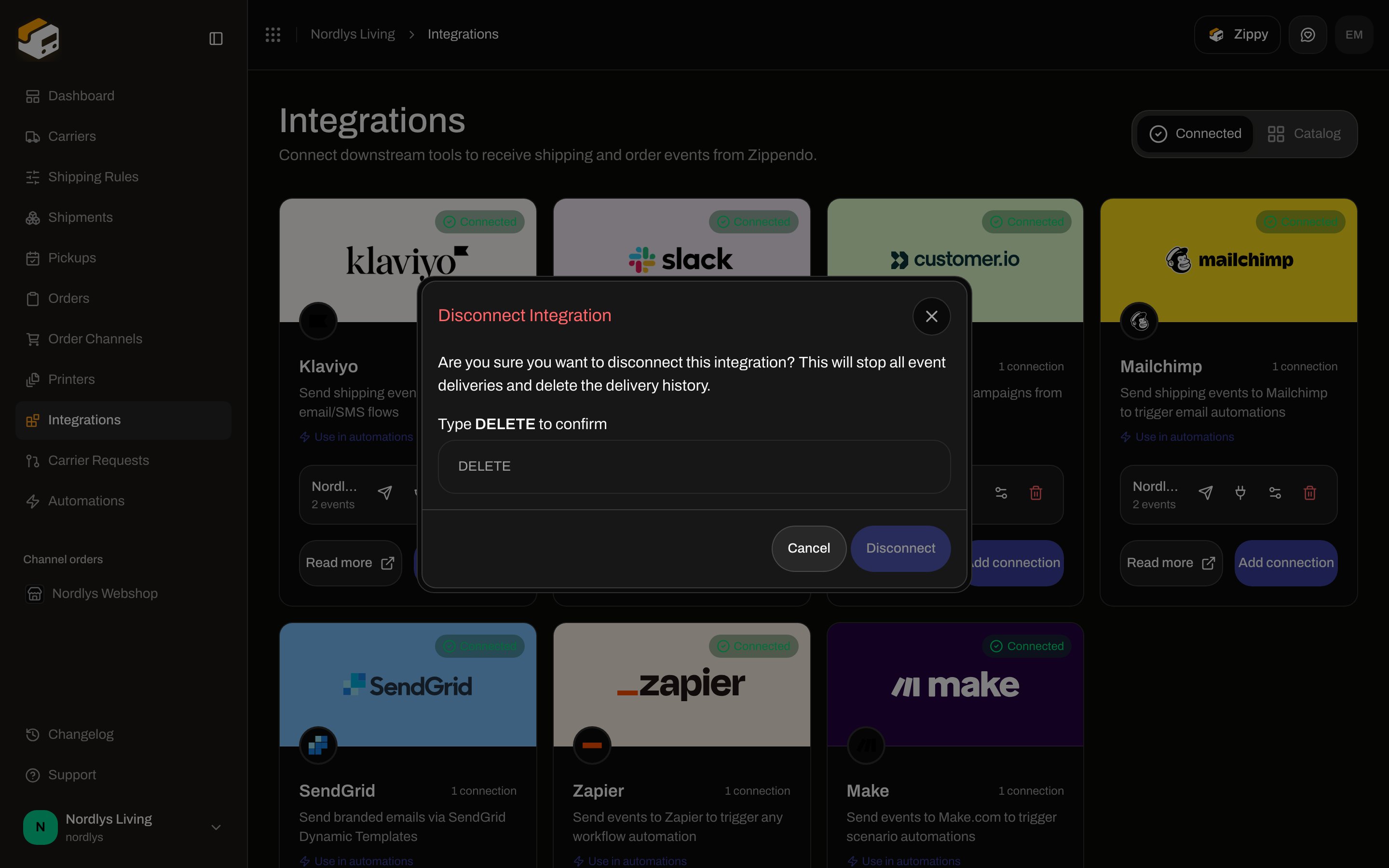
Trash opens **Disconnect Integration**. Description: **Are you sure you want to disconnect this integration? This will stop all event deliveries and delete the delivery history.** Type **DELETE** (placeholder **DELETE**) to enable **Disconnect**. Label: **Type DELETE to confirm**. Tooltip while disabled: **Type "DELETE" to confirm.**
Toasts: **Integration disconnected** / **Failed to delete connection**. Missing row: **Integration not found.** (`ORG_INTEGRATION_NOT_FOUND`).
**Send test event** enqueues `integration.test`. It does not require any auto-send checkbox.
## Disconnect
Trash opens **Disconnect Integration**. Description: **Are you sure you want to disconnect this integration? This will stop all event deliveries and delete the delivery history.** Type **DELETE** (placeholder **DELETE**) to enable **Disconnect**. Label: **Type DELETE to confirm**. Tooltip while disabled: **Type "DELETE" to confirm.**
Toasts: **Integration disconnected** / **Failed to delete connection**. Missing row: **Integration not found.** (`ORG_INTEGRATION_NOT_FOUND`).
 You are done when **Connected** lists Slack with a **Connected** pill and **Send test event** toasts **Test event sent**.
## Automations
Two Slack nodes exist. They are not the same.
| Palette name | What it uses |
| --------------------------- | -------------------------------------------------------------------------------- |
| **Send Slack Notification** | A **connected** Slack integration from this screen (`action.integration.slack`). |
| **Send Slack Message** | A webhook URL typed on the node. It does **not** use this connection. |
**Send Slack Notification** inspector: **Connection** (required — **Connection is required**; placeholder **Select a connection**; helper **Select an existing slack connection. Manage connections in Settings > Integrations.**). Empty list: **No items available**. **Custom properties** optional (**Add**; key **key**, value **\{\{shipment.reference}}**). No **Event name override**.
Full node list: [Automations](/docs/how-to/automations).
## Related
* [Connect a carrier or integration](/docs/how-to/connect-index)
* [Connect an integration](/docs/how-to/connect-an-integration)
* [Carrier credentials](/docs/how-to/carrier-credentials)
* [Sandbox mode](/docs/how-to/sandbox-mode)
* [Request a carrier integration](/docs/how-to/request-carrier-integration)
* [Carriers](/docs/tutorials/carriers)
* [Automations](/docs/how-to/automations)
* [Slack](/docs/integrations/slack)
* [Integrations troubleshooting](/docs/integrations/troubleshooting)
You are done when **Connected** lists Slack with a **Connected** pill and **Send test event** toasts **Test event sent**.
## Automations
Two Slack nodes exist. They are not the same.
| Palette name | What it uses |
| --------------------------- | -------------------------------------------------------------------------------- |
| **Send Slack Notification** | A **connected** Slack integration from this screen (`action.integration.slack`). |
| **Send Slack Message** | A webhook URL typed on the node. It does **not** use this connection. |
**Send Slack Notification** inspector: **Connection** (required — **Connection is required**; placeholder **Select a connection**; helper **Select an existing slack connection. Manage connections in Settings > Integrations.**). Empty list: **No items available**. **Custom properties** optional (**Add**; key **key**, value **\{\{shipment.reference}}**). No **Event name override**.
Full node list: [Automations](/docs/how-to/automations).
## Related
* [Connect a carrier or integration](/docs/how-to/connect-index)
* [Connect an integration](/docs/how-to/connect-an-integration)
* [Carrier credentials](/docs/how-to/carrier-credentials)
* [Sandbox mode](/docs/how-to/sandbox-mode)
* [Request a carrier integration](/docs/how-to/request-carrier-integration)
* [Carriers](/docs/tutorials/carriers)
* [Automations](/docs/how-to/automations)
* [Slack](/docs/integrations/slack)
* [Integrations troubleshooting](/docs/integrations/troubleshooting)