> ## Documentation Index
> Fetch the complete documentation index at: https://www.zippendo.com/docs/llms.txt
> Use this file to discover all available pages before exploring further.
# Connect PostNord
> Connect PostNord from Carriers → All Carriers — customer number (kundenummer), Country (DK/SE/NO/FI), optional return number, and Sandbox Mode.
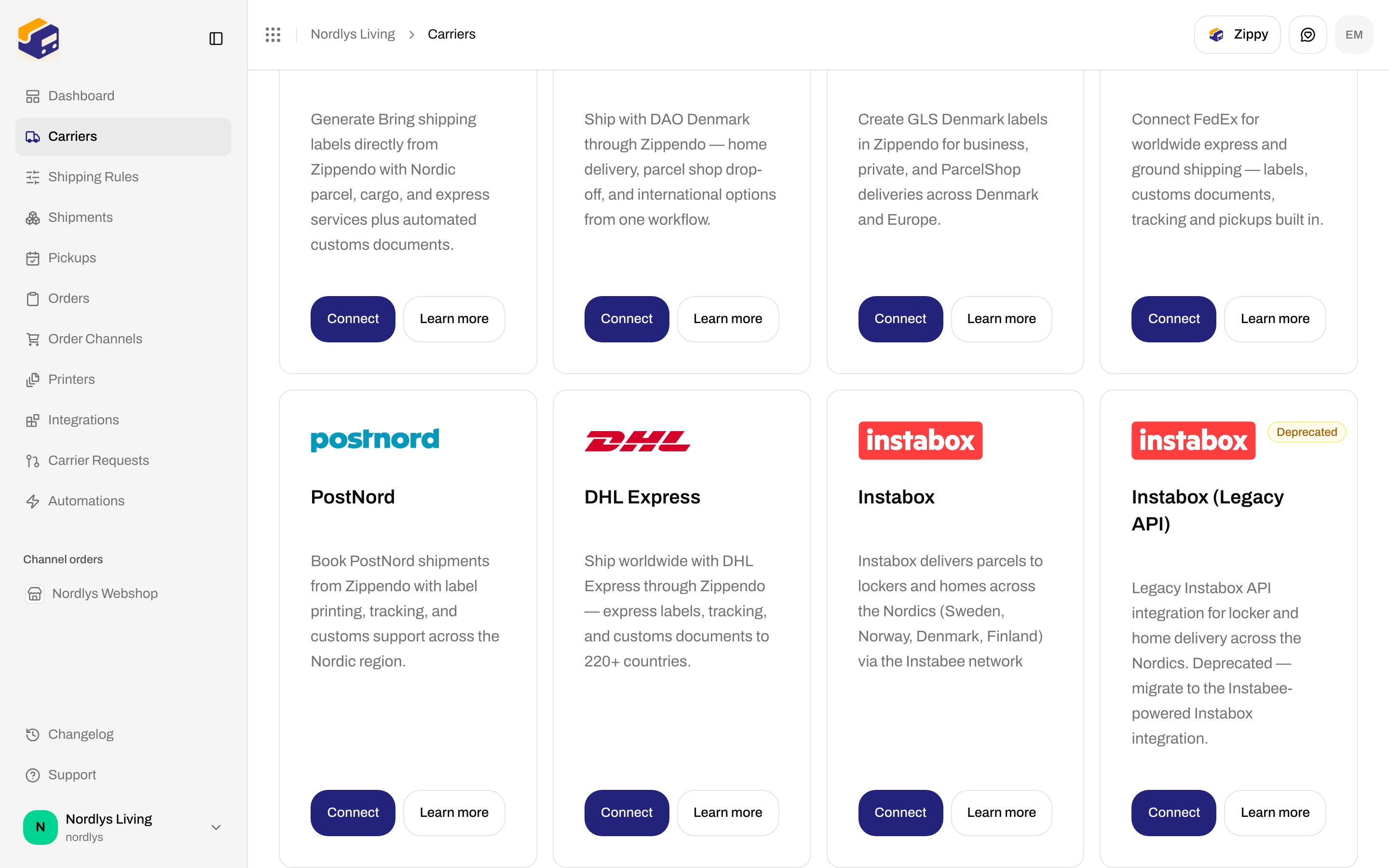
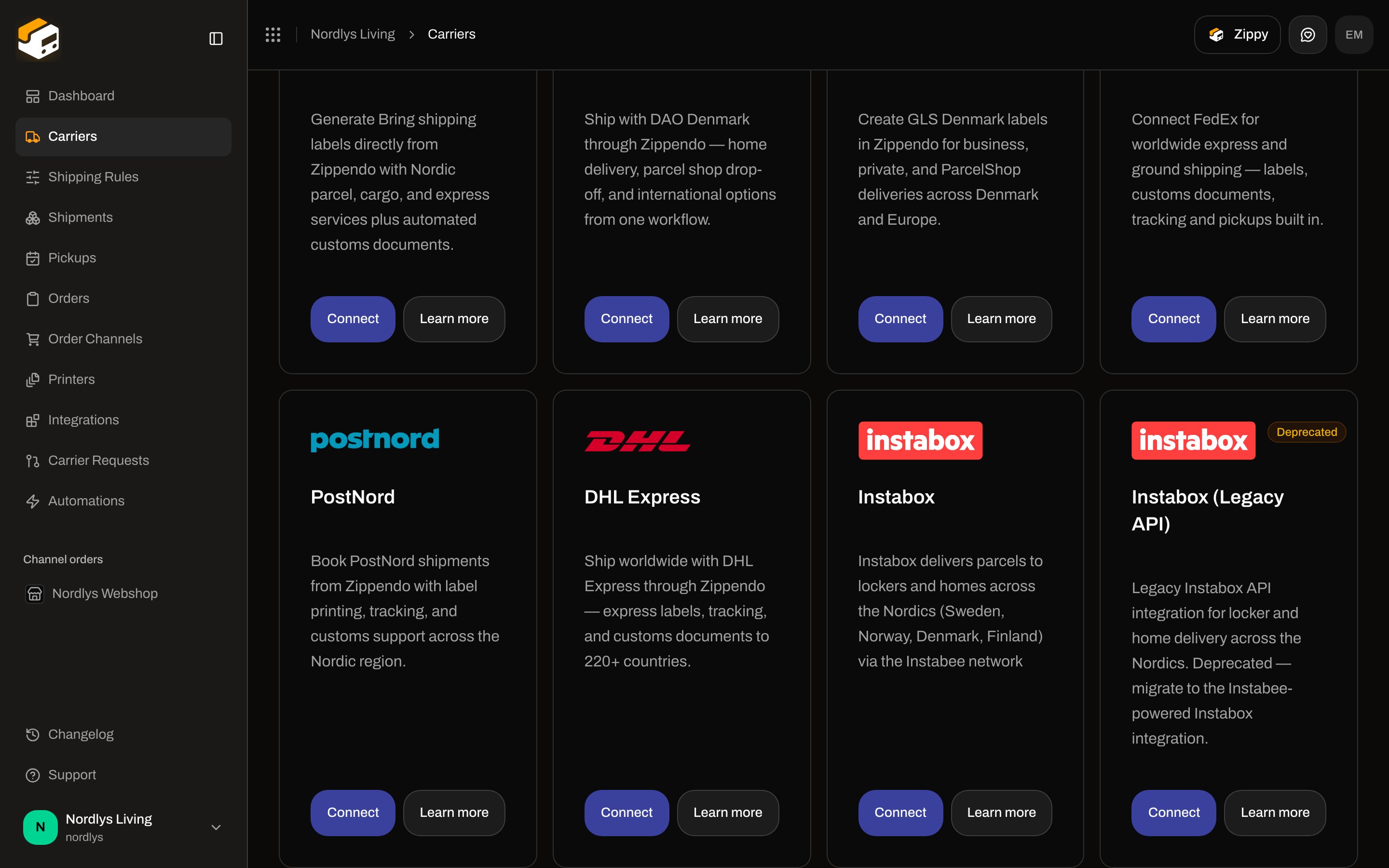
**PostNord** books Nordic parcel labels from Zippendo (home, parcel, MyPack Collect, and returns) with tracking and customs support. The catalog card copy is: **Book PostNord shipments from Zippendo with label printing, tracking, and customs support across the Nordic region.** Catalog slug: `postnord`.
This page is the PostNord connect form. Shared chrome: [Carrier credentials](/docs/how-to/carrier-credentials). Inventory: [Connect a carrier or integration](/docs/how-to/connect-index). Walkthrough: [Carriers](/docs/tutorials/carriers).
You do **not** enter a PostNord platform API key. Zippendo is a PostNord Partner and supplies that. You only enter **your** customer number and which PostNord country the agreement is with.
## Prerequisites
* A PostNord shipping agreement in **Denmark**, **Sweden**, **Norway**, or **Finland**.
* Your PostNord **customer number** (kundenummer) — **8–9 digits** per the form helper.
* The country that matches that agreement (this selects the issuer: Z11–Z14).
* Optional: a different customer number for returns.
* Permission to create carriers in the organization.
## Connect from All Carriers
Sidebar **Carriers**. Page title **Carriers / Integrations**. Tabs: **My Carriers** (`?tab=my-carriers`) and **All Carriers** (`?tab=all-carriers`).
Card title **PostNord**. **Connect** and **Learn more** (opens [postnord.com](https://www.postnord.com) in a new tab).
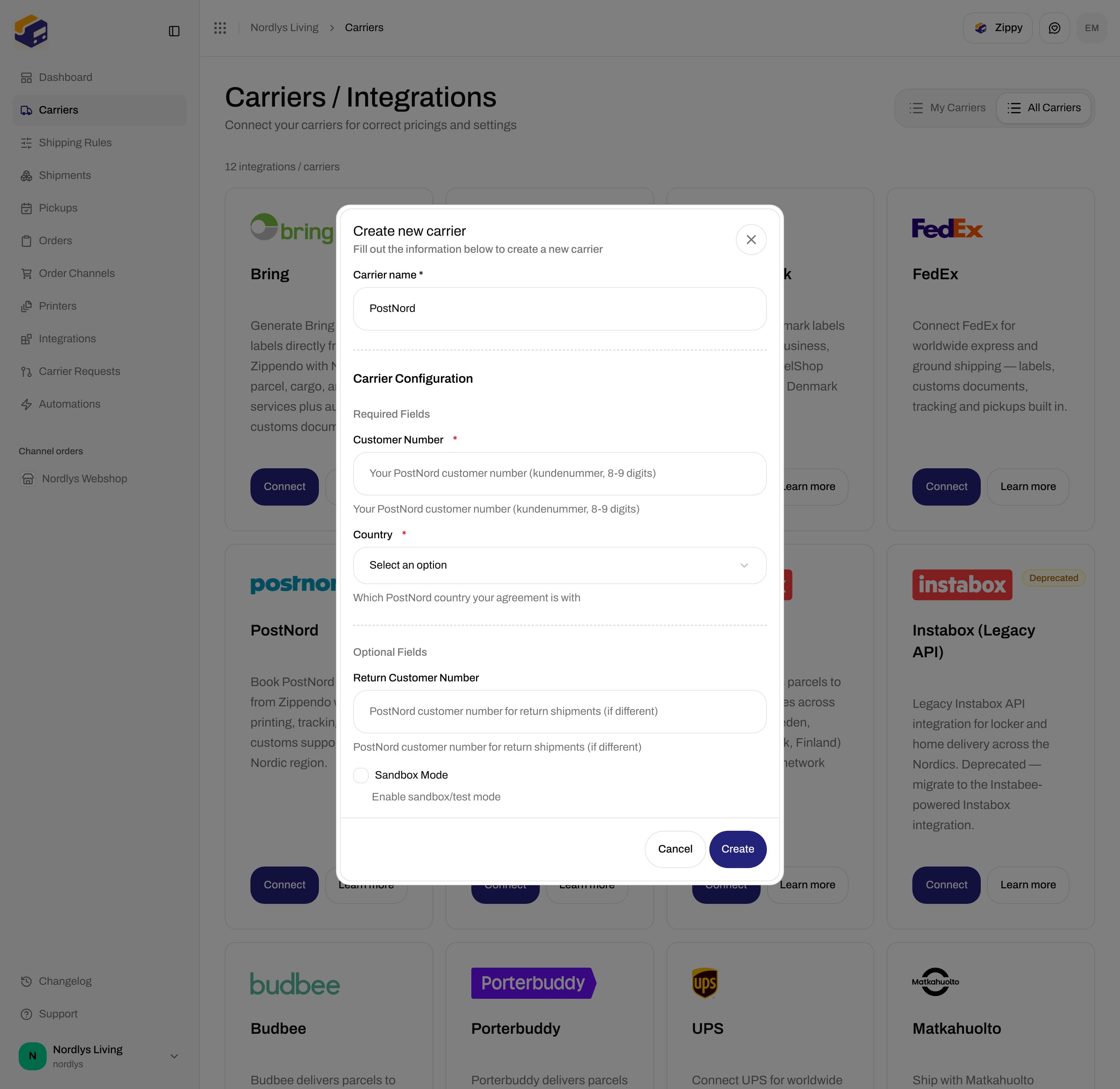
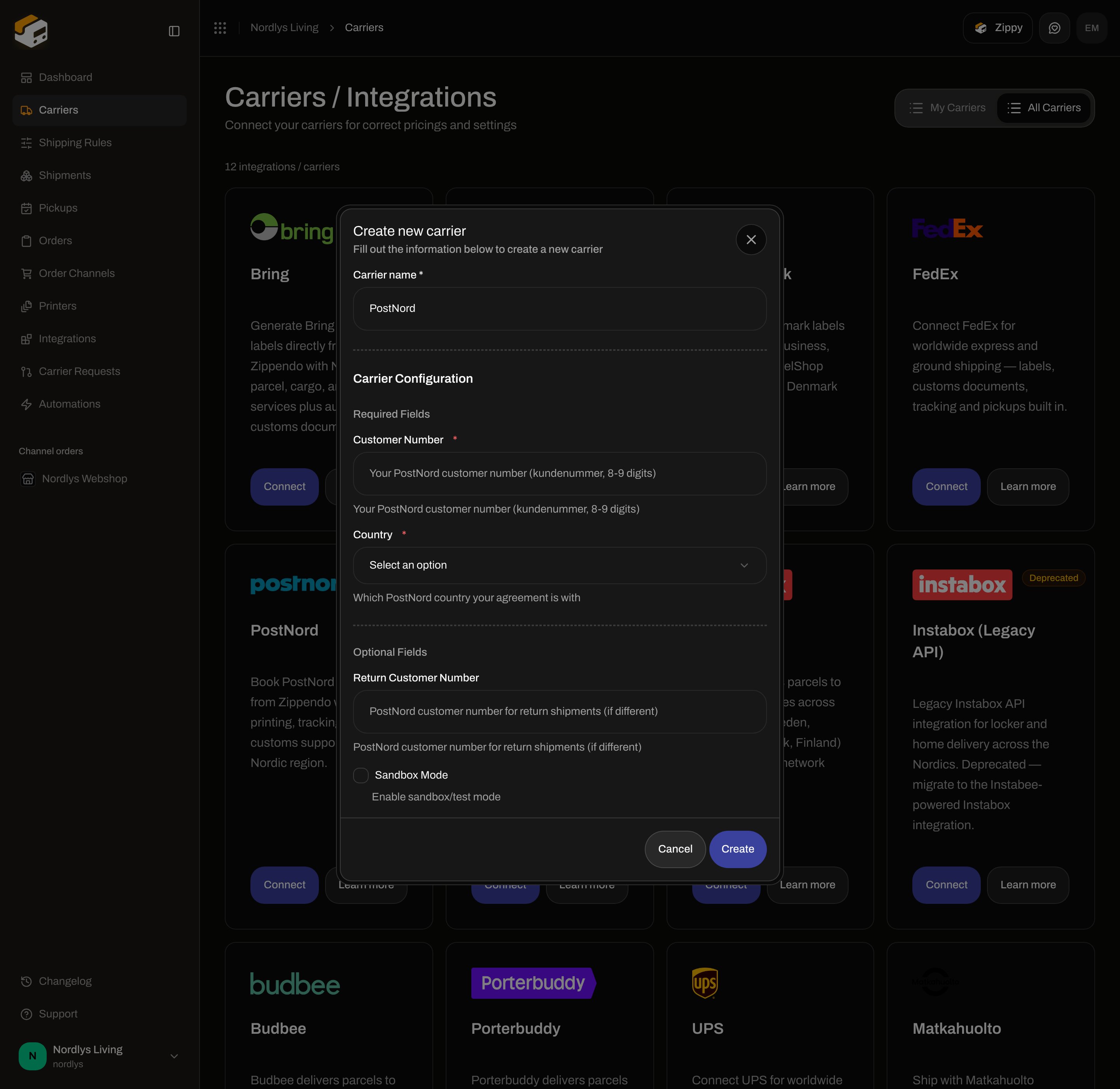
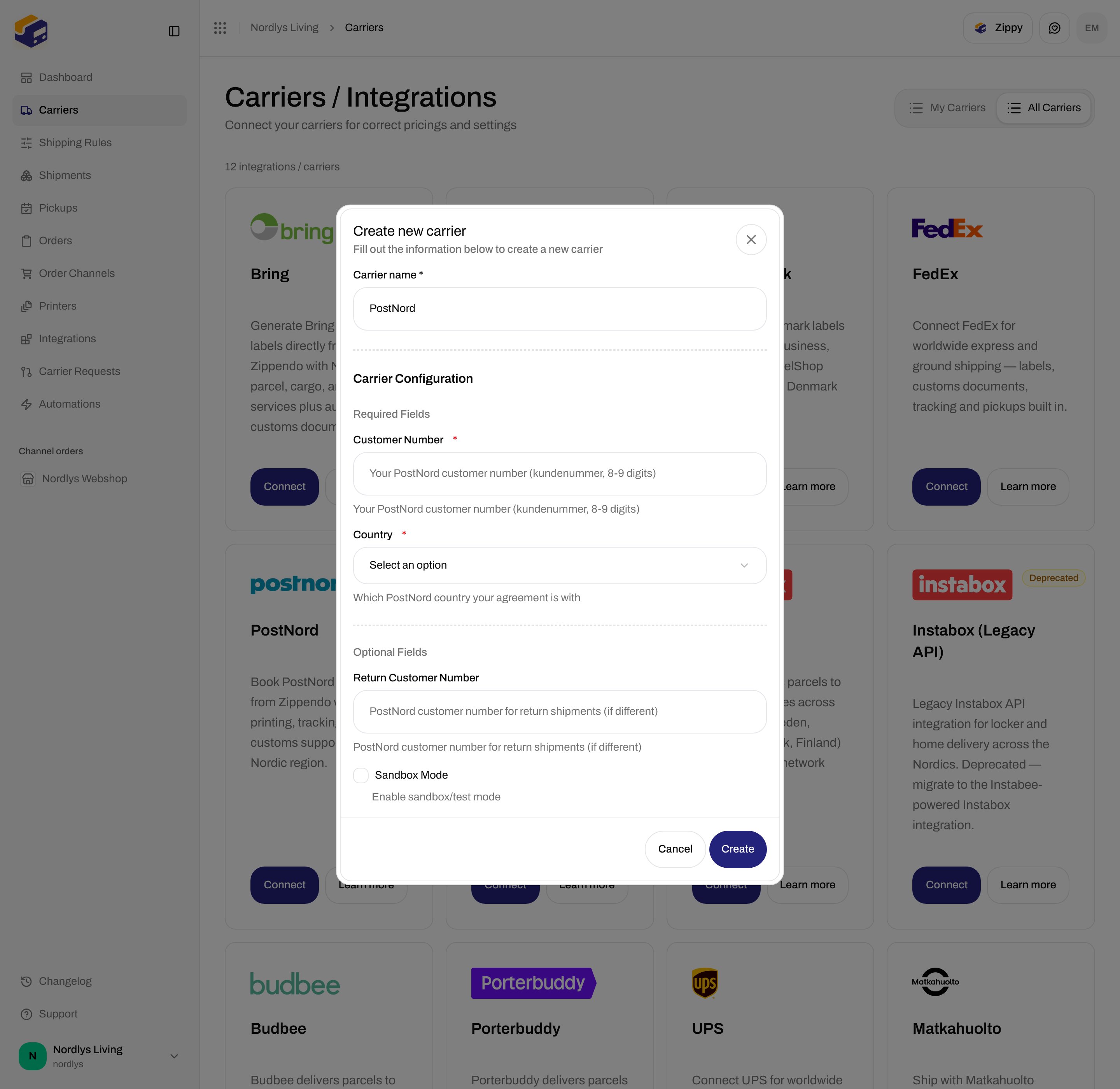
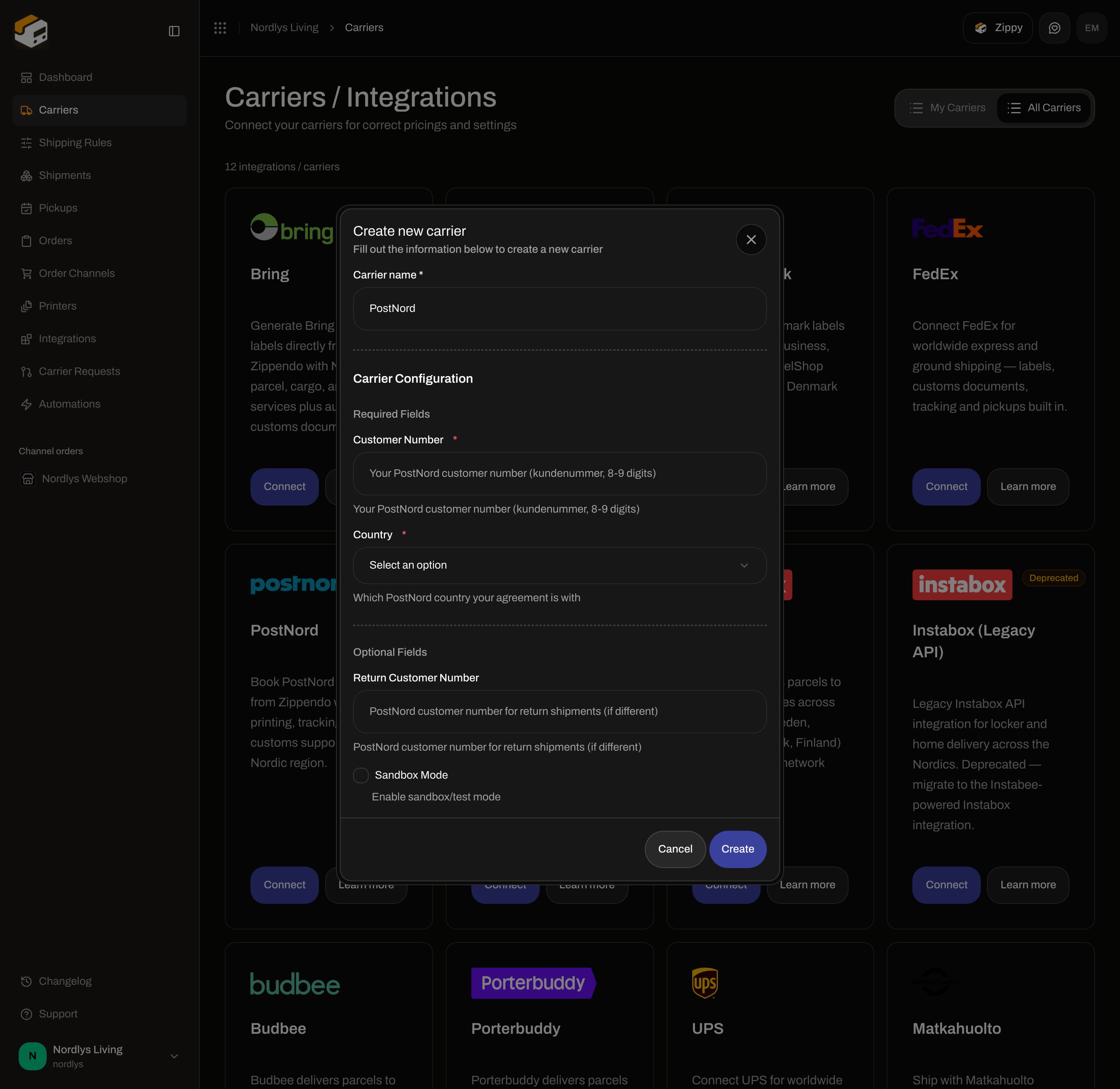
Modal id `connect-carrier-modal`. Title **Create new carrier**. Subtitle **Fill out the information below to create a new carrier**.
**Carrier name**, then **Customer Number** and **Country**. Scroll **Optional Fields** for a return number and sandbox.
**Create** (pending **Creating…**) or **Cancel**. Success toast: **Carrier created successfully**. Failure copy: **Failed to create carrier. Please try again.**
 ## Shared fields
| Field | Required | What it is |
| ------------------- | -------- | -------------------------------------------------------------------------------------------------------------------------------------------------- |
| **Carrier name \*** | Yes | Display name. Placeholder **Enter carrier name**. Defaults to **PostNord**. Letters, numbers, and `. & ' + / ( ) _ -` only. |
| **Brand** | No | Only when the organization has [brands](/docs/how-to/create-a-brand). Helper: **Only this brand can use this carrier.** Hidden when you have no brands. |
## PostNord credentials
| Field | Required | Control | Where you get it | Format | Sandbox vs live |
| -------------------------- | -------- | --------------------------------------------------------------------------------------------------- | ------------------------------------------------------------------------------------------------------------ | --------------------------------------------------------------------------------- | -------------------------------------------------------------------- |
| **Customer Number** | Yes | Text. Helper: **Your PostNord customer number (kundenummer, 8-9 digits)** | PostNord agreement / customer portal (Denmark: PostNord.dk customer number, and the equivalent in SE/NO/FI). | 8–9 digits. | Same number. **Sandbox Mode** switches the Booking API host. |
| **Country** | Yes | Select. Placeholder **Select an option**. Helper: **Which PostNord country your agreement is with** | Must match the country that issued the customer number. | **Denmark** (`Z11`), **Sweden** (`Z12`), **Norway** (`Z13`), **Finland** (`Z14`). | Same field. Product lists change with this value. |
| **Return Customer Number** | No | Text. Helper: **PostNord customer number for return shipments (if different)** | PostNord, only if returns use another kundenummer. | String. | Same field. |
| **Sandbox Mode** | No | Checkbox, default off. Helper: **Enable sandbox/test mode** | Zippendo checkbox. | Boolean. | On: `https://atapi2.postnord.com`. Off: `https://api2.postnord.com`. |
There is no API key, client secret, or username field. Those are platform credentials.
Leave **Sandbox Mode** off for live orders. Details: [Sandbox mode](/docs/how-to/sandbox-mode).
## After you connect
The connection appears on **My Carriers** (**Connected**, **Edit Carrier**). Products depend on **Country** — [Carrier products and services](/docs/how-to/carrier-products-and-services).
Typical outbound names: **Mypack Home** / **PostNord MyPack Home** / **Postnord Home**, **PostNord Parcel** / **Parcel**, and collect products **Mypack Collect** / **PostNord MyPack Collect** / **MyPack Collect**. Inbound: **PostNord Return** and **Return Pickup** (not every country lists pickup returns). Sender country follows the issuer you picked.
### MyPack Collect (droppoint)
Collect products are service-point products. On **Create Shipment** pick a **Service Point** on the **Drop Point** card. [Pick a service point](/docs/how-to/pick-a-service-point). Error: **This carrier product delivers to a service point — select a droppoint before sending.**
PostNord connections **do** appear in **Pickups** — [Schedule a pickup](/docs/how-to/schedule-a-pickup).
Tracking is pulled on a schedule. No tracking-webhook field on edit — [Carrier tracking webhooks](/docs/how-to/tracking-webhooks).
PostNord generates customs documents and commercial invoices.
## Edit
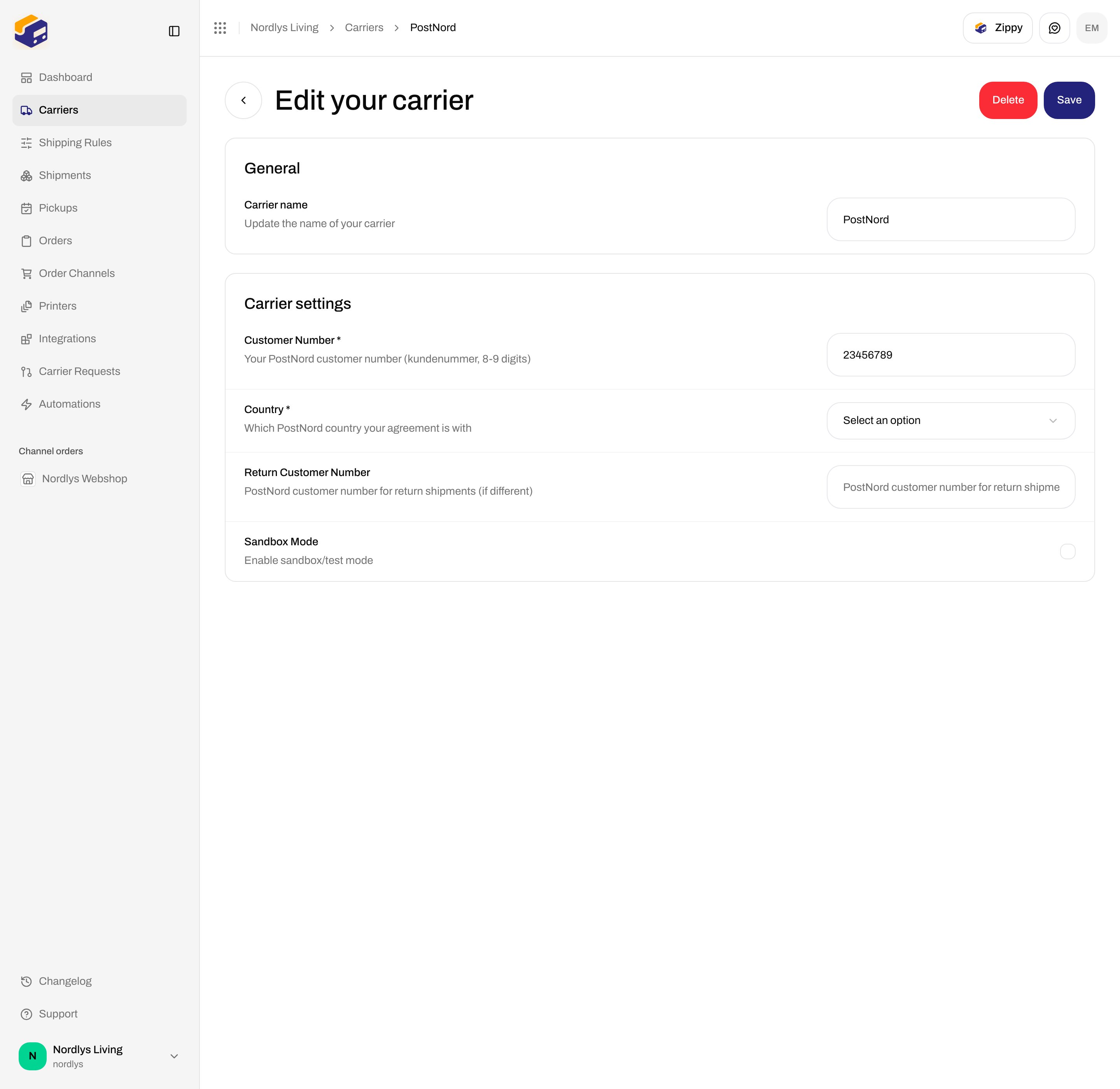
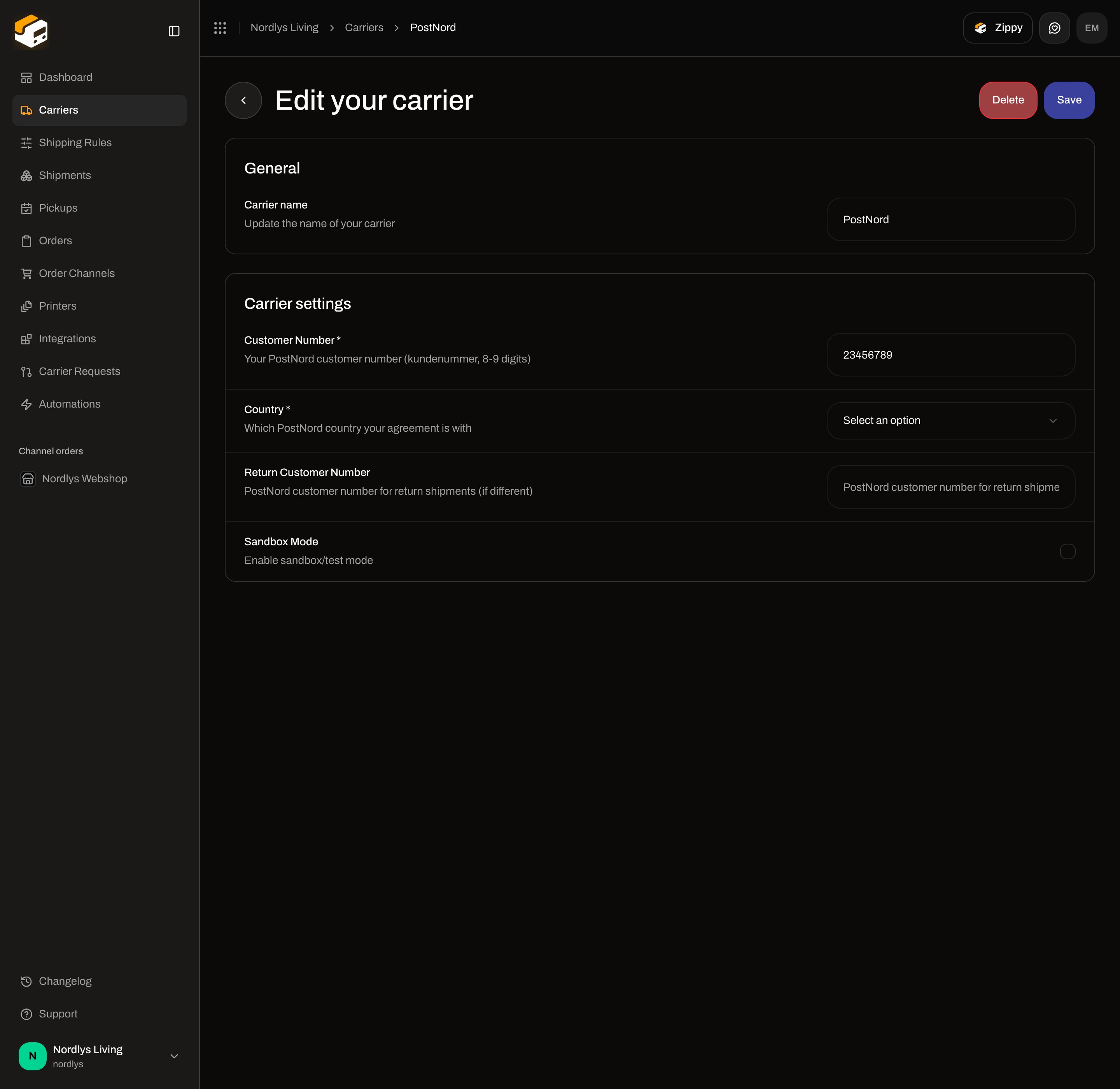
**My Carriers → Edit Carrier**. Title **Edit your carrier**.
* **General** — **Carrier name**, **Brand** when brands exist.
* **Carrier settings** — Customer Number, Country, optional return number, **Sandbox Mode**.
**Save** → **Carrier updated successfully**. Changing **Country** changes which products the shipment form offers.
## Shared fields
| Field | Required | What it is |
| ------------------- | -------- | -------------------------------------------------------------------------------------------------------------------------------------------------- |
| **Carrier name \*** | Yes | Display name. Placeholder **Enter carrier name**. Defaults to **PostNord**. Letters, numbers, and `. & ' + / ( ) _ -` only. |
| **Brand** | No | Only when the organization has [brands](/docs/how-to/create-a-brand). Helper: **Only this brand can use this carrier.** Hidden when you have no brands. |
## PostNord credentials
| Field | Required | Control | Where you get it | Format | Sandbox vs live |
| -------------------------- | -------- | --------------------------------------------------------------------------------------------------- | ------------------------------------------------------------------------------------------------------------ | --------------------------------------------------------------------------------- | -------------------------------------------------------------------- |
| **Customer Number** | Yes | Text. Helper: **Your PostNord customer number (kundenummer, 8-9 digits)** | PostNord agreement / customer portal (Denmark: PostNord.dk customer number, and the equivalent in SE/NO/FI). | 8–9 digits. | Same number. **Sandbox Mode** switches the Booking API host. |
| **Country** | Yes | Select. Placeholder **Select an option**. Helper: **Which PostNord country your agreement is with** | Must match the country that issued the customer number. | **Denmark** (`Z11`), **Sweden** (`Z12`), **Norway** (`Z13`), **Finland** (`Z14`). | Same field. Product lists change with this value. |
| **Return Customer Number** | No | Text. Helper: **PostNord customer number for return shipments (if different)** | PostNord, only if returns use another kundenummer. | String. | Same field. |
| **Sandbox Mode** | No | Checkbox, default off. Helper: **Enable sandbox/test mode** | Zippendo checkbox. | Boolean. | On: `https://atapi2.postnord.com`. Off: `https://api2.postnord.com`. |
There is no API key, client secret, or username field. Those are platform credentials.
Leave **Sandbox Mode** off for live orders. Details: [Sandbox mode](/docs/how-to/sandbox-mode).
## After you connect
The connection appears on **My Carriers** (**Connected**, **Edit Carrier**). Products depend on **Country** — [Carrier products and services](/docs/how-to/carrier-products-and-services).
Typical outbound names: **Mypack Home** / **PostNord MyPack Home** / **Postnord Home**, **PostNord Parcel** / **Parcel**, and collect products **Mypack Collect** / **PostNord MyPack Collect** / **MyPack Collect**. Inbound: **PostNord Return** and **Return Pickup** (not every country lists pickup returns). Sender country follows the issuer you picked.
### MyPack Collect (droppoint)
Collect products are service-point products. On **Create Shipment** pick a **Service Point** on the **Drop Point** card. [Pick a service point](/docs/how-to/pick-a-service-point). Error: **This carrier product delivers to a service point — select a droppoint before sending.**
PostNord connections **do** appear in **Pickups** — [Schedule a pickup](/docs/how-to/schedule-a-pickup).
Tracking is pulled on a schedule. No tracking-webhook field on edit — [Carrier tracking webhooks](/docs/how-to/tracking-webhooks).
PostNord generates customs documents and commercial invoices.
## Edit
**My Carriers → Edit Carrier**. Title **Edit your carrier**.
* **General** — **Carrier name**, **Brand** when brands exist.
* **Carrier settings** — Customer Number, Country, optional return number, **Sandbox Mode**.
**Save** → **Carrier updated successfully**. Changing **Country** changes which products the shipment form offers.
 ## Delete
**Delete** on **Edit your carrier**. Title **Delete Carrier**. Type the carrier name in **uppercase** to enable **Delete**. Toast: **Carrier deleted successfully**. Booked shipments keep labels and tracking.
## Common errors
| When | Copy |
| -------------------------------------- | ------------------------------------------------------------------------------------------------------------------------------------------------------- |
| Required field empty | **Create** does nothing until **Carrier name**, **Customer Number**, and **Country** are set. |
| Connect fails | **Failed to create carrier. Please try again.** |
| Plan cap | **You have reached your plan limit for this resource.** |
| Send with bad / mismatched kundenummer | **The carrier rejected your API credentials. Update the carrier's API key or secret in Carrier settings.** or **PostNord could not book the shipment.** |
| Collect product without a shop | **This carrier product delivers to a service point — select a droppoint before sending.** |
| Product vs countries | **The selected carrier product does not ship between these countries. Choose a different product.** |
Picking **Sweden** with a Danish kundenummer (or the reverse) is a common booking failure. The **Country** dropdown must match the agreement.
## Related
* [Connect a carrier or integration](/docs/how-to/connect-index)
* [Carrier credentials](/docs/how-to/carrier-credentials)
* [Sandbox mode](/docs/how-to/sandbox-mode)
* [Carrier products and services](/docs/how-to/carrier-products-and-services)
* [Connect an integration](/docs/how-to/connect-an-integration)
* [Request a carrier integration](/docs/how-to/request-carrier-integration)
* [Carriers](/docs/tutorials/carriers)
## Delete
**Delete** on **Edit your carrier**. Title **Delete Carrier**. Type the carrier name in **uppercase** to enable **Delete**. Toast: **Carrier deleted successfully**. Booked shipments keep labels and tracking.
## Common errors
| When | Copy |
| -------------------------------------- | ------------------------------------------------------------------------------------------------------------------------------------------------------- |
| Required field empty | **Create** does nothing until **Carrier name**, **Customer Number**, and **Country** are set. |
| Connect fails | **Failed to create carrier. Please try again.** |
| Plan cap | **You have reached your plan limit for this resource.** |
| Send with bad / mismatched kundenummer | **The carrier rejected your API credentials. Update the carrier's API key or secret in Carrier settings.** or **PostNord could not book the shipment.** |
| Collect product without a shop | **This carrier product delivers to a service point — select a droppoint before sending.** |
| Product vs countries | **The selected carrier product does not ship between these countries. Choose a different product.** |
Picking **Sweden** with a Danish kundenummer (or the reverse) is a common booking failure. The **Country** dropdown must match the agreement.
## Related
* [Connect a carrier or integration](/docs/how-to/connect-index)
* [Carrier credentials](/docs/how-to/carrier-credentials)
* [Sandbox mode](/docs/how-to/sandbox-mode)
* [Carrier products and services](/docs/how-to/carrier-products-and-services)
* [Connect an integration](/docs/how-to/connect-an-integration)
* [Request a carrier integration](/docs/how-to/request-carrier-integration)
* [Carriers](/docs/tutorials/carriers)