> ## Documentation Index
> Fetch the complete documentation index at: https://www.zippendo.com/docs/llms.txt
> Use this file to discover all available pages before exploring further.
# Connect Mailchimp
> Connect Mailchimp from Integrations — API Key, Audience/List ID, Connection Name, auto-send events, test, delivery log, and disconnect.
**Mailchimp** receives Zippendo shipping and order events so you can trigger audience automations. The catalog card copy is: **Send shipping events to Mailchimp to trigger email automations.**
This page is the Mailchimp connect form. Shared chrome: [Connect an integration](/docs/how-to/connect-an-integration). Inventory: [Connect a carrier or integration](/docs/how-to/connect-index). Conditional logic: [Automations](/docs/how-to/automations). Provider essay: [Mailchimp](/docs/integrations/mailchimp).
Creating a connection uses the same plan gate as outbound webhooks (**Growth** and above). Nordlys on this page is **Pro**, so **Connect** is unlocked.
## Prerequisites
* A Mailchimp **API Key**.
* The **Audience/List ID** for the list that should receive events (the ID, not the list display name).
## Where to get the API Key and Audience ID
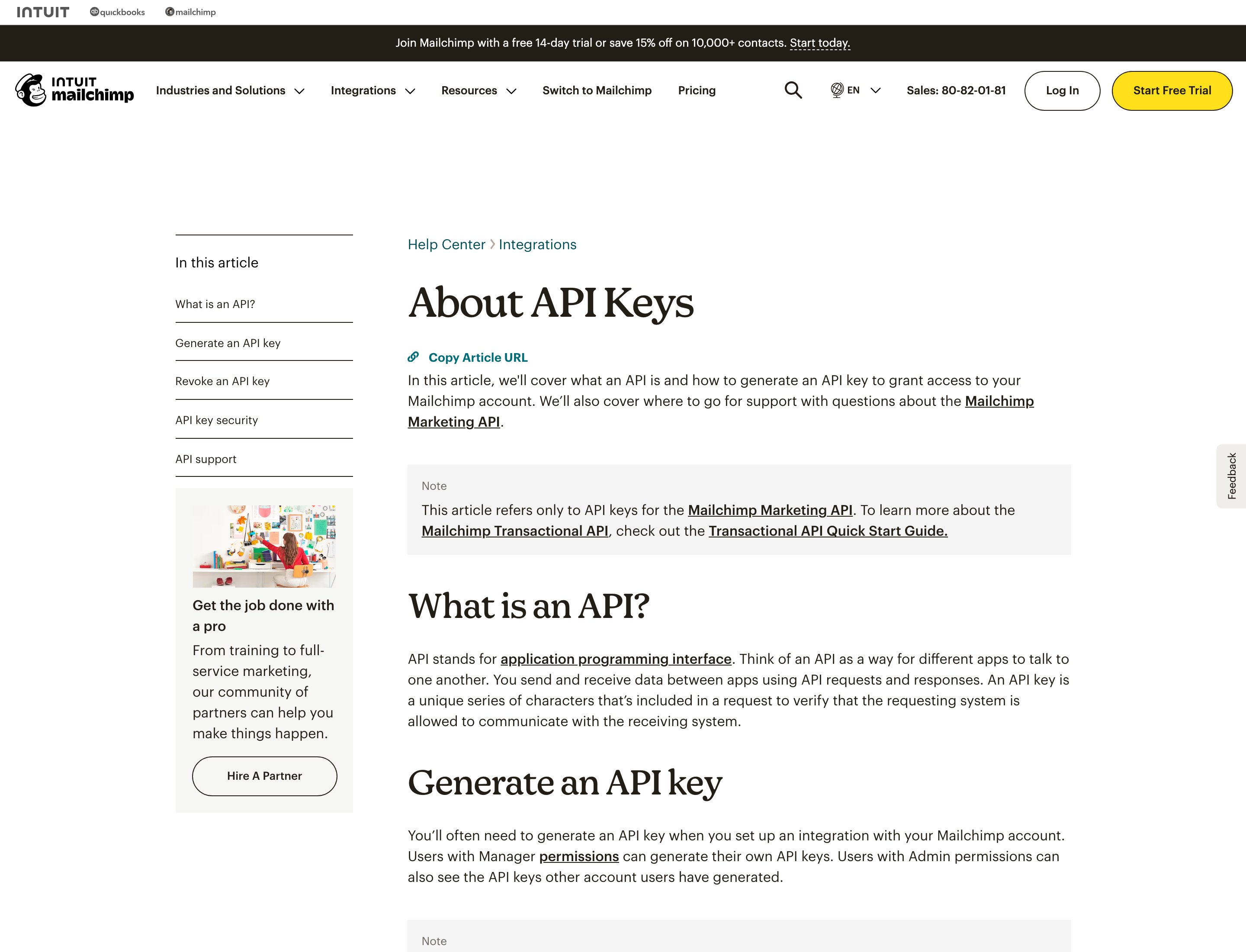
Generate the key in your Mailchimp account (Manager or Admin). That screen requires signing in. The public help article below is the step we can show.
 ## Connect from Catalog
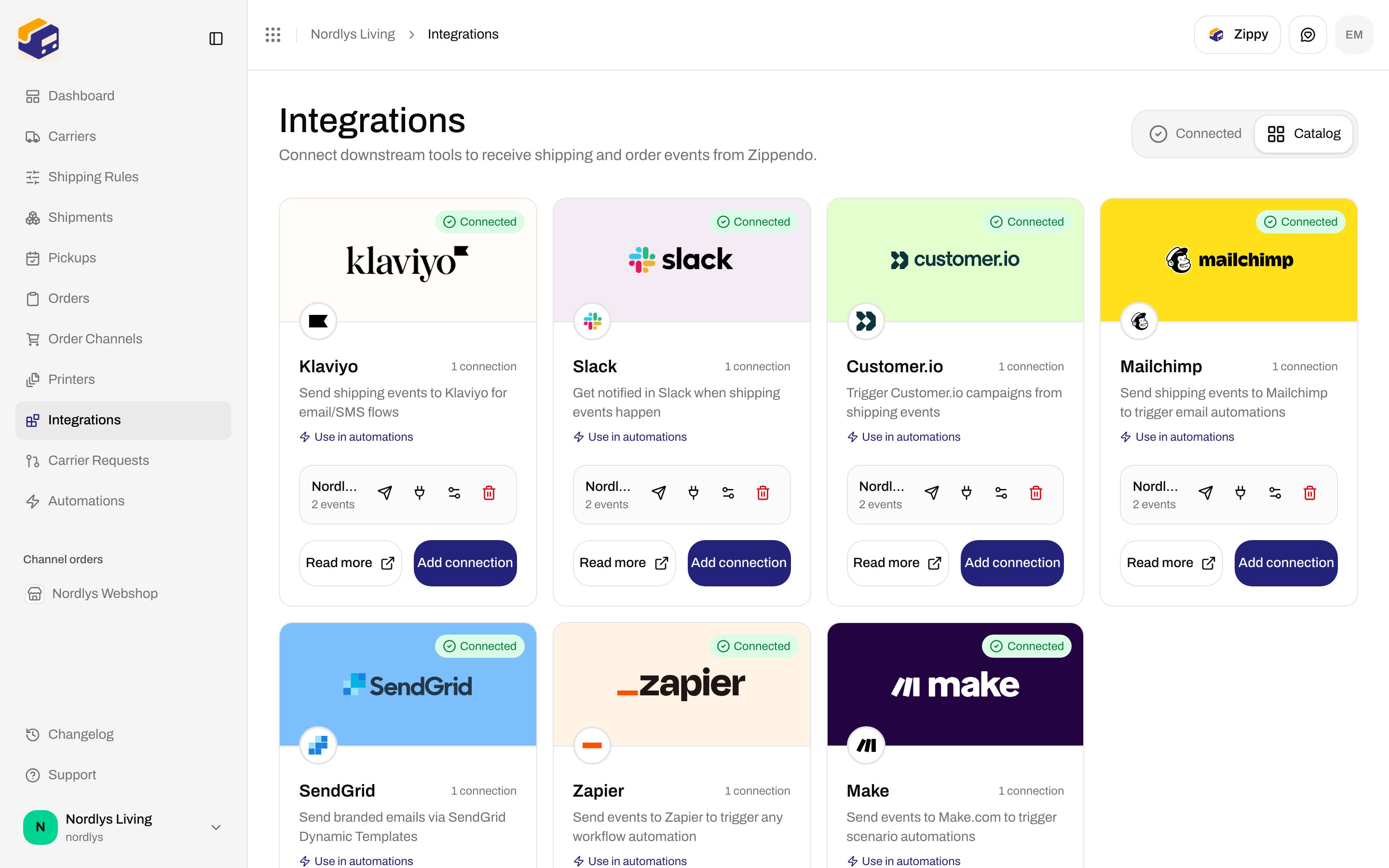
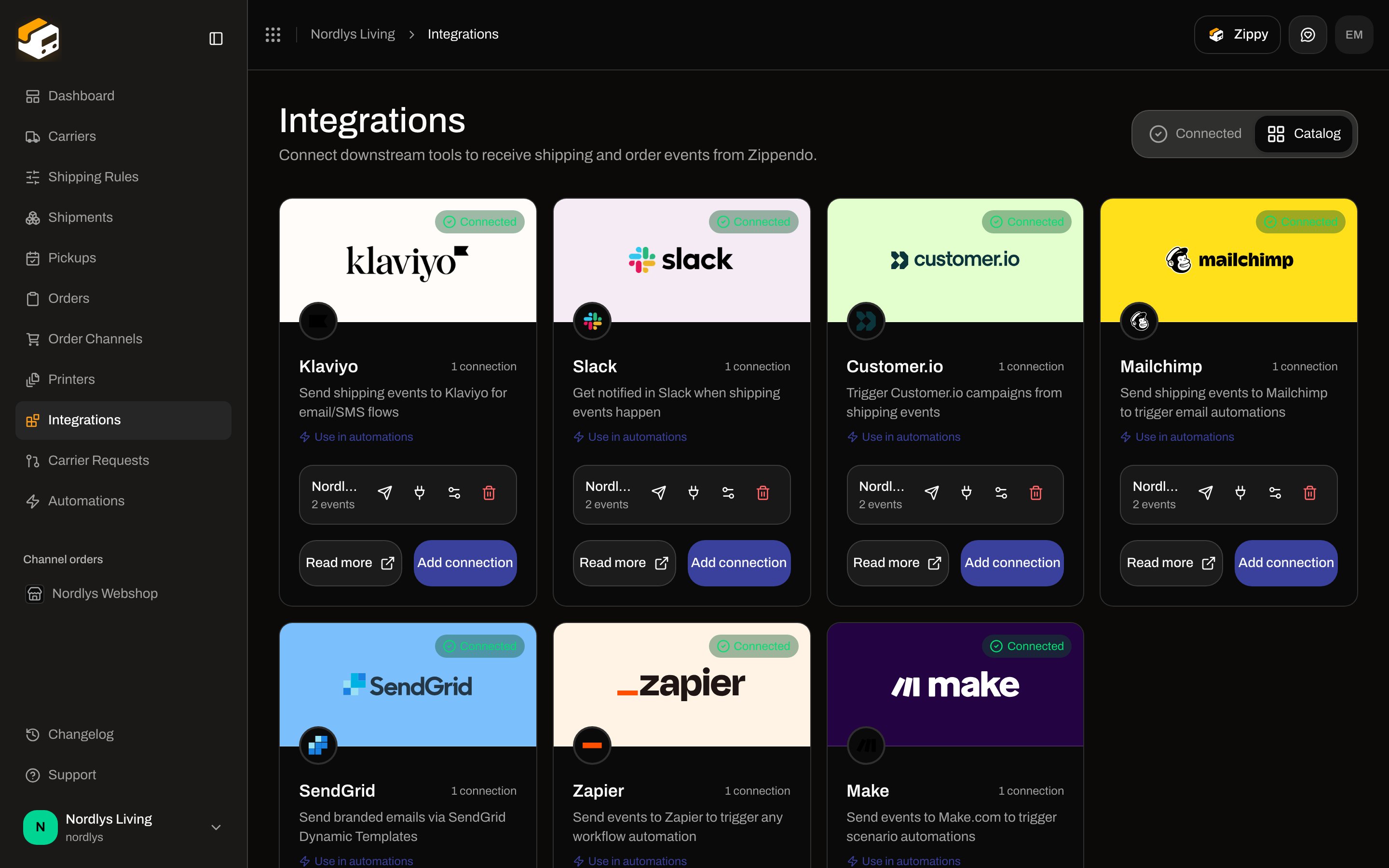
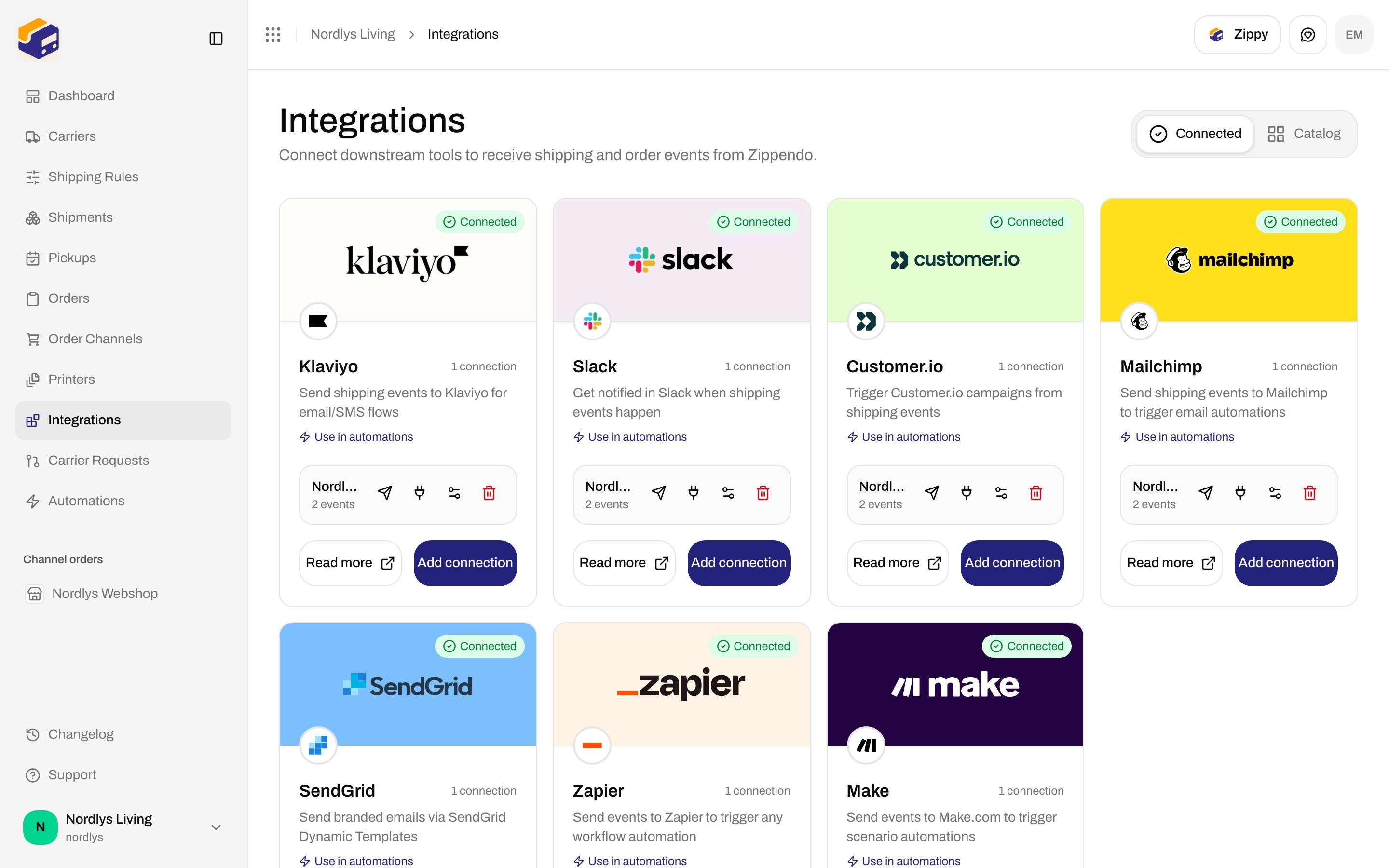
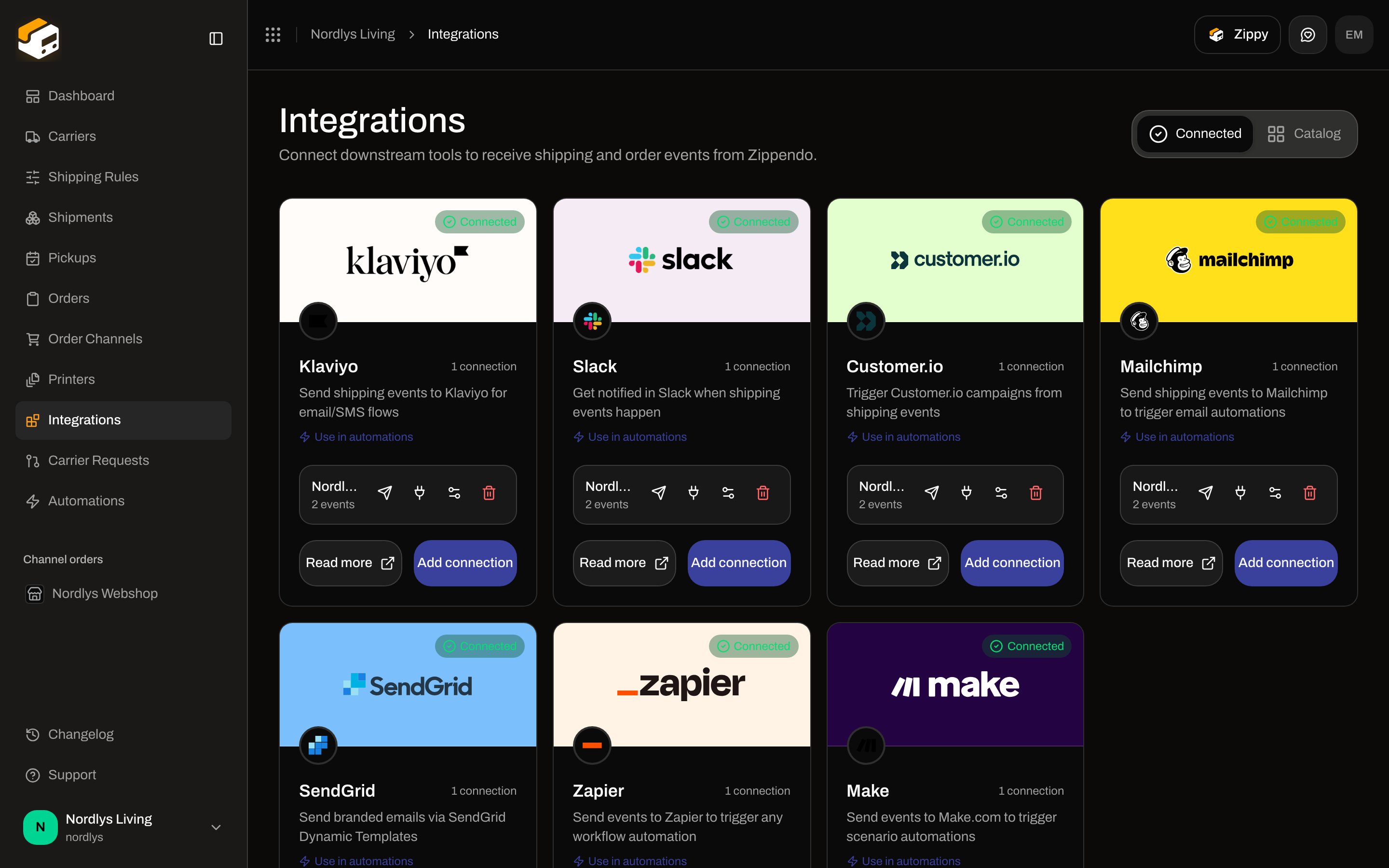
Sidebar **Integrations**. Page title **Integrations**. Description: **Connect downstream tools to receive shipping and order events from Zippendo.** Tabs: **Connected** (`?tab=connected`) and **Catalog** (`?tab=catalog`).
Card title **Mailchimp**. Links: **Use in automations** and **Read more** (`https://zippendo.com/docs/integrations/mailchimp`). Button **Connect**, or **Add connection** after the first Mailchimp connection.
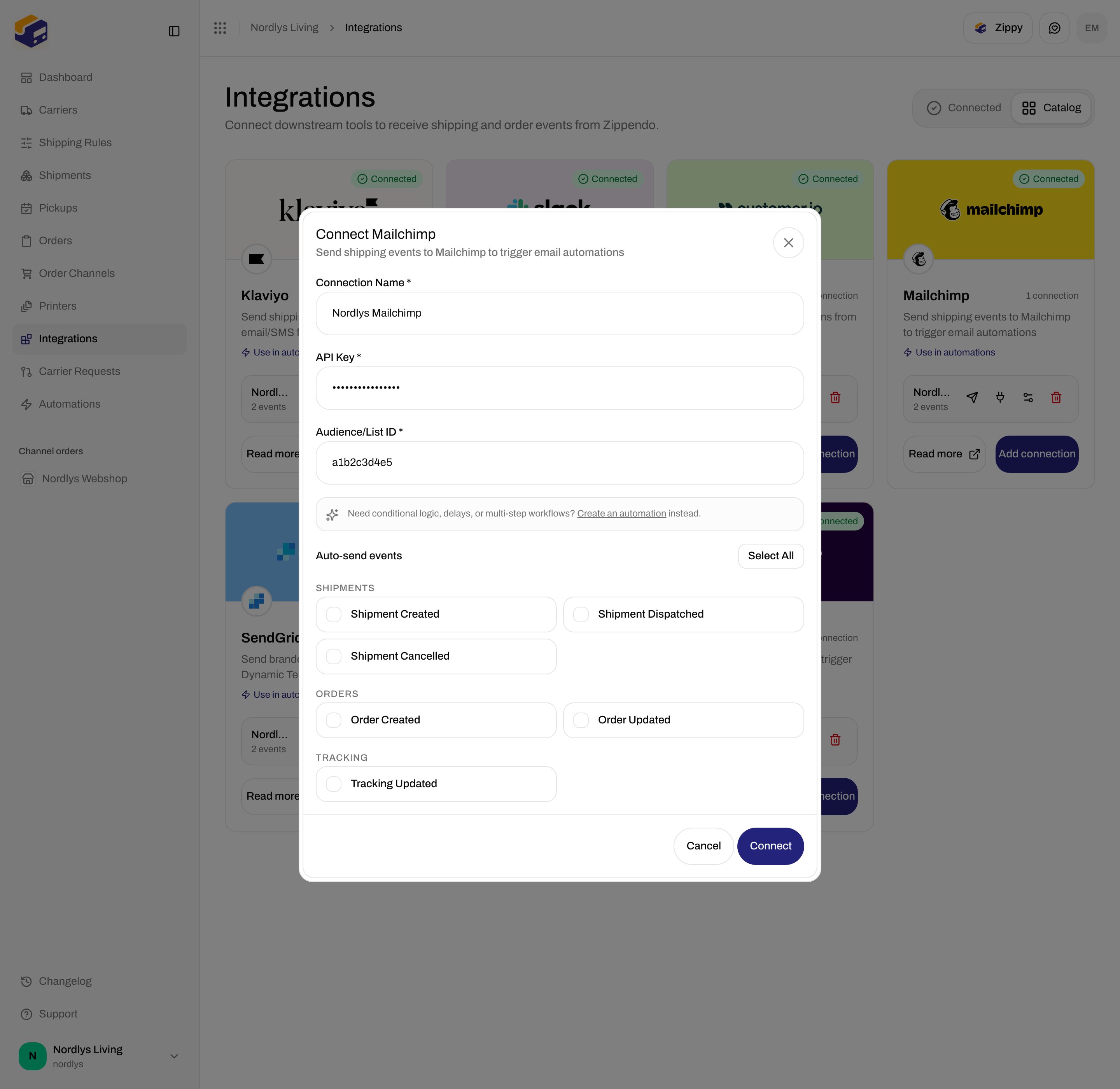
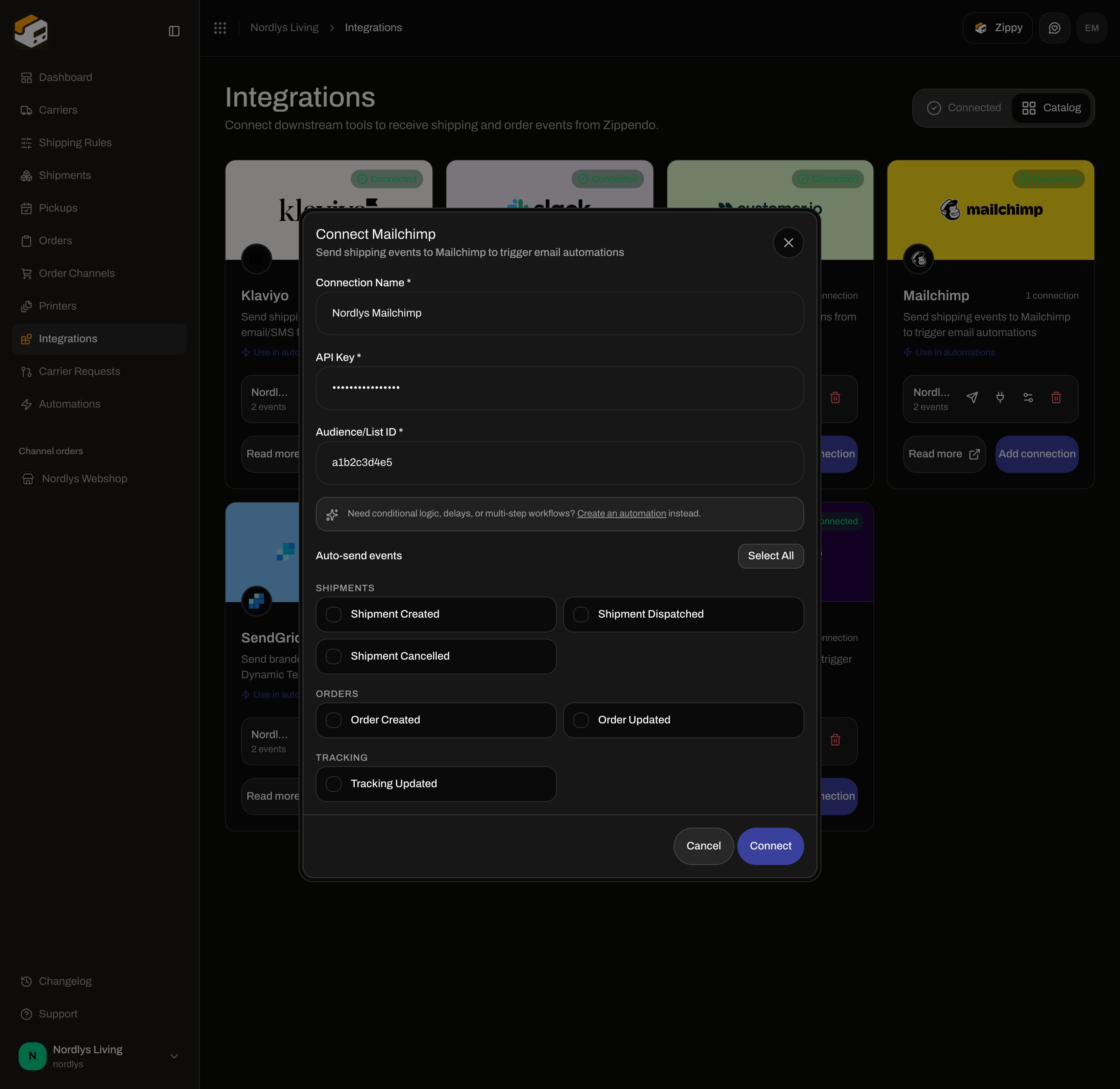
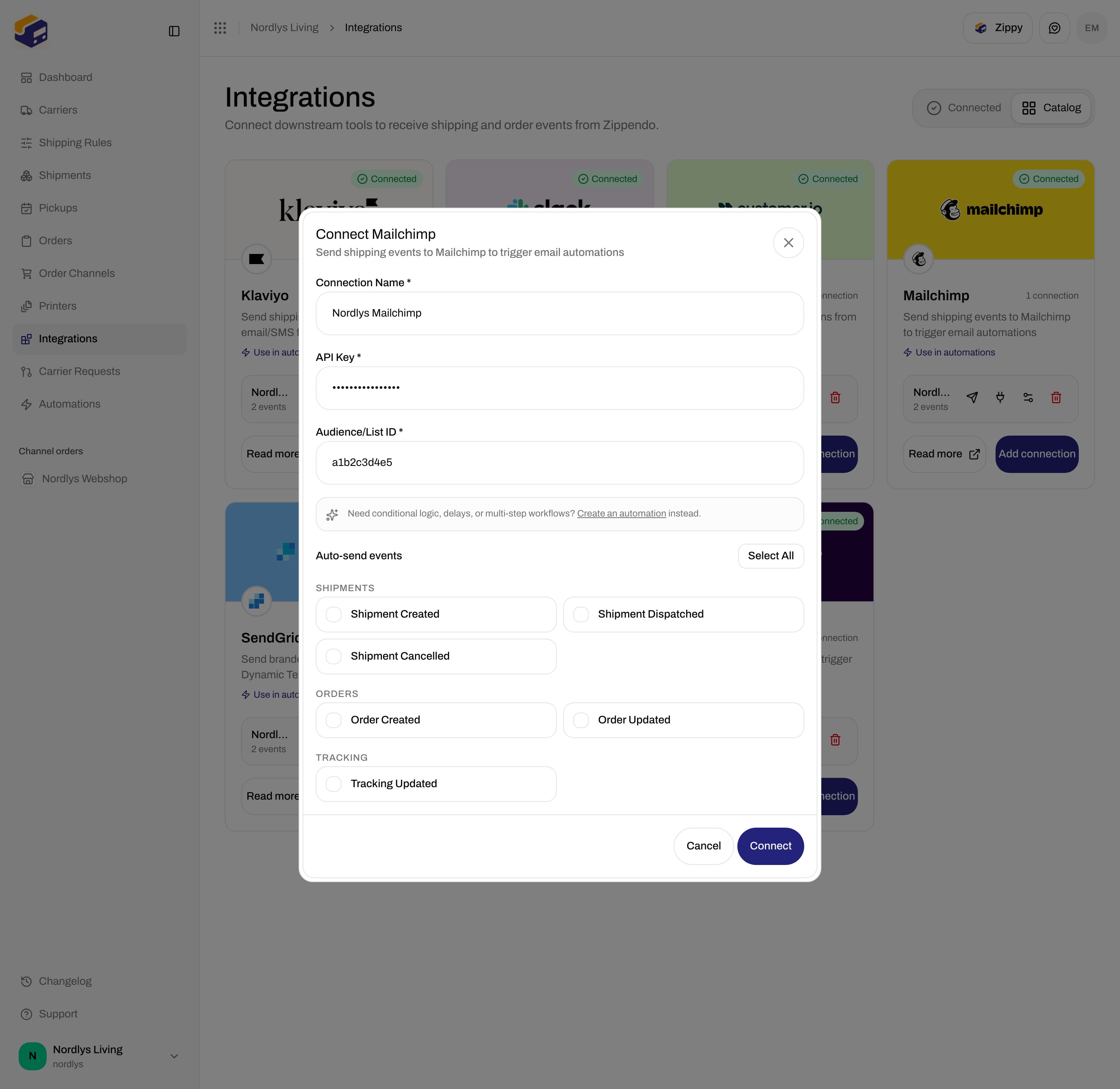
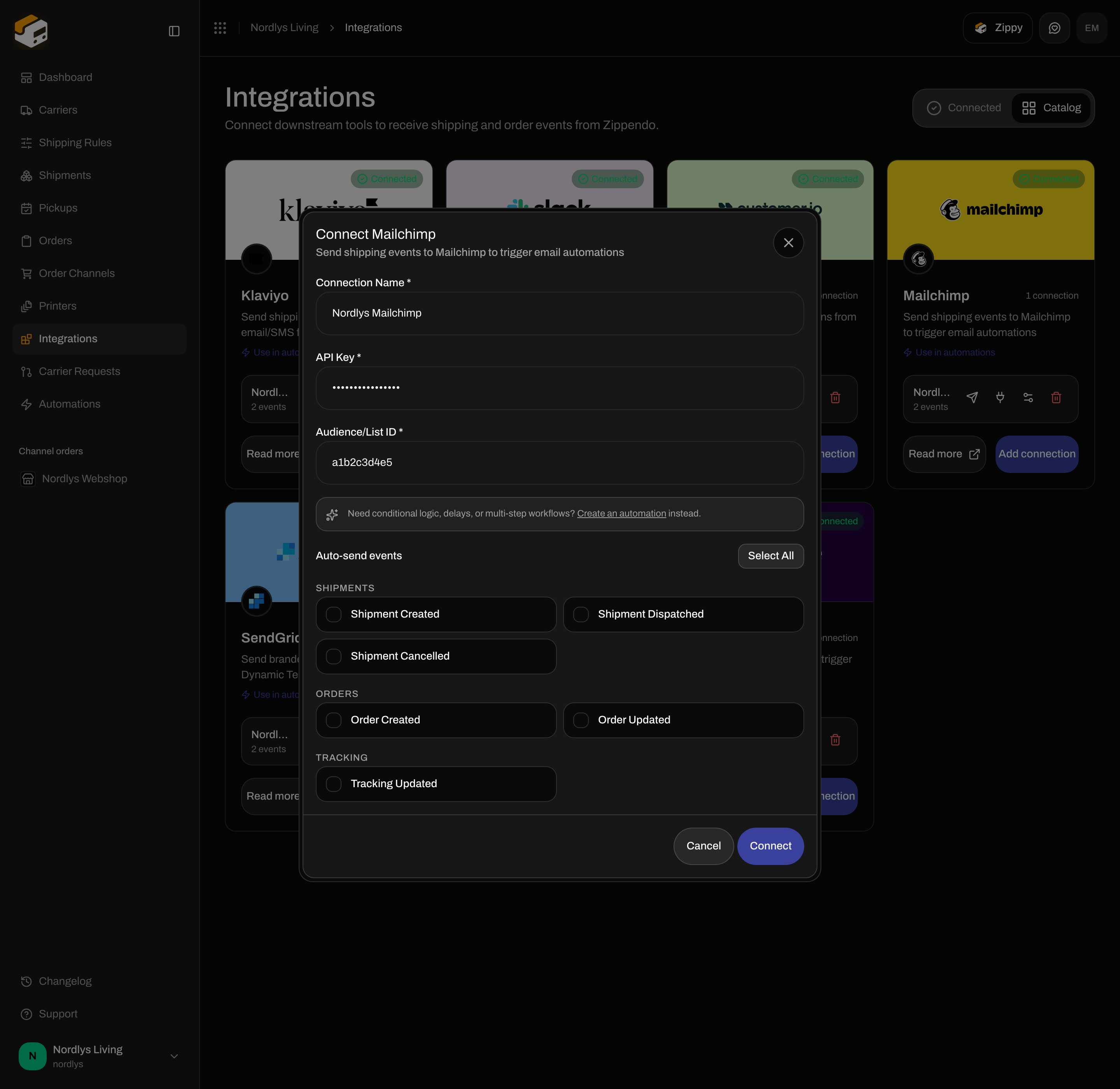
Modal id `connect-integration-modal`. Title **Connect Mailchimp**. Subtitle: **Send shipping events to Mailchimp to trigger email automations**.
**Connection Name \***, **API Key \***, and **Audience/List ID \***. Tick **Auto-send events** if you want Zippendo to push without an automation.
**Connect** stays disabled until name, API Key, and Audience/List ID are filled. Success toast: **Integration connected successfully**. Failure: **Failed to create connection** (or **This feature is not available on your current plan.**).
## Connect from Catalog
Sidebar **Integrations**. Page title **Integrations**. Description: **Connect downstream tools to receive shipping and order events from Zippendo.** Tabs: **Connected** (`?tab=connected`) and **Catalog** (`?tab=catalog`).
Card title **Mailchimp**. Links: **Use in automations** and **Read more** (`https://zippendo.com/docs/integrations/mailchimp`). Button **Connect**, or **Add connection** after the first Mailchimp connection.
Modal id `connect-integration-modal`. Title **Connect Mailchimp**. Subtitle: **Send shipping events to Mailchimp to trigger email automations**.
**Connection Name \***, **API Key \***, and **Audience/List ID \***. Tick **Auto-send events** if you want Zippendo to push without an automation.
**Connect** stays disabled until name, API Key, and Audience/List ID are filled. Success toast: **Integration connected successfully**. Failure: **Failed to create connection** (or **This feature is not available on your current plan.**).
 ## Shared fields
These appear on every integration connect dialog, including Mailchimp.
| Field | Required | What it is |
| ---------------------- | -------- | ---------------------------------------------------------------------------------------------------------------------------------------------------------------------- |
| **Connection Name \*** | Yes | Placeholder **e.g., My Mailchimp**. Max 100 characters. |
| Hint | — | **Need conditional logic, delays, or multi-step workflows? Create an automation instead.** **Create an automation** links to Automations. |
| **Auto-send events** | No | Checkbox grid. **Select All** / **Deselect All** toggles every event this provider supports. Empty means Zippendo will not auto-push; **Send test event** still works. |
## Mailchimp credentials
| Field | Required | Control | Details |
| ----------------------- | -------- | -------------------------------------------- | ------------------------------------------------------------------------------------------------------------------------- |
| **API Key \*** | Yes | Password. Placeholder **Enter api key** | Masked. Mailchimp keys include a datacenter suffix (for example `-us21`); Zippendo uses that suffix to pick the API host. |
| **Audience/List ID \*** | Yes | Text. Placeholder **Enter audience/list id** | The audience ID, not the list name. |
Footer: **Cancel** / **Connect**.
**Event Name Override** exists on the API (`eventConfig`) only. It is **not** a field on Connect or Edit. Override the name from an automation inspector instead — [Automations](/docs/how-to/automations).
## Auto-send events Mailchimp supports
Groups shown: **Shipments**, **Orders**, **Tracking**.
| Checkbox | Event |
| ----------------------- | --------------------- |
| **Shipment Created** | `shipment.created` |
| **Shipment Dispatched** | `shipment.dispatched` |
| **Shipment Cancelled** | `shipment.cancelled` |
| **Order Created** | `order.created` |
| **Order Updated** | `order.updated` |
| **Tracking Updated** | `tracking.updated` |
Not on this modal: **Shipment Updated**, **Shipment Error**, **Order Cancelled**.
## Shared fields
These appear on every integration connect dialog, including Mailchimp.
| Field | Required | What it is |
| ---------------------- | -------- | ---------------------------------------------------------------------------------------------------------------------------------------------------------------------- |
| **Connection Name \*** | Yes | Placeholder **e.g., My Mailchimp**. Max 100 characters. |
| Hint | — | **Need conditional logic, delays, or multi-step workflows? Create an automation instead.** **Create an automation** links to Automations. |
| **Auto-send events** | No | Checkbox grid. **Select All** / **Deselect All** toggles every event this provider supports. Empty means Zippendo will not auto-push; **Send test event** still works. |
## Mailchimp credentials
| Field | Required | Control | Details |
| ----------------------- | -------- | -------------------------------------------- | ------------------------------------------------------------------------------------------------------------------------- |
| **API Key \*** | Yes | Password. Placeholder **Enter api key** | Masked. Mailchimp keys include a datacenter suffix (for example `-us21`); Zippendo uses that suffix to pick the API host. |
| **Audience/List ID \*** | Yes | Text. Placeholder **Enter audience/list id** | The audience ID, not the list name. |
Footer: **Cancel** / **Connect**.
**Event Name Override** exists on the API (`eventConfig`) only. It is **not** a field on Connect or Edit. Override the name from an automation inspector instead — [Automations](/docs/how-to/automations).
## Auto-send events Mailchimp supports
Groups shown: **Shipments**, **Orders**, **Tracking**.
| Checkbox | Event |
| ----------------------- | --------------------- |
| **Shipment Created** | `shipment.created` |
| **Shipment Dispatched** | `shipment.dispatched` |
| **Shipment Cancelled** | `shipment.cancelled` |
| **Order Created** | `order.created` |
| **Order Updated** | `order.updated` |
| **Tracking Updated** | `tracking.updated` |
Not on this modal: **Shipment Updated**, **Shipment Error**, **Order Cancelled**.
 ## After you connect
**Connected** shows a green **Connected** pill and **\{\{count}} connection(s)**. Each row: name, **\{\{count}} event(s)** (and **Paused** if inactive — there is **no** pause toggle), **Send test event**, **View delivery log**, **Edit connection**, **Delete connection**.
## After you connect
**Connected** shows a green **Connected** pill and **\{\{count}} connection(s)**. Each row: name, **\{\{count}} event(s)** (and **Paused** if inactive — there is **no** pause toggle), **Send test event**, **View delivery log**, **Edit connection**, **Delete connection**.
 There is **no** Sandbox Mode checkbox. Use **Send test event** (toast **Test event sent** / **Failed to send test event**). Live events need a customer email on the payload so Mailchimp can attach the event to a list member.
## Edit Mailchimp Connection
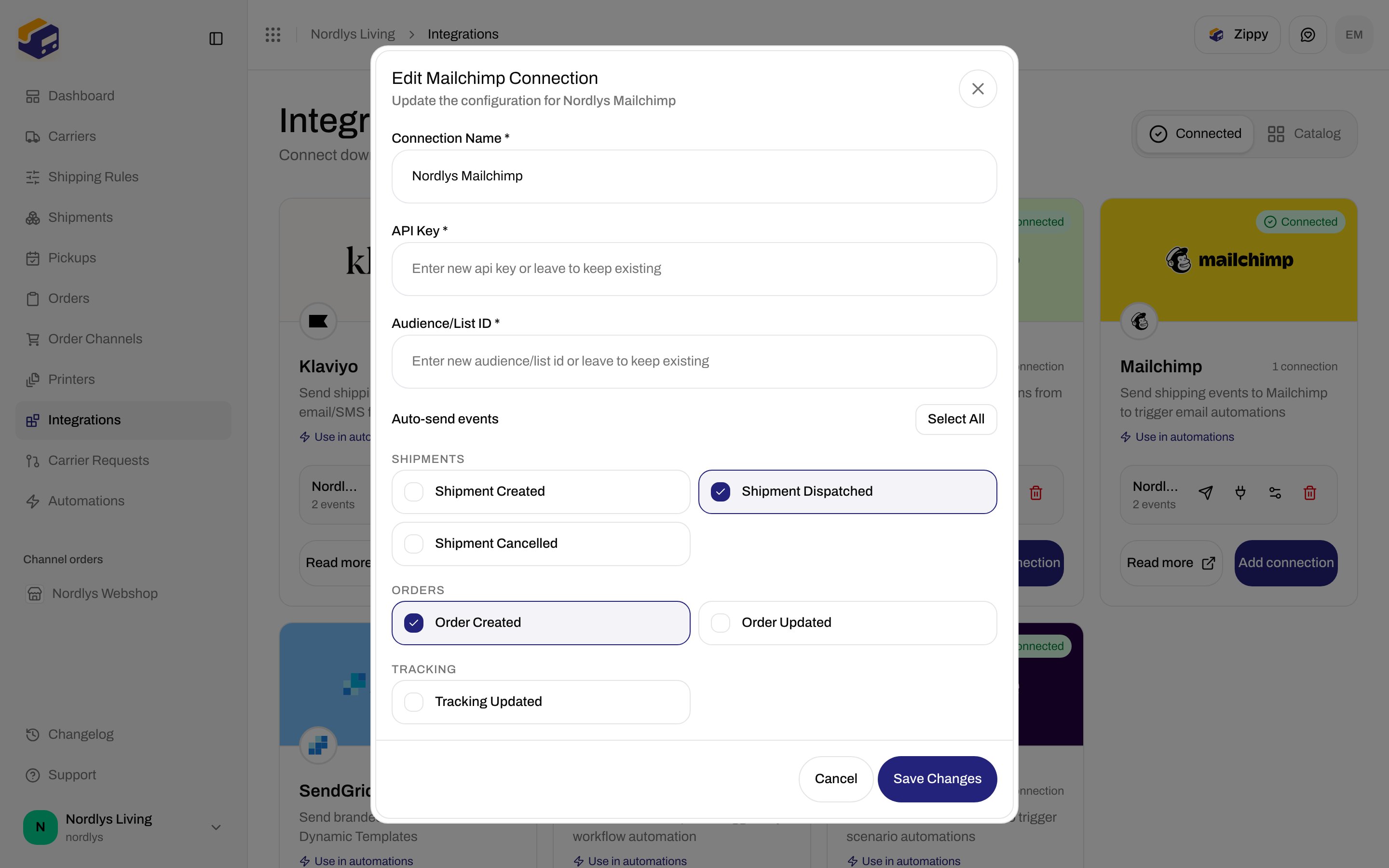
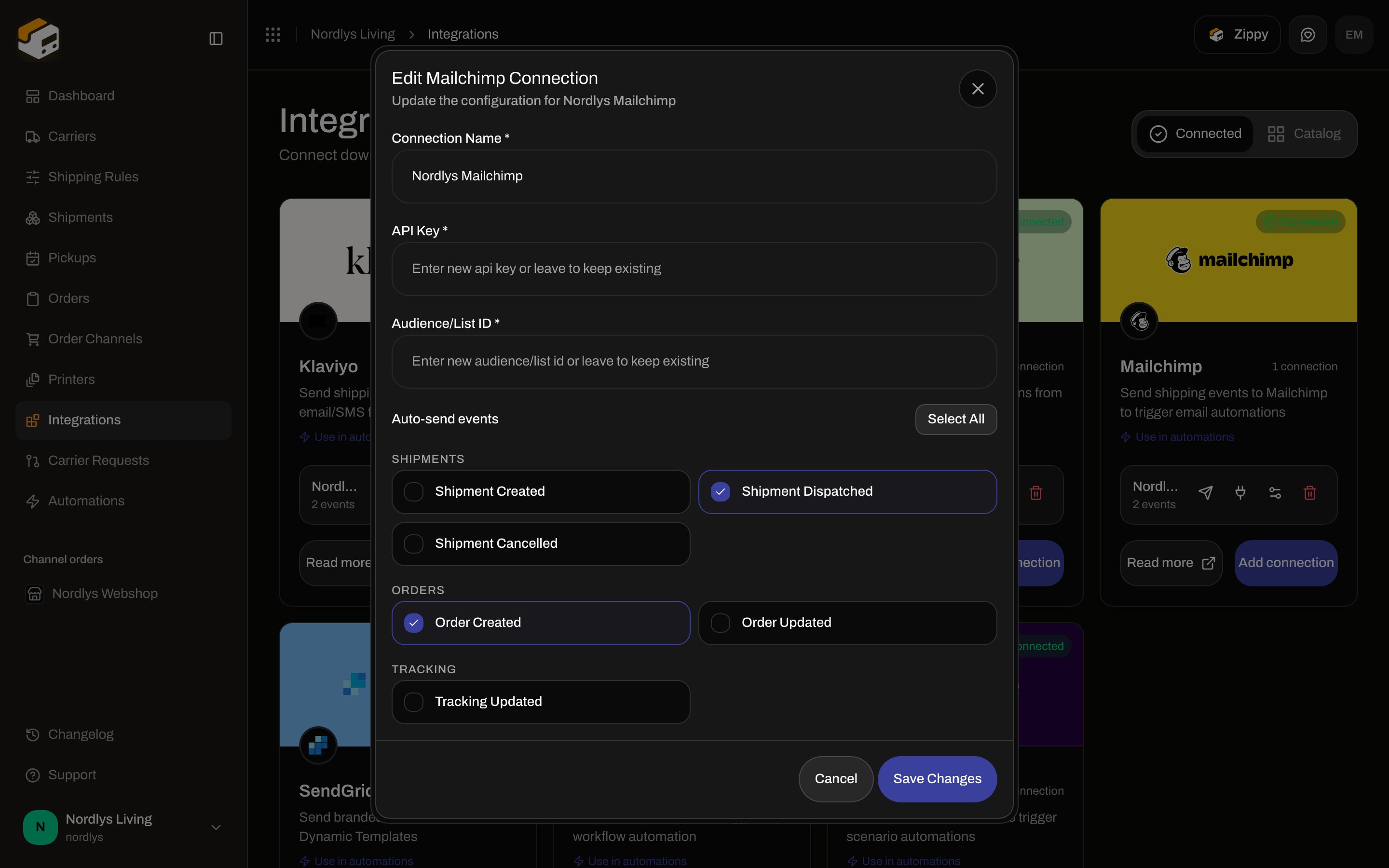
Modal id `edit-integration-connection-modal`. Title **Edit Mailchimp Connection**. Subtitle **Update the configuration for \{\{connection}}**. **Save Changes** disabled while **Connection Name \*** is empty.
There is **no** Sandbox Mode checkbox. Use **Send test event** (toast **Test event sent** / **Failed to send test event**). Live events need a customer email on the payload so Mailchimp can attach the event to a list member.
## Edit Mailchimp Connection
Modal id `edit-integration-connection-modal`. Title **Edit Mailchimp Connection**. Subtitle **Update the configuration for \{\{connection}}**. **Save Changes** disabled while **Connection Name \*** is empty.
 | Field | Details |
| ----------------------- | ---------------------------------------------------------------------- |
| **Connection Name \*** | Same as create. |
| **API Key \*** | Placeholder **Enter new api key or leave to keep existing**. Password. |
| **Audience/List ID \*** | Placeholder **Enter new audience/list id or leave to keep existing**. |
| **Auto-send events** | Same Mailchimp checkboxes as create. |
Toasts: **Integration updated successfully** / **Failed to update connection**.
Leave every credential blank to keep the stored values. Filling any credential field **replaces** the whole credential set — fill **API Key** and **Audience/List ID** together if you are rotating secrets.
## Delivery log and test
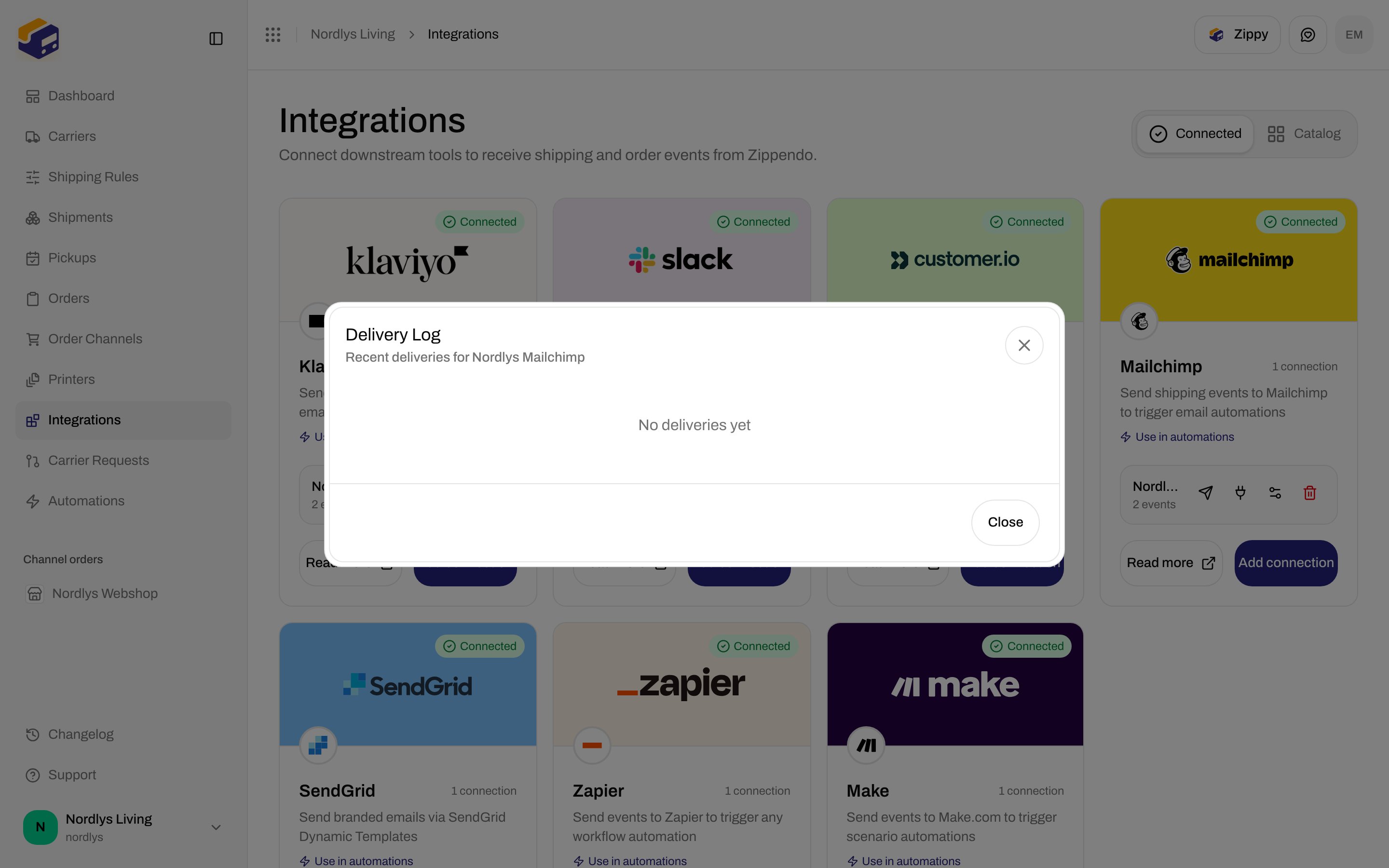
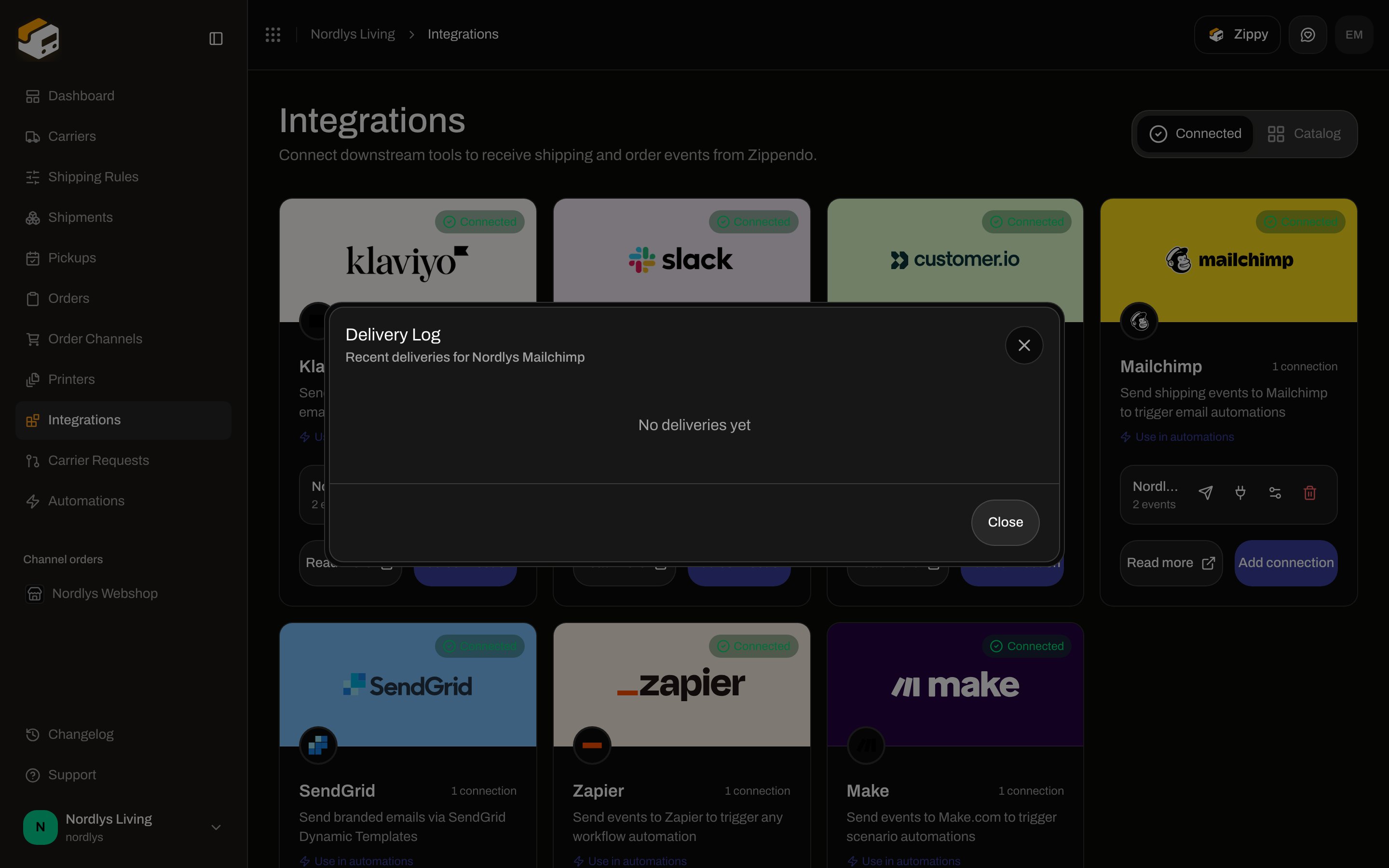
**View delivery log** — modal id `integration-delivery-log-modal`. Title **Delivery Log**. Subtitle **Recent deliveries for \{\{connection}}**. **Close**. Empty: **No deliveries yet**. Rows show event name, HTTP status, duration in `ms`, relative time, and error text.
| Field | Details |
| ----------------------- | ---------------------------------------------------------------------- |
| **Connection Name \*** | Same as create. |
| **API Key \*** | Placeholder **Enter new api key or leave to keep existing**. Password. |
| **Audience/List ID \*** | Placeholder **Enter new audience/list id or leave to keep existing**. |
| **Auto-send events** | Same Mailchimp checkboxes as create. |
Toasts: **Integration updated successfully** / **Failed to update connection**.
Leave every credential blank to keep the stored values. Filling any credential field **replaces** the whole credential set — fill **API Key** and **Audience/List ID** together if you are rotating secrets.
## Delivery log and test
**View delivery log** — modal id `integration-delivery-log-modal`. Title **Delivery Log**. Subtitle **Recent deliveries for \{\{connection}}**. **Close**. Empty: **No deliveries yet**. Rows show event name, HTTP status, duration in `ms`, relative time, and error text.
 **Send test event** enqueues `integration.test`. It does not require any auto-send checkbox.
## Disconnect
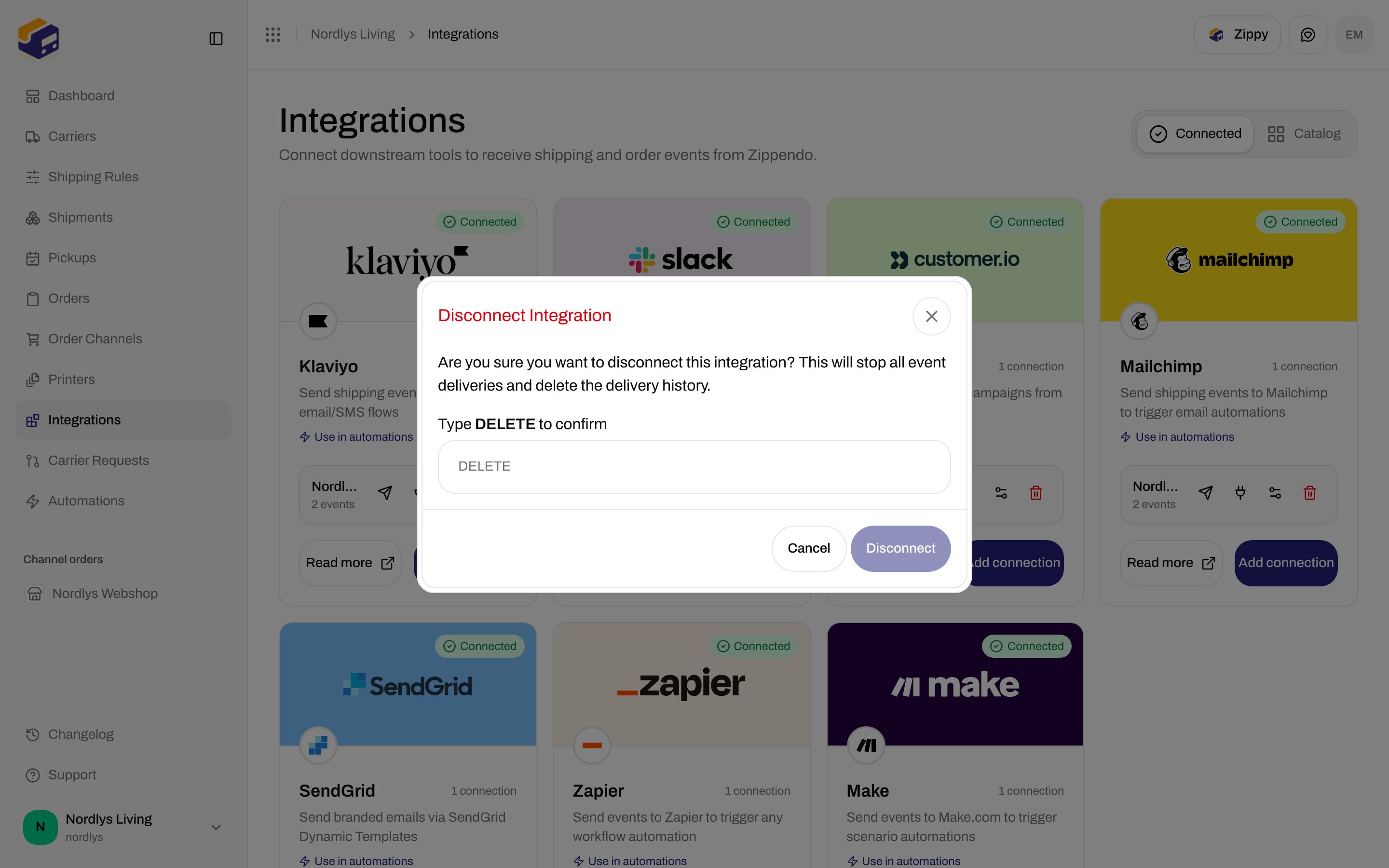
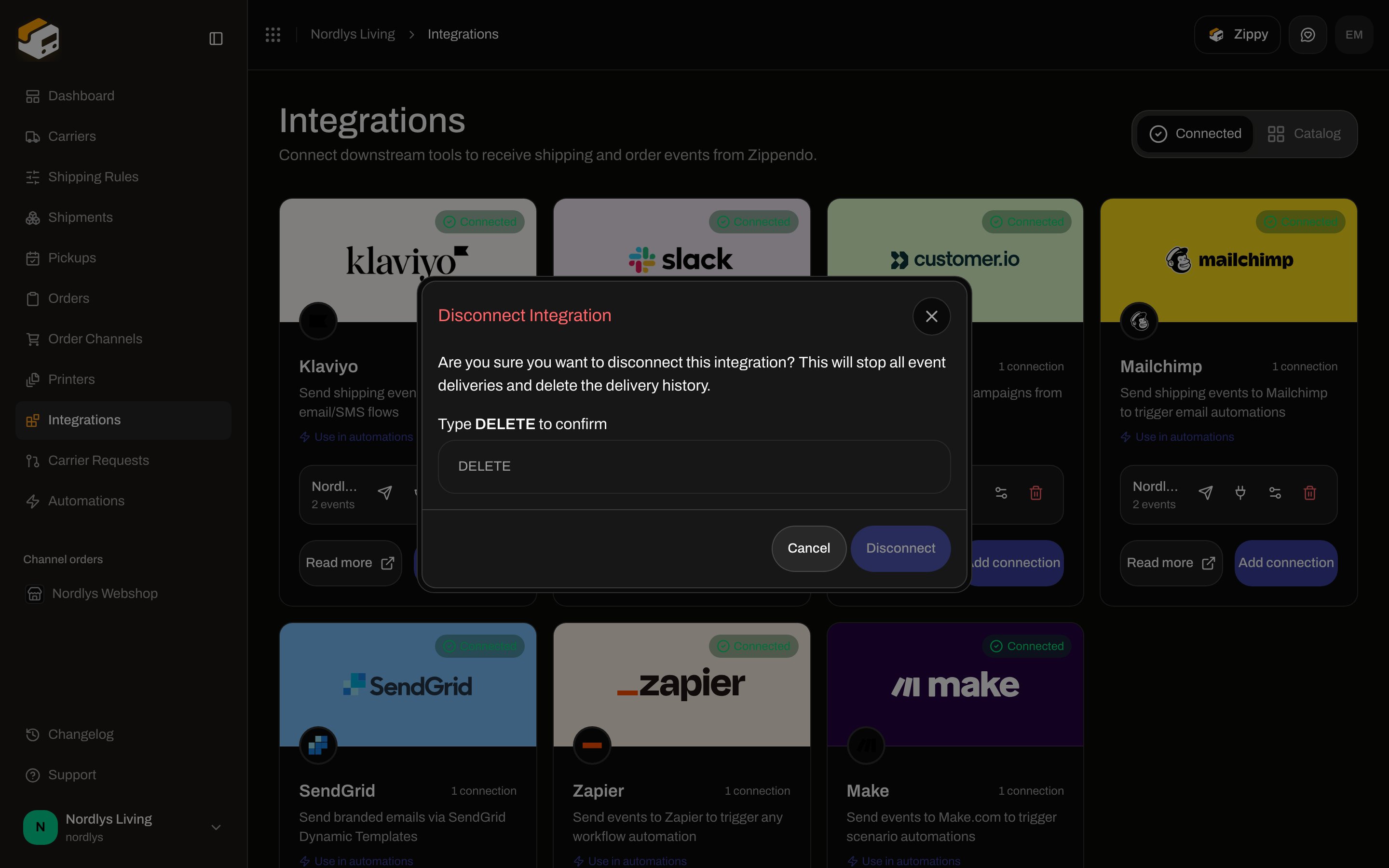
Trash opens **Disconnect Integration**. Description: **Are you sure you want to disconnect this integration? This will stop all event deliveries and delete the delivery history.** Type **DELETE** to enable **Disconnect**. Label: **Type DELETE to confirm**.
Toasts: **Integration disconnected** / **Failed to delete connection**. Missing row: **Integration not found.** (`ORG_INTEGRATION_NOT_FOUND`).
**Send test event** enqueues `integration.test`. It does not require any auto-send checkbox.
## Disconnect
Trash opens **Disconnect Integration**. Description: **Are you sure you want to disconnect this integration? This will stop all event deliveries and delete the delivery history.** Type **DELETE** to enable **Disconnect**. Label: **Type DELETE to confirm**.
Toasts: **Integration disconnected** / **Failed to delete connection**. Missing row: **Integration not found.** (`ORG_INTEGRATION_NOT_FOUND`).
 You are done when **Connected** lists Mailchimp with a **Connected** pill and **Send test event** toasts **Test event sent**.
## Automations
Palette: **Send Mailchimp Event** — **Sends an event to Mailchimp via a connected integration** (`action.integration.mailchimp`).
| Field | Required | Details |
| ----------------------- | -------------------------------- | ----------------------------------------------------------------------------------------------------------------------------------------------------------- |
| **Connection** | Yes (**Connection is required**) | **Select a connection**. Helper: **Select an existing mailchimp connection. Manage connections in Settings > Integrations.** Empty: **No items available**. |
| **Event name override** | No | Placeholder **e.g. Shipment Dispatched**. Helper: **Optional. Override the default event/metric name sent to the provider.** |
| **Custom properties** | No | **Add**. Key **key**, value **\{\{shipment.reference}}**. |
Full node list: [Automations](/docs/how-to/automations).
## Related
* [Connect a carrier or integration](/docs/how-to/connect-index)
* [Connect an integration](/docs/how-to/connect-an-integration)
* [Carrier credentials](/docs/how-to/carrier-credentials)
* [Sandbox mode](/docs/how-to/sandbox-mode)
* [Request a carrier integration](/docs/how-to/request-carrier-integration)
* [Carriers](/docs/tutorials/carriers)
* [Automations](/docs/how-to/automations)
* [Mailchimp](/docs/integrations/mailchimp)
* [Integrations troubleshooting](/docs/integrations/troubleshooting)
You are done when **Connected** lists Mailchimp with a **Connected** pill and **Send test event** toasts **Test event sent**.
## Automations
Palette: **Send Mailchimp Event** — **Sends an event to Mailchimp via a connected integration** (`action.integration.mailchimp`).
| Field | Required | Details |
| ----------------------- | -------------------------------- | ----------------------------------------------------------------------------------------------------------------------------------------------------------- |
| **Connection** | Yes (**Connection is required**) | **Select a connection**. Helper: **Select an existing mailchimp connection. Manage connections in Settings > Integrations.** Empty: **No items available**. |
| **Event name override** | No | Placeholder **e.g. Shipment Dispatched**. Helper: **Optional. Override the default event/metric name sent to the provider.** |
| **Custom properties** | No | **Add**. Key **key**, value **\{\{shipment.reference}}**. |
Full node list: [Automations](/docs/how-to/automations).
## Related
* [Connect a carrier or integration](/docs/how-to/connect-index)
* [Connect an integration](/docs/how-to/connect-an-integration)
* [Carrier credentials](/docs/how-to/carrier-credentials)
* [Sandbox mode](/docs/how-to/sandbox-mode)
* [Request a carrier integration](/docs/how-to/request-carrier-integration)
* [Carriers](/docs/tutorials/carriers)
* [Automations](/docs/how-to/automations)
* [Mailchimp](/docs/integrations/mailchimp)
* [Integrations troubleshooting](/docs/integrations/troubleshooting)