> ## Documentation Index
> Fetch the complete documentation index at: https://www.zippendo.com/docs/llms.txt
> Use this file to discover all available pages before exploring further.
# Connect Budbee
> Connect Budbee from Carriers → All Carriers — Instabee API Key and optional Sandbox Mode.
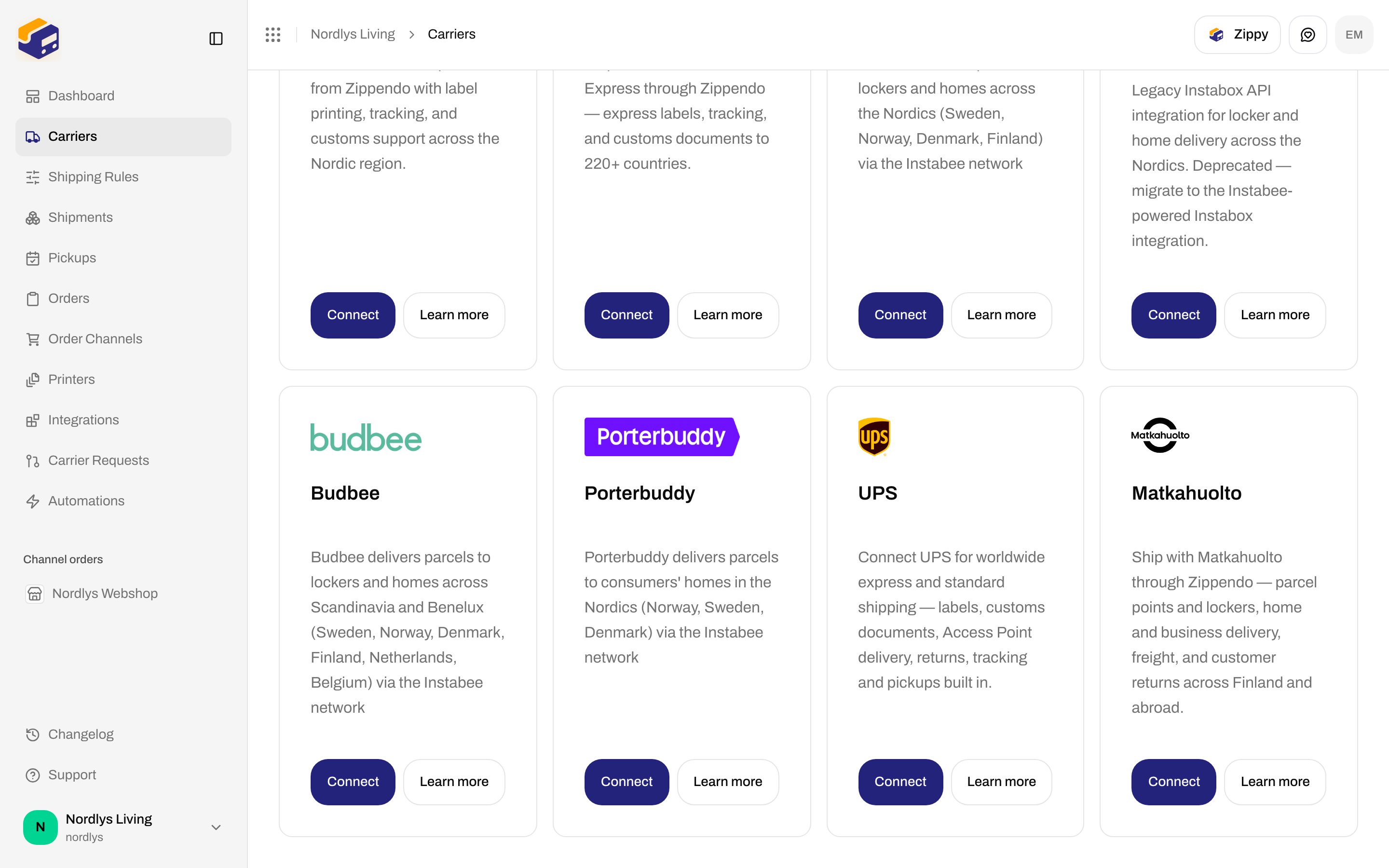
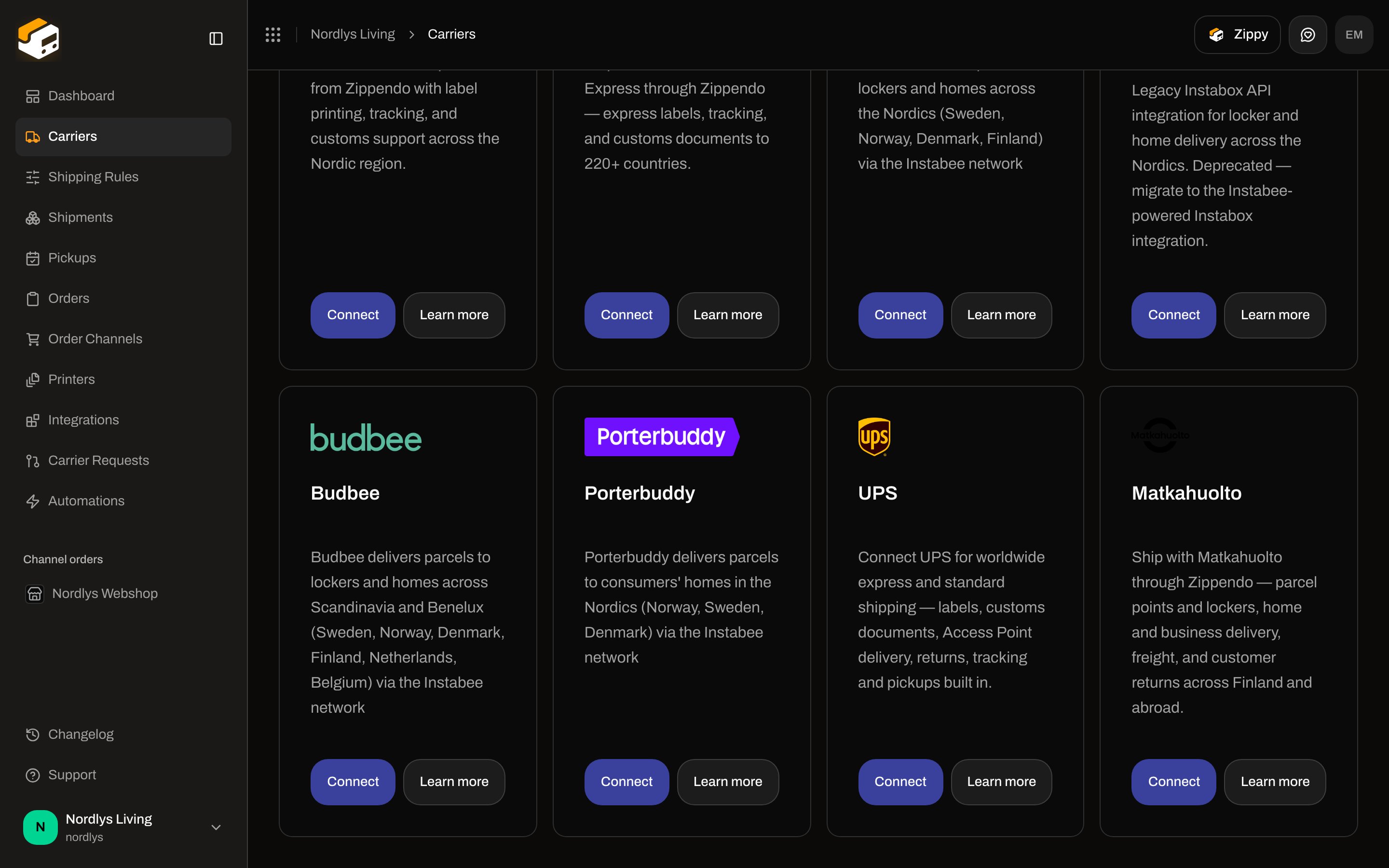
**Budbee** is an Instabee brand. It books locker and home delivery across Scandinavia and Benelux through the Instabee Integration API. The catalog card copy is: **Budbee delivers parcels to lockers and homes across Scandinavia and Benelux (Sweden, Norway, Denmark, Finland, Netherlands, Belgium) via the Instabee network.** Catalog slug: `budbee`.
This page is the Budbee connect form. Shared chrome for every carrier: [Carrier credentials](/docs/how-to/carrier-credentials). Inventory of every connector: [Connect a carrier or integration](/docs/how-to/connect-index). Walkthrough: [Carriers](/docs/tutorials/carriers). Instabox uses the same Instabee key shape — [Connect Instabox](/docs/how-to/connect-instabox).
You do **not** pick a sender address on this form. Add addresses under **Manage → Addresses**. The address is chosen on the shipment or on a [shipping rule](/docs/how-to/shipping-rule-fields).
## Prerequisites
* An **Instabee Integration API** key for Budbee. The form helper is: **Your Instabee Integration API key (sent as 'Authorization: ApiKey \')**. Zippendo does not generate this key.
* Permission to create carriers in the organization. You can connect Budbee more than once if each connection has its own **Carrier name**.
The brand on the API is fixed to Budbee in Zippendo. You do not type “budbee” on this form.
## Connect from All Carriers
Sidebar **Carriers**. Page title **Carriers / Integrations**. Header tabs: **My Carriers** (`?tab=my-carriers`) and **All Carriers** (`?tab=all-carriers`).
Card title **Budbee**. Buttons: **Connect** and **Learn more** (opens [budbee.com](https://budbee.com) in a new tab).
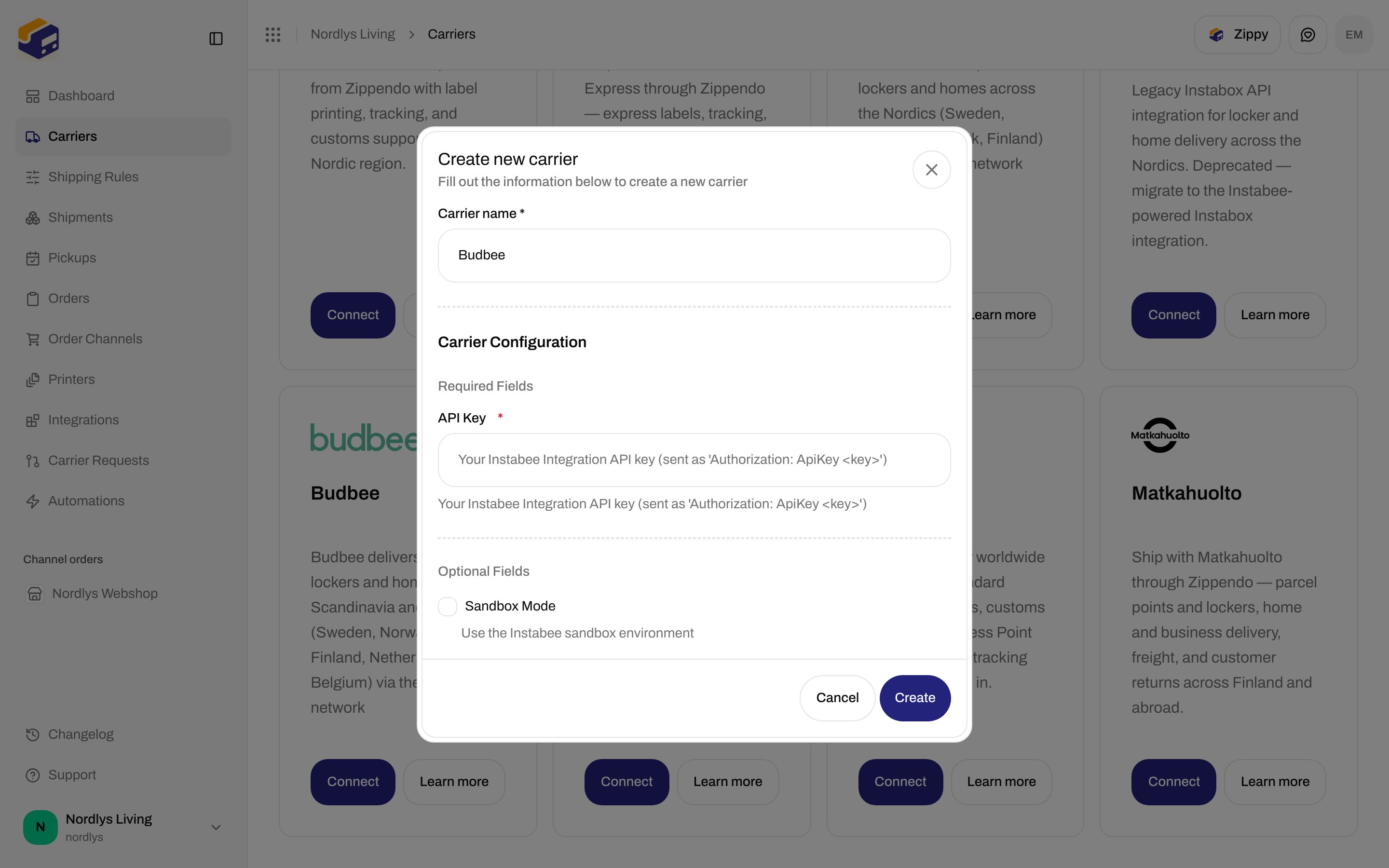
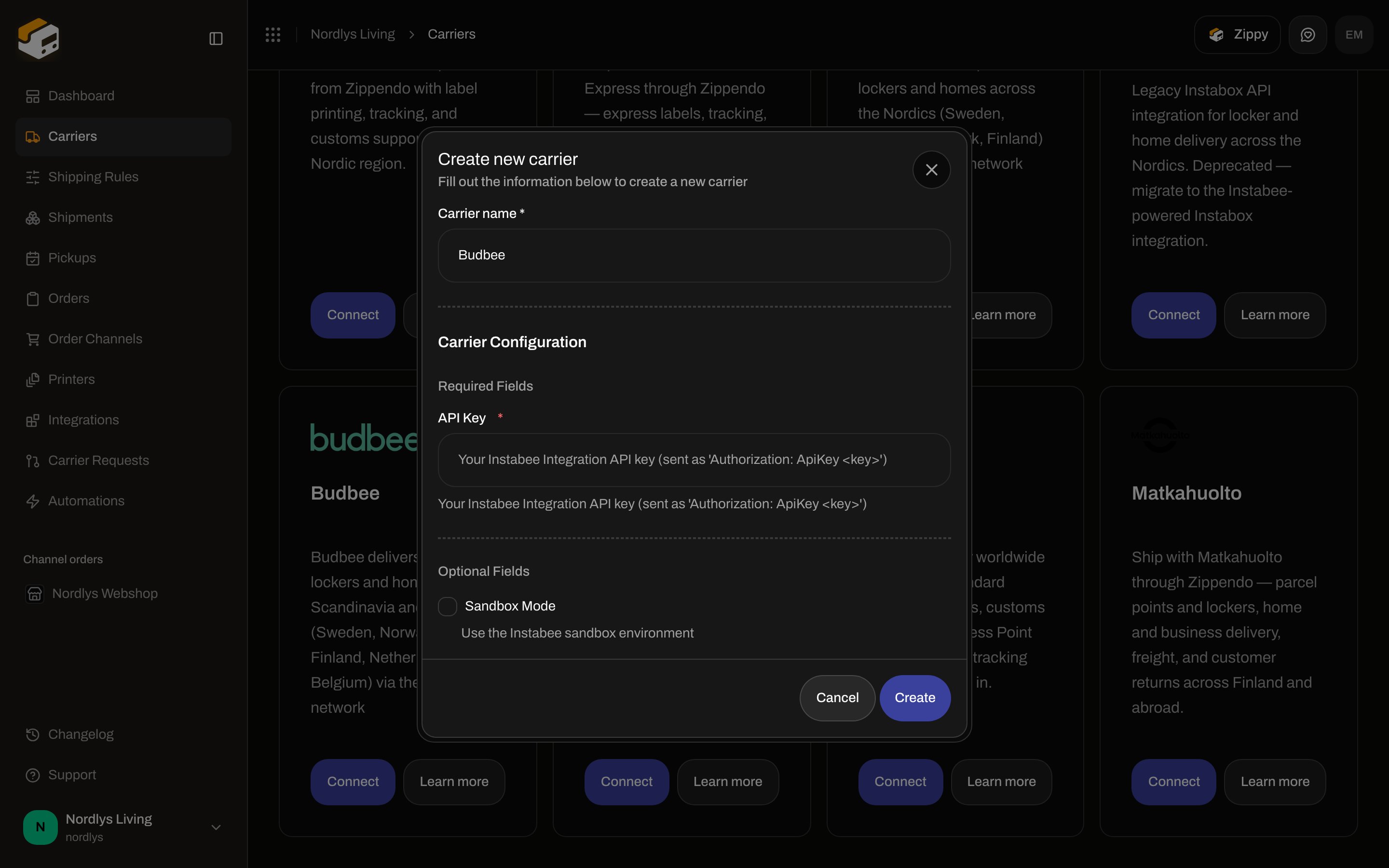
Modal id `connect-carrier-modal`. Title **Create new carrier**. Subtitle **Fill out the information below to create a new carrier**.
Shared fields first, then **Carrier Configuration → Required Fields** (**API Key**). **Optional Fields** is **Sandbox Mode**. Empty required values make **Create** return without saving.
Click **Create** (shows **Creating…** while the request runs) or **Cancel**. Success toast: **Carrier created successfully**. Failure copy in the modal: **Failed to create carrier. Please try again.**
 ## Shared fields
These appear on every connect dialog, including Budbee.
| Field | Required | What it is |
| ------------------- | -------- | ------------------------------------------------------------------------------------------------------------------------------------------------------------------------------------------------------ |
| **Carrier name \*** | Yes | Display name in **My Carriers** and on shipments. Placeholder **Enter carrier name**. Defaults to **Budbee**. Empty blocks **Create**. |
| **Brand** | No | Only when the organization has [brands](/docs/how-to/create-a-brand). Label **Brand**. Helper: **Only this brand can use this carrier.** Leave unset for organization-wide. Hidden when you have no brands. |
## Budbee credentials
**Carrier Configuration** splits into **Required Fields** and **Optional Fields**. **API Key** is a text input (the label does not contain “Password” or “Secret”). Each helper is catalog copy. Placeholder on the key field is the same helper.
| Field | Required | Control | Where you get it | Format | Sandbox vs live |
| ---------------- | -------- | -------------------------------------------------------------------------------------------- | ---------------------------------------------------------------------------------------------------------------- | ---------------------------------------------- | ------------------------------------------------------------------------------------------------ |
| **API Key** | Yes | Text. Helper: **Your Instabee Integration API key (sent as 'Authorization: ApiKey \')** | Instabee Integration API for your Budbee agreement. **Learn more** opens Budbee’s public site, not a key screen. | String. Sent as `Authorization: ApiKey `. | Same field. Sandbox uses a key that Instabee issued for sandbox. |
| **Sandbox Mode** | No | Checkbox, default off. Helper: **Use the Instabee sandbox environment** | Zippendo checkbox. | Boolean. | On: `https://sandbox-api.integration.instabee.com`. Off: `https://api.integration.instabee.com`. |
There is no client secret, account number, or brand picker on this form. Porterbuddy and Instabox use the same two fields.
Leave **Sandbox Mode** off for live orders. Details: [Sandbox mode](/docs/how-to/sandbox-mode).
## After you connect
The connection appears on **My Carriers** with a **Connected** badge and **Edit Carrier**. Products are **not** on this form — they appear when you [create a shipment](/docs/how-to/send-a-shipment) or save a [shipping rule](/docs/how-to/shipping-rule-fields). See [Carrier products and services](/docs/how-to/carrier-products-and-services).
Budbee products (sender and destination countries **SE, NO, DK, FI, NL, BE**; weight helper **0.1 - 20 kg**):
| Product | Type | Service point |
| ------------------- | -------- | -------------------------------- |
| **Locker delivery** | Outbound | Yes — pick a locker |
| **Home delivery** | Outbound | No |
| **Locker return** | Inbound | Yes — consumer drops at a locker |
| **Home return** | Inbound | No — collected from the consumer |
### Locker products (droppoint)
**Locker delivery** and **Locker return** are service-point products. On **Create Shipment** pick a **Service Point** on the **Drop Point** card before send. Error: **This carrier product delivers to a service point — select a droppoint before sending.** How to pick: [Pick a service point](/docs/how-to/pick-a-service-point). Naming: [Droppoint vs service point](/docs/how-to/drop-point-and-service-points).
Budbee does **not** appear in **Pickups**. That list is Bring and PostNord only — [Schedule a pickup](/docs/how-to/schedule-a-pickup).
Tracking is **push** (Instabee platform webhooks). There is no webhook URL field on **Edit your carrier** — [Carrier tracking webhooks](/docs/how-to/tracking-webhooks).
Budbee does not generate customs documents or commercial invoices in Zippendo.
## Edit
On **My Carriers**, click **Edit Carrier**. Page title: **Edit your carrier**. URL `/dashboard/carriers/:id`.
Two cards:
* **General** — **Carrier name** (helper: **Update the name of your carrier**), plus **Brand** when brands exist.
* **Carrier settings** — **API Key** and **Sandbox Mode**.
Header actions: **Delete** and **Save** (pending **Saving…**). Success toast: **Carrier updated successfully**. Loading: **Loading carrier…**. Load failure: **Failed to load carrier. Please try again.** Save failure: **Failed to update carrier. Please try again.**
Shared delete chrome: [Carrier credentials](/docs/how-to/carrier-credentials).
## Delete
On **Edit your carrier**, click **Delete**. Modal id `global-delete-modal`. Title **Delete Carrier**. Subtitle **You are about to delete carrier "\{\{name}}".** Body: **This will permanently delete carrier "\{\{name}}". This action cannot be undone.** Type the carrier name in **uppercase** to enable **Delete**. Toast: **Carrier deleted successfully**. Failure: **Failed to delete carrier**.
Booked shipments keep their labels and tracking.
## Common errors
| When | Copy |
| ------------------------------- | ---------------------------------------------------------------------------------------------------------------------------------------- |
| Required field empty on connect | **Create** does nothing until **Carrier name** and **API Key** have values. |
| Connect request fails | **Failed to create carrier. Please try again.** |
| Plan / resource cap | **You have reached your plan limit for this resource.** / **You have exceeded your plan limits. Please upgrade or remove excess items.** |
| Send with bad credentials | **The carrier rejected your API credentials. Update the carrier's API key or secret in Carrier settings.** |
| Locker product without a locker | **This carrier product delivers to a service point — select a droppoint before sending.** |
| Product vs countries | **The selected carrier product does not ship between these countries. Choose a different product.** |
| Carrier down | **The carrier service is currently unavailable.** / **The carrier rejected the request.** |
Auth failures after send: [Carrier authentication failures](/docs/knowledge-base/carrier-authentication-failures).
## Related
* [Connect a carrier or integration](/docs/how-to/connect-index)
* [Carrier credentials](/docs/how-to/carrier-credentials)
* [Sandbox mode](/docs/how-to/sandbox-mode)
* [Connect Porterbuddy](/docs/how-to/connect-porterbuddy)
* [Carrier products and services](/docs/how-to/carrier-products-and-services)
* [Connect an integration](/docs/how-to/connect-an-integration)
* [Request a carrier integration](/docs/how-to/request-carrier-integration)
* [Carriers](/docs/tutorials/carriers)
## Shared fields
These appear on every connect dialog, including Budbee.
| Field | Required | What it is |
| ------------------- | -------- | ------------------------------------------------------------------------------------------------------------------------------------------------------------------------------------------------------ |
| **Carrier name \*** | Yes | Display name in **My Carriers** and on shipments. Placeholder **Enter carrier name**. Defaults to **Budbee**. Empty blocks **Create**. |
| **Brand** | No | Only when the organization has [brands](/docs/how-to/create-a-brand). Label **Brand**. Helper: **Only this brand can use this carrier.** Leave unset for organization-wide. Hidden when you have no brands. |
## Budbee credentials
**Carrier Configuration** splits into **Required Fields** and **Optional Fields**. **API Key** is a text input (the label does not contain “Password” or “Secret”). Each helper is catalog copy. Placeholder on the key field is the same helper.
| Field | Required | Control | Where you get it | Format | Sandbox vs live |
| ---------------- | -------- | -------------------------------------------------------------------------------------------- | ---------------------------------------------------------------------------------------------------------------- | ---------------------------------------------- | ------------------------------------------------------------------------------------------------ |
| **API Key** | Yes | Text. Helper: **Your Instabee Integration API key (sent as 'Authorization: ApiKey \')** | Instabee Integration API for your Budbee agreement. **Learn more** opens Budbee’s public site, not a key screen. | String. Sent as `Authorization: ApiKey `. | Same field. Sandbox uses a key that Instabee issued for sandbox. |
| **Sandbox Mode** | No | Checkbox, default off. Helper: **Use the Instabee sandbox environment** | Zippendo checkbox. | Boolean. | On: `https://sandbox-api.integration.instabee.com`. Off: `https://api.integration.instabee.com`. |
There is no client secret, account number, or brand picker on this form. Porterbuddy and Instabox use the same two fields.
Leave **Sandbox Mode** off for live orders. Details: [Sandbox mode](/docs/how-to/sandbox-mode).
## After you connect
The connection appears on **My Carriers** with a **Connected** badge and **Edit Carrier**. Products are **not** on this form — they appear when you [create a shipment](/docs/how-to/send-a-shipment) or save a [shipping rule](/docs/how-to/shipping-rule-fields). See [Carrier products and services](/docs/how-to/carrier-products-and-services).
Budbee products (sender and destination countries **SE, NO, DK, FI, NL, BE**; weight helper **0.1 - 20 kg**):
| Product | Type | Service point |
| ------------------- | -------- | -------------------------------- |
| **Locker delivery** | Outbound | Yes — pick a locker |
| **Home delivery** | Outbound | No |
| **Locker return** | Inbound | Yes — consumer drops at a locker |
| **Home return** | Inbound | No — collected from the consumer |
### Locker products (droppoint)
**Locker delivery** and **Locker return** are service-point products. On **Create Shipment** pick a **Service Point** on the **Drop Point** card before send. Error: **This carrier product delivers to a service point — select a droppoint before sending.** How to pick: [Pick a service point](/docs/how-to/pick-a-service-point). Naming: [Droppoint vs service point](/docs/how-to/drop-point-and-service-points).
Budbee does **not** appear in **Pickups**. That list is Bring and PostNord only — [Schedule a pickup](/docs/how-to/schedule-a-pickup).
Tracking is **push** (Instabee platform webhooks). There is no webhook URL field on **Edit your carrier** — [Carrier tracking webhooks](/docs/how-to/tracking-webhooks).
Budbee does not generate customs documents or commercial invoices in Zippendo.
## Edit
On **My Carriers**, click **Edit Carrier**. Page title: **Edit your carrier**. URL `/dashboard/carriers/:id`.
Two cards:
* **General** — **Carrier name** (helper: **Update the name of your carrier**), plus **Brand** when brands exist.
* **Carrier settings** — **API Key** and **Sandbox Mode**.
Header actions: **Delete** and **Save** (pending **Saving…**). Success toast: **Carrier updated successfully**. Loading: **Loading carrier…**. Load failure: **Failed to load carrier. Please try again.** Save failure: **Failed to update carrier. Please try again.**
Shared delete chrome: [Carrier credentials](/docs/how-to/carrier-credentials).
## Delete
On **Edit your carrier**, click **Delete**. Modal id `global-delete-modal`. Title **Delete Carrier**. Subtitle **You are about to delete carrier "\{\{name}}".** Body: **This will permanently delete carrier "\{\{name}}". This action cannot be undone.** Type the carrier name in **uppercase** to enable **Delete**. Toast: **Carrier deleted successfully**. Failure: **Failed to delete carrier**.
Booked shipments keep their labels and tracking.
## Common errors
| When | Copy |
| ------------------------------- | ---------------------------------------------------------------------------------------------------------------------------------------- |
| Required field empty on connect | **Create** does nothing until **Carrier name** and **API Key** have values. |
| Connect request fails | **Failed to create carrier. Please try again.** |
| Plan / resource cap | **You have reached your plan limit for this resource.** / **You have exceeded your plan limits. Please upgrade or remove excess items.** |
| Send with bad credentials | **The carrier rejected your API credentials. Update the carrier's API key or secret in Carrier settings.** |
| Locker product without a locker | **This carrier product delivers to a service point — select a droppoint before sending.** |
| Product vs countries | **The selected carrier product does not ship between these countries. Choose a different product.** |
| Carrier down | **The carrier service is currently unavailable.** / **The carrier rejected the request.** |
Auth failures after send: [Carrier authentication failures](/docs/knowledge-base/carrier-authentication-failures).
## Related
* [Connect a carrier or integration](/docs/how-to/connect-index)
* [Carrier credentials](/docs/how-to/carrier-credentials)
* [Sandbox mode](/docs/how-to/sandbox-mode)
* [Connect Porterbuddy](/docs/how-to/connect-porterbuddy)
* [Carrier products and services](/docs/how-to/carrier-products-and-services)
* [Connect an integration](/docs/how-to/connect-an-integration)
* [Request a carrier integration](/docs/how-to/request-carrier-integration)
* [Carriers](/docs/tutorials/carriers)