> ## Documentation Index
> Fetch the complete documentation index at: https://www.zippendo.com/docs/llms.txt
> Use this file to discover all available pages before exploring further.
# Carrier products and services
> Choose a carrier product, extra services, and additional parameters on a shipment or shipping rule — not on the carrier credentials form.
Connecting a carrier does **not** pick a product. Products, extra **Services**, and **Additional Options** appear when you create or edit a shipment (**Carrier Settings**) and when you save a [shipping rule](/docs/how-to/shipping-rule-fields). The connect/edit carrier form is only credentials — [Carrier credentials](/docs/how-to/carrier-credentials).
Walkthrough: [Carriers](/docs/tutorials/carriers). Shop products also need a droppoint — [Pick a service point](/docs/how-to/pick-a-service-point).
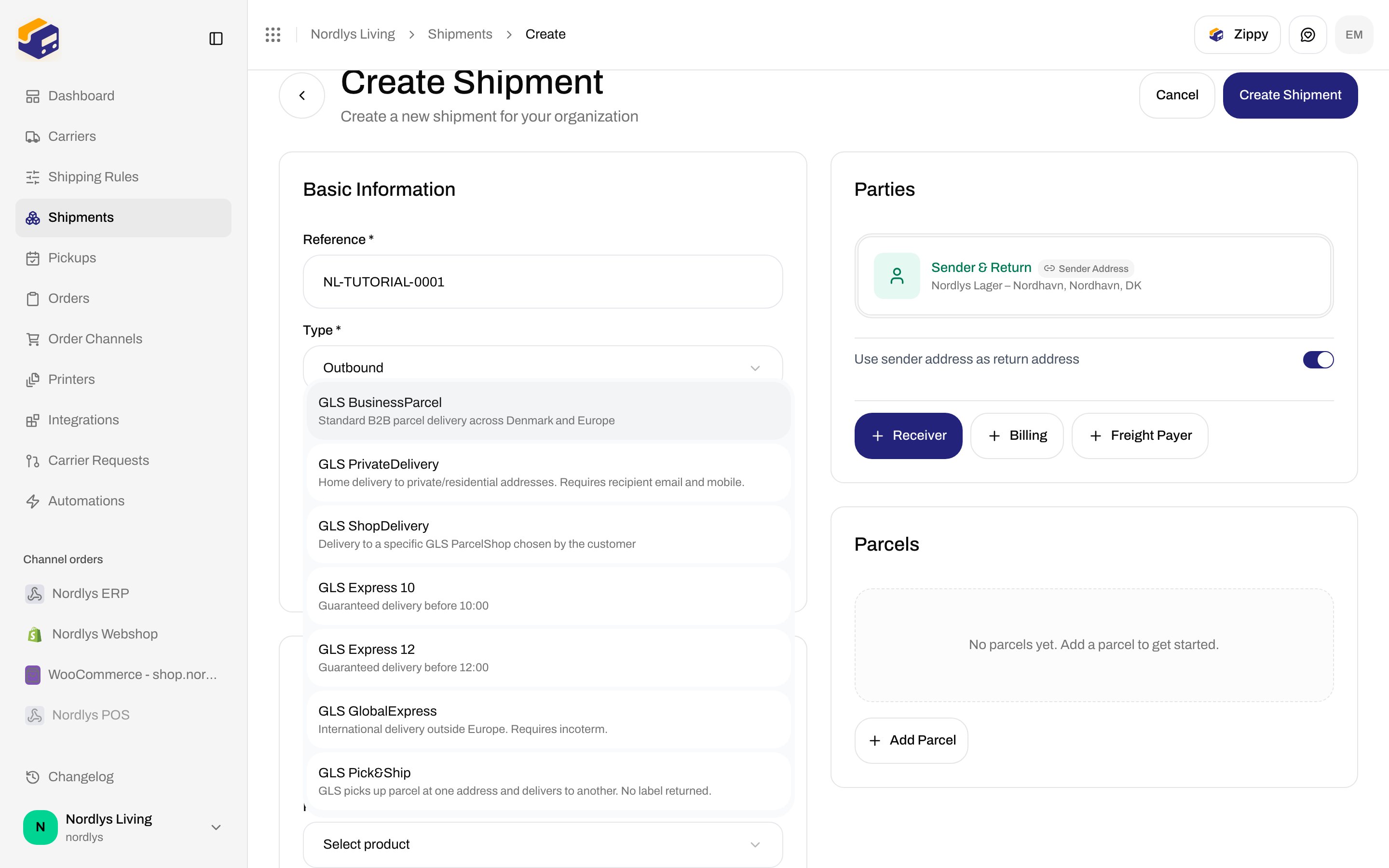
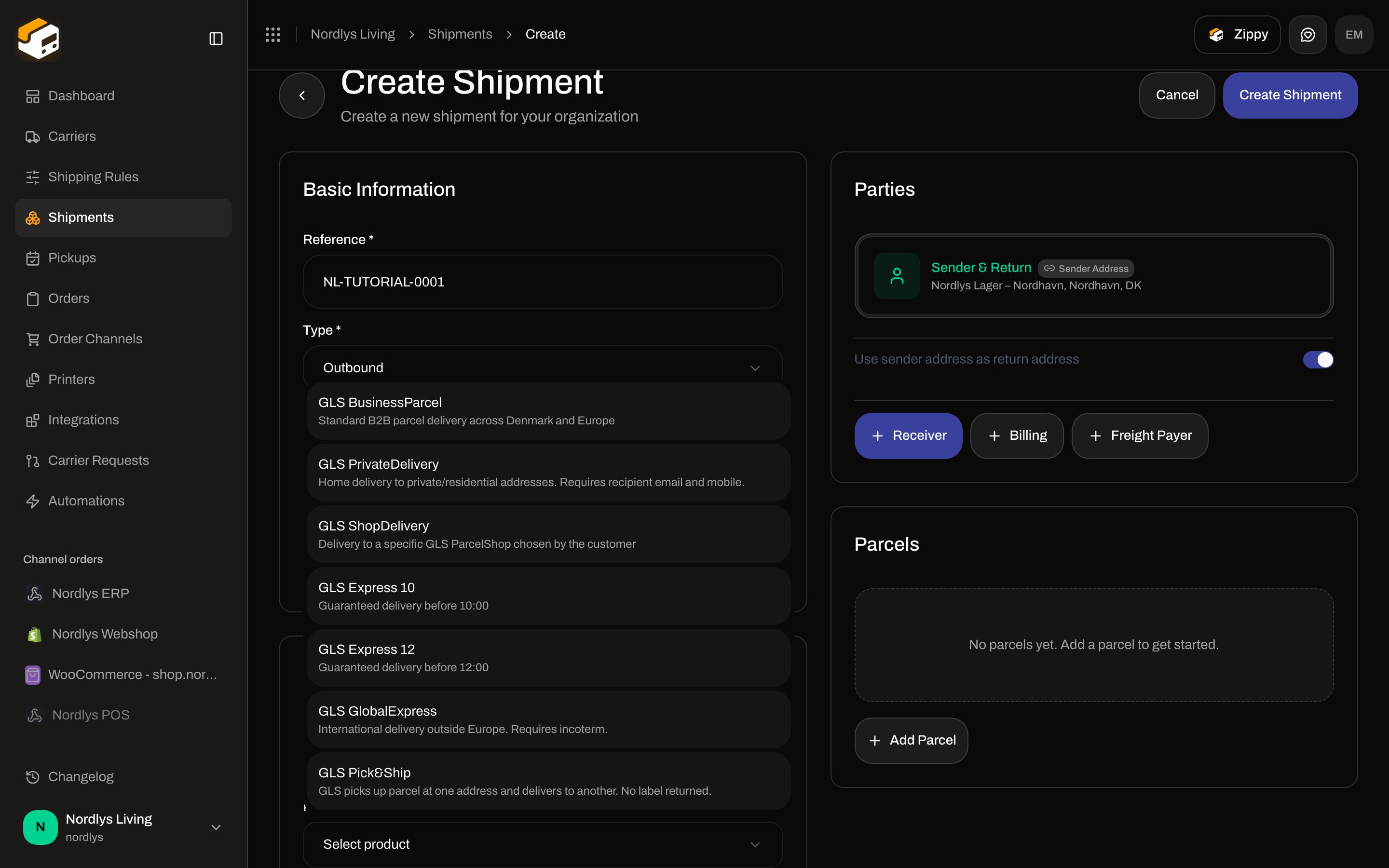
The list is filtered by shipment **Type**: **Outbound** products when type is outbound, **Inbound** products when type is inbound. Each option shows the catalog **name** and a one-line **description**. It does not show a live price.
## On Create Shipment
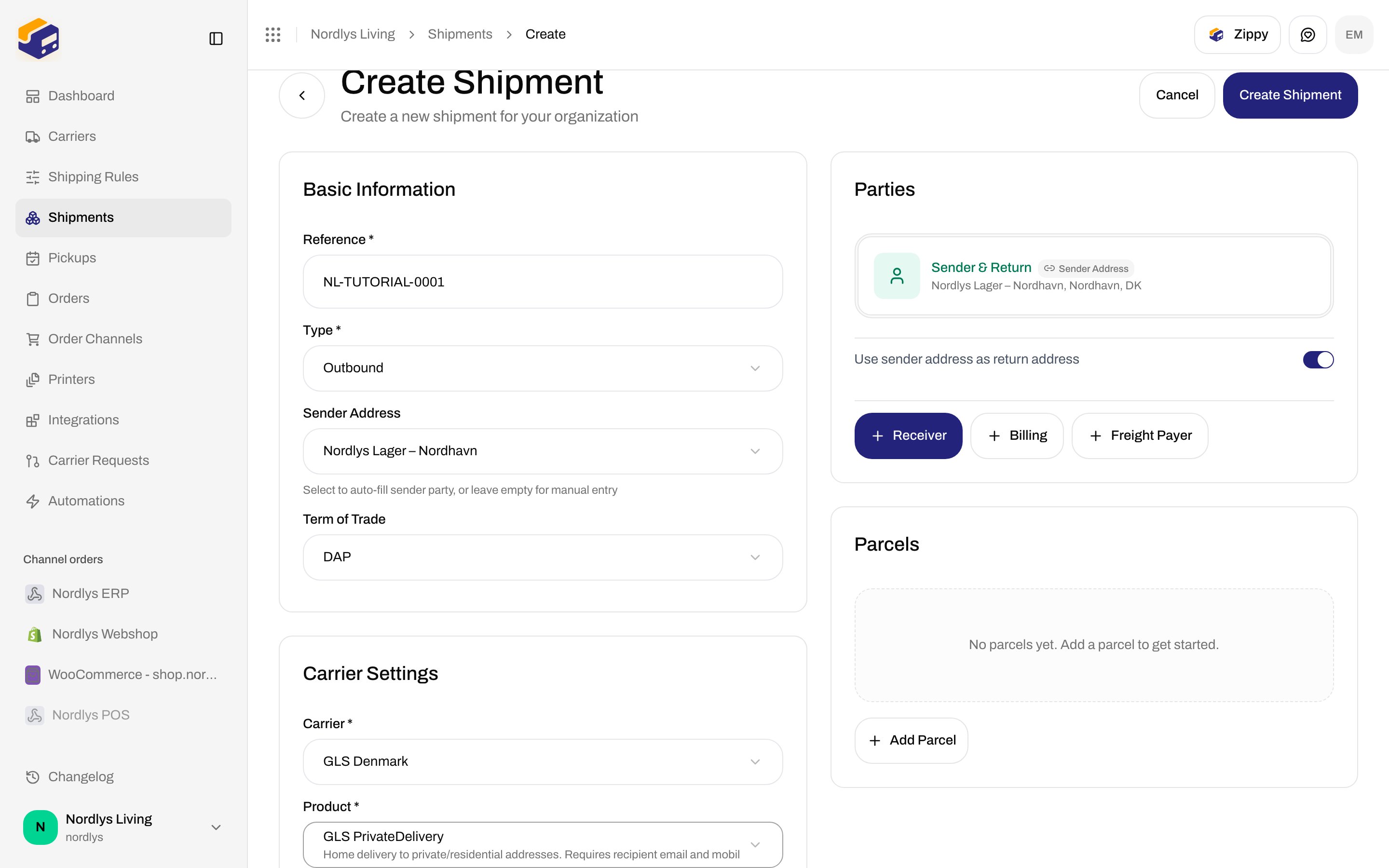
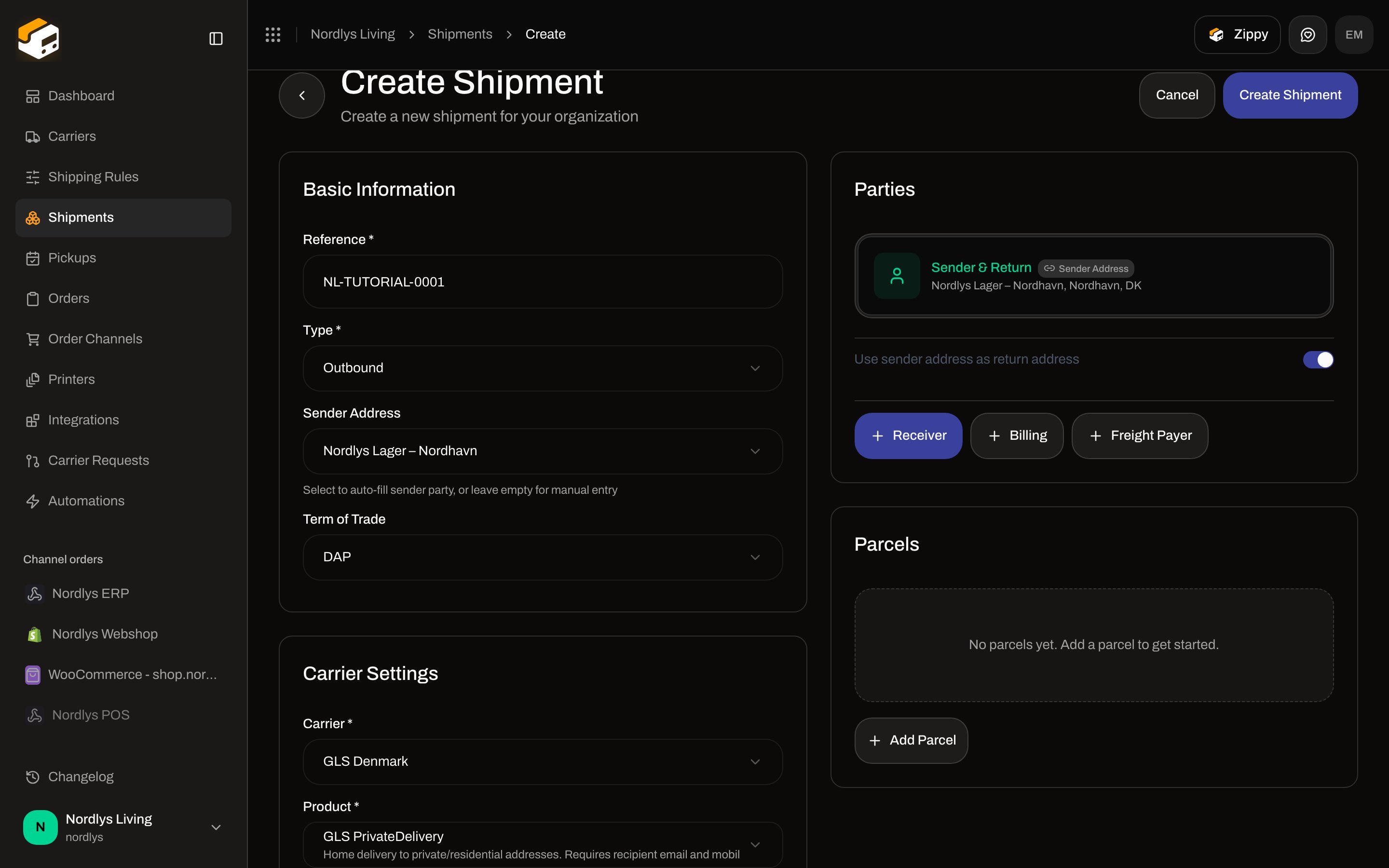
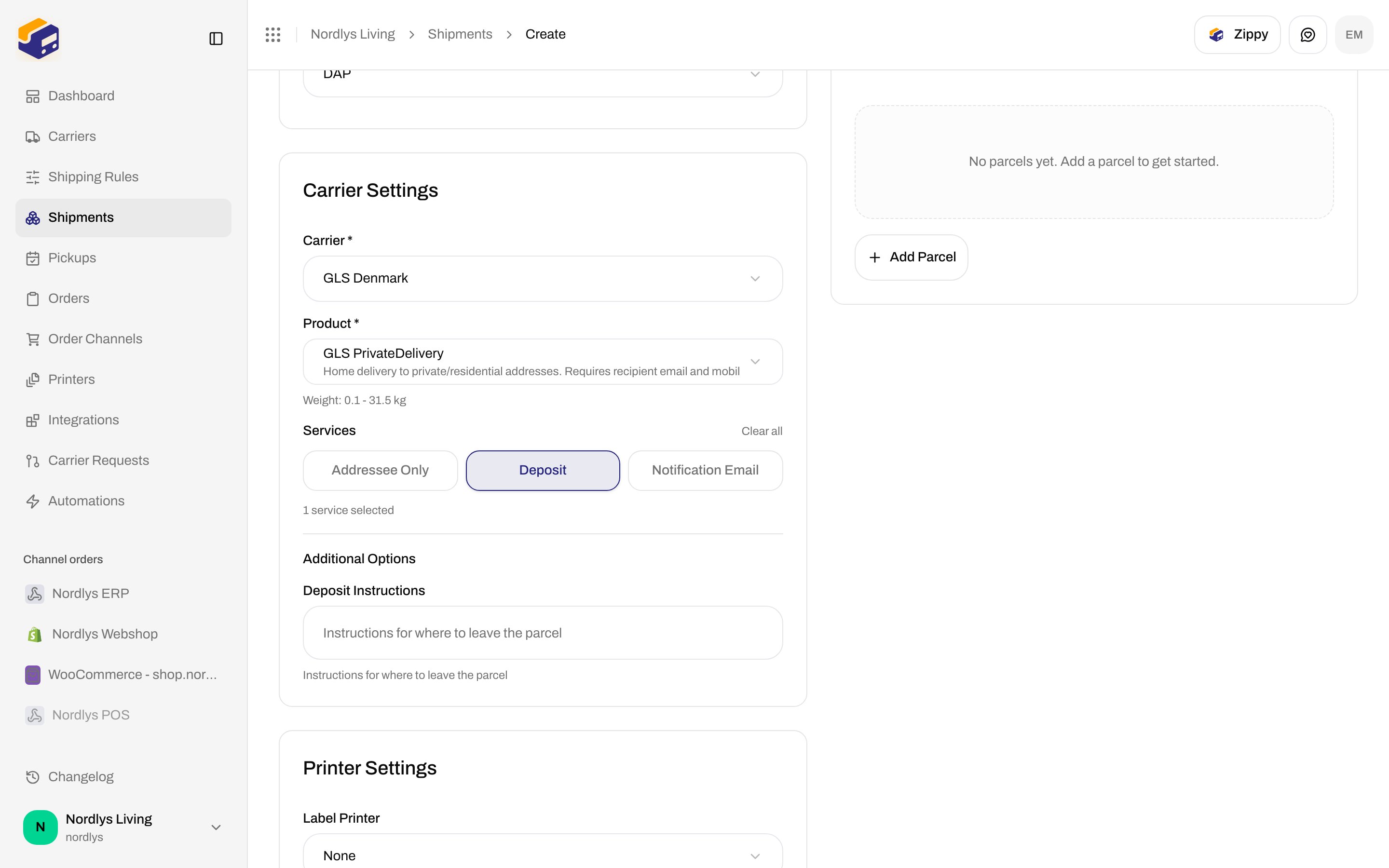
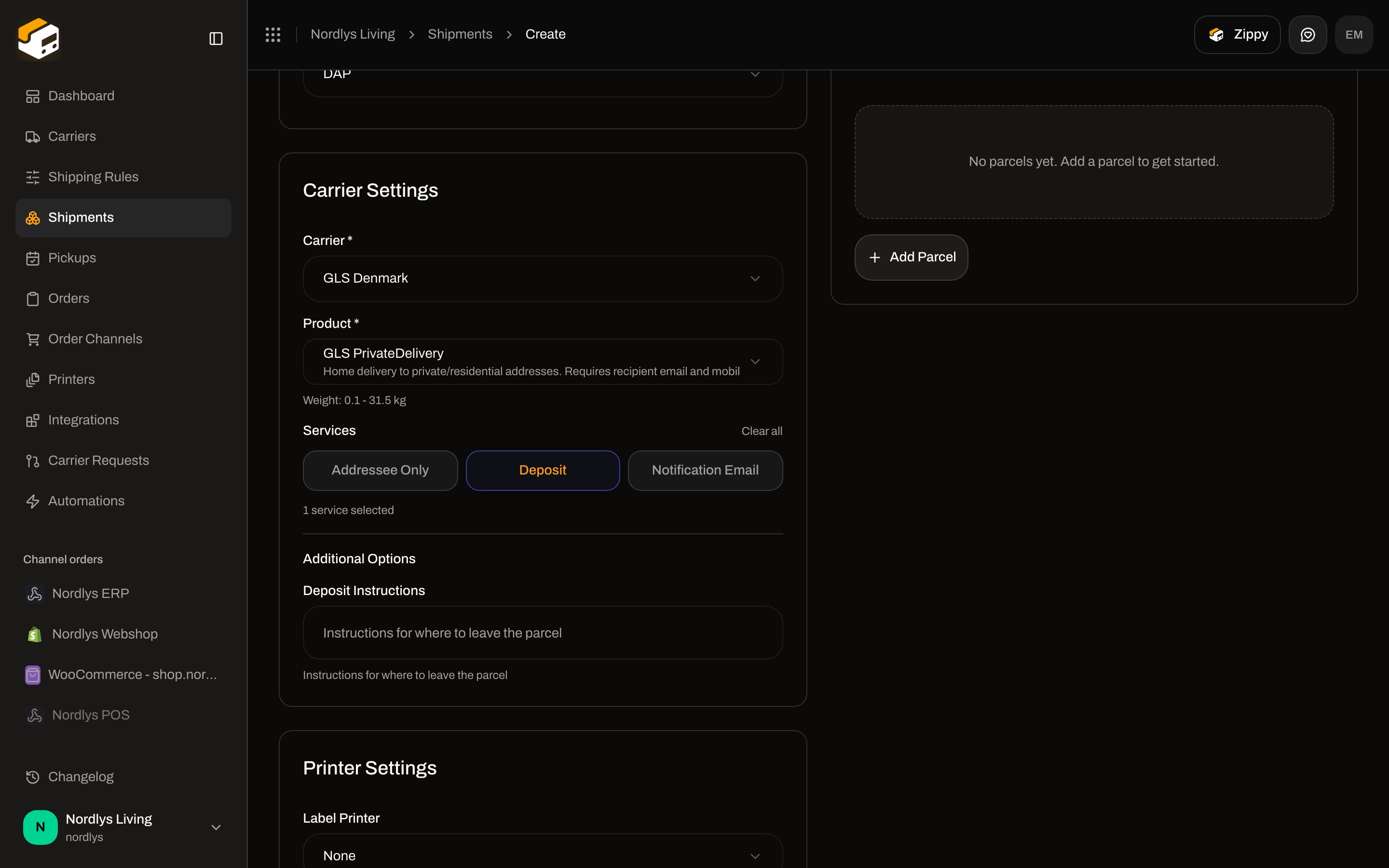
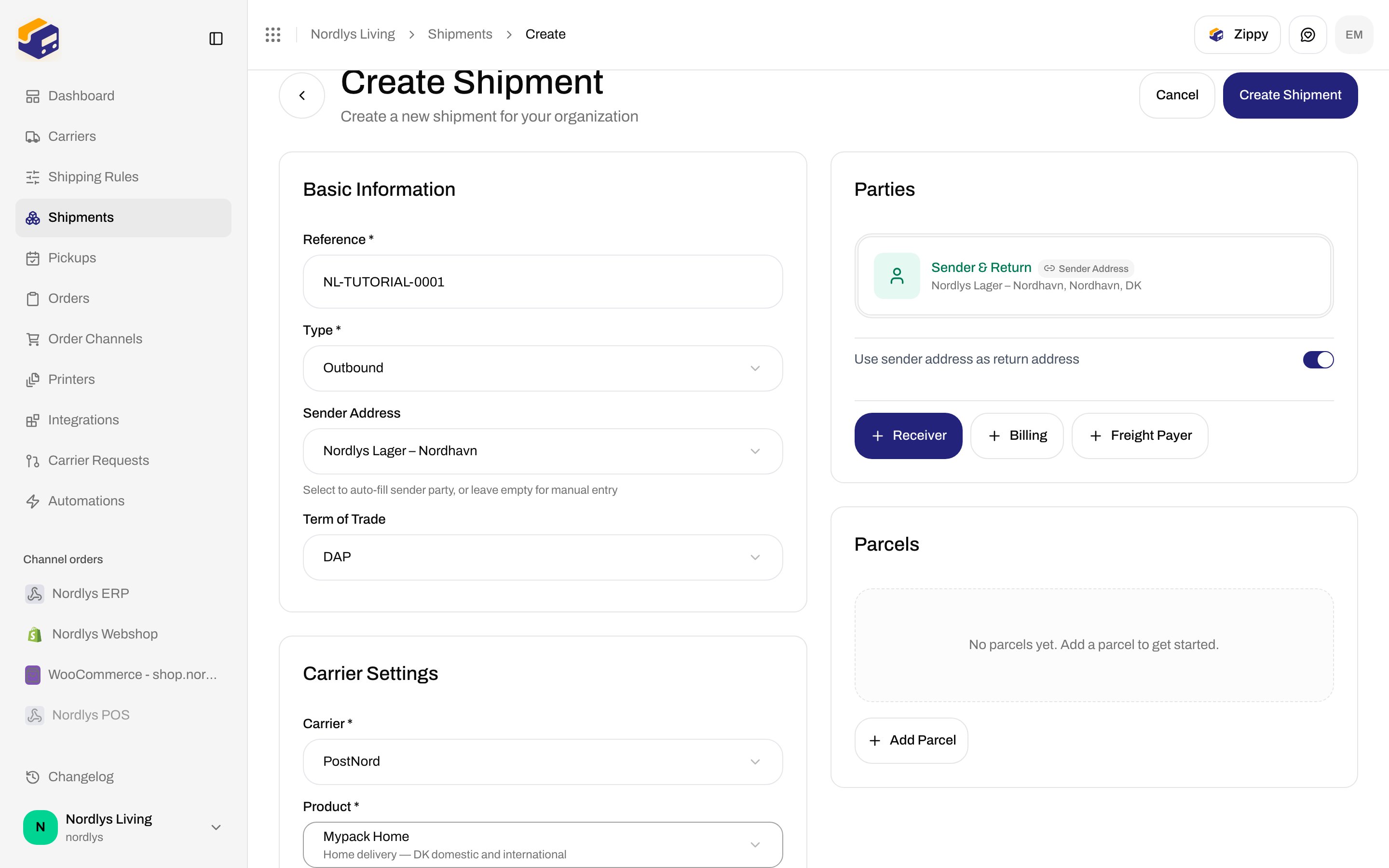
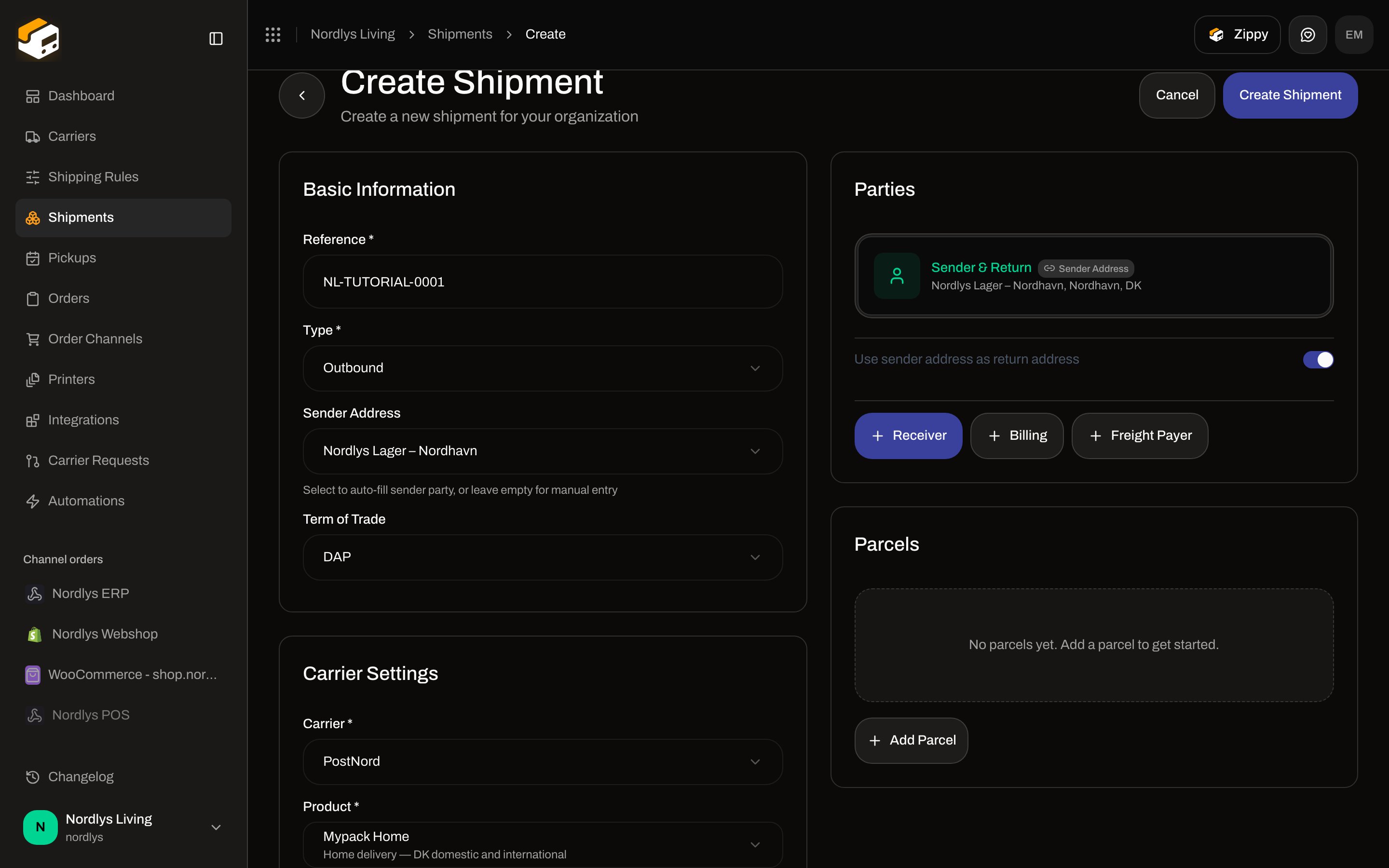
Open **Shipments → Create Shipment** (`/dashboard/shipments/create`). Card **Carrier Settings**.
| Field | Required | Control |
| -------------- | -------- | ----------------------------------------------------------------------------------------------------------------------------------------------------------------------------- |
| **Carrier \*** | Yes | Connected carriers. Placeholder **Select carrier**. Deprecated connections show a **Deprecated** badge. Changing carrier clears product, services, and additional parameters. |
| **Product \*** | Yes | Products for that carrier matching **Type**. Placeholder **Select product**. Changing product clears services and additional parameters. |
Validation: **Carrier is required**, **Product ID is required**.
 ### Product loading and empty states
| What you see | When |
| ----------------------------------------------------------------------------------------------------------------------------------------- | -------------------------------------------------------- |
| Skeleton + **Loading…** | Carrier selected, org id not ready |
| Skeleton under **Product \*** | Products request in flight |
| **Error loading products** + **Failed to fetch carrier products. Please try again.** (or a mapped API code) | Products request failed |
| **No products available** + **This carrier has no products configured.** | Catalog returned an empty list |
| **No products available** + **No \{\{type}} products available for this carrier. (\{\{count}} total products exist but none match type)** | Products exist but none match **Outbound** / **Inbound** |
When a product has weight limits, helper **Weight: \{\{min}} - \{\{max}} \{\{unit}}** (for GLS Denmark, typically **0.1 - 31.5 kg**).
### Services
Shown only if the selected product has at least one extra service. Toggle chips; selected chips use the primary border.
| Control | Copy |
| ------------- | ------------------------------------------------------------------------- |
| Label | **Services** |
| **Clear all** | Appears when at least one service is on; also clears the search box |
| Search | **Search services…** — only when the product has **more than 6** services |
| Empty search | **No services found matching "\{\{query}}"** |
| Count | **\{\{count}} service selected** / **services selected** |
Services are optional. Some products (GLS Express 10 / 12) have none — the block is omitted.
### Product loading and empty states
| What you see | When |
| ----------------------------------------------------------------------------------------------------------------------------------------- | -------------------------------------------------------- |
| Skeleton + **Loading…** | Carrier selected, org id not ready |
| Skeleton under **Product \*** | Products request in flight |
| **Error loading products** + **Failed to fetch carrier products. Please try again.** (or a mapped API code) | Products request failed |
| **No products available** + **This carrier has no products configured.** | Catalog returned an empty list |
| **No products available** + **No \{\{type}} products available for this carrier. (\{\{count}} total products exist but none match type)** | Products exist but none match **Outbound** / **Inbound** |
When a product has weight limits, helper **Weight: \{\{min}} - \{\{max}} \{\{unit}}** (for GLS Denmark, typically **0.1 - 31.5 kg**).
### Services
Shown only if the selected product has at least one extra service. Toggle chips; selected chips use the primary border.
| Control | Copy |
| ------------- | ------------------------------------------------------------------------- |
| Label | **Services** |
| **Clear all** | Appears when at least one service is on; also clears the search box |
| Search | **Search services…** — only when the product has **more than 6** services |
| Empty search | **No services found matching "\{\{query}}"** |
| Count | **\{\{count}} service selected** / **services selected** |
Services are optional. Some products (GLS Express 10 / 12) have none — the block is omitted.
 ### Additional Options
Shown when the product defines additional parameters that are visible for the services you selected (`requiredService`). Label **Additional Options**. Each field uses the catalog **name**, a trailing \*\* \*\*\* when required, the catalog **description** as helper (and as placeholder on text/number inputs), and one of:
| Catalog type | Control |
| ------------ | ------------------------------------------------------------------------------------------------ |
| `enum` | Select. Placeholder **Select \{\{name}}** (name lowercased). Options use each option’s **name**. |
| `boolean` | Checkbox |
| `number` | Number input |
| `date` | Date picker |
| other | Text input |
Required extra parameters that you leave empty fail with **\{\{name}} is required**. Invalid enum: **\{\{name}} has an invalid value**. Wrong type: **\{\{name}} must be a valid \{\{type}}**. Unknown key: **\{\{name}} is not a valid parameter for this product**.
Pickup-named parameters (`pickup date`, `pickup time`, `pickup instruction`, `pickup window`) and parameters whose `requiredService` includes `pickup` are hidden here when a service id `pickup` is selected — they belong on **Pickup Details**. Current GLS Denmark and PostNord catalogs do not expose a service id `pickup`, so that card stays hidden. Collection of already-dispatched parcels is [Schedule a pickup](/docs/how-to/schedule-a-pickup).
### Additional Options
Shown when the product defines additional parameters that are visible for the services you selected (`requiredService`). Label **Additional Options**. Each field uses the catalog **name**, a trailing \*\* \*\*\* when required, the catalog **description** as helper (and as placeholder on text/number inputs), and one of:
| Catalog type | Control |
| ------------ | ------------------------------------------------------------------------------------------------ |
| `enum` | Select. Placeholder **Select \{\{name}}** (name lowercased). Options use each option’s **name**. |
| `boolean` | Checkbox |
| `number` | Number input |
| `date` | Date picker |
| other | Text input |
Required extra parameters that you leave empty fail with **\{\{name}} is required**. Invalid enum: **\{\{name}} has an invalid value**. Wrong type: **\{\{name}} must be a valid \{\{type}}**. Unknown key: **\{\{name}} is not a valid parameter for this product**.
Pickup-named parameters (`pickup date`, `pickup time`, `pickup instruction`, `pickup window`) and parameters whose `requiredService` includes `pickup` are hidden here when a service id `pickup` is selected — they belong on **Pickup Details**. Current GLS Denmark and PostNord catalogs do not expose a service id `pickup`, so that card stays hidden. Collection of already-dispatched parcels is [Schedule a pickup](/docs/how-to/schedule-a-pickup).
 ## Catalog on Nordlys (GLS + PostNord)
Testenv and the docs org serve the real GLS Denmark and PostNord catalogs. Other connected carriers in production follow the same fields; their product names come from that carrier’s catalog.
### GLS Denmark
| Product | Type | Description | Services | Extra parameters |
| ----------------------- | -------- | --------------------------------------------------------------------------------------- | ------------------------------------------------------- | ------------------------------------------------------------------------------------------------------------------------------------------- |
| **GLS BusinessParcel** | Outbound | Standard B2B parcel delivery across Denmark and Europe | **Addressee Only**, **Deposit**, **Notification Email** | **Deposit Instructions** (optional, when **Deposit** is on) — *Instructions for where to leave the parcel* |
| **GLS PrivateDelivery** | Outbound | Home delivery to private/residential addresses. Requires recipient email and mobile. | Same three | Same **Deposit Instructions** |
| **GLS ShopDelivery** | Outbound | Delivery to a specific GLS ParcelShop chosen by the customer | **Notification Email** | None here — **Drop Point** / **Service Point \*** instead |
| **GLS Express 10** | Outbound | Guaranteed delivery before 10:00 | — | — |
| **GLS Express 12** | Outbound | Guaranteed delivery before 12:00 | — | — |
| **GLS GlobalExpress** | Outbound | International delivery outside Europe. Requires incoterm. | — | **Incoterm \*** — *Incoterm code for customs (e.g. 10, 20, 30)* |
| **GLS ShopReturn** | Inbound | Return label for customers to drop off at any GLS ParcelShop | **QR Code Return**, **Email Return Label** | **Return Email** (when **Email Return Label** is on) — *Where GLS emails the return label. Defaults to the customer's email if left blank.* |
| **GLS Pick\&Ship** | Outbound | GLS picks up parcel at one address and delivers to another. No label returned. | — | — |
| **GLS Pick\&Return** | Inbound | GLS picks up parcel at customer address and returns to your address. No label returned. | — | — |
**Notification Email** has no extra field. GLS always sends the receiver email; a manual override would be rejected.
### PostNord (Denmark agreement)
More than six services on several products, so **Search services…** appears.
| Product | Type | Description | Weight | Extra parameters |
| ------------------- | -------- | ------------------------------------------------ | --------- | ------------------------------------------------------------------------------------------------------- |
| **Mypack Home** | Outbound | Home delivery — DK domestic and international | 0.1–35 kg | — |
| **PostNord Parcel** | Outbound | Standard parcel delivery — DK and international | 0.1–35 kg | — |
| **Mypack Collect** | Outbound | Delivery to service point — DK and international | 0.1–20 kg | **Drop Point** (service-point product) |
| **PostNord Return** | Inbound | Return drop-off at service point | 0.1–20 kg | When **Print Label** is on: **Return Mode**, **Email QR Code to Consumer**, **SMS QR Code to Consumer** |
| **Return Pickup** | Inbound | Return with pickup from address | 0.1–35 kg | — |
**Mypack Home** services: **SMS Notification**, **Email Notification**, **Insurance Europe**, **FlexDelivery**, **ID Check**, **Immediate Return**, **Signature Assurance**, **Climate Contribution**.
**PostNord Return** extra fields (only with **Print Label**):
| Field | Type | Description |
| ----------------------------- | -------- | ---------------------------------------------------------------------------------------------------------------------- |
| **Return Mode** | Enum | **Standard (print at service point)** / **Labelless (write code on package)**. *How the consumer drops off the parcel* |
| **Email QR Code to Consumer** | Checkbox | *Have PostNord email the return QR code to the consumer* |
| **SMS QR Code to Consumer** | Checkbox | *Have PostNord SMS the return QR code to the consumer* |
## Catalog on Nordlys (GLS + PostNord)
Testenv and the docs org serve the real GLS Denmark and PostNord catalogs. Other connected carriers in production follow the same fields; their product names come from that carrier’s catalog.
### GLS Denmark
| Product | Type | Description | Services | Extra parameters |
| ----------------------- | -------- | --------------------------------------------------------------------------------------- | ------------------------------------------------------- | ------------------------------------------------------------------------------------------------------------------------------------------- |
| **GLS BusinessParcel** | Outbound | Standard B2B parcel delivery across Denmark and Europe | **Addressee Only**, **Deposit**, **Notification Email** | **Deposit Instructions** (optional, when **Deposit** is on) — *Instructions for where to leave the parcel* |
| **GLS PrivateDelivery** | Outbound | Home delivery to private/residential addresses. Requires recipient email and mobile. | Same three | Same **Deposit Instructions** |
| **GLS ShopDelivery** | Outbound | Delivery to a specific GLS ParcelShop chosen by the customer | **Notification Email** | None here — **Drop Point** / **Service Point \*** instead |
| **GLS Express 10** | Outbound | Guaranteed delivery before 10:00 | — | — |
| **GLS Express 12** | Outbound | Guaranteed delivery before 12:00 | — | — |
| **GLS GlobalExpress** | Outbound | International delivery outside Europe. Requires incoterm. | — | **Incoterm \*** — *Incoterm code for customs (e.g. 10, 20, 30)* |
| **GLS ShopReturn** | Inbound | Return label for customers to drop off at any GLS ParcelShop | **QR Code Return**, **Email Return Label** | **Return Email** (when **Email Return Label** is on) — *Where GLS emails the return label. Defaults to the customer's email if left blank.* |
| **GLS Pick\&Ship** | Outbound | GLS picks up parcel at one address and delivers to another. No label returned. | — | — |
| **GLS Pick\&Return** | Inbound | GLS picks up parcel at customer address and returns to your address. No label returned. | — | — |
**Notification Email** has no extra field. GLS always sends the receiver email; a manual override would be rejected.
### PostNord (Denmark agreement)
More than six services on several products, so **Search services…** appears.
| Product | Type | Description | Weight | Extra parameters |
| ------------------- | -------- | ------------------------------------------------ | --------- | ------------------------------------------------------------------------------------------------------- |
| **Mypack Home** | Outbound | Home delivery — DK domestic and international | 0.1–35 kg | — |
| **PostNord Parcel** | Outbound | Standard parcel delivery — DK and international | 0.1–35 kg | — |
| **Mypack Collect** | Outbound | Delivery to service point — DK and international | 0.1–20 kg | **Drop Point** (service-point product) |
| **PostNord Return** | Inbound | Return drop-off at service point | 0.1–20 kg | When **Print Label** is on: **Return Mode**, **Email QR Code to Consumer**, **SMS QR Code to Consumer** |
| **Return Pickup** | Inbound | Return with pickup from address | 0.1–35 kg | — |
**Mypack Home** services: **SMS Notification**, **Email Notification**, **Insurance Europe**, **FlexDelivery**, **ID Check**, **Immediate Return**, **Signature Assurance**, **Climate Contribution**.
**PostNord Return** extra fields (only with **Print Label**):
| Field | Type | Description |
| ----------------------------- | -------- | ---------------------------------------------------------------------------------------------------------------------- |
| **Return Mode** | Enum | **Standard (print at service point)** / **Labelless (write code on package)**. *How the consumer drops off the parcel* |
| **Email QR Code to Consumer** | Checkbox | *Have PostNord email the return QR code to the consumer* |
| **SMS QR Code to Consumer** | Checkbox | *Have PostNord SMS the return QR code to the consumer* |
 Sweden / Norway / Finland PostNord products differ by issuer country on the carrier connection. The fields (product, services, additional parameters) are the same pattern.
## Edit on an existing shipment
On shipment **Overview**, edit carrier opens **Edit Carrier Settings**. Same **Carrier**, **Product**, **Services**, additional parameters, and service-point picker when `isServicePoint` is on. Save: **Save Changes** (pending **Saving…**). Toasts: **Carrier settings updated** / **Failed to update carrier settings**.
## On a shipping rule
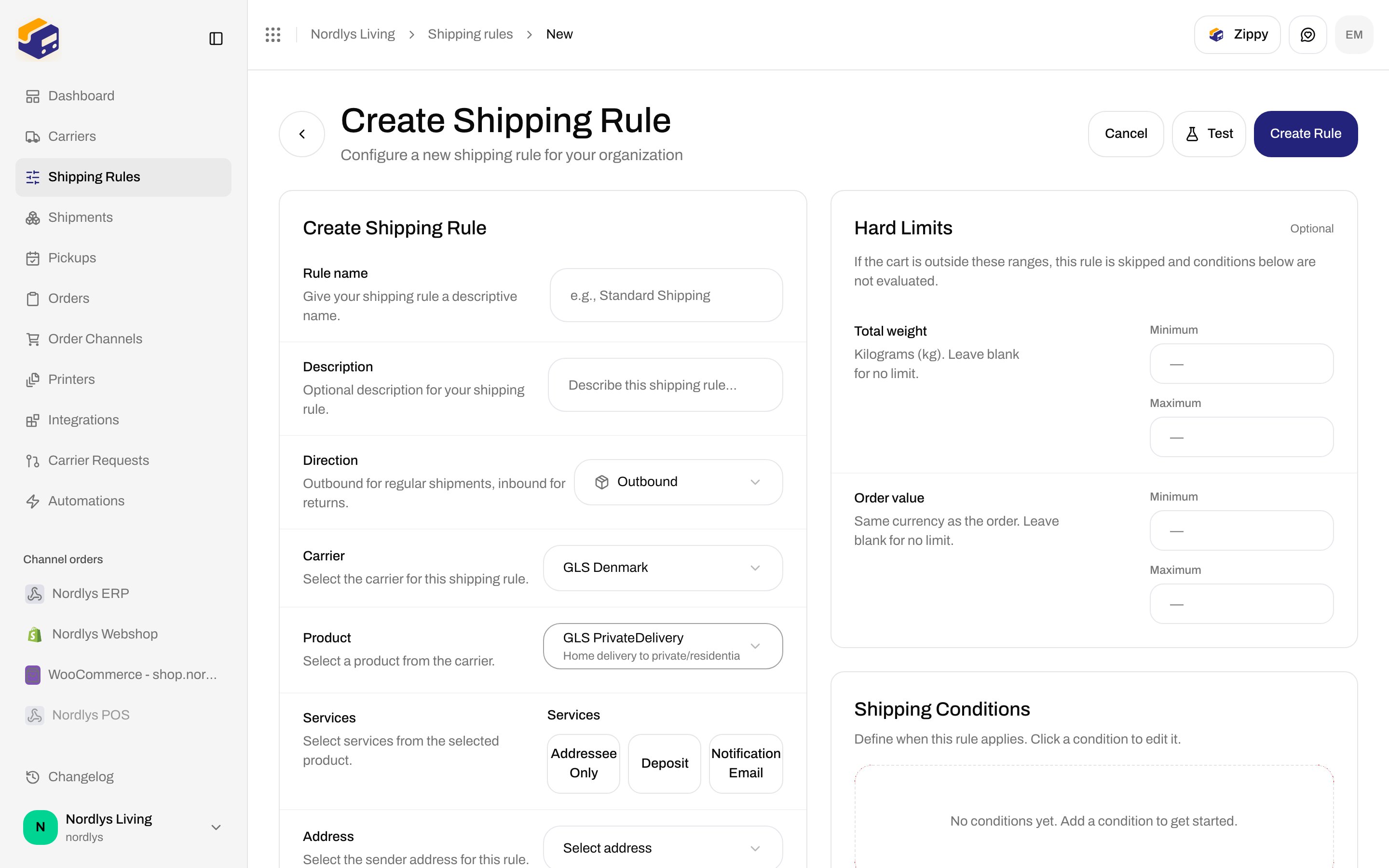
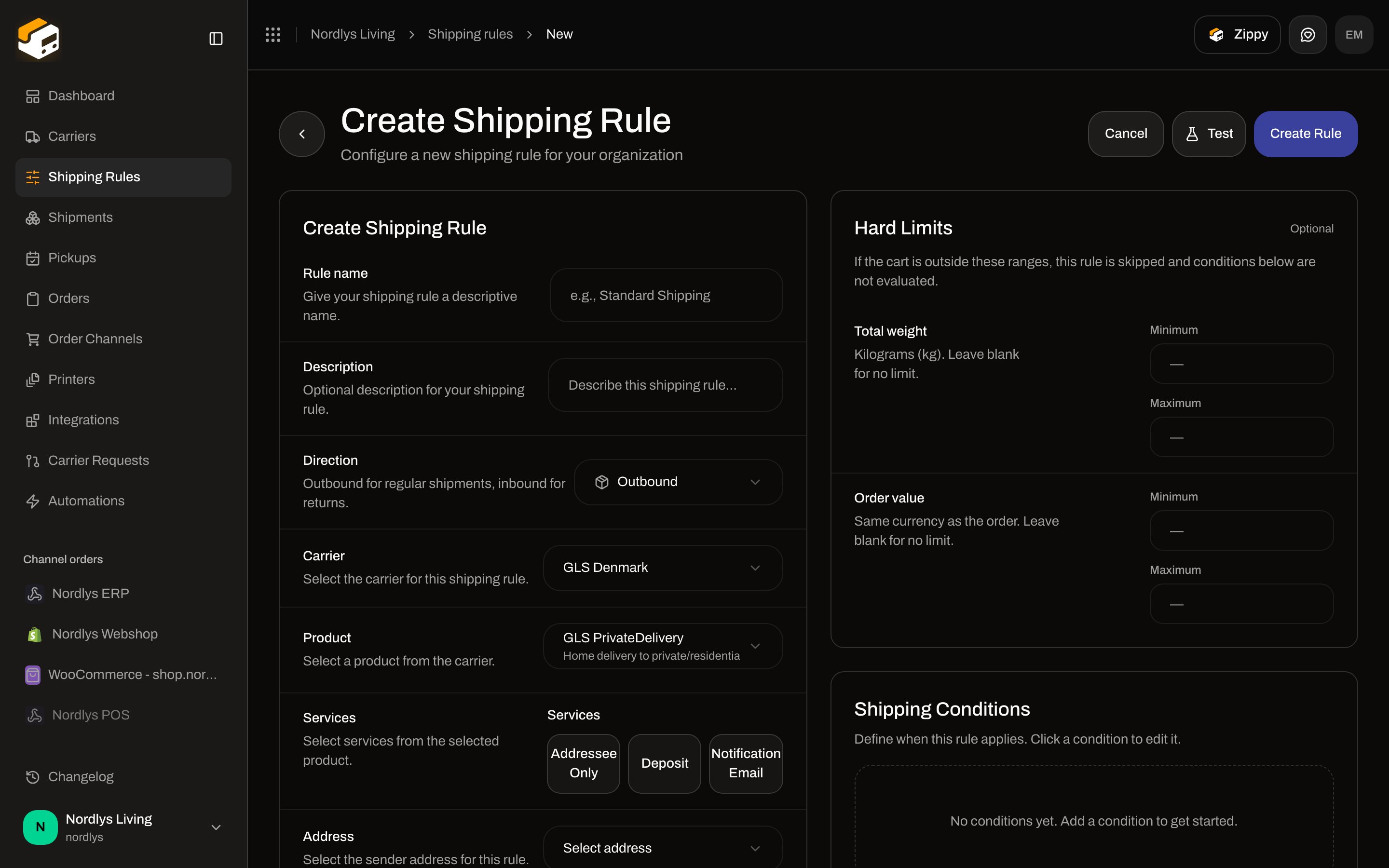
**Shipping Rules → Add Shipping Rule** (or edit a rule). Same catalog, different labels:
| Field | Description in the form |
| ------------------------- | --------------------------------------------------------------------------------------------------------------------------------------------------------------------------------------------------------------------------------------------------------------- |
| **Direction** | **Outbound for regular shipments, inbound for returns.** Options **Outbound** / **Inbound (Return)**. Filters the product list. |
| **Carrier** | **Select the carrier for this shipping rule.** Placeholder **Select carrier**. |
| **Product** | **Select a product from the carrier.** Disabled placeholders: **Select a carrier first**, **Loading products…**, **No \{\{direction}} products available**. |
| **Services** | Ready: **Select services from the selected product.** Before a product: **Select a product first to see available services.** Empty product: **No services available for this product**. |
| **Additional Parameters** | **Carrier-specific options for the selected product. Fields appear based on the product and the services you choose.** Empty: **Select a product to see its available parameters.** or **This product has no additional parameters for the selected services.** |
Validation: **Carrier is required**, **Product ID is required**. Services stay optional.
Sweden / Norway / Finland PostNord products differ by issuer country on the carrier connection. The fields (product, services, additional parameters) are the same pattern.
## Edit on an existing shipment
On shipment **Overview**, edit carrier opens **Edit Carrier Settings**. Same **Carrier**, **Product**, **Services**, additional parameters, and service-point picker when `isServicePoint` is on. Save: **Save Changes** (pending **Saving…**). Toasts: **Carrier settings updated** / **Failed to update carrier settings**.
## On a shipping rule
**Shipping Rules → Add Shipping Rule** (or edit a rule). Same catalog, different labels:
| Field | Description in the form |
| ------------------------- | --------------------------------------------------------------------------------------------------------------------------------------------------------------------------------------------------------------------------------------------------------------- |
| **Direction** | **Outbound for regular shipments, inbound for returns.** Options **Outbound** / **Inbound (Return)**. Filters the product list. |
| **Carrier** | **Select the carrier for this shipping rule.** Placeholder **Select carrier**. |
| **Product** | **Select a product from the carrier.** Disabled placeholders: **Select a carrier first**, **Loading products…**, **No \{\{direction}} products available**. |
| **Services** | Ready: **Select services from the selected product.** Before a product: **Select a product first to see available services.** Empty product: **No services available for this product**. |
| **Additional Parameters** | **Carrier-specific options for the selected product. Fields appear based on the product and the services you choose.** Empty: **Select a product to see its available parameters.** or **This product has no additional parameters for the selected services.** |
Validation: **Carrier is required**, **Product ID is required**. Services stay optional.
 From an order, **Create Shipment** uses the same product/services controls under the carrier fields.
## Related
* [Carrier credentials](/docs/how-to/carrier-credentials) — connect/edit does not list products
* [Pick a service point](/docs/how-to/pick-a-service-point)
* [Droppoint vs service point](/docs/how-to/drop-point-and-service-points)
* [Shipping rule fields](/docs/how-to/shipping-rule-fields)
* [Schedule a pickup](/docs/how-to/schedule-a-pickup)
* [Carriers](/docs/tutorials/carriers)
From an order, **Create Shipment** uses the same product/services controls under the carrier fields.
## Related
* [Carrier credentials](/docs/how-to/carrier-credentials) — connect/edit does not list products
* [Pick a service point](/docs/how-to/pick-a-service-point)
* [Droppoint vs service point](/docs/how-to/drop-point-and-service-points)
* [Shipping rule fields](/docs/how-to/shipping-rule-fields)
* [Schedule a pickup](/docs/how-to/schedule-a-pickup)
* [Carriers](/docs/tutorials/carriers)