> ## Documentation Index
> Fetch the complete documentation index at: https://www.zippendo.com/docs/llms.txt
> Use this file to discover all available pages before exploring further.
# Organization branding
> Set the organization logo, Primary color, and Secondary color on Settings → Organization, or override them per brand on Document branding.
**Branding** sits on **Settings → Organization**, below the profile and customs identifiers. Open Settings from the organization switcher → **Manage** (`/{slug}/dashboard/settings/organization`). Walkthrough: [Settings, team, and brands](/docs/tutorials/settings-team-brands).
House-wide name and customs IDs are [Organization settings](/docs/how-to/organization-settings). Per-brand invoice details are [Create a brand](/docs/how-to/create-a-brand). This page is logo and colours only.
Custom branding is available on **Growth** and above. On a locked plan the **Branding** card is still visible, blurred, with **Unlock custom branding**. Nordlys on this page is unlocked.
## Where it lives
Page title **Settings**. Description: **Manage your organization, team, and preferences.** Tabs, in order: **Organization**, **Team**, **Addresses**, **Pricing Plans**, **API Settings**, **Webhooks**, **Brands**, **Import**.
While billing is still loading, the card title is **Branding** with **Loading branding…**.
## Organization logo and colours
Card title **Branding**.
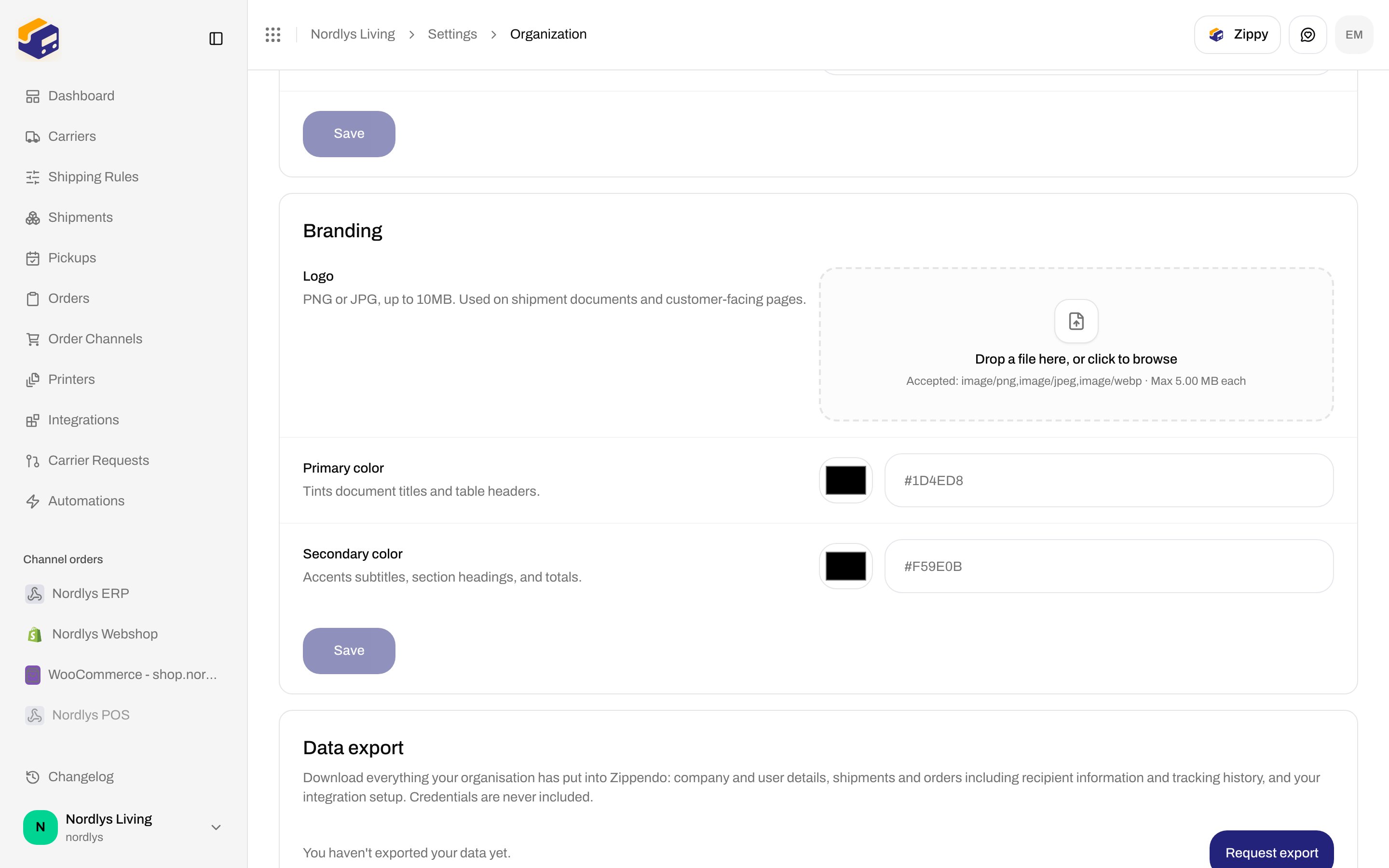
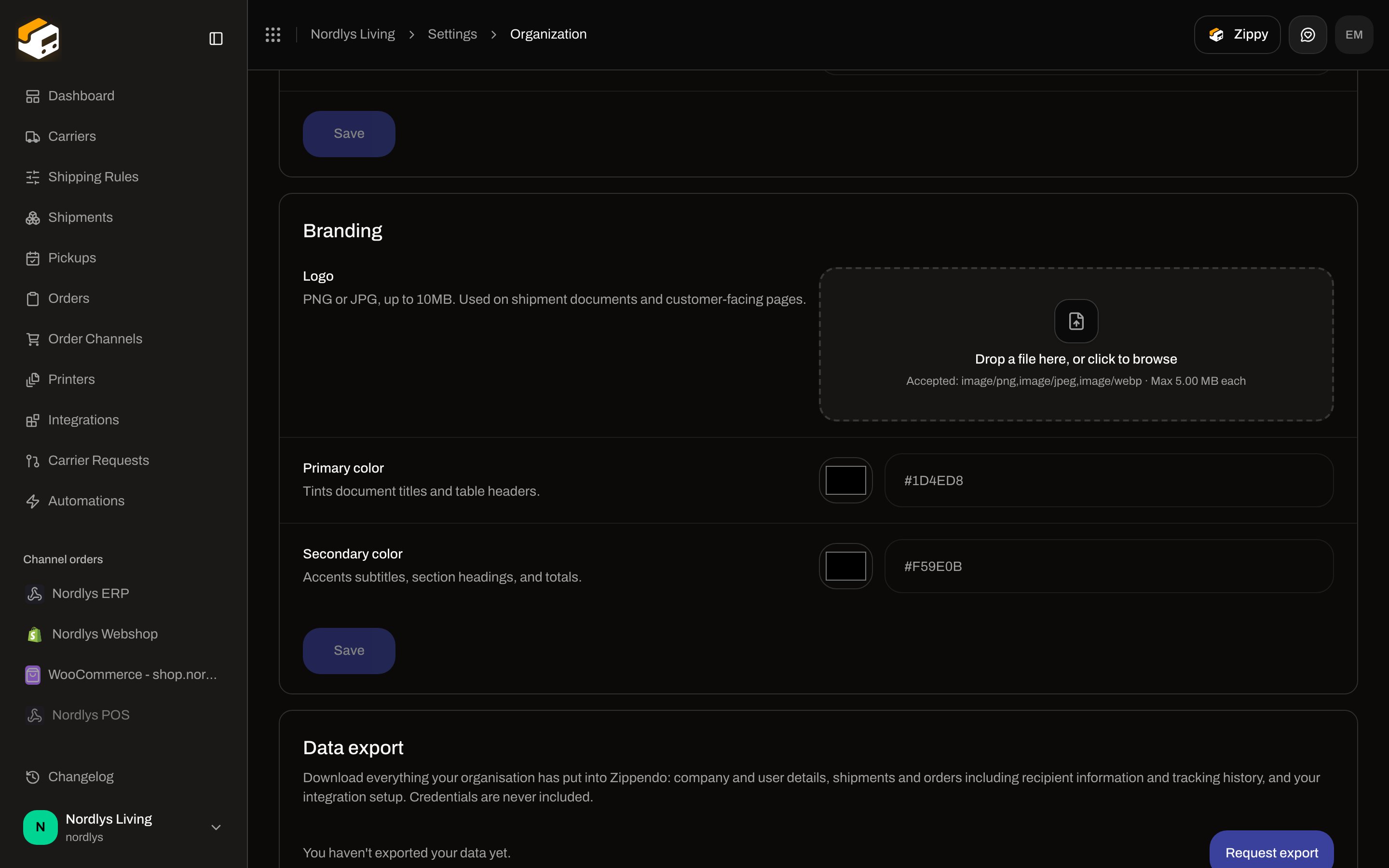 | Field | Required | What it is |
| ------------------- | -------- | ---------------------------------------------------------------------------------------------------------------------------------------------------------------------------------------------------------------------------------------------------------------------- |
| **Logo** | No | Hint: **PNG or JPG, up to 10MB. Used on shipment documents and customer-facing pages.** Alt text for a saved logo: **Organization logo**. |
| Dropzone | — | **Drop a file here, or click to browse**. While dragging: **Drop to upload**. Accepted line: **Accepted: image/png,image/jpeg,image/webp · Max 5.00 MB each**. PNG, JPEG, and WebP. The picker rejects a file over 5 MB with **"\{name}" is too large (max 5.00 MB)**. |
| **Remove logo** | — | Shown only when a logo is already saved. Does not wait for **Save**. |
| **Primary color** | No | **Tints document titles and table headers.** Native colour swatch plus a text field. Placeholder **#1D4ED8**. Empty clears the colour. |
| **Secondary color** | No | **Accents subtitles, section headings, and totals.** Placeholder **#F59E0B**. Empty clears the colour. |
| **Save** | — | Saves colours only. Disabled until a colour changed and both values are valid (empty or `#` plus six hex digits). While a save runs: **Saving…**. |
Invalid colour copy: **Enter a valid hex color, e.g. #1D4ED8** (primary) and **Enter a valid hex color, e.g. #F59E0B** (secondary). Pattern: `^#[0-9a-fA-F]{6}$`.
Drop a PNG, JPEG, or WebP onto the dropzone, or click it to browse. The upload runs immediately.
Pick **Primary color** and **Secondary color** with the swatch, or type `#RRGGBB`. Leave a field empty to clear that colour.
Click **Save**. Logo upload and remove do not use this button.
### Toasts
| Action | Success | Failure fallback |
| ------------ | -------------------- | ----------------------------- |
| Upload logo | **Logo uploaded** | **Could not upload logo** |
| Remove logo | **Logo removed** | **Could not remove logo** |
| Save colours | **Branding updated** | **Could not update branding** |
API codes the form can surface:
| Code | Message |
| --------------------------- | ------------------------------------------------------- |
| `PAYLOAD_TOO_LARGE` | **The uploaded file is too large.** |
| `IMAGE_DIMENSIONS_EXCEEDED` | **The image dimensions exceed the allowed limit.** |
| `FEATURE_NOT_AVAILABLE` | **This feature is not available on your current plan.** |
## Plan lock
On Free or Standard, an upsell covers the **Branding** card:
| Copy | Text |
| ----------- | --------------------------------------------------------------------------------------------------------------------------- |
| Title | **Unlock custom branding** |
| Description | **Custom branding is available on the Growth plan and above. Upgrade to tailor customer-facing experiences to your brand.** |
| Primary | **Upgrade to unlock** — opens [Pricing Plans](/docs/how-to/billing-and-usage) |
| Secondary | **See docs** |
## Document branding on a brand
After [Create a brand](/docs/how-to/create-a-brand), the brand page adds a **Document branding** card when the plan includes custom branding. Empty colour fields inherit the organization values (placeholder **Using organization value**). Invoice details, address, and customs on that page are not branding — they stay on the brand how-to.
| Field | Required | What it is |
| ----------------------- | -------- | -------------------------------------------------------------------------------------------------------------------------- |
| Card title | — | **Document branding** |
| Description | — | **Logo and colours for this brand's packing slips and invoices.** |
| **Logo** | No | Same dropzone as the organization. Remove uses **Delete**. |
| **Primary colour** | No | **Tints document titles and table headers.** Placeholder `#1D4ED8`. Invalid: **#RRGGBB**. |
| **Secondary colour** | No | **Accents subtitles, section headings, and totals.** Placeholder `#F59E0B`. Invalid: **#RRGGBB**. |
| Header **Save changes** | — | Saves the whole brand form, including colours. Disabled until the form is valid and dirty. While a save runs: **Saving…**. |
Logo and colour toasts on the brand page: **Brand updated** / **Brand could not be updated**, and **The logo could not be updated**.
The Nordlys docs org has no brands, so this card is not in the screenshots. Do not create a brand there just to capture it.
## Related
* [Organization settings](/docs/how-to/organization-settings) — name, description, and customs IDs on the same tab.
* [Create a brand](/docs/how-to/create-a-brand) — invoice details; then this page for logo and colours.
* [Billing and usage](/docs/how-to/billing-and-usage) — Growth entitlement.
* [Organization](/docs/settings/organization) — documentation for this tab.
| Field | Required | What it is |
| ------------------- | -------- | ---------------------------------------------------------------------------------------------------------------------------------------------------------------------------------------------------------------------------------------------------------------------- |
| **Logo** | No | Hint: **PNG or JPG, up to 10MB. Used on shipment documents and customer-facing pages.** Alt text for a saved logo: **Organization logo**. |
| Dropzone | — | **Drop a file here, or click to browse**. While dragging: **Drop to upload**. Accepted line: **Accepted: image/png,image/jpeg,image/webp · Max 5.00 MB each**. PNG, JPEG, and WebP. The picker rejects a file over 5 MB with **"\{name}" is too large (max 5.00 MB)**. |
| **Remove logo** | — | Shown only when a logo is already saved. Does not wait for **Save**. |
| **Primary color** | No | **Tints document titles and table headers.** Native colour swatch plus a text field. Placeholder **#1D4ED8**. Empty clears the colour. |
| **Secondary color** | No | **Accents subtitles, section headings, and totals.** Placeholder **#F59E0B**. Empty clears the colour. |
| **Save** | — | Saves colours only. Disabled until a colour changed and both values are valid (empty or `#` plus six hex digits). While a save runs: **Saving…**. |
Invalid colour copy: **Enter a valid hex color, e.g. #1D4ED8** (primary) and **Enter a valid hex color, e.g. #F59E0B** (secondary). Pattern: `^#[0-9a-fA-F]{6}$`.
Drop a PNG, JPEG, or WebP onto the dropzone, or click it to browse. The upload runs immediately.
Pick **Primary color** and **Secondary color** with the swatch, or type `#RRGGBB`. Leave a field empty to clear that colour.
Click **Save**. Logo upload and remove do not use this button.
### Toasts
| Action | Success | Failure fallback |
| ------------ | -------------------- | ----------------------------- |
| Upload logo | **Logo uploaded** | **Could not upload logo** |
| Remove logo | **Logo removed** | **Could not remove logo** |
| Save colours | **Branding updated** | **Could not update branding** |
API codes the form can surface:
| Code | Message |
| --------------------------- | ------------------------------------------------------- |
| `PAYLOAD_TOO_LARGE` | **The uploaded file is too large.** |
| `IMAGE_DIMENSIONS_EXCEEDED` | **The image dimensions exceed the allowed limit.** |
| `FEATURE_NOT_AVAILABLE` | **This feature is not available on your current plan.** |
## Plan lock
On Free or Standard, an upsell covers the **Branding** card:
| Copy | Text |
| ----------- | --------------------------------------------------------------------------------------------------------------------------- |
| Title | **Unlock custom branding** |
| Description | **Custom branding is available on the Growth plan and above. Upgrade to tailor customer-facing experiences to your brand.** |
| Primary | **Upgrade to unlock** — opens [Pricing Plans](/docs/how-to/billing-and-usage) |
| Secondary | **See docs** |
## Document branding on a brand
After [Create a brand](/docs/how-to/create-a-brand), the brand page adds a **Document branding** card when the plan includes custom branding. Empty colour fields inherit the organization values (placeholder **Using organization value**). Invoice details, address, and customs on that page are not branding — they stay on the brand how-to.
| Field | Required | What it is |
| ----------------------- | -------- | -------------------------------------------------------------------------------------------------------------------------- |
| Card title | — | **Document branding** |
| Description | — | **Logo and colours for this brand's packing slips and invoices.** |
| **Logo** | No | Same dropzone as the organization. Remove uses **Delete**. |
| **Primary colour** | No | **Tints document titles and table headers.** Placeholder `#1D4ED8`. Invalid: **#RRGGBB**. |
| **Secondary colour** | No | **Accents subtitles, section headings, and totals.** Placeholder `#F59E0B`. Invalid: **#RRGGBB**. |
| Header **Save changes** | — | Saves the whole brand form, including colours. Disabled until the form is valid and dirty. While a save runs: **Saving…**. |
Logo and colour toasts on the brand page: **Brand updated** / **Brand could not be updated**, and **The logo could not be updated**.
The Nordlys docs org has no brands, so this card is not in the screenshots. Do not create a brand there just to capture it.
## Related
* [Organization settings](/docs/how-to/organization-settings) — name, description, and customs IDs on the same tab.
* [Create a brand](/docs/how-to/create-a-brand) — invoice details; then this page for logo and colours.
* [Billing and usage](/docs/how-to/billing-and-usage) — Growth entitlement.
* [Organization](/docs/settings/organization) — documentation for this tab.