> ## Documentation Index
> Fetch the complete documentation index at: https://www.zippendo.com/docs/llms.txt
> Use this file to discover all available pages before exploring further.
# Billing and usage
> Manage Settings → Pricing Plans — Monthly/Yearly cards, Current Usage meters, overage, add-ons, and the Stripe billing portal.
**Pricing Plans** is a Settings tab (`/{slug}/dashboard/settings/pricing`). Open the organization switcher → **Manage**, then **Pricing Plans**. Walkthrough: [Settings, team, and brands](/docs/tutorials/settings-team-brands).
Nordlys Living on these shots is **Pro**, billed in-app (not Shopify). Do not screenshot the Stripe customer portal or the Shopify admin — those are off-domain.
## Where it lives
Page title **Settings**. Tab **Pricing Plans**. Description: **Manage your plan and billing.**
If you installed Zippendo from the Shopify App Store, this tab is a **Billed through Shopify** panel instead of the four cards — see [Shopify-billed orgs](#shopify-billed-orgs). Enterprise orgs see **Enterprise — Unlimited** instead of the grid.
## Billing interval
Centered toggle above the cards:
| Control | What it is |
| ----------- | ---------------------------------------------------------------------- |
| **Monthly** | Default. Paid card prices show **/mth**. |
| **Yearly** | Paid card prices show **/yr**, plus a monthly equivalent with **/mo**. |
There is no **Save 20%** badge on this screen (that copy exists on signup only).
## Plan cards
Four self-serve cards: **Free**, **Standard**, **Growth**, **Pro**. **Growth** shows a **Popular** badge when it is not your current plan. Your current card shows **Current Plan**. A scheduled downgrade target shows **Scheduled**. There is no **Enterprise** card in this grid.
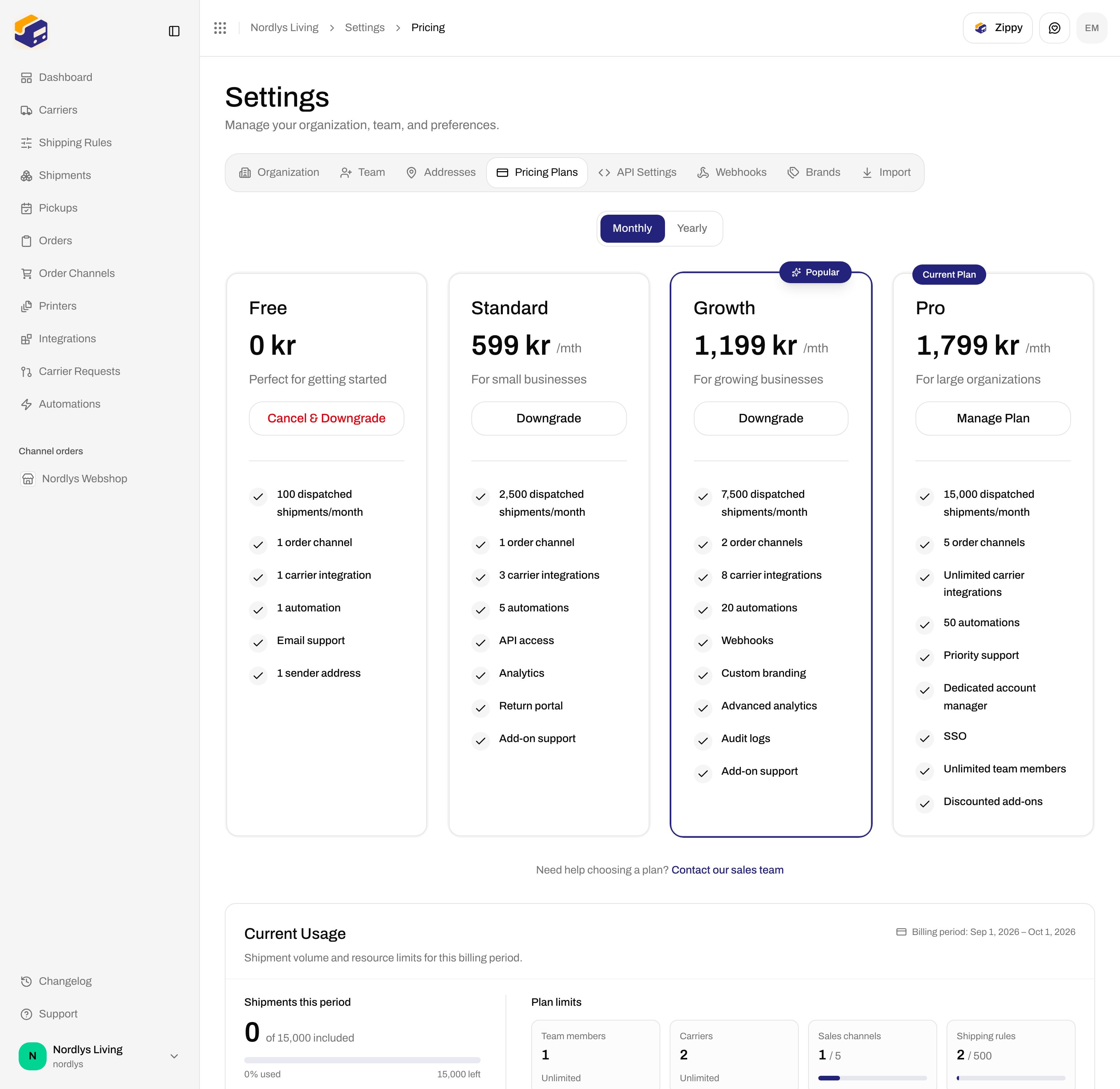
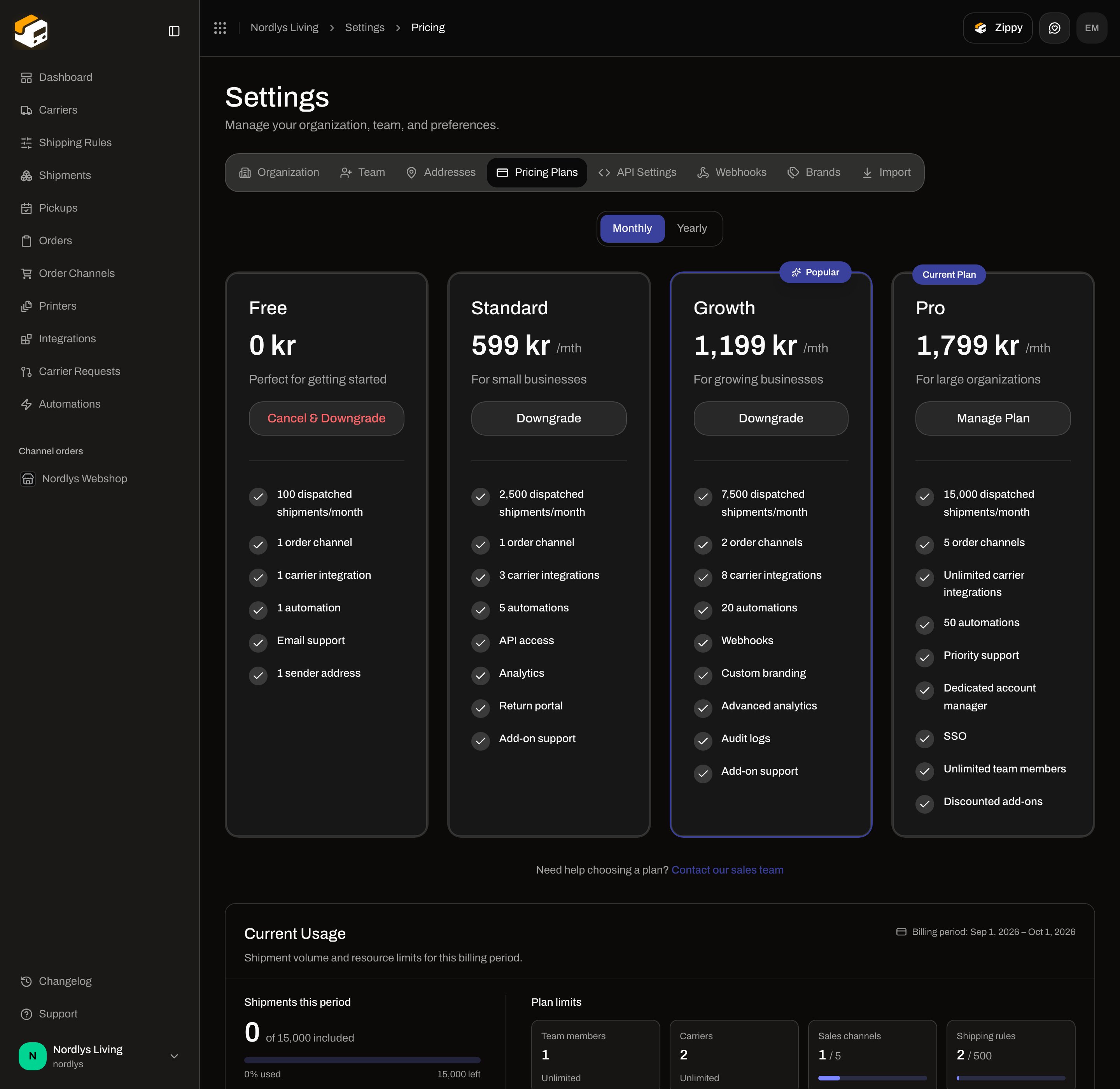 While billing loads, four skeleton cards appear.
Footer under the grid: **Need help choosing a plan?** **Contact our sales team** (links to `/`).
### Feature bullets
Each card lists the features from `billing.json` `plansData`. Prices come from the API (`availablePlans`) once loaded.
| Plan | Description | Features |
| ------------ | ------------------------------- | ------------------------------------------------------------------------------------------------------------------------------------------------------------------------------------------------------------------------------------- |
| **Free** | **Perfect for getting started** | **100 dispatched shipments/month**, **1 order channel**, **1 carrier integration**, **1 automation**, **Email support**, **1 sender address** |
| **Standard** | **For small businesses** | **2,500 dispatched shipments/month**, **1 order channel**, **3 carrier integrations**, **5 automations**, **API access**, **Analytics**, **Return portal**, **Add-on support** |
| **Growth** | **For growing businesses** | **7,500 dispatched shipments/month**, **2 order channels**, **8 carrier integrations**, **20 automations**, **Webhooks**, **Custom branding**, **Advanced analytics**, **Audit logs**, **Add-on support** |
| **Pro** | **For large organizations** | **15,000 dispatched shipments/month**, **5 order channels**, **Unlimited carrier integrations**, **50 automations**, **Priority support**, **Dedicated account manager**, **SSO**, **Unlimited team members**, **Discounted add-ons** |
If **Overage Settings** is on, each paid card also shows **+ \{price} per extra shipment** (`pricePerLabel` from the local plan data).
### Card buttons
| Situation | Button | Notes |
| -------------------------------------------- | ---------------------- | ----------------------------------------------------------------------------- |
| Current **Free**, checkout already completed | **Your current plan** | Disabled. |
| Current paid plan | **Manage Plan** | Opens **Manage Plan** (`manage-plan-modal`). |
| Higher paid plan | **Upgrade** | Opens **Upgrade to \{plan}** if a card is on file; otherwise hosted Checkout. |
| Lower paid plan | **Downgrade** | Opens **Downgrade Plan**. |
| **Free** while on a paid plan | **Cancel & Downgrade** | Opens **Manage Plan** on the cancel step. |
| **Free**, no completed checkout | **Connect card** | Starts a 0 kr Checkout so overage can be enabled later. |
### Banners above the grid
| Banner | Copy |
| ------------------------------------- | ---------------------------------------------------------------------------------------------------------------------------------------------------------------------------------------------------------------- |
| Scheduled change | **Plan change scheduled**. **Your plan will change to \{plan} on \{date}. Your current plan features remain active until then.** |
| Usage over limits | **Your current usage exceeds your plan limits**. **You have more \{resources} than your plan allows. Some features may be restricted until you upgrade or remove excess resources.** |
| Checkout return `?checkout=success` | **Payment received — activating your plan…** then **Your plan is active. Welcome aboard!** Timeout: **Your payment is confirmed, but activation is taking longer than expected. Refresh this page in a moment.** |
| Checkout return `?checkout=cancelled` | **Checkout was cancelled. Your plan was not changed.** |
Do not screenshot Stripe Checkout.
## Upgrade, downgrade, and manage modals
### Upgrade to \{plan} (`upgrade-plan-modal`)
Subtitle: **Switch to the \{plan} plan at \{price}. The change applies immediately.**
| Control | What it is |
| ------------------------------------- | ----------------------------------------------------------------------------------------------------------------------------------- |
| **Charged now** | **You will be charged \{amount} now, prorated for the remainder of the current billing period.** |
| **Preview unavailable** | **We could not calculate the exact prorated amount. You can still confirm — the prorated charge will appear on your next invoice.** |
| **Confirm upgrade** / **Processing…** | Submits. |
| **Cancel** | Closes. |
Toasts: **Your plan was changed to \{plan}.** / **The plan change failed. Please try again.**
Without a completed checkout, **Upgrade** redirects to Stripe Checkout instead of this modal. Failure: **Could not start checkout. Please try again.**
### Downgrade Plan (`downgrade-plan-modal`)
Subtitle: **\{currentPlan} → \{selectedPlan} — \{price}/mth**.
| Control | What it is |
| --------------------------------------- | ---------------------------------------------------------------------------------------------------------------------------------------------------------------------- |
| **Billing Period** | **Monthly** / **Yearly** (read-only of current interval). |
| **Downgrade scheduled at period end** | **Your \{currentPlan} plan features will remain active until the end of your current billing period (\{date}). After that, your plan will change to \{selectedPlan}.** |
| **Resource limits will be affected** | Shown if you would exceed the new ceilings. Lists carriers, order channels, team members, shipping rules, and/or addresses with used vs max. |
| **Confirm Downgrade** / **Processing…** | Submits. |
| **Cancel** | Closes. |
Toasts: **Plan will change to \{plan} on \{date}** or **Successfully changed to \{plan}** / **Failed to change plan**.
### Manage Plan (`manage-plan-modal`)
While billing loads, four skeleton cards appear.
Footer under the grid: **Need help choosing a plan?** **Contact our sales team** (links to `/`).
### Feature bullets
Each card lists the features from `billing.json` `plansData`. Prices come from the API (`availablePlans`) once loaded.
| Plan | Description | Features |
| ------------ | ------------------------------- | ------------------------------------------------------------------------------------------------------------------------------------------------------------------------------------------------------------------------------------- |
| **Free** | **Perfect for getting started** | **100 dispatched shipments/month**, **1 order channel**, **1 carrier integration**, **1 automation**, **Email support**, **1 sender address** |
| **Standard** | **For small businesses** | **2,500 dispatched shipments/month**, **1 order channel**, **3 carrier integrations**, **5 automations**, **API access**, **Analytics**, **Return portal**, **Add-on support** |
| **Growth** | **For growing businesses** | **7,500 dispatched shipments/month**, **2 order channels**, **8 carrier integrations**, **20 automations**, **Webhooks**, **Custom branding**, **Advanced analytics**, **Audit logs**, **Add-on support** |
| **Pro** | **For large organizations** | **15,000 dispatched shipments/month**, **5 order channels**, **Unlimited carrier integrations**, **50 automations**, **Priority support**, **Dedicated account manager**, **SSO**, **Unlimited team members**, **Discounted add-ons** |
If **Overage Settings** is on, each paid card also shows **+ \{price} per extra shipment** (`pricePerLabel` from the local plan data).
### Card buttons
| Situation | Button | Notes |
| -------------------------------------------- | ---------------------- | ----------------------------------------------------------------------------- |
| Current **Free**, checkout already completed | **Your current plan** | Disabled. |
| Current paid plan | **Manage Plan** | Opens **Manage Plan** (`manage-plan-modal`). |
| Higher paid plan | **Upgrade** | Opens **Upgrade to \{plan}** if a card is on file; otherwise hosted Checkout. |
| Lower paid plan | **Downgrade** | Opens **Downgrade Plan**. |
| **Free** while on a paid plan | **Cancel & Downgrade** | Opens **Manage Plan** on the cancel step. |
| **Free**, no completed checkout | **Connect card** | Starts a 0 kr Checkout so overage can be enabled later. |
### Banners above the grid
| Banner | Copy |
| ------------------------------------- | ---------------------------------------------------------------------------------------------------------------------------------------------------------------------------------------------------------------- |
| Scheduled change | **Plan change scheduled**. **Your plan will change to \{plan} on \{date}. Your current plan features remain active until then.** |
| Usage over limits | **Your current usage exceeds your plan limits**. **You have more \{resources} than your plan allows. Some features may be restricted until you upgrade or remove excess resources.** |
| Checkout return `?checkout=success` | **Payment received — activating your plan…** then **Your plan is active. Welcome aboard!** Timeout: **Your payment is confirmed, but activation is taking longer than expected. Refresh this page in a moment.** |
| Checkout return `?checkout=cancelled` | **Checkout was cancelled. Your plan was not changed.** |
Do not screenshot Stripe Checkout.
## Upgrade, downgrade, and manage modals
### Upgrade to \{plan} (`upgrade-plan-modal`)
Subtitle: **Switch to the \{plan} plan at \{price}. The change applies immediately.**
| Control | What it is |
| ------------------------------------- | ----------------------------------------------------------------------------------------------------------------------------------- |
| **Charged now** | **You will be charged \{amount} now, prorated for the remainder of the current billing period.** |
| **Preview unavailable** | **We could not calculate the exact prorated amount. You can still confirm — the prorated charge will appear on your next invoice.** |
| **Confirm upgrade** / **Processing…** | Submits. |
| **Cancel** | Closes. |
Toasts: **Your plan was changed to \{plan}.** / **The plan change failed. Please try again.**
Without a completed checkout, **Upgrade** redirects to Stripe Checkout instead of this modal. Failure: **Could not start checkout. Please try again.**
### Downgrade Plan (`downgrade-plan-modal`)
Subtitle: **\{currentPlan} → \{selectedPlan} — \{price}/mth**.
| Control | What it is |
| --------------------------------------- | ---------------------------------------------------------------------------------------------------------------------------------------------------------------------- |
| **Billing Period** | **Monthly** / **Yearly** (read-only of current interval). |
| **Downgrade scheduled at period end** | **Your \{currentPlan} plan features will remain active until the end of your current billing period (\{date}). After that, your plan will change to \{selectedPlan}.** |
| **Resource limits will be affected** | Shown if you would exceed the new ceilings. Lists carriers, order channels, team members, shipping rules, and/or addresses with used vs max. |
| **Confirm Downgrade** / **Processing…** | Submits. |
| **Cancel** | Closes. |
Toasts: **Plan will change to \{plan} on \{date}** or **Successfully changed to \{plan}** / **Failed to change plan**.
### Manage Plan (`manage-plan-modal`)
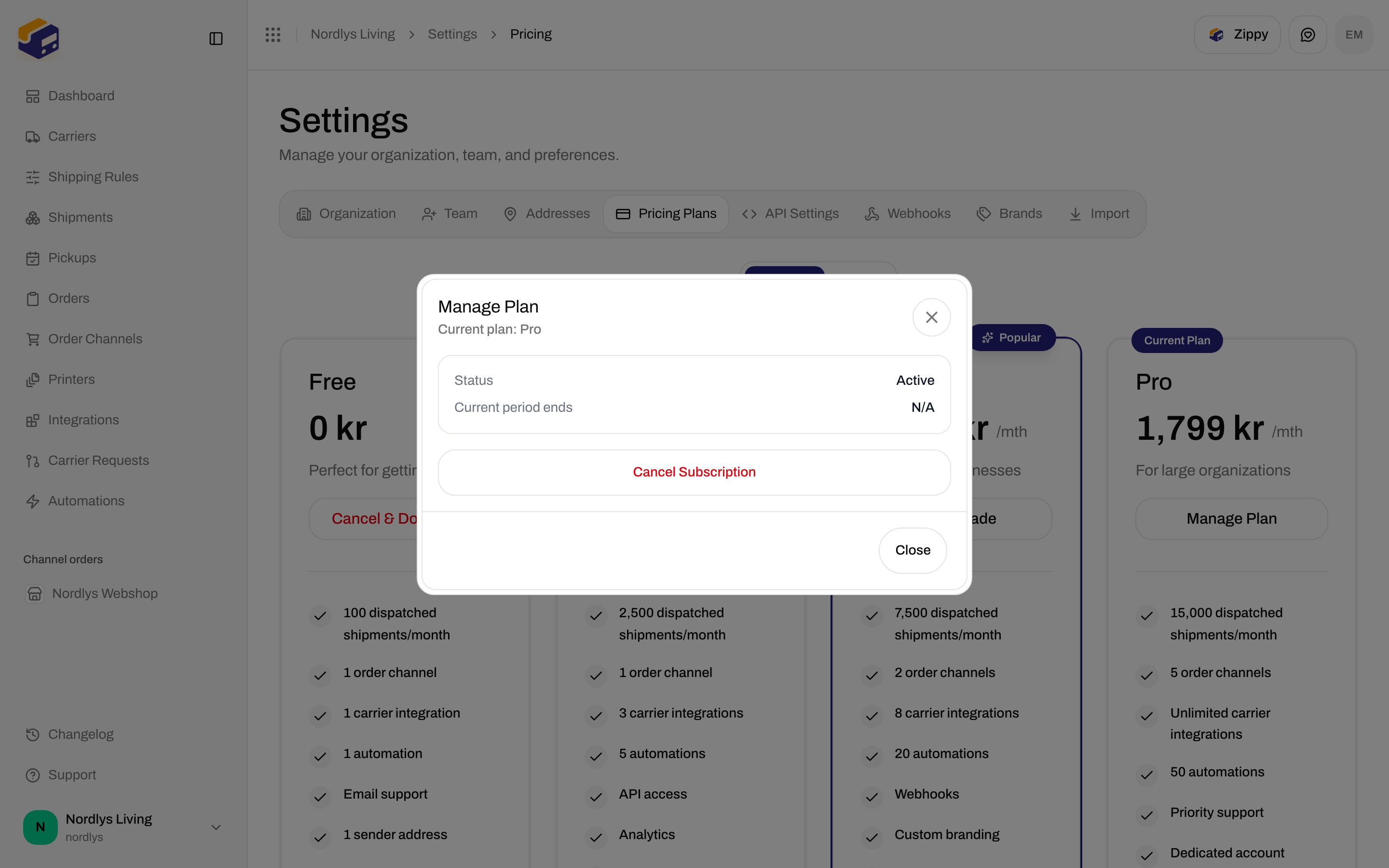
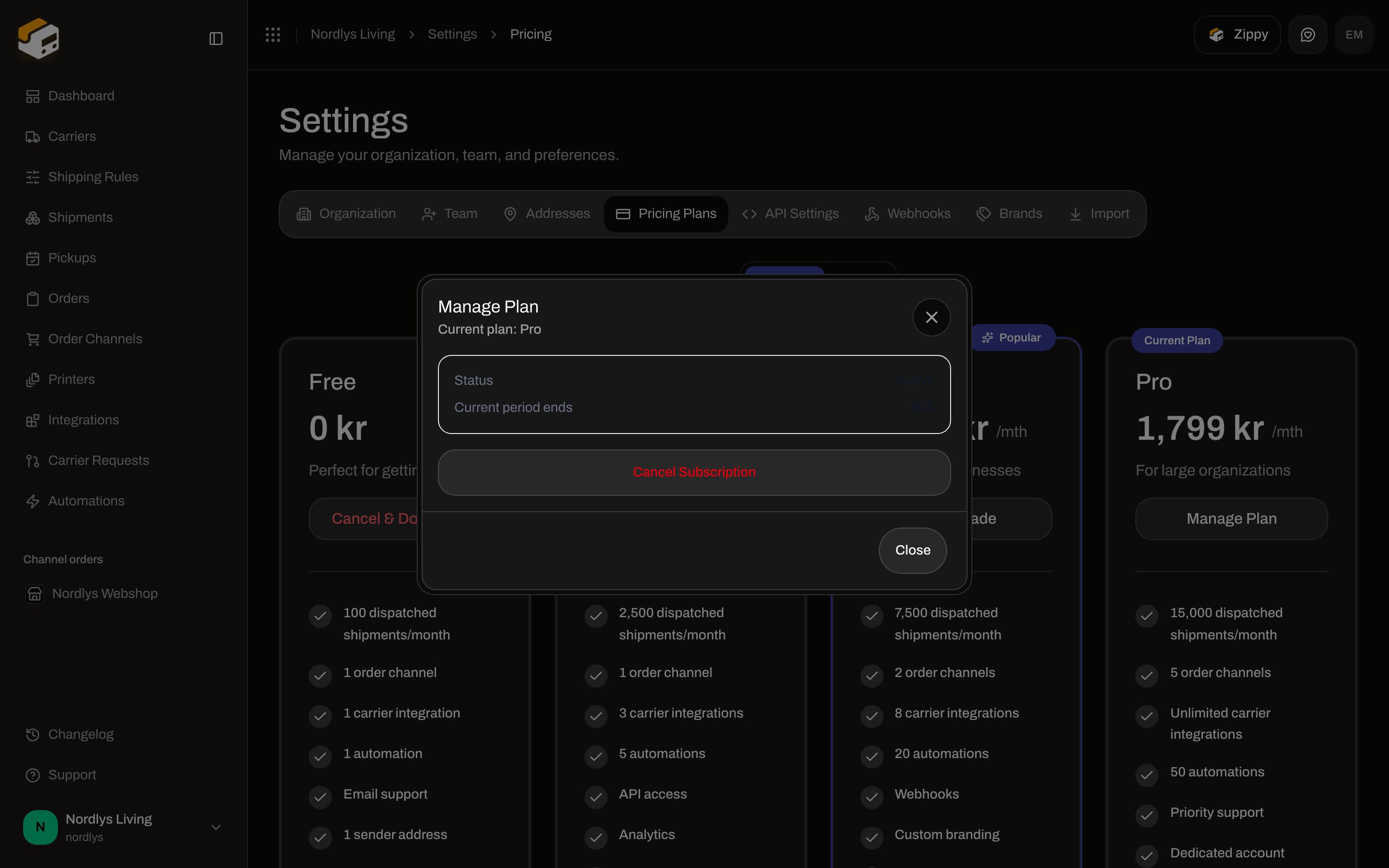 Subtitle: **Current plan: \{plan}**. Fields: **Status**, **Current period ends**, **Cancels on** (or **N/A**).
If cancellation is already pending: **Pending Cancellation** / **Your subscription will be canceled at the end of the current billing period. You can resume it anytime before then.** Button **Resume Subscription** / **Resuming…**. Toasts: **Subscription resumed successfully** / **Failed to resume subscription**.
Cancel step title: **Cancel Subscription?** Copy: **Your subscription is cancelled at the end of the current billing period. After that you're moved to the Free plan — your saved card is removed and pay-as-you-go overage stops (a hard cap of 100 dispatched shipments per month applies). To switch to a cheaper paid plan instead, use Manage billing.** Buttons: **Keep Plan**, **Cancel Subscription** / **Canceling…**. Toast: **Subscription will be canceled at the end of the billing period** / **Failed to cancel subscription**.
## Current Usage
Card title **Current Usage**. Description: **Shipment volume and resource limits for this billing period.** Header: **Billing period: \{start} – \{end}**.
Subtitle: **Current plan: \{plan}**. Fields: **Status**, **Current period ends**, **Cancels on** (or **N/A**).
If cancellation is already pending: **Pending Cancellation** / **Your subscription will be canceled at the end of the current billing period. You can resume it anytime before then.** Button **Resume Subscription** / **Resuming…**. Toasts: **Subscription resumed successfully** / **Failed to resume subscription**.
Cancel step title: **Cancel Subscription?** Copy: **Your subscription is cancelled at the end of the current billing period. After that you're moved to the Free plan — your saved card is removed and pay-as-you-go overage stops (a hard cap of 100 dispatched shipments per month applies). To switch to a cheaper paid plan instead, use Manage billing.** Buttons: **Keep Plan**, **Cancel Subscription** / **Canceling…**. Toast: **Subscription will be canceled at the end of the billing period** / **Failed to cancel subscription**.
## Current Usage
Card title **Current Usage**. Description: **Shipment volume and resource limits for this billing period.** Header: **Billing period: \{start} – \{end}**.
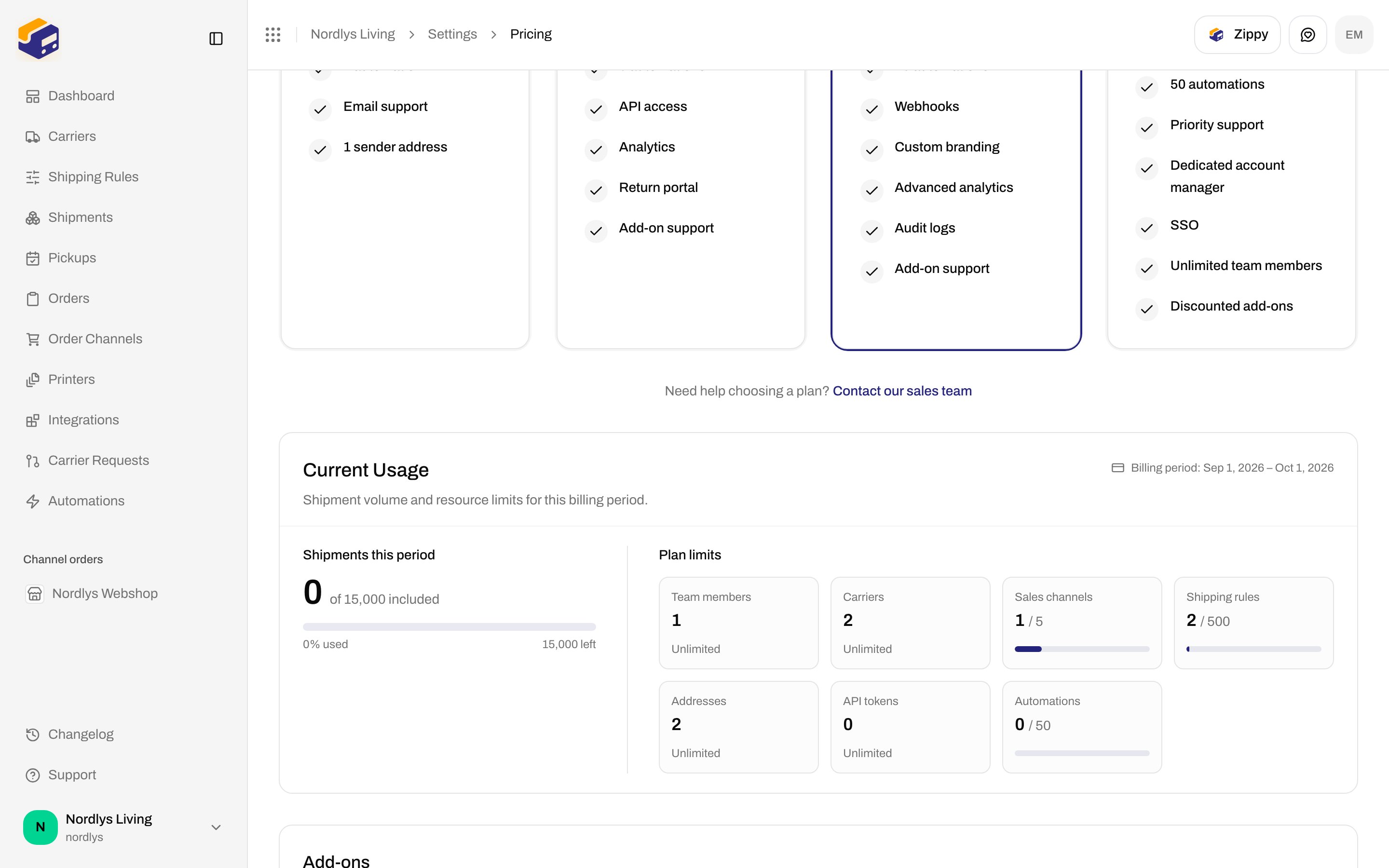
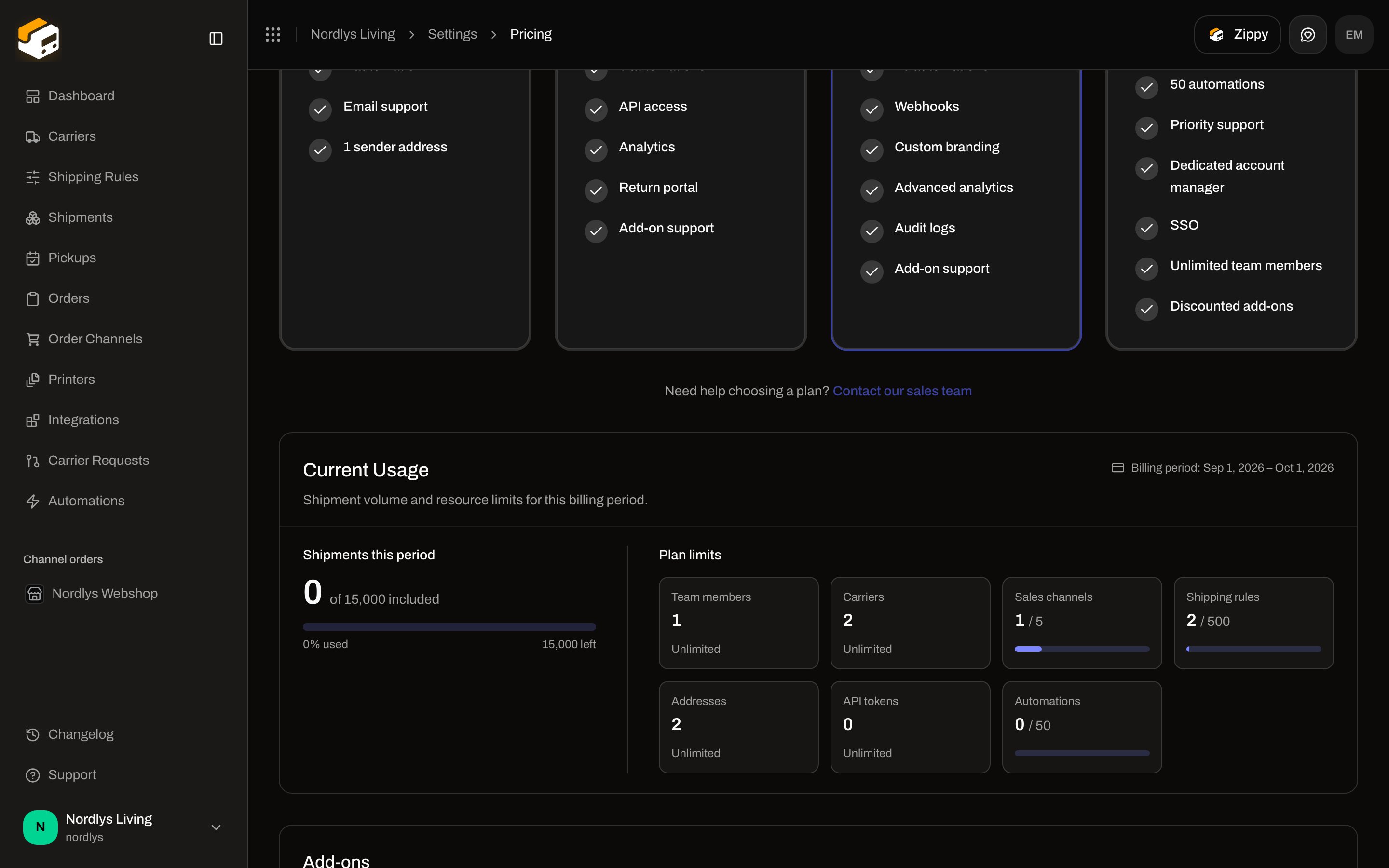 | Control | What it is |
| --------------------------- | --------------------------------------------------------------------------------------------------------------------------------------------------------------------------------------------- |
| **Shipments this period** | Used count, plus **of \{included} included** or **of unlimited included**. Meter with **\{percent}% used** and **\{n} left**. |
| **Near limit** | Chip at 80% of included shipments. |
| **Limit reached** | Chip at 100%. |
| Overage line | **\{count} overage (+\{amount})** when `overage > 0`. |
| **Plan limits** tiles | **Team members**, **Carriers**, **Sales channels**, **Shipping rules**, **Addresses**, **API tokens**, **Automations**. Each shows used `/` limit, or **Unlimited** when the ceiling is `-1`. |
| **Accrued overage balance** | Shown when `pendingOverage` exists. **Small overage amounts are not charged right away — your balance is billed once it reaches \{threshold}, or at the latest on \{date}.** |
There is no label-credits balance on this screen.
Dashboard banners (**You've used \{percent}% of your included shipments**, **Enable overage**, **View usage**) also point here. See [Search and filters](/docs/how-to/search-and-filters) only for list filters — those banners live on the dashboard.
## Overage Settings
Card title **Overage Settings**.
| Control | What it is |
| --------------------------- | --------------------------------------------------------------------------------------------------------------------------------------------------------------------------------------------- |
| **Shipments this period** | Used count, plus **of \{included} included** or **of unlimited included**. Meter with **\{percent}% used** and **\{n} left**. |
| **Near limit** | Chip at 80% of included shipments. |
| **Limit reached** | Chip at 100%. |
| Overage line | **\{count} overage (+\{amount})** when `overage > 0`. |
| **Plan limits** tiles | **Team members**, **Carriers**, **Sales channels**, **Shipping rules**, **Addresses**, **API tokens**, **Automations**. Each shows used `/` limit, or **Unlimited** when the ceiling is `-1`. |
| **Accrued overage balance** | Shown when `pendingOverage` exists. **Small overage amounts are not charged right away — your balance is billed once it reaches \{threshold}, or at the latest on \{date}.** |
There is no label-credits balance on this screen.
Dashboard banners (**You've used \{percent}% of your included shipments**, **Enable overage**, **View usage**) also point here. See [Search and filters](/docs/how-to/search-and-filters) only for list filters — those banners live on the dashboard.
## Overage Settings
Card title **Overage Settings**.
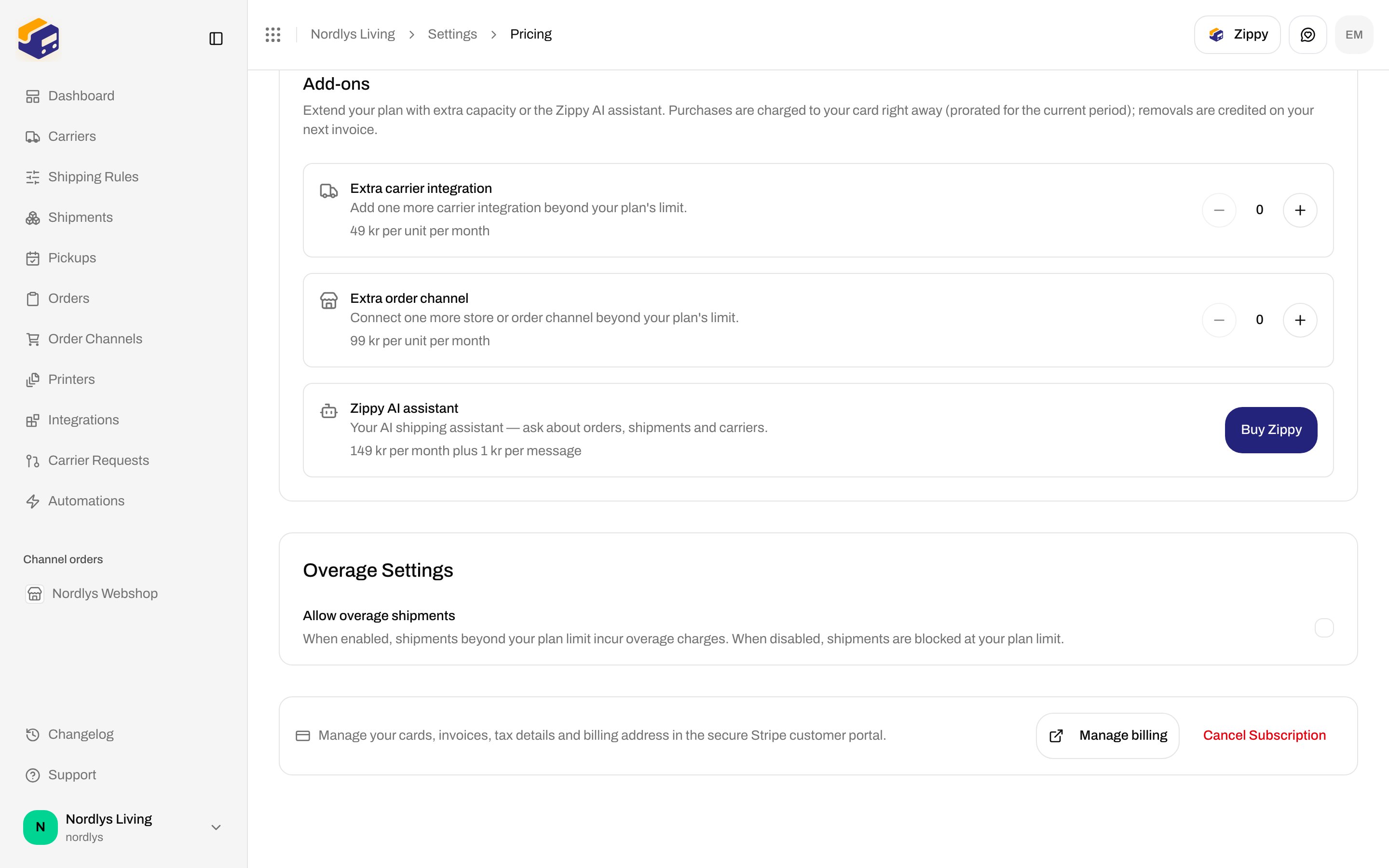
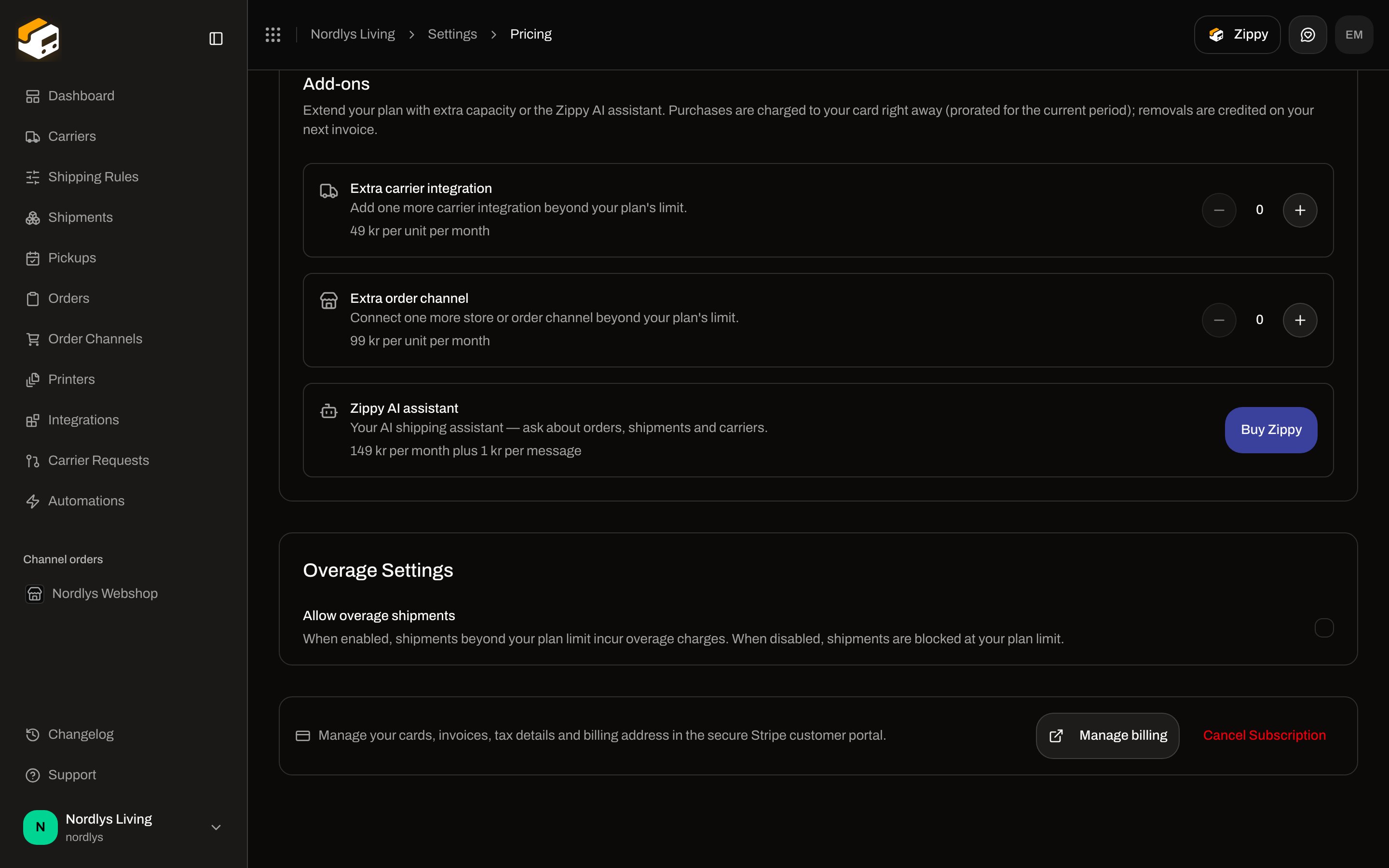 | Control | What it is |
| --------------------------- | ----------------------------------------------------------------------------------------------------------------------------------------------------------------------------------------------------------------------------------------------------------------------------------------------- |
| **Allow overage shipments** | Checkbox. **When enabled, shipments beyond your plan limit incur overage charges. When disabled, shipments are blocked at your plan limit.** |
| **Add payment card** | Replaces the checkbox when checkout is not completed and overage is off. Description: **Overage lets you keep shipping past your monthly included shipments (billed per shipment). Add a payment card to enable it — without it, shipping pauses at your allowance.** Starts the 0 kr Checkout. |
| Toasts | **Overage enabled** / **Overage disabled** / **Failed to update overage setting** |
Enabling overage without a card returns `BILLING_CHECKOUT_REQUIRED`: **Complete billing checkout to activate your subscription.**
Other billing codes the UI can surface: `BILLING_MANAGED_BY_SHOPIFY`, `BILLING_NO_SUBSCRIPTION`, `BILLING_OPERATION_FAILED`, `BILLING_PAYMENT_FAILED`, `BILLING_PLAN_INVALID`, `BILLING_TAX_ID_INVALID`.
## Add-ons
Shown only when `canBuyAddOns` is true **and** checkout is completed. Title **Add-ons**. Description: **Extend your plan with extra capacity or the Zippy AI assistant. Purchases are charged to your card right away (prorated for the current period); removals are credited on your next invoice.**
| Add-on | Copy | Controls |
| ----------------------------- | ------------------------------------------------------------------------------------------------------------------------------- | ----------------------------------------------------------------------------- |
| **Extra carrier integration** | **Add one more carrier integration beyond your plan's limit.** **\{price} per unit per month** | Quantity stepper (0–100). Aria **Increase quantity** / **Decrease quantity**. |
| **Extra order channel** | **Connect one more store or order channel beyond your plan's limit.** | Same stepper. |
| **Zippy AI assistant** | **Your AI shipping assistant — ask about orders, shipments and carriers.** **\{base} per month plus \{perMessage} per message** | **Buy Zippy**, **Selected — undo**, or **Remove Zippy**. |
Pending basket: **Monthly change: \{delta}** with **Reset** and **Confirm changes**. Failure: **The add-on change failed. Please try again.**
Remove Zippy opens `zippy-addon-confirm`: **Remove the Zippy add-on?** / **Zippy will be removed from your subscription and the assistant will be locked again.** See [Zippy AI](/docs/how-to/zippy-ai).
## Manage billing
Footer row: **Manage your cards, invoices, tax details and billing address in the secure Stripe customer portal.**
| Control | What it is |
| ----------------------- | ------------------------------------------------------------------------------------------------------------------------------------- |
| **Manage billing** | Opens the Stripe customer portal (new tab). Do not screenshot it. Failure: **We couldn't open the billing portal. Please try again.** |
| **Cancel Subscription** | Shown when the plan is not **Free**. Opens **Manage Plan** on the cancel step. |
## Shopify-billed orgs
When `subscription.billedBy === "shopify"`, the four cards are replaced by:
| Copy | Text |
| ----------- | ------------------------------------------------------------------------------------------------------------------------------------------------------------------ |
| Badge | **Billed through Shopify** |
| Heading | **Current plan: \{plan}** |
| Description | **Because you installed Zippendo from the Shopify App Store, your subscription is managed and billed by Shopify. Charges appear on your regular Shopify invoice.** |
| Manage | **To change or cancel your plan, open the** **Shopify admin → Apps → Zippendo** **and manage your subscription there. Changes sync back automatically.** |
**Current Usage** still appears. There is no **Manage billing** Stripe button. Plan changes from this tab return `BILLING_MANAGED_BY_SHOPIFY`. See [Shopify settings](/docs/how-to/shopify-settings).
## Enterprise
When the plan is **enterprise**:
| Copy | Text |
| ----------- | --------------------------------------------------------------------------------------------------------------------------------------------------------------------------------------------------- |
| Badge | **Enterprise** |
| Title | **Enterprise — Unlimited** |
| Description | **Your organization is on a custom Enterprise plan with unlimited usage across every resource. Billing is handled offline by our team — there's nothing to manage here.** |
| Features | **Unlimited shipments**, **Unlimited carriers**, **Unlimited sales channels**, **Unlimited team members**, **Unlimited shipping rules & addresses**, **Unlimited API tokens**, **Priority support** |
| Contact | **Need to adjust your plan or have a billing question?** **Contact your account manager** |
**Manage billing** (Stripe portal for invoices/cards) and **Current Usage** still appear. The four self-serve cards do not.
## Related
* [Create a brand](/docs/how-to/create-a-brand) — Pro / Enterprise brands entitlement.
* [Create an API token](/docs/how-to/create-an-api-token) — Standard and above.
* [Organization branding](/docs/how-to/branding) — Growth and above.
* [Zippy AI](/docs/how-to/zippy-ai) — Zippy add-on.
* [Shopify settings](/docs/how-to/shopify-settings) — Shopify-billed subscriptions.
* [Pricing and billing](/docs/settings/pricing-and-billing) — documentation for this tab.
| Control | What it is |
| --------------------------- | ----------------------------------------------------------------------------------------------------------------------------------------------------------------------------------------------------------------------------------------------------------------------------------------------- |
| **Allow overage shipments** | Checkbox. **When enabled, shipments beyond your plan limit incur overage charges. When disabled, shipments are blocked at your plan limit.** |
| **Add payment card** | Replaces the checkbox when checkout is not completed and overage is off. Description: **Overage lets you keep shipping past your monthly included shipments (billed per shipment). Add a payment card to enable it — without it, shipping pauses at your allowance.** Starts the 0 kr Checkout. |
| Toasts | **Overage enabled** / **Overage disabled** / **Failed to update overage setting** |
Enabling overage without a card returns `BILLING_CHECKOUT_REQUIRED`: **Complete billing checkout to activate your subscription.**
Other billing codes the UI can surface: `BILLING_MANAGED_BY_SHOPIFY`, `BILLING_NO_SUBSCRIPTION`, `BILLING_OPERATION_FAILED`, `BILLING_PAYMENT_FAILED`, `BILLING_PLAN_INVALID`, `BILLING_TAX_ID_INVALID`.
## Add-ons
Shown only when `canBuyAddOns` is true **and** checkout is completed. Title **Add-ons**. Description: **Extend your plan with extra capacity or the Zippy AI assistant. Purchases are charged to your card right away (prorated for the current period); removals are credited on your next invoice.**
| Add-on | Copy | Controls |
| ----------------------------- | ------------------------------------------------------------------------------------------------------------------------------- | ----------------------------------------------------------------------------- |
| **Extra carrier integration** | **Add one more carrier integration beyond your plan's limit.** **\{price} per unit per month** | Quantity stepper (0–100). Aria **Increase quantity** / **Decrease quantity**. |
| **Extra order channel** | **Connect one more store or order channel beyond your plan's limit.** | Same stepper. |
| **Zippy AI assistant** | **Your AI shipping assistant — ask about orders, shipments and carriers.** **\{base} per month plus \{perMessage} per message** | **Buy Zippy**, **Selected — undo**, or **Remove Zippy**. |
Pending basket: **Monthly change: \{delta}** with **Reset** and **Confirm changes**. Failure: **The add-on change failed. Please try again.**
Remove Zippy opens `zippy-addon-confirm`: **Remove the Zippy add-on?** / **Zippy will be removed from your subscription and the assistant will be locked again.** See [Zippy AI](/docs/how-to/zippy-ai).
## Manage billing
Footer row: **Manage your cards, invoices, tax details and billing address in the secure Stripe customer portal.**
| Control | What it is |
| ----------------------- | ------------------------------------------------------------------------------------------------------------------------------------- |
| **Manage billing** | Opens the Stripe customer portal (new tab). Do not screenshot it. Failure: **We couldn't open the billing portal. Please try again.** |
| **Cancel Subscription** | Shown when the plan is not **Free**. Opens **Manage Plan** on the cancel step. |
## Shopify-billed orgs
When `subscription.billedBy === "shopify"`, the four cards are replaced by:
| Copy | Text |
| ----------- | ------------------------------------------------------------------------------------------------------------------------------------------------------------------ |
| Badge | **Billed through Shopify** |
| Heading | **Current plan: \{plan}** |
| Description | **Because you installed Zippendo from the Shopify App Store, your subscription is managed and billed by Shopify. Charges appear on your regular Shopify invoice.** |
| Manage | **To change or cancel your plan, open the** **Shopify admin → Apps → Zippendo** **and manage your subscription there. Changes sync back automatically.** |
**Current Usage** still appears. There is no **Manage billing** Stripe button. Plan changes from this tab return `BILLING_MANAGED_BY_SHOPIFY`. See [Shopify settings](/docs/how-to/shopify-settings).
## Enterprise
When the plan is **enterprise**:
| Copy | Text |
| ----------- | --------------------------------------------------------------------------------------------------------------------------------------------------------------------------------------------------- |
| Badge | **Enterprise** |
| Title | **Enterprise — Unlimited** |
| Description | **Your organization is on a custom Enterprise plan with unlimited usage across every resource. Billing is handled offline by our team — there's nothing to manage here.** |
| Features | **Unlimited shipments**, **Unlimited carriers**, **Unlimited sales channels**, **Unlimited team members**, **Unlimited shipping rules & addresses**, **Unlimited API tokens**, **Priority support** |
| Contact | **Need to adjust your plan or have a billing question?** **Contact your account manager** |
**Manage billing** (Stripe portal for invoices/cards) and **Current Usage** still appear. The four self-serve cards do not.
## Related
* [Create a brand](/docs/how-to/create-a-brand) — Pro / Enterprise brands entitlement.
* [Create an API token](/docs/how-to/create-an-api-token) — Standard and above.
* [Organization branding](/docs/how-to/branding) — Growth and above.
* [Zippy AI](/docs/how-to/zippy-ai) — Zippy add-on.
* [Shopify settings](/docs/how-to/shopify-settings) — Shopify-billed subscriptions.
* [Pricing and billing](/docs/settings/pricing-and-billing) — documentation for this tab.