> ## Documentation Index
> Fetch the complete documentation index at: https://www.zippendo.com/docs/llms.txt
> Use this file to discover all available pages before exploring further.
# Build an automation
> Create, enable, and edit automations in Zippendo — every trigger, action, condition, delay, inspector field, and run status.
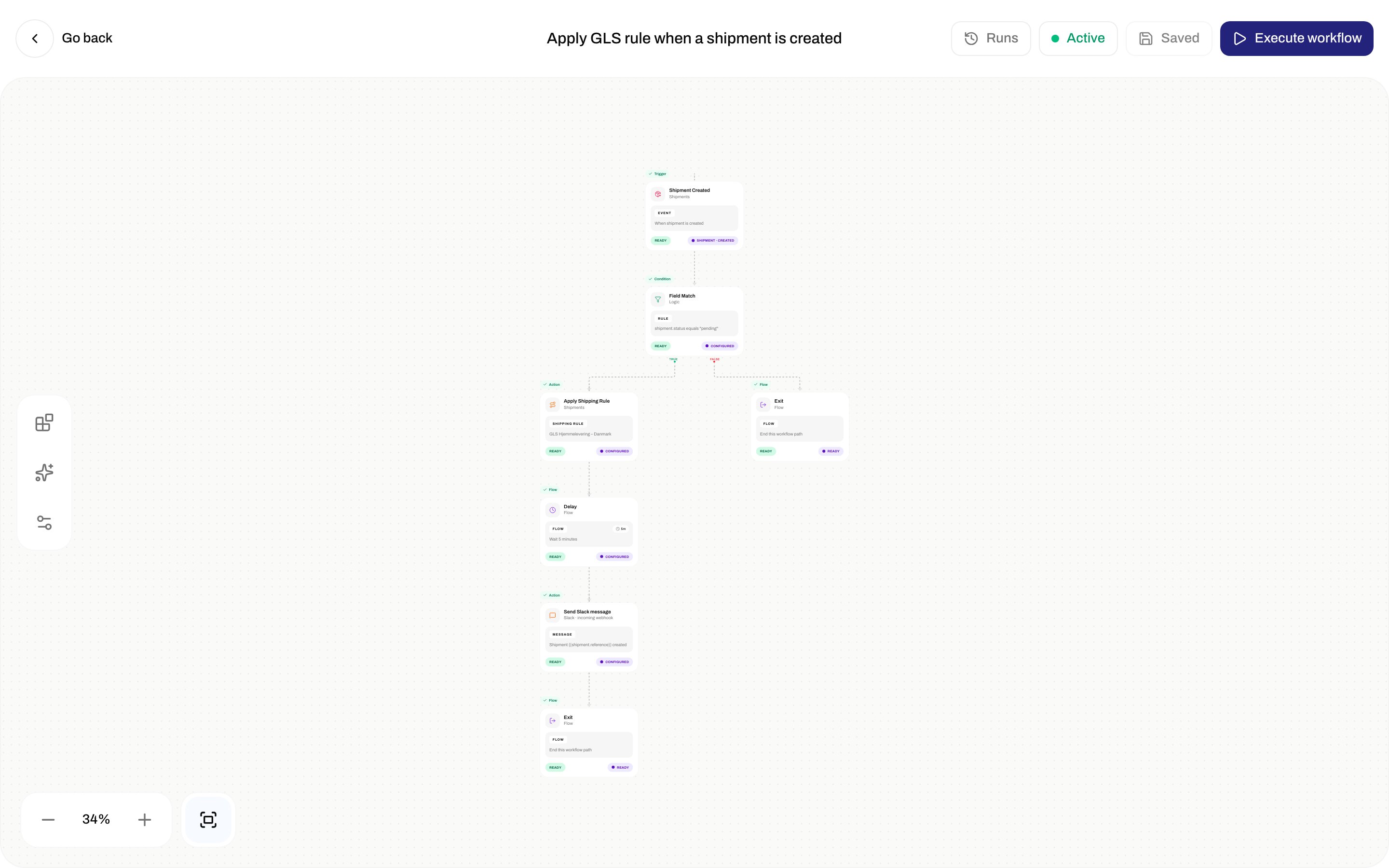
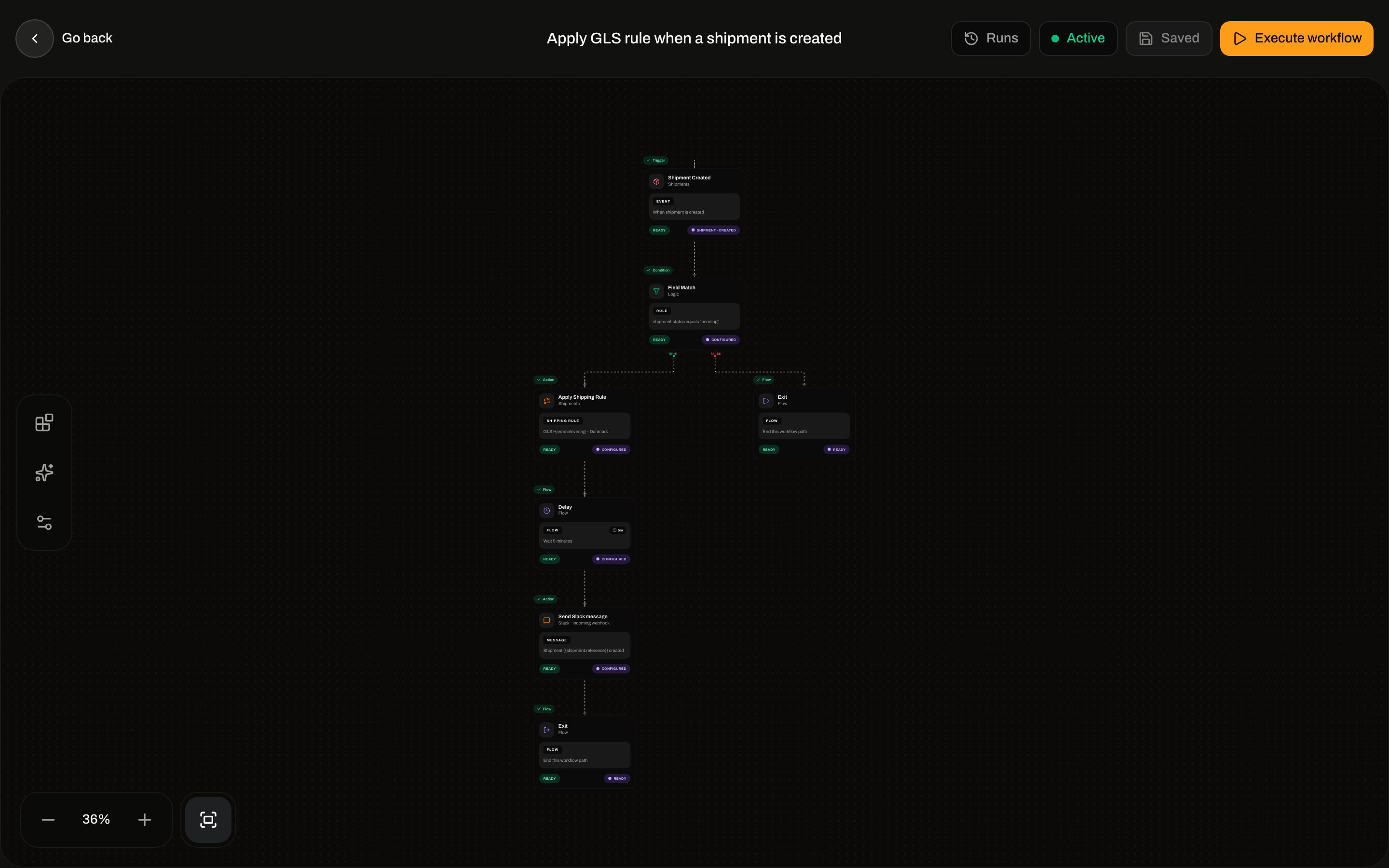
An **automation** is an event-driven workflow: a **trigger** starts a run, then **actions**, **conditions**, and **flow** nodes run in order. It is not a [shipping rule](/docs/how-to/shipping-rule-fields). A rule is the reusable carrier/product setup; an automation can **apply** that rule when a shipment is created.
Walkthrough context: [Shipping rules](/docs/tutorials/shipping-rules). Status dictionaries: [Automations overview](/docs/automations/overview). If a run never starts: [Automation not triggering](/docs/knowledge-base/automation-not-triggering).
Automations live in the client dashboard only. They are not on the public OpenAPI tag list. The builder is a full-viewport editor — no sidebar — and is hidden on mobile.
## Where it lives
Sidebar **Automations** (`/{org}/dashboard/automations`), after **Carrier Requests**. Click a row (or **Edit**) to open `/{org}/dashboard/automations/:id`.
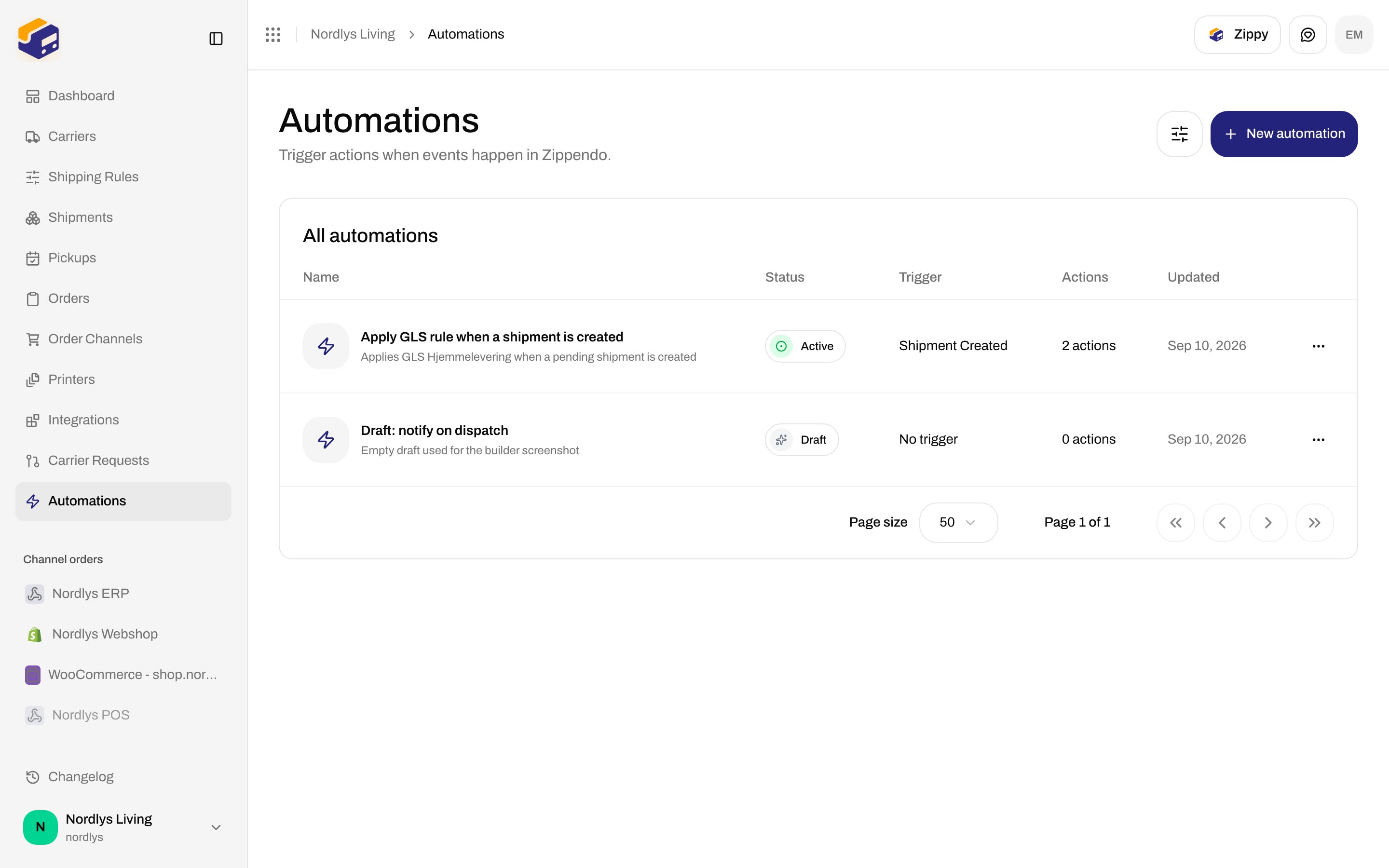
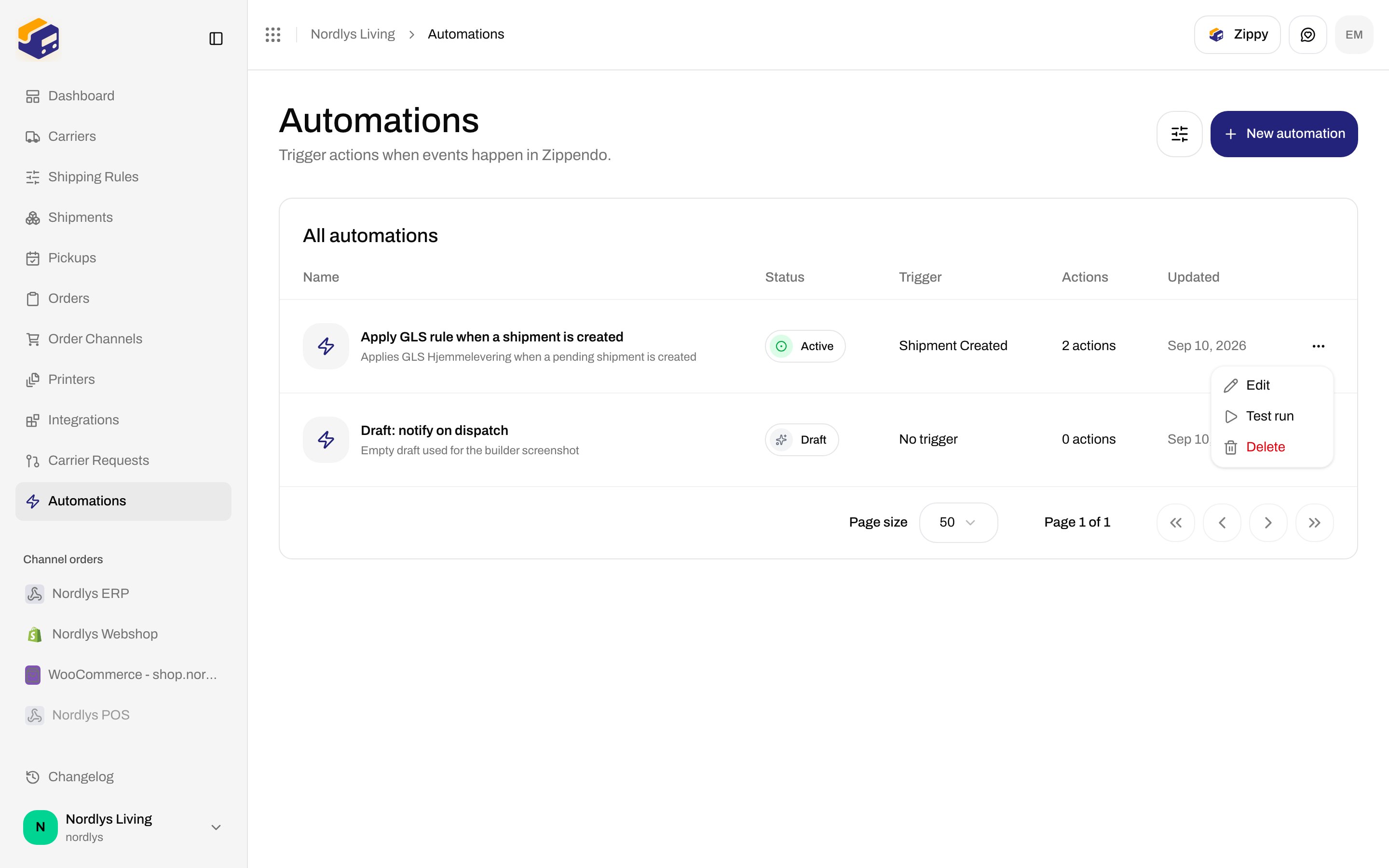
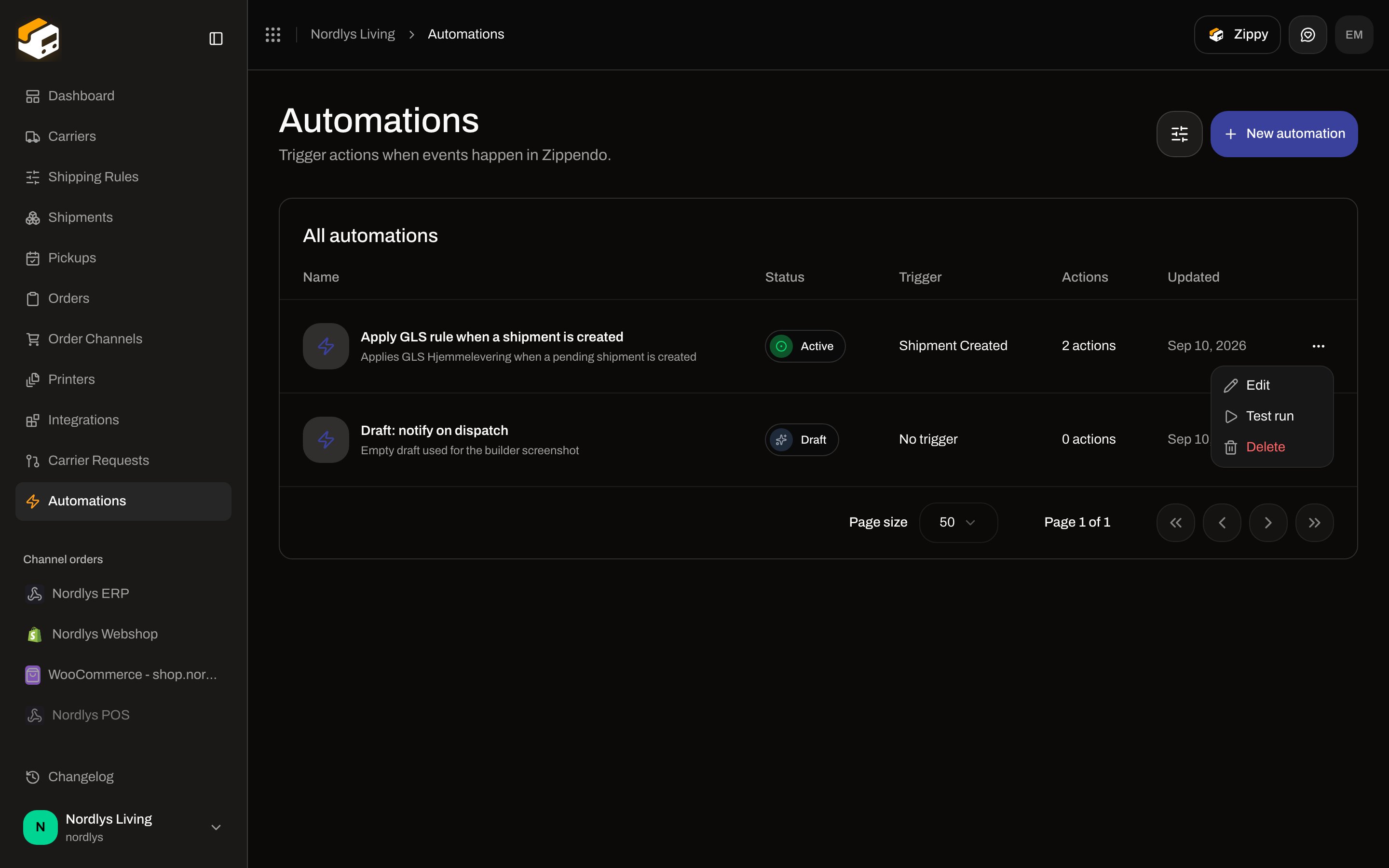
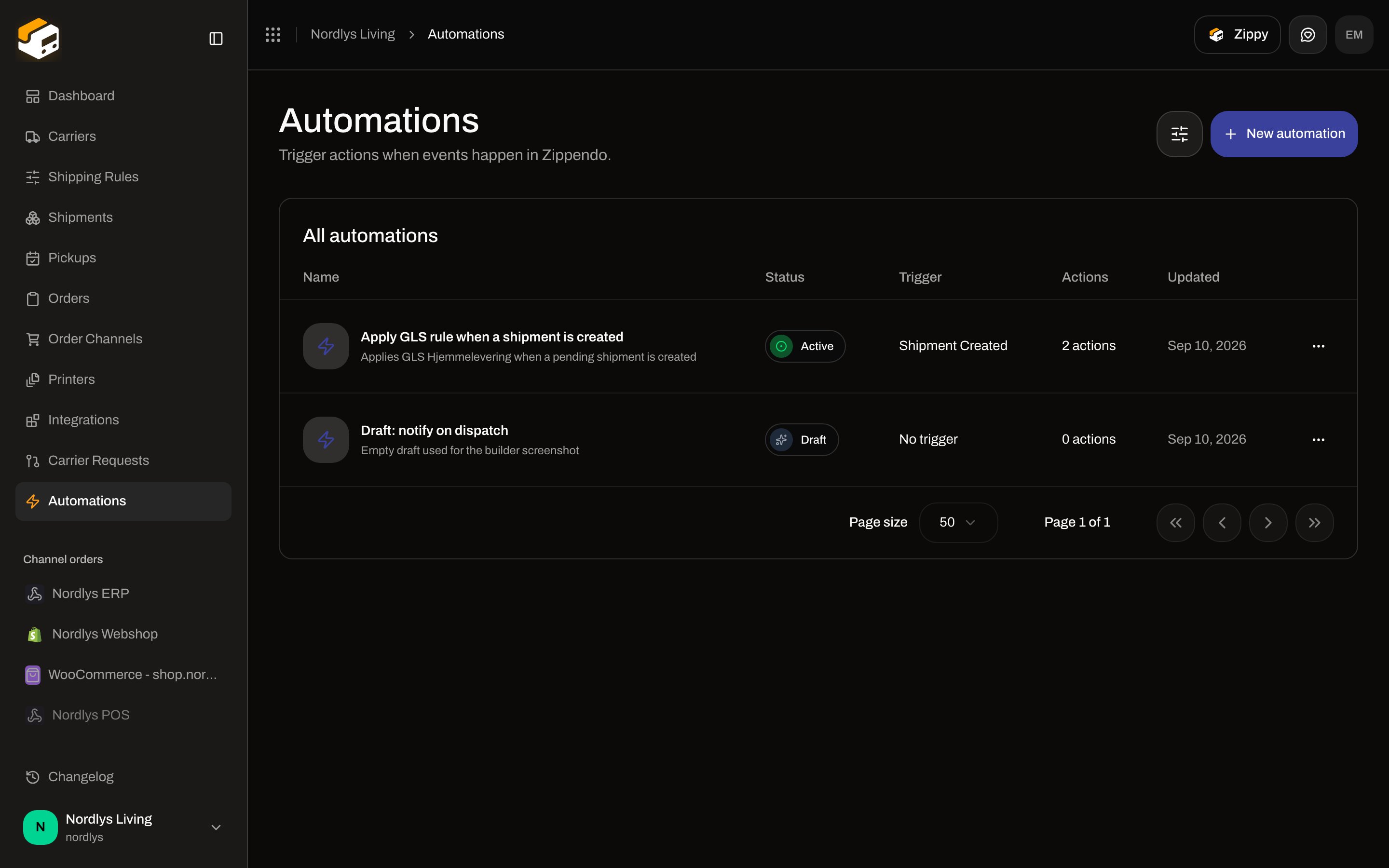 Page title **Automations**. Description: **Trigger actions when events happen in Zippendo.** The table heading is **All automations**.
## List
### Columns
| Column | What it shows |
| ----------- | -------------------------------------------------------------------------------------- |
| **Name** | Automation name (fallback **Untitled automation**) and optional description |
| **Brand** | Only when the org has [brands](/docs/how-to/create-a-brand) and you are not in a brand view |
| **Status** | **Active** (green), **Paused** (orange), or **Draft** (gray) |
| **Trigger** | Registry label of the trigger node, or **No trigger** |
| **Actions** | **1 action** / **N actions** — count of `action.*` nodes only |
| **Updated** | Last updated date |
### Filters
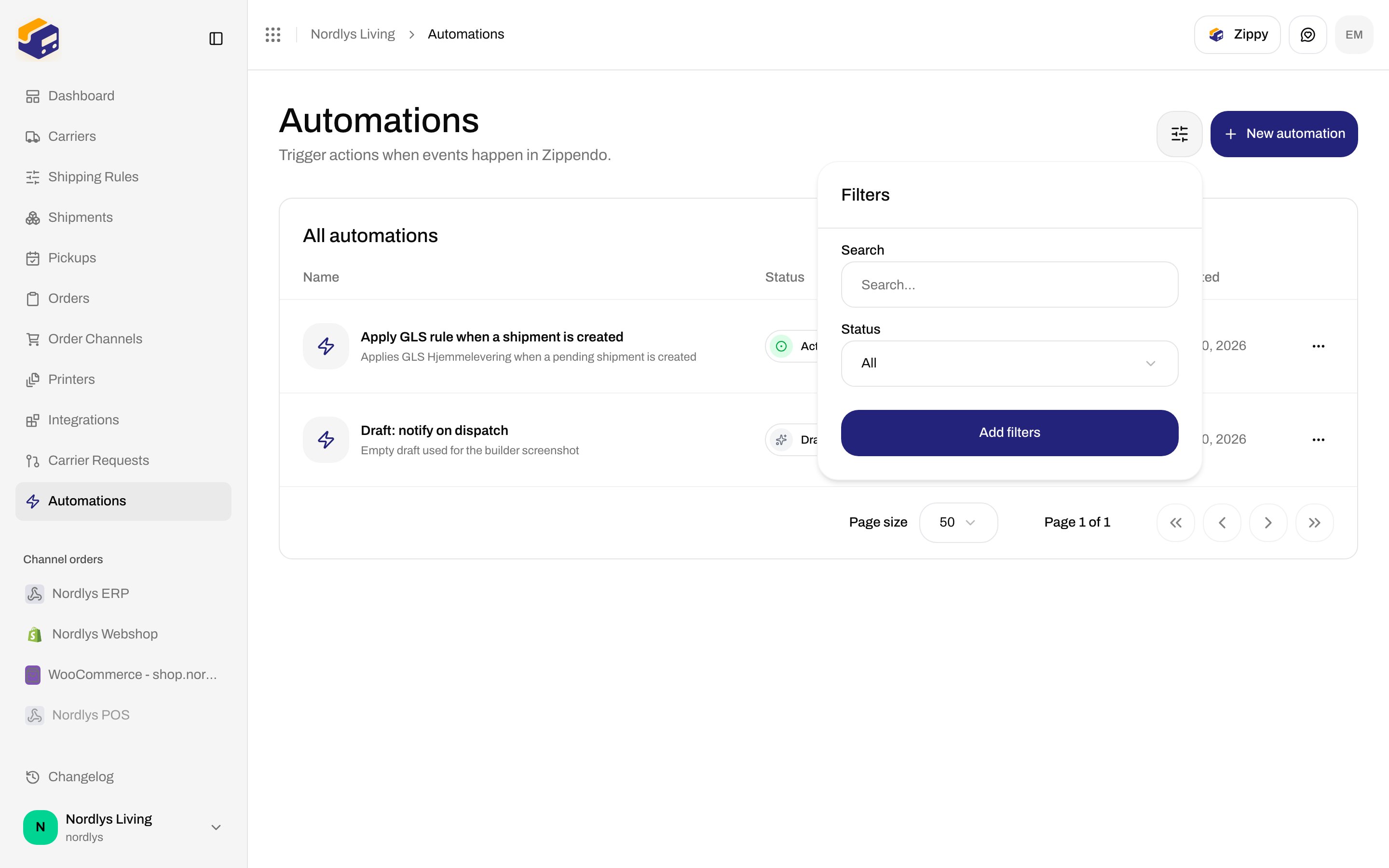
Header filter (`data-testid="filters.trigger"`). Shared chrome: [Search and filters](/docs/how-to/search-and-filters).
| Control | Options |
| ----------------- | --------------------------------------------------- |
| **Search** | Placeholder **Search…**. Matches automation name. |
| **Status** | **Draft**, **Active**, **Paused** |
| **Brand** / scope | Same brand filter as other lists, when brands exist |
Apply with **Add filters**.
Page title **Automations**. Description: **Trigger actions when events happen in Zippendo.** The table heading is **All automations**.
## List
### Columns
| Column | What it shows |
| ----------- | -------------------------------------------------------------------------------------- |
| **Name** | Automation name (fallback **Untitled automation**) and optional description |
| **Brand** | Only when the org has [brands](/docs/how-to/create-a-brand) and you are not in a brand view |
| **Status** | **Active** (green), **Paused** (orange), or **Draft** (gray) |
| **Trigger** | Registry label of the trigger node, or **No trigger** |
| **Actions** | **1 action** / **N actions** — count of `action.*` nodes only |
| **Updated** | Last updated date |
### Filters
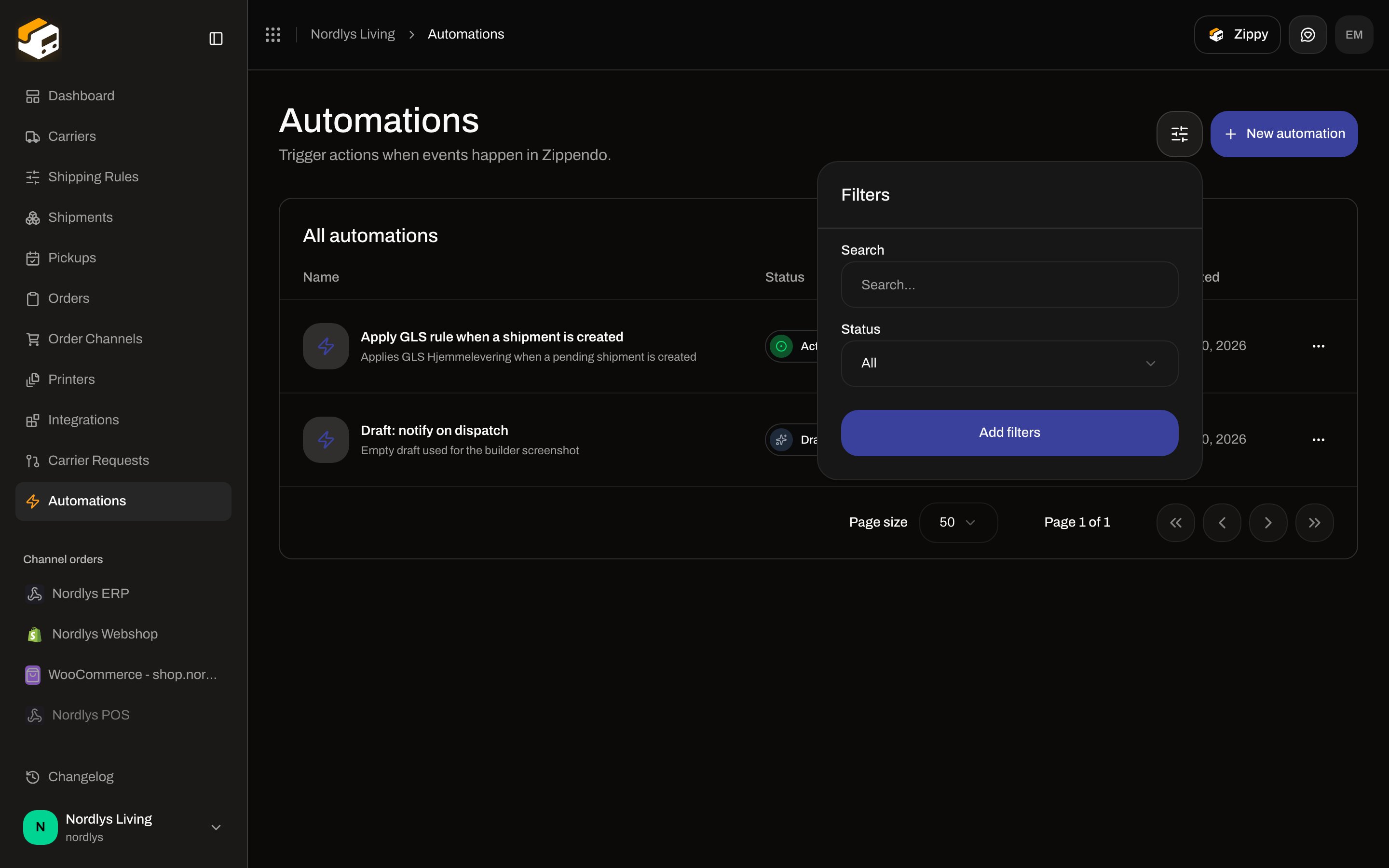
Header filter (`data-testid="filters.trigger"`). Shared chrome: [Search and filters](/docs/how-to/search-and-filters).
| Control | Options |
| ----------------- | --------------------------------------------------- |
| **Search** | Placeholder **Search…**. Matches automation name. |
| **Status** | **Draft**, **Active**, **Paused** |
| **Brand** / scope | Same brand filter as other lists, when brands exist |
Apply with **Add filters**.
 ### Empty state
When the API returns no rows: icon, title **No automations yet**, description **Create your first automation to run actions when shipments are dispatched.** Button **Create automation** (opens the same modal as **New automation**).
### Row menu
`data-testid="table.row-actions"`:
| Item | What it does |
| ------------ | ------------------------------------------------------------------------------------------------------------------------------------------------------------------------------ |
| **Edit** | Opens the builder |
| **Test run** | Enqueues a manual run (`event: manual.test`, empty payload). Toast **Test run started** or **Test run failed**. The API rejects an empty graph (**The request was invalid.**). |
| **Delete** | Opens **Delete automation** |
### Empty state
When the API returns no rows: icon, title **No automations yet**, description **Create your first automation to run actions when shipments are dispatched.** Button **Create automation** (opens the same modal as **New automation**).
### Row menu
`data-testid="table.row-actions"`:
| Item | What it does |
| ------------ | ------------------------------------------------------------------------------------------------------------------------------------------------------------------------------ |
| **Edit** | Opens the builder |
| **Test run** | Enqueues a manual run (`event: manual.test`, empty payload). Toast **Test run started** or **Test run failed**. The API rejects an empty graph (**The request was invalid.**). |
| **Delete** | Opens **Delete automation** |
 ## Create
Click **New automation**. Modal id `create-automation-modal`. Title **New automation**. Subtitle: **Start with a shipment.dispatched trigger and wire up actions on the canvas.** That subtitle is copy only — the saved graph starts empty. You add a trigger yourself.
## Create
Click **New automation**. Modal id `create-automation-modal`. Title **New automation**. Subtitle: **Start with a shipment.dispatched trigger and wire up actions on the canvas.** That subtitle is copy only — the saved graph starts empty. You add a trigger yourself.
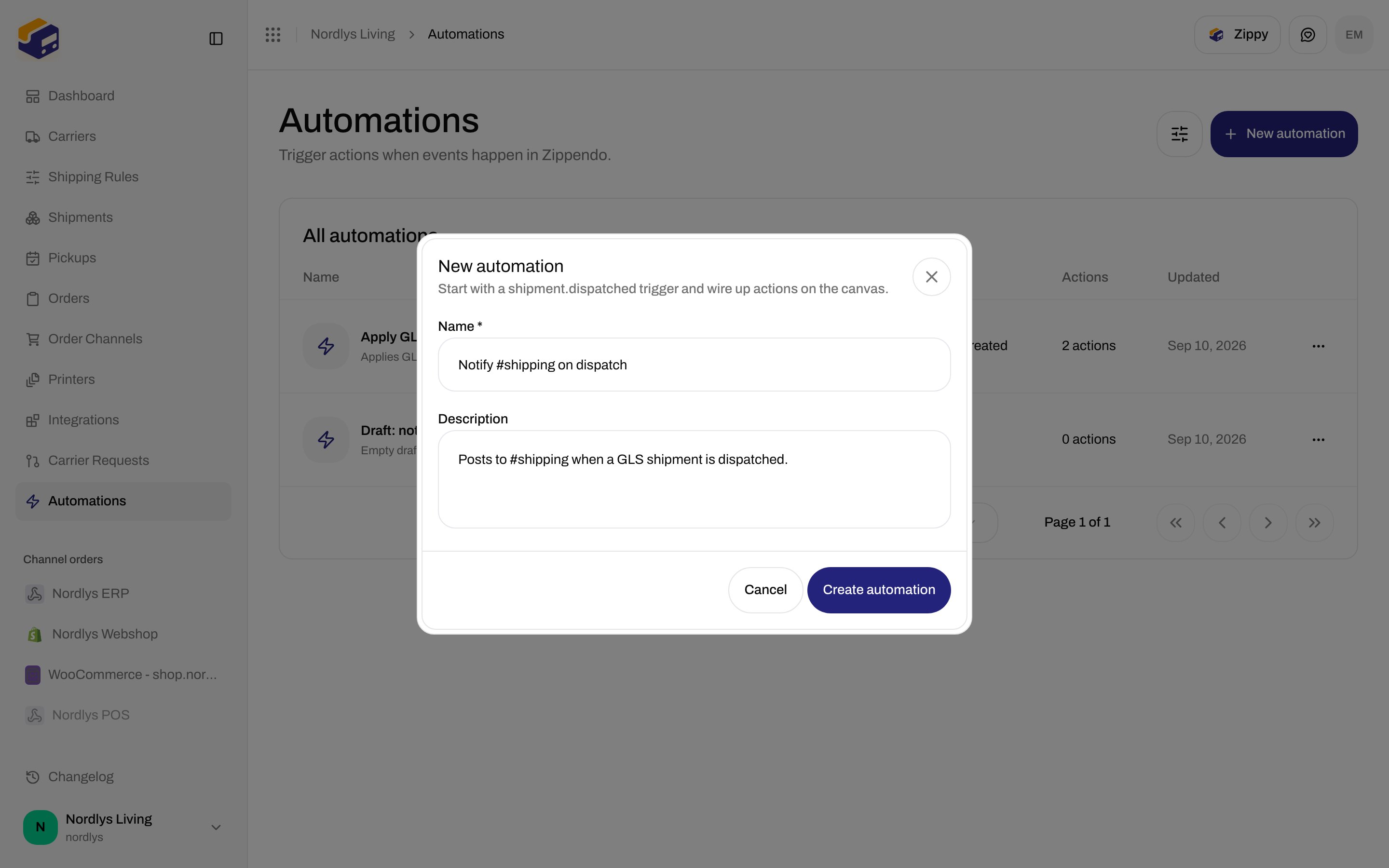
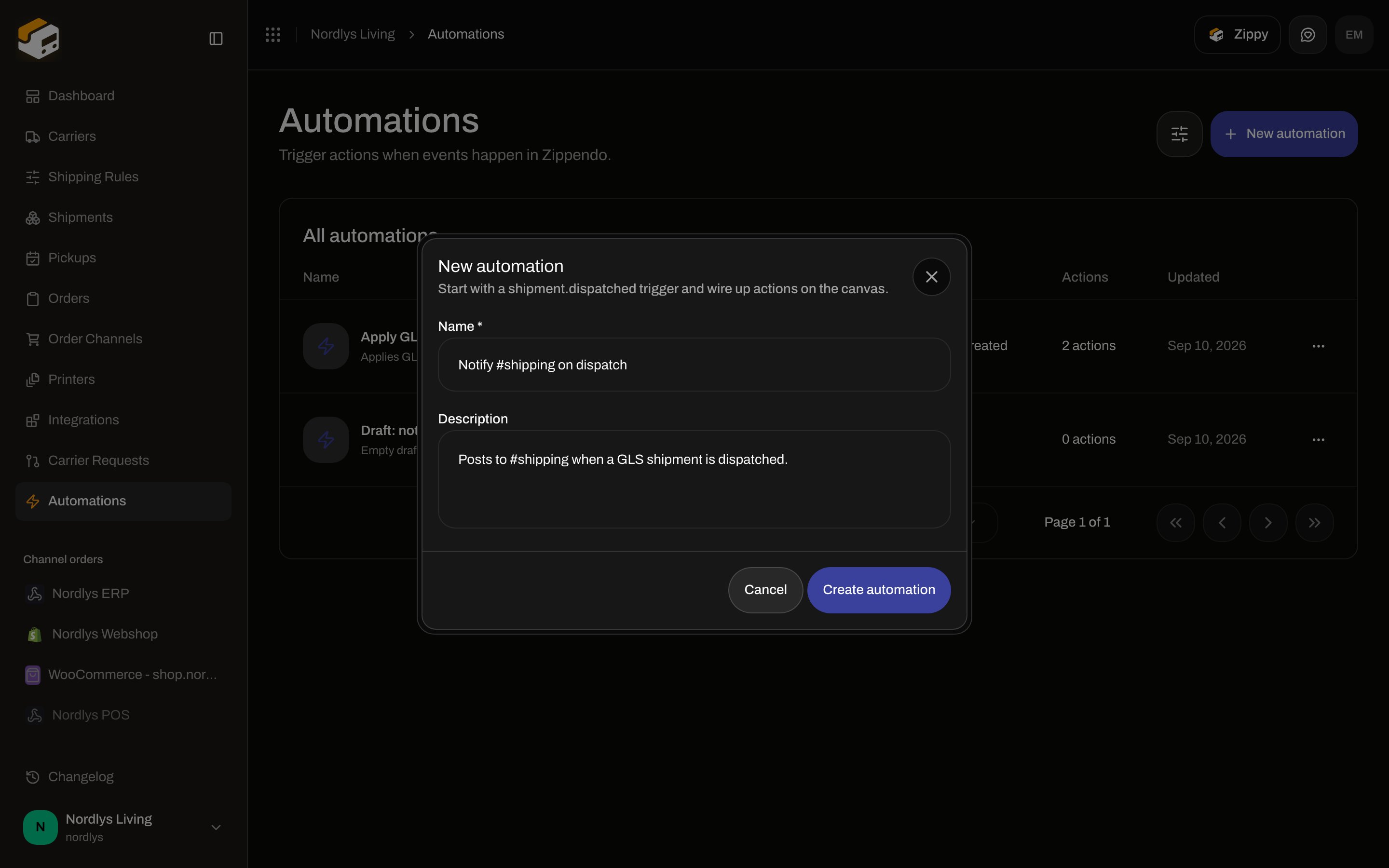 | Field | Required | Limits | Placeholder / helper |
| --------------- | -------- | ------------------------------------------------------------------------------------------------------------------------------------------------------------------------------------------------------ | ------------------------------------- |
| **Name \*** | Yes | 1–100 characters. **Create automation** stays disabled until the name is non-empty after trim. | **e.g. Notify #shipping on dispatch** |
| **Description** | No | Max 500. Empty string is stored as `null`. | **What does this automation do?** |
| **Brand** | No | Only when the org has brands and you are in the house view. Label **Brand**. Helper: **This automation runs only for this brand's events.** Unset = organization-wide (runs for every brand's events). | Hidden when you have no brands |
Actions: **Create automation** / **Cancel**. Success toast **Automation created**; you land on the builder. Failure toast **Failed to create automation**, or the API code (plan cap: **You have reached your plan limit for this resource.**).
Create always stores **Draft**, `triggerType` empty, `graph: { nodes: [], edges: [] }`.
Plan caps (from **Manage → Pricing Plans**): Standard **5 automations**, Growth **20**, Pro **50**. Hitting the cap opens **Unlock more automations** — **You've reached your plan's automation limit. Upgrade to build more automated workflows.** See [Billing and usage](/docs/how-to/billing-and-usage).
## Enable, pause, and rename
Status in the list is **Draft** / **Active** / **Paused**.
In the builder the status control is a two-state toggle:
| Shown label | Tooltip | Next status |
| ----------- | --------------------- | ----------- |
| **Paused** | **Click to activate** | **Active** |
| **Active** | **Click to pause** | **Paused** |
A **Draft** shows **Paused** on this toggle. The first successful click writes **Active**. There is no control that returns an automation to **Draft**.
The toggle is disabled with **Fix validation issues to activate** when the graph has issues and the automation is not already active. Activating with an invalid graph returns **VALIDATION\_FAILED** (**One or more fields are invalid.**) plus the issue messages.
Click the title in the top bar to rename (Enter commits, Escape cancels). Empty rename reverts.
**Save** writes the graph. It stays **Saved** until the canvas is dirty. **Save** is disabled until you change something. Saving with validation issues toasts **Can't save — fix issues first**.
## Delete
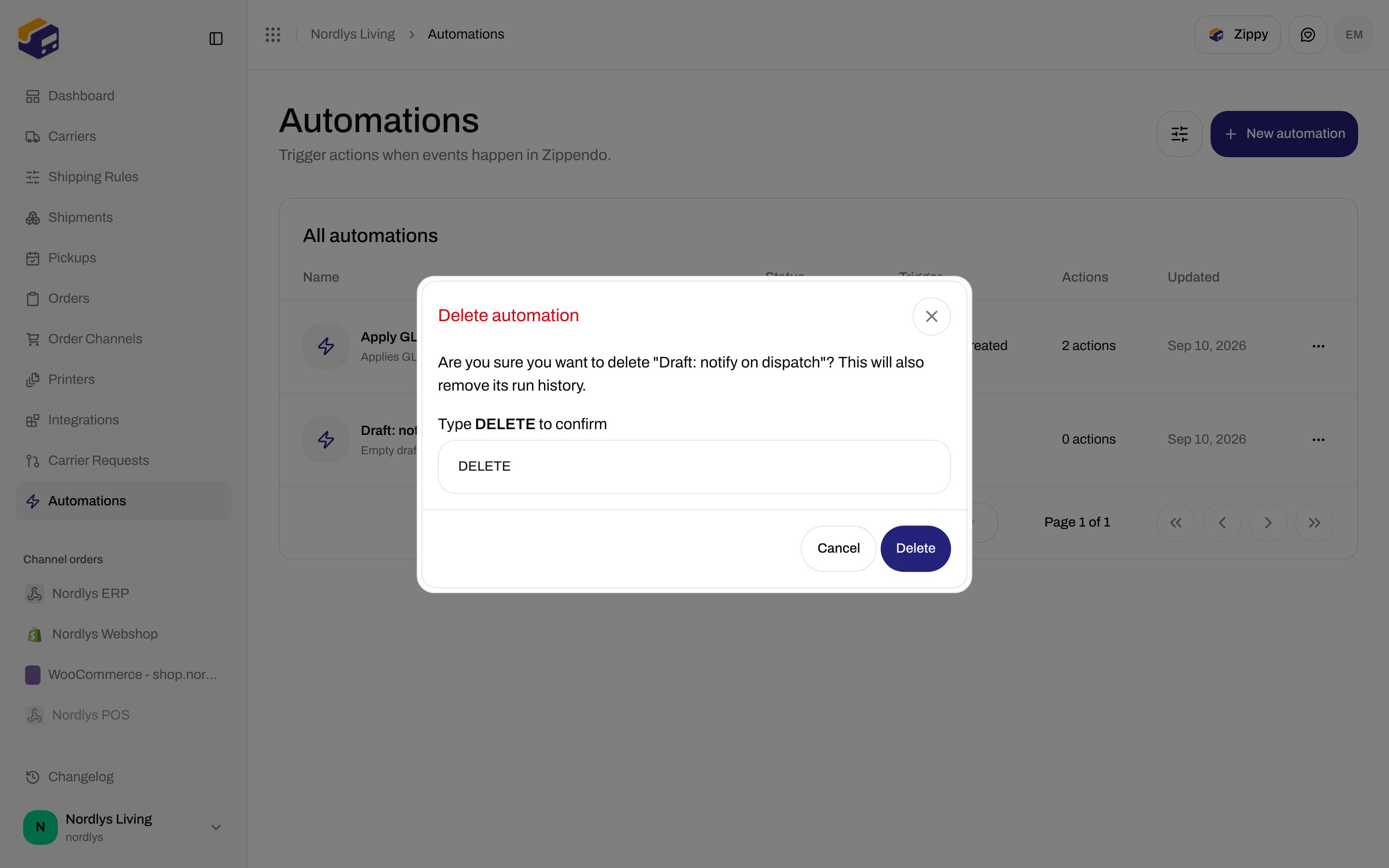
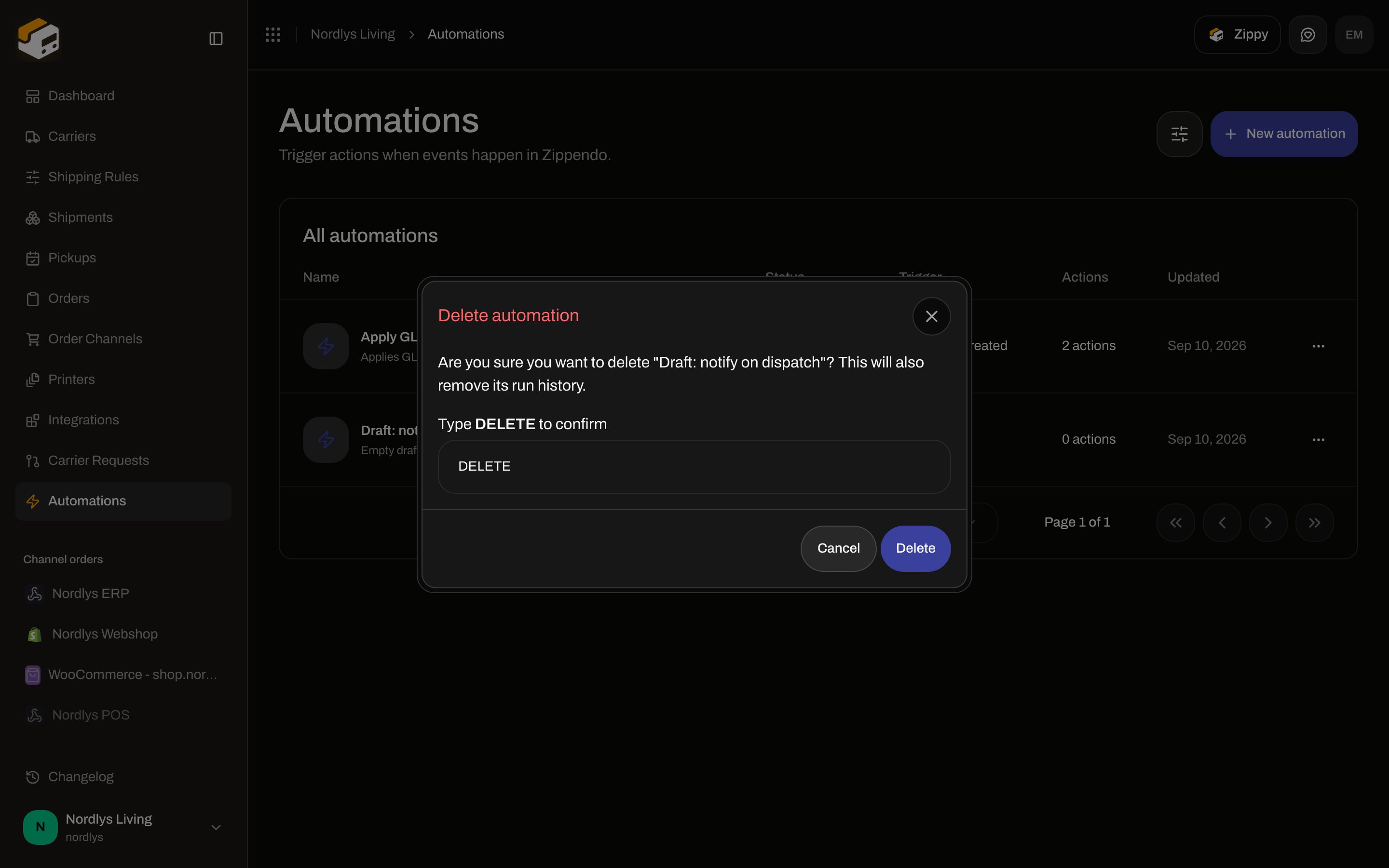
Row menu **Delete**. Title **Delete automation**. Body: **Are you sure you want to delete "{name}"? This will also remove its run history.** Type **DELETE** to enable **Delete**. Toast **Automation deleted** / **Failed to delete automation**.
| Field | Required | Limits | Placeholder / helper |
| --------------- | -------- | ------------------------------------------------------------------------------------------------------------------------------------------------------------------------------------------------------ | ------------------------------------- |
| **Name \*** | Yes | 1–100 characters. **Create automation** stays disabled until the name is non-empty after trim. | **e.g. Notify #shipping on dispatch** |
| **Description** | No | Max 500. Empty string is stored as `null`. | **What does this automation do?** |
| **Brand** | No | Only when the org has brands and you are in the house view. Label **Brand**. Helper: **This automation runs only for this brand's events.** Unset = organization-wide (runs for every brand's events). | Hidden when you have no brands |
Actions: **Create automation** / **Cancel**. Success toast **Automation created**; you land on the builder. Failure toast **Failed to create automation**, or the API code (plan cap: **You have reached your plan limit for this resource.**).
Create always stores **Draft**, `triggerType` empty, `graph: { nodes: [], edges: [] }`.
Plan caps (from **Manage → Pricing Plans**): Standard **5 automations**, Growth **20**, Pro **50**. Hitting the cap opens **Unlock more automations** — **You've reached your plan's automation limit. Upgrade to build more automated workflows.** See [Billing and usage](/docs/how-to/billing-and-usage).
## Enable, pause, and rename
Status in the list is **Draft** / **Active** / **Paused**.
In the builder the status control is a two-state toggle:
| Shown label | Tooltip | Next status |
| ----------- | --------------------- | ----------- |
| **Paused** | **Click to activate** | **Active** |
| **Active** | **Click to pause** | **Paused** |
A **Draft** shows **Paused** on this toggle. The first successful click writes **Active**. There is no control that returns an automation to **Draft**.
The toggle is disabled with **Fix validation issues to activate** when the graph has issues and the automation is not already active. Activating with an invalid graph returns **VALIDATION\_FAILED** (**One or more fields are invalid.**) plus the issue messages.
Click the title in the top bar to rename (Enter commits, Escape cancels). Empty rename reverts.
**Save** writes the graph. It stays **Saved** until the canvas is dirty. **Save** is disabled until you change something. Saving with validation issues toasts **Can't save — fix issues first**.
## Delete
Row menu **Delete**. Title **Delete automation**. Body: **Are you sure you want to delete "{name}"? This will also remove its run history.** Type **DELETE** to enable **Delete**. Toast **Automation deleted** / **Failed to delete automation**.
 ## Builder
`/{org}/dashboard/automations/:id`. Full viewport — no app sidebar. On viewports below `md`: title **The automation builder isn't available on mobile**, description **Open Zippendo on a computer to create and edit automations.**, button **Back to automations**.
Missing automation: **Automation not found** / **It may have been deleted.** / **Back to automations**.
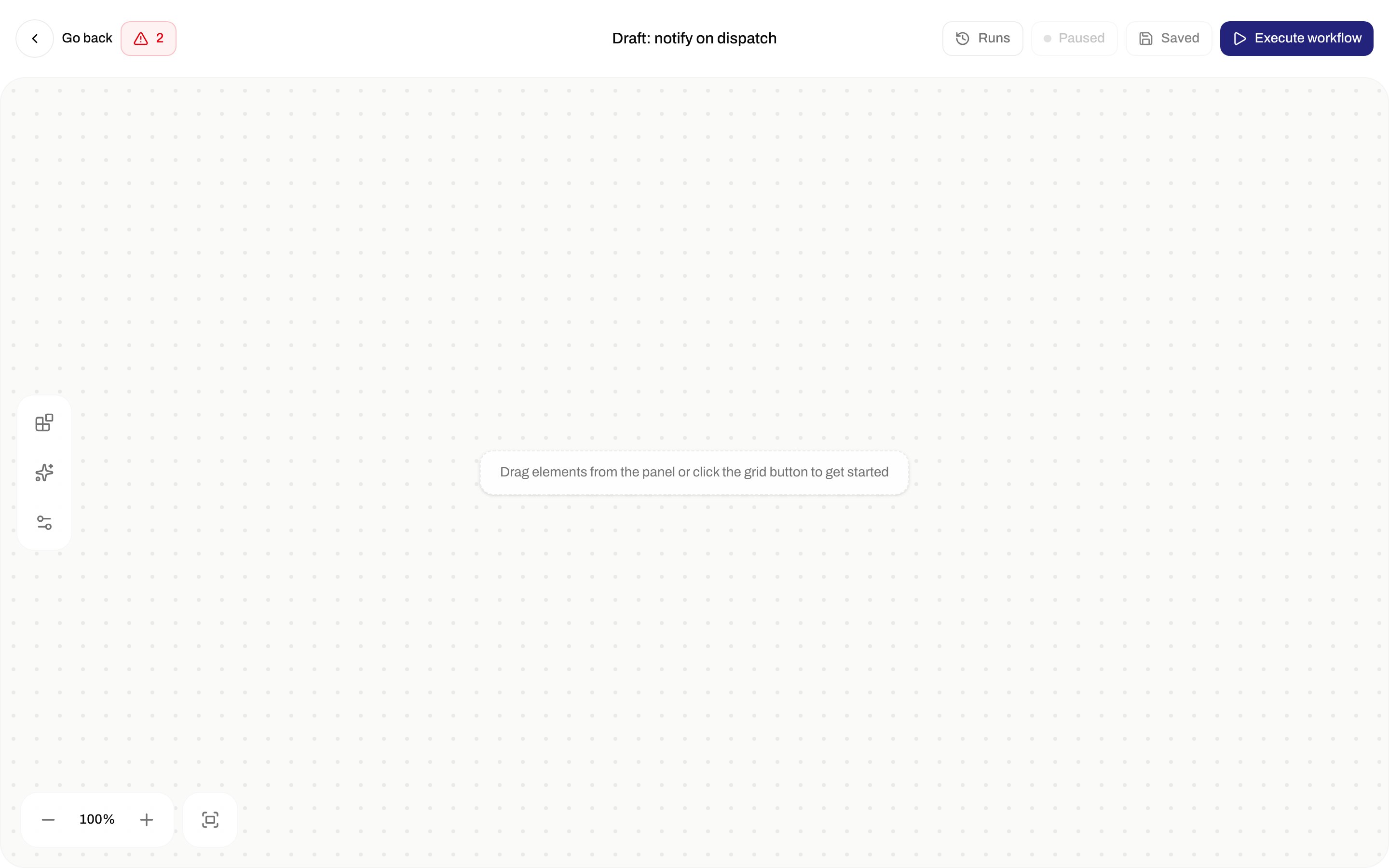
Empty canvas hint: **Drag elements from the panel or click the grid button to get started**.
## Builder
`/{org}/dashboard/automations/:id`. Full viewport — no app sidebar. On viewports below `md`: title **The automation builder isn't available on mobile**, description **Open Zippendo on a computer to create and edit automations.**, button **Back to automations**.
Missing automation: **Automation not found** / **It may have been deleted.** / **Back to automations**.
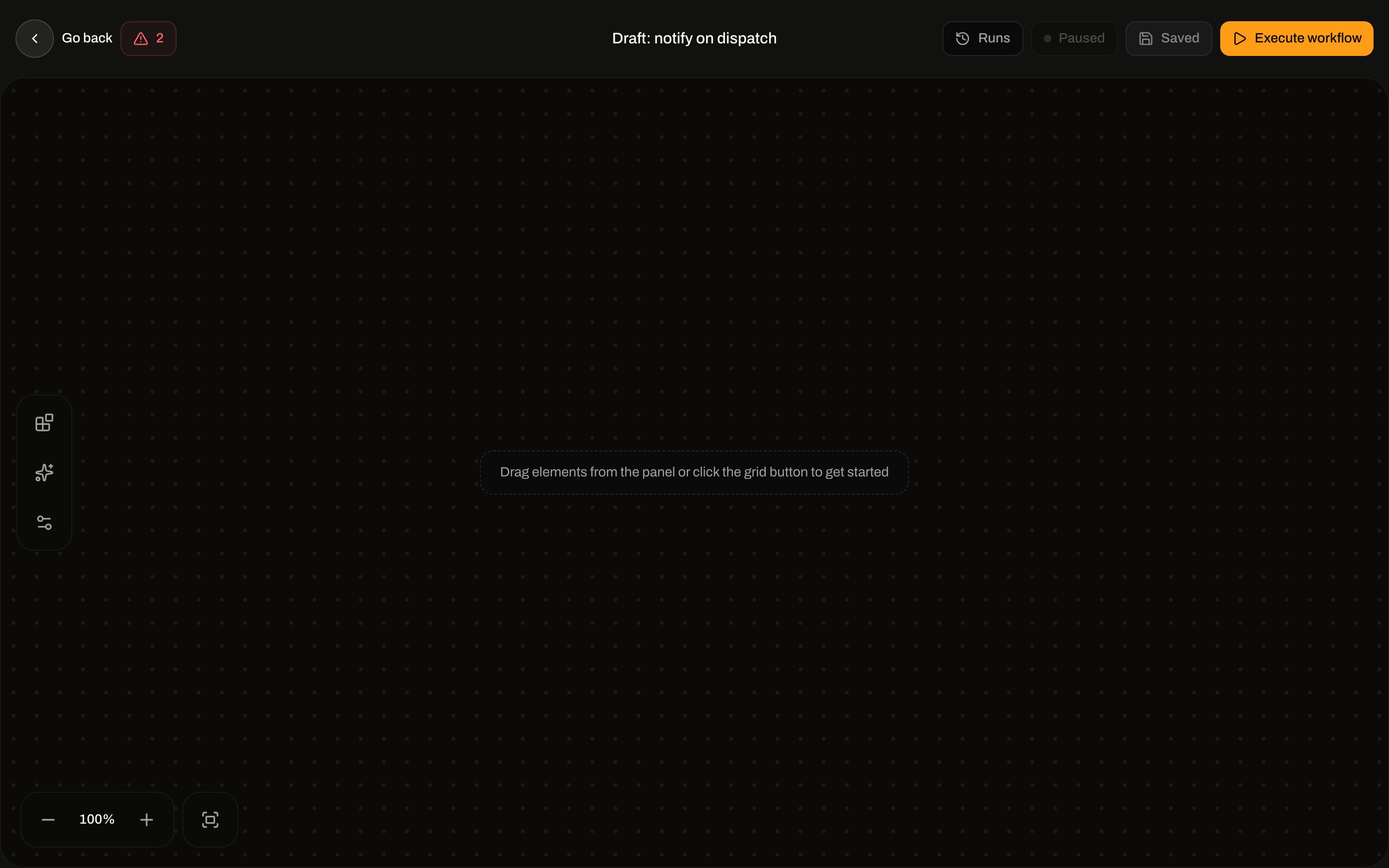
Empty canvas hint: **Drag elements from the panel or click the grid button to get started**.
 ### Top bar
| Control | Label |
| -------------------- | ------------------------------------------------------------------------------------------------------------------------------------------------------------------------------------------------- |
| Back | **Go back** (to the list) |
| Issues | Count badge when validation fails. Popover title **1 issue blocking activation** / **N issues blocking activation**. Each row is the issue message; **Click to jump to node** or **Graph-level**. |
| Title | Click to rename |
| **Runs** | Recent runs popover |
| Status toggle | **Active** / **Paused** (see above) |
| **Save** / **Saved** | Persist graph |
| **Execute workflow** | Same test run as the list **Test run**. Toasts **Can't run — fix issues first** when validation fails. Unsaved dirty graphs are saved first. |
### Left rail
| Button (`aria-label`) | What it does |
| ----------------------------------------- | -------------------------------------------------------------------------------------------------------------------------------------------------------------------- |
| **Elements** | Opens the node palette. Closes the inspector. |
| **Auto layout** | **Vertical flow** or **Horizontal flow**. Empty canvas toasts **Add some nodes first to auto-layout**. Success: **Arranged vertically** / **Arranged horizontally**. |
| **Canvas settings** | Local preferences (see below) |
| **Zoom out** / **Zoom in** / **Fit view** | Canvas zoom |
### Canvas settings
Popover title **Canvas**. Description **Preferences for building workflows**. Stored in `localStorage` as `zippendo-automation-canvas-settings`.
| Toggle | Default | Description |
| -------------------------- | ------- | ---------------------------------------- |
| **Snap to grid** | On | Align nodes to a grid when dragging. |
| **Animate connections** | On | Show flow animation on connection lines. |
| **Show background grid** | On | Display dot grid behind the canvas. |
| **Always show connectors** | Off | Keep connection points visible on nodes. |
### Elements palette
Title **Nodes**. Groups **Triggers**, **Actions**, **Conditions**, **Flow** (with a count). Click or drag onto the canvas. A singleton already on the canvas (every trigger is singleton — one per graph) shows badge **Added** and cannot be added again.
Empty search: **No elements match** / **Try a different search term.** (search input is not shown in the current palette.)
### Top bar
| Control | Label |
| -------------------- | ------------------------------------------------------------------------------------------------------------------------------------------------------------------------------------------------- |
| Back | **Go back** (to the list) |
| Issues | Count badge when validation fails. Popover title **1 issue blocking activation** / **N issues blocking activation**. Each row is the issue message; **Click to jump to node** or **Graph-level**. |
| Title | Click to rename |
| **Runs** | Recent runs popover |
| Status toggle | **Active** / **Paused** (see above) |
| **Save** / **Saved** | Persist graph |
| **Execute workflow** | Same test run as the list **Test run**. Toasts **Can't run — fix issues first** when validation fails. Unsaved dirty graphs are saved first. |
### Left rail
| Button (`aria-label`) | What it does |
| ----------------------------------------- | -------------------------------------------------------------------------------------------------------------------------------------------------------------------- |
| **Elements** | Opens the node palette. Closes the inspector. |
| **Auto layout** | **Vertical flow** or **Horizontal flow**. Empty canvas toasts **Add some nodes first to auto-layout**. Success: **Arranged vertically** / **Arranged horizontally**. |
| **Canvas settings** | Local preferences (see below) |
| **Zoom out** / **Zoom in** / **Fit view** | Canvas zoom |
### Canvas settings
Popover title **Canvas**. Description **Preferences for building workflows**. Stored in `localStorage` as `zippendo-automation-canvas-settings`.
| Toggle | Default | Description |
| -------------------------- | ------- | ---------------------------------------- |
| **Snap to grid** | On | Align nodes to a grid when dragging. |
| **Animate connections** | On | Show flow animation on connection lines. |
| **Show background grid** | On | Display dot grid behind the canvas. |
| **Always show connectors** | Off | Keep connection points visible on nodes. |
### Elements palette
Title **Nodes**. Groups **Triggers**, **Actions**, **Conditions**, **Flow** (with a count). Click or drag onto the canvas. A singleton already on the canvas (every trigger is singleton — one per graph) shows badge **Added** and cannot be added again.
Empty search: **No elements match** / **Try a different search term.** (search input is not shown in the current palette.)
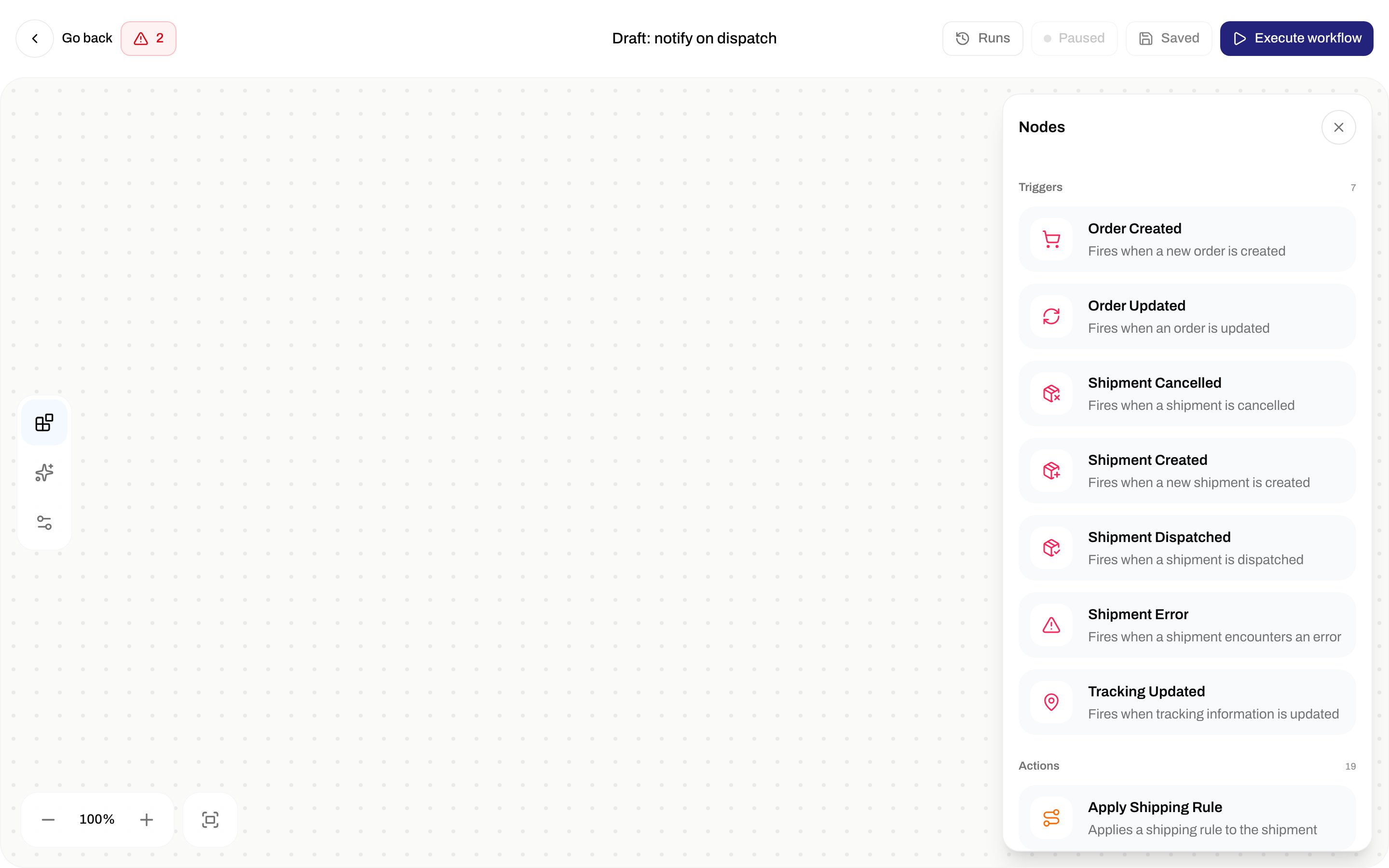
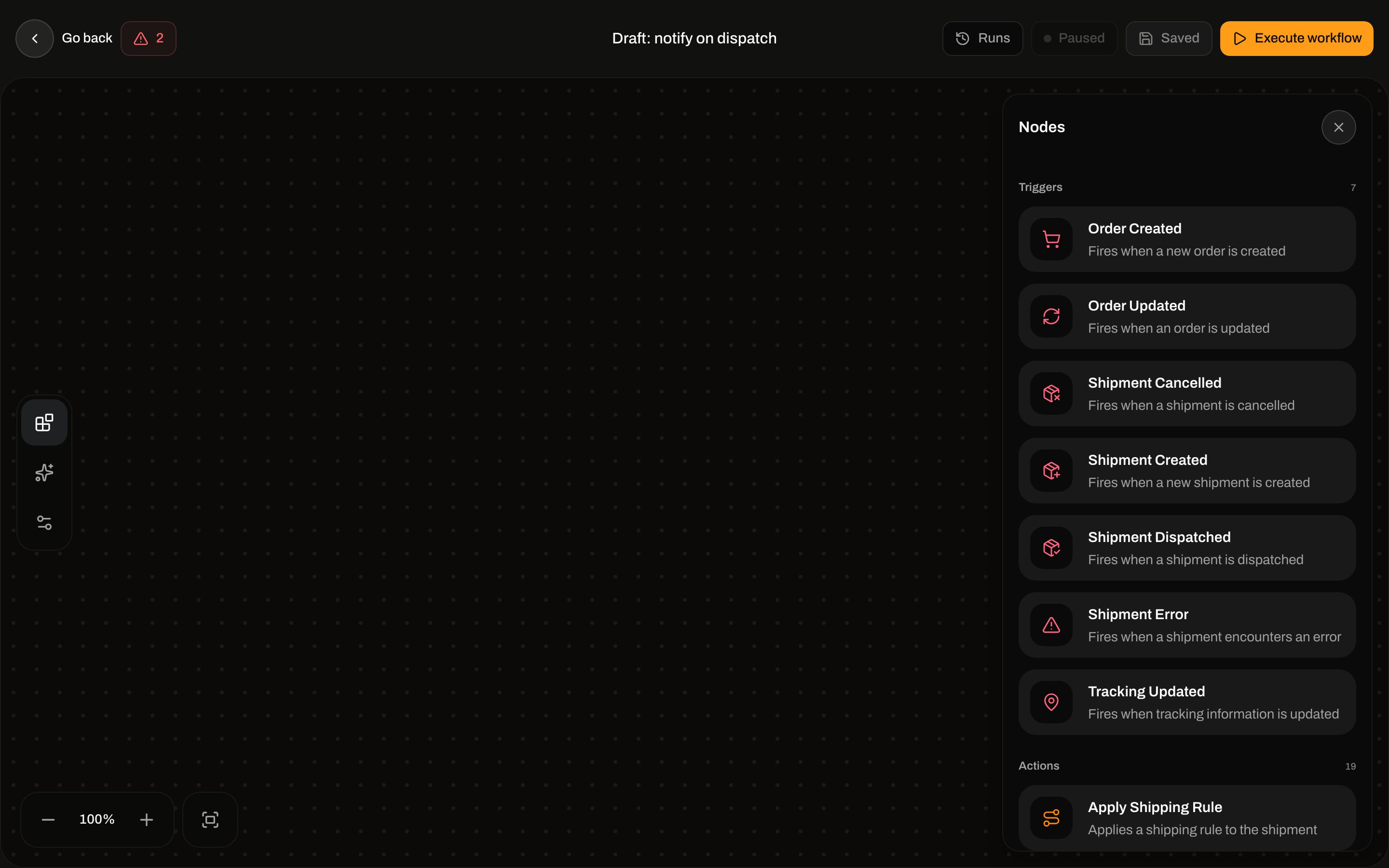 Palette names and descriptions come from the node registry (English). Canvas subtitles are the registry **category** (Shipments, Orders, Tracking, Integrations, Printing, Logic, Flow).
Non-trigger nodes have **Remove node** in the inspector footer.
Palette names and descriptions come from the node registry (English). Canvas subtitles are the registry **category** (Shipments, Orders, Tracking, Integrations, Printing, Logic, Flow).
Non-trigger nodes have **Remove node** in the inspector footer.
 ## Validation (blocks save, activate, and Execute workflow)
| Message | When |
| -------------------------------------------------- | -------------------------------------------------------------- |
| **Automation must have a trigger node** | No `trigger.*` node |
| **Only one trigger node is allowed** | Second trigger |
| **Add at least one Exit node to end the workflow** | No **Exit** |
| **Trigger nodes cannot have incoming connections** | Edge into a trigger |
| **Exit nodes cannot have outgoing connections** | Edge out of **Exit** |
| **Exit node must be connected to the workflow** | **Exit** with no incoming edge |
| **Connect both True and False branches** | **Field Match** or **Branch** missing a `true` or `false` edge |
| **Connect this node to another step or an Exit** | Any non-exit node with no outgoing edge |
| **Node is not connected to the trigger** | Unreachable from the trigger |
| **No path from the trigger reaches an Exit node** | Exits exist but none is reachable |
| Zod config errors | Incomplete inspector fields (see each node) |
## Templates
Text fields that mention `{{field}}` interpolate with `{{path}}` or `{{ nested.path }}` (dot notation). Missing paths become empty strings.
The inspector **Sample payload** for shipment/order triggers is flattened (`reference`, `orderNumber`). Live events are nested:
| Trigger | Use in templates |
| ---------------------------------------------- | ---------------------------------------------------------------------------------------------------------------------- |
| **Shipment Created** / **Shipment Dispatched** | `{{shipment.id}}`, `{{shipment.reference}}`, `{{shipment.status}}` |
| **Shipment Cancelled** | `{{shipment.id}}`, `{{shipment.reference}}` |
| **Shipment Error** | Flat `{{shipmentId}}`, `{{reference}}`, `{{errorMessage}}` and nested `{{shipment.id}}` |
| **Order Created** / **Order Updated** | `{{order.id}}`, `{{order.orderNumber}}`, `{{order.status}}` |
| **Tracking Updated** | Flat `{{shipmentId}}`, `{{reference}}`, `{{trackingNumber}}`, `{{carrier}}`, `{{trackingStatus}}`, `{{trackingEvent}}` |
Shipment actions still resolve the shipment via `shipmentId` or `shipment.id`. Field Match on `carrier` does **not** match a nested `shipment` payload — use a path that exists on the event (for example `shipment.status`).
There is **no** **Shipment Updated** trigger. `shipment.updated` is an app webhook event only — see [Webhooks](/docs/how-to/webhooks).
## Triggers
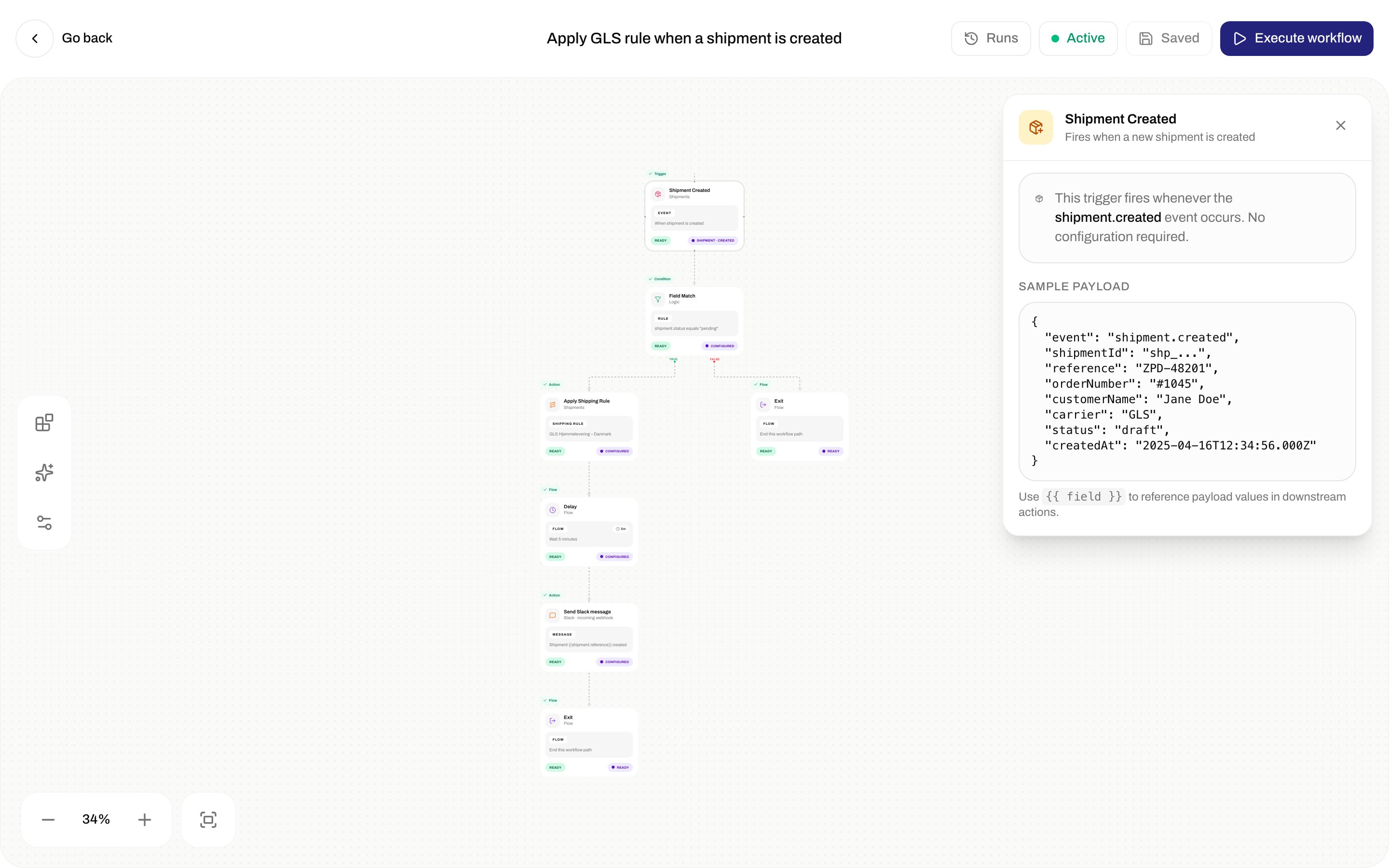
Every trigger: no inspector fields. Copy: **This trigger fires whenever the `{event}` event occurs. No configuration required.** Then **Sample payload** and **Use `{{ field }}` to reference payload values in downstream actions.**
Only **active** automations whose `triggerType` matches the event run. Brand-scoped automations run only for that brand's events; org-wide automations run for every brand.
## Validation (blocks save, activate, and Execute workflow)
| Message | When |
| -------------------------------------------------- | -------------------------------------------------------------- |
| **Automation must have a trigger node** | No `trigger.*` node |
| **Only one trigger node is allowed** | Second trigger |
| **Add at least one Exit node to end the workflow** | No **Exit** |
| **Trigger nodes cannot have incoming connections** | Edge into a trigger |
| **Exit nodes cannot have outgoing connections** | Edge out of **Exit** |
| **Exit node must be connected to the workflow** | **Exit** with no incoming edge |
| **Connect both True and False branches** | **Field Match** or **Branch** missing a `true` or `false` edge |
| **Connect this node to another step or an Exit** | Any non-exit node with no outgoing edge |
| **Node is not connected to the trigger** | Unreachable from the trigger |
| **No path from the trigger reaches an Exit node** | Exits exist but none is reachable |
| Zod config errors | Incomplete inspector fields (see each node) |
## Templates
Text fields that mention `{{field}}` interpolate with `{{path}}` or `{{ nested.path }}` (dot notation). Missing paths become empty strings.
The inspector **Sample payload** for shipment/order triggers is flattened (`reference`, `orderNumber`). Live events are nested:
| Trigger | Use in templates |
| ---------------------------------------------- | ---------------------------------------------------------------------------------------------------------------------- |
| **Shipment Created** / **Shipment Dispatched** | `{{shipment.id}}`, `{{shipment.reference}}`, `{{shipment.status}}` |
| **Shipment Cancelled** | `{{shipment.id}}`, `{{shipment.reference}}` |
| **Shipment Error** | Flat `{{shipmentId}}`, `{{reference}}`, `{{errorMessage}}` and nested `{{shipment.id}}` |
| **Order Created** / **Order Updated** | `{{order.id}}`, `{{order.orderNumber}}`, `{{order.status}}` |
| **Tracking Updated** | Flat `{{shipmentId}}`, `{{reference}}`, `{{trackingNumber}}`, `{{carrier}}`, `{{trackingStatus}}`, `{{trackingEvent}}` |
Shipment actions still resolve the shipment via `shipmentId` or `shipment.id`. Field Match on `carrier` does **not** match a nested `shipment` payload — use a path that exists on the event (for example `shipment.status`).
There is **no** **Shipment Updated** trigger. `shipment.updated` is an app webhook event only — see [Webhooks](/docs/how-to/webhooks).
## Triggers
Every trigger: no inspector fields. Copy: **This trigger fires whenever the `{event}` event occurs. No configuration required.** Then **Sample payload** and **Use `{{ field }}` to reference payload values in downstream actions.**
Only **active** automations whose `triggerType` matches the event run. Brand-scoped automations run only for that brand's events; org-wide automations run for every brand.
 ### Shipment Created
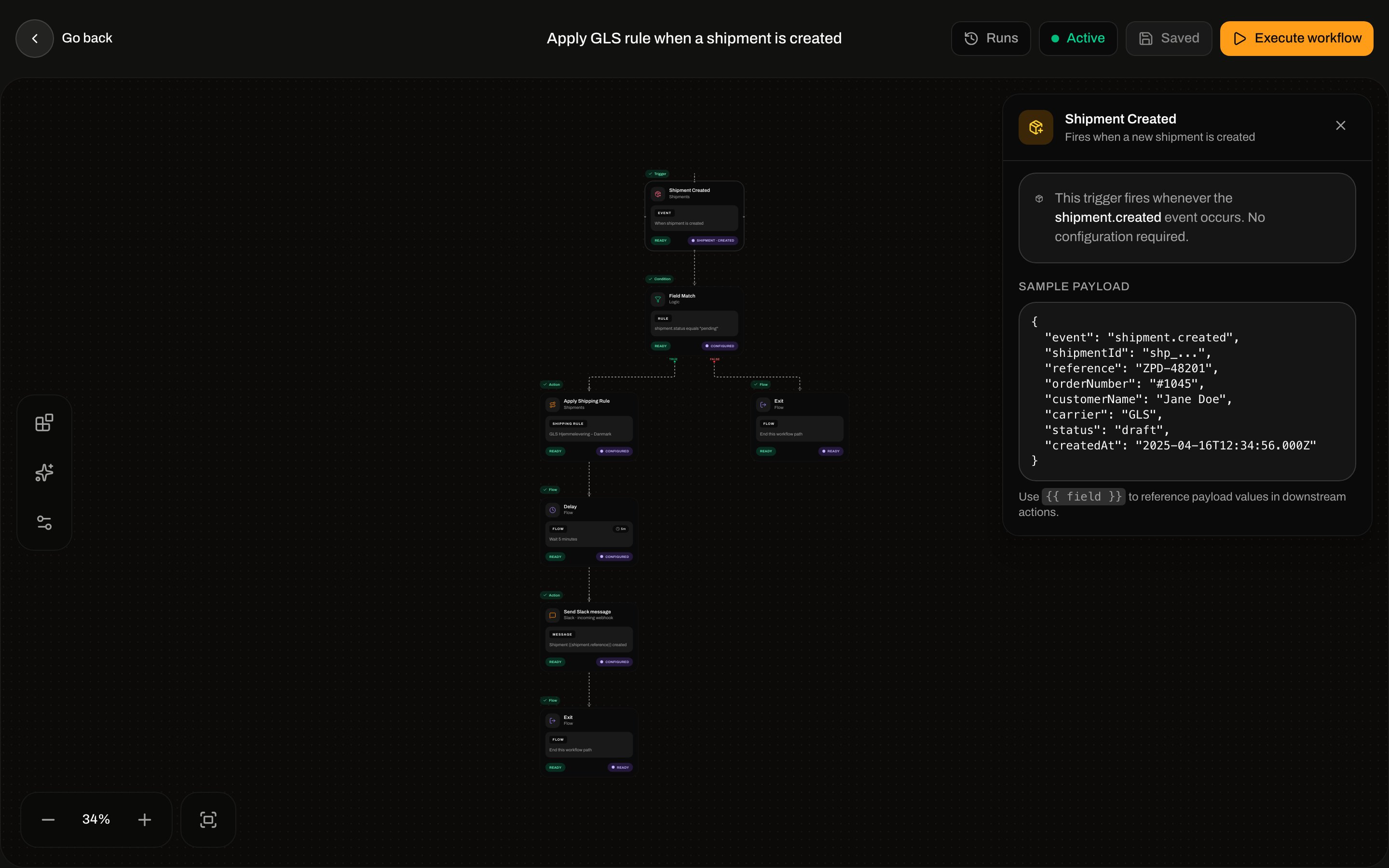
Registry: **Shipment Created** — **Fires when a new shipment is created**. Category **Shipments**. Event `shipment.created`. Fires when you create a shipment (dashboard or API).
Inspector sample: `shipmentId`, `reference`, `orderNumber`, `customerName`, `carrier`, `status`, `createdAt`. Live payload is `{ shipment: }`.
### Shipment Dispatched
Registry: **Shipment Dispatched** — **Fires when a shipment is dispatched**. Canvas label on this node: **Shipment dispatched** / **Zippendo · shipments**. Event `shipment.dispatched`. Fires when a shipment is sent.
Inspector sample: `shipmentId`, `reference`, `orderNumber`, `customerName`, `trackingNumber`, `carrier`, `dispatchedAt`. Live payload is `{ shipment: }`.
### Shipment Cancelled
Registry: **Shipment Cancelled** — **Fires when a shipment is cancelled**. Event `shipment.cancelled`. Fires when a **pending** shipment is **deleted** (dashboard delete). It does **not** fire when the **Cancel Shipment** action sets status to cancelled.
Inspector sample: `shipmentId`, `reference`, `customerName`, `cancelledAt`. Live payload: `{ shipment: { id, reference, status: "cancelled" } }`.
### Shipment Error
Registry: **Shipment Error** — **Fires when a shipment encounters an error**. Event `shipment.error`. Fires when send/booking fails.
Inspector sample: `shipmentId`, `reference`, `carrier`, `errorMessage`, `errorAt`. Live payload also includes `orderNumber`, `errorCode`, and nested `shipment`.
### Order Created
Registry: **Order Created** — **Fires when a new order is created**. Category **Orders**. Event `order.created`.
Inspector sample: `orderId`, `orderNumber`, `customerName`, `customerEmail`, `totalAmount`, `currency`, `createdAt`. Live payload is `{ order: }`.
### Order Updated
Registry: **Order Updated** — **Fires when an order is updated**. Event `order.updated`.
Inspector sample: `orderId`, `orderNumber`, `customerName`, `status`, `updatedAt`. Live payload is `{ order: }`.
### Tracking Updated
Registry: **Tracking Updated** — **Fires when tracking information is updated**. Category **Tracking**. Event `tracking.updated`. Fires on carrier tracking ingest.
Inspector sample: `shipmentId`, `reference`, `trackingNumber`, `carrier`, `trackingStatus`, `updatedAt`. Live payload is already flat and also has `trackingEvent`.
## Conditions
### Field Match
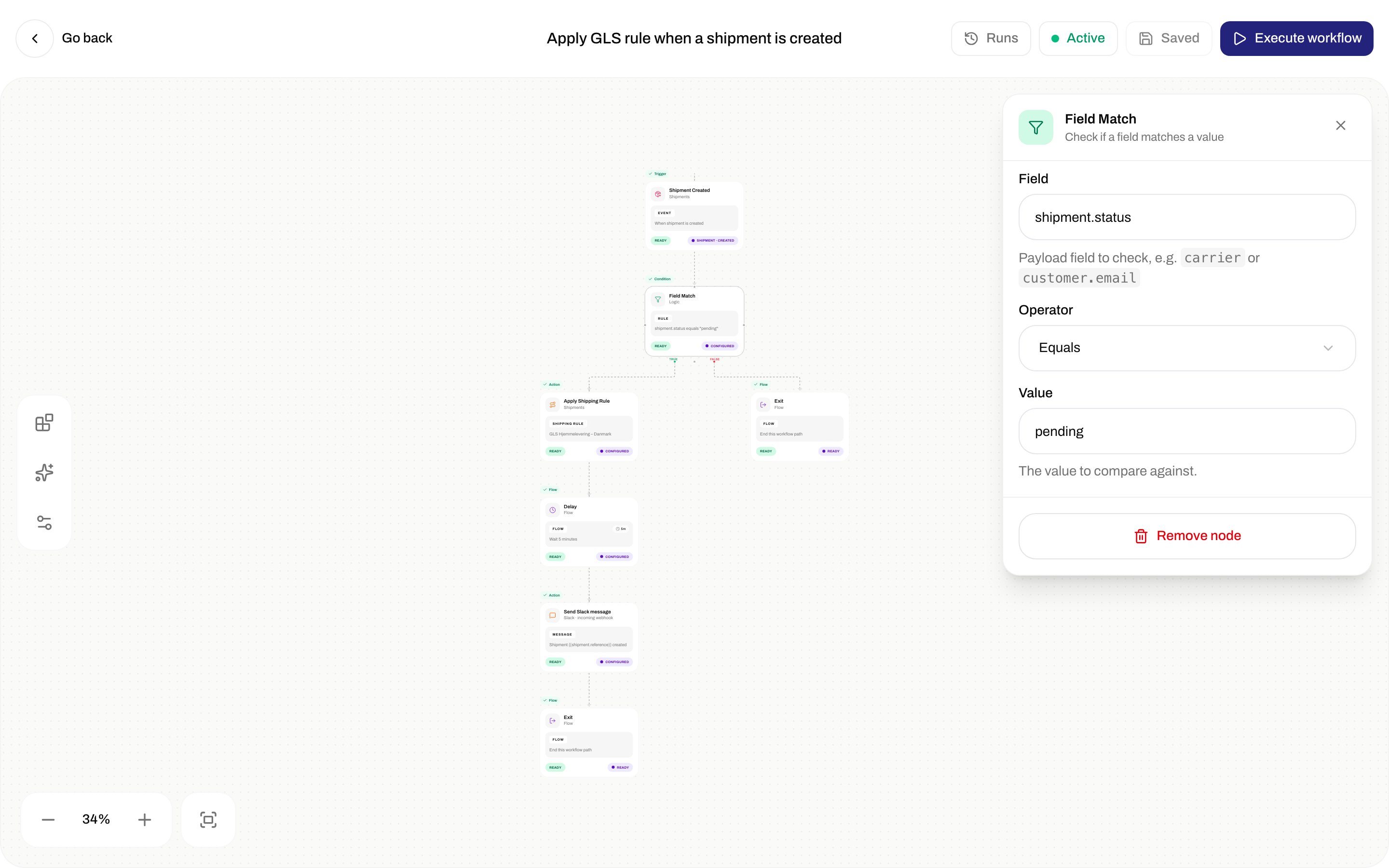
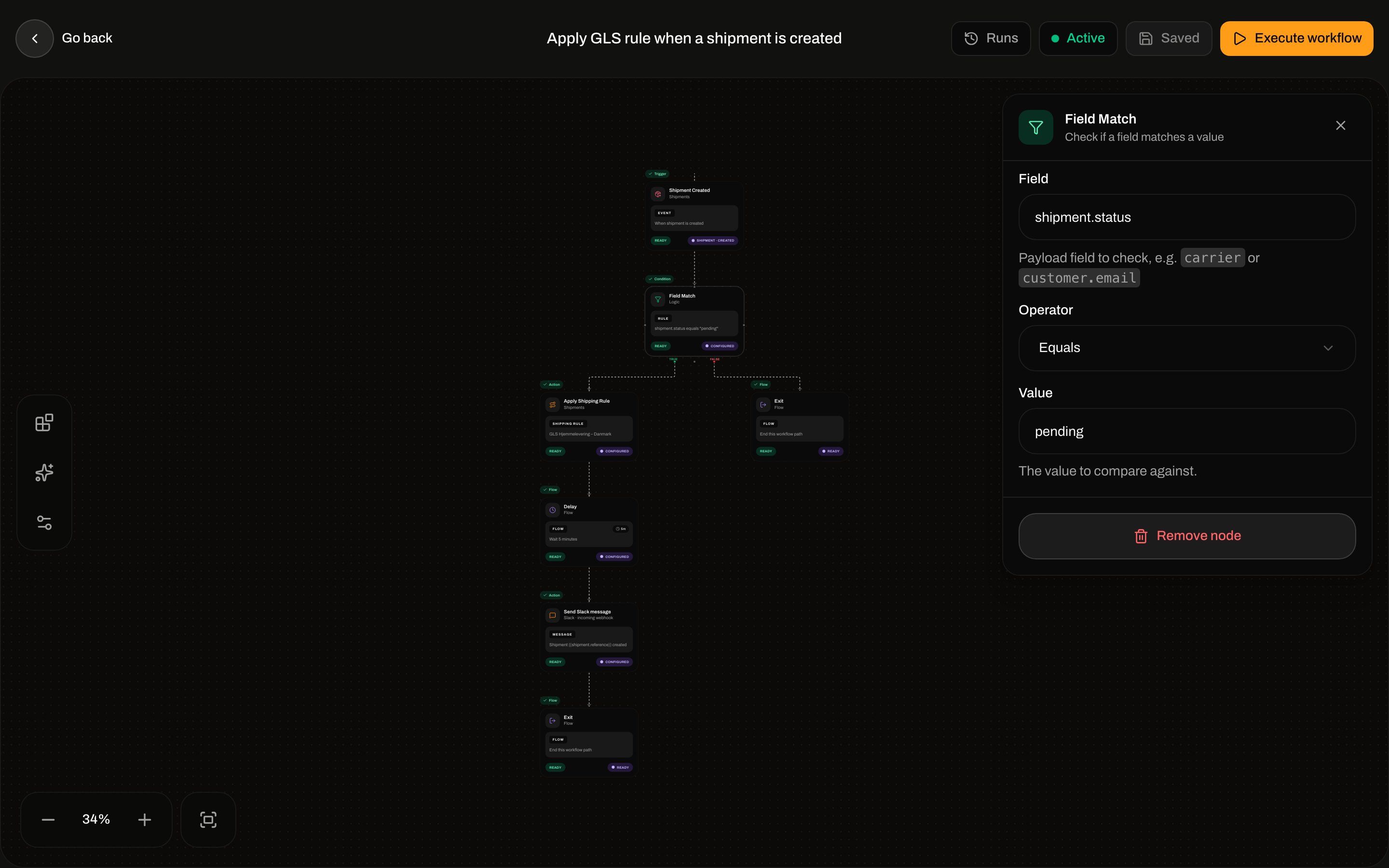
Palette: **Field Match** — **Check if a field matches a value**. Category **Logic**. Handles **TRUE** / **FALSE**. Both must be connected.
### Shipment Created
Registry: **Shipment Created** — **Fires when a new shipment is created**. Category **Shipments**. Event `shipment.created`. Fires when you create a shipment (dashboard or API).
Inspector sample: `shipmentId`, `reference`, `orderNumber`, `customerName`, `carrier`, `status`, `createdAt`. Live payload is `{ shipment: }`.
### Shipment Dispatched
Registry: **Shipment Dispatched** — **Fires when a shipment is dispatched**. Canvas label on this node: **Shipment dispatched** / **Zippendo · shipments**. Event `shipment.dispatched`. Fires when a shipment is sent.
Inspector sample: `shipmentId`, `reference`, `orderNumber`, `customerName`, `trackingNumber`, `carrier`, `dispatchedAt`. Live payload is `{ shipment: }`.
### Shipment Cancelled
Registry: **Shipment Cancelled** — **Fires when a shipment is cancelled**. Event `shipment.cancelled`. Fires when a **pending** shipment is **deleted** (dashboard delete). It does **not** fire when the **Cancel Shipment** action sets status to cancelled.
Inspector sample: `shipmentId`, `reference`, `customerName`, `cancelledAt`. Live payload: `{ shipment: { id, reference, status: "cancelled" } }`.
### Shipment Error
Registry: **Shipment Error** — **Fires when a shipment encounters an error**. Event `shipment.error`. Fires when send/booking fails.
Inspector sample: `shipmentId`, `reference`, `carrier`, `errorMessage`, `errorAt`. Live payload also includes `orderNumber`, `errorCode`, and nested `shipment`.
### Order Created
Registry: **Order Created** — **Fires when a new order is created**. Category **Orders**. Event `order.created`.
Inspector sample: `orderId`, `orderNumber`, `customerName`, `customerEmail`, `totalAmount`, `currency`, `createdAt`. Live payload is `{ order: }`.
### Order Updated
Registry: **Order Updated** — **Fires when an order is updated**. Event `order.updated`.
Inspector sample: `orderId`, `orderNumber`, `customerName`, `status`, `updatedAt`. Live payload is `{ order: }`.
### Tracking Updated
Registry: **Tracking Updated** — **Fires when tracking information is updated**. Category **Tracking**. Event `tracking.updated`. Fires on carrier tracking ingest.
Inspector sample: `shipmentId`, `reference`, `trackingNumber`, `carrier`, `trackingStatus`, `updatedAt`. Live payload is already flat and also has `trackingEvent`.
## Conditions
### Field Match
Palette: **Field Match** — **Check if a field matches a value**. Category **Logic**. Handles **TRUE** / **FALSE**. Both must be connected.
 | Field | Required | Placeholder / helper |
| ------------ | --------------------------- | ----------------------------------------------------------------------------------- |
| **Field** | Yes (**Field is required**) | **carrier**. Helper: **Payload field to check, e.g. `carrier` or `customer.email`** |
| **Operator** | Yes | See table below. Default **Equals**. |
| **Value** | No (empty string allowed) | **PostNord**. Helper: **The value to compare against.** |
Operators (inspector label → stored value):
| Inspector | Value |
| -------------------- | -------------- |
| **Equals** | `eq` |
| **Not equals** | `neq` |
| **Contains** | `contains` |
| **Does not contain** | `not_contains` |
| **Starts with** | `starts_with` |
| **Ends with** | `ends_with` |
| **Matches regex** | `regex` |
| **Greater than** | `gt` |
| **Less than** | `lt` |
| **Greater or equal** | `gte` |
| **Less or equal** | `lte` |
Comparisons stringify the field. Numeric operators coerce both sides with `Number(...)`.
## Flow
### Branch
Palette: **Branch** — **Split flow based on a condition**. Same inspector as **Field Match** (Field, Operator, Value). Handles **TRUE** / **FALSE**. Both must be connected.
### Delay
Palette: **Delay** — **Wait for a specified duration before continuing**. The run status becomes `waiting` until the delay elapses, then continues.
| Field | Required | Placeholder / helper |
| ------------ | --------------------------- | ----------------------------------------------------------------------------------- |
| **Field** | Yes (**Field is required**) | **carrier**. Helper: **Payload field to check, e.g. `carrier` or `customer.email`** |
| **Operator** | Yes | See table below. Default **Equals**. |
| **Value** | No (empty string allowed) | **PostNord**. Helper: **The value to compare against.** |
Operators (inspector label → stored value):
| Inspector | Value |
| -------------------- | -------------- |
| **Equals** | `eq` |
| **Not equals** | `neq` |
| **Contains** | `contains` |
| **Does not contain** | `not_contains` |
| **Starts with** | `starts_with` |
| **Ends with** | `ends_with` |
| **Matches regex** | `regex` |
| **Greater than** | `gt` |
| **Less than** | `lt` |
| **Greater or equal** | `gte` |
| **Less or equal** | `lte` |
Comparisons stringify the field. Numeric operators coerce both sides with `Number(...)`.
## Flow
### Branch
Palette: **Branch** — **Split flow based on a condition**. Same inspector as **Field Match** (Field, Operator, Value). Handles **TRUE** / **FALSE**. Both must be connected.
### Delay
Palette: **Delay** — **Wait for a specified duration before continuing**. The run status becomes `waiting` until the delay elapses, then continues.
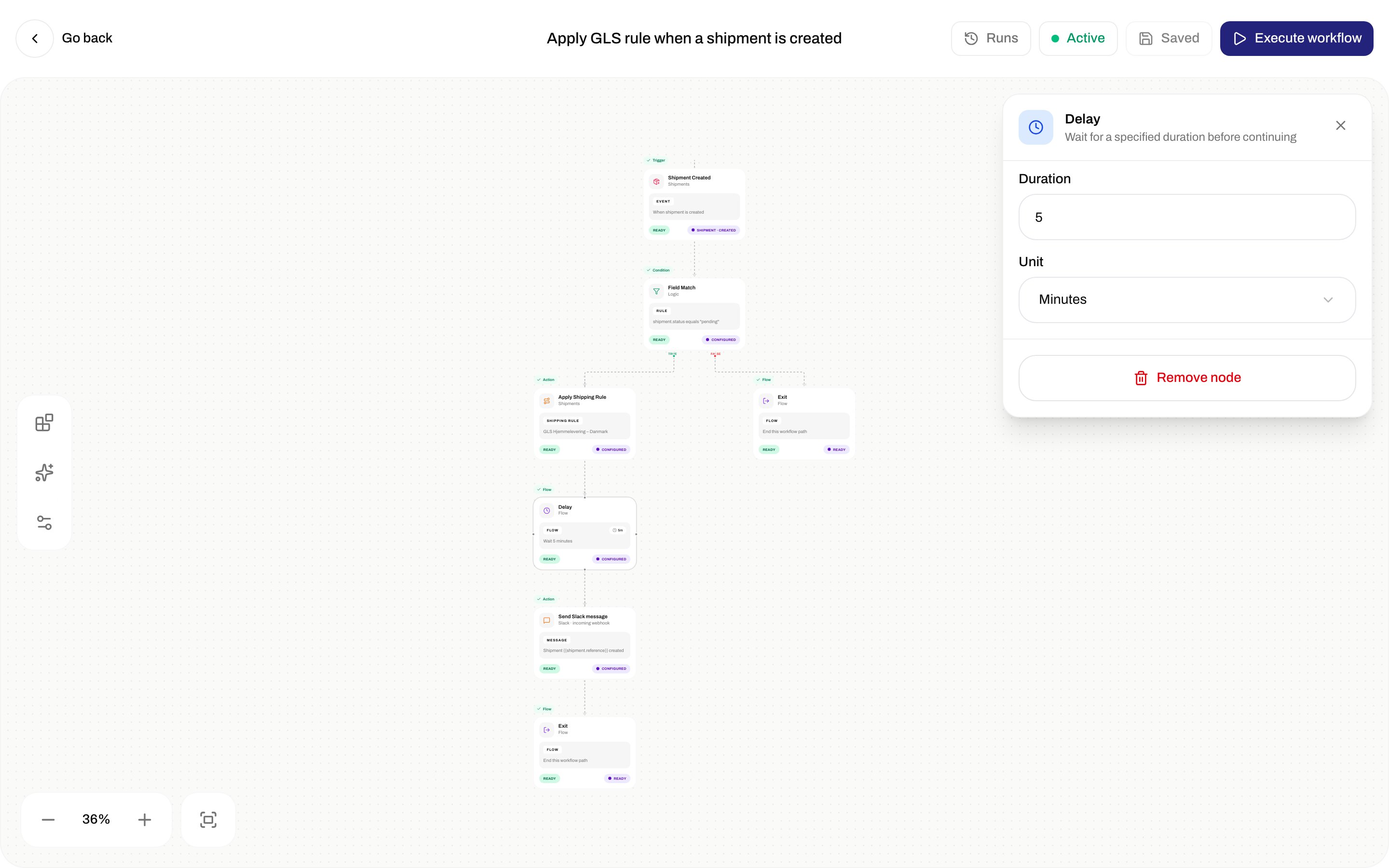
 | Field | Required | Options / validation |
| ------------ | -------- | ---------------------------------------------------------------------------------------------------- |
| **Duration** | Yes | Integer ≥ 1. Placeholder **5**. Error **Duration must be at least 1**. Inspector default 5 if unset. |
| **Unit** | Yes | **Seconds**, **Minutes**, **Hours** |
### Exit
Palette: **Exit** — **Ends the workflow when this path is reached**. No outgoing connector. Inspector: **When execution reaches this node, the workflow path completes successfully. Connect all branches to an Exit before saving.** At least one reachable **Exit** is required to save.
## Actions
### Send Slack Message
Palette: **Send Slack Message** — **Sends a message to a Slack channel via webhook**. Category **Integrations**. Canvas label: **Send Slack message** / **Slack · incoming webhook**. This is an incoming-webhook URL, not a connected Slack integration (that node is **Send Slack Notification**).
| Field | Required | Options / validation |
| ------------ | -------- | ---------------------------------------------------------------------------------------------------- |
| **Duration** | Yes | Integer ≥ 1. Placeholder **5**. Error **Duration must be at least 1**. Inspector default 5 if unset. |
| **Unit** | Yes | **Seconds**, **Minutes**, **Hours** |
### Exit
Palette: **Exit** — **Ends the workflow when this path is reached**. No outgoing connector. Inspector: **When execution reaches this node, the workflow path completes successfully. Connect all branches to an Exit before saving.** At least one reachable **Exit** is required to save.
## Actions
### Send Slack Message
Palette: **Send Slack Message** — **Sends a message to a Slack channel via webhook**. Category **Integrations**. Canvas label: **Send Slack message** / **Slack · incoming webhook**. This is an incoming-webhook URL, not a connected Slack integration (that node is **Send Slack Notification**).
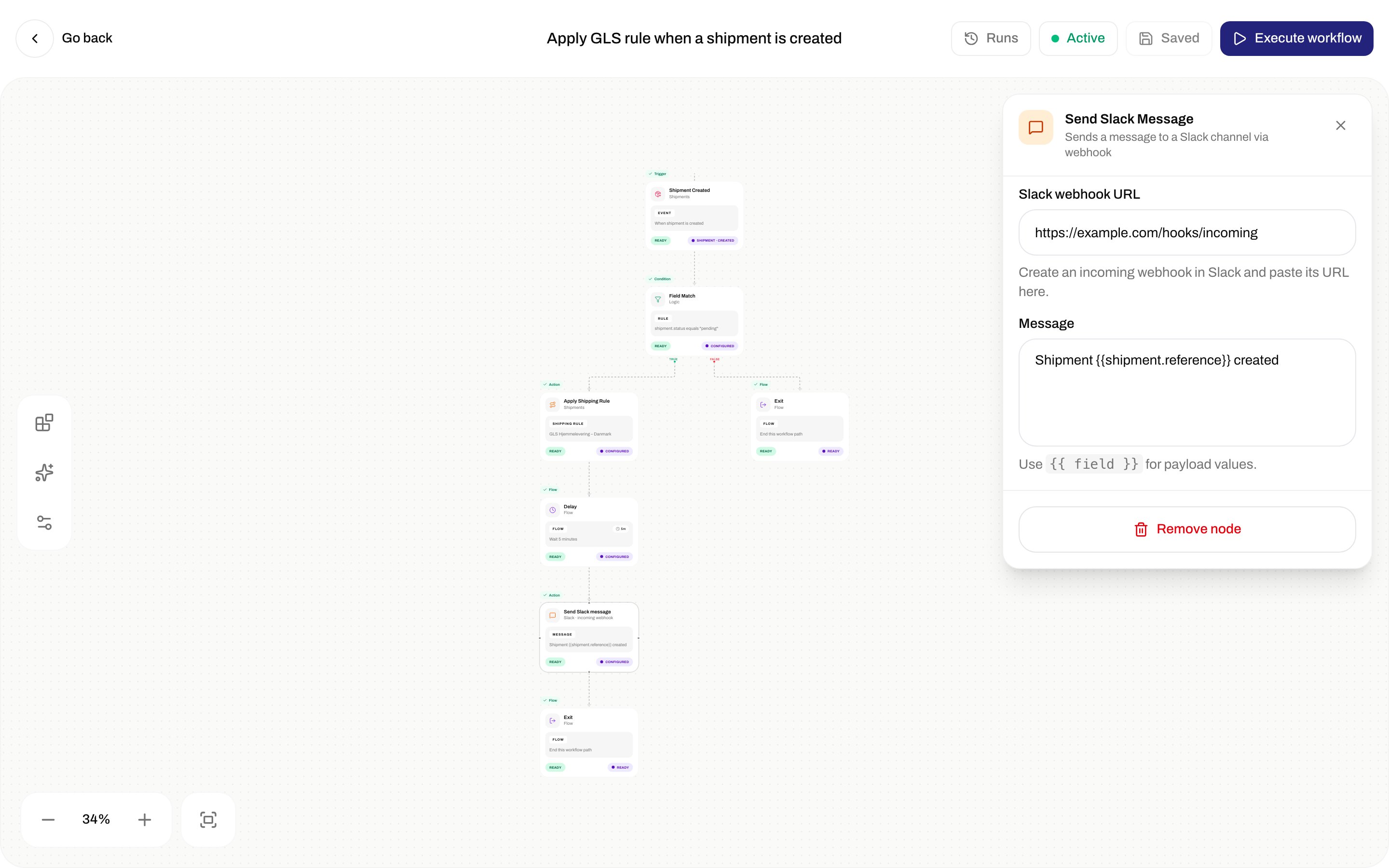
 | Field | Required | Placeholder / helper / validation |
| --------------------- | -------- | ------------------------------------------------------------------------------------------------------------------------------------------------------------------------------------------------------------------ |
| **Slack webhook URL** | Yes | **[https://hooks.slack.com/services/…](https://hooks.slack.com/services/…)**. Helper: **Create an incoming webhook in Slack and paste its URL here.** Errors **Webhook URL is required**, **Must be a valid URL**. |
| **Message** | Yes | **Shipment \{\{reference}} dispatched via \{\{carrier}}**. Helper: **Use `{{ field }}` for payload values.** Max 2000. Error **Message is required**. |
### Send Webhook
Palette: **Send Webhook** — **Sends an HTTP request to an external URL**.
| Field | Required | Placeholder / helper / validation |
| ----------------- | -------- | ------------------------------------------------------------------------------------------------------------------------------------------------------------------- |
| **URL** | Yes | **[https://api.example.com/webhook](https://api.example.com/webhook)**. **URL is required**, **Must be a valid URL**. |
| **HTTP method** | Yes | **POST** (default), **PUT**, **PATCH** |
| **Body template** | Yes | JSON body with `{{shipmentId}}` / `{{reference}}` tokens. Helper: **JSON body to send. Use `{{ field }}` for payload values.** Error **Body template is required**. |
There is no inspector control for HTTP headers.
### Update Shipment Reference
Palette: **Update Shipment Reference** — **Updates the reference field on a shipment**.
| Field | Required | Placeholder / helper |
| ---------------------- | -------- | ------------------------------------------------------------------------------------------------------------------------------------------- |
| **Reference template** | Yes | **REF-\{\{orderNumber}}**. Helper: **The new reference value. Use \{\{field}} for payload data.** Error **Reference template is required**. |
### Apply Shipping Rule
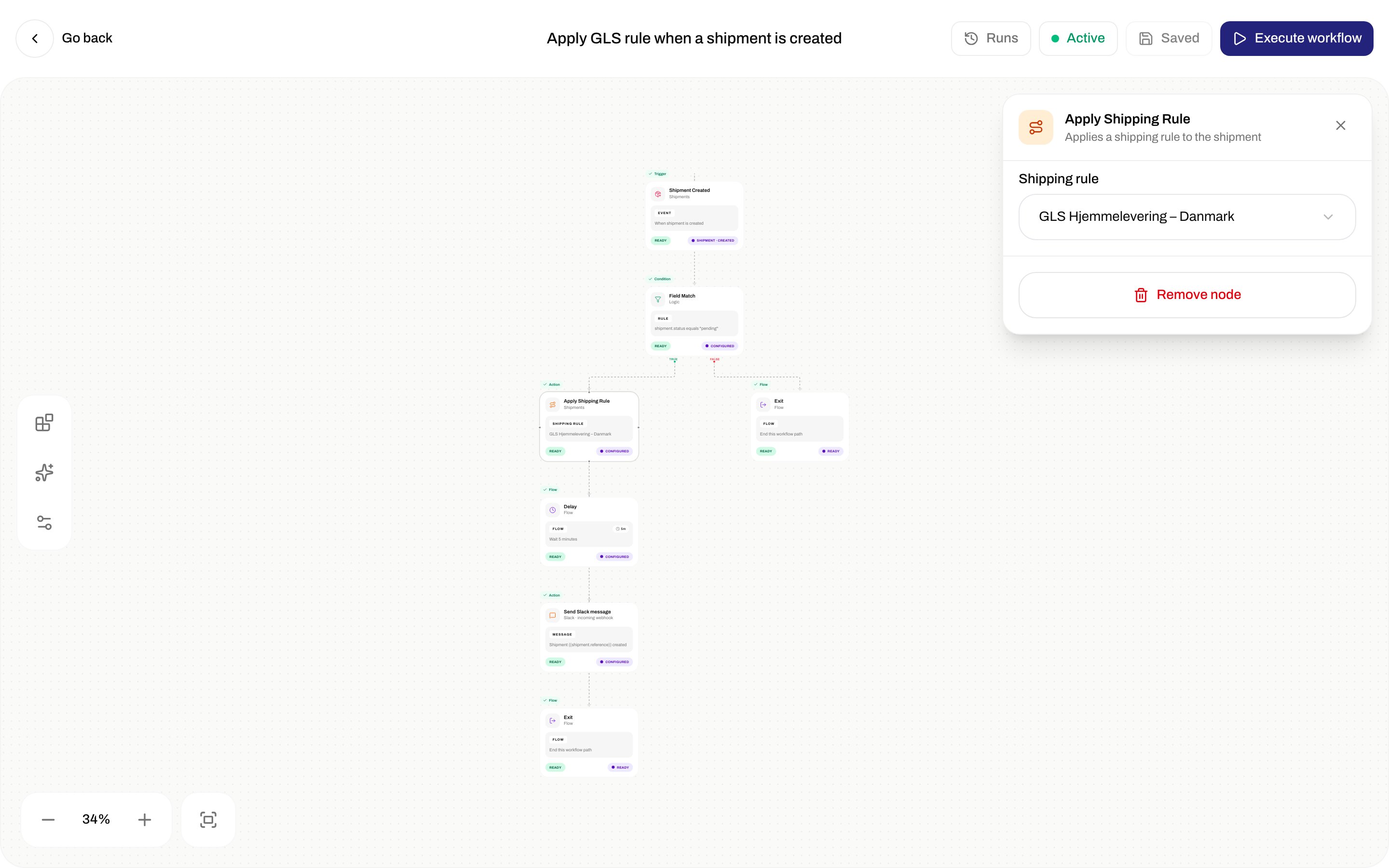
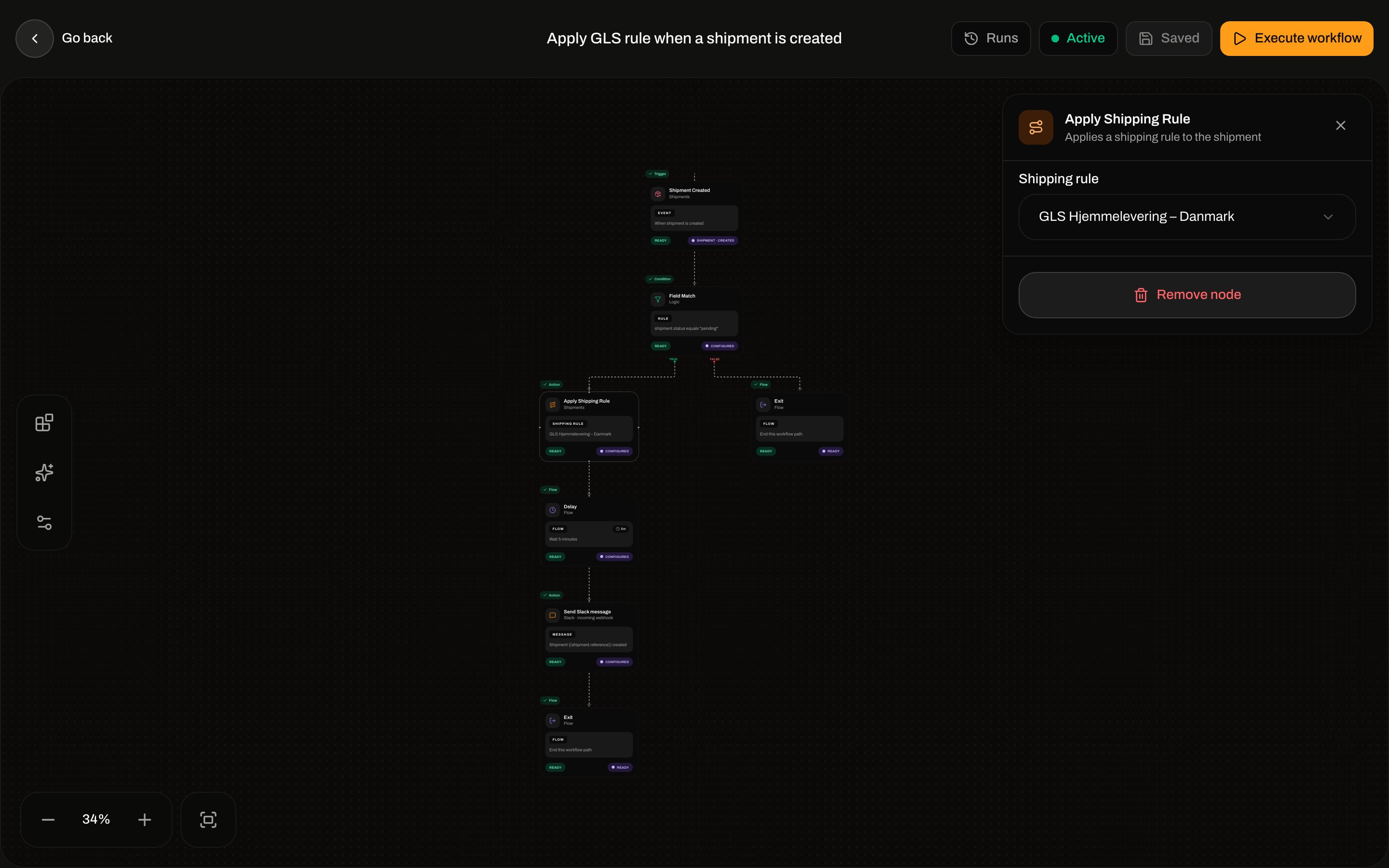
Palette: **Apply Shipping Rule** — **Applies a shipping rule to the shipment**. Sets `shippingRuleId` on the shipment. It does **not** re-run checkout condition matching. Same apply as the order/shipment **Configure** modal — [Apply a shipping rule](/docs/how-to/apply-a-shipping-rule). Field list for the rule itself: [Shipping rule fields](/docs/how-to/shipping-rule-fields).
| Field | Required | Placeholder / helper / validation |
| --------------------- | -------- | ------------------------------------------------------------------------------------------------------------------------------------------------------------------------------------------------------------------ |
| **Slack webhook URL** | Yes | **[https://hooks.slack.com/services/…](https://hooks.slack.com/services/…)**. Helper: **Create an incoming webhook in Slack and paste its URL here.** Errors **Webhook URL is required**, **Must be a valid URL**. |
| **Message** | Yes | **Shipment \{\{reference}} dispatched via \{\{carrier}}**. Helper: **Use `{{ field }}` for payload values.** Max 2000. Error **Message is required**. |
### Send Webhook
Palette: **Send Webhook** — **Sends an HTTP request to an external URL**.
| Field | Required | Placeholder / helper / validation |
| ----------------- | -------- | ------------------------------------------------------------------------------------------------------------------------------------------------------------------- |
| **URL** | Yes | **[https://api.example.com/webhook](https://api.example.com/webhook)**. **URL is required**, **Must be a valid URL**. |
| **HTTP method** | Yes | **POST** (default), **PUT**, **PATCH** |
| **Body template** | Yes | JSON body with `{{shipmentId}}` / `{{reference}}` tokens. Helper: **JSON body to send. Use `{{ field }}` for payload values.** Error **Body template is required**. |
There is no inspector control for HTTP headers.
### Update Shipment Reference
Palette: **Update Shipment Reference** — **Updates the reference field on a shipment**.
| Field | Required | Placeholder / helper |
| ---------------------- | -------- | ------------------------------------------------------------------------------------------------------------------------------------------- |
| **Reference template** | Yes | **REF-\{\{orderNumber}}**. Helper: **The new reference value. Use \{\{field}} for payload data.** Error **Reference template is required**. |
### Apply Shipping Rule
Palette: **Apply Shipping Rule** — **Applies a shipping rule to the shipment**. Sets `shippingRuleId` on the shipment. It does **not** re-run checkout condition matching. Same apply as the order/shipment **Configure** modal — [Apply a shipping rule](/docs/how-to/apply-a-shipping-rule). Field list for the rule itself: [Shipping rule fields](/docs/how-to/shipping-rule-fields).
 | Field | Required | Placeholder / empty |
| ----------------- | ----------------------------------- | ------------------------------------------------------------------------------------ |
| **Shipping rule** | Yes (**Shipping rule is required**) | **Select a shipping rule**. Loading **Loading…**. Empty org: **No items available**. |
### Dispatch Shipment
Palette: **Dispatch Shipment** — **Dispatches the shipment for delivery**. No fields. Inspector: that description plus **No additional configuration needed.** Worker: pending or on-hold → dispatched. Already dispatched is a no-op. Other statuses fail.
Related: [Send a shipment](/docs/how-to/send-a-shipment).
### Cancel Shipment
Palette: **Cancel Shipment** — **Cancels the shipment**. No fields. Worker sets status to **cancelled**. This does **not** emit `shipment.cancelled` (that event is delete-of-pending). Related: [Hold, cancel, or delete a shipment](/docs/how-to/hold-cancel-and-delete-shipments).
### Set Shipment On Hold
Palette: **Set Shipment On Hold** — **Places the shipment on hold**. No fields. Worker: pending → on\_hold. Already on hold is a no-op. Other statuses fail.
### Assign Carrier
Palette: **Assign Carrier** — **Assigns a carrier to the shipment**.
| Field | Required | Placeholder |
| ----------- | ----------------------------- | -------------------- |
| **Carrier** | Yes (**Carrier is required**) | **Select a carrier** |
Writes `carrierId` into the shipment's `carrierSettings` JSON. It does **not** pick a product, services, or additional parameters. Prefer **Apply Shipping Rule** when you need a full setup.
### Print Shipping Label
Palette: **Print Shipping Label** — **Prints the shipping label for the shipment**. Category **Printing**.
| Field | Required | Placeholder / helper |
| ----------------- | -------- | --------------------------------------------------------------------------------------------------------------------------------------------------------- |
| **Label printer** | No | **Default printer**. Helper: **If empty, the org's default label printer will be used.** Only **Active** label printers. Allow empty: **None (default)**. |
**Stub.** The node is in the palette and inspector. Execution logs the print and returns. It does **not** enqueue a printer job. For print-on-send, use [Auto-print](/docs/how-to/auto-print) on the shipping rule.
### Print Document
Palette: **Print Document** — **Prints a document for the shipment**.
| Field | Required | Options / helper |
| ----------------- | -------- | ----------------------------------------------------------------------------------------------------------------------------------------- |
| **Document type** | Yes | **Proforma invoice** (default), **Commercial invoice**, **Packing list**, **CN22**, **CN23** |
| **Printer** | No | **Default printer**. Helper: **If empty, the org's default document printer will be used.** Active document printers. **None (default)**. |
**Stub.** Same as print-label: the node configures, execution does not send a print job.
### Create Return Shipment
Palette: **Create Return Shipment** — **Creates a return shipment**. Dropdown lists **inbound** rules only.
| Field | Required | Label / helper |
| ------------------------ | ------------------------------------------------------------------------------------------------------------------------ | --------------------------------------------------------------------------------------------- |
| **Return shipping rule** | No in the form (optional). Worker requires an id and fails with **Missing shippingRuleId for return creation** if empty. | Helper: **The shipping rule to use for the return shipment.** Placeholder **None (default)**. |
Queues a return with that inbound rule. Related: [Inbound and returns](/docs/how-to/inbound-and-returns), [Returns](/docs/tutorials/returns).
### Create Shipment from Order
Palette: **Create Shipment from Order** — **Creates a new shipment from the order**. Use on an **Order Created** / **Order Updated** path (needs `orderId` / `order.id`).
| Field | Required | Label / helper |
| ----------------- | -------- | ---------------------------------------------------------------------------------------------------- |
| **Shipping rule** | No | Helper: **Optional shipping rule to apply to the created shipment.** Placeholder **None (default)**. |
Creates a **pending** outbound shipment (parties from sender address + order shipping address). It does not send the shipment.
## Integration actions
These use a connected integration from **Integrations**. Connect first: [Connect Slack, Klaviyo, and other apps](/docs/how-to/connect-an-integration). Dropdown lists **active** connections for that provider. Empty: **No items available**.
Shared inspector:
| Field | Who sees it | Required | Placeholder / helper |
| ----------------------- | ------------------------------------ | -------------------------------- | ------------------------------------------------------------------------------------------------------------------------------------------------------------------------------------ |
| **Connection** | All | Yes (**Connection is required**) | **Select a connection**. Helper: **Select an existing `{provider}` connection. Manage connections in Settings > Integrations.** (Integrations is in the main sidebar, not Settings.) |
| **Event name override** | Klaviyo, Customer.io, Mailchimp only | No | **e.g. Shipment Dispatched**. Helper: **Optional. Override the default event/metric name sent to the provider.** |
| **Custom properties** | All | No | **Add** rows. Key placeholder **key**, value **\{\{field}}**. Helper: **Add data to send with the event. Values support `{{field}}` interpolation from the trigger payload.** |
| Palette name | Description |
| --------------------------- | ----------------------------------------------------------------------------------- |
| **Send Klaviyo Event** | Sends an event to Klaviyo via a connected integration |
| **Send Slack Notification** | Sends a formatted notification to Slack via a connected integration |
| **Send Customer.io Event** | Sends an event to Customer.io via a connected integration |
| **Send Mailchimp Event** | Sends an event to Mailchimp via a connected integration |
| **Send SendGrid Email** | Sends branded emails via SendGrid Dynamic Templates through a connected integration |
| **Trigger Zapier Zap** | Sends an event to Zapier via a connected integration |
| **Trigger Make Scenario** | Sends an event to Make.com via a connected integration |
The event name sent to the provider is derived from the automation trigger (`shipment.created`, …) unless you override it on Klaviyo / Customer.io / Mailchimp.
## Runs
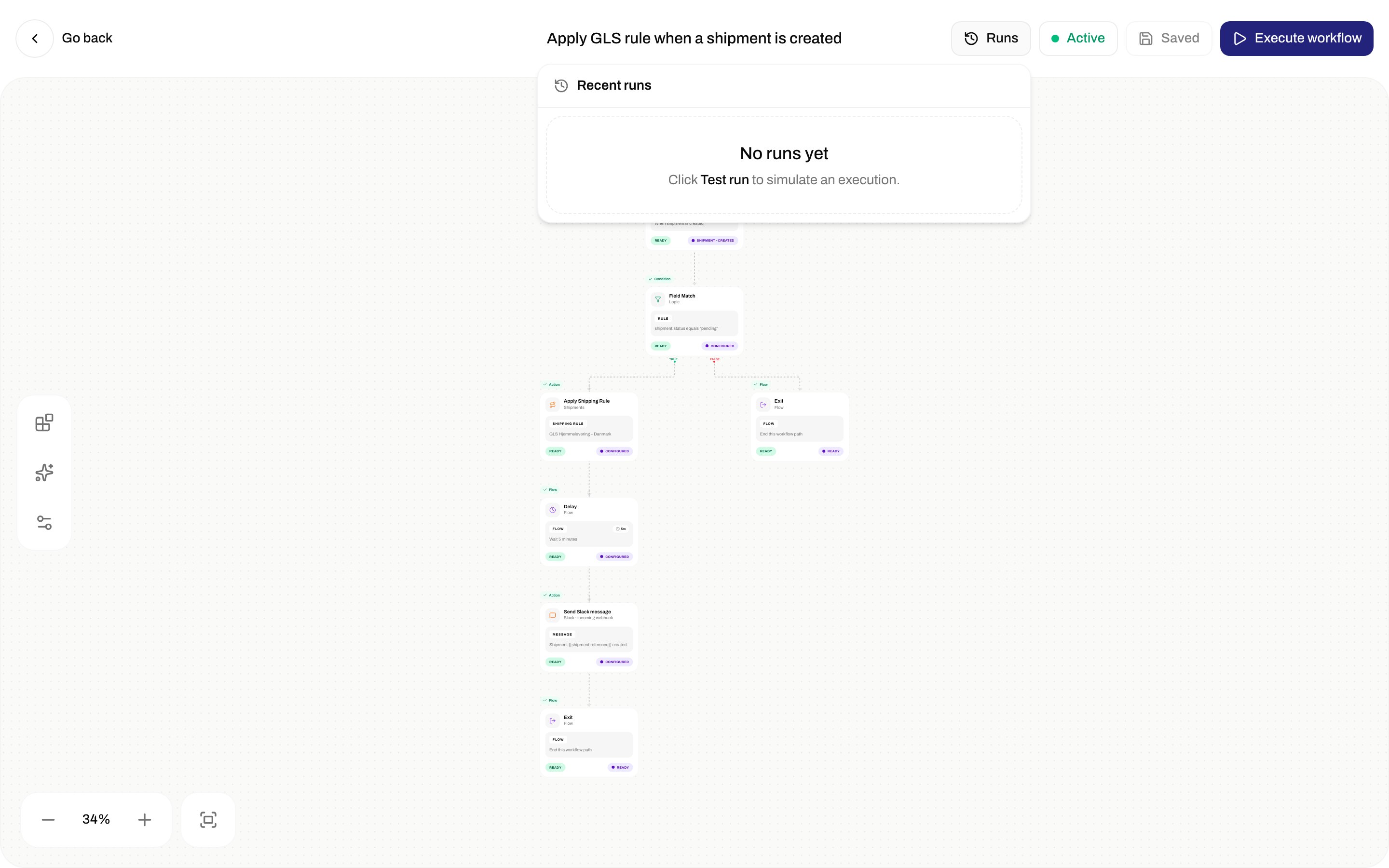
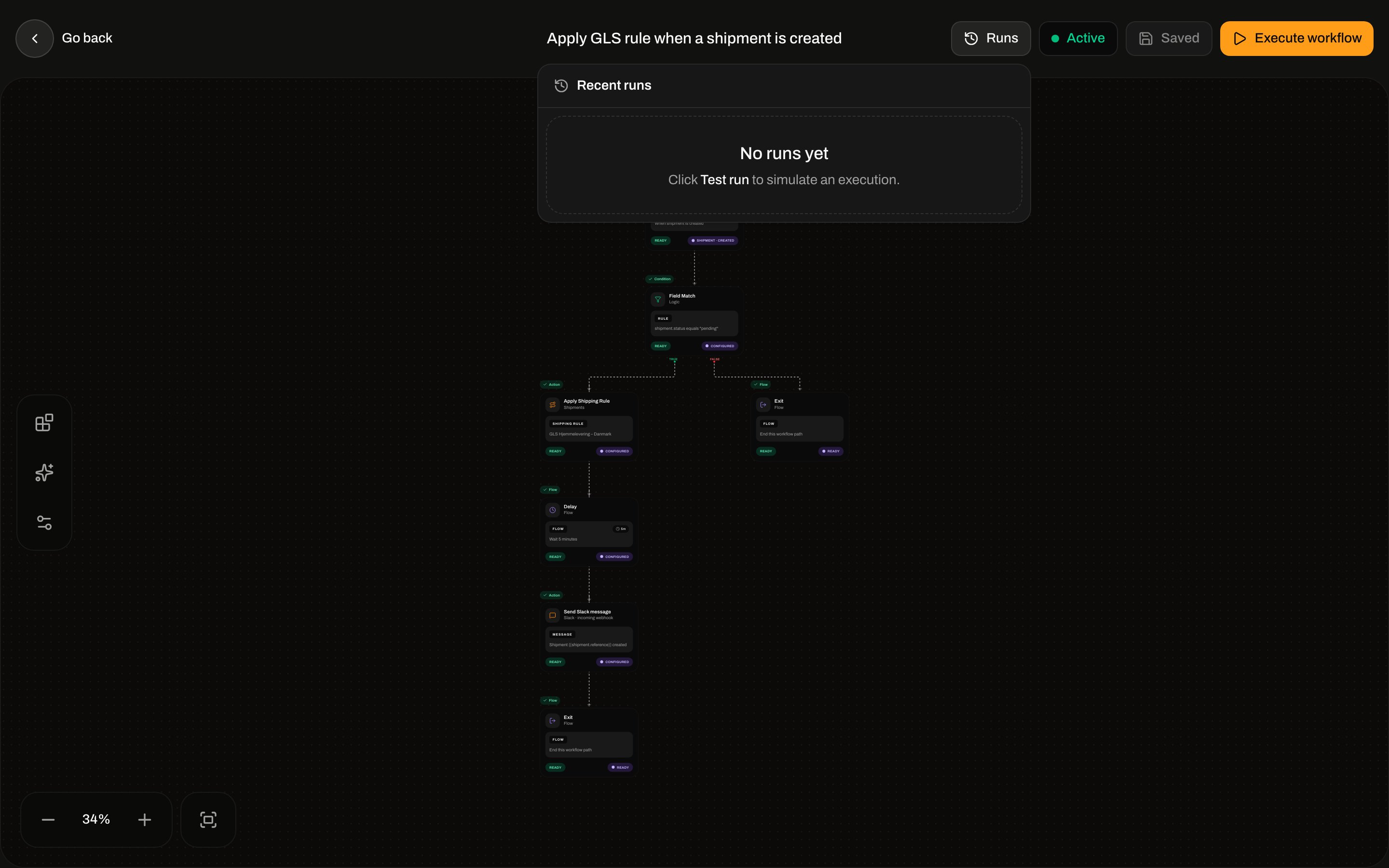
**Runs** in the top bar. Header **Recent runs**. Empty: **No runs yet** / **Click Test run to simulate an execution.** (The builder button is **Execute workflow**.)
| Field | Required | Placeholder / empty |
| ----------------- | ----------------------------------- | ------------------------------------------------------------------------------------ |
| **Shipping rule** | Yes (**Shipping rule is required**) | **Select a shipping rule**. Loading **Loading…**. Empty org: **No items available**. |
### Dispatch Shipment
Palette: **Dispatch Shipment** — **Dispatches the shipment for delivery**. No fields. Inspector: that description plus **No additional configuration needed.** Worker: pending or on-hold → dispatched. Already dispatched is a no-op. Other statuses fail.
Related: [Send a shipment](/docs/how-to/send-a-shipment).
### Cancel Shipment
Palette: **Cancel Shipment** — **Cancels the shipment**. No fields. Worker sets status to **cancelled**. This does **not** emit `shipment.cancelled` (that event is delete-of-pending). Related: [Hold, cancel, or delete a shipment](/docs/how-to/hold-cancel-and-delete-shipments).
### Set Shipment On Hold
Palette: **Set Shipment On Hold** — **Places the shipment on hold**. No fields. Worker: pending → on\_hold. Already on hold is a no-op. Other statuses fail.
### Assign Carrier
Palette: **Assign Carrier** — **Assigns a carrier to the shipment**.
| Field | Required | Placeholder |
| ----------- | ----------------------------- | -------------------- |
| **Carrier** | Yes (**Carrier is required**) | **Select a carrier** |
Writes `carrierId` into the shipment's `carrierSettings` JSON. It does **not** pick a product, services, or additional parameters. Prefer **Apply Shipping Rule** when you need a full setup.
### Print Shipping Label
Palette: **Print Shipping Label** — **Prints the shipping label for the shipment**. Category **Printing**.
| Field | Required | Placeholder / helper |
| ----------------- | -------- | --------------------------------------------------------------------------------------------------------------------------------------------------------- |
| **Label printer** | No | **Default printer**. Helper: **If empty, the org's default label printer will be used.** Only **Active** label printers. Allow empty: **None (default)**. |
**Stub.** The node is in the palette and inspector. Execution logs the print and returns. It does **not** enqueue a printer job. For print-on-send, use [Auto-print](/docs/how-to/auto-print) on the shipping rule.
### Print Document
Palette: **Print Document** — **Prints a document for the shipment**.
| Field | Required | Options / helper |
| ----------------- | -------- | ----------------------------------------------------------------------------------------------------------------------------------------- |
| **Document type** | Yes | **Proforma invoice** (default), **Commercial invoice**, **Packing list**, **CN22**, **CN23** |
| **Printer** | No | **Default printer**. Helper: **If empty, the org's default document printer will be used.** Active document printers. **None (default)**. |
**Stub.** Same as print-label: the node configures, execution does not send a print job.
### Create Return Shipment
Palette: **Create Return Shipment** — **Creates a return shipment**. Dropdown lists **inbound** rules only.
| Field | Required | Label / helper |
| ------------------------ | ------------------------------------------------------------------------------------------------------------------------ | --------------------------------------------------------------------------------------------- |
| **Return shipping rule** | No in the form (optional). Worker requires an id and fails with **Missing shippingRuleId for return creation** if empty. | Helper: **The shipping rule to use for the return shipment.** Placeholder **None (default)**. |
Queues a return with that inbound rule. Related: [Inbound and returns](/docs/how-to/inbound-and-returns), [Returns](/docs/tutorials/returns).
### Create Shipment from Order
Palette: **Create Shipment from Order** — **Creates a new shipment from the order**. Use on an **Order Created** / **Order Updated** path (needs `orderId` / `order.id`).
| Field | Required | Label / helper |
| ----------------- | -------- | ---------------------------------------------------------------------------------------------------- |
| **Shipping rule** | No | Helper: **Optional shipping rule to apply to the created shipment.** Placeholder **None (default)**. |
Creates a **pending** outbound shipment (parties from sender address + order shipping address). It does not send the shipment.
## Integration actions
These use a connected integration from **Integrations**. Connect first: [Connect Slack, Klaviyo, and other apps](/docs/how-to/connect-an-integration). Dropdown lists **active** connections for that provider. Empty: **No items available**.
Shared inspector:
| Field | Who sees it | Required | Placeholder / helper |
| ----------------------- | ------------------------------------ | -------------------------------- | ------------------------------------------------------------------------------------------------------------------------------------------------------------------------------------ |
| **Connection** | All | Yes (**Connection is required**) | **Select a connection**. Helper: **Select an existing `{provider}` connection. Manage connections in Settings > Integrations.** (Integrations is in the main sidebar, not Settings.) |
| **Event name override** | Klaviyo, Customer.io, Mailchimp only | No | **e.g. Shipment Dispatched**. Helper: **Optional. Override the default event/metric name sent to the provider.** |
| **Custom properties** | All | No | **Add** rows. Key placeholder **key**, value **\{\{field}}**. Helper: **Add data to send with the event. Values support `{{field}}` interpolation from the trigger payload.** |
| Palette name | Description |
| --------------------------- | ----------------------------------------------------------------------------------- |
| **Send Klaviyo Event** | Sends an event to Klaviyo via a connected integration |
| **Send Slack Notification** | Sends a formatted notification to Slack via a connected integration |
| **Send Customer.io Event** | Sends an event to Customer.io via a connected integration |
| **Send Mailchimp Event** | Sends an event to Mailchimp via a connected integration |
| **Send SendGrid Email** | Sends branded emails via SendGrid Dynamic Templates through a connected integration |
| **Trigger Zapier Zap** | Sends an event to Zapier via a connected integration |
| **Trigger Make Scenario** | Sends an event to Make.com via a connected integration |
The event name sent to the provider is derived from the automation trigger (`shipment.created`, …) unless you override it on Klaviyo / Customer.io / Mailchimp.
## Runs
**Runs** in the top bar. Header **Recent runs**. Empty: **No runs yet** / **Click Test run to simulate an execution.** (The builder button is **Execute workflow**.)
 A **Test run** / **Execute workflow** enqueues `automations.execute` with `event: manual.test` and `{}` as the payload. Shipment/order actions that need an id will fail on that empty payload.
When a run exists, the row shows trigger event, relative time, **N step(s)**, and duration. Expand for node logs. Node log statuses: success, failed, skipped. Run statuses the list styles: **Running**, **Success**, **Failed**. A delay puts the run in `waiting` until it resumes.
## Errors the UI surfaces
| Toast / code | When |
| -------------------------------------------------------------------- | --------------------------------------------------------- |
| **Automation created** / **Failed to create automation** | Create |
| **Failed to save automation** | Patch name/graph/status |
| **Automation deleted** / **Failed to delete automation** | Delete |
| **Test run started** / **Test run failed** | Test run |
| **Can't save — fix issues first** / **Can't run — fix issues first** | Client validation |
| **AUTOMATION\_NOT\_FOUND** | **Automation not found.** |
| **AUTOMATION\_INVALID** | **The automation configuration is invalid.** |
| **VALIDATION\_FAILED** | **One or more fields are invalid.** (activate/save graph) |
| **RESOURCE\_LIMIT\_REACHED** | **You have reached your plan limit for this resource.** |
| **BAD\_REQUEST** | Empty graph test run |
## Related
* Journey: [Shipping rules](/docs/tutorials/shipping-rules) · [Returns](/docs/tutorials/returns)
* [Shipping rule fields](/docs/how-to/shipping-rule-fields) · [Apply a shipping rule](/docs/how-to/apply-a-shipping-rule) · [Auto-print](/docs/how-to/auto-print)
* [Inbound and returns](/docs/how-to/inbound-and-returns) · [Hold, cancel, or delete a shipment](/docs/how-to/hold-cancel-and-delete-shipments) · [Send a shipment](/docs/how-to/send-a-shipment)
* [Connect Slack, Klaviyo, and other apps](/docs/how-to/connect-an-integration) · [Schedule a pickup](/docs/how-to/schedule-a-pickup)
* [Search and filters](/docs/how-to/search-and-filters) · [Create a brand](/docs/how-to/create-a-brand) · [Billing and usage](/docs/how-to/billing-and-usage)
* [Automations overview](/docs/automations/overview) · [Building an automation](/docs/automations/building-an-automation) · [Runs and debugging](/docs/automations/runs-and-debugging)
* [Automation not triggering](/docs/knowledge-base/automation-not-triggering)
A **Test run** / **Execute workflow** enqueues `automations.execute` with `event: manual.test` and `{}` as the payload. Shipment/order actions that need an id will fail on that empty payload.
When a run exists, the row shows trigger event, relative time, **N step(s)**, and duration. Expand for node logs. Node log statuses: success, failed, skipped. Run statuses the list styles: **Running**, **Success**, **Failed**. A delay puts the run in `waiting` until it resumes.
## Errors the UI surfaces
| Toast / code | When |
| -------------------------------------------------------------------- | --------------------------------------------------------- |
| **Automation created** / **Failed to create automation** | Create |
| **Failed to save automation** | Patch name/graph/status |
| **Automation deleted** / **Failed to delete automation** | Delete |
| **Test run started** / **Test run failed** | Test run |
| **Can't save — fix issues first** / **Can't run — fix issues first** | Client validation |
| **AUTOMATION\_NOT\_FOUND** | **Automation not found.** |
| **AUTOMATION\_INVALID** | **The automation configuration is invalid.** |
| **VALIDATION\_FAILED** | **One or more fields are invalid.** (activate/save graph) |
| **RESOURCE\_LIMIT\_REACHED** | **You have reached your plan limit for this resource.** |
| **BAD\_REQUEST** | Empty graph test run |
## Related
* Journey: [Shipping rules](/docs/tutorials/shipping-rules) · [Returns](/docs/tutorials/returns)
* [Shipping rule fields](/docs/how-to/shipping-rule-fields) · [Apply a shipping rule](/docs/how-to/apply-a-shipping-rule) · [Auto-print](/docs/how-to/auto-print)
* [Inbound and returns](/docs/how-to/inbound-and-returns) · [Hold, cancel, or delete a shipment](/docs/how-to/hold-cancel-and-delete-shipments) · [Send a shipment](/docs/how-to/send-a-shipment)
* [Connect Slack, Klaviyo, and other apps](/docs/how-to/connect-an-integration) · [Schedule a pickup](/docs/how-to/schedule-a-pickup)
* [Search and filters](/docs/how-to/search-and-filters) · [Create a brand](/docs/how-to/create-a-brand) · [Billing and usage](/docs/how-to/billing-and-usage)
* [Automations overview](/docs/automations/overview) · [Building an automation](/docs/automations/building-an-automation) · [Runs and debugging](/docs/automations/runs-and-debugging)
* [Automation not triggering](/docs/knowledge-base/automation-not-triggering)