> ## Documentation Index
> Fetch the complete documentation index at: https://www.zippendo.com/docs/llms.txt
> Use this file to discover all available pages before exploring further.
# How-to guides
> Field-level Zippendo how-tos — every screen, modal, and control, from picking a service point to API tokens and webhooks.
These how-tos are **one task or one screen** in the Zippendo client ([app.zippendo.com](https://app.zippendo.com)). Each page is meant to rank for a search like “Zippendo service point” or “Zippendo API token”: every visible field, every option, validation, and empty state.
They are not the [platform tutorials](/docs/tutorials). Tutorials are click-through journeys (first shipment, connect Shopify). How-tos zoom into the controls on those journeys. Use a how-to when you are already on the screen and need the meaning of a toggle, dropdown, or error.
 ## How-tos vs tutorials
| You want | Open |
| --------------------------------------------- | ---------------------------------------------- |
| A guided path with screenshots of each click | [Tutorials](/docs/tutorials) |
| What this field, toggle, or empty state means | **How-to** (this tab) |
| Status dictionaries and product reference | [Documentation](/docs/introduction) |
| Something already broken | [Knowledge base](/docs/knowledge-base/introduction) |
| REST, SDKs, MCP | [API Reference](/docs/api-reference/overview) |
Start from the journey if you are new: [Getting started](/docs/tutorials/getting-started), then [Create a shipment](/docs/tutorials/create-a-shipment). Jump here when a form or Settings tab needs a field-by-field answer.
## Connect
Every merchant-connectable carrier, event app, and order channel — one line of credentials each. Per-connector pages live in the **Connect a carrier** and **Connect an integration** nav groups.
Inventory of All Carriers, Integrations catalog, and order channels — Connect vs Request.
Slack, Klaviyo, Customer.io, Mailchimp, SendGrid, Zapier, Make — the Integrations screen.
Shared connect/edit/delete chrome for every carrier form.
Submit a carrier that is not on All Carriers.
## Shipments
Book a pending shipment with the carrier — required parties, product, and send vs retry.
Choose a nearby droppoint when the product delivers to a service point.
Split a draft into more parcels or move a package onto a sibling shipment.
Incoterms, invoice toggles, CN22/CN23, and document types on a shipment.
Inbound type, return parties, and auto-create return from a shipping rule.
Sender, receiver, billing, freight payer, pickup, return — required address fields.
Delete a pending row from the list. On Hold and Cancelled are statuses from automations — not detail buttons.
Assign a rule on an order or shipment so carrier and product fill in.
## Orders and channels
One-click or REST API keys, store URL, and webhook setup.
Installation, order import, checkout rates, and shipping-method mapping.
Ingest URL, signing secret, and pushing orders from your own shop or ERP.
Enable, disable, sync, orphaned channels, and remove a store.
SKU, quantity, price, origin, and tariff fields on an order or parcel.
## Carriers
Connect a carrier, required vs optional config, and edit-carrier toggles.
Sandbox Mode checkbox on connect or edit — bookings hit that carrier’s test host.
Enable products, extra services, and additional parameters.
Submit a carrier integration request with sandbox credentials.
Why the UI uses both names and which screen shows which.
Carrier tracking callbacks — not the app webhooks in Settings.
## Printing
Install Zippendo Printer, sign in with the browser, and register a local printer.
Register, name, type (label vs document), and rotate-wide-pages.
Download the client, approve a pending printer, online vs offline.
Auto-print labels and documents from a shipping rule or shipment.
Pending, Processing, Failed, and Completed jobs — retry, delete, and job detail.
Label and document printer on a single shipment.
## Automation
Builder, triggers, actions, conditions, runs, and test run.
Conditions, weight/value bounds, countries, documents, returns, printers.
Book a carrier pickup: date, window, and instruction.
## Account and workspace
Email invite, optional role, pending vs active, revoke.
Built-in roles, custom roles, and read/write scopes.
Name, slug, invoice details, customs IDs, and brand document branding.
Name, description, VOEC/EORI/IOSS and other customs identifiers.
Organization logo and document colours (house-wide, not brand-specific).
Mapbox search, sender/pickup/return types, and contact fields.
Plans, usage meters, overage, Shopify-billed vs Stripe.
Delete organization or account — irreversible, export first.
Request a full org archive (credentials never included).
Email, language, two-factor authentication, leave organization.
Settings → Import wizard for carriers, rules, and setup.
Team switcher: Manage, invite, switch org, scope to a brand.
## Search and dashboard
List search, status/type/carrier/channel filters, and empty results.
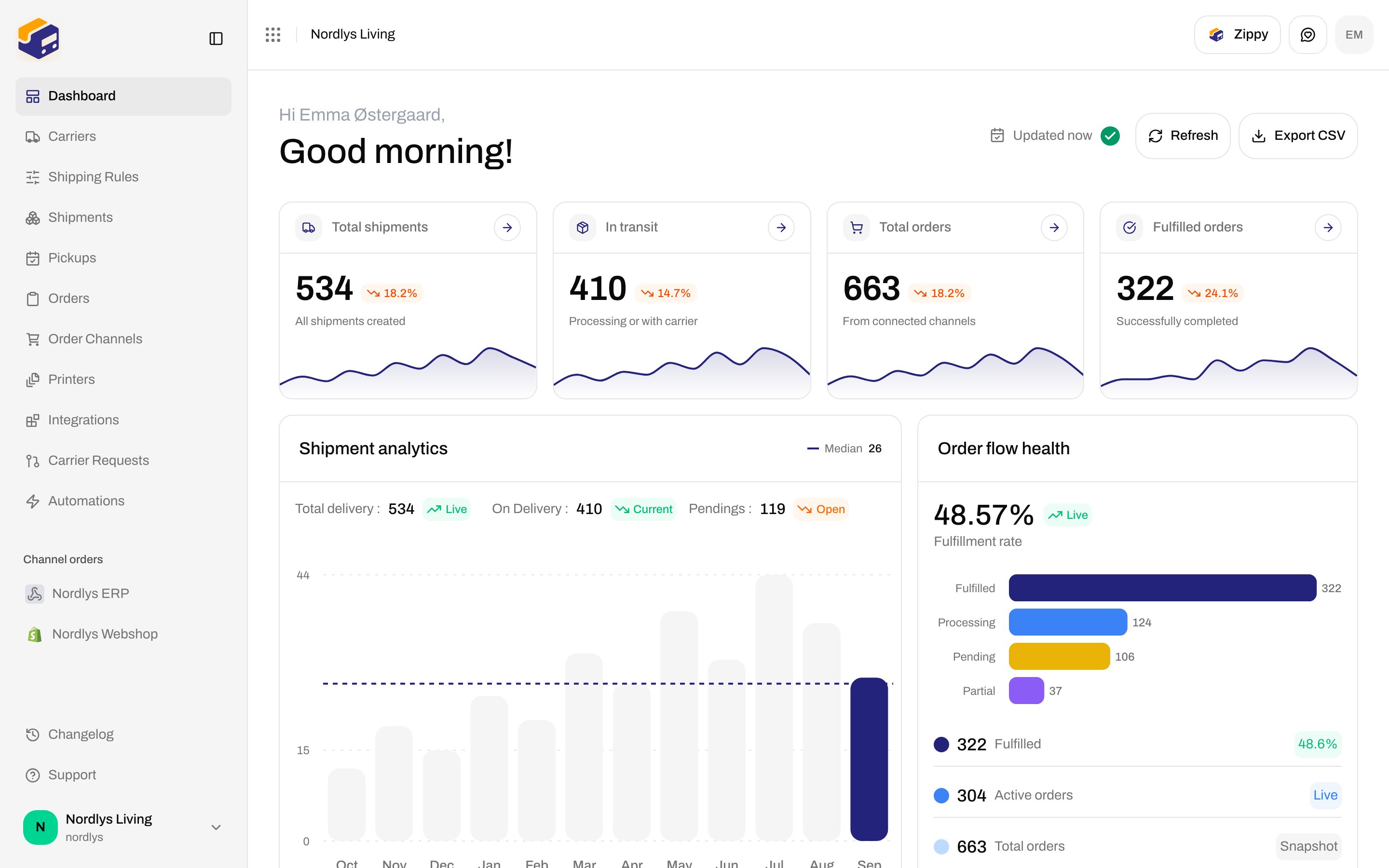
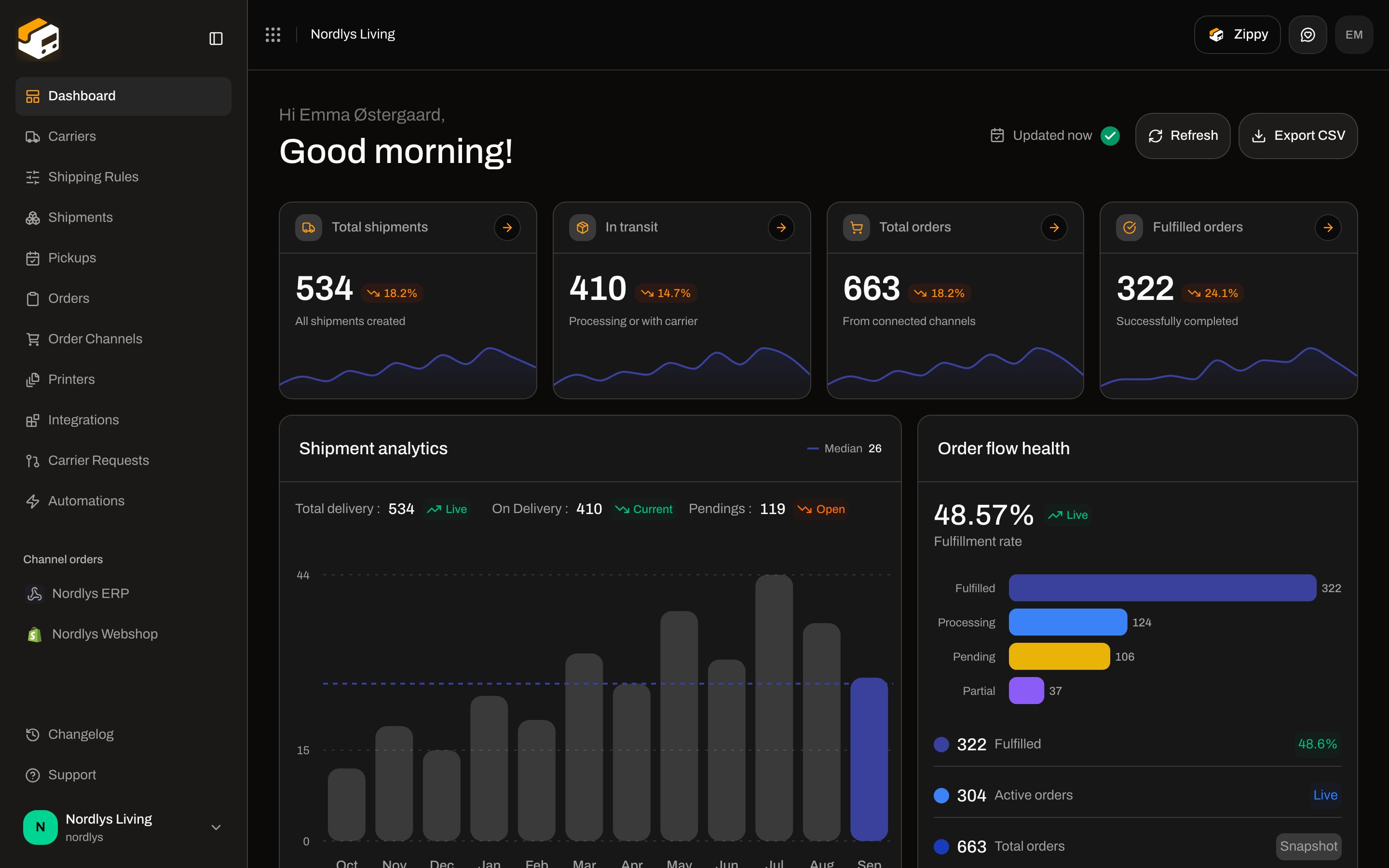
Download the dashboard snapshot from the header **Export CSV** control.
Header **Zippy** button (⌘J / Ctrl+J). `/dashboard/chat` is a stub — do not use it.
## API and events
Name, expiry, scopes — copy once; used by the public REST API.
App event webhooks in Settings (HMAC to your URL) — not carrier tracking.
Public Shipping Quote API for checkout rates (Shopify/Woo use this).
## Naming that trips people up
* **Service point** vs **droppoint** — same pickup location, different labels. See [Droppoint vs service point](/docs/how-to/drop-point-and-service-points).
* **App webhooks** vs **carrier tracking webhooks** — [Webhooks](/docs/how-to/webhooks) vs [Carrier tracking webhooks](/docs/how-to/tracking-webhooks).
* **Data export** (org archive) vs **dashboard CSV** — [Data export](/docs/how-to/data-export) vs [Export dashboard CSV](/docs/how-to/dashboard-csv-export).
* **Zippy** vs **Chat** — the assistant is the header **Zippy** button (⌘J / Ctrl+J). `/dashboard/chat` is leftover placeholder copy (“Chat with support or your team”) and is not in the sidebar. [Ask Zippy](/docs/how-to/zippy-ai).
* **Labels** — `/dashboard/labels` is a stub (“Manage your shipping labels”). It is **not** in the sidebar. Print from a shipment’s **Documents** tab: [Labels and printing](/docs/tutorials/labels-printing).
* **Hold / Cancel** — there is no Hold or Cancel button on shipment detail, and no cancel-at-carrier control. [Hold, cancel, or delete](/docs/how-to/hold-cancel-and-delete-shipments).
Field copy on these pages must match the live client. If a control is missing from the app, it does not belong in the how-to. Author rules: `apps/docs/how-to/README.md`.
## How-tos vs tutorials
| You want | Open |
| --------------------------------------------- | ---------------------------------------------- |
| A guided path with screenshots of each click | [Tutorials](/docs/tutorials) |
| What this field, toggle, or empty state means | **How-to** (this tab) |
| Status dictionaries and product reference | [Documentation](/docs/introduction) |
| Something already broken | [Knowledge base](/docs/knowledge-base/introduction) |
| REST, SDKs, MCP | [API Reference](/docs/api-reference/overview) |
Start from the journey if you are new: [Getting started](/docs/tutorials/getting-started), then [Create a shipment](/docs/tutorials/create-a-shipment). Jump here when a form or Settings tab needs a field-by-field answer.
## Connect
Every merchant-connectable carrier, event app, and order channel — one line of credentials each. Per-connector pages live in the **Connect a carrier** and **Connect an integration** nav groups.
Inventory of All Carriers, Integrations catalog, and order channels — Connect vs Request.
Slack, Klaviyo, Customer.io, Mailchimp, SendGrid, Zapier, Make — the Integrations screen.
Shared connect/edit/delete chrome for every carrier form.
Submit a carrier that is not on All Carriers.
## Shipments
Book a pending shipment with the carrier — required parties, product, and send vs retry.
Choose a nearby droppoint when the product delivers to a service point.
Split a draft into more parcels or move a package onto a sibling shipment.
Incoterms, invoice toggles, CN22/CN23, and document types on a shipment.
Inbound type, return parties, and auto-create return from a shipping rule.
Sender, receiver, billing, freight payer, pickup, return — required address fields.
Delete a pending row from the list. On Hold and Cancelled are statuses from automations — not detail buttons.
Assign a rule on an order or shipment so carrier and product fill in.
## Orders and channels
One-click or REST API keys, store URL, and webhook setup.
Installation, order import, checkout rates, and shipping-method mapping.
Ingest URL, signing secret, and pushing orders from your own shop or ERP.
Enable, disable, sync, orphaned channels, and remove a store.
SKU, quantity, price, origin, and tariff fields on an order or parcel.
## Carriers
Connect a carrier, required vs optional config, and edit-carrier toggles.
Sandbox Mode checkbox on connect or edit — bookings hit that carrier’s test host.
Enable products, extra services, and additional parameters.
Submit a carrier integration request with sandbox credentials.
Why the UI uses both names and which screen shows which.
Carrier tracking callbacks — not the app webhooks in Settings.
## Printing
Install Zippendo Printer, sign in with the browser, and register a local printer.
Register, name, type (label vs document), and rotate-wide-pages.
Download the client, approve a pending printer, online vs offline.
Auto-print labels and documents from a shipping rule or shipment.
Pending, Processing, Failed, and Completed jobs — retry, delete, and job detail.
Label and document printer on a single shipment.
## Automation
Builder, triggers, actions, conditions, runs, and test run.
Conditions, weight/value bounds, countries, documents, returns, printers.
Book a carrier pickup: date, window, and instruction.
## Account and workspace
Email invite, optional role, pending vs active, revoke.
Built-in roles, custom roles, and read/write scopes.
Name, slug, invoice details, customs IDs, and brand document branding.
Name, description, VOEC/EORI/IOSS and other customs identifiers.
Organization logo and document colours (house-wide, not brand-specific).
Mapbox search, sender/pickup/return types, and contact fields.
Plans, usage meters, overage, Shopify-billed vs Stripe.
Delete organization or account — irreversible, export first.
Request a full org archive (credentials never included).
Email, language, two-factor authentication, leave organization.
Settings → Import wizard for carriers, rules, and setup.
Team switcher: Manage, invite, switch org, scope to a brand.
## Search and dashboard
List search, status/type/carrier/channel filters, and empty results.
Download the dashboard snapshot from the header **Export CSV** control.
Header **Zippy** button (⌘J / Ctrl+J). `/dashboard/chat` is a stub — do not use it.
## API and events
Name, expiry, scopes — copy once; used by the public REST API.
App event webhooks in Settings (HMAC to your URL) — not carrier tracking.
Public Shipping Quote API for checkout rates (Shopify/Woo use this).
## Naming that trips people up
* **Service point** vs **droppoint** — same pickup location, different labels. See [Droppoint vs service point](/docs/how-to/drop-point-and-service-points).
* **App webhooks** vs **carrier tracking webhooks** — [Webhooks](/docs/how-to/webhooks) vs [Carrier tracking webhooks](/docs/how-to/tracking-webhooks).
* **Data export** (org archive) vs **dashboard CSV** — [Data export](/docs/how-to/data-export) vs [Export dashboard CSV](/docs/how-to/dashboard-csv-export).
* **Zippy** vs **Chat** — the assistant is the header **Zippy** button (⌘J / Ctrl+J). `/dashboard/chat` is leftover placeholder copy (“Chat with support or your team”) and is not in the sidebar. [Ask Zippy](/docs/how-to/zippy-ai).
* **Labels** — `/dashboard/labels` is a stub (“Manage your shipping labels”). It is **not** in the sidebar. Print from a shipment’s **Documents** tab: [Labels and printing](/docs/tutorials/labels-printing).
* **Hold / Cancel** — there is no Hold or Cancel button on shipment detail, and no cancel-at-carrier control. [Hold, cancel, or delete](/docs/how-to/hold-cancel-and-delete-shipments).
Field copy on these pages must match the live client. If a control is missing from the app, it does not belong in the how-to. Author rules: `apps/docs/how-to/README.md`.